
Month: July 2025
Blog
Integrating Windows Dedicated Servers Into Your Hybrid Fabrics
Hybrid IT is not an experiment anymore. Flexera’s 2026 State of the Cloud report found that 73 percent of organizations operate hybrid environments, and it notes that multi-cloud adoption continues to rise.[1] However, a significant portion of line-of-business data remains on-premises, and the integration gaps manifest themselves in Microsoft-centric stacks, where Active Directory, .NET applications, and Windows file services are expected to function seamlessly. The quickest way to fill in those gaps is with a dedicated Windows server that will act as an extension of your on-premises and cloud infrastructure without extra glue.
Choose Melbicom— 1000+ ready-to-go servers — 21 global Tier IV & III data centers — 40 PoP CDN across 6 continents |
 |
This guide outlines the process of selecting and configuring such a server. We compare Windows Server 2019, 2022, and 2025 for different workloads, map key integration features (Secured-core, AD join, Azure Arc, containers), outline licensing traps, and flag infrastructure attributes such as 200 Gbps uplinks that help keep latency out of the headlines. A brief shout-out to the past: Windows Server 2008, 2012, and 2016 introduced PowerShell and simple virtualization, but they lack modern hybrid tooling and are no longer in mainstream support, so we only mention them in the context of legacy.
Why Edition Choice Still Matters
| Decision Point | Server 2019 | Server 2022 | Server 2025 |
|---|---|---|---|
| Support horizon | Extended support ends Jan. 9, 2029 | Mainstream support ends Oct. 13, 2026; extended support ends Oct. 14, 2031 | Mainstream support ends Nov. 13, 2029; extended support ends Nov. 14, 2034 |
| Built-in hybrid | Azure Arc agent can be installed manually; basic Azure File Sync | Simplified Azure Arc setup after current updates; Azure Edition options for SMB over QUIC, Hotpatch, and Azure Extended Networking | Azure Arc Setup installed by default, Arc-enabled Hotpatch, Windows Server Management through Arc, and pay-as-you-go licensing option |
| Security baseline | Defender, TLS 1.2 default | Secured-core capabilities: TPM 2.0, UEFI Secure Boot, VBS + HVCI, TLS 1.3 default | Secured-core plus Credential Guard by default on capable devices, stronger SMB defaults, LDAP TLS 1.3, and updated AD security controls |
| Containers | Windows Containers; host must join domain for gMSA | Smaller images, HostProcess pods, gMSA without host domain join | Windows container portability improvements and the current host baseline for 2025 container images |
| Networking | Good TCP; limited UDP offload | UDP Segmentation Offload, UDP RSC, SMB encryption with no RDMA penalty—important for real-time traffic | SMB over QUIC in Standard and Datacenter, SMB alternative ports and auditing, Network ATC for clusters, and improved SDN options |
| Ideal fit | Fixed legacy workloads, branch DCs, apps not certified beyond 2019 | Stable production workloads that need a widely deployed baseline or have not yet certified 2025 | New hybrid builds, AD modernization, Arc-managed patching, edge file access, and high-density virtualization |
Takeaway: For new Windows dedicated server deployments, Windows Server 2025 is the practical default when application certification allows it because it offers the longest support horizon and the most complete hybrid feature set. Windows Server 2022 remains a safe baseline for apps that need the older release, while 2019 should be reserved for fixed-function legacy workloads.[2]
Which Windows Server Features Make Hybrid Integration Frictionless?
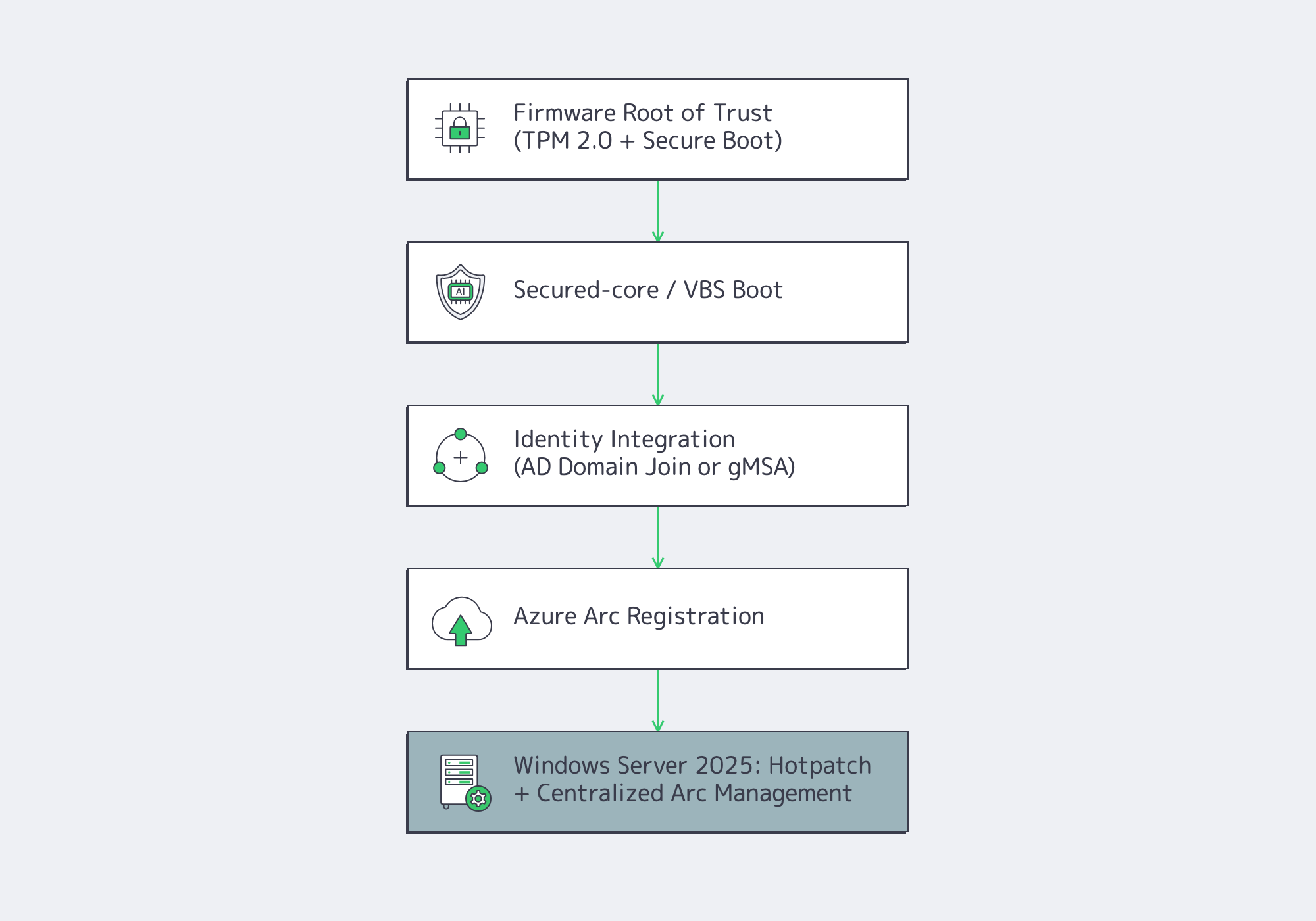
Windows Server hybrid integration is easiest when the dedicated server combines a hardware-rooted boot chain, Active Directory identity, Azure Arc governance, and container support. For new builds, Windows Server 2025 adds the strongest default path because it pairs longer lifecycle support with Arc-enabled hotpatching and broader SMB over QUIC availability for remote file access.
Harden the Foundation with Secured-core
Firmware risk remains a practical integration concern because firmware runs below the operating system and is difficult for endpoint tools to inspect. Secured-core in Windows Server 2022 and 2025 addresses that risk with a hardware-backed root of trust, firmware-level defenses, and operating system protection against unverified code.[3] On compatible AMD and Intel systems, TPM 2.0, Secure Boot, DRTM, VBS, and HVCI work together at boot and runtime to protect the server.
Windows Admin Center and policy-based configuration help toggle Secure Boot, DMA protection, and memory integrity, then audit compliance. For a Melbicom deployment, specify TPM 2.0, UEFI Secure Boot, and VBS-capable hardware during server selection when Secured-core is a requirement. The good news, as an integration architect, is that you can trust the node that you intend to domain-join or add to a container cluster.
Join (and Extend) Active Directory
Domain join remains a two-command affair (Add-Computer -DomainName), but 2025 changes planning for domain controllers because it introduces a new functional level for features such as 32k database pages and adds delegated Managed Service Accounts. Existing 2019 and 2022 domain controllers remain valid for mixed estates, but new forests or major AD refreshes should test the 2025 functional-level implications first.[4] For containers, Windows Server 2022 and 2025 support Group Managed Service Accounts without requiring the host to be domain-joined, eliminating security holes in perimeter zones. That by itself can cut hours out of Kubernetes day-two ops.
If you operate hybrid identity, place Microsoft Entra Connect Sync in the same AD forest—your dedicated server can participate in synchronized identity flows without adding identity agents to every workload.
Treat On-prem as Cloud with Azure Arc
Azure Arc converts a physical server into a first-class Azure resource in terms of policy, monitoring, and patch orchestration. Windows Server 2025 includes Azure Arc Setup by default, and Arc-enabled Hotpatch can apply supported Windows Server 2025 updates without requiring a restart when prerequisites are met.[5] After the server is projected into Azure, you can apply Defender for Cloud, Azure Update Manager, Windows Admin Center in Azure Arc, or Azure Site Recovery configuration.
Windows Server 2022 can also use simplified Arc Setup when fully updated. Windows Server 2019 is still able to join Arc through the Connected Machine agent, but it does not have the same built-in setup experience. If centralized cloud governance is on the roadmap, 2025 will reduce the integration glue code.
Run Cloud-Native Windows Workloads
Cloud-native tooling is mainstream: CNCF’s 2025 Annual Cloud Native Survey reported that 98 percent of surveyed organizations had adopted cloud-native techniques and that 82 percent of container users ran Kubernetes in production.[6] Windows Server 2022 and 2025 close practical gaps with Linux nodes:
- Server 2022 reduced Windows container image sizes and supports HostProcess containers for node-level tasks.
- gMSA can be used without joining the container host to the domain, which simplifies perimeter and Kubernetes worker-node designs.
- Server 2025 adds container portability improvements while also improving Hyper-V, storage, SMB, and GPU partitioning options for supporting platform nodes.
If you have microservices or GitOps in your integration strategy, the newer OS baseline keeps Windows nodes from becoming second-class citizens.
Licensing in One Paragraph
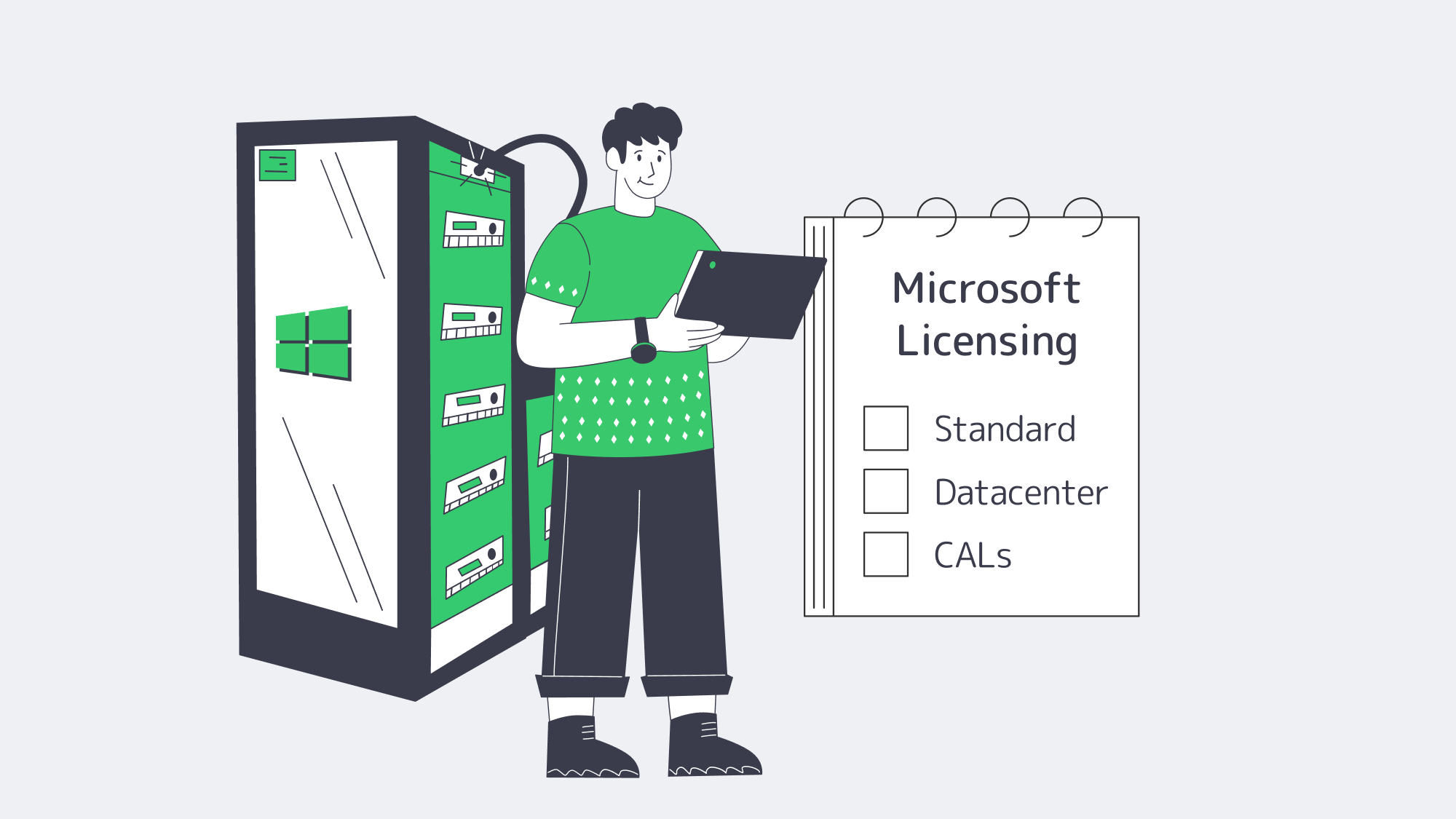
Microsoft’s per-core model remains the baseline for Windows Server 2025 Standard and Datacenter when licensing physical servers: license every physical core, with a minimum of eight core licenses per processor and 16 per server. Customers with subscription licenses or active Software Assurance can also license by virtual machine, subject to Microsoft’s virtual-core minimums. Standard Edition provides two OSEs or Hyper-V-isolated containers per fully licensed physical server; Datacenter provides unlimited OSEs and containers. Stack Standard licenses only when the VM count is low and predictable; otherwise, Datacenter is usually cleaner for dense virtualization. Client Access Licenses (CALs) still apply to AD, file, or RDS access. Bring-your-own licenses (BYOL) can be used, but are limited by Microsoft mobility regulations; portability is not guaranteed.[7]
Infrastructure: Where Integration Bottlenecks Appear
A Windows server will not fit cleanly into a hybrid fabric unless the surrounding network, storage, and governance layers are kept current.
- Bandwidth & Latency: At Melbicom, selected Tier III and Tier IV locations support per-server bandwidth up to 200 Gbps. Cross-site DFS replication, SMB over QUIC, and backup windows benefit when the network path is not the bottleneck.
- Global Reach: A 14+ Tbps backbone and CDN in 40 PoPs is supported by 21 data center locations, letting you place Windows nodes and cacheable content closer to users instead of routing every call through one region.
- Hardware Baseline: Melbicom offers Intel and AMD dedicated-server configurations. For Secured-core workloads, choose hardware with TPM 2.0, UEFI Secure Boot, VBS support, and compatible NIC offloads before ordering. 1000+ ready-to-go servers can be activated in two hours, and KVM/IPMI is available for low-level management.
- 24/7 Support: When the integration stalls at 3 a.m., Melbicom support is available around the clock to help keep workloads online.
How to Integrate a Windows Dedicated Server into a Hybrid System
To integrate a Windows dedicated server into a hybrid system, choose the supported Windows Server release first, then validate hardware security, licensing, identity, Arc onboarding, container runtime, and network throughput. The order matters: identity and governance should be proven before application migration, while bandwidth tests should run before replication or file-service cutover.
The blueprint of integration now appears as follows:
- Choose the edition: Use Server 2025 for new builds unless a legacy workload, vendor certification, or operational standard still requires 2022 or 2019.
- Select the license: Standard when you require two VMs or fewer; Datacenter when the server has a virtualization farm or Windows Kubernetes nodes.
- Order compatible hardware that has TPM 2.0, Secure Boot, VBS support, and a NIC that supports the offloads your workload needs.
- Turn on Secured-core or the required VBS/HVCI controls in Windows Admin Center; check the result in msinfo32 or PowerShell.
- Domain-join where the workload requires it; for container hosts, use gMSA without host join when the design permits it.
- Register with Azure Arc to federate policy and telemetry, then enable Windows Server 2025 Hotpatch when prerequisites are met.
- Install container runtime (containerd or Docker where still supported), and apply HostProcess DaemonSets if using Kubernetes.
- Confirm network bandwidth with ntttcp; the result should approach provisioned line rate on 10/40/100/200 GbE ports when NIC offloads, firewall rules, and the remote path allow full throughput.
Then follow that checklist, and the new Windows dedicated server falls into the background as a secure, policy-driven node that speaks AD, Azure, and Kubernetes natively.
What’s Next for Windows Dedicated Servers in Hybrid IT?
Practically, a Windows Server 2025 implementation bought now gets support into 2034 and aligns with the current Azure management path. Windows Server 2022 remains viable through 2031 for applications that need the older baseline. Hybrid demand continues to rise, and IBM’s 2025 breach report still estimates the global average cost of a data breach at 4.4 million dollars even after a year-over-year decrease.[8] Integration-layer breaches are costly, so the stronger bet is to standardize on a supported, Arc-managed, hardware-rooted baseline now instead of waiting for the next emergency upgrade.
Integration as an Engineering Discipline
Windows dedicated servers are no longer static file boxes; they are nodes in a cross-cloud control plane that can be programmed. When you select Windows Server 2025 on compatible hardware, you get a longer lifecycle, current Secured-core and VBS controls, Azure Arc enrollment, and a stronger container and file-services platform. Pair that OS with selected Tier III/Tier IV data centers capable of up to 200 Gbps throughput per server, and your hybrid estate will no longer care where the workload resides. Integration is not a weekly fire drill but a property of the platform.
Deploy Windows Servers Fast
Spin up Windows dedicated servers with up to 200 Gbps uplinks and integrate supported configurations into your hybrid fabric quickly.
Get expert support with your services
Blog
Finding an Unmetered Dedicated Server Plan in Amsterdam
A decade ago, it was necessary to count every gigabyte and keep your fingers crossed that the 95th-percentile spike on your invoice wasn’t horrendous in order to plan your bandwidth. For video platforms, gaming labs, and other traffic-heavy businesses, this was a genuine gamble and required calculus to keep within budget limitations. These days, thankfully, the math is no longer a caveat. Fixed monthly prices and hundreds of terabytes are on tap thanks to the AMS-IX exchange based in Amsterdam. The high-capacity network serves as one of Europe’s main crossroads and has reached a 15 Tbps peak.[1]
Choose Melbicom— 300+ ready-to-go servers — Tier III & IV DCs in Amsterdam — 40 CDN PoPs across 35 countries |
|
Definition Matters: Unmetered ≠ Infinite
Jargon can confuse matters; it is important to clarify that unmetered ports refer to the data and not the speed. Essentially, the data isn’t counted, but that doesn’t mean that the speed is unlimited. If saturated 24 x 7, a fully dedicated 1 Gbps line should be capable of moving 324 TB each month. That ceiling climbs to roughly 3.2 PB with a 10 Gbps line. So you need to consider how much headroom you need, which could be considerable if you are working with huge AI datasets or operating a multi-regional 4K streaming. If you are using shared uplinks, it is wise to read through the service agreements, one line at a time, or you will find out the hard way how “fair use” throttle affects you:
- Guaranteed Port: Our Netherlands-based unmetered server configurations indicate that the bandwidth is solely yours, with language such as “1:1 bandwidth, no ratios.”
- Zero Bandwidth Cap: The phrase “reasonable use” should raise alarm bells. It often means the host can and will slow you at will. If limitations are in place, look for hard numbers to understand potential caps.
- Transparent overage policy: The legitimacy of an unmetered plan boils down to overage policies. Ideally, there should be an explicit statement, such as “there isn’t one.”
How Does Amsterdam’s AMS-IX Multipath Deliver Low Latency?
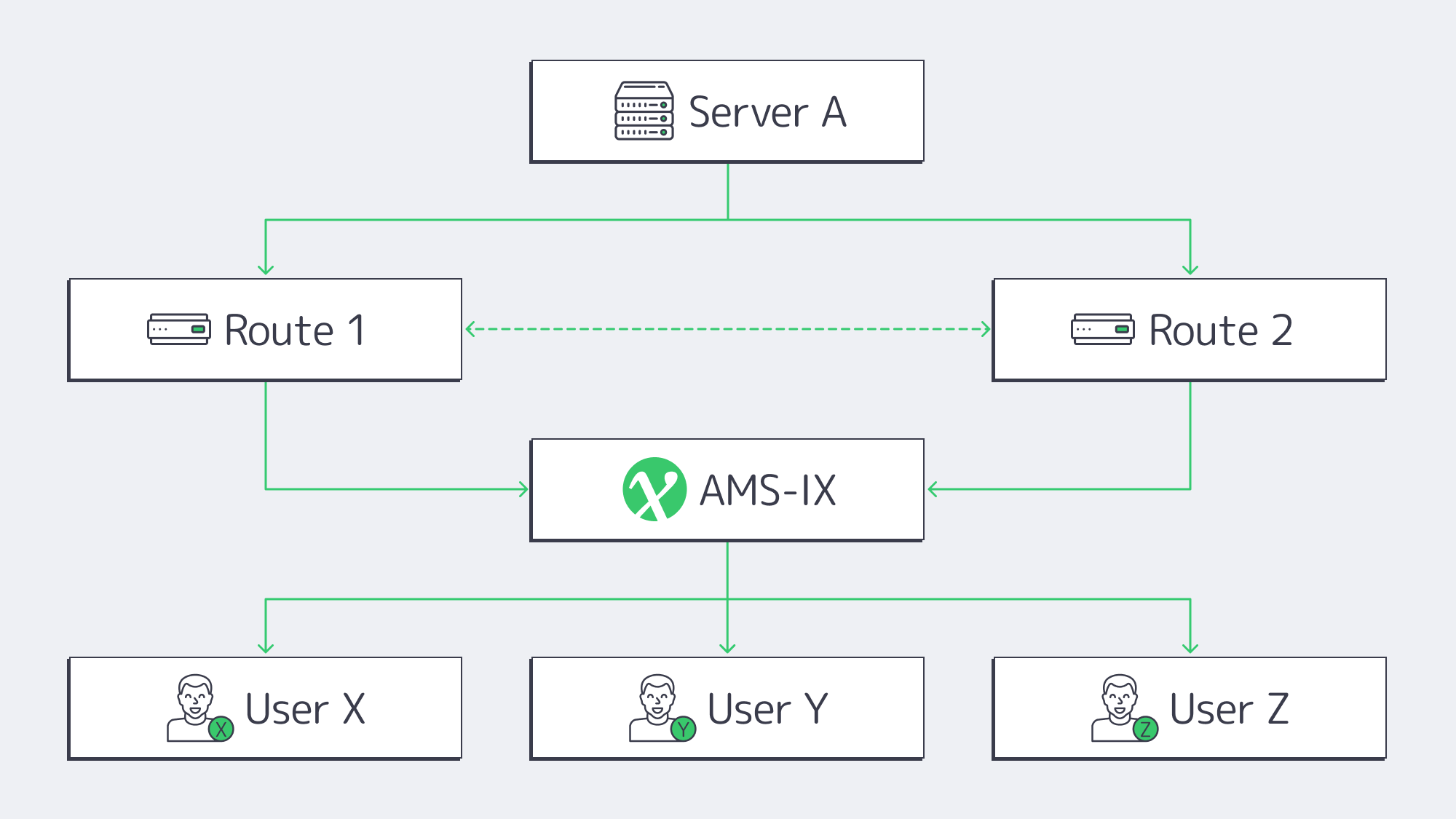
The infrastructure around Amsterdam’s AMS-IX connection now brings together 900+ connected networks and has reached a 15 Tbps traffic peak.[1] At Netflix’s 15 Mbps UHD guideline, that peak is enough capacity for roughly one million concurrent 4K streams. Traffic can be distributed across carrier-neutral facilities, so providers with diverse physical peerings can reroute around a delayed or failed path without a ticket or manual BGP changes during failover response.
Melbicom‘s backbone uses 29 IXP peering hubs and 23 transit partners, giving teams practical route-diversity and failover options. Latency still depends on the viewer ISP, route, and target region, so live-feed teams should benchmark from their real EU and transatlantic audiences before committing to glass-to-glass latency targets.
What Runs on 1–10 Gbps Unmetered Ports?
| Port speed | Concurrent 4K streams* | Max data/month** |
|---|---|---|
| 1 Gbps | ≈ 60 | 324 TB |
| 5 Gbps | ≈ 300 | 1.6 PB |
| 10 Gbps | ≈ 600 | 3.2 PB |
*In accordance with Netflix’s 15 Mbps UHD guideline.[2] **Theoretical, 100 % utilization.
Streaming & CDN nodes: Recent traffic measurements still show video as a major bandwidth driver: Sandvine’s 2024 Global Internet Phenomena Report measured video at 38% of traffic across fixed and mobile networks, while on-demand streaming generated 54% of total downstream volume.[3] For edge boxes feeding Europe, a 10 Gbps port can fill quickly during prime time; live streaming a single 4K event at 25 Mbps reaches a gigabit with just 40 viewers.
AI training bursts: OpenAI’s GPT-3 paper reported that the Common Crawl portion of the training data was 45 TB of compressed plaintext before filtering.[4] To put things into perspective, copying 45 TB takes around five days across nodes on a 1 Gbps line or half a day on a 10 Gbps line. Without GPUs bolstered by generous unmetered pipes, parameter servers can easily spike during distributed training.
How to Verify a Genuine Unmetered Dedicated Server in the Netherlands
- Dedicated N Gbps + port in writing.
- SLA with no traffic ceiling and no “fair use” policy unless clearly defined.
- Dual AMS-IX peerings (minimum) and diverse transit routes.
- Tier III or IV facility to ensure sufficient power and cooling redundancy.
- Real-world test file demonstrates that it hits 90 % of the stated speed.
- Complimentary 24/7 support (extra ticket fees are common with budget plans).
If the offer doesn’t meet at least four out of the six above-mentioned criteria, then steer clear because you are looking at throttled gigabits.
Price vs Performance in Unmetered Plans
Search pages are littered with “cheap dedicated server Amsterdam” adverts, but headline prices and true throughput can be widely disparate. You have to consider the key cost lenses to know if you are getting a good deal. When you hone in on the cost per delivered gigabit, a €99/month “unmetered” plan that delivers 300 Mbps after contention works out pricier than a plan for €179 that sustains 1 Gbps. Consider the following:
- Effective €/Gbps – Judge sustained speed, not port size.
- Upgradability – Confirm 1-to-5 Gbps upgrades can happen in place.
- Bundles – The total cost of ownership may include hidden add-ons; Melbicom bundles IPMI access and BGP announcements, keeping costs transparent.
The sweet spot for the majority of bandwidth-heavy startups is either an unmetered 1 Gbps or 5 Gbps node. Either 10 Gbps or 40 Gbps is required for traffic-heavy endeavors such as gaming and streaming platforms that are expecting petabytes. With U.S. metros, costs can be high, but the carrier density on offer in Amsterdam keeps tiers cheaper.
What’s the Upgrade Path from 10G to 100G–400G?
The rise of AI and the continuing popularity of video have kept exchange ports moving upward: AMS-IX reported that its number of 400G ports grew by 65% over the past year as the Amsterdam platform reached a 15 Tbps peak.[5] That trend points toward 25G and 40G dedicated uplinks becoming more common for workloads that consistently outgrow 10G. At Melbicom, Amsterdam ready-to-go options include up to 100 Gbps bandwidth, and unmetered plans are available; custom builds can use up to 200 Gbps per-server network capacity when needed.
Planning for a provider that scales beyond 10 Gbps reduces future migration risk. Whether your climb is linear with a steady subscriber base or lumpy because of a viral game patch or major live event, available headroom beyond 10 Gbps helps keep growth from turning into a forced rebuild.
What Else Should You Check—Latency, Security, and Facility Resilience?
Don’t overlook latency: High bandwidth means nothing if there is significant packet loss; low latency is vital to be sure to test both.
Security is bandwidth’s twin: A volumetric DDoS flood can arrive as fast as a legitimate traffic surge. Ask if scrubbing is on-net or through a third-party tunnel.
Facility resilience matters: Power and cooling redundancy still determine whether high bandwidth remains useful during faults. For Amsterdam workloads, Melbicom offers Tier III & IV DCs in Amsterdam, so verify the site tier, power path, and cooling redundancy alongside the port speed.
How to Choose an Unmetered Dedicated Server in Amsterdam
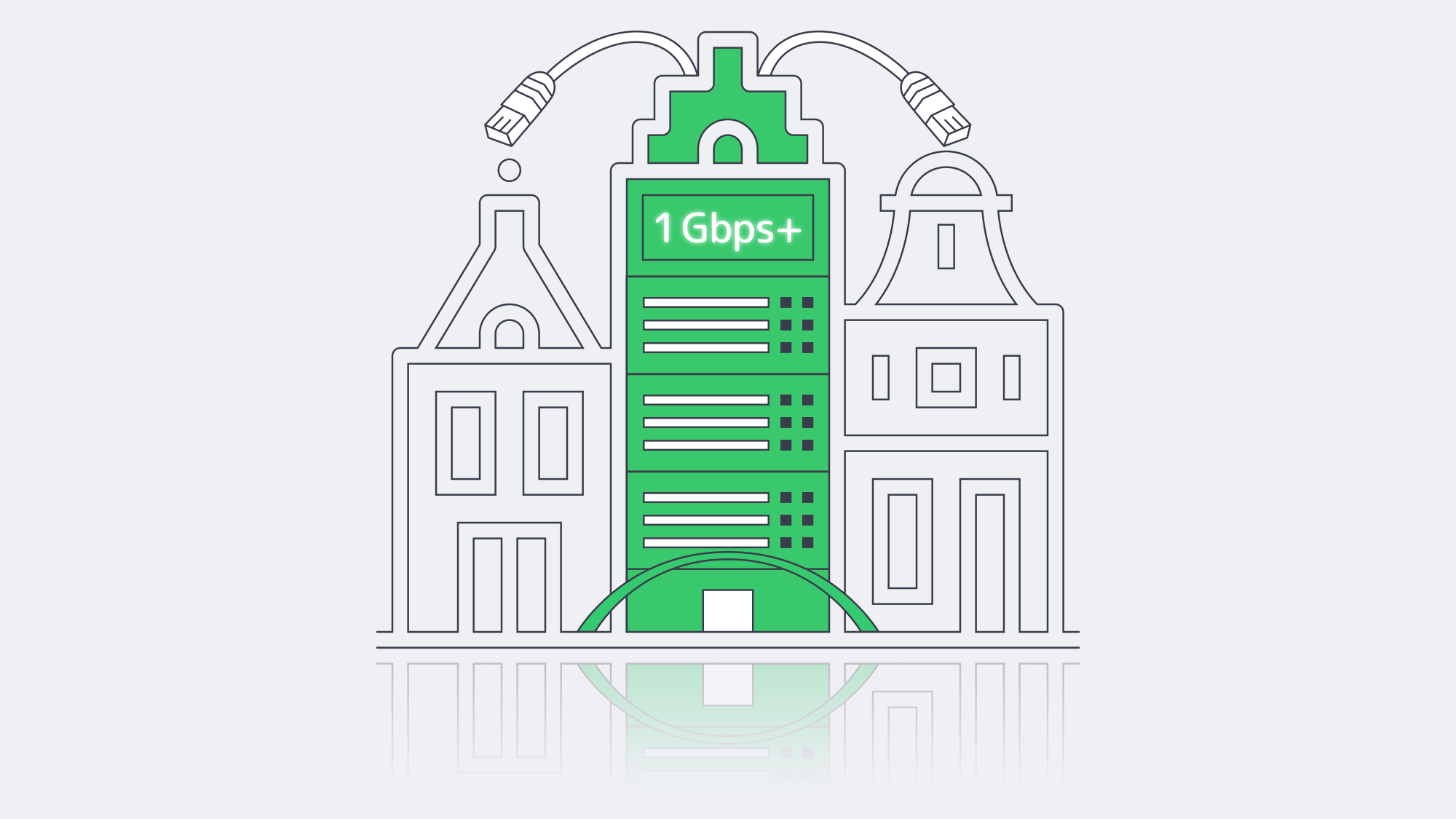
Amsterdam’s AMS-IX remains one of Europe’s major interconnection hubs; its multipath ecosystem can reduce the risk that a single cable cut affects your operations. For a dedicated server that is truly unmetered, review the service terms behind it with a fine-tooth comb. Require proof of 1:1 bandwidth, look for zero-cap wording, verify physical redundancy, and run sustained live speed tests before trusting the unmetered claim for production use.
Ready for unmetered bandwidth?
Deploy a dedicated Amsterdam server with guaranteed 1:1 ports, unmetered bandwidth options, and zero caps.
Get expert support with your services
Blog

Building a Predictive Monitoring Stack for Servers
Downtime is brutally expensive. Enterprise Management Associates pegs the average minute of an unplanned IT outage at US $14,056, climbing to US $23,750 for very large firms.[1] Stopping those losses begins with smarter, faster observability—far beyond yesterday’s “ping-only” scripts. This condensed blueprint walks step-by-step through a metrics + logs + AI + alerts pipeline that can spot trouble early and even heal itself—exactly the level of resilience we at Melbicom expect from every bare-metal deployment.
Choose Melbicom— 1000+ ready-to-go servers — 21 global Tier IV & III data centers — 40 CDN PoPs across 35 countries |
|
From Pings to Predictive Insight
Early monitoring checked little more than ICMP reachability; if ping failed, a pager screamed. That told teams something was down but said nothing about why or when it would break again. Manual dashboards added color but still left ops reacting after users noticed. Today, high-resolution telemetry, AI modeling, and automated runbooks combine to warn engineers—or kick off a fix—before customers feel a blip.
What Dedicated Server Monitoring Includes
A dedicated server monitoring stack should combine high-resolution metrics, centralized logs, AI-assisted anomaly detection, and multi-channel alerts with tested runbooks. Metrics show resource pressure, logs explain causes, anomaly models reduce static-threshold noise, and alerts or self-healing actions turn signals into reliable incident response.
| Step | Objective | Key Tools & Patterns |
|---|---|---|
| Metrics collection | Stream system and application KPIs at 5-60 s granularity | Prometheus + node & app exporters, OpenTelemetry agents |
| Log aggregation | Centralize every event for search & correlation | Fluent Bit/Vector → Elasticsearch/Loki |
| AI anomaly detection | Learn baselines, flag outliers, predict saturation | AIOps engines, Grafana ML, New Relic or custom Python ML jobs |
| Multi-channel alerts & self-healing | Route rich context to humans and scripts | PagerDuty/Slack/SMS + auto-remediation playbooks |
Metrics Collection—Seeing the Pulse
High-resolution metrics are the vitals of a dedicated server: CPU load, 95th-percentile disk I/O, kernel context switches, TLS handshake latency, custom business counters. Exporters pull these numbers into a time-series store—most shops adopt the pull model (Prometheus scraping) for its simplicity and discoverability. Labels such as role=db-primary or dc=ams make multi-site queries easy.
Volume is real: a single node can emit hundreds of series; dozens of nodes create billions of data points per day. Tool complexity still reflects that reality: Grafana Labs’ 2026 survey names complexity/overhead as the top observability concern (38%) and reports that 65% of organizations are investing in both Prometheus and OpenTelemetry.[2] Consolidating feeds through OpenTelemetry or Alloy collectors reduces overhead and feeds the same stream to both dashboards and AI detectors.
Log Aggregation—Reading the Narrative
Metrics flag symptoms; logs give quotes. A centralized pipeline (Vector → Loki or Logstash → OpenSearch) fans in syslog, app, security, and audit streams. Schema-on-ingest parsing turns raw text into structured JSON fields, enabling faceted queries such as “level:error AND user=backend-svc-03 in last 5 m”.
Unified search slashes Mean Time to Detect; when an alert fires, a single query often reveals the root cause in seconds. Correlation rules can also raise proactive flags, such as repeated OOMKilled events on a container or a 502 surge before front-end CPU spikes.
Because Melbicom provides servers with up to 200 Gbps per server in global Tier III/IV sites, IT operations staff can design continuous log shipping with enough network headroom for production traffic.
AI Anomaly Detection Beyond Static Rules
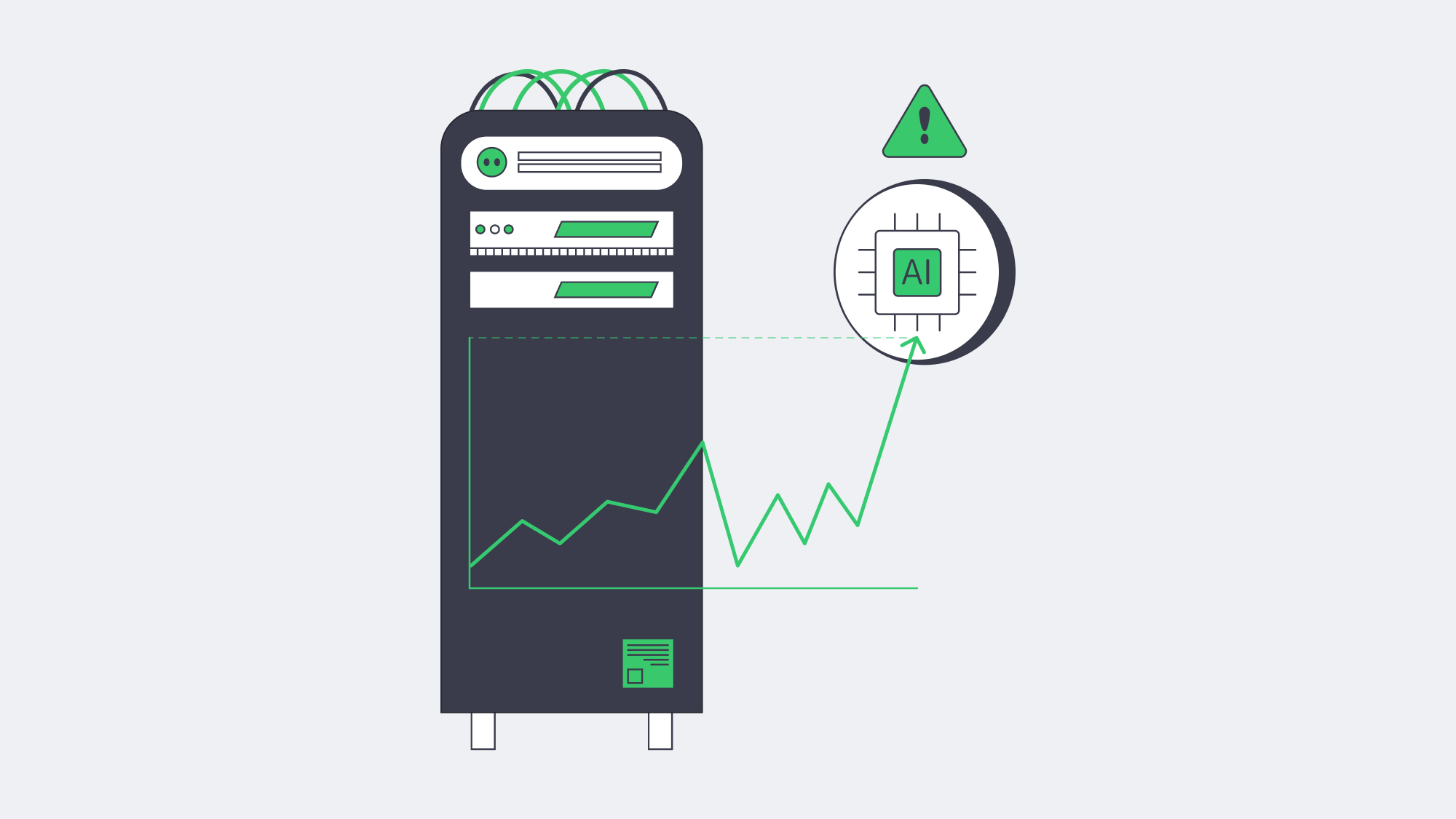
Static thresholds (“alert if CPU > 90%”) drown teams in noise or miss slow burns. Machine-learning models watch every series, learn its daily and weekly cadence, and raise alarms only when a pattern really breaks. EMA’s outage study shows AIOps users trimming incident duration so sharply that some issues resolve in seconds.[3]
- Seasonality-aware CPU: nightly backup spikes are normal; a lunchtime jump is not.
- Early disk failure: subtle uptick in ata_errors often precedes SMART alarms by hours.
- Composite service health: hairline growth in p95 latency + rising GC pauses + error-log rarity equals brewing memory leak.
Predictive models go further, projecting “disk full in 36 h” or “TLS cert expires in 10 days”—time to remediate before SLA pain.
Multi-Channel Alerts With Context
Detection is moot if nobody hears it. Modern alert managers gate severity bands:
- Info → Slack channel, threads auto-closed by bot when metric normalizes.
- Warn → Slack + email with run-book links.
- Critical → PagerDuty SMS, voice call, and fallback escalation after 10 m.
Alerts carry metadata: last 30-minute sparkline, top correlated log excerpts, Grafana explore link. This context trims guesswork and stress during overnight incidents.
New Relic’s 2025 Observability Forecast says many high-impact outages now cost $2 million per hour and that full-stack observability cuts that financial hit in half.[5] The right payload—and less alert fatigue—explains much of that edge.
Self-Healing Workflows for Routine Faults
Once alerts trust ML accuracy, automation becomes safe. Typical playbooks:
- Service restart when a known memory-leak signature appears.
- IPMI hard reboot if node stops responding yet BMC is alive.
- Traffic drain and container redeploy on Canary errors > threshold.
- Extra node spin-up when request queue exceeds modelled capacity.
Every action logs to the incident timeline, so humans can audit later. Over time, the books grow—from “restart Nginx” to “migrate master role to standby if replication lag stable”. The goal: humans handle novel problems; scripts squash the routine.
Distributed Monitoring Across Locations
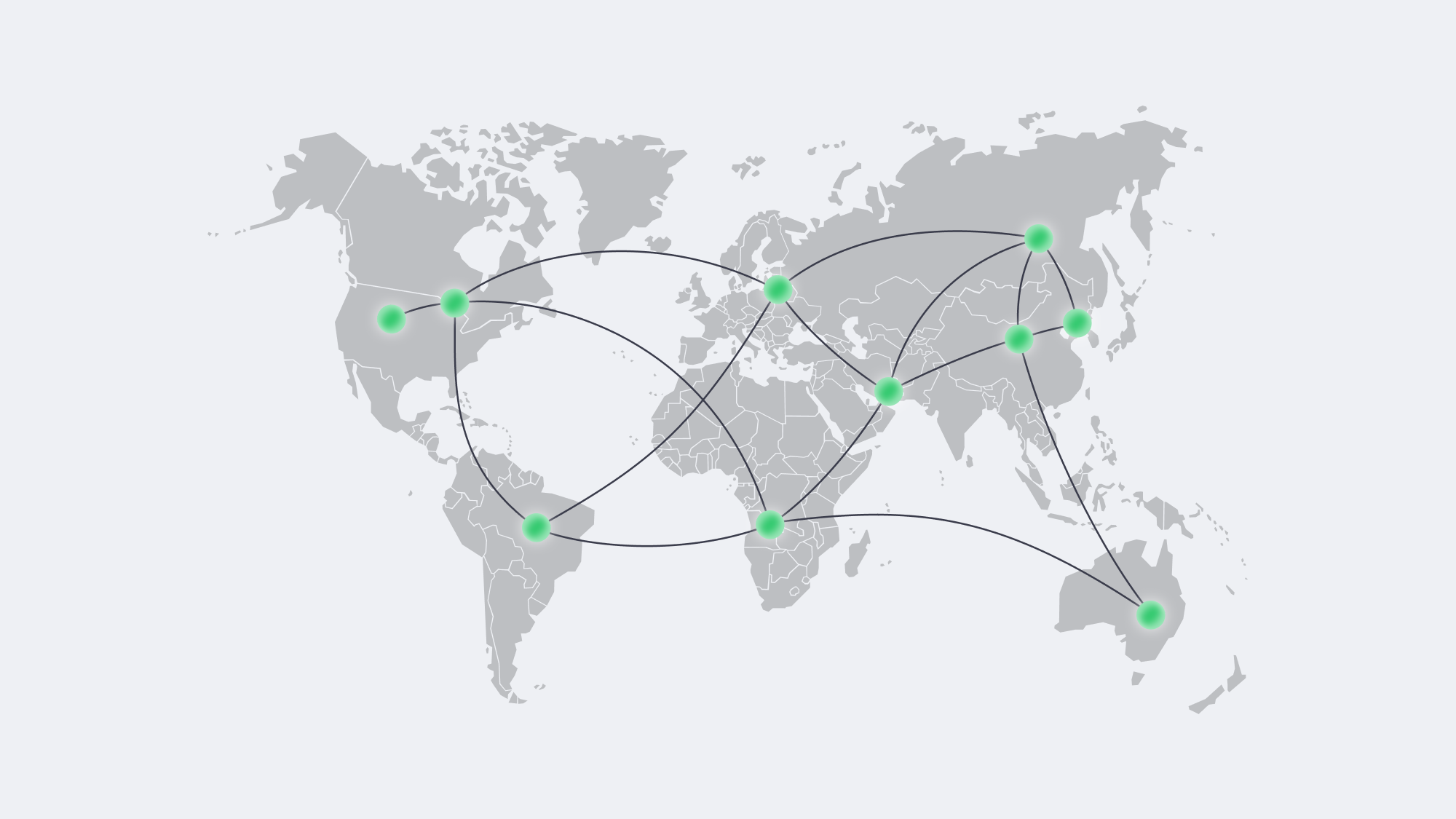
Metric latency to the collector can mask user pain from the edge. Dedicated nodes often sit in multiple regions for compliance or low-latency delivery. Best practice is a federated Prometheus mesh: one scraper per site, federating roll-ups to a global view. If trans-Atlantic WAN links fail, local alerts still trigger.
External synthetic probes—HTTP checks from Frankfurt, São Paulo, and Tokyo—verify that sites are reachable where it counts: outside the data-center firewall. Combined with Melbicom’s 21 locations and CDN pops across 40 locations in 35 countries, ops teams can blend real user measurements with synthetic data to decide where to expand next.
Incident Economics—Why the Effort Pays
Tooling is not cheap, but neither is downtime. EMA’s 2024 outage-cost benchmark, published by BigPanda, shows every minute of unplanned IT downtime averages $14,056, and organizations with mature AIOps experienced a 30% decrease in outage frequency and cost.[4] Grafana’s 2026 Observability Survey adds that 77% of respondents saved time or money through centralized observability.[6] In plain terms: observability investment funds itself the first time a production freeze is shaved from an hour to five minutes.
Putting It All Together

Build the stack incrementally:
- Instrument everything—system exporters first, app metrics next.
- Ship every log to a searchable index.
- Enable anomaly ML on the full data lake, tune until noise drops.
- Wire multi-channel alerts with rich context.
- Automate the obvious fixes, audit, and expand the playbook.
- Test failovers—simulate host death, packet loss, disk fill—until you trust the automation more than you trust coffee.
Each phase compounds reliability; skip one and blind spots emerge. When executed end-to-end, ops teams shift from firefighting to forecasting.
Conclusion — From Reactive to Resilient
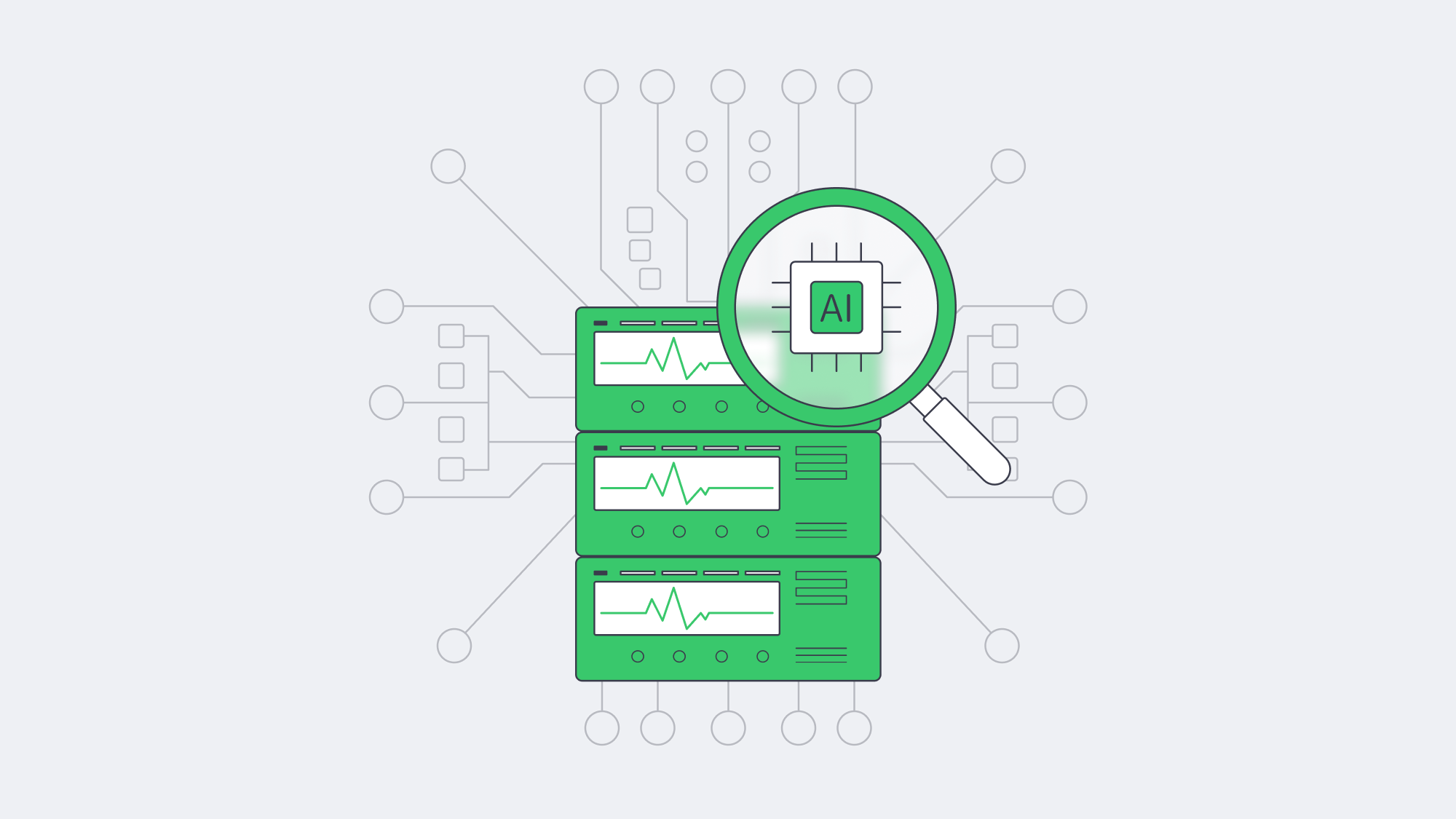
A modern monitoring stack turns servers into storytellers: metrics give tempo, logs provide narrative, AI interprets plot twists, and alerts assign actors their cues. Tie in automated runbooks and the infrastructure heals before the audience notices. Companies that follow this blueprint bank real money—downtime slashed, reputations intact, engineers sleeping through the night.
Launch Your Dedicated Server
Deploy in Tier III/IV data centers with up to 200 Gbps per server and 24×7 support. Start today and pair your new machines with the monitoring stack above for more resilient operations.
Get expert support with your services
Blog
Database Hosting Services for Latency, Uptime, and TCO
Modern database hosting services span far more than the racks that once anchored corporate IT. Today, decision-makers juggle dedicated servers, multi-cloud Database-as-a-Service (DBaaS) platforms, and containerized deployments—each promising performance, scale, and savings. The goal of this guide is simple: to show how to pick the right landing zone for your data by weighing five hard metrics—latency, uptime guarantees, compliance, elastic scaling, and total cost of ownership (TCO). Secondary considerations (feature sets, corporate politics, tooling preferences) matter, but they rarely outrank these fundamentals.
Choose Melbicom— 1000+ ready-to-go servers — 21 global Tier IV & III data centers — 40 CDN PoPs across 35 countries |
|
Which Database Hosting Services Are Available—and How Do They Differ?
Before public clouds, running a database meant buying hardware, carving out space in an on-prem data center, and hiring specialists to keep disks spinning. That model still lives in regulated niches, yet most organizations now treat on-prem data centers as legacy—valuable history, not future direction. The pressures shaping current choices are sovereignty rules that restrict cross-border data flow, hybrid resiliency targets that demand workloads survive regional failures, and a CFO-driven insistence on transparent, forecastable economics.
Three modern options dominate
| Model | Core Idea | Prime Strength |
|---|---|---|
| Dedicated server | Single-tenant physical host rented or owned | Predictable performance & cost |
| Cloud DBaaS | Provider-managed database instance | Rapid deployment & elastic scale |
| Container platform | Database in Kubernetes or similar | Portability across any infrastructure |
Each model can power SQL database hosting, web hosting MySQL database clusters, or high-volume Postgres database hosting at scale; the difference lies in how they balance the five decision metrics that follow.
How Does Latency Affect Database Hosting—and How Do You Reduce It?
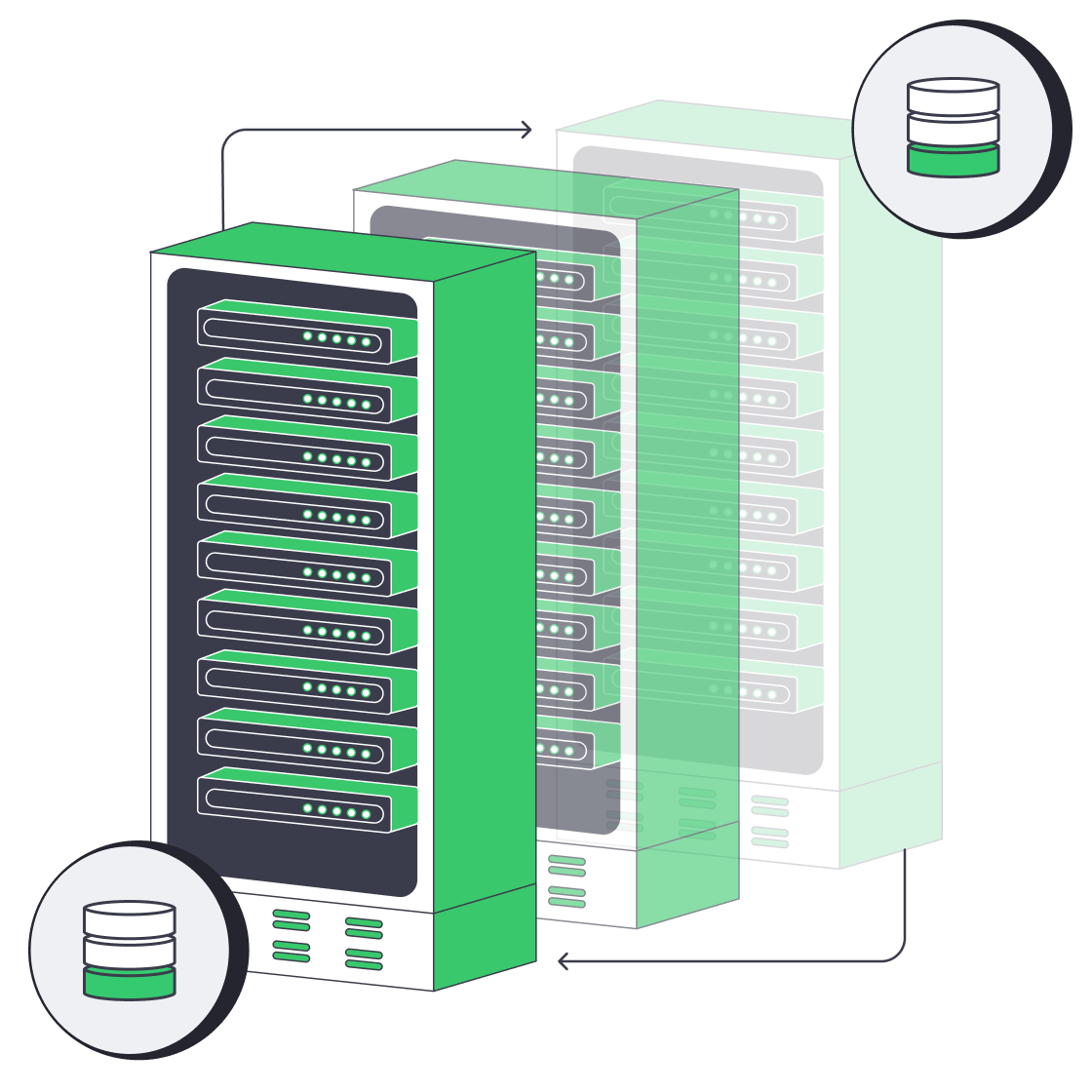
Database hosting latency is lowest when application servers and write-heavy databases run in the same metro or region. Use dedicated servers for deterministic placement, DBaaS for same-zone convenience, and read replicas for distant users; avoid public-internet detours when private links or tuned routing are available.
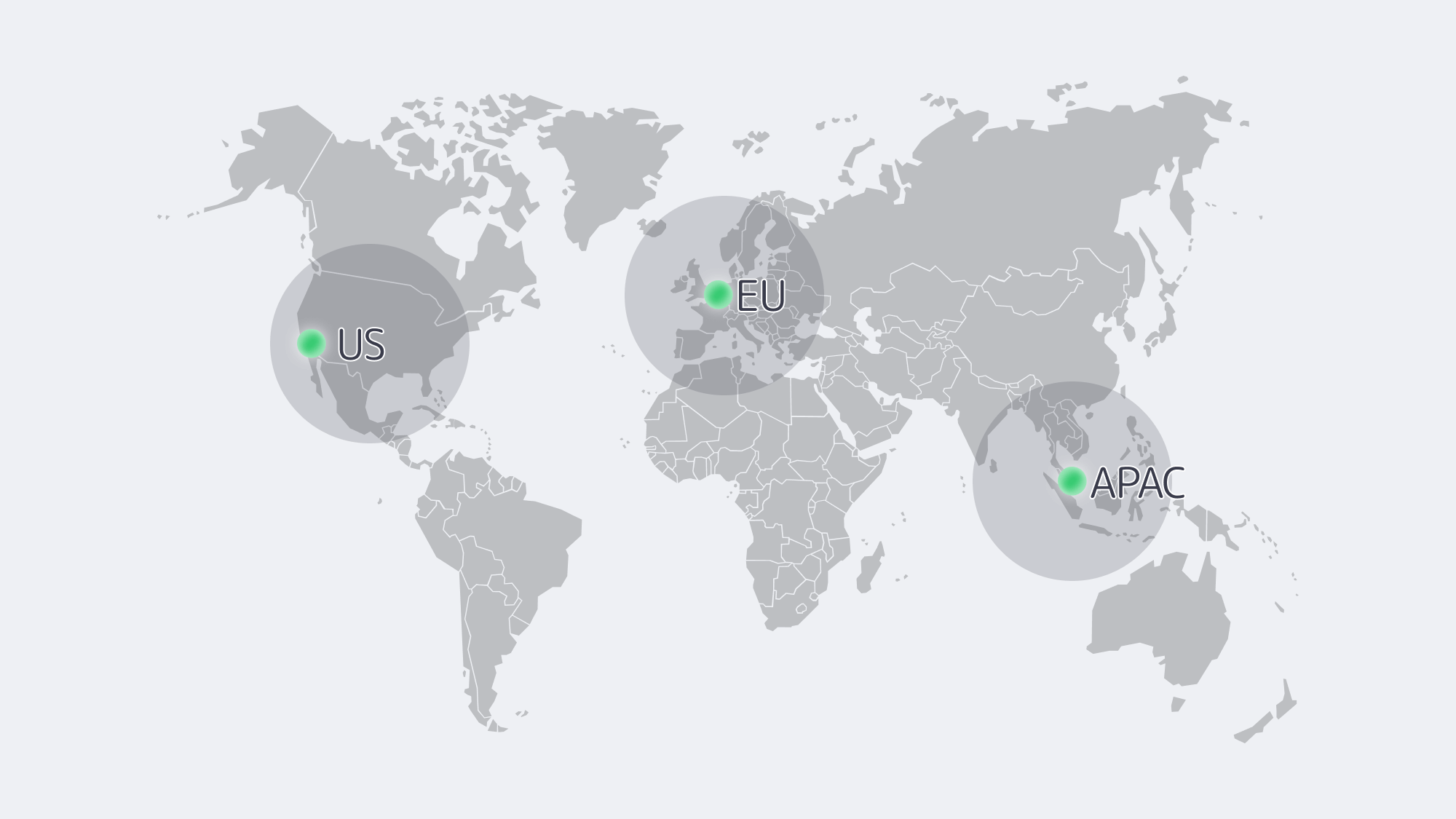
Every extra millisecond between application and datastore chips away at user experience. Dedicated servers let teams drop hardware into specific metros—Amsterdam for pan-EU workloads, Los Angeles for a West Coast startup—bringing median round-trip times under 5 ms within region and avoiding multi-tenant jitter.
DBaaS instances are just as quick when compute lives in the same cloud zone, but hybrid topologies suffer: shipping queries from an on-prem app stack to a cloud DB 2,000 km away adds 40–70 ms and invites egress fees. Container clusters mirror their substrate; run Kubernetes on bare metal in a regional facility and you match dedicated latencies, run it on VMs across zones and you inherit cloud hop counts.
For global audiences, no single host sits near everyone.
Use this low-latency playbook:
- Pin read-heavy replicas close to users. Cloud DBaaS makes this almost one-click; dedicated nodes can achieve the same with streaming replication.
- Keep write primaries near business logic. Minimize chatter on OLTP workloads.
- Avoid forced detours. Private links or anycast routing outperform public-internet hops.
With 21 Tier III–IV facilities and up to 200 Gbps per-server bandwidth, Melbicom helps teams place data closer to users without virtualization overhead.
Is Your Database Hosting Highly Available—and What Should You Verify?
Dedicated servers inherit their facility rating: Tier IV promises <26 minutes of annual infrastructure downtime, Tier III about 1.6 hours. Hardware still fails, so true availability hinges on software redundancy—multi-node clusters or synchronous replicas in a second rack. Melbicom mitigates risk by swapping failed components inside 4 hours and maintaining redundant upstream carriers; your team still controls database failover logic.
Cloud DBaaS automates much of that logic. Enable multi-zone mode and providers commonly target 99.95%-plus availability for highly available configurations; failovers are automated but should be planned as a brief recovery event, often around 60–120 seconds depending on service and workload state. The price is a small performance tax and dependence on platform tooling. Region-wide outages are rare yet headline-making; multi-region replication cuts risk but doubles cost.
Container databases ride Kubernetes self-healing. StatefulSets restart crashed pods, Operators promote replicas, and a cluster spread across two sites can target four-nines reliability—provided storage back ends replicate fast enough. You’re the SRE on call, so monitoring and rehearsed run-books are mandatory.
Rule of thumb: platform automation reduces human-error downtime, but the farther uptime is outsourced, the less tuning freedom you retain.
How Do Compliance and Data Sovereignty Affect Database Hosting?
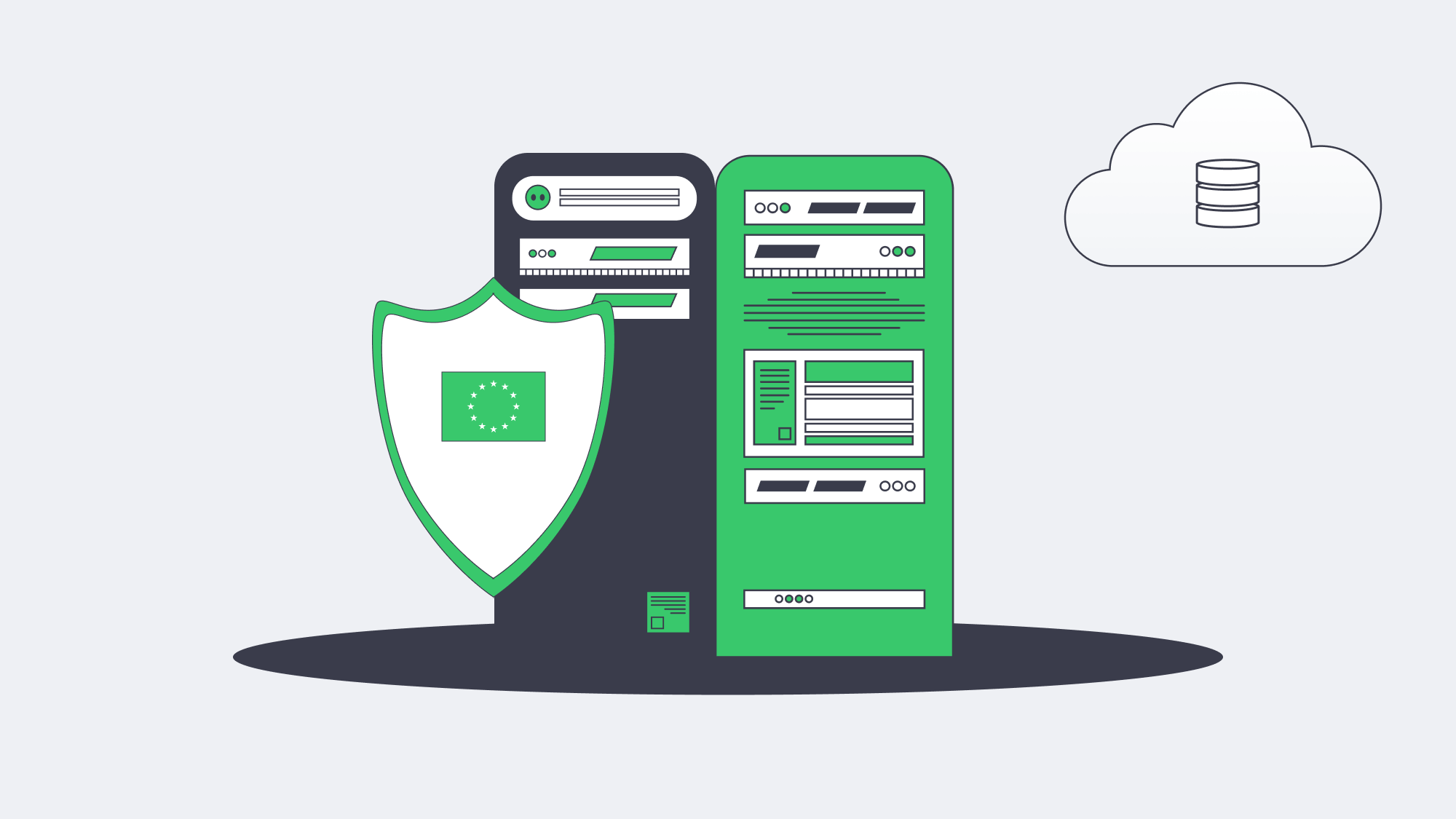
- Dedicated servers grant the clearest answers. Choose a country, deploy, and keep encryption keys offline; auditors see the whole chain. European firms favor single-tenant hosts in EU territory to reduce cross-border risk, while U.S. healthcare providers leverage HIPAA-aligned hosting controls.
- DBaaS vendors brandish long lists of ISO, SOC 2, PCI, and HIPAA attestations, yet true sovereignty is fuzzier. Metadata or backups may leave region, and foreign-owned providers remain subject to their home-state disclosure laws. Customer-managed keys, private endpoints, and “sovereign-cloud” variants ease some worries but add cost and sometimes feature gaps.
- Containers let teams codify policy. Restrict nodes by label, enforce network policies, and pin PostgreSQL clusters to EU nodes while U.S. analytics pods run elsewhere. The trade-off is operational complexity: securing the control plane, supply-chain-scanning images, and documenting enforcement for auditors.
When sovereignty trumps all, single-tenant hardware in an in-country facility still rules. Melbicom maintains European data centers and lets teams choose deployment location at the server level.
How Do Database Hosting Services Scale—Vertical, Horizontal, or Serverless?
Cloud DBaaS sets the benchmark: resize a MySQL instance from 4 vCPUs to 16 vCPUs in minutes, add replicas with one API call, or let a serverless tier spike 20× during a flash sale. It’s difficult to match that zero-touch elasticity elsewhere.
Dedicated servers scale vertically by swapping CPUs or moving the database to a bigger box and horizontally by adding shard or replica nodes. Melbicom keeps 1000+ ready-to-go servers available company-wide, so extra capacity appears within hours, not weeks, but day-scale elasticity cannot copy second-scale serverless bursts. For steady workloads—think ERP, catalog, or gaming back-ends—predictable monthly capacity often beats pay-per-peak surprises.
Container platforms mimic cloud elasticity inside your footprint. Kubernetes autoscalers launch new database pods or add worker nodes when CPU thresholds trip, provided spare hardware exists or an underlying IaaS can supply it. Distributed SQL engines (CockroachDB, Yugabyte) scale almost linearly; classic Postgres will still bottleneck on a single writer. Good operators abstract most of the ceremony, but hot data redistribution still takes time and IO.
In practice, teams often blend models: burst-prone workloads float on DBaaS, while core ledgers settle on right-sized dedicated clusters refreshed quarterly.
How Much Do Database Hosting Services Cost—and What Drives TCO?
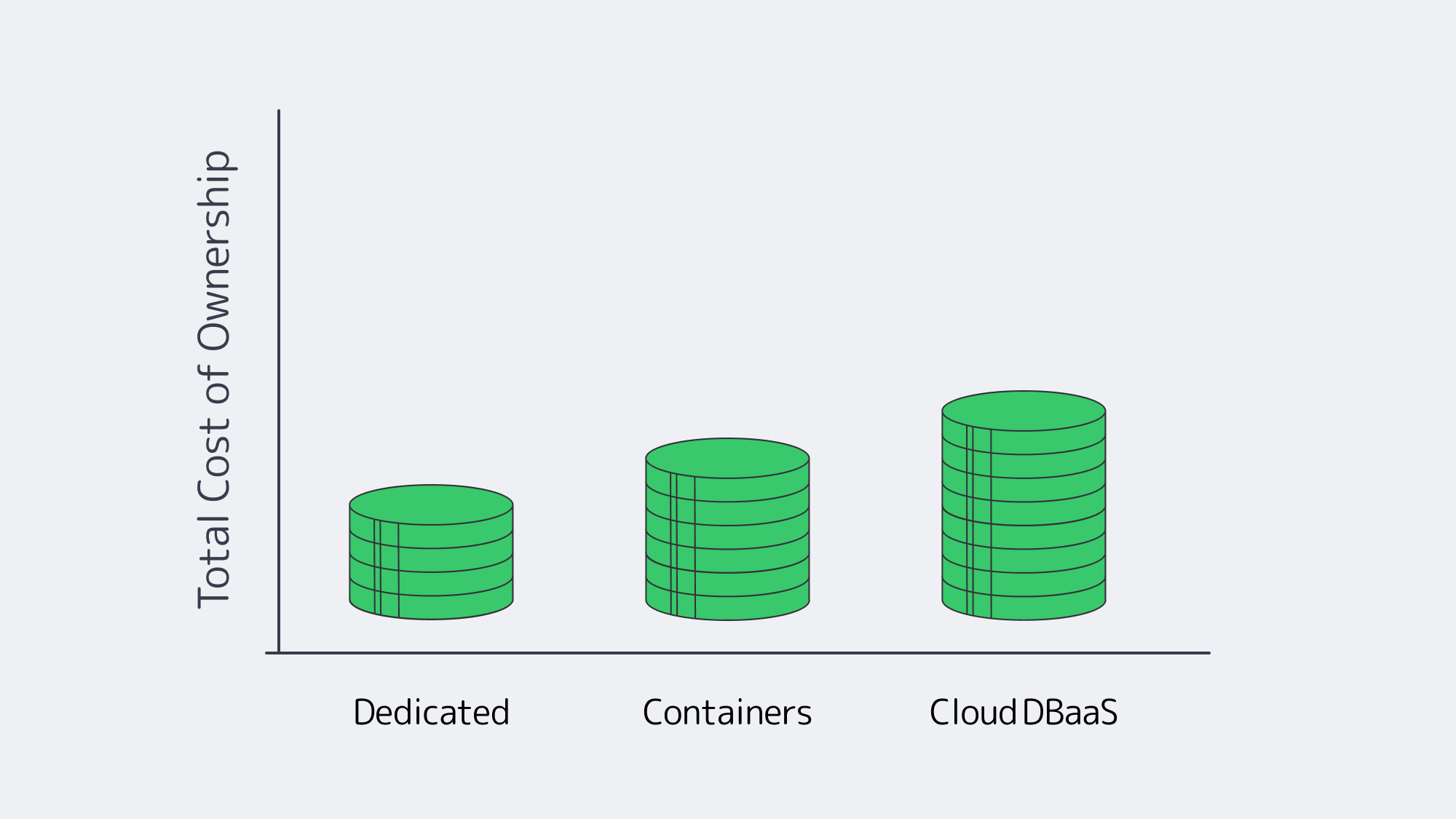
Price tags without context are dangerous. Evaluate three buckets:
- Direct infrastructure spend. For 24/7 steady workloads, cloud on-demand rates and metered network charges can exceed the monthly rental of a right-sized dedicated host. At high egress volumes, compare cloud data-transfer fees against a 10 Gbps unmetered port rather than looking only at CPU and RAM.
- Labor and tooling. DBaaS bundles patching, backups, and monitoring. Dedicated or container fleets need DBAs and SREs; automation amortizes the cost, but talent retention counts.
- Financial risk. Over-provision on-prem and you eat idle capital; under-provision in cloud and burst‐pricing or downtime hits revenue. Strategic lock-in adds long-term exposure: repatriating 100 TB from a cloud can incur five-figure egress fees.
A common pattern: startups prototype on DBaaS, stabilize growth, then migrate stable workloads to dedicated hardware to cap expenses. Dropbox disclosed infrastructure optimization that lowered costs by $39.5 million in 2016 and $35.1 million in 2017; not every firm hits that scale, and repatriation savings remain workload-specific rather than automatic. Transparent economics attract finance teams; Melbicom servers can fix monthly costs for core data while elastic analytics remain in cloud Spot fleets.
Which Database Hosting Service Fits Your Use Case? Decision Matrix
| Criterion | Dedicated server | Cloud DBaaS | Container platform |
|---|---|---|---|
| Latency control | High (choose metro, no hypervisor) | High in-zone, variable hybrid | Mirrors substrate; tunable |
| SLA responsibility | Shared (infra provider + your cluster) | Provider-managed failover | You + Operator logic |
| Compliance sovereignty | Full control | Certifications but shared jurisdiction | High if self-hosted |
| Elastic scaling speed | Hours (new node) | Seconds–minutes (resize, serverless) | Minutes; depends on spare capacity |
| Long-term TCO (steady load) | Lowest | Highest unless reserved | Mid; gains from consolidation |
How to Choose a Database Hosting Service: A Balanced Framework
Every serious database platform evaluation should begin with hard numbers: latency targets per user region, downtime tolerance in minutes per month, regulatory clauses on data residency, scale elasticity curves, and projected three-year spend. Map those against the strengths above.
- If deterministic performance, sovereign control, and flat costs define success—bank transactions, industrial telemetry—dedicated servers excel.
- If release velocity, unpredictable bursts, or limited ops staff dominate, cloud DBaaS delivers fastest returns—think consumer apps, proof-of-concepts.
- If portability, GitOps pipelines, and multi-site resilience are priorities, container platforms offer a compelling middle road—particularly when married to dedicated nodes for predictability.
Hybrid architectures win when they let each workload live where it thrives. That philosophy underpins why enterprises increasingly mix clouds and single-tenant hardware rather than betting on one model.
Conclusion
The Path to Confident Database Hosting
Choosing a home for critical data is no longer about picking “cloud vs. on-prem.” It is about aligning latency, availability, compliance, elasticity, and cost with the realities of your application and regulatory environment—then revisiting that alignment as those realities shift. Dedicated servers, cloud DBaaS, and containerized platforms each bring distinct advantages; the smartest strategies orchestrate them together. By quantifying the five core metrics and testing workloads in realistic scenarios, teams reach decisions that hold up under growth, audits, and budget scrutiny.
Launch Your Database on Dedicated Servers
Provision a high-performance, low-latency dedicated server in hours and keep full control of your data.
Get expert support with your services
Blog
Why SMBs Need a Dedicated Backup Server Now
Ransomware and breach risk remain acute for small and mid-size businesses (SMBs). Verizon’s 2026 DBIR reports ransomware in 48% of breaches overall, and its SMB summary flags small organizations as disproportionately affected while often having fewer resources to respond. The same summary lists the human element in 45% of SMB breaches, so a reliable backup plan is essential. Unfortunately, many SMBs rely on consumer-grade cloud sync as a backup or, worse, place their bets on a USB drive. When faced with a worst-case scenario, these recovery plans can leave them in a very unfavorable position when regulators, courts, and customers come knocking.
Choose Melbicom— 1000+ ready-to-go servers — 21 global Tier IV & III data centers — 40 CDN PoPs, 35 countries |
 |
A much better plan is to use a dedicated backup server to capture and store data that can be rehydrated if there is a mishap. A single, hardened system dedicated to backup—whether deployed near production for fast restores or in a Melbicom data center as an off-site recovery target—gives SMBs the following:
- Self-controlled protection without third-party retention policies, API limits, or hidden egress charges.
- Predictable costs with a fixed hardware or rental fee and storage you can scale.
- Low-latency recovery because restores can run at LAN or dedicated-link speed rather than over a public pipe that may be congested.
Additionally, backup software ecosystems have evolved to provide an array of modern tools that were previously reserved for much larger enterprises. This means SMBs with even the leanest IT teams can better support compliance audits. Combining tools such as incremental-forever data capture, built-in immutability, and policy-driven cloud synchronization creates a stronger protection plan to reduce ransomware risk, avoid accidental deletion crises, and satisfy security regulators.
Technology Evolution: Why USB and Tape Backups No Longer Suffice on Their Own
First, legacy backup media that once worked are no longer enough against modern risks:
| Medium | Weaknesses | Consequences |
|---|---|---|
| USB/external drives | Manual plug-in, no centralized monitoring, easy to mistakenly overwrite | Backup gaps, silent corruption |
| Tape rotation | Slow restores, operator error, single-threaded jobs | Extensive RTOs, unreliable for frequent restores |
Theft and fire are also concerns with either medium. USB drives are especially exposed when they stay attached and writable, while tape only helps against ransomware when rotation, off-site storage, and restore testing are disciplined. Used alone, both media can leave SMBs with slow, incomplete, or unverified recovery points.
Rapid Deployment, Modest Budgets: Hardware Is the Answer

Setting up a dedicated backup server once meant long procurement cycles, but Melbicom offers 1000+ ready-to-go servers across 21 global Tier III/IV data centers. Ready-to-go servers can be activated in under two hours, custom configurations are delivered in 3–5 business days, and per-server bandwidth scales up to 200 Gbps for large seeds, replication jobs, and nightly deltas.
Remote management and support also matter for lean IT teams. Melbicom provides IPMI/KVM management access and 24/7 support, letting teams control the server without driving to the rack. That reduces maintenance overhead and avoids the depreciation and refresh planning that come with buying a chassis outright.
How Do Incremental-Forever Backups Save Disk and Bandwidth?
Incremental-forever backups save disk and bandwidth by sending only changed blocks after the first full backup and consolidating restore points in the background. For SMBs, the practical sizing question becomes daily change rate, retention length, and deduplication efficiency rather than repeated full-copy transfers.
- Initial full or synthetic full baseline.
- Block-level deltas thereafter.
- Deduplication and compression to reduce duplicate chunks and repeated transfers.
The result is that backup traffic grows with changed data, not with the total file share every night. This is especially useful for SMBs with growing datasets because they can protect more data without automatically doubling storage or WAN capacity.
How to Sync Off-Site Without High Cloud Overheads (the 3-2-1 Rule)
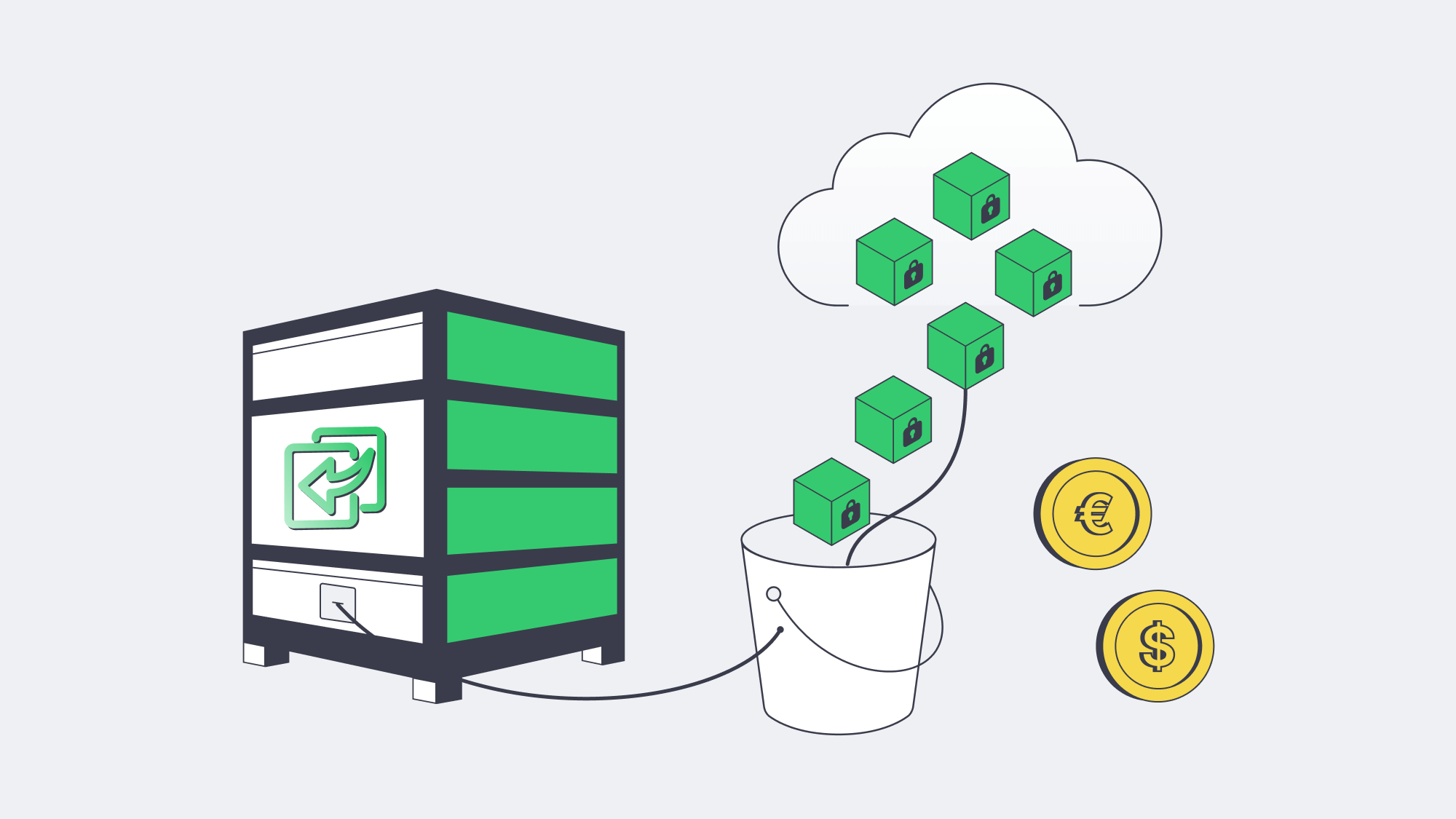
Depending on a single copy is risky. The 3-2-1 rule means keeping three copies of data on two distinct media, with one copy stored off-site. A dedicated backup server can hold fast local restore points while an encrypted, policy-driven copy is replicated to object storage or a second site:
- Data is encrypted and synced to object storage, such as Melbicom’s high-performance S3 cloud storage.
- Uploads are scheduled during off-peak hours with throttling so daytime bandwidth remains available.
- Where upstream links are small, the first terabyte can be seeded via a shipped disk.
This keeps cloud storage bills down because only compressed deltas travel after the initial seed. The off-site copy also protects against flood, fire, or burglary without requiring expensive clustering or complex disaster-recovery tooling.
How Immutability Protects Backups
Built-in immutability limits ransomware damage by making selected backup restore points undeletable and unchangeable until their retention window expires. It does not stop data theft or replace incident response, but it protects the recovery copy that attackers often try to destroy before encrypting production systems.
Modern backup stacks on a dedicated backup server can enable write-once-read-many (WORM) retention. Once a lock is properly enforced at the storage layer, even privileged accounts should be unable to alter or purge the protected restore point until the window expires. Many SMBs start with a 14- to 30-day lock window, then extend retention for regulated or slow-detection workloads. This immutability can be strengthened further with hardened Linux repositories or object-lock storage that separate production credentials from stored backups and avoid ordinary SMB/CIFS browsing paths.
Immutability is not a full recovery plan, so pair it with offline or off-site copies, monitored jobs, and regular restore tests. The goal is simple: even if attackers encrypt production systems, the recovery point they need to destroy remains intact and usable.
Lightweight, Automated Day-to-Day Ops
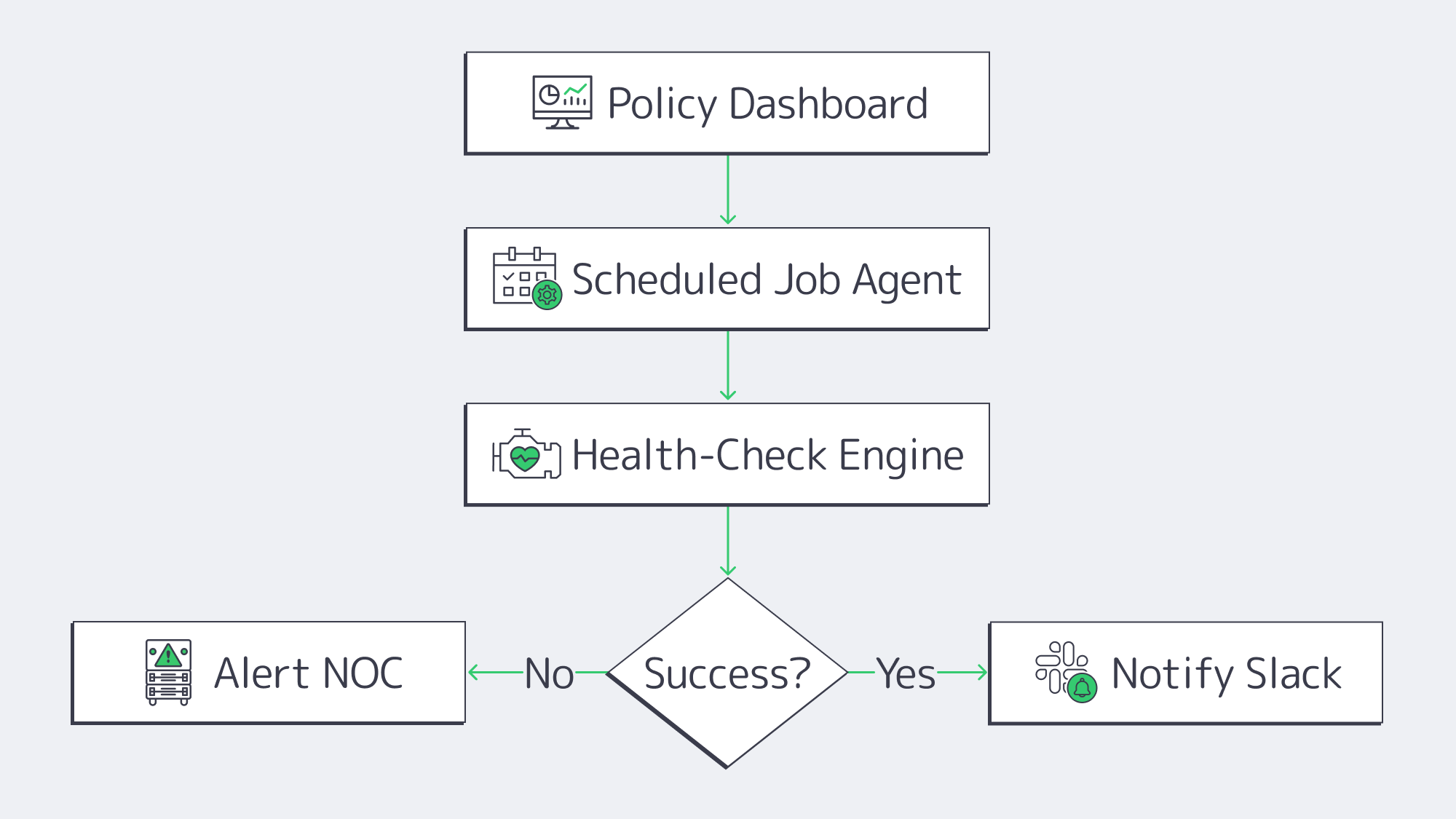
In SMBs where IT resources are constrained, backup babysitting can be a real headache, but modern engines streamline operations and IT workloads:
- Job scopes are defined with policy-first dashboards. Agents inherit RPOs, retention, and encryption once settings are applied.
- Automated health checks verify that restore points are bootable.
- Success and failure events are automatically forwarded to Slack, SIEM, or an NOC queue through API hooks and webhooks.
Workflow time for quarterly test restores can be reduced because modern backup platforms can automate job selection, validation, and reporting. Teams can select a VM and a handful of files, verify hashes, and compare them with production by starting them in an isolated VLAN or sandbox.
A Brief Overview of Best Hardening Practices
- Isolating networks: You can reduce unnecessary port exposure by placing the backup server on a VLAN of its own or operating on a separate subnet.
- MFA as standard: Secondary forms of authentication are required for both console and software access.
- In flight and at rest encryption: Replication paths should employ TLS and stored blocks should leverage AES-256 encryption as standard.
- Frequent patching: Hardened backup appliances need to be regularly patched to reduce the attack surface; if self-patching, follow a 30-day update target.
These controls reduce exposure to ransomware attacks. If an attacker gets in, segmentation, MFA, encryption, patching, and monitoring make it more likely that suspicious activity is detected before protected restore points are damaged.
Checklist: Implement a Dedicated Backup Server with Confidence
| Step | Outcome |
|---|---|
| Size capacity & retention | Enough headroom for 12–18 mo. growth |
| Select incremental-forever capable software | Faster jobs, smaller footprint |
| Enable immutability locks | Protect recent backups against deletion |
| Configure cloud sync or second site | Satisfy 3-2-1 without manual media rotation |
| Schedule quarterly test restores | Prove backups are usable |
Follow the list and the gap between a compliance breach and a clean audit narrows.
Make Your SMB Data Protection Future-Proof with a Dedicated Backup Server
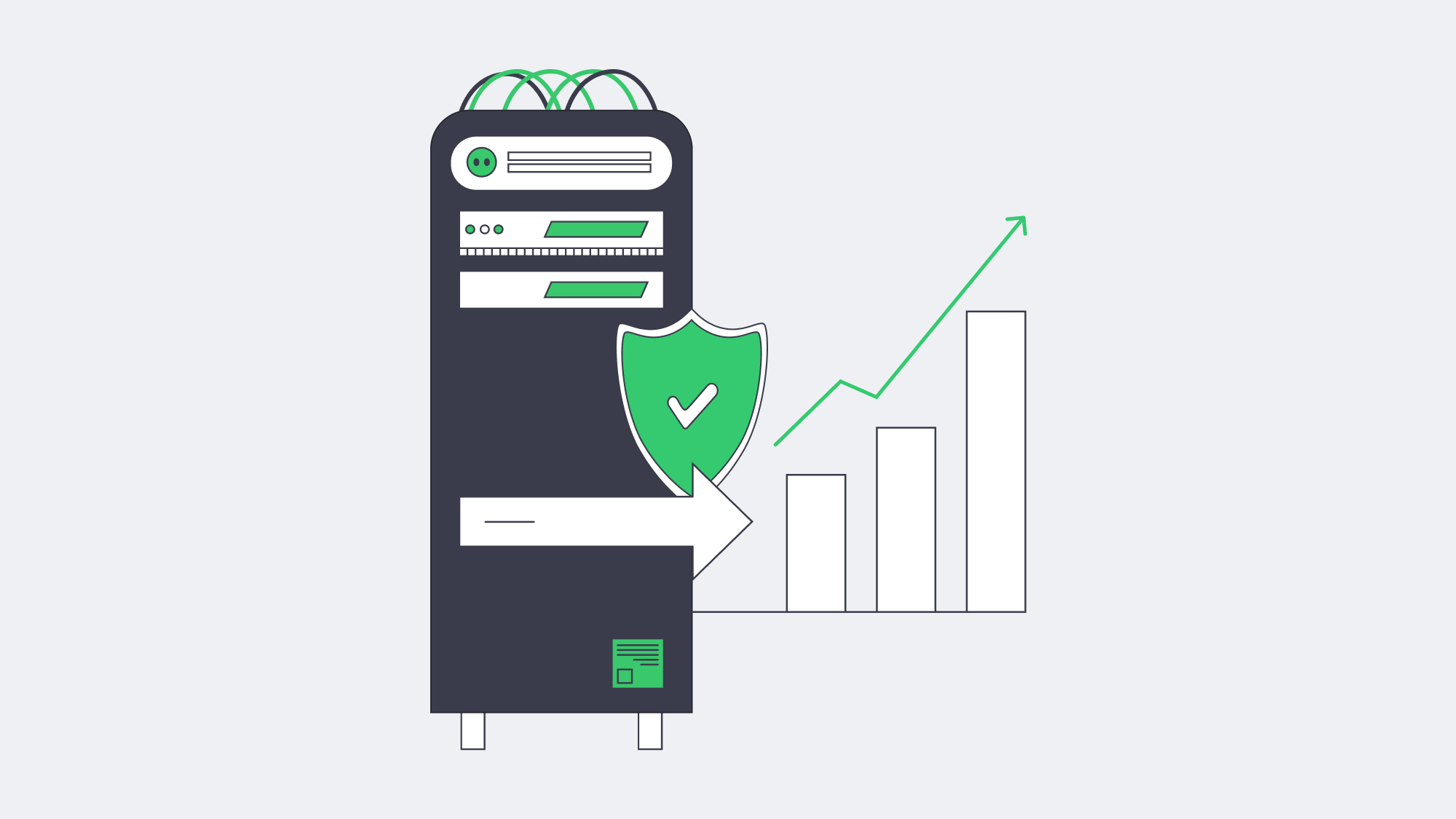
Backup efforts need to take the following into consideration: ransomware, compliance scrutiny, and raw data growth. Modern-day digital operations have gone beyond cloud SaaS and tape silos. A practical solution is a dedicated backup server for full control. With a dedicated server solution, incremental-forever captures run in the background, syncs are automatic, and deltas are stored off-site, bolstered by advanced encryption. This keeps data sealed, and all restore points are protected by immutable locks that prevent tampering. For SMBs, this modern model brings enterprise-style recovery controls within reach without hefty budgets, global clustering overheads, or complex DR orchestration.
Making the move to a dedicated setup is far less of a headache than it sounds. Simply provision a server, deploy backup software and point agents on it, and leave policy engines to do the hard work for you. For very little outlay and effort, you get controlled retention and rapid restoration at LAN speed should disaster strike. With this type of modern setup and the best practices in place, ransomware actors have less opportunity to corrupt usable restore points, and the documented restore process demonstrates secure operations to compliance auditors and customers. Organizations with smaller IT teams will also benefit from a higher return on uptime than ever before.
Order a Backup Server
Deploy a purpose-built backup server quickly and safeguard your SMB data today—with Melbicom’s top-line infrastructure.
Get expert support with your services
Blog

Dedicated Hosting Server: A Path to Greater Control
Modern jurisdictional boundaries continue to put increasing pressure on data transmission and storage. Many organizations were quick to jump on the “cloud-everything” bandwagon only to realize it simply doesn’t suffice for latency-critical workloads, resulting in a shift back to physically located infrastructure. Hence we are seeing dedicated hosting servers with their endless tweakability, ideal for the most rigorous of audits.
IDC’s 2024 cloud-repatriation research paints a more selective picture: close to half of cloud buyers spent more than expected in 2023, 59 % anticipated similar overruns in 2024, and only 8–9 % planned full workload repatriation. Most organizations are instead moving specific elements—such as production data, backup processes, and compute resources—into private or on-premises environments.
Choose Melbicom— 1000+ ready-to-go servers — 21 global Tier IV & III data centers — 40 CDN PoPs across 35 countries |
|
Market spending is also following suit; Maximize Market Research estimates the dedicated server hosting market at USD 23.96 billion in 2025 and projects it to reach nearly USD 80.49 billion by 2032. That growth is pushing providers to integrate cloud-like automation with single-tenant hardware. At Melbicom, customers can choose from 1000+ ready-to-go servers in 21 Tier III and Tier IV data centers, with per-server bandwidth available up to 200 Gbps. Procurement is a painless online process that can be up and running in less than two hours, and is easily managed via API.
Melbicom infrastructure is founded on five fundamentals that address data sovereignty and control concerns: root access, bespoke software stacks, custom security, compliance tailoring, and hardware-level performance tuning.
Repatriation and Sovereignty Fuelling the Return to Dedicated Server Solutions
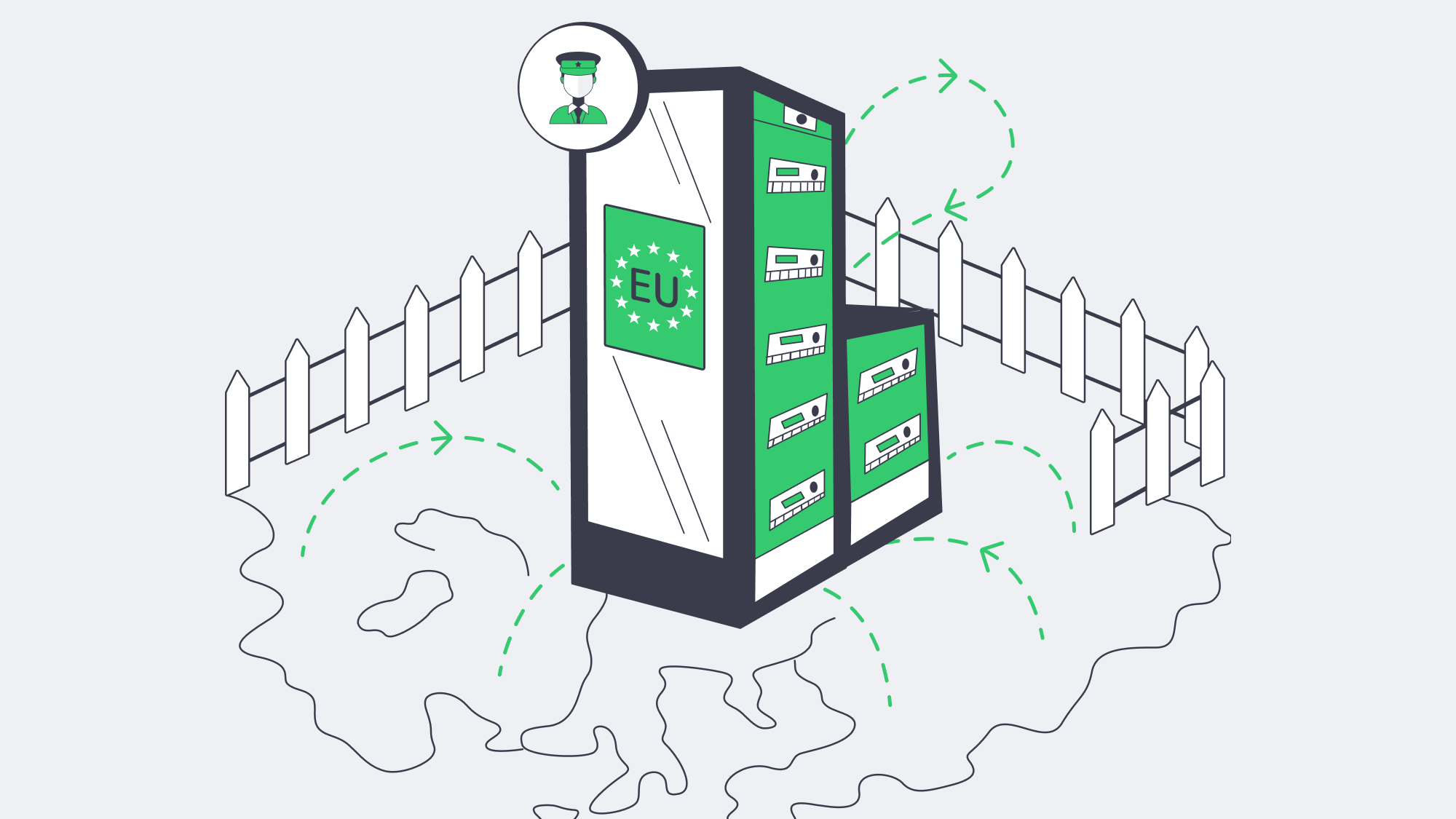
Across the board, data residency has become a genuine concern: state privacy statutes have tightened considerably, and Europe has Schrems II in place. Regionally pinned public-cloud VMs can help with proof of sovereignty to an extent, but a dedicated server gives auditors a cleaner tenancy story because the workload sits on hardware you alone occupy. With Melbicom, clients can document single-tenant hardware placement, whether they are positioning analytics nodes in Amsterdam’s Tier IV hall for GDPR-sensitive workloads or anchoring U.S. customer PII inside our Los Angeles facility.
A dedicated server also makes control boundaries clearer. With VMs, root access is exposed inside the guest, but firmware patching, hypervisor policy, and out-of-band management remain under provider control. With dedicated hosting, teams can govern the stack from BIOS settings to application runtime. Where the CPU and BIOS support it, hardware security features such as enclave encryption can be enabled, and management traffic can be locked to an on-prem VPN by binding the BMC to a private VLAN. Compliance language often demands “demonstrable physical isolation,” and single-tenant hosting makes that isolation easier to prove.
Full Root Access for Engineering Control
Arguably one of the biggest benefits of hosting with a dedicated server is full root access for engineers. Microsecond deterministic trading is possible by recompiling the kernel with PREEMPT_RT; teams can follow packets at nanosecond resolution by dropping in eBPF probes and rapidly deploy a hardened Gentoo build with ease. Kubernetes can run directly on the host, using physical CPU cores in place of virtual slices, which significantly reduces scheduling jitter for latency-sensitive microservices.
Workflows translate cleanly into infrastructure as code, and teams can PXE-boot, image, and enroll a physical host with Terraform or Ansible much like a cloud VM. With sole tenancy, the blast radius is contained if an experiment bricks the kernel: only your sandbox is affected, lowering systemic risk. There are also no hypervisor guardrails dictating rescue procedures, which gives teams more autonomy and accelerates iteration.
How Does Root Access Unlock Bespoke OS and Software Stacks?
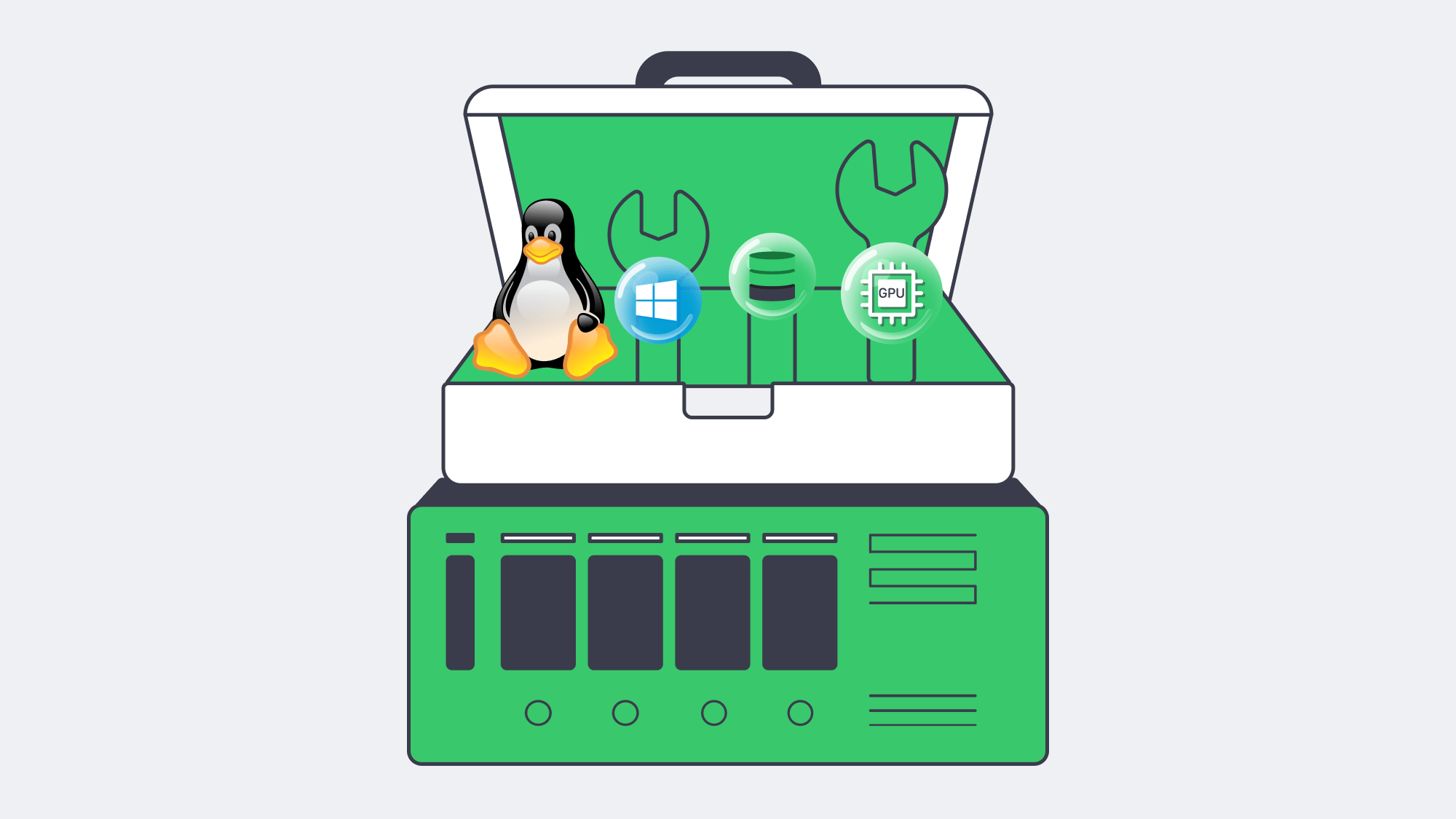
Public clouds often limit OS and software stacks, forcing organizations to find a workaround rather than load what they prefer to use. With sole tenancy and full root access, the operating system is customizable to your needs. Media teams can tune network stacks on FreeBSD, for example, while fintech teams that require stricter crypto-library control can load a distribution and package set aligned with their compliance program. AI labs can install current CUDA drivers on Rocky Linux and reuse a tested image.
You only have to look to open-source databases to understand the upside. Marketplace defaults are usually layered on virtualized disks and may deliver lower sustained write performance than a self-compiled PostgreSQL build tuned for huge pages and direct I/O. With a dedicated server, there is nothing forcing snapshots or stealing cache lines, so even a low-cost setup can outperform a pricey multi-tenant option for the right workload.
How Does a Dedicated Hosting Server Clarify Security and Compliance?
A dedicated hosting server clarifies security and compliance by making the control boundary physical: one tenant, one hardware stack, and fewer hidden provider layers. Teams can place encryption keys in an onboard TPM or external HSM, isolate management paths, route packet captures to SOC tooling, and enforce firewall policy in their own pfSense chain.
The clarity of separation provided by a dedicated hosting server helps address PCI DSS, HIPAA, and GDPR evidence requirements: the hardware is tagged, cables are traceable, and tenancy is not shared. Melbicom further strengthens that posture with optional private VLANs and hardware-component replacement when needed. Essentially, Melbicom takes care of the plumbing, freeing up your security teams to enforce policies.
Hardware‑Level Performance Engineering
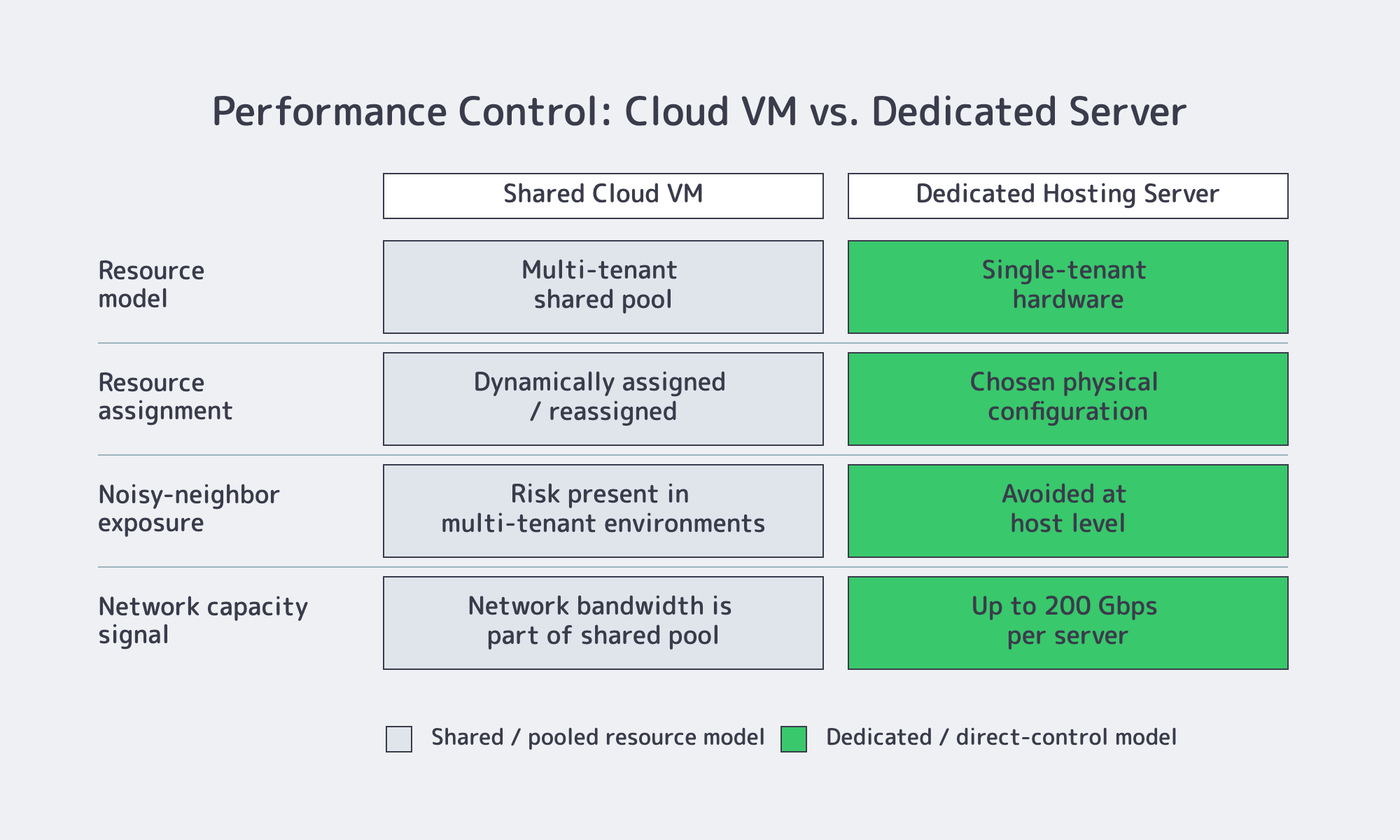
Performance goes beyond raw speed. With VMs, engineers have to architect with noisy neighbors in mind, but this statistical multiplexing is avoided through a dedicated server. With single tenancy, you have worst-case predictability because CPU cycles, cache lines, and NVMe interrupts are yours exclusively. This shrinks long-tail latency and improves performance consistency.
You also unlock performance preferences, be it 56-core Intel Xeon processors for parallel analytics or a front-end burst focus with fewer but higher-GHz cores. Melbicom offers a wide range of server choices. With per-server bandwidth available up to 200 Gbps, real-time video or massive model-training pipelines can be supported without the throttling often experienced with noisy neighbors. We also offer flexible storage tiers, from NVMe RAID-10 for OLTP to spinning disks or hybrid pools where appropriate.
These capabilities are available across even many economical SKUs. Our dedicated servers are transparent to operate, include hardware health monitoring, and provide full IPMI access. That way, if a disk trends toward failure, engineers can request a proactive swap.
Performance Levers on Dedicated vs. Shared Hosting at a Glance
| Layer | Shared Cloud VM | Dedicated Hosting Server |
|---|---|---|
| CPU | Noisy-neighbor risk | 100 % of cores, NUMA control |
| Disk | Virtual, snapshot overhead | Raw NVMe/SAS with custom RAID |
| NIC | Virtual function, capped bandwidth | Physical port, up to 200 Gbps |
How Dedicated Servers Reduce Vendor Lock-In
Historically, the industry is familiar with the promises of frictionless scalability touted by proprietary databases and serverless frameworks—promises that were later complicated by egress fees, licensing traps, and deprecations. Architects learned the hard way that anchoring critical data on hardware they can relocate creates a smoother exit path. PostgreSQL on a dedicated hosting server is portable, Kafka is upstream, and Kubernetes clusters can move without a wholesale rewrite. That makes dedicated infrastructure a practical middle ground if strategy shifts in the years to come. With a dedicated server, moving data from one center or provider to another is possible without rewriting fundamental services, something which will undoubtedly pique the interest of CFOs.
Infrastructure Autonomy as a Baseline
Without assurance that stacks can cope under pressure and clarity on where data lives, fast features are ultimately worthless. Leveraging a dedicated server for hosting addresses both issues. The hardware is transparent, making latency more predictable, and highly customizable security supports data sovereignty and compliance work. Unrestricted root access leaves space for innovation, bespoke software can perform better, and API-driven provisioning retains enough elasticity for experiments.
Ready to Order?
Get dedicated-server control without giving up convenience. Melbicom operates 21 Tier III/IV data centers and offers 1000+ ready-to-go servers with two-hour delivery.
Get expert support with your services
Blog

Finding the Right Fit: MySQL Database Hosting Service
Many high-traffic applications rely on the relational database capabilities of MySQL. While it has many merits that have earned it global popularity, hosting and scaling MySQL effectively is no easy feat, and the heavier the load, the harder the task.
Basic single-instance setups that rely on one machine running MySQL are a poor fit for modern high-traffic needs. These setups lack failover, and scaling them horizontally is limited. Moreover, the downtime can be catastrophic should the lone server fail.
Choose Melbicom— 1000+ ready-to-go servers — 21 global Tier IV & III data centers — 40 CDN PoPs across 35 countries |
|
A flexible, distributed architecture that can deliver speed is required to cope with the demands of high-traffic workloads.
So let’s discuss and compare the respective advantages and disadvantages of the three leading infrastructure models for a MySQL database hosting service: managed cloud, containerized clusters, and dedicated servers. By focusing on performance, scaling replicas, automated failover, observability, and cost as key aspects, the strengths and drawbacks of each soon become clear.
What Are the Key Requirements for a MySQL Database Hosting Service?
A strong MySQL database hosting service for heavy workloads should deliver low latency, replica scaling, dependable failover, full observability, and predictable cost. The right model depends on whether the team values managed operations, Kubernetes portability, or direct hardware control with fewer provider-imposed limits.
Performance
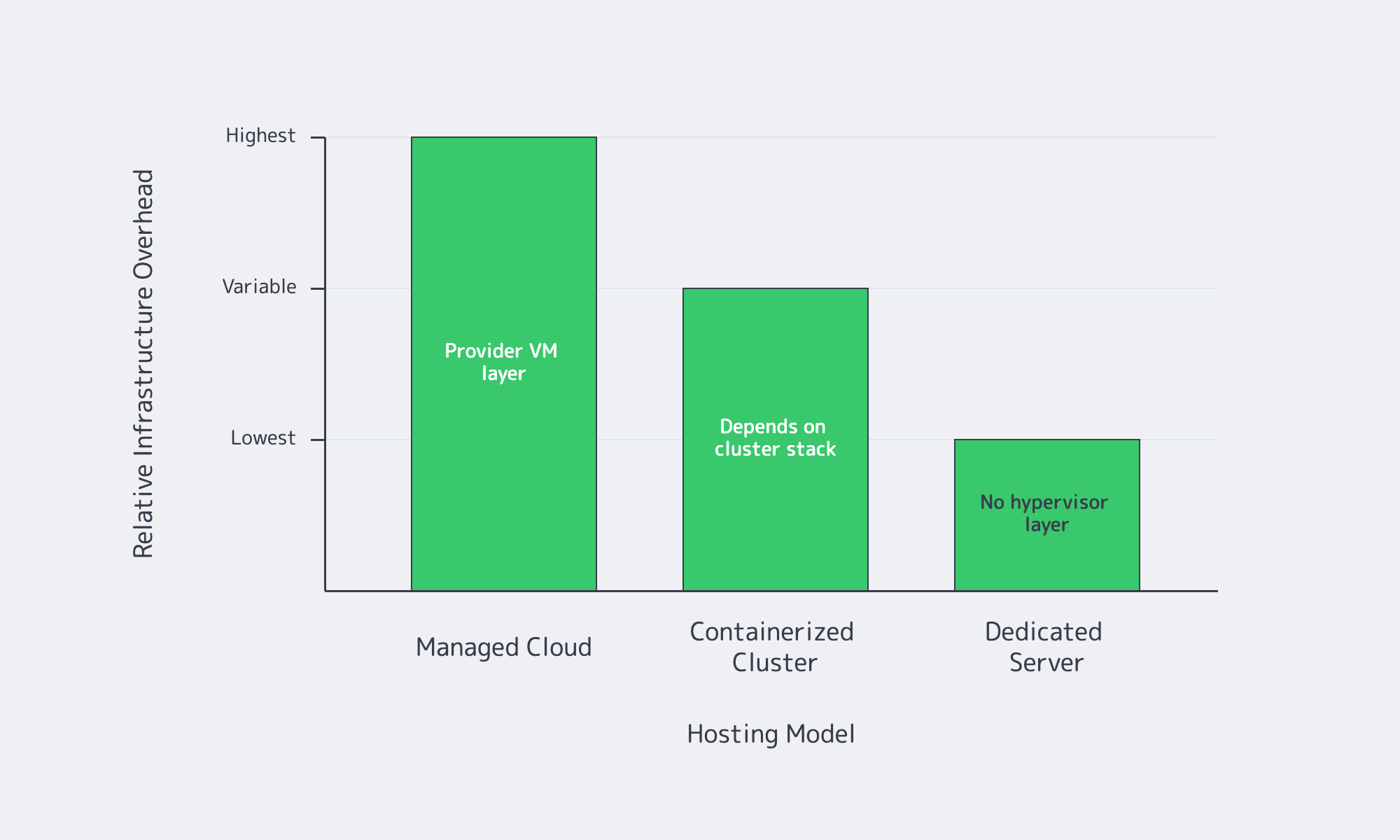
Low latency and sustained throughput are needed for adequate performance during peak loads in high-traffic environments, and performance depends on the infrastructure in place. Compared with physical hardware, virtualized MySQL deployments can add overhead that varies by instance type, storage design, and concurrency. Dedicated servers, on the other hand, eliminate the hypervisor layer, granting access to all CPU and I/O resources. Although they can perform well, containerized clusters such as Kubernetes add extra variables to consider, including storage drivers, network overlays, and node placement.
Scaling Replicas
MySQL deployments use read replicas to deal with large query volumes. This replication is simplified by cloud providers through point-and-click or API workflows. Similarly, container-based clusters can be scaled using Kubernetes operators. However, multi-primary, large shard counts, and other specific topologies typically require some manual work. For greater topology freedom, dedicated infrastructure lets you deploy more physical nodes as needed. This means there is no provider-imposed hard limit on replica counts, and advanced replication patterns remain possible.
Automated Failover
Downtime can result in poor UX and lost revenue, making failover extremely important. The architecture behind modern managed cloud MySQL deployments, such as Amazon RDS or Google Cloud SQL, can switch to standby instances automatically. Depending on the service and workload conditions, failover commonly takes roughly one to two minutes. Container platforms using Percona or Oracle MySQL operators rely on Kubernetes and database-aware automation to detect node failures and promote replicas. On dedicated servers, tools such as Orchestrator or MySQL Group Replication can support fast failover when redundancy, quorum, and monitoring are designed correctly.
Observability
Sophisticated monitoring is needed to successfully run MySQL at scale. It is important to observe CPU, RAM, and disk server metrics as well as query insights such as latency, locks, and replication lag. Managed services often provide dashboards, but they may only display common metrics and usually do not provide OS-level access. Container-based setups provide granular data through robust stacks like Prometheus or Grafana, but if your in-house expertise is not up to scratch, they may be tricky to maintain. With a dedicated server, you have total control over the OS, which means you can install any monitoring system, such as Percona’s PMM, ELK stacks, or custom scripts for a detailed overview.
Cost Modelling
As with any business decision, cost is often a major deciding factor. Opting for a managed service means less maintenance work and requires less in-house platform knowledge, but premium rates for CPU, memory, and I/O can be joined by bandwidth, storage, and backup fees. While managed cloud can be beneficial for smaller workloads, sustained high traffic can make costs difficult to forecast. These overheads can potentially be reduced for operations sharing resources across multiple apps if you opt for container-based MySQL, but only if they run on existing Kubernetes clusters. The underlying nodes still require outlay, and you have many other components at play that all incur costs of their own. To avoid unexpected charges, a dedicated server with a predictable monthly or yearly rate can prevent nasty surprises. Renting or owning hardware can work out more economically at scale because fewer cloud-style billing variables are involved.
What Is Managed Cloud MySQL Hosting and When Should You Use It?
Choosing a managed cloud service (also referred to as DBaaS) to host MySQL databases can simplify the process significantly. These platforms handle OS patching, backups, software updates, and basic failover automation.
If you lack dedicated DBA or DevOps resources, a managed service on platforms such as Amazon RDS or Google Cloud SQL can be a practical option. A simple API call adds replicas with ease, and you can enable high availability by checking a box.
Managed Cloud Performance: Regardless of how powerful the hardware is, these services run in provider-managed environments and many vendors have parameter limits in place. You may also find that specialized configurations are not permitted. For demanding workloads, performance depends on the instance class, storage tier, network path, and provider limits.
Scaling Replicas: While creating multiple read replicas is allowed, multiple primary replicas and custom topologies might not officially be supported. So, depending on how heavy your read-only workload is, managed clouds may or may not be right for you. Amazon RDS for MySQL supports up to 15 read replicas per source DB instance in the same Region, which could be sufficient for some applications.
Automated Failover: The biggest advantage that managed cloud options have to offer is automated failover. Standby replicas in different zones maintain synchronous copies, and failover often takes roughly a minute or two, depending on the service, database activity, and recovery process.
Observability: The dashboards offered by the top managed cloud solutions might not give OS-level access, but they do provide basic metrics and are easy to track. Deep kernel and file system tweaks are unavailable, but users still get access to slow query logs.
Cost: Most of these platforms operate in a pay-as-you-go manner, which is attractive to new users and convenient, but costs can soon mount. Add storage I/O, data transfer, and backup retention, and a heavy workload can become harder to budget. Those with consistently heavy traffic may find that renting a physical machine reduces costs in the long run.
What Are the Trade-Offs of Hosting MySQL in Containerized Clusters?
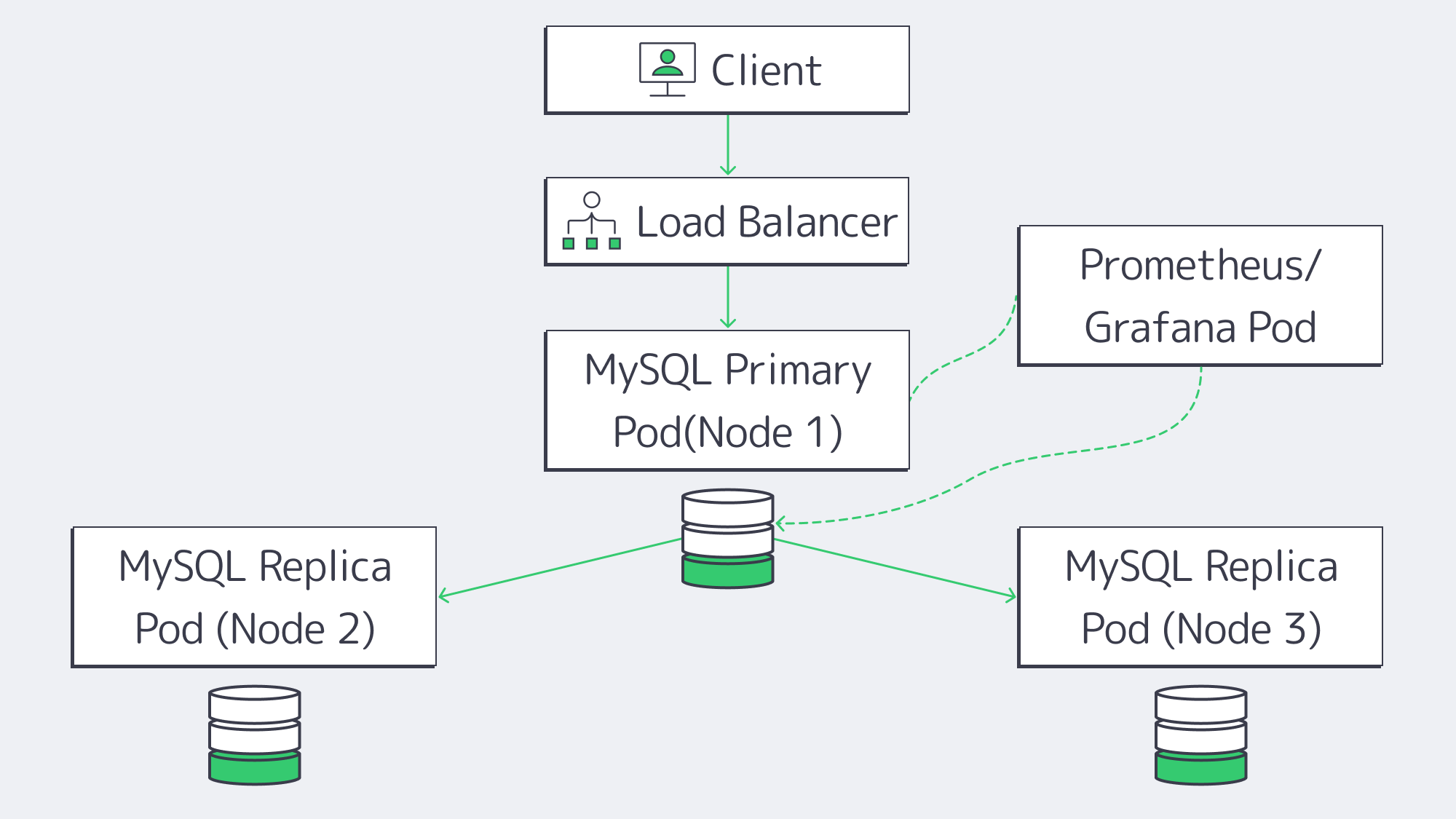
Containerized clusters are considered a good middle-ground option, and for those already operating with other microservices, they can be the most sensible solution. Orchestration platforms like Kubernetes can help automate replicas and backups, helping considerably with MySQL management.
Containerized Performance: The typical overhead with container operation is often less than full VMs, but you have to consider that if Kubernetes itself sits on virtual nodes, then abstraction comes into the picture, adding complexity to the performance situation. The network layer and any storage plugins also affect performance.
Scaling Replicas: With a MySQL operator, you can handle replication setup and orchestrate failovers. Replicas can spin up and be removed rapidly, but large multi-primary or geo-distributed clusters need customization, which could be out of your wheelhouse.
Automated Failover: Failed pods are quickly identified and restarted, and a replica can be promoted to primary automatically, but fine-tuned readiness checks are needed to make sure everything is in sync, which can affect reliability. Without the right checks in place, split-brain scenarios are possible.
Observability: Logging stacks and granular monitoring tools such as Prometheus or Grafana can be integrated with Kubernetes, giving plenty of metrics. However, the node network, storage layer, and service routing must also be monitored to keep track of cluster health properly.
Cost: Those with Kubernetes in place for other operations will find they can cost-effectively piggyback MySQL onto an existing cluster, so long as resources are available. If you are starting totally from scratch and just want Kubernetes to cover your MySQL needs and nothing else, then, in all honesty, it is probably overkill. The infrastructure outlay will set you back, and managing the cluster adds further complexity.
Dedicated Servers for MySQL Hosting
If you have high-traffic needs and require control, then the raw power on offer from a dedicated server often makes it the best MySQL database hosting service choice. Through Melbicom, you can rent physical servers housed in our Tier III or Tier IV data centers situated worldwide. This gives you direct access to single-tenant hardware without hypervisor overhead.
Dedicated Server Performance: As there is no virtualization layer, users get full CPU, memory, and disk I/O. Query latency for I/O-heavy workloads can also be reduced when local NVMe drives are used on dedicated machines.
Scaling Replicas: Read replicas are not limited by a managed-provider quota, and advanced MySQL features such as Group Replication, multi-primary setups, or custom sharding are unrestricted depending on how many servers are deployed and how the topology is designed.
Automated Failover: With open-source tools like Orchestrator, MHA, or Group Replication, you can configure failover around your own recovery objectives. With the right configuration, dedicated-server failover can be designed to match demanding availability targets, and multi-datacenter replication can be built across Melbicom locations where latency and consistency requirements allow.
Observability: With dedicated server hosting, you have full OS-level access, meaning you can use any stack, be it Percona PMM or ELK, etc. This allows you to monitor a better variety of aspects, such as kernel tuning, file system tweaks, and direct hardware metrics.
Cost: Dedicated infrastructure has an initial outlay, but it remains predictable; there are no nasty surprises, regardless of any unexpected spikes. Those with a substantial workload may find that the total is lower than equivalent cloud bills. Melbicom dedicated servers support bandwidth up to 200 Gbps per server. We also provide 24/7 support as standard with any of our plans.
Trade-Offs: The main trade-off is that OS patches, security, backups, and capacity planning need to be handled on your end, but many teams find it an acceptable overhead considering the performance, control, and TCO predictability benefits that a dedicated server presents.
MySQL Hosting Models Compared: Cloud vs. Containers vs. Dedicated
Take a look at the following table for a concise comparative overview of each model:
| Model Type | Advantages | Disadvantages |
|---|---|---|
| Managed Cloud | – Simple startup – Integrated HA & backups |
– Virtualization overhead – Limited configurations available – Costs can mount |
| Containerized (K8s) | – Portable across clouds – Automated with operators – Good fit if you use K8s already |
– Requires previous expertise – Storage/network complexities – Fluctuating overhead |
| Dedicated Servers | – High raw performance – Full control, no hypervisor – Costs are predictable |
– In-house management needed – Cannot be scaled instantly – Requires hands-on setup |
Choosing a MySQL Hosting Service

Ultimately, to choose the best MySQL database hosting for your needs, you need to consider your workload, budget, and in-house expertise. Each of the top three models has benefits and drawbacks. A managed cloud might be convenient, but it can be costly to scale. If teams are already invested, then containerization provides sufficient automation, but may not handle complex needs. For reliable performance, a dedicated server is a powerful, dependable, cost-effective solution for sustained high-traffic workloads.
When it comes to high-traffic applications that hit resource ceilings or cost ceilings, the blend of speed, control, and predictable expenses that a dedicated server solution brings to the table is hard to beat. With a dedicated server running MySQL, organizations can avoid premium charges and cloud lock-in, with the right failover configurations in place for a resilient, scalable database service.
Ready for Faster MySQL Hosting?
Deploy your MySQL on high-performance dedicated servers with predictable pricing.