
Month: June 2026
Blog

Bitcoin Dedicated Server: What to Check Before You Pay in BTC
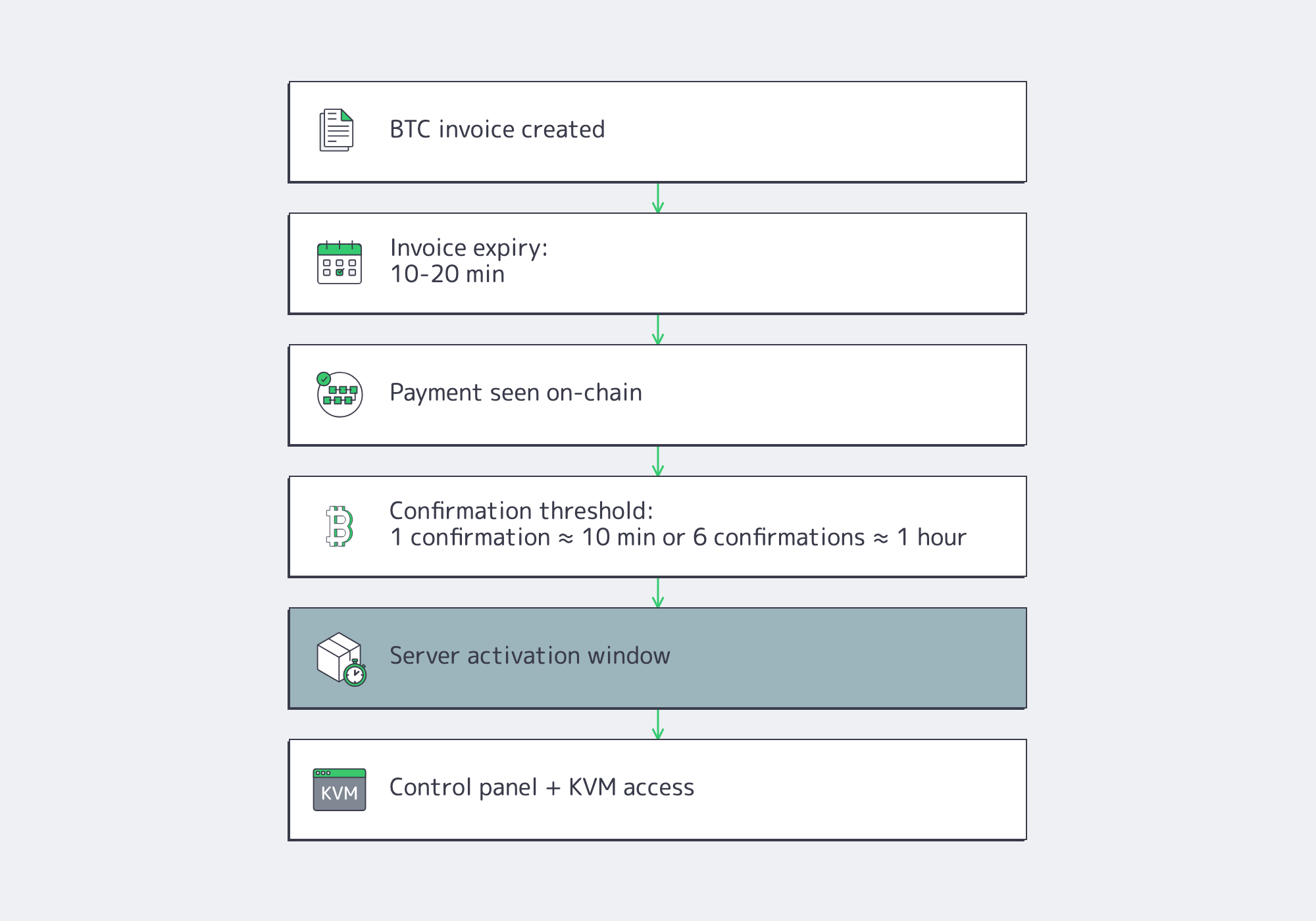
Paying for infrastructure in Bitcoin removes card and bank friction, but it also turns procurement into an operational test. A provider that can display a QR code is not necessarily ready to run production workloads after the payment clears. Bitcoin developer guidance notes that many invoice systems expire after 10–20 minutes, one confirmation averages about 10 minutes, and six confirmations can push settlement time toward an hour for higher-risk acceptance decisions. [1]
Choose Melbicom– Clear Bitcoin payment flow – Dedicated server capacity – 24/7 support |
 |
That timing matters because Bitcoin transactions are public and non-reversible. Bitcoin.org’s privacy and business guidance says transactions are traceable, addresses should be single-use, and a completed Bitcoin payment can only be refunded by the recipient. [2] A bitcoin dedicated server purchase should therefore be evaluated as an infrastructure workflow first and a payment workflow second.
What a Bitcoin Dedicated Server Must Provide After Payment Clears
A bitcoin dedicated server should move from BTC settlement to usable infrastructure through a documented path: invoice expiry, confirmation threshold, activation window, control-panel access, out-of-band recovery, and escalation. If activation starts after one confirmation versus six, checkout-to-production can differ by roughly 10 minutes to about an hour before provisioning even begins. [3]
The first provider check is simple: what happens after the transaction is seen on-chain? Bitcoin Developer documentation frames payment processing as price lock, payment request, confirmation handling, and exceptions such as refunds. For infrastructure buyers, that becomes a procurement checklist: invoice validity period, required confirmations, automatic versus manual provisioning, late or underpaid transaction handling, and exchange-rate treatment near expiry. [4]
Require Out-of-Band Access
For production systems, “root access” is not enough. A provider should expose a recovery path when the OS is unreachable, a kernel update breaks boot, or SSH stops responding. In Melbicom’s network architecture, servers include IP-KVM management ports for reboot, reinstall, and virtual console access, with the management plane isolated behind VPN access. Melbicom dedicated servers also include control panel, API, and KVM access as part of the operational workflow.
The practical point is control under failure. If every reboot, rescue boot, or reinstall requires a support relay, the server is less operationally independent than it looks.
Why a Dedicated Server Bitcoin Payment Can Still Miss the Provisioning Window
A dedicated server bitcoin payment only helps if inventory and activation are real. Melbicom’s Web3 hosting workflow supports crypto-native billing, 1000+ ready configurations, roughly 2-hour activation, API and control-panel automation, and 3–5 business days for custom builds. That split matters: ready inventory and custom hardware should not share the same vague promise. When a provider hides stock depth or fulfillment timing, the payment can clear while the project still waits on manual provisioning.
BTC Payment Privacy, Compliance, and Refund Terms to Compare
BTC payment privacy depends more on the provider’s invoice workflow than on Bitcoin itself. A serious provider should generate a fresh address per order, explain sanctions or compliance screening, disclose whether regulated intermediaries may request data near common 1,000 USD/EUR Travel Rule thresholds, and define whether refunds return in BTC or fiat at a named exchange-rate timestamp. [5]
Bitcoin is transparent by design. Bitcoin.org says balances and transaction histories tied to an address are visible, which is why addresses should only be used once. The Bitcoin Developer guide reaches the same conclusion operationally: separate addresses make it easy to associate a payment with a specific order. [6]
A Dedicated Server Bitcoin Payment Should Use a Fresh Address Every Time
A dedicated server bitcoin payment should be order-specific from invoice creation. Ask whether the provider generates a unique address, whether the invoice expires on a clock, and whether support can identify the order without asking you to paste transaction details into chat. Bitcoin developer guidance says common systems often expire invoices after 10–20 minutes to manage fiat-pegged exchange risk. [7]
Compliance is the second trapdoor. FinCEN distinguishes between a customer using virtual currency to buy goods or services and a business acting as an exchanger or transmitter. FATF guidance and implementation updates show that virtual-asset payment paths can require originator and beneficiary information; in FATF’s March 2022 survey, 19 of 35 responding jurisdictions using or planning a de minimis approach cited a 1,000 USD/EUR threshold. OFAC’s sanctions guidance also makes clear that virtual-currency payment flows carry sanctions risk. [8]
Refund terms reveal whether the provider has operationalized BTC acceptance. Bitcoin.org says a completed Bitcoin transaction cannot be reversed, only refunded by the receiver, and also warns about BTC volatility. [9] Before paying, verify refund window, refund asset, exchange-rate timestamp, network-fee treatment, and whether partial or late payments create manual exceptions.
Provider Checks Before Running Production Workloads on Bitcoin Hosting
Provider checks before running production workloads on Bitcoin hosting should prioritize failure handling over checkout convenience. Buyers should verify location-level network data, test endpoints, out-of-band access, hardware replacement targets, support channels, and DDoS resilience. A provider should publish 24/7 support access because major outages still regularly cross six figures and attacks now reach multi-terabit scale. [10]
This is where “pay in BTC” marketing often thins out. Uptime Institute’s Annual Outage Analysis 2025, published May 2, 2025, says 54% of respondents to its 2024 annual survey reported that their most recent significant, serious, or severe outage cost more than $100,000, and one in five said it cost more than $1 million. Uptime’s prior analysis also found that four in five respondents believed their most recent serious outage could have been prevented with better management, processes, and configuration. [11]
The Bitcoin Dedicated Server Decision Is Really a Network and Support Decision
The bitcoin dedicated server decision is a network procurement decision with a payment method attached. Cloudflare’s DDoS threat report for 2025 Q4, published February 5, 2026, says network-layer DDoS attacks more than tripled year over year in 2025 and included a record 31.4 Tbps attack. [12] Ask what traffic path attacks take, what remains reachable during mitigation, and who handles the incident.
Geography still sets the latency floor. A fast payment cannot fix a poor region choice. Melbicom data centers provide per-location test endpoints and bandwidth ranges so buyers can test the path before committing workloads. Palermo is a useful example because the region fit is measurable: the location can save 15 to 35 milliseconds of latency for users in Africa, the Mediterranean, and the Middle East, with a stated quality improvement range of 50% to 80%. [13]
Support should be tested before funding the order. Melbicom support is available 24/7 through engineering contact paths that include phone, email, and Telegram, with the team handling reboots, OS reinstalls, BGP setup, troubleshooting, and performance issues around the clock. Dedicated-server operations also include a component replacement target of 4 hours.
Bitcoin Dedicated Server Scorecard
Use the scorecard below to separate production-ready bitcoin dedicated server hosting from a BTC checkout page with infrastructure attached.
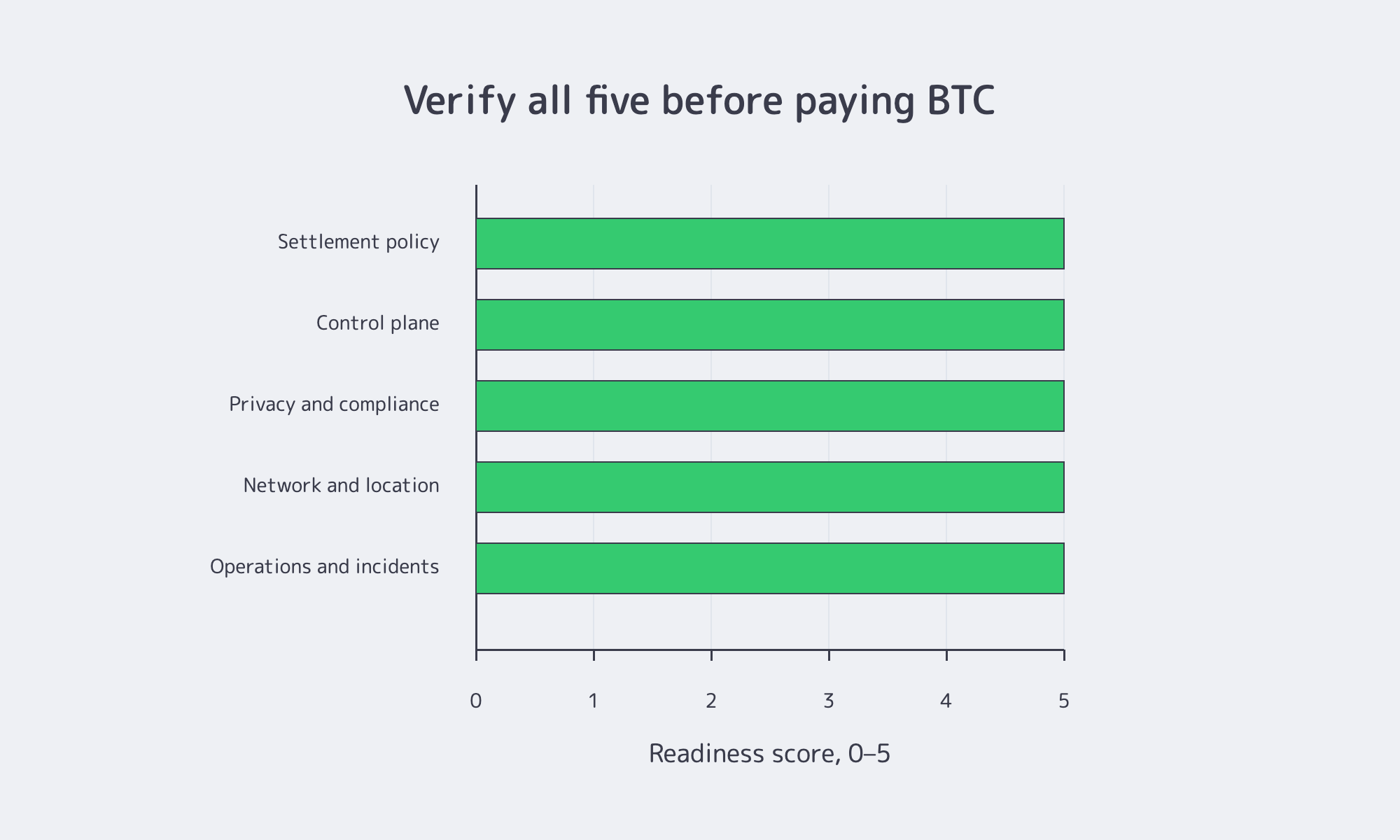
| Check | What to verify before paying BTC | Why it matters after clearance |
|---|---|---|
| Settlement policy | Confirmation count, invoice expiry, and whether activation starts automatically or manually. | Many invoices expire after 10–20 minutes; one confirmation averages about 10 minutes, while six can mean roughly an hour. [1] |
| Control plane | KVM/IPMI or equivalent, rescue console, reboot/reinstall access, and isolated management. | If recovery depends on support for every reboot, hardware control is weaker than advertised. Melbicom dedicated servers use isolated IP-KVM access via VPN. |
| Privacy and compliance | Fresh invoice address, sanctions or KYC triggers, intermediary role, refund asset, and FX timestamp. | Bitcoin is traceable and non-reversible; virtual-asset payment paths can trigger AML, sanctions, and data-sharing obligations. [15] |
| Network and location | Test files, port ranges, transit or IXP visibility, and region-specific workload fit. | Geography determines latency. Melbicom provides test endpoints, regional deployment details, and per-server bandwidth up to 200 Gbps. |
| Operations and incidents | 24/7 engineering access, hardware replacement timing, and real incident support. | Uptime data shows outages still routinely exceed $100,000, making response design part of infrastructure quality. [17] |
Final Checks Before Sending BTC
A bitcoin dedicated server is worth buying only when the operational contract is clearer than the payment novelty. Before sending funds, confirm settlement, activation, recovery, network behavior, and support response before the first incident.
For teams evaluating Melbicom in that framework, the relevant product facts are operational: dedicated server control-panel, API, and KVM access; network design with isolated IP-KVM access; data center test files and bandwidth ranges; support available 24/7; and Web3 hosting with crypto-native billing, 1000+ ready configurations, roughly 2-hour activation, custom builds in 3–5 business days, 23 transit providers, 29 IXP peering hubs, and per-server bandwidth up to 200 Gbps. [18]
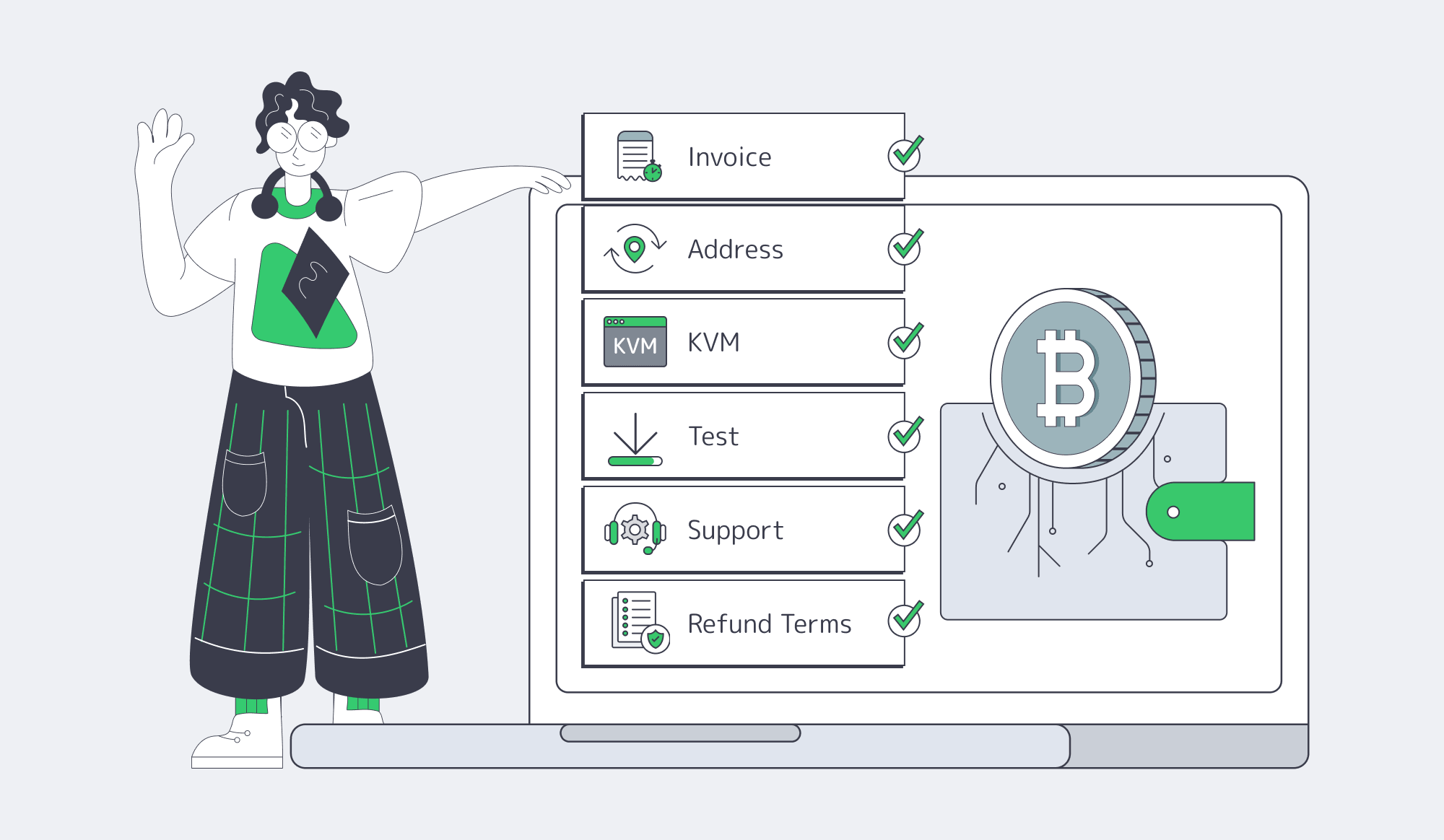
Before paying, make one final pass:
- Confirm the invoice expiry, required confirmations, and activation trigger.
- Verify a fresh payment address for the order.
- Check KVM or equivalent out-of-band recovery access.
- Test support with an operational question before funds move.
- Download a test file from the exact region you plan to use.
- Read refund, compliance, sanctions, and late-payment terms first.
Choose Melbicom
Melbicom supports infrastructure teams that want BTC-friendly procurement without treating payment support as the product. The stronger decision framework is the full path after settlement: clear activation, server control, transparent network data, 24/7 support, and payment methods that fit how tech teams actually buy infrastructure.
Buy Dedicated Servers with Bitcoin
Review the BTC payment flow, then deploy dedicated servers for your projects.
Get expert support with your services
Blog
1Gbps Unmetered Dedicated Server Netherlands with Measured Proof
“Unmetered” is useful only when it describes an operating model, not a slogan. For a Netherlands dedicated server unmetered plan, the question is not whether the invoice avoids per-terabyte overage fees. The question is whether the 1 Gbps port, upstream paths, traffic policy, and upgrade options can support the workload once traffic becomes constant, bursty, or hostile. The UK ASA’s May 2025 guidance on “unlimited” claims is a good sanity check: material restrictions on speed, traffic management, or fair use must be clear, not hidden behind a friendly adjective.
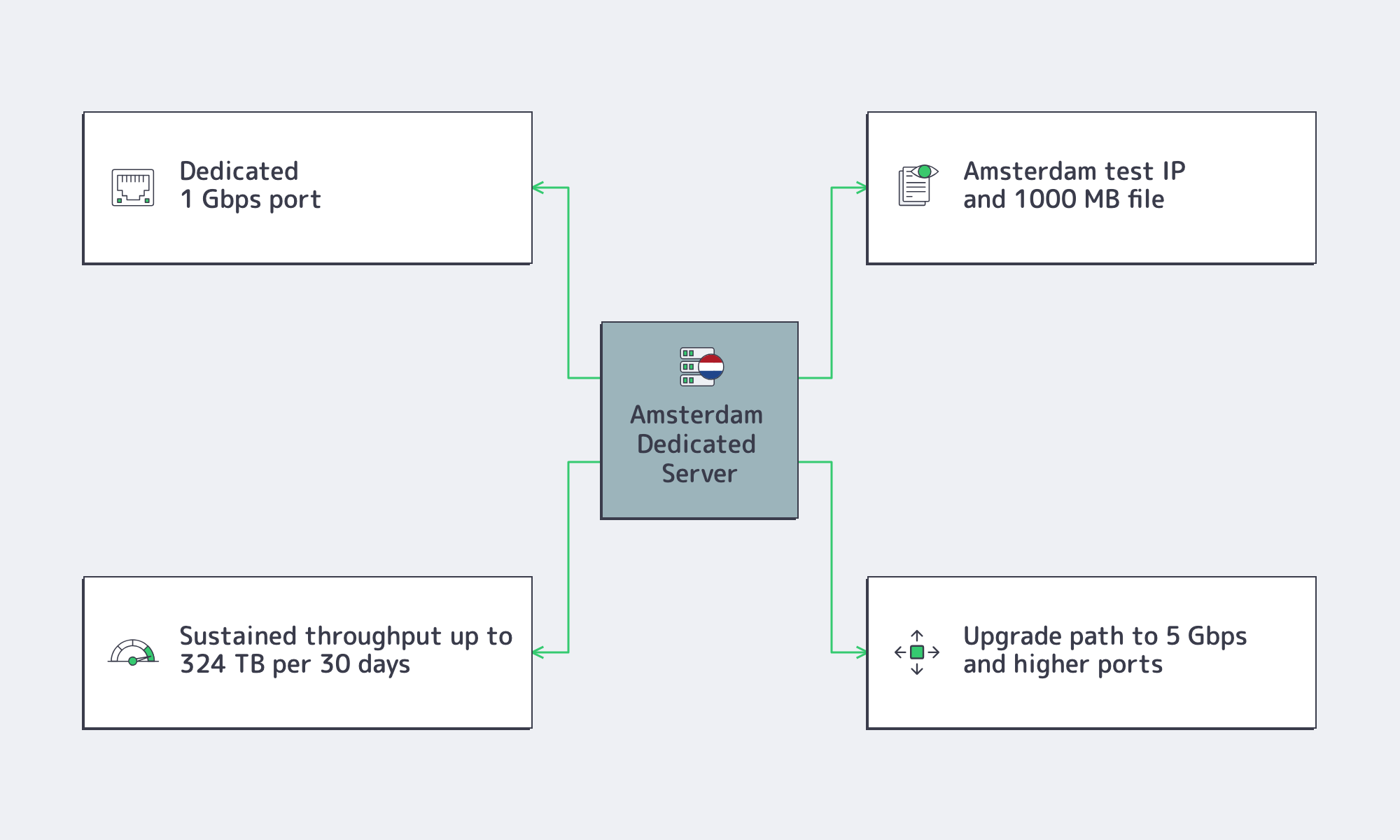
Melbicom’s 1 Gbps unmetered dedicated server Netherlands configuration gives buyers concrete artifacts to test: guaranteed bandwidth without ratios, an Amsterdam test IP, a 1000 MB test file, and visible paths to higher-bandwidth Netherlands plans. Those details matter because unmetered bandwidth is not proved by copy. It is proved by sustained throughput, clear rules, and route quality under real demand.
Choose Melbicom– 300+ ready-to-go servers – Tier III & IV DCs in Amsterdam – 1 Gbps unmetered bandwidth |
|
What 1Gbps Unmetered Dedicated Server Netherlands Plans Should Guarantee
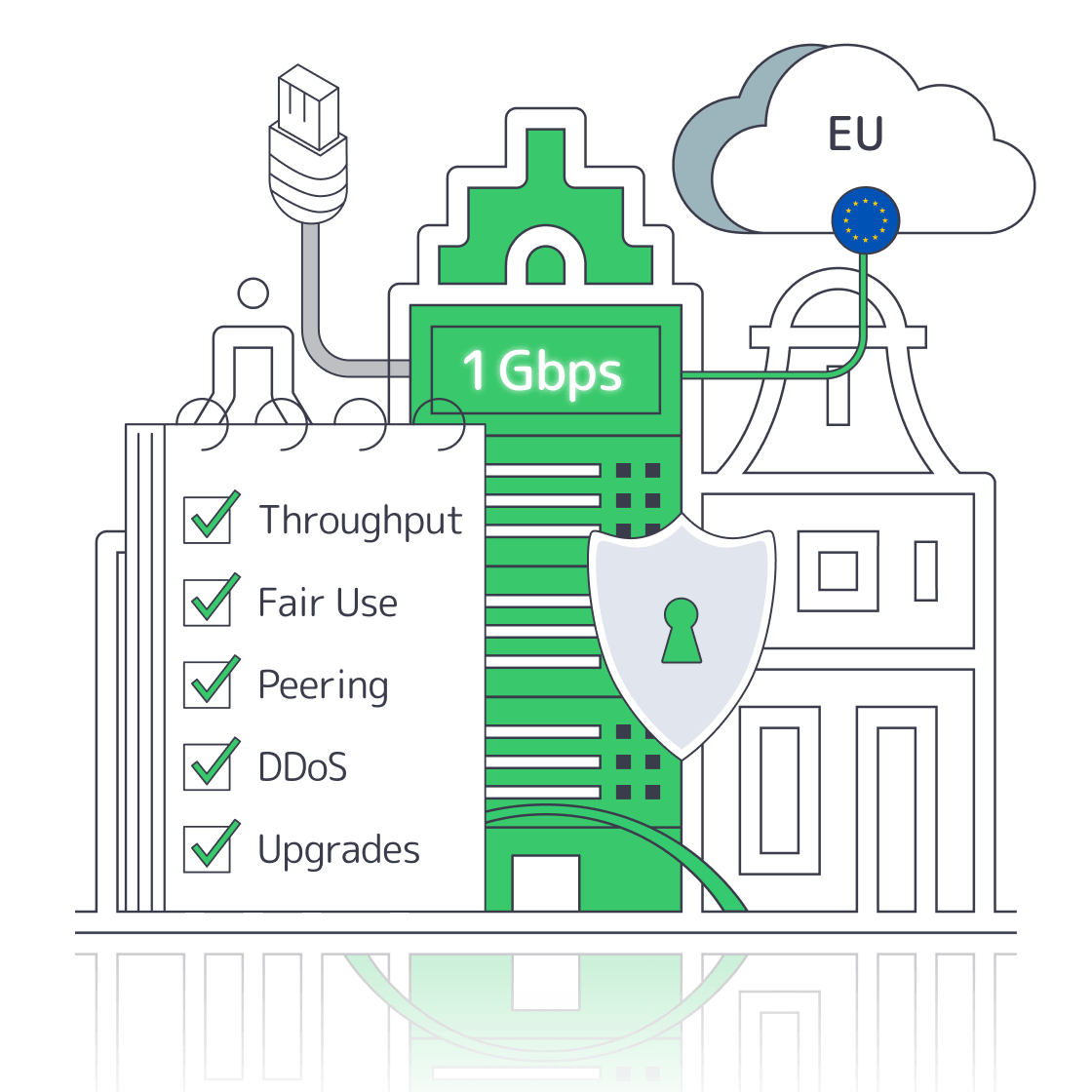
A one-gigabit unmetered dedicated server in the Netherlands should guarantee a dedicated 1 Gbps port, no per-GB transfer billing, and enough path quality to sustain real throughput. At line rate, 1 Gbps can move about 324 TB in 30 days, so the practical benchmark is sustained load, not “unlimited” copy.
Start with the difference between bandwidth and throughput. Microsoft’s networking documentation separates bandwidth from latency because a large pipe does not automatically deliver fast application performance. Throughput is what remains after congestion, packet loss, TCP behavior, host limits, and routing are accounted for. Cisco’s Gigabit Ethernet interface documentation also shows standard Gigabit Ethernet as full-duplex 1000 Mbps, which is a reminder that the buying question is technical: Is the port dedicated, shaped, shared, or ratio-based?
| Proof Point | What to Verify | Why It Matters |
|---|---|---|
| Port commitment | Dedicated 1 Gbps port; guaranteed bandwidth rather than ratio-based wording. | Separates a serious Netherlands dedicated server unmetered offer from a shared best-effort uplink. |
| Test artifacts | Public IP, file, or path test from Amsterdam; the Netherlands 1Gbps plan includes both an IP and 1000 MB file. | Lets buyers test before purchase instead of trusting an unmetered claim. |
| Sustained usage | Evidence that the port can carry the planned daily traffic shape, not only a peak transfer. | Shows whether the workload has headroom or is living at the cap. |
| Growth path | Higher Netherlands ports, including a 5 Gbps Netherlands option and broader high-port families. | Keeps scaling from becoming a location migration. |
Unmetered Versus Unlimited Bandwidth in Netherlands Dedicated Hosting
In Netherlands dedicated hosting, unmetered should mean transfer is not billed by volume; unlimited is trustworthy only when speed limits, traffic management, and fair-use rules are clear before purchase. If a provider can shape, throttle, or review sustained saturation, the trigger should be explicit enough to model operating risk.
The ASA’s 2025 guidance is aimed at advertising, but infrastructure buyers can apply the same standard. “Unlimited” is not credible if a fair-use clause materially changes speed, quality, or availability after an unspecified threshold. The FTC’s settlement over unlimited data promises made the disclosure point in another market: customers were promised unlimited usage while speed restrictions were not made clear enough, and the agency emphasized that limits on speed or amount must be disclosed. For dedicated servers, the lesson is narrower and sharper: read for fair use, traffic management, abuse-prevention, sustained saturation, shared uplink, reasonable use, and best effort. If the trigger exists, it should be measurable.
Traffic and Fair-Use Checks
Traffic, peering, and fair-use checks should happen before choosing a Netherlands port because the same 1 Gbps label behaves differently under video delivery, SaaS APIs, backups, and multi-tenant hosting. The concrete test is stable throughput on real user paths, with no hidden fair-use trigger that turns sustained use into degraded service.
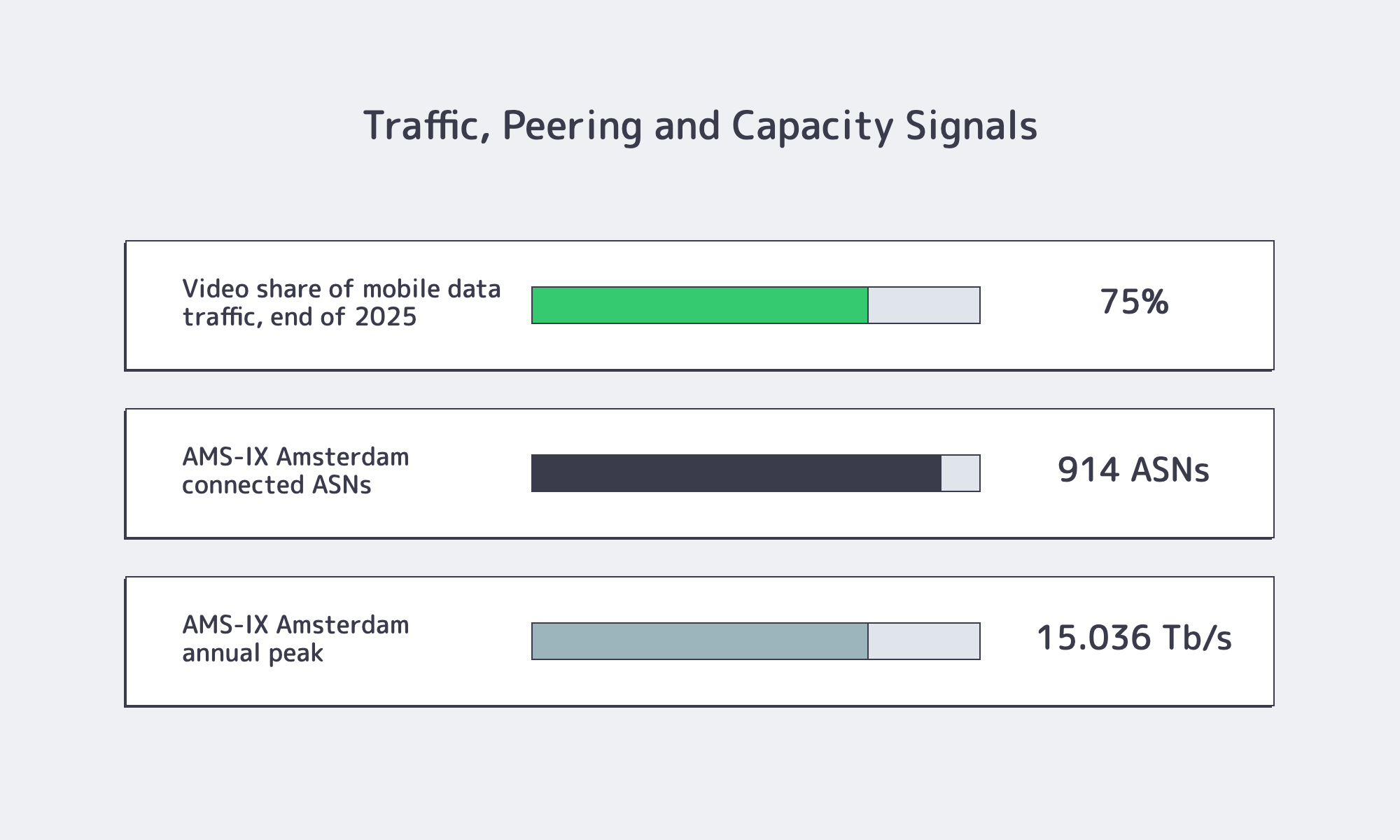
Long downlink traffic is the obvious pressure test. Ericsson’s Q1 2026 Mobility Report update says video represented about 75% of mobile data traffic at the end of 2025. Model video, software downloads, backups, and cached objects as sustained throughput, not burst-speed buying.
Small-packet and mixed traffic need a different lens. APNIC’s October 2024 packet-size analysis notes that public-Internet packets are pragmatically constrained between 20 and 1,500 bytes. Mbps can look healthy while packet processing, queues, retransmits, or loss struggle under many concurrent sessions.
Amsterdam’s interconnection depth is the reason many buyers start in the Netherlands. The current AMS-IX Amsterdam statistics show 914 connected ASNs and a 15.036 Tb/s annual peak; an April 17, 2026 AMS-IX update also reported 65% year-over-year growth in 400G ports. Melbicom’s Amsterdam footprint fits that context: the Netherlands location has 300+ ready-to-go server configurations, Tier III & IV DCs in Amsterdam, 1–200 Gbps per server at the facility level with 50 TB or unmetered traffic options.
How to Verify That a 1Gbps Port Supports Real Workloads in the Netherlands
To verify that a one-gigabit port supports real workloads in the Netherlands, test from your actual regions, use repeatable multi-stream transfers, and inspect sustained utilization, loss, and retransmits during busy windows. A useful pass criterion is a 95th-percentile profile that leaves operational headroom instead of camping at line rate.
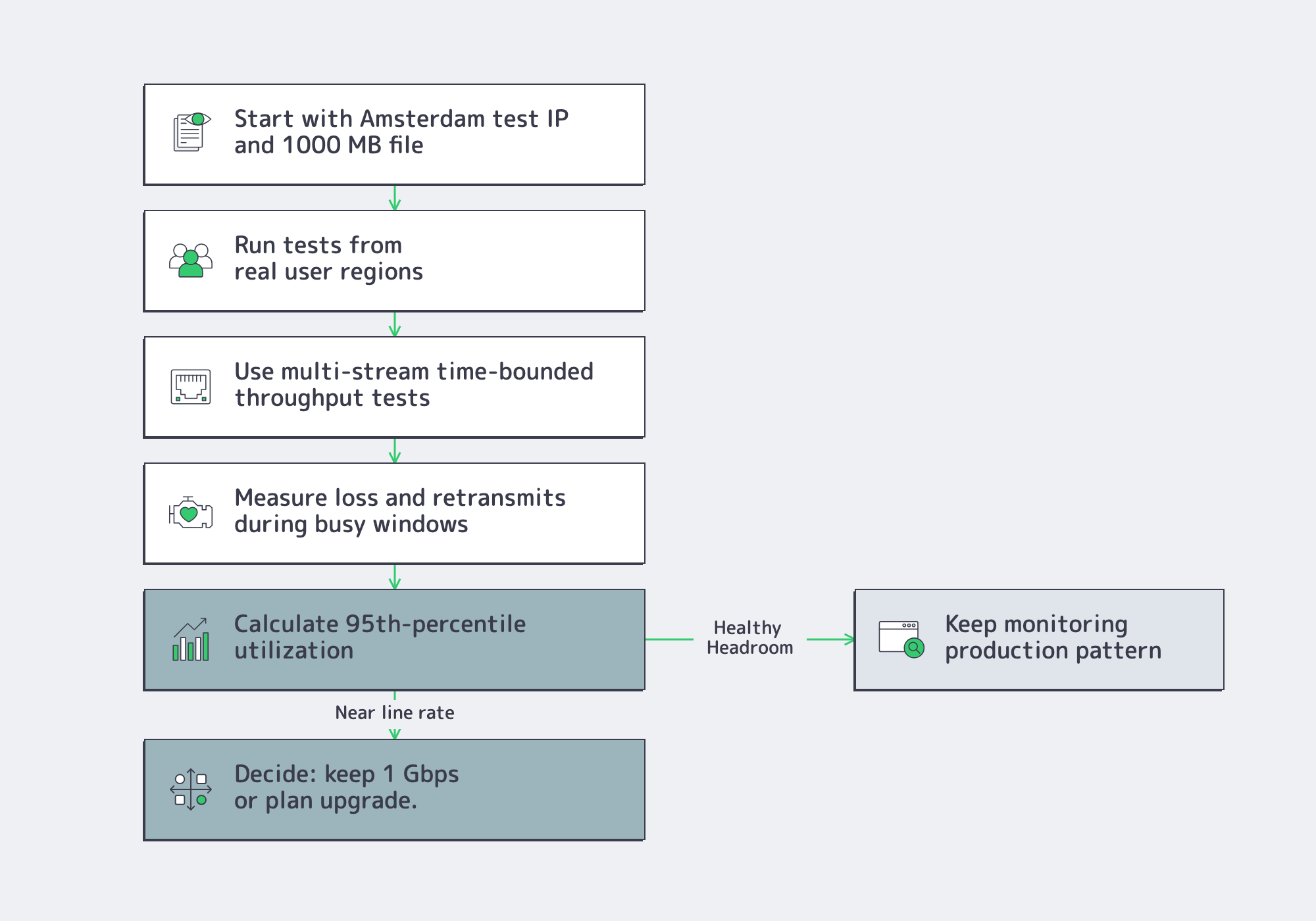
Start with the provider’s own test artifacts. The Netherlands 1 Gbps plan includes the Amsterdam test IP and 1000 MB download file, which gives buyers a quick way to check path behavior before a deployment. Then run deeper tests from the regions where users, customers, or upstream systems actually live. ESnet’s Fasterdata iperf guidance, last edited in January 2025, shows why multi-stream, time-bounded tests are useful: a single short transfer can be dominated by TCP ramp-up, buffer settings, or one-thread limits.
Use 95th-percentile thinking even when the server is sold as unmetered. Cloudflare’s bandwidth-measurement method samples every five minutes, discards the top 5% of samples, and treats the highest remaining value as sustained usage. If your 95th percentile is already close to 1 Gbps, you do not have much headroom for releases, cache misses, backup windows, or traffic spikes. The service may still be unmetered, but it is no longer comfortably provisioned.
When to Move Past a 1Gbps Port
Move past a one-gigabit port when sustained usage crowds line rate, peak windows clip throughput, or launch plans leave no room for mistakes. The cleanest upgrade keeps the workload in the same Netherlands geography and network context, because changing port speed is usually simpler than requalifying a new location.
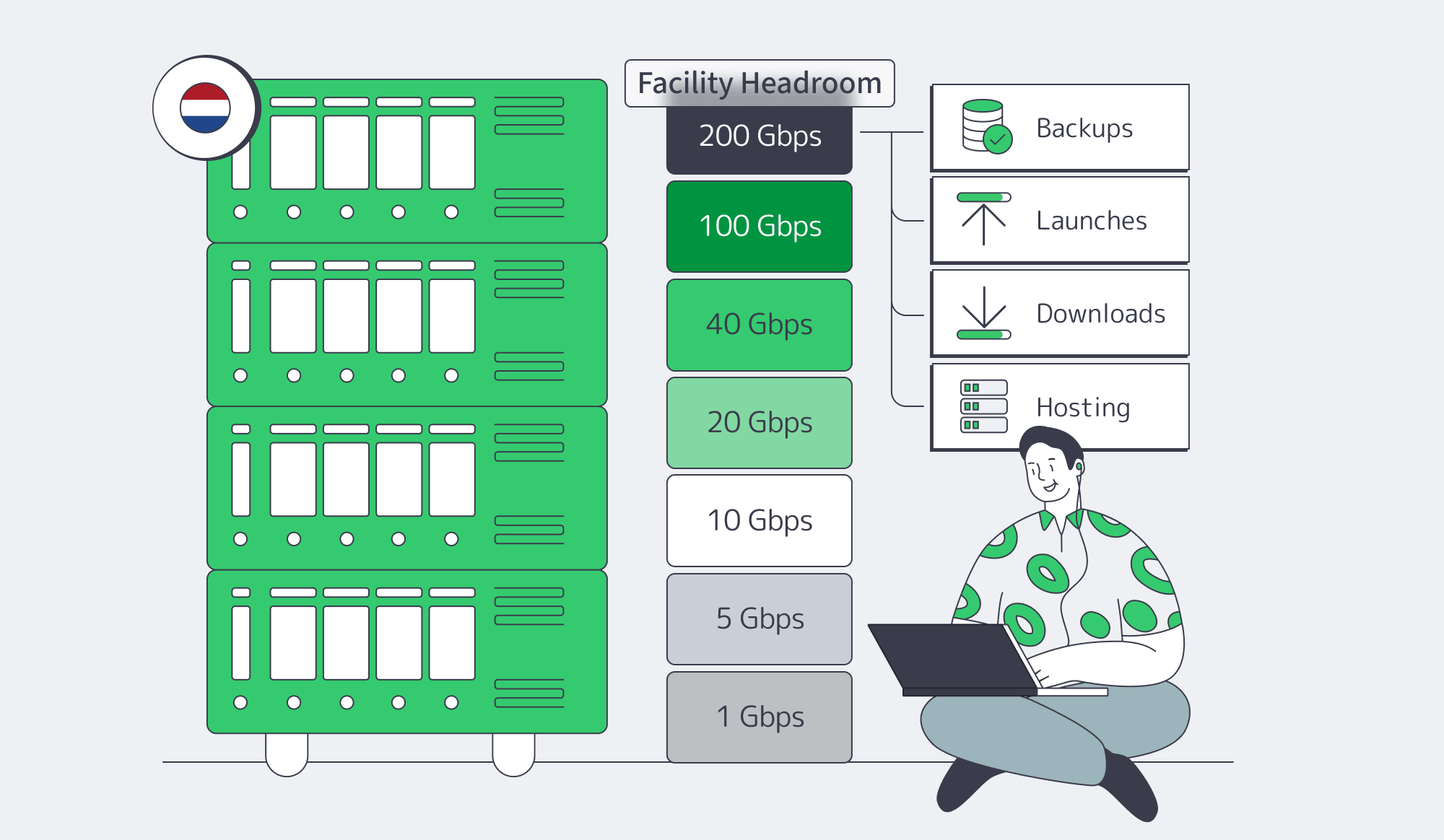
This is where portfolio structure becomes part of risk management. Melbicom offers a Netherlands 1 Gbps unmetered server options alongside broader 2 Gbps, 5 Gbps, 10 Gbps, 20 Gbps, 40 Gbps, and 100 Gbps unmetered families. The Amsterdam location supports up to 200 Gbps per server at the facility level with 50 TB or unmetered traffic options. That matters because an upgrade path is not only about more traffic; it is about keeping backups away from user traffic, absorbing launches, avoiding queue pressure, and preserving service quality for multi-tenant workloads.
Near the buying decision, use this shortlist:
- Treat “unmetered” as credible only when the provider gives you a test target, readable traffic-management language, network evidence, and an obvious upgrade path.
- For throughput-heavy workloads, model the port against the theoretical monthly ceiling and sustained utilization, not a burst screenshot.
- For interaction-heavy workloads, check packet loss, retransmits, route quality, and packet-processing stability, not only Mbps.
- For Amsterdam-based delivery, validate exchange presence, transit depth, and route quality into your real user regions.
Those checks turn “unmetered” from a marketing promise into an engineering decision. A serious 1gbps unmetered dedicated server Netherlands plan should make the port testable, the traffic rules readable, and the next upgrade predictable.
Compare Netherlands Server Ports
Melbicom’s Netherlands unmetered dedicated servers give buyers the right starting evidence: guaranteed bandwidth without ratios, Amsterdam test artifacts, and Tier III & IV DCs in Amsterdam.
Get expert support with your services
Blog

Dedicated Server Hosting Bitcoin: A Buyer’s Guide for Production Infra
Crypto payment is no longer exotic in infrastructure buying. Visa reported that stablecoin supply grew by more than 50% in 2025 to $274 billion, and adjusted stablecoin transaction volume was on track to exceed $10 trillion.
For production buyers, the question is whether Bitcoin checkout sits on deterministic infrastructure: full hardware isolation, published bandwidth, renewal-safe billing, and support that can intervene before a server or invoice workflow becomes an outage.
Choose Melbicom– Clear BTC payment flow – Dedicated server capacity – 24/7 support |
|
Why Is the Bitcoin Checkout the Easy Part?
Dedicated server hosting with Bitcoin is not hard because payment processors already support invoices, states, webhooks, confirmations, and refunds. The production test is stricter: dedicated server hosting with Bitcoin must also specify single-tenant hardware, sustained network capacity, renewal-safe billing, and 24/7 support, because a paid invoice does not prevent contention or downtime.
BitPay’s documentation shows the payment layer’s maturity. Invoice states include new, paid, confirmed, complete, expired, and invalid; webhooks notify merchants when status changes; and BitPay support documents 15-minute invoice windows plus refund paths for underpaid, overpaid, declined, or expired invoices.
That is payment maturity, not infrastructure maturity. A crypto invoice does not say whether a workload runs on a shared hypervisor, whether a port is guaranteed, or whether an engineer is available after midnight. At Melbicom, crypto payment is one control inside a larger model: Web3 server hosting on single-tenant servers with high-capacity bandwidth options, and payment methods that include crypto.
How Does Dedicated Server Hosting with Bitcoin Differ from Crypto VPS Hosting?
Dedicated server hosting with Bitcoin differs from crypto VPS hosting because dedicated server hosting with Bitcoin assigns a full physical server to one customer, while a VPS rents a virtual slice on shared hardware. The practical threshold is sustained heavy traffic, compliance isolation, or noisy-neighbor sensitivity; the tradeoff is higher monthly commitment and slower elasticity.
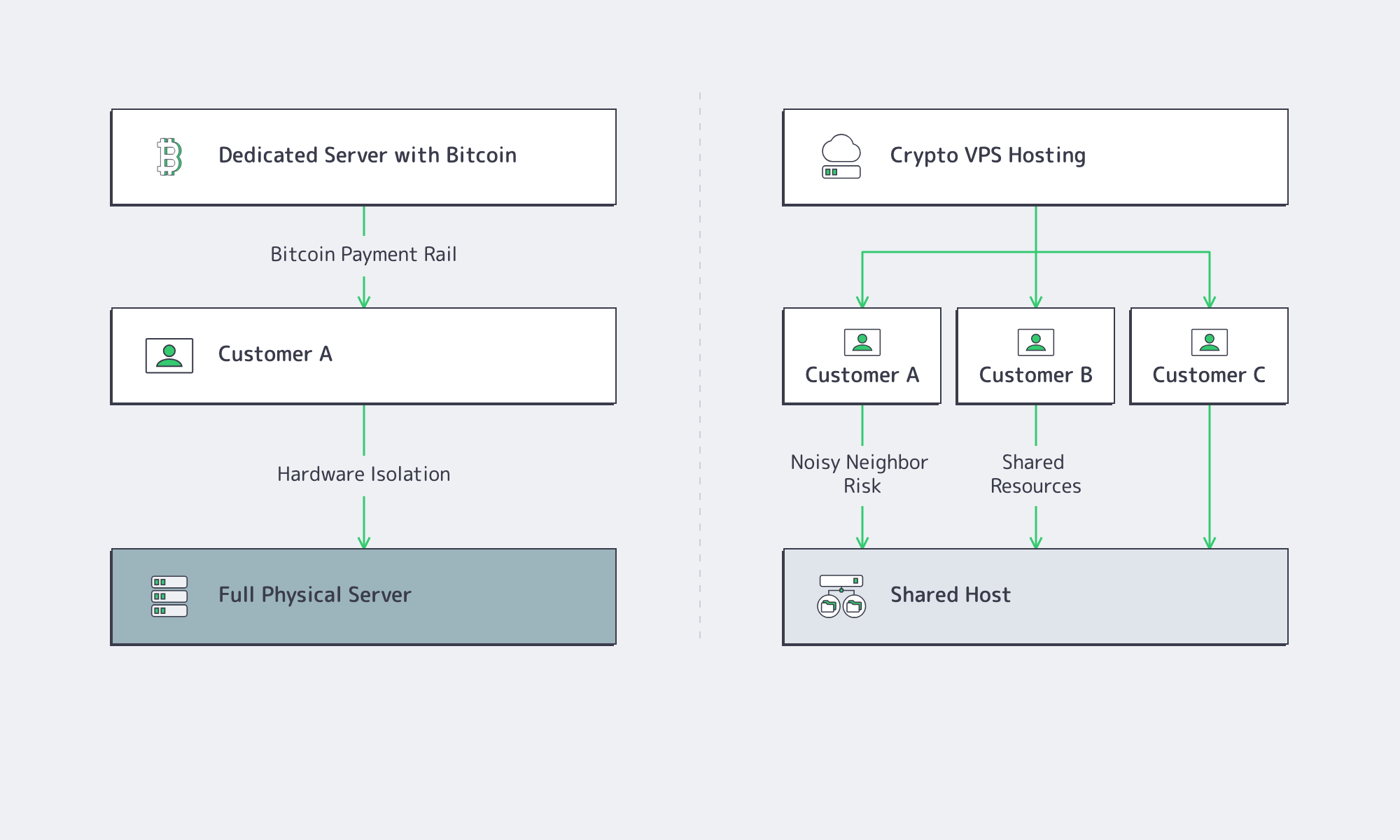
A VPS can be right for lightweight services, control planes, test environments, and bursty applications. It is optimized for fast provisioning and elastic economics. The risk appears when a workload is state-heavy, bandwidth-heavy, or latency-sensitive enough that shared CPU, disk, or network contention becomes a business event.
Dedicated servers change the procurement question. Instead of asking how cheaply a VM can launch, the buyer asks whether the machine, port model, and support path are predictable under load. That distinction is the useful line between “crypto VPS” and dedicated server hosting that accepts Bitcoin.
| Option | What the Buyer Is Actually Buying | Main Production Tradeoff |
|---|---|---|
| Dedicated server hosting with Bitcoin | A full physical server plus a crypto-friendly payment rail | Higher fixed commit; more deterministic capacity |
| Crypto VPS hosting | A virtualized slice on shared infrastructure | Easier scaling; more exposure to contention or fair-use limits |
VPS and dedicated servers solve different problems. For hot 24/7 workloads, sustained traffic, or large chain state, dedicated capacity reduces variance.
What Should Dedicated Hosting That Accepts BTC Make Visible Before You Buy?
Dedicated server hosting that accepts Bitcoin should make five things visible before ordering: tenancy model, network model, billing model, provisioning speed, and support path. A production-ready provider should connect those controls to the order itself, so buyers understand the hardware, port speed, renewal process, activation timeline, and escalation route before payment.
The practical procurement checklist is not long, but it is strict. The provider should define whether the server is single-tenant, whether bandwidth is metered or unmetered, whether the selected location supports the required port speed, and whether renewals can be handled before a crypto invoice expires.
Billing continuity belongs beside port speed because crypto invoices are not static bank wires. BitPay says invoices are valid for 15 minutes; production renewals should account for expiration, confirmation state, and escalation before a due date becomes a suspension risk.
How Do Payment Processors, Billing Continuity, and Support Affect Uptime?
Payment processors, billing continuity, and support affect uptime because crypto invoices are time-limited, confirmation-based, and stateful. Dedicated server hosting that accepts Bitcoin is safer when checkout links can be regenerated, status changes trigger webhooks, and support can intervene on renewals or hardware faults before capacity disappears or service is suspended.

BitPay advises merchants to fulfill against confirmed or complete invoice states, not merely paid, and its webhooks are meant to trigger verification rather than blind trust. BTCPay Server frames invoices similarly: they are payable within a defined time interval at a fixed exchange rate, with statuses that include expired, processing, settled, and invalid.
This matters because outages are expensive even when the root cause is procedural. Uptime Institute’s 2024 outage analysis found that 54% of respondents said their most recent significant, serious, or severe outage cost more than $100,000, and identified network-related issues as the largest single cause of IT service outages. A missed renewal caused by an expired crypto invoice is still downtime.
Support is therefore part of the control plane. For multi-server production environments, 24/7 support is the bridge between payment state, hardware state, and service continuity. It is also the operational backstop when a team needs help during reboots, OS reinstalls, network troubleshooting, or performance incidents.
When Is Bitcoin Hosting Production-Ready?
Bitcoin-accepting hosting is production-ready when it publishes physical tenancy, documented network capacity, renewal-safe billing, and 24/7 human support. The concrete test is whether a team can place, renew, expand, and restore a multi-server deployment without ambiguous invoices, fair-use limits, or after-hours gaps.
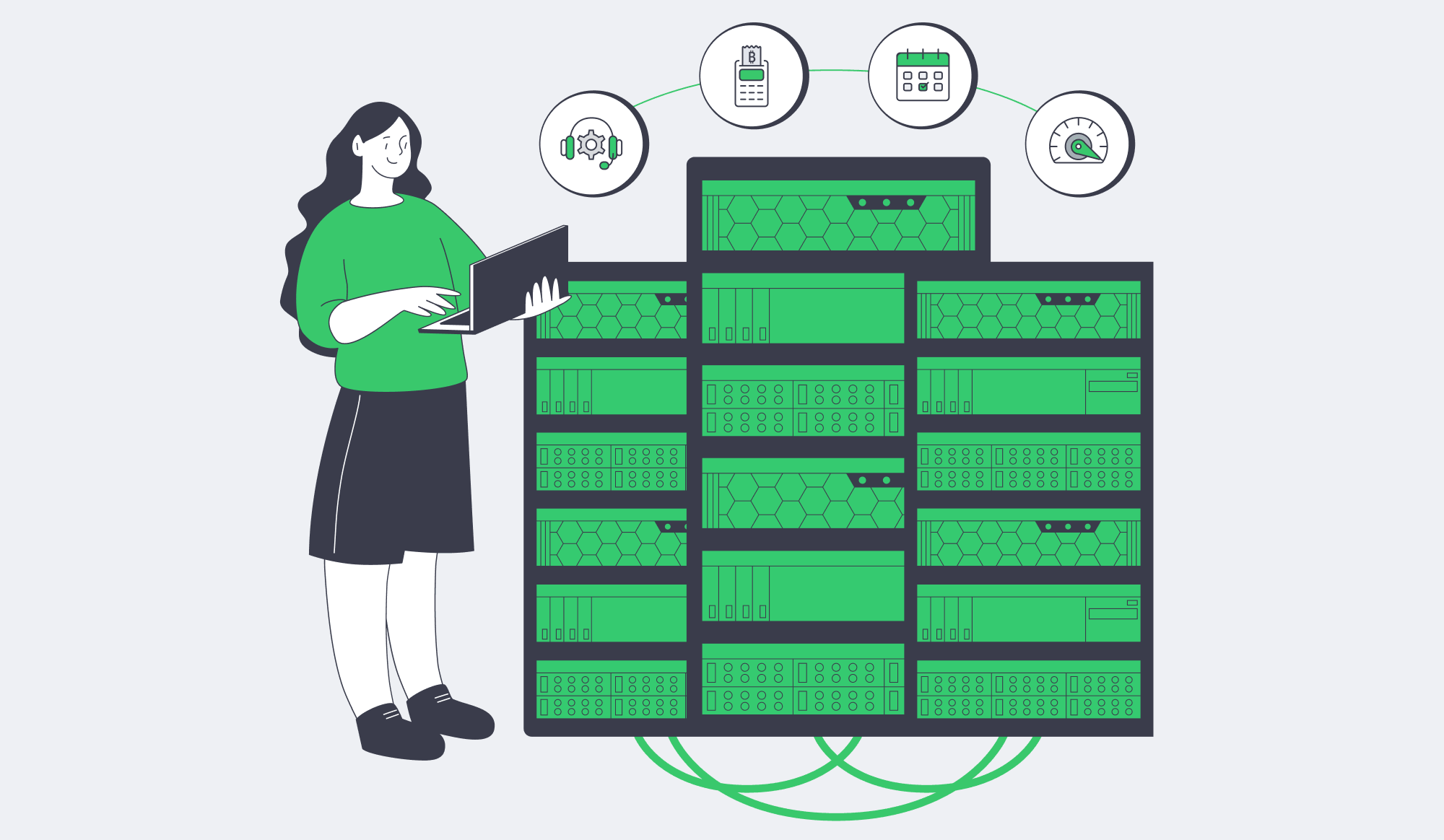
The procurement lesson is narrow but important. Dedicated server hosting that accepts Bitcoin is production-ready only when Bitcoin is the payment rail, not the entire value proposition. The infrastructure still has to stand on isolation, network capacity, renewal continuity, and support.
A production buyer should be able to clear this checklist without guesswork. Require a physical-tenancy answer, not a marketing answer; map port speed to workload documentation, not a generic “crypto hosting” label; design renewals around expiring invoices and confirmation states; confirm that human support can touch the infrastructure; and plan fleet growth across stocked systems, custom configurations, and multiple locations before the first renewal cycle.
For teams that need uptime, the right procurement is simple: pay with BTC where that helps finance operations, but evaluate hosting like any other production dependency.
Pay for Dedicated Servers with Bitcoin
Use Melbicom’s crypto-friendly payment flow with dedicated server capacity, global network reach, and 24/7 support.
Get expert support with your services
Blog
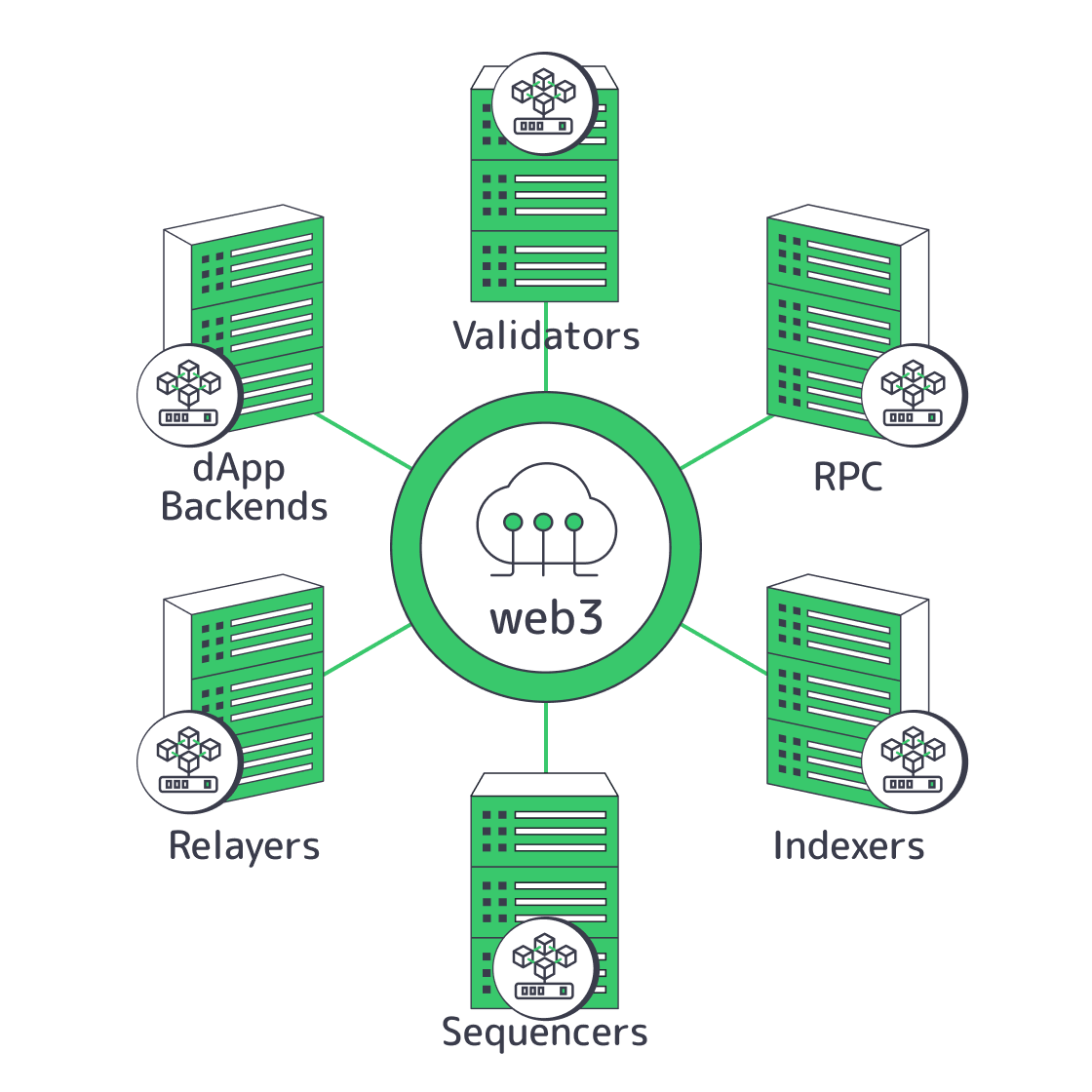
Web3 Hosting: Infrastructure Patterns for Reliable Nodes, RPC, and dApps
Web3 infrastructure usually fails before it fails cryptographically: state healing trails chain growth, indexers saturate disks, relayers confuse finality, and sequencer failover changes ingress identity. Reliable Web3 hosting isolates those failure modes before sync lag or API timeouts become outages.
What Web3 Hosting Requires
Web3 hosting requires separate failure domains for validators, public RPC, indexers, sequencers, relayers, and app backends. A practical design targets one critical path per server role, local NVMe for state-heavy workloads, and regional networking so overload does not spread stale reads or API failures.

The mistake is calling everything “a node.” Validators and sequencers are consensus-adjacent systems where freshness is the first reliability metric. Public RPC is a read-serving tier where p95 and p99 latency define user experience. Indexers and archives are ingestion systems. Relayers are finality-aware workflow engines. dApp backends are fan-out systems that should never turn one cache miss into a retry storm.
That separation follows protocol design. Solana RPC docs state that shared public RPC endpoints are not intended for production apps, while Agave validator requirements distinguish validator capacity from added RPC capacity. Sui full node documentation says validators push committed transactions to full nodes, which then serve client queries.
| Workload | What Usually Breaks First | Preferred Infrastructure Pattern |
|---|---|---|
| Validator or sequencer | Head freshness, vote production, unsafe-head continuity | Single-tenant dedicated server, isolated from public traffic, fast local storage, explicit failover controls |
| Public RPC node | p95/p99 latency, WebSocket stability, expensive method timeouts | Separate read tier, private upstreams, method-aware routing, safe/finalized serving paths |
| Indexer or archive tier | Catch-up speed, disk amplification, retention growth | Dedicated ingestion and query paths, snapshot restores, planned storage tiers |
| Relayer | Wrong finality timing, duplicate submissions, nonce drift | Queue-backed workers, route-specific finality policy, multi-upstream verification |
| dApp backend | Fan-out storms, cache misses, user-visible spikes | Stateless app layer, private RPC, async jobs, caches, region-local ingress |
Dedicated Servers vs Cloud for Web3
Dedicated servers fit Web3 infrastructure when the role is stateful, latency-sensitive, and I/O-heavy; cloud instances fit elastic ingress, orchestration, and stateless control planes. The tradeoff is simple: validators, hot RPC nodes, and indexers need predictable CPU, memory, NVMe, and bandwidth, while application edges benefit from burstable deployment velocity.
Choose Melbicom– Dedicated nodes for Web3 – Regional failover – High-bandwidth capacity |
|
The hardware guidance is blunt. Agave requirements call for at least 12 cores and 24 threads for validators, 16 cores and 32 threads with RPC, 256 GB of RAM for validators, 512 GB for all account indexes, separate NVMe devices for accounts, ledger, and snapshots, and at least 2 Gbps symmetric bandwidth for staked nodes, with 10 Gbps recommended. The same guidance warns that cloud operation requires greater expertise and that live validators in Docker are generally not recommended.
Sui validator guidance asks for 24 physical cores, 128 GB memory, 4 TB NVMe, and 1 Gbps networking. A Sui full node still wants 8 physical cores, 128 GB RAM, and a 4 TB NVMe drive. Geth hardware guidance recommends at least 16 GB RAM and a 2 TB SSD, warning that HDDs and cheaper SSDs can struggle.
That is why single tenancy matters in Web3 server hosting. These are stateful systems shaped by disk write amplification, peer churn, historical retention, and recovery bandwidth. The durable pattern is hybrid: keep chain-state roles on dedicated servers; keep API gateways, deploy pipelines, metrics, and stateless dApp services in orchestration.
Reduce Sync Lag and API Timeouts
Reducing sync lag, API timeouts, and centralization risk in Web3 hosting means restoring from checkpoints or snapshots, separating hot reads from historical backfills, and diversifying both regions and client implementations. A useful threshold is keeping no client or region above one-third of critical production capacity, matching Ethereum’s 33% resilience target.Sync lag is mostly a recovery-path problem. Geth snap sync is faster than full block-by-block sync, but state healing must outpace chain growth or the node never catches up. Geth keeps only the most recent 128 block states in a full node, with older state regenerated on request. Lighthouse checkpoint sync is substantially faster than syncing from genesis and is required by default.
Historical access is a separate tier. The February 24, 2026 Geth archive mode update says legacy hash-based archives can exceed 20 TB and take months to synchronize. Newer path-based archives need around 2 TB for full flat-state history, about 6.5 TB with historical trie data, and roughly two weeks to bootstrap.

API timeouts are often designed in. Ethereum JSON-RPC supports safe and finalized block tags, so reads that do not need the latest unsafe head can go to calmer backends. Current eth_getLogs documentation warns that large ranges or high-activity contracts can time out and recommends keeping fromBlock to toBlock under 2,000 blocks. Heavy history belongs on indexers and backfill workers, not on the wallet-facing edge.
Sui shows where this is going. Its data stack update says legacy JSON-RPC sunsets on July 31, 2026, while gRPC, GraphQL RPC, and the Archival Store become the production path. Web3 hosting must treat indexing as a first-class serving plane, not a background process competing with live traffic.
Centralization risk is also about who serves data and which client code paths everyone trusts. Clientdiversity.org sets a goal of keeping each Ethereum client below 33% and flags 66% as dangerous. A March 2026 APIDiffer paper evaluated all 11 major Ethereum clients and found 72 API bugs, with 90.28% already confirmed or fixed. Production RPC should shadow-read or canary critical methods across at least two client stacks.
Regional Web3 Failover
Regional diversity matters, but every role fails over differently. Validators and sequencers need state continuity and explicit leadership. Public RPC needs stable ingress identity and short cutovers. Relayers need independent confirmation paths and route-specific timers. Indexers need restore bandwidth more than edge routing.
OP Conductor documentation is unusually concrete: a standard HA setup assumes three sequencers, one active leader, Raft state, health checks, blue/green deployment, no unsafe reorgs, no unsafe-head stall during partition, and 100% uptime with no more than one node failure. It also says the design is not Byzantine fault tolerant. Real failover requires state transfer and leadership handoff.
Relayers need stricter timing discipline. CCTP block-confirmation documentation shows hard-finality attestation windows of about 8 seconds on some chains, about 25 seconds on Solana, about 75–120 seconds on Polygon PoS, and about 13–19 minutes for Ethereum-finalized rollups. Queue-backed relayers should encode those windows per route and make retries idempotent.
Web3 Hosting Is a Failure-Domain Decision
The pattern is now clear: isolate validators and sequencers, split RPC reads from indexing and archive backfills, make restoration faster than replay, diversify clients, and make regional failover preserve identity where partners, wallets, or allowlists depend on stable ingress. Latency still matters, but the larger win is preventing one overloaded path from becoming a correlated outage.
Use this checklist when evaluating Web3 server hosting:
- Put validator or sequencer roles on their own dedicated servers.
- Keep public RPC, indexing, and backfill traffic outside that failure domain.
- Restore from checkpoints, snapshots, or archive fallback instead of genesis replay.
- Route sensitive reads to safe or finalized tiers, then diversify regions and clients.
- Preserve endpoint identity with BGP where static ingress matters; offload snapshots, proofs, and static dApp assets away from node disks.
For teams applying that pattern, provider topology becomes part of the reliability model, not a procurement afterthought.
Explore Web3 Server Hosting
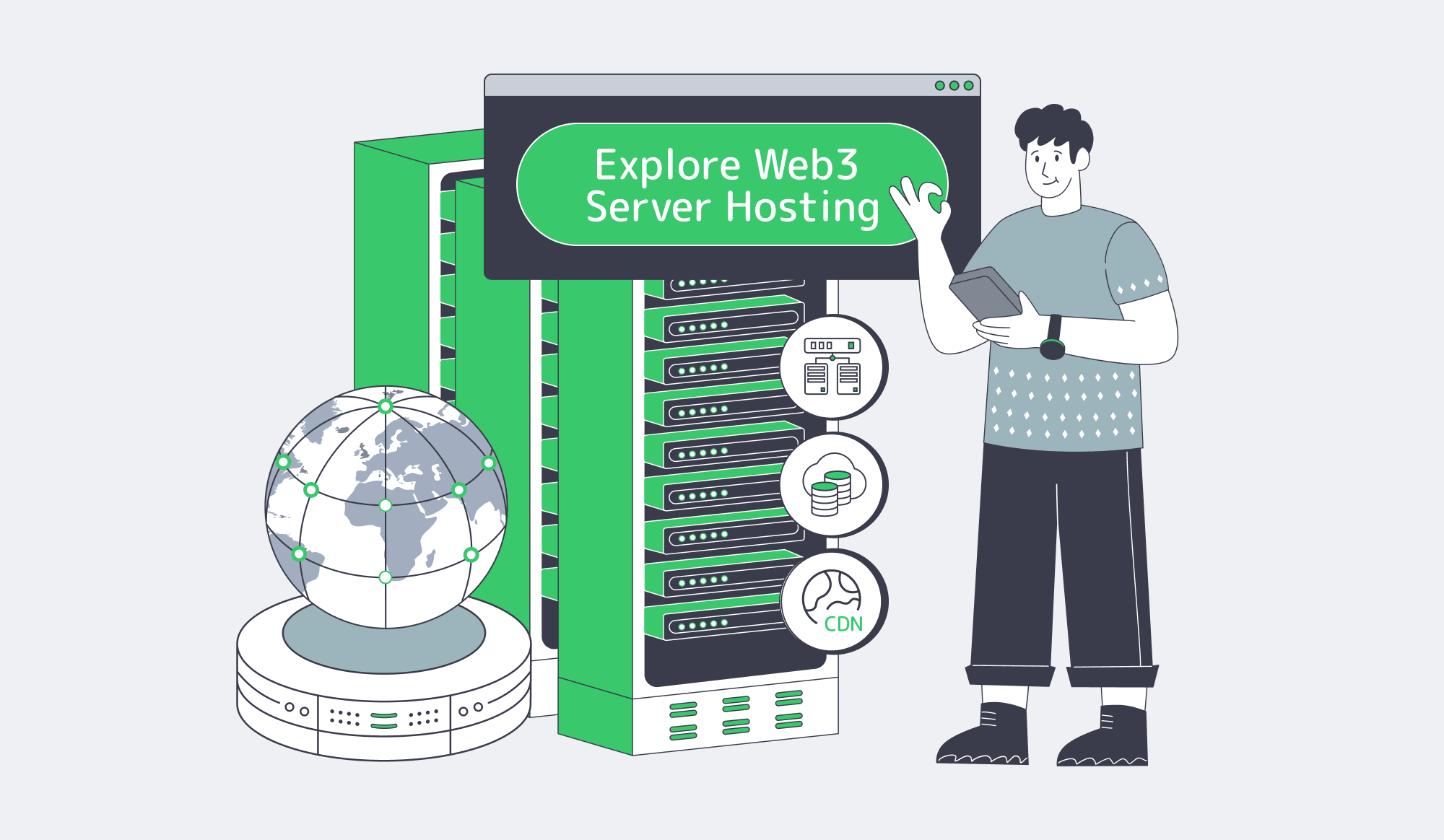
Melbicom’s Web3 server hosting, data center, and network footprint supports single-tenant dedicated servers across 21 Tier III and Tier IV data centers, 1000+ ready-to-go configurations, custom configurations delivered in 3–5 business days, 23 transit partners, 29 IXP peering hubs, and per-server bandwidth up to 200 Gbps depending on location.
Deploy Web3 Servers
Choose Melbicom—run Web3 node, RPC, relayer, and dApp roles on dedicated infrastructure with regional capacity.
Get expert support with your services
Blog

Dedicated Server Hosting Amsterdam: How to Choose an EU Connectivity Hub
Choosing an Amsterdam deployment should be less about putting “Netherlands” or “EU” on a quote and more about whether the metro behaves like a real connectivity hub under production traffic.
AMS-IX’s February 2026 facts-and-figures update says Amsterdam handled 35.66 exabytes of traffic in 2025, reached 902 connected parties, and grew active port capacity to 69.57 Tb/s. In April 2026, AMS-IX reported a new Amsterdam peak above 15 Tb/s.
That density is the reason Amsterdam works as an EU anchor: peering, transit, and European traffic already converge there. Cushman & Wakefield’s April 2026 EMEA update put Amsterdam at 852 MW of operational data-center capacity; Europe’s largest core markets still represent more than 45% of regional operational capacity.
Choose Melbicom– 300+ ready-to-go servers – Tier III & IV DCs in Amsterdam – 24/7 infrastructure support |
|
Why Dedicated Server Hosting in Amsterdam Works for EU Workloads
Dedicated server hosting in Amsterdam works for EU workloads when one node keeps most Western and Central European users inside roughly 10–25 ms RTT, connects through dense local peering, and supports clean 1–10+ Gbps delivery. The tradeoff is reach: Spain, Italy, and farther-eastern markets may still need a second region for low interactive latency.
Amsterdam’s advantage is path quality. DE-CIX’s FAQ explains that Internet Exchange access can reduce latency by shortening traffic paths and improve resilience by creating more redundant routes. That is the buying logic: a better chance of direct routes into the networks that matter.
Cushman & Wakefield says Amsterdam remains one of Europe’s largest hubs, but growth is shaped by power and permitting constraints. That makes operational evidence more important than expansion narratives: available inventory, test IPs, realistic port speeds, and a provider network that can support traffic after launch.
For Melbicom, the Amsterdam decision framework is intentionally location-specific. Our Amsterdam dedicated server capacity includes 300+ ready-to-go configurations across Tier III & IV DCs in Amsterdam, Intel and AMD CPU options, and 1–200 Gbps per-server network connectivity. That matters when Amsterdam is not just a server location, but the first node in a wider European delivery design spanning Melbicom’s network backbone, European dedicated servers, and CDN.
Amsterdam Latency, Interconnection, and Bandwidth Requirements to Compare
Dedicated server hosting in Amsterdam should be compared on measured RTT to target metros, peering and transit quality, and whether bandwidth pricing matches sustained throughput rather than burst headlines. A practical cut line is simple: if top markets sit below about 25 ms RTT and 95th-percentile traffic fits the commit, Amsterdam is doing real work instead of only looking central on a map.
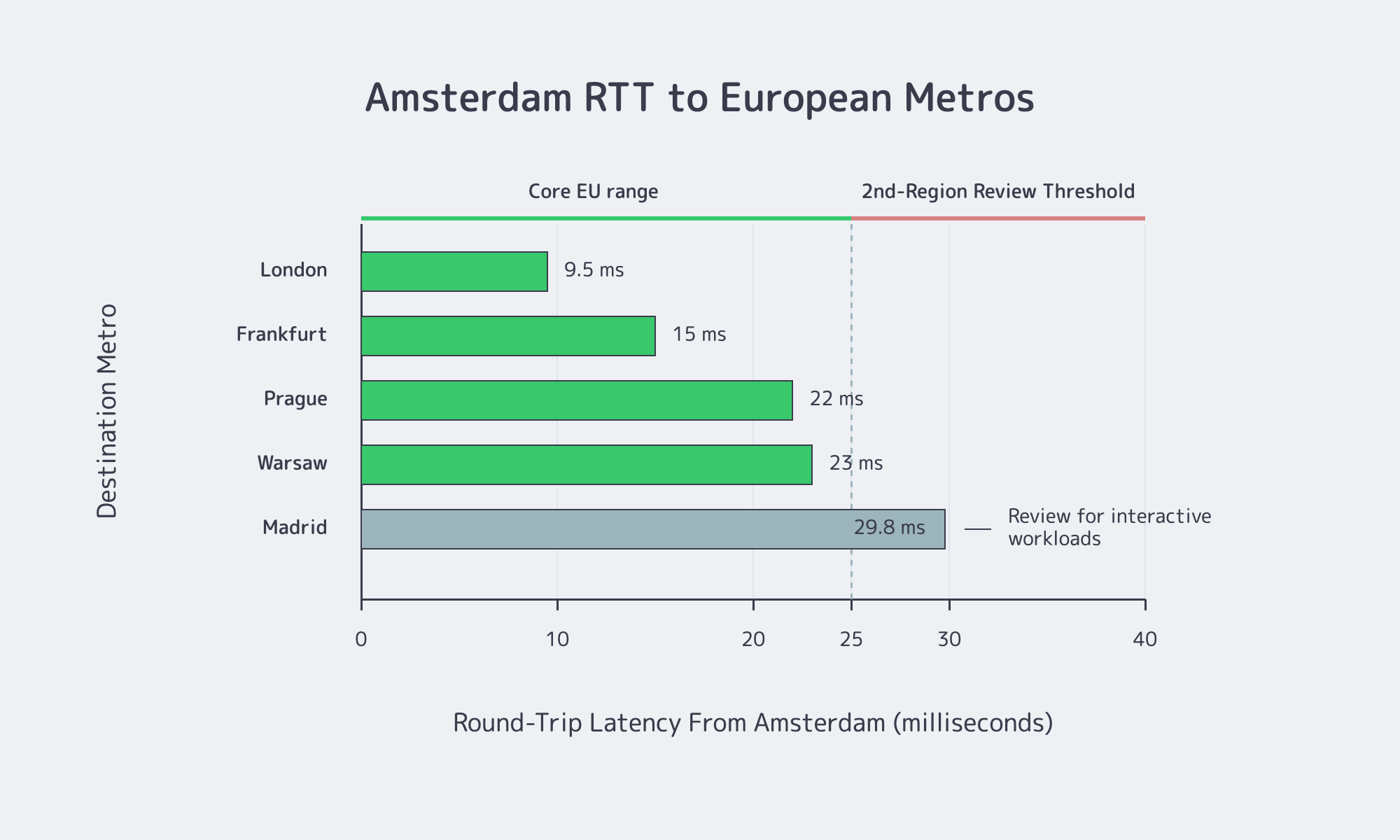
Start with latency. WonderNetwork’s Global Ping Statistics are generated by 30 pings per city pair and displayed as averages; they are not end-user guarantees, but they are useful directional planning data for an Amsterdam origin, API node, or control-plane service. The metros below are also markets where Melbicom has dedicated server capacity, CDN PoP capacity, or both.
| Destination From Amsterdam | Indicative RTT | Operational Takeaway |
|---|---|---|
| London | ~9.5 ms | Strong fit for interactive traffic |
| Frankfurt | ~14–16 ms | Very solid core-market coverage |
| Prague | ~21–23 ms | Strong Central Europe coverage |
| Warsaw | ~23 ms | Acceptable for many workloads; monitor p95 |
| Madrid | ~29.8 ms | Often where a second region starts to make sense |
The pattern matters more than any single sample. London and Frankfurt are excellent; Prague and Warsaw are still reasonable; Madrid is where Amsterdam starts acting like a strong regional core, not a universal edge. A Cloudflare Radar Europe quality view showed continental median RTT at 27 ms, with 18 ms at the 25th percentile and 42 ms at the 75th.
Interconnection is what decides whether those numbers hold under load. A poor route can overwhelm map distance; the fix is simple but often skipped. Ask for test IPs, run traceroutes from priority markets, compare IPv4 and IPv6, and watch whether traffic stays direct during busy windows.
Bandwidth deserves the same discipline. Cloudflare’s bandwidth documentation explains the standard 95th-percentile model: sample utilization every five minutes, discard the top 5%, and size around the highest remaining value. A 10 Gbps port is not automatically a 10 Gbps economic fit if the commit is wrong.
Media workflows expose the risk fastest. YouTube’s current upload guidance recommends about 8 Mbps for 1080p SDR and 35–45 Mbps for 4K SDR uploads. Ingest, cache fill, replication, and mirror traffic can consume real capacity before viewer delivery is counted. API-heavy SaaS may fit 1 Gbps; origins, mirrors, segment distribution, and heavier hosting nodes often start more honestly at 10 Gbps or above.
Amsterdam Resilience and DDoS Protection
Network density does not remove operating risk. Uptime Institute’s May 2025 outage analysis said IT and networking issues accounted for 23% of impactful outages in 2024, nearly 40% of organizations had suffered a major outage caused by human error over the previous three years, and 85% of those human-error incidents involved ignored or flawed procedures.
That makes redundancy a three-layer decision: facility, upstream path, and regional recovery. For low-stakes batch processing, one Amsterdam node may be enough. For customer-facing SaaS, media origins, and hosting platforms, Amsterdam plus route diversity plus a second European recovery point is safer than assuming a healthy server means a resilient service.
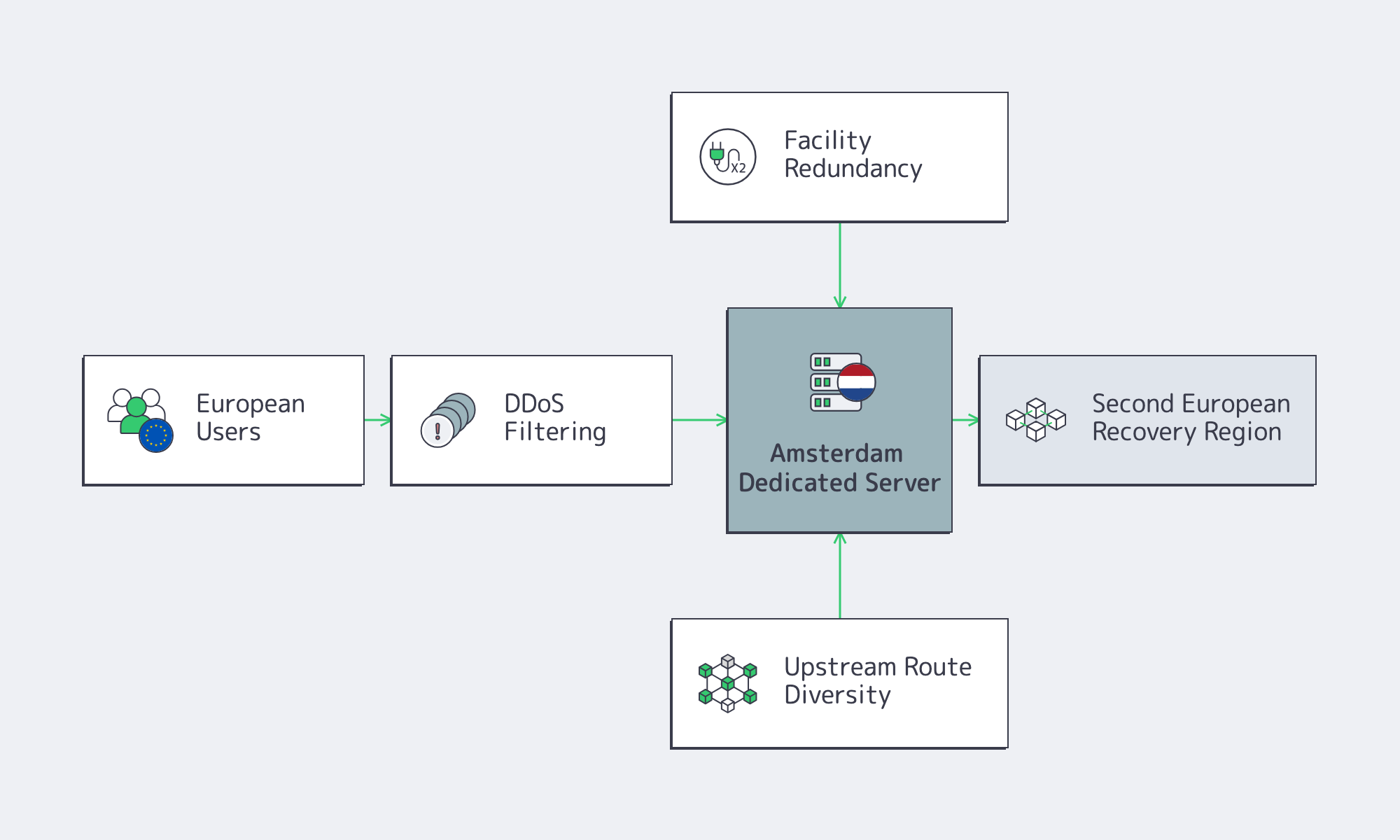
DDoS belongs in the baseline, not the appendix. Cloudflare’s Q1 2025 DDoS report recorded 20.5 million blocked DDoS attacks, up 358% year over year, including roughly 700 hyper-volumetric attacks above 1 Tbps or 1 Bpps. Its Q2 2025 report reported a 7.3 Tbps record attack and more than 6,500 hyper-volumetric attacks. For public Amsterdam nodes, ask where traffic is cleaned, how quickly legitimate traffic returns, how IPv6 is handled, and how user experience behaves during mitigation.
Workload Fit Decides the Amsterdam Choice
For SaaS platforms, Amsterdam is strongest as a control-plane, API, authentication, queue, or database-adjacent node when users cluster in Western and Central Europe. The latency pattern supports that profile, and the IXP density improves the odds of short paths. If a product is highly interactive and large cohorts sit in Southern Europe or farther east, Amsterdam should usually be the core node, not the only node.
For media teams, Amsterdam is especially useful for ingest, origin, packaging, storage-adjacent processing, and traffic-heavy control layers. Those jobs benefit from dense peering and higher port options, but they also punish under-bought bandwidth. Once replication, VOD movement, or cache fill becomes routine, the design usually looks better with larger ports and adjacent CDN logic. Melbicom’s CDN operates in 40 locations across 35 countries, including Amsterdam, Frankfurt, London, Madrid, Paris, Prague, Palermo, and Warsaw, which makes the dedicated-server decision easier to connect to distribution strategy instead of treating origin and delivery as separate projects.
For hosting teams, Amsterdam fits mixed European demand where predictable route quality, peering, and high-throughput delivery matter more than physical proximity to one national audience. Shared hosting clusters, download nodes, mirrors, reverse proxies, and service platforms all fit that model. The actual test is whether Amsterdam matches the application’s latency budget, attack exposure, and sustained egress profile.
When Amsterdam Should Anchor Europe
Amsterdam should anchor a multi-region European deployment when Amsterdam keeps most users within the latency budget and can serve as the control-plane, origin, or ingest hub. Use Amsterdam first for Western and Central Europe, then add another region when large cohorts exceed roughly 25–30 ms RTT or failover must survive metro-level faults.
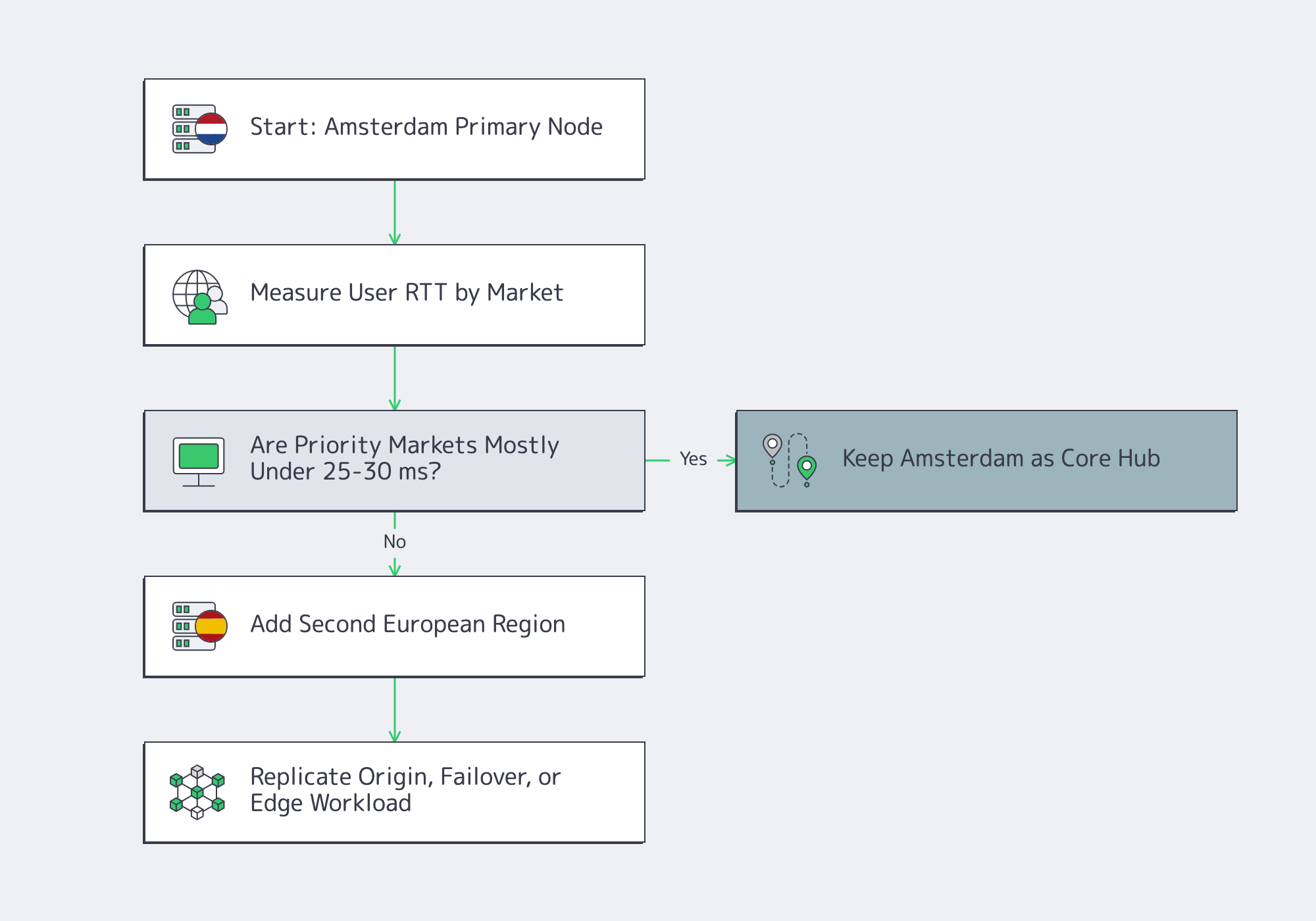
In practice, that means expanding from telemetry, not ideology. If Spain, Italy, or farther-edge cohorts miss the latency target, a second region stops being theoretical optimization and becomes product work. If outage tolerance is low, the second region is also non-negotiable because metro-level redundancy is not the same as European resilience.
This is where a broader footprint matters. Melbicom’s Amsterdam location can be combined with dedicated server locations such as Frankfurt, Madrid, Paris, Palermo, Warsaw, Riga, Vilnius, and Sofia, plus CDN PoPs in adjacent European markets. The cleanest pattern is usually Amsterdam first, then expand without rebuilding the network model.
The Practical Shortlist

The practical Amsterdam test is not “is this server in the Netherlands?” It is whether the Amsterdam node can hold the latency budget, route cleanly, absorb sustained traffic, survive failures, and fit the workload’s shape. Use five checks:
- Measure actual RTT from Amsterdam to real user markets; if large cohorts sit above roughly 25–30 ms, plan a second region early.
- Favor dense interconnection and route diversity over the cheapest nominal port.
- Buy bandwidth around sustained 95th-percentile traffic, not the biggest port headline.
- Treat redundancy as facility, upstream, and regional—not just server health.
- Assume DDoS pressure is part of the baseline design for public workloads.
For teams that want Amsterdam to behave like a practical EU hub instead of a symbolic location pin, the winning design is specific: measured latency, direct routing, correctly sized bandwidth, layered redundancy, and workload placement that respects geography. That is the natural point to evaluate Amsterdam capacity against real traffic plans rather than against a generic regional checkbox.
Explore Amsterdam Dedicated Servers
Melbicom’s Amsterdam dedicated servers give teams 300+ ready-to-go configurations, Tier III & IV DCs in Amsterdam, 1–200 Gbps per-server network connectivity, 1–100 Gbps bandwidth tiers with 50 TB or unmetered plans, and a path into Melbicom’s European infrastructure, network backbone, and CDN footprint. The value is highest when Amsterdam is treated as a measured EU anchor—not a shortcut around latency physics.
Deploy Dedicated Servers
Choose ready-to-go dedicated infrastructure and scale capacity without guessing.
Get expert support with your services
Blog

Dedicated Server BTC: How to Buy Bare Metal with Bitcoin w/o Payment Friction
The hard part of paying for a production dedicated server with BTC is usually not Bitcoin. The hard part is the seam between treasury, billing, and provisioning: invoice timers, confirmation policy, identity checks, renewal handling, refund math, and the moment the hosting account actually shows funds available.
That distinction matters because Bitcoin payment status is layered. Bitcoin.org’s confirmation explainer says each confirmation can take from seconds to 90 minutes, with 10 minutes as the average, and the first confirmation can take much longer when the fee is too low. Invoice systems then add quote windows, underpayment states, overpayment states, and manual exceptions.
BTC Payments– Clear invoice flow – Dedicated server capacity – 24/7 support |
|
How Dedicated Server BTC Payment Works
Dedicated server BTC payment works cleanly when invoice terms, confirmation thresholds, and account-credit timing are known before funds move. Treat “sent,” “confirmed,” and “posted to the hosting account” as separate states. For production orders, activation should begin only after the provider states which state unlocks provisioning.
In Web3 shorthand, “bare metal” often means a dedicated server: single-tenant hardware with predictable capacity. The payment workflow should be just as deterministic: choose stock versus custom hardware, confirm the invoice currency, BTC method, expiration window, confirmation policy, and provisioning trigger, then send funds.

Avoid BTC Invoice Drift
The lowest-friction way to buy dedicated server with BTC is to settle infrastructure details before payment details. Decide whether the order is stocked or custom, get the exact hardware scope priced, ask what confirmation threshold unlocks provisioning, ask who enables crypto billing, and only then request the invoice.
If the invoice expires, regenerate it. BTCPay’s invoice states include expired, paid late, paid partial, paid over, processing, invalid, and settled. For a server order, every exception can slow deployment.
Underpayment deserves special attention. Use a wallet flow that can send the exact invoice amount and choose a fee policy designed for timely confirmation.
Bitcoin Invoices, Confirmations, KYC, and Renewal Risks to Check
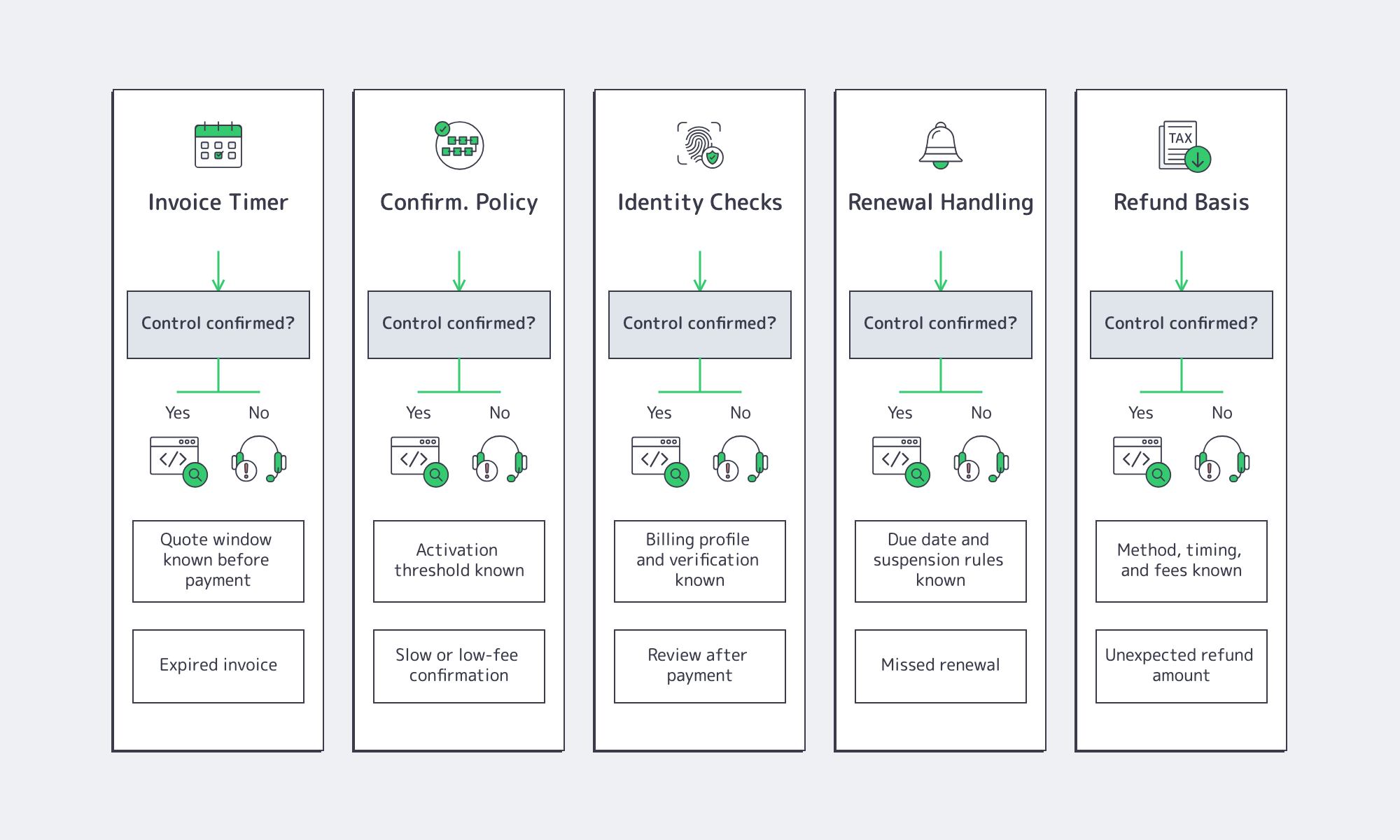
Bitcoin server invoices fail most often at five handoffs: quote expiry, slow confirmations, identity review, missed renewals, and refund handling. A buyer who verifies the invoice timer, required confirmations, renewal trigger, and refund basis before checkout removes most payment friction before hardware procurement starts.
| Procurement check | Good answer sounds like | Red flag sounds like |
|---|---|---|
| Invoice timer | “The quote is locked for this long; expired invoices must be reissued.” | “Send it if the address still works.” |
| Confirmation policy | “Activation starts at this status; account credit posts at this later status.” | “We’ll see it when it arrives.” |
| Identity requirements | “These billing details or documents are required before payment.” | “It depends after you pay.” |
| Renewal handling | “Invoices post here, due here, suspension starts here, restoration works like this.” | “Pay right at expiry and it should be fine.” |
| Refund basis | “Refunds follow this path, timing, method, and fee rule.” | “We’ll sort it out manually later.” |
Invoice risk is exchange-rate risk wearing a UX costume. Fixed-rate invoices preserve quoted fiat value for a limited window. That helps the seller, but it pressures teams using approvals, multisig coordination, or staged treasury workflows. Do not request a BTC invoice until the purchase order, signer availability, and fee policy are ready.
Confirmation risk is partly fee risk. Bitcoin.org’s 10-minute average is not a delivery guarantee; the first confirmation can run longer, especially at a low fee. Ask whether provisioning starts at transaction detection, one confirmation, six confirmations, or only after the balance is allocated to the hosting account.
Identity risk is policy-driven, not protocol-driven. FATF’s updated virtual asset guidance says virtual-asset service providers must apply preventive measures such as customer due diligence and transfer-data obligations where applicable. Melbicom’s services agreement also requires accurate customer information and allows suspension or blocking when requested verification documents are not provided.
Renewals and refunds are where dedicated server BTC becomes operations. Melbicom invoices in advance through the Personal Account, and payment is complete only after funds are received and allocated there. If the next period is unpaid, service may suspend when the paid period ends. Data on physical servers may be retained for up to two days after suspension, restoration may take up to 24 hours after full payment is received and allocated, and refunds are processed within 30 days using the agreed payment method, with payment-system fees borne by the customer.
When Buying a Dedicated Server with BTC Makes Operational Sense
Buying a dedicated server with BTC makes operational sense when the workload has a real hardware floor and the billing path is explicit. If a workload needs multi-terabyte SSDs, 1–10 Gbps connectivity, or same-day deployment, payment ambiguity becomes a reliability risk rather than a back-office inconvenience.

This is why the dedicated server BTC decision belongs in infrastructure planning, not at checkout. Ethereum.org’s node guide recommends a fast 4+ core CPU, 16 GB+ RAM, a fast 2+ TB SSD, and 25+ Mbit/s bandwidth; full archive footprints range from about 2.2 TB to 12 TB+ depending on client. Agave validator requirements are steeper: 12 cores / 24 threads or more, 256 GB RAM or more, separate NVMe volumes, 1 Gbit/s for an unstaked node, at least 2 Gbit/s for a staked node, and 10 Gbit/s recommended for stable operation.
The takeaway is blunt: if storage layout, port speed, and deterministic performance matter, a vague BTC payment flow can become an outage vector.
When BTC Payment Makes Sense
Buy dedicated server capacity with BTC when the provider can state the invoice timer, confirmation threshold, payment-posting event, renewal trigger, and refund basis before the first satoshi moves. If those rules remain vague, BTC stops being a convenience and becomes an avoidable uptime risk.
For Melbicom, the best fit is a buyer that already knows its target region, hardware floor, port speed, expected renewal cycle, and deployment timeline. Melbicom’s 1000+ ready-to-go configs, custom server builder, payment, and support paths make those checks part of the buying process.
Dedicated Server BTC Buyer Checklist
The clean BTC order is the one whose moving parts are explicit before finance signs anything. Use this as the final check against Melbicom’s payment methods, server builder, account-management flow, and support process.
- Confirm whether the order is a stocked configuration targeting about 2-hour activation or a custom configuration typically delivered in 3–5 business days.
- Ask which event marks successful payment for the order: network detection, one confirmation, six confirmations, or actual allocation inside the Personal Account.
- Get the invoice timer in writing and confirm what happens if payment lands after expiry, arrives under the quote, or arrives over the quote.
- Verify whether billing profile fields, account login steps, or verification documents are required before invoice issuance, renewal, or refund handling.
- Know the renewal path: Melbicom invoices in advance, may suspend service when the paid period ends, and may take up to 24 hours to restore service after payment is received and allocated.
- Ask how refunds are calculated and routed, because refund amount, timing, payment method, and fees may not mirror the original BTC amount sent.
Make the BTC Payment Rail Boring Before the Server Goes Live

The point of paying for a dedicated server with BTC is not to turn procurement into a crypto experiment. The point is to give treasury a payment rail that matches how the team already operates while keeping infrastructure delivery predictable. That requires boring details: invoice windows, confirmation policy, identity requirements, renewal timing, refund math, and account-credit rules.
Melbicom’s role in that workflow is practical. We give buyers a way to evaluate production infrastructure first—server availability, region, bandwidth, support path, and deployment timing—then route the payment conversation through the account-management and billing process. That is how dedicated server BTC procurement should feel: explicit before payment, traceable after payment, and unremarkable once the server is live.
Buy Dedicated Servers with Bitcoin
Use BTC billing with ready-to-go configs, custom builds, and 24/7 support.
Get expert support with your services
Blog

Data Centers in California: Low-Latency Infra Without Capacity Risk
Choosing among data centers in California is a routing and capacity decision. Los Angeles is usually stronger for Southern California user traffic, Pacific-facing routes, and fast first-node deployment. Santa Clara is stronger for Bay Area adjacency and dense east-west interconnection. The risk is assuming low latency automatically means usable capacity.
The practical comparison is measured latency, energized power, interconnection reach, sustainability exposure, and deployment speed. The winning site proves the route, powers the rack, and ships capacity fast.
LA Servers– West Coast placement – Fast activation – Global Melbicom backbone |
|
How Data Centers in California Compare for Latency and Capacity
Data centers in California should be compared by measured user-to-server latency first, then by deliverable capacity. Los Angeles often wins for Southern California and Pacific-facing workloads; Santa Clara wins for Bay Area adjacency. A site with attractive latency but no energized power, carrier diversity, or expansion path is a capacity risk, not a platform.
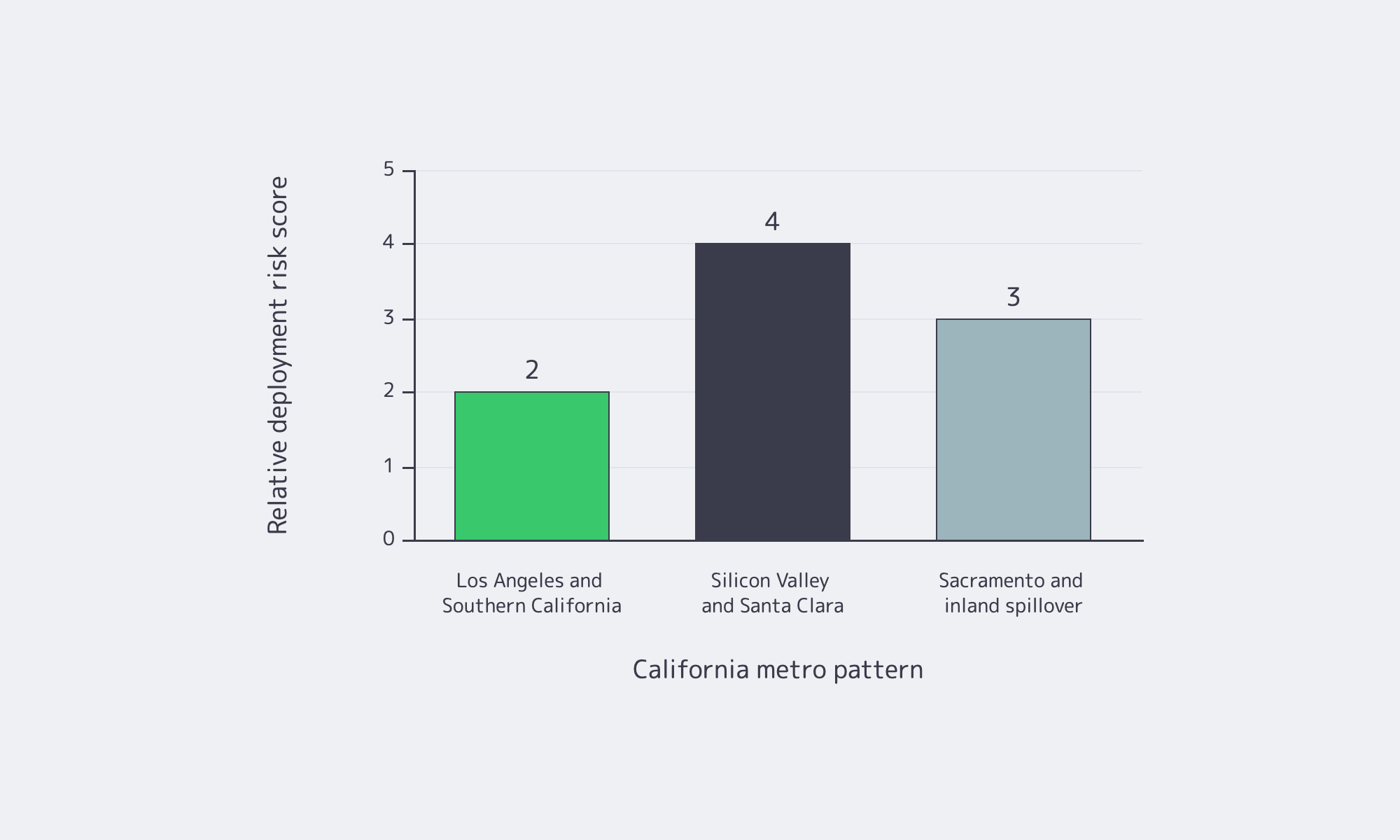
The California Energy Commission says California has more than 200 active data centers, using roughly 1,000 MW, about 2% of CAISO peak demand, in early 2026; by 2040, the forecast rises to 4,500 MW, or 9% of peak demand. CAISO separately says CEC forecasts data-center load on the ISO grid increasing by 1.8 GW by 2030 and 4.9 GW by 2040. Those numbers explain why “available California capacity” needs proof.
| California Metro Pattern | Best Fit | What to Validate First |
|---|---|---|
| Los Angeles and Southern California | Southern California users, Pacific-facing routes, fast first-node deployment | Energized power, carrier diversity, trace performance to major eyeball networks |
| Silicon Valley and Santa Clara | Bay Area users, cloud-adjacent traffic, interconnection-heavy tiers | Utility energization date, contiguous capacity, cross-connect plan, public PUE data |
| Sacramento and inland spillover | Overflow capacity and less latency-sensitive tiers | Added RTT, utility path, backhaul design, cooling and water model |
CBRE’s H1 2025 data-center reporting said Southern California had available retail and wholesale inventory. In Silicon Valley, power constraints limited new supply and pushed vacancy to a record-low 4.5%. Santa Clara city materials show more than 50 data centers; a 2025 city study session counted 56 active or under-construction standalone sites.
Latency still matters inside the state. Using standard light-in-fiber assumptions, the physical RTT floor is roughly 1.8 ms between Los Angeles and San Diego, about 4.8 ms between Los Angeles and San Jose, and about 6.6 ms between San Jose and San Diego before route stretch, switching, and congestion. For API-heavy, cache-sensitive, multiplayer, or real-time bidding systems, single-digit milliseconds are a budget. But routing can erase geography: a closer site that hairpins through poor transit can lose to a farther site with cleaner interconnection.
Interconnection Is What Separates Strong Data Centers in California
If latency is the headline, interconnection is the body text. TeleGeography’s 2025 State of the Network identified a downtown Los Angeles facility as the world’s most carrier-dense colocation site, and its submarine-cable research keeps California visible as a Pacific landing geography. PeeringDB exists for exactly this diligence: checking which networks, exchanges, and facilities are actually reachable.
The practical test is not “does this metro have carriers?” It is “which carriers, which exchanges, which cross-connect path, and what does the first packet to my top destination ASNs do?” Buyers should run traces and synthetic probes from the user networks that matter, then compare the results with facility-level interconnection data.
Dedicated Servers Versus Colocation for California Workload Deployment
Dedicated servers usually beat colocation for California workload deployment when the constraint is usable capacity speed, not hardware ownership. If a new node must go live in days rather than weeks, pre-racked dedicated inventory is the lower-risk path. Choose colocation when specialized owned hardware or custom physical topology is required.
In colocation, the customer owns the servers and leases the facility environment. The data center solves space, power, cooling, and physical security, but the customer still has to procure, ship, stage, install, cable, and manage hardware before production traffic moves. Dedicated servers remove that front-end hardware lifecycle from the critical path because the infrastructure is already inside the provider environment.
That matters because capacity is tight. JLL’s year-end 2025 data-center analysis said North American vacancy stayed at a record-low 1% for a second consecutive year, with 92% of under-construction capacity already precommitted. Uptime Institute’s 2025 survey found operators dealing with power constraints, supply-chain delays, and density-driven planning problems. In that market, deployment speed is risk control.
For California-facing capacity, dedicated servers in Los Angeles solve the first-node problem. Melbicom’s Los Angeles location includes 28 server configurations in a Tier III data center. Across all dedicated server locations, Melbicom offers 1000+ ready-to-go options, custom configurations in 3–5 business days, 21 Tier III and Tier IV data centers in total (including Los Angeles), per-server connectivity up to 200 Gbps, 29 IXP peering hubs, and 23 transit partners worldwide.
Colocation still has a place. If a deployment depends on specialized appliances, long-lived owned assets, or a physical topology that a provider-led dedicated model cannot match, colocation is the cleaner fit. But when the blocker is “we need ten more West Coast nodes before the quarter ends,” dedicated servers are usually faster.
Power, Interconnection, and Sustainability Risks to Validate Before Deployment
Power, interconnection, and sustainability risks should be validated before any California deployment because one wrong assumption can neutralize every latency gain. Ask for three proofs up front: energized power delivery dates, exact carriers and exchanges reachable from the rack, and cooling and water data detailed enough to estimate carbon, cost, and local exposure.

Start with power. CAISO makes an important distinction: the ISO does not study retail load interconnections; those are governed by local utility tariff and process. A site with “planned megawatts” but no firm utility path is not deployable capacity. In May 2025, PG&E said it was seeing 8.7 GW of data-center-related electricity demand over the next decade, including 1.4 GW in final engineering and 4.1 GW of new requests through an additional cluster study.
Interconnection needs the same skepticism. PeeringDB and carrier lists are starting points, not proof. Buyers should validate the exact facility or campus, the cross-connect path, and measured latency to priority ASNs. A one-millisecond metro advantage disappears quickly if traffic exits through the wrong upstream.
Sustainability Exposure in Data Centers in California Is Local
Sustainability exposure in data centers in California is local, not generic. A 2026 Berkeley Law report said California still lacks a complete picture of data-center water use, current reporting is incomplete, and development speed warrants better disclosure. The report also framed the key tradeoff: water-saving cooling can consume more energy, while energy-efficient cooling can use more water.
That makes cooling method, water source, and reporting posture operational issues. Santa Clara recycled-water rules require recycled water for non-potable uses where available, suitable, and economically feasible, including industrial cooling systems with operational-plan requirements. The CEC benchmarking program requires annual energy-use disclosure for standalone data centers over 50,000 square feet and data centers inside buildings larger than 50,000 square feet. And the U.S. Department of Energy says data-center cooling can account for up to 40% of total data-center energy use, making cooling architecture a cost and sustainability variable.
Low-Risk California Deployment Pattern
A low-risk California deployment pattern puts latency-sensitive entry points closest to users and routes, then places less latency-sensitive scale where capacity is less fragile. Southern California can serve first-hop application tiers; broader U.S. capacity can absorb overflow, back-end processing, and non-interactive workloads when coastal power or lead time becomes the constraint.
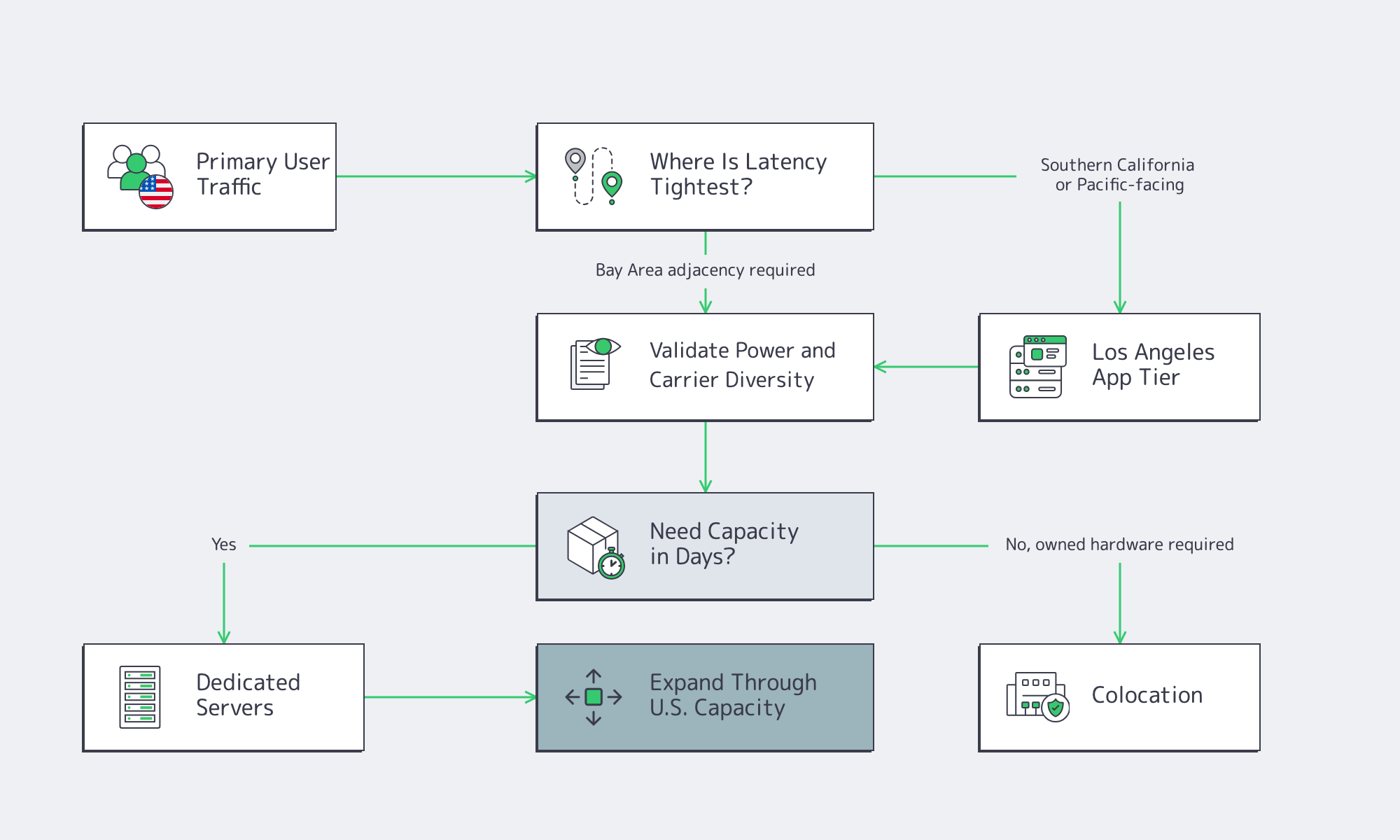
Before signing anything, ask for these proof points:
- A utility-backed energization timeline, not just total designed megawatts.
- Facility-level carrier and exchange reach, checked against PeeringDB and validated with live test traces.
- Measured latency from the ASNs that matter, not generic nearby-region ping tests.
- Cooling and water disclosures, including PUE, cooling architecture, recycled-water use where applicable, and public benchmarking data.
- A deployment-speed plan that identifies the pre-production steps still on your side before launch.
Two inputs should still be revalidated at deal time: facility-level cross-connect pricing and live utility energization dates for the specific building or campus. The latency floors above are illustrative physics estimates, not provider-specific production benchmarks; real routing policy, congestion, and carrier choice can move observed latency materially higher.
Build Low-Risk Latency Capacity
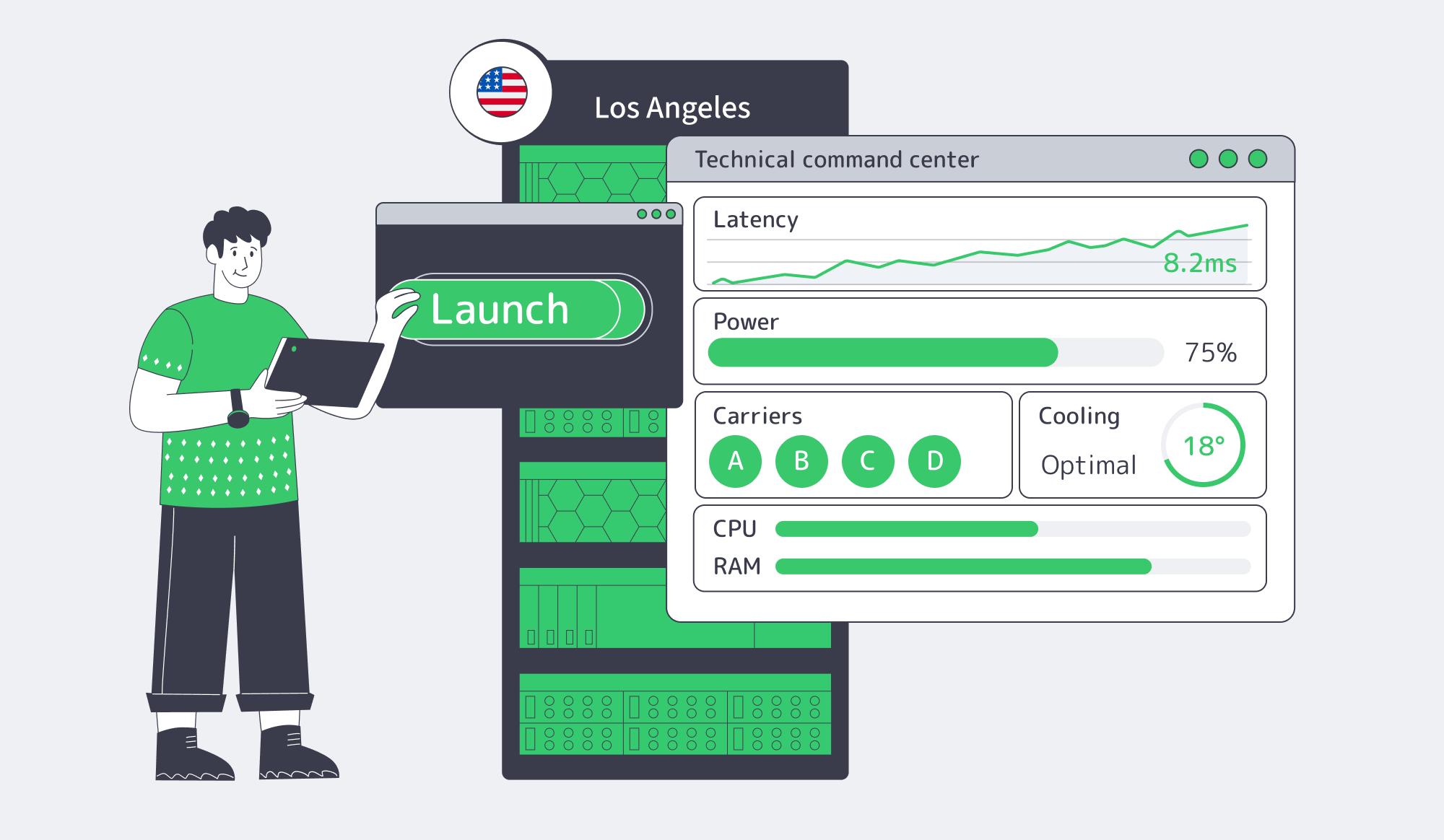
California data centers should not be selected by map distance alone. The practical route is to measure user latency, confirm energized power, verify facility-level interconnection, and test sustainability exposure before committing nodes. Dedicated servers are the faster choice when the deployment schedule is tighter than the hardware supply chain.
For teams building California and West Coast capacity, the question is not whether California is attractive. It is whether the first deployment can stay fast without trapping future growth in a power- or cross-connect-limited site. That is where Melbicom’s Los Angeles footprint becomes a practical starting point, not a generic regional claim.
Deploy in Los Angeles
Launch dedicated server capacity close to West Coast users without waiting on colocation timelines.
Get expert support with your services
Blog

Asia Dedicated Server Buying Guide for Low-Latency APAC Growth
Choosing an Asia dedicated server is not a map exercise. A workload that feels local from Singapore can feel distant from Tokyo, Mumbai, or Fujairah. Start with measured user paths: where sessions originate, which networks carry the traffic, what latency budget the product can tolerate, and where regulated data is allowed to live.
The practical question: should the first deployment land in Singapore, Tokyo, Mumbai, or a multi-site design using Asia dedicated servers?
Asia Servers– Singapore, Tokyo, Mumbai – High-bandwidth capacity – 24/7 support |
|
How Should You Choose an Asia Dedicated Server for APAC Workloads?
Choose an Asia dedicated server by setting a per-market latency target first, then testing routes from real user networks before buying. For interactive SaaS traffic, keep P95 round-trip latency under roughly 80 ms where possible. Above 150 ms, design the workload as regional, asynchronous, or read-heavy instead of pretending one site serves all APAC users equally across markets.
The practical sequence is user clustering, route testing, port sizing, compliance review, and failover design. That order matters. A 10 Gbps port in the wrong city still gives users the wrong path. A compliant data location with weak peering still creates tickets. A failover site that shares the same upstream risk is not meaningful resilience.
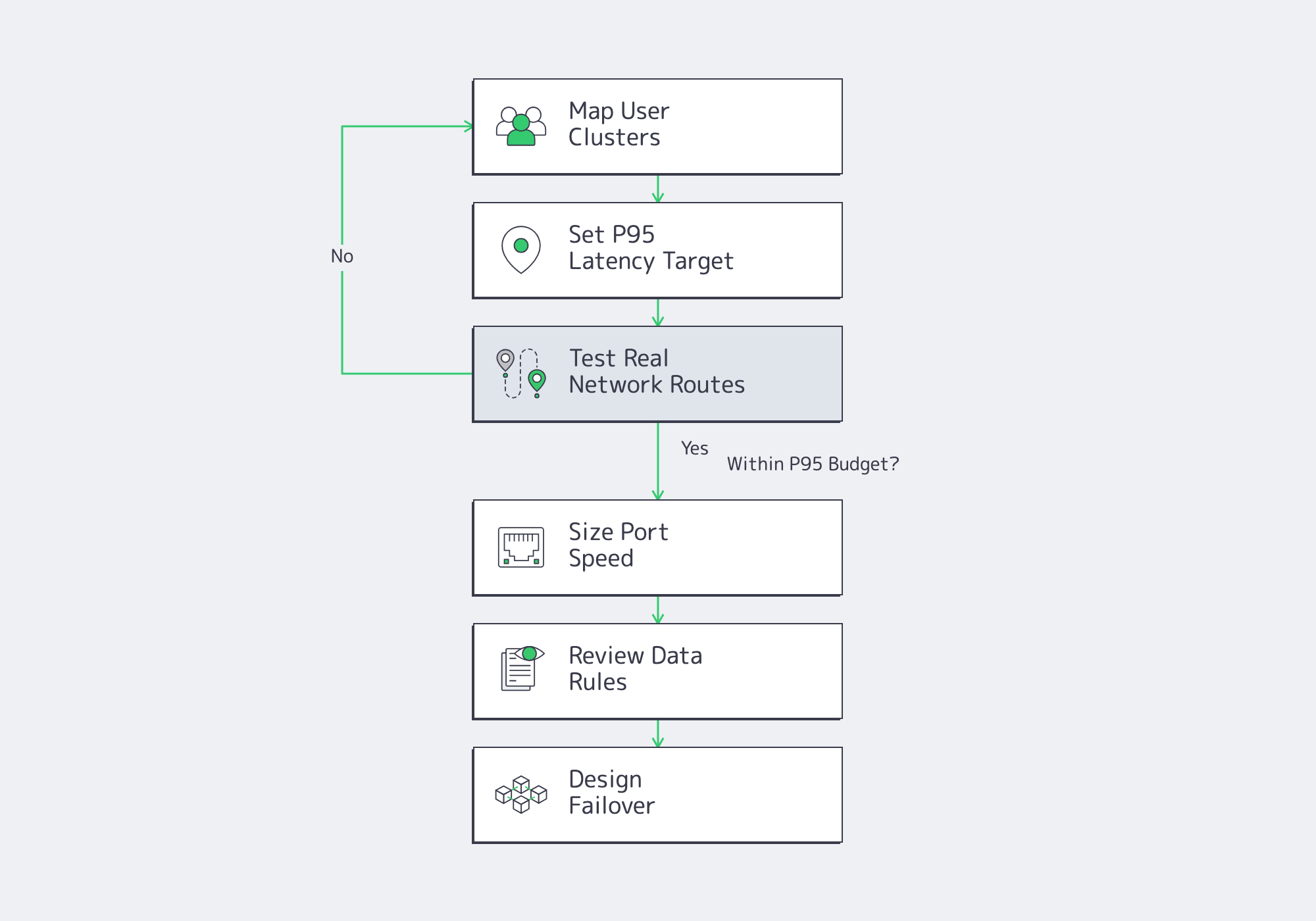
Melbicom’s Asia footprint, network backbone, 29 IXP peering hubs, 23 transit partners, and dedicated server bandwidth options up to 200 Gbps help match workloads to routes.
Where an Asia Dedicated Server Should Be Placed for APAC Users
An Asia dedicated server should be placed closest to the largest latency-sensitive user cluster, not necessarily at the geographic center of APAC. Put write-heavy application tiers within roughly 50–80 ms RTT of core users, then use secondary sites for failover or read replicas when cross-region paths exceed about 100 ms.
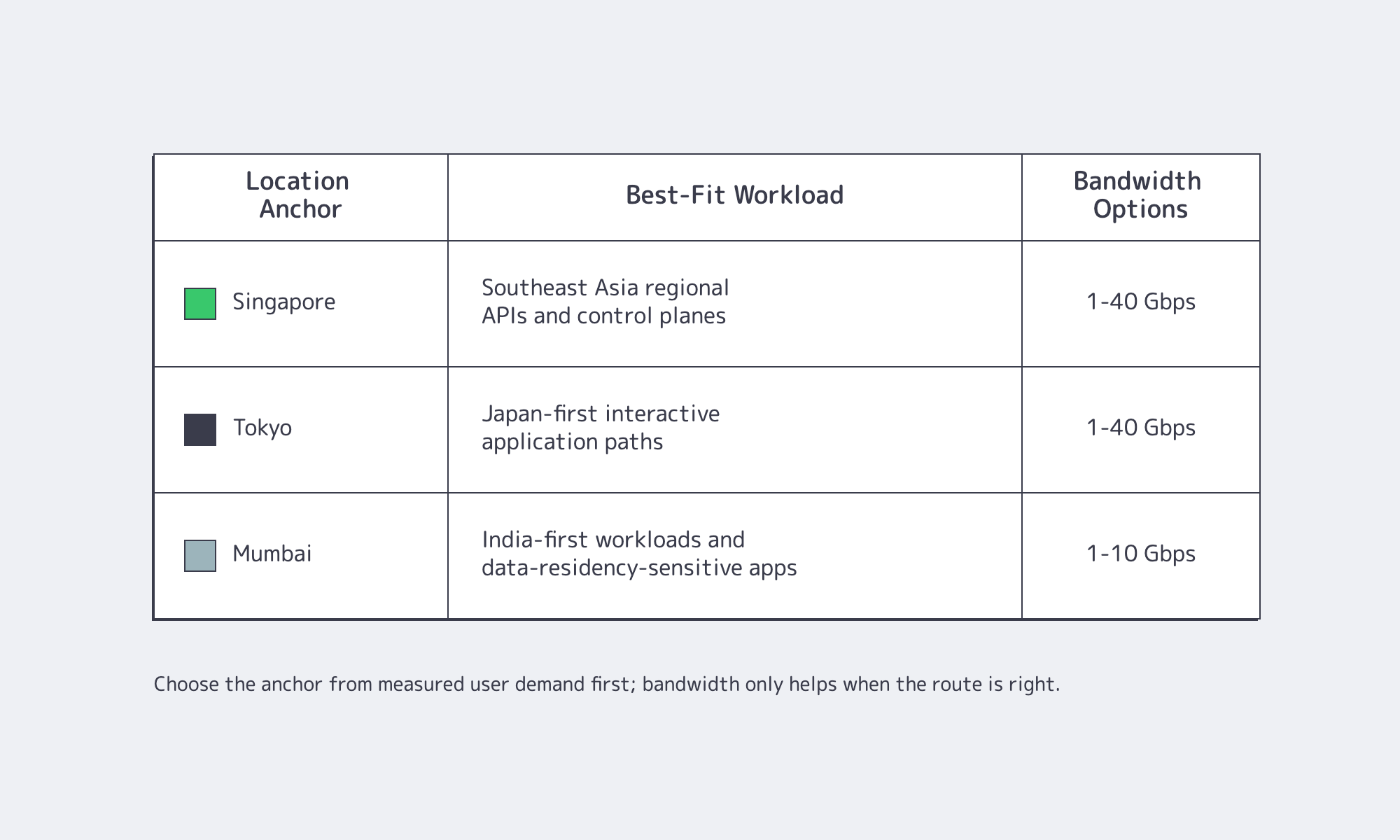
The first split is usually Southeast Asia, North Asia, and South Asia. Singapore works well for regional APIs, authentication, dashboards, analytics collection, and control planes. Tokyo is the right first choice when Japanese users need native-feeling latency. Mumbai is the better anchor when Indian users, payment flows, or Indian data expectations dominate. Fujairah can be relevant when APAC expansion overlaps with Middle East traffic or cross-region continuity requirements.
| Primary Anchor | Best-Fit User Geography | Buying Trigger |
|---|---|---|
| Singapore | Singapore and Southeast Asia-oriented workloads | Choose when Southeast Asia is the largest active base or peering diversity matters more than one-country proximity. |
| Tokyo | Japan-first workloads and North Asia-oriented read paths | Choose when Japanese users need low interactive latency and Japan-specific data handling is part of the roadmap. |
| Mumbai | India-first workloads and nearby South Asia-oriented traffic | Choose when India is a primary revenue market, data locality is expected, or Singapore tests above the product’s P95 budget. |
Use public measurement platforms such as RIPE Atlas and Globalping for preflight tests, then verify from the access networks that matter: mobile carriers, broadband ISPs, corporate VPN exits, and payment or identity provider endpoints.
Singapore, Tokyo, or Mumbai: Comparing APAC Server Locations
Singapore for Regional Server Placement
Singapore is the pragmatic default when a workload must serve many APAC markets before the demand curve is obvious. On Melbicom, teams can start with Singapore dedicated servers, where 90+ ready-to-go configurations support 1–40 Gbps bandwidth options, 50 TB or unmetered plans, and Tier III data center placement. The tradeoff is distance: Singapore will not make Tokyo feel local, and it will not always satisfy India-first latency or policy expectations.
Tokyo for Japan-First Application Paths
Tokyo should be treated as a performance location, not an afterthought. If Japan contributes a meaningful share of interactive sessions, moving the application tier to Tokyo dedicated servers can reduce the gap between a usable product and a product that feels native. Melbicom’s Tokyo configurations run in Tier III facilities with 1–40 Gbps bandwidth options and unmetered plans available.
Japan’s Personal Information Protection Commission maintains APPI. That makes Tokyo placement a compliance design choice as much as a latency decision.
Mumbai for India-First Growth
Mumbai is the right first question when India is not merely “included in APAC” but central to the workload. Indian access networks can behave differently by carrier and region, so teams should test from the Indian networks their customers actually use before assuming Singapore is close enough. A Mumbai dedicated server can also simplify data-residency expectations for Indian customers. Melbicom’s Mumbai footprint includes 25 configurations in Tier III data centers, with 1–10 Gbps bandwidth options and unmetered plans available.
India’s Digital Personal Data Protection Act received assent in 2023, and privacy rules putting the framework into practice were reported as implemented in 2025 by Reuters. Treat India as a jurisdiction with explicit personal-data controls, not only as a latency zone.
How Should Teams Test Latency Before Buying an Asia Dedicated Server?
Teams should test an Asia dedicated server with multi-network probes, not a single office ping. Run TCP, HTTPS, and traceroute tests from user-heavy markets, compare P50, P95, packet loss, and route changes for at least seven days, and reject locations where peak-hour P95 exceeds the application budget by 20% or more.

- Build a market list from product analytics, billing country, support tickets, and authentication logs.
- Test Singapore, Tokyo, Mumbai, and Fujairah when relevant from several last-mile networks per target market.
- Measure HTTPS time-to-first-byte, not only ICMP ping.
- Record P50, P95, packet loss, jitter, AS path, and peak-hour variance.
- Repeat after provisioning, then keep lightweight RUM or synthetic monitoring as production guardrails.
For buying, the threshold is not “lowest average latency.” It is predictable tail latency. A location with a 45 ms median and 220 ms evening P95 can be worse than a 65 ms median with a tight tail.
How Much Port Speed Does an Asia Dedicated Server Need?
An Asia dedicated server needs port speed sized to peak sustained egress, not monthly traffic averages. Use 1 Gbps only when P95 traffic stays comfortably below 500–700 Mbps; move to 10 Gbps or higher when replication, media, analytics export, or multi-tenant bursts can saturate the port for minutes at a time.

The math is unforgiving: 1 Gbps is about 125 MB/s before overhead; 10 Gbps is about 1.25 GB/s. That bandwidth disappears quickly during database snapshot shipping, log export, large customer imports, or video-heavy application paths. Melbicom’s dedicated server bandwidth range—up to 200 Gbps globally, with 1–40 Gbps options in Singapore and Tokyo and 1–10 Gbps options in Mumbai—matters most when the architecture has real burst demand or regional replication windows.
Network, Compliance, and Failover Requirements for Asia Dedicated Hosting
Peering quality is the hidden buying criterion. Ask where traffic exits, which IXPs and transit paths are in play, and whether the provider can show route diversity into the user networks you care about. Melbicom’s network backbone is relevant because peering hubs and transit diversity help reduce dependence on a single path across APAC.
Compliance should be designed as a placement constraint. Singapore’s PDPA includes a transfer-limitation concept documented by the Personal Data Protection Commission. Japan has APPI. India has DPDP. The infrastructure decision is deciding which data classes can replicate, which must stay regional, and which can be cached without creating a new regulatory problem.
Failover is the same discipline. Use Singapore–Tokyo for regional continuity when Southeast Asia and North Asia both matter. Use Singapore–Mumbai when India is business-critical but some regional services can remain outside India. Use Tokyo–Mumbai only when the product is already multi-region; the latency between North Asia and South Asia is usually too high for synchronous writes. Use Fujairah as a nearby regional option when Middle East reach or APAC-adjacent continuity is part of the architecture.
FAQ: Asia Dedicated Server Buying
Can One Asia Server Cover APAC?
One location is enough for a first regional control plane or read-heavy service, but not for latency-sensitive coverage across all APAC markets. If Japan and India both matter, plan for at least two anchors.
Compliance or Latency First?
Compliance wins when regulated personal data or customer contracts require locality. Otherwise, measured P95 latency should decide. Keep regulated data regional while serving static or low-risk assets from broader edge locations.
When Should Failover Become Active-Active?
Use active-active when the product cannot tolerate regional downtime or when failover latency would break the user experience. Use active-passive when the main need is recoverability and the secondary site can run degraded workloads.
Build the APAC Footprint Around Measured Latency, Not Map Distance
The best Asia dedicated server strategy is specific: place the first server where the most latency-sensitive users are, validate routes from the networks they actually use, size ports for peak egress, and keep compliance boundaries visible in the architecture. APAC is too fragmented for one-size-fits-all infrastructure.
Key buying recommendations:
- Choose the first region from measured P95 latency, not headquarters location or generic APAC coverage.
- Keep synchronous writes inside a tight latency envelope; use replicas, queues, and regional reads once cross-region RTT becomes unpredictable.
- Test during local peak hours before committing; tail latency and packet loss are stronger buying signals than clean daytime averages.
- Separate data placement decisions from application placement decisions when privacy rules, customer contracts, or operational recovery requirements diverge.
- Treat failover as workload design: define normal, degraded, and later-recovery services under NIST SP 800-34 Rev. 1-style continuity planning rules.
That is where Melbicom fits into the decision: not as a generic Asia checkbox, but as infrastructure you can place, size, and expand around actual APAC traffic patterns using data center coverage, network reach, and dedicated server configurations.
Deploy Dedicated Servers in Asia
Place APAC workloads on dedicated infrastructure with measured latency and predictable expansion paths.
Get expert support with your services
Blog

GPU Dedicated Servers: How to Choose Hardware for AI, Rendering, and Web3
The GPU is the headline, but production failures usually start elsewhere: too little VRAM for concurrency, CPU offload that adds latency, NVMe behind the wrong PCIe path, or a deployment region that burns the latency budget before the model answers. Choosing GPU dedicated servers well means sizing GPU model, CPU, RAM, NVMe, bandwidth, and location as one production system.
GPU Servers– Production GPU hardware – Dedicated compute – Global locations |
|
How GPU Dedicated Servers Fit AI, Rendering, and Web3 Workloads
GPU dedicated servers fit AI, rendering, transcoding, and Web3 best when the workload has a stable bottleneck you can size in advance. AI inference usually runs into VRAM and latency limits, rendering into ray-tracing throughput and scene fit, transcoding into media-engine density, and Web3 proving into CUDA-capable VRAM, RAM, and fast local storage.
For AI inference, the question is not “What is the fastest GPU?” It is whether the server can hold the model, activations, and KV cache with enough headroom to keep latency predictable in production.
MLCommons’ MLPerf Inference v5.0 release is useful because it is open, peer-reviewed, and architecture-neutral. In that release, Llama 2 70B submissions increased 2.5x year over year, the median submitted score doubled, and the best score was 3.3x faster than the prior benchmark round.
Latency targets explain why memory discipline matters. MLPerf’s LLM inference benchmark page defines an Interactive Llama 2 70B benchmark with a 99th-percentile ceiling of 450 ms time to first token and 40 ms time per output token. For Llama 3.1 405B, it allows 6 seconds TTFT and 175 ms TPOT, which changes the serving budget.
GPU model selection follows. NVIDIA lists H200 with 141 GB of HBM3e and 4.8 TB/s of memory bandwidth; H100 SXM is listed with 80 GB and 3.35 TB/s. Those figures shape batching without spills. The PagedAttention paper reported 2–4x higher throughput at the same latency by reducing KV-cache waste. Current vLLM optimization docs warn that insufficient KV-cache space can trigger preemption and recomputation.
Rendering, transcoding, and Web3 proving have different signatures. NVIDIA’s L40S page lists 48 GB of ECC GDDR6, 864 GB/s of memory bandwidth, and 3x NVENC / 3x NVDEC with AV1 support for media workloads.
Blender Open Data describes its methodology as community-submitted benchmark runs scored by samples rendered per minute; the source report listed a median L40S score of 9083.53 from 57 submissions, versus 6259.42 from 11 submissions for H100 80GB HBM3.
For transcoding, encoder and decoder blocks matter as much as tensor throughput. NVIDIA’s Video Codec SDK page says Blackwell AV1 UHQ mode is comparable to software AV1 at roughly 3x throughput, and advertises up to 8K240 fps with 4 NVENCs on Blackwell.
Netflix’s technology blog reported on December 1, 2025 that AV1 powers about 30% of Netflix viewing. Media infrastructure should prioritize codec support, egress, and storage throughput together.
Web3 proving has its own shape. Succinct’s SP1 hardware requirements recommend GPUs with at least 24 GB of VRAM, CUDA compute capability 8.6+, and at least 4 CPU cores with 16 GB of RAM available to utilize the GPU. Its hardware acceleration docs note that provers may keep large matrices in memory.
The ZKProphet paper, published in 2025, says that after MSM acceleration, NTT can account for up to 90% of proof-generation latency on GPUs. In Web3 proving, dedicated servers—often called bare metal in that space—are GPU-plus-memory-plus-local-I/O systems.
GPU Model, CPU, RAM, and NVMe Requirements to Compare
Compare gpu dedicated servers by asking five production questions. Does the workload fit in VRAM with concurrency headroom? Can CPU and RAM feed the GPU without becoming a routine offload tier? Is NVMe on the right PCIe path? Do media engines match the codec plan? Is deployment location close enough to users or data?

Scatter chart comparing GPU memory capacity and memory bandwidth
The chart from the source report uses official NVIDIA specifications for H200, H100 SXM, L40S, and RTX PRO 6000 Blackwell Server Edition. Memory capacity and bandwidth scale differently across AI-first and universal GPU designs, so production fit matters more than spec-sheet ranking alone.
CPU and RAM are not secondary. vLLM’s offload documentation says CPU offloading uses zero-copy access from CPU-pinned memory and requires a fast CPU-GPU interconnect. Its example: adding 10 GiB of CPU offload to a 24 GB GPU can make it behave “virtually” like a 34 GB GPU, but the model is loaded from CPU memory to GPU memory during each forward pass. That is a fallback, not steady state.
NVMe and PCIe topology matter for the same reason. NVIDIA’s GPUDirect Storage docs say GDS creates a direct DMA path between GPU memory and storage, avoiding the CPU bounce buffer. It also notes that PCIe topology, root complex placement, and GPU, NIC, or NVMe path sharing can change storage latency and production throughput.
| Workload | First Constraint to Size For | Node Shape to Compare |
|---|---|---|
| AI inference | Interactive latency and KV-cache headroom | Favor VRAM and memory bandwidth before adding scaling complexity; keep host RAM as fallback, not normal operation |
| Rendering | Scene fit, RT throughput, and out-of-core avoidance | Favor graphics-capable GPUs with VRAM margin, substantial system RAM, and fast NVMe scratch |
| Transcoding | Media-engine density and sustained I/O | Favor GPUs with strong NVENC/NVDEC support, then size CPU, storage, and egress for packaging and delivery |
| Web3 proving | CUDA compatibility, VRAM floor, and artifact movement | Favor CUDA-capable GPUs with enough VRAM, plus host RAM and local NVMe for traces, checkpoints, and proofs |
When Dedicated GPU Hardware Beats Shared Cloud GPU Instances
Dedicated GPU hardware beats shared cloud GPU instances when latency budgets are tight, utilization is steady, or the I/O path is important enough that multi-tenant variance becomes operational risk. Once p95 and p99 behavior matter more than instant elasticity, dedicated hardware becomes the simpler and more controlled production choice.

The isolation argument is measurable. A 2026 noisy-neighbor study validated its methodology across 10 independent rounds in a Kubernetes testbed and found performance degradation up to 67.58% under combined stress, with a 75% increase in causal links when a noisy neighbor was active. Even with quotas and policies, hardware-level contention still caused severe degradation.
NVIDIA’s MIG doc adds the nuance: MIG exists because jobs sharing a GPU can compete for memory bandwidth and miss latency targets. On supported GPUs, MIG can partition one device into as many as seven isolated instances with dedicated compute, memory, cache, and guaranteed QoS. That is useful when you intentionally subdivide your own dedicated GPU server, not when you assume an upstream shared environment will stay deterministic.
The practical conclusion is narrow: once the workload shape is known, GPU dedicated servers remove a class of scheduling and tenancy uncertainty that affects live inference, render queues, dense transcoding fleets, and proving infrastructure. Burst testing can remain elastic; production should optimize for repeatable latency and utilization.
Location Is Part of the Hardware Spec
Location is a hardware decision because distance creates a latency floor. Light in fiber travels at roughly 200,000,000 meters per second, so even a perfect 100 km round trip costs about 1 ms. That sounds small until an inference service is already budgeting tens of milliseconds for queueing, token generation, retrieval, and network transit.
The placement rule changes by workload. Inference should sit near users and retrieval data. Rendering should sit near artists, asset storage, or review pipelines. Transcoding should sit near origin media and delivery edges. Proving should sit near the coordination and submission path. We at Melbicom support clients with this as we run 21 Tier III and Tier IV data centers, enable per-server bandwidth up to 200 Gbps, connect through 29 IXP peering hubs and 23 transit partners, and operate CDN infrastructure in 40 CDN PoPs across 35 countries.
From Spec Sheet to Production
The safest way to choose gpu dedicated servers is to start with the failure mode you cannot tolerate. Slow first-token latency points to memory headroom and locality. Scene spill points to VRAM margin and rendering throughput. Weak stream density points to media engines and bandwidth. Slow proof generation points to CUDA compatibility, RAM, and NVMe before peak compute.
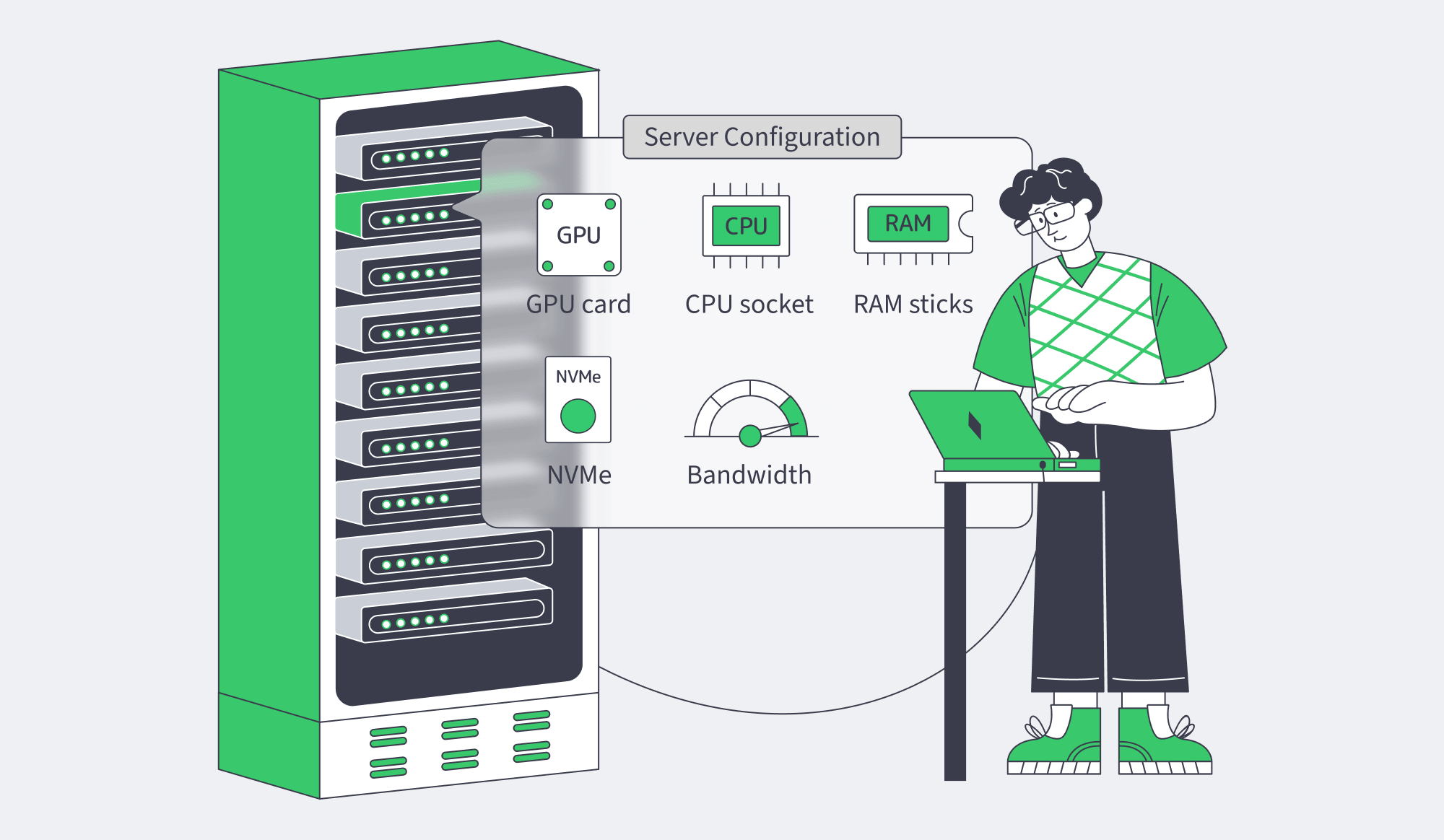
Before deployment, the production checklist should look like this:
- Verify that the model, scene, or proving workload fits in GPU memory with headroom, because vLLM preemption, Blender system-memory spill, and proving-memory pressure show up as performance penalties.
- Check PCIe and NUMA affinity, not just total core count, because crossing the wrong root complex or CPU socket changes throughput and latency.
- Treat host RAM as a working tier, not a magical extension of VRAM, because CPU offload depends on pinned memory and interconnect speed.
- Match media workloads to actual media hardware, because video fleets scale on encoder/decoder density and egress behavior more than tensor numbers.
- Decide the scaling path before deployment: larger single GPU, multiple GPUs with tensor or pipeline parallelism, or more single-GPU nodes.
Deploy GPU Dedicated Servers
Choose dedicated GPU hardware for AI, rendering, and production workloads with predictable capacity.
Get expert support with your services
Blog

Holland Dedicated Server: What Buyers Really Need in the Netherlands
Searchers typing “Holland dedicated server” usually do not need a geography lesson. They need a Netherlands buying framework: city, facility, network, data-handling terms, bandwidth model, support scope, and expansion path.
The value is not the label; it is Amsterdam interconnection, EU-located processing, throughput economics, support, and room to scale.
Choose Melbicom– 300+ ready-to-go servers – Tier III & IV DCs in Amsterdam – 24/7 infrastructure support |
|
What a Holland Dedicated Server Search Means for Netherlands Hosting
A “Holland dedicated server” search should be treated as a Netherlands hosting search, with Amsterdam as the default shortlist unless real latency tests prove another Dutch city fits better. The practical criterion is specificity: buy only when the offer resolves to a Dutch city, facility, test endpoint, and network model.
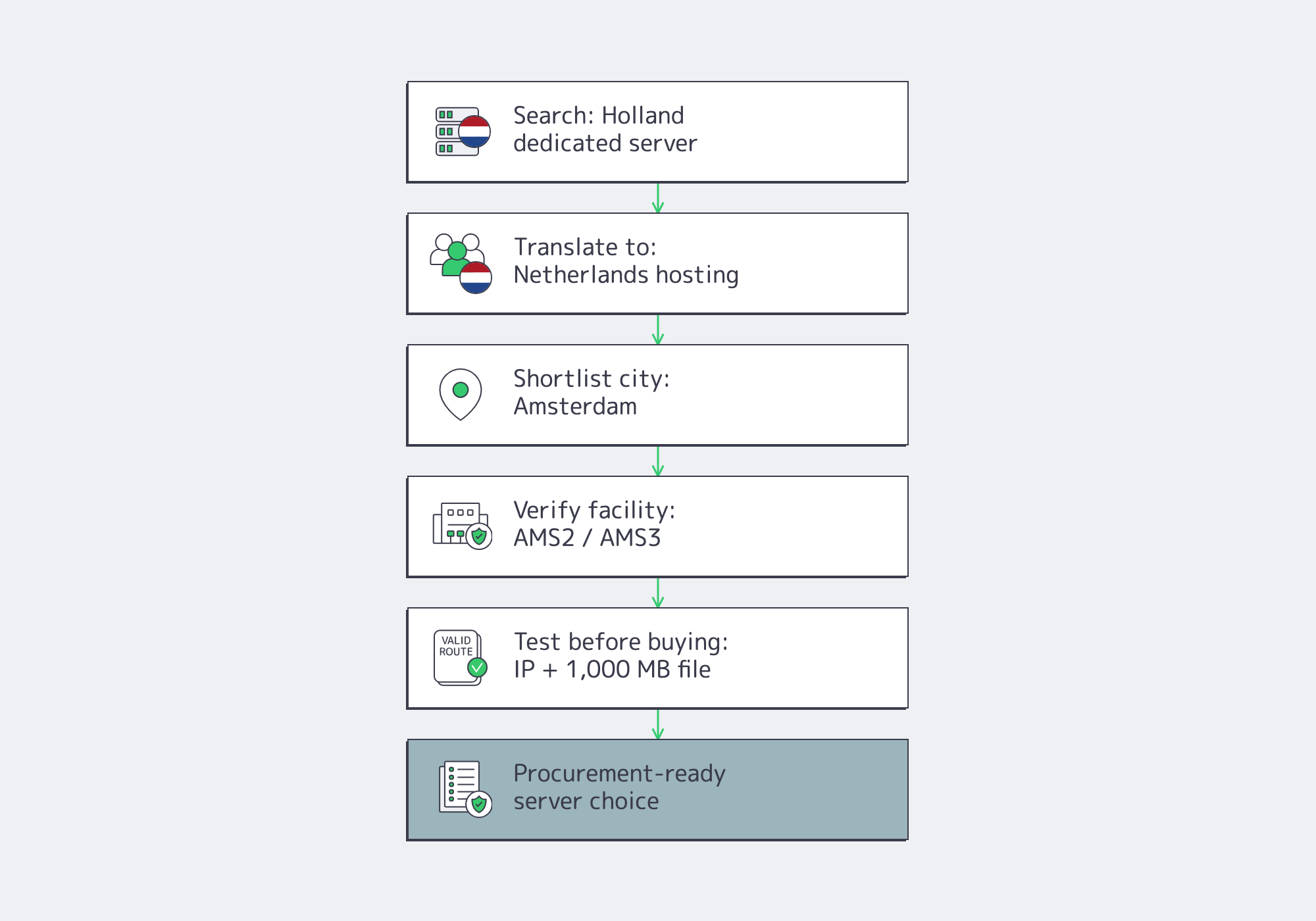
The brief clarification is enough: Holland refers to two provinces, while the country is the Netherlands. For hosting buyers, that makes “Holland dedicated server” an entry query, not a buying requirement. From there, procurement language should shift to Netherlands, Amsterdam, data center tier, port speed, transfer policy, support scope, and contract terms.
For buyers comparing Netherlands dedicated servers, the offer has to become operationally specific. For teams that already know Amsterdam is the latency target, Amsterdam dedicated servers should be evaluated directly. In our Netherlands configuration pool, deployment is centered on Tier III & IV DCs in Amsterdam, with a test IP and 1,000 MB test file so teams can validate routes before migration.
Amsterdam Connectivity, EU Data Handling, and Bandwidth Requirements
Netherlands dedicated hosting works when Amsterdam connectivity, EU data handling, and bandwidth policy line up in the same decision. The threshold is concrete: the provider should support measurable path testing, defensible processor and transfer terms, and a port model sized for sustained traffic rather than a one-off burst headline.
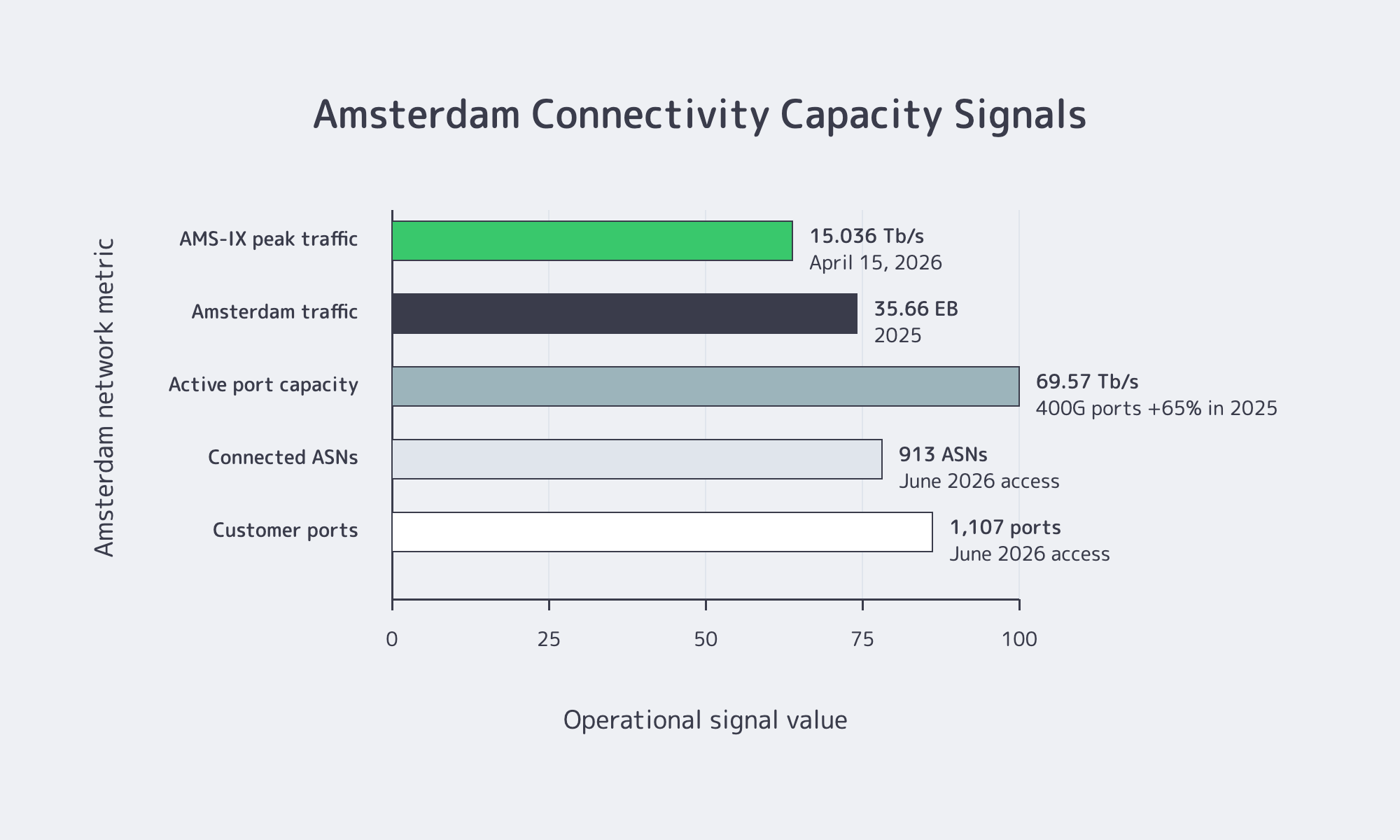
Amsterdam Interconnection Is Measurable
Amsterdam stays on serious European shortlists because its interconnection fabric is documented and operationally large. AMS-IX’s 2025 Facts & Figures update, published February 2, 2026, reported 35.66 exabytes of traffic in 2025, a 4% year-over-year increase, plus 69.57 Tb/s of active port capacity and a 65% annual increase in 400G ports. AMS-IX Amsterdam counters, accessed in June 2026, put the platform at more than 900 connected ASNs, more than 1,100 customer ports, and more than 900 IPv6 peers.
| Signal | Recent Data Point | Buyer Implication |
|---|---|---|
| AMS-IX peak traffic | 15.036 Tb/s on April 15, 2026 | Exchange-scale infrastructure |
| Amsterdam traffic volume | 35.66 EB handled in 2025 | Sustained demand, not speed-test theater |
| Active port capacity | 69.57 Tb/s; 400G ports up 65% in 2025 | Headroom for throughput-heavy workloads |
| Connected-network density | 900+ ASNs, 1,100+ customer ports, 900+ IPv6 peers | Lower risk of needlessly long paths |
| European capacity backdrop | CBRE projects 6.5% vacancy by end-2026 despite 750 MW of new capacity | Lead-time discipline matters |
Amsterdam does not automatically win every workload. It gives buyers a verifiable baseline. If users are spread across the EU, the United Kingdom, and nearby markets, Amsterdam deserves first-pass testing, followed by traceroutes, application probes, and test-file pulls from real user geographies.
EU Data Handling Is a Processing Chain
A Netherlands server helps with EU-located processing, but it does not complete the compliance work. The EDPB’s international-transfer guidance focuses on whether personal data becomes available outside the EEA, and the European Commission’s SCC page confirms that adequacy decisions or safeguards such as the modernized SCCs adopted on June 4, 2021, are the usual transfer routes.
That turns “EU hosting” into a processing-chain question: where production data is stored, where support staff can access it from, and where backups, monitoring records, and ticket attachments live. The EDPB’s Opinion 22/2024, adopted October 9, 2024, says controllers should have processor and subprocessor identities readily available and should verify sufficient guarantees. A Dutch data-center address is useful; a documented processor chain is defensible.
Buy Bandwidth for Sustained Traffic
Bandwidth is where Netherlands dedicated server decisions often get lazy. The right question is not “Which page says unmetered?” It is: what port speed, committed behavior, traffic profile, concurrency level, and upgrade path does the workload need at normal sustained load?
A serious Amsterdam offer should state the port range, whether bandwidth is guaranteed, how transfer is billed if metered, and whether heavier usage belongs on dedicated infrastructure rather than a fair-use cloud product. In our Amsterdam configuration pool, the network range goes up to 200 Gbps per server.
How to Evaluate Netherlands Dedicated Servers Beyond Search Terminology
Evaluating Netherlands dedicated servers beyond search terminology means converting each claim into an operational check. Before buying, verify a test IP and file, named data-center location, processor and subprocessor terms, 24/7 support scope, and an expansion path to higher bandwidth, private networking, BGP, or multi-region services.
The first operational test is support. “24/7 support” matters only when engineers handle recovery-blocking work. Our Support scope includes server reboots, OS reinstalls, BGP setup, network troubleshooting, and performance issues, with engineers on call 24/7. If the answer to “what happens during an outage?” is vague, the support story is still marketing.
The second test is data-handling visibility. Ask for the DPA, processor and subprocessor visibility, non-EEA transfer basis if relevant, and enough documentation to show how the processing chain works in practice. A Netherlands server location helps; the contract and operational evidence close the loop.
The third test is expansion. A Netherlands dedicated server should not become a dead end. Our Network can connect servers on a private network even between different data centers, while BGP Session is available in all locations for dedicated servers and supports BYOIP, IPv4, and IPv6. That matters when one Amsterdam deployment needs to become a multi-region or route-controlled platform.
When a Holland Dedicated Server Shortlist Should Include Melbicom
A Holland dedicated server shortlist should include Melbicom when Amsterdam deployment, high-bandwidth headroom, and expansion beyond one server matter. The operational fit is clear: Amsterdam facilities, up to 200 Gbps per-server networking, 24/7 technical support, test artifacts, and adjacent services that help a Netherlands server grow into a broader European platform.
For the Netherlands specifically, our Amsterdam location has 300+ ready-to-go configurations with Intel and AMD options, RAM options from 32 GB to 1,536 GB, Tier III & IV DCs in Amsterdam, and unmetered traffic models. Across the wider platform, Melbicom adds 1000+ ready-to-go server configurations, 21 global Tier III and Tier IV data centers, 29 IXP peering hubs, 23 transit partners, and CDN coverage in 40 locations across 35 countries.
That combination lines up with the actual Netherlands buying criteria: start country-first, go city-first, inspect Network for private inter-data-center connectivity, use BGP Session for route control or BYOIP, and keep Support in view.
If the workload later needs edge distribution or storage, Melbicom also has CDN, S3 Cloud Storage, and data storage services.
The working checklist is simple:
- Translate the term first. If the quote never gets more precise than “Holland,” procurement has not started; the decision should say Netherlands and usually Amsterdam, with named facilities and test artifacts.
- Treat Amsterdam connectivity as measurable, not mystical. AMS-IX publishes current counters and traffic records, so buyers can judge density from data.
- Keep EU data handling separate from geography branding. A Netherlands server helps with EU-located processing, but processors, subprocessors, and non-EEA access still need the right documents.
- Buy bandwidth for sustained load. Port range, transfer policy, and upgrade paths matter more than generic “unmetered” wording.
- Prefer an expansion path. Private networking between data centers, BGP availability, and adjacent CDN or storage services reduce the odds of a second migration later.
The Purchase-Ready Takeaway
The best Netherlands server decision is the one that survives first contact with traffic, compliance, and growth. If a provider can prove Amsterdam reach, document data handling, offer the right bandwidth tier, answer operational questions at any hour, and extend into multi-region networking, the search term has done its job.
For buyers using “Holland dedicated server,” the move is simple: translate the phrase, then test the dedicated infrastructure. For teams that want Netherlands deployment with Amsterdam options, test endpoints, high-bandwidth tiers, 24/7 engineering coverage, and a route into broader network services, the next step should be infrastructure-specific, not terminology-specific.
Explore Netherlands Dedicated Servers
For a concrete Amsterdam starting point, Explore Netherlands dedicated servers: 300+ configurations in Amsterdam, Tier III & IV DCs in Amsterdam.