
Month: July 2026
Blog

iGaming Server Compliance: Hosting Controls Operators Cannot Ignore
For regulated real-money operators, compliance is not a document that lives behind legal. It is the production topology: where critical systems run, which networks can reach them, how privileged access is controlled, and whether the platform can still prove what happened when traffic turns hostile.
That makes igaming server compliance a hosting problem as much as a governance problem. The UK Gambling Commission’s RTS security scope covers systems that handle sensitive customer data, RNG outcomes, game state, entry and exit points to critical systems, and communication networks carrying sensitive data. In Great Britain, major online operators processed 27.4 billion bets and spins in Q3 October-December 2025, with 12.7 million average monthly active accounts. At that event rate, logs, time sync, backups, payment boundaries, and failover paths become the evidence layer.
iGaming Hosting– Dedicated production systems – Regional data placement – DDoS and network controls |
 |
Where Does iGaming Server Compliance Create Hosting and Uptime Risk?
iGaming server compliance creates hosting and uptime risk anywhere infrastructure touches balances, authentication, RNG, game state, payment flows, support access, or the networks around them. If those layers are not isolated, logged, and recoverable, a routine platform issue can become an audit finding, a launch delay, or a player-trust incident.
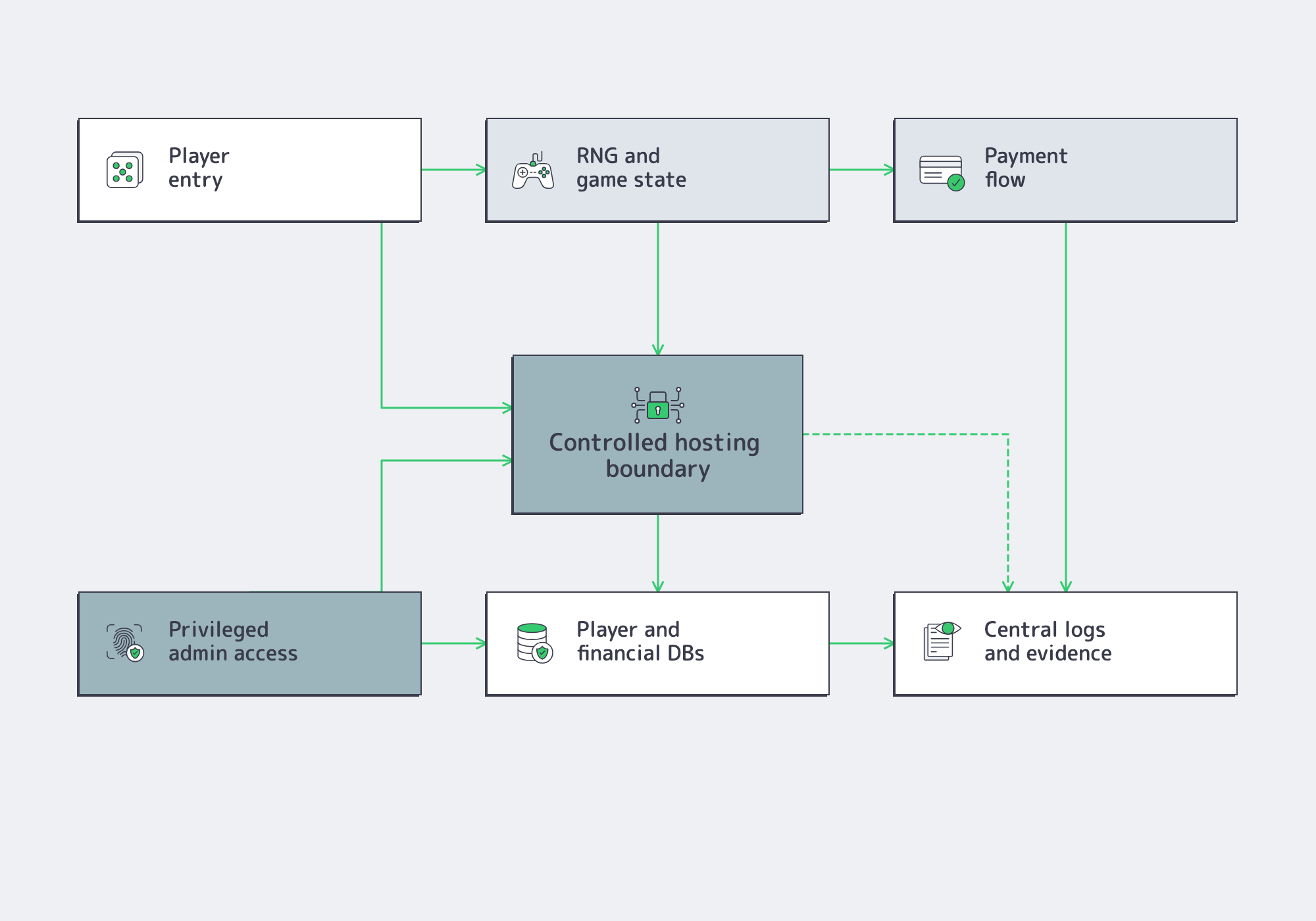
The first mistake is scoping compliance only around the game engine or cashier. UKGC requirements are broader. Malta’s regulator treats essential components as RNG hosts, jackpots, game hosts, gaming, player and financial databases, and the control system. Ontario requires certification for critical gaming systems and components before deployment. The hosting estate also includes public entry points, private databases, regulator-facing channels, admin paths, and connecting networks.
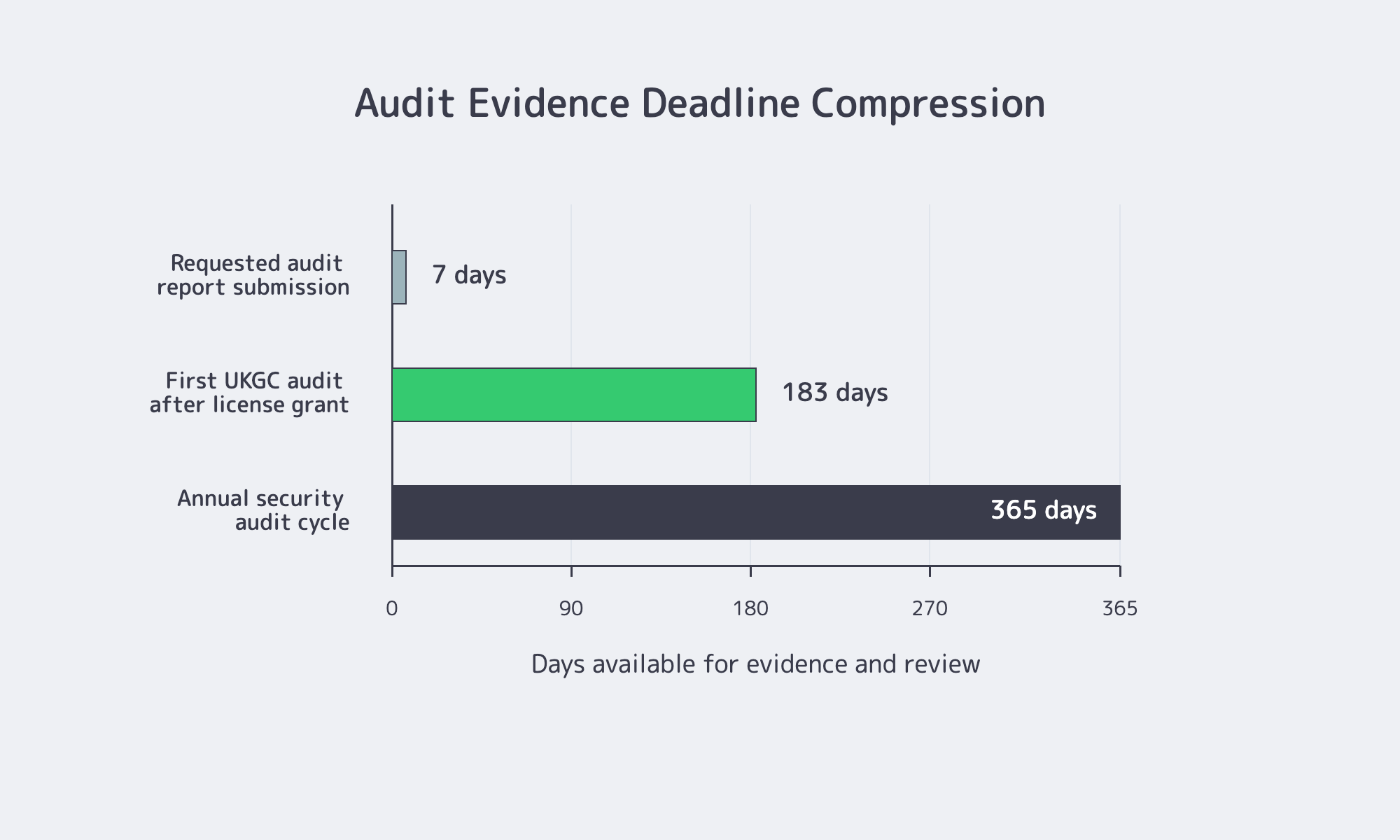
That is why infrastructure failures often read like regulatory exposure. A support bastion that can reach production databases, an unmanaged backup copy of player data, a payment-connected subnet with loose internal access, or a storage tier without clear retention controls all create questions auditors will ask. Newly licensed UK remote operators also face a first independent security audit within six months, then annual audits after that; major non-conformities must be reported without delay.
The hosting decision should make those questions boring. Critical workloads should run on named infrastructure, in known jurisdictions, with separate management paths and clear ownership. Shared convenience is expensive when it blurs access, scope, and recovery.
Which Data, Logging, Encryption, and Access Controls Matter?
Operators should validate data location, log integrity, encryption posture, and privileged access as one control system. A practical baseline is region-pinned production data, synchronized clocks, tamper-resistant centralized logs, MFA-gated admin access, current TLS profiles, and documented review cadence across critical components and suppliers.
Data location is about lawful operation, not just latency. Nevada publishes registered hosting centers. The UK’s ICO says a restricted transfer can include making personal information accessible to a separate organization outside the UK, including through remote access. So the hosting region and the support model have to be designed together. A platform can keep production data in the right facility and still create transfer risk if a loosely governed third party administers it from the wrong place.
Logging is the next pressure point. GLI-19 expects an internal clock that timestamps transactions, games, and significant events, plus synchronized time across components. It also expects user activity, exceptions, and security events to be centrally monitored, protected from tampering, retained for a suitable period, and reviewed with records of that review. PCI guidance frames logging as the record of who did what, where, when, and how. If the logs cannot reconstruct a deposit dispute, privilege change, failed geolocation check, or game-state incident, the operator is not audit-ready.
Encryption and access controls need the same specificity. NCSC recommends TLS 1.3 or hardened TLS 1.2 and disabling older protocol versions. GLI-19 requires least privilege, formal user registration and de-registration, regular access reviews, and secured remote access such as MFA where authorized. PCI DSS v4.0 extends MFA across access into the cardholder data environment and connected in-scope systems. For operators, the rule is simple: support access cannot become a permanent compliance exception.
| Control Surface | Evidence Operators Need | Hosting Decision That Helps |
|---|---|---|
| Data location | Named facilities for production, backups, logs, and remote support | Pin critical workloads by jurisdiction and keep admin access region-aware |
| Logging and time | Timestamped game, payment, admin, and security events | Centralize logs, sync clocks, and retain tamper-resistant copies |
| Encryption and access | TLS profile, key handling, MFA, least privilege, supplier controls | Isolate management networks and disable idle support access |
Melbicom’s iGaming infrastructure is built for this kind of mapping: 21 Tier III/IV data centers, a 14+ Tbps backbone, private and inter-DC networking, BGP at every data center, and per-server connectivity up to 200 Gbps. Those details matter because compliance teams eventually ask the same concrete questions platform teams ask: where is it, how is it reached, what is isolated, and what happens under pressure?
DDoS Resilience and Compliance
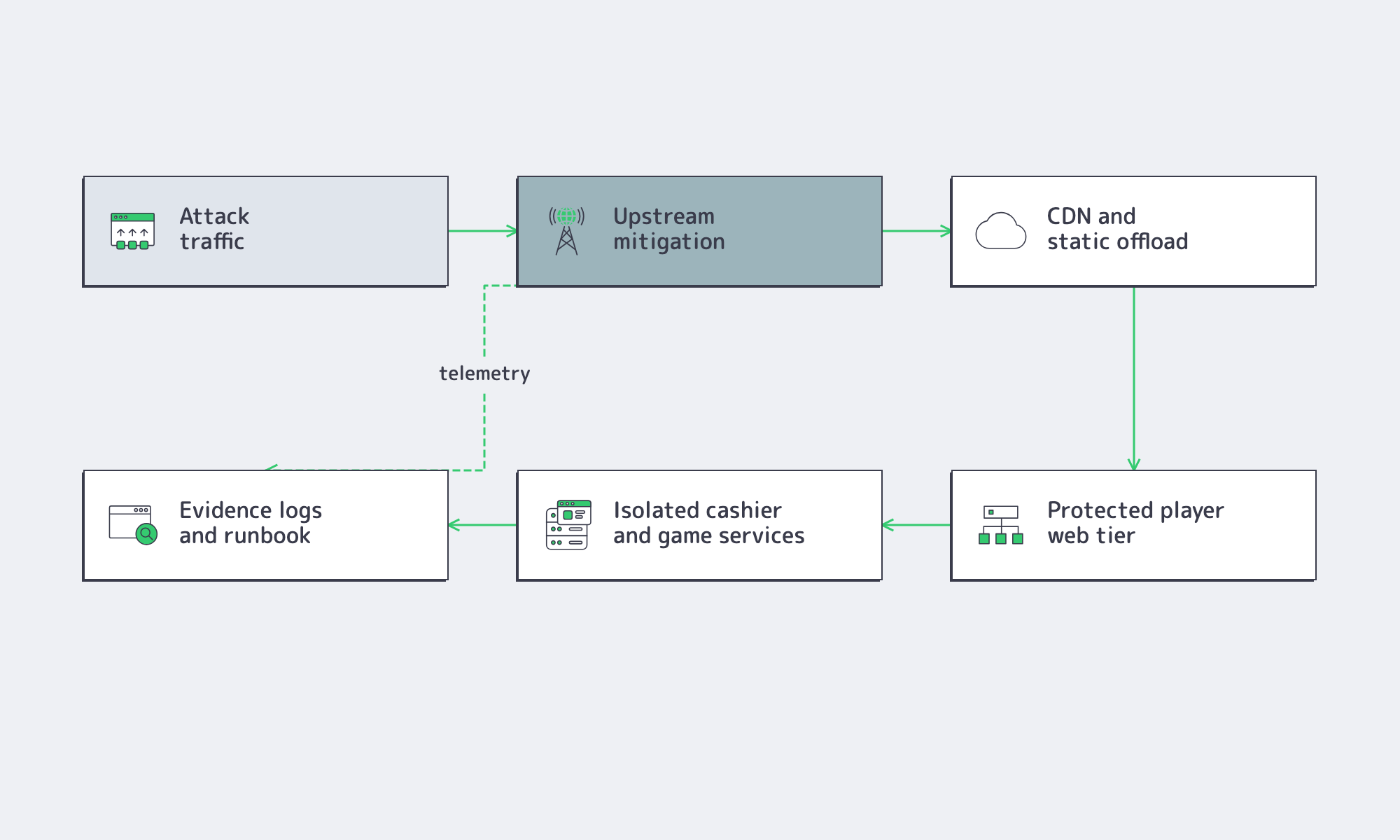
DDoS resilience changes the compliance math because availability failures can interrupt account access, wagers, settlement, and payment flows even without a breach. Operators need upstream mitigation, multiple network paths, cache or CDN offload for static traffic, and response plans that preserve evidence while the attack is still active.
The threat is ordinary enough to plan for directly. ENISA’s 2024 threat landscape put availability threats at the top of its chart, and NCSC treats denial-of-service as a credible, prevalent risk. For a real-money platform, the impact is not limited to an unavailable website. A cashier outage, delayed balance display, broken session flow, or unreachable regulator reporting channel can become a player-facing trust event.
The right architecture separates failure domains. The player web tier should not fail the same way the cashier does, and the cashier should not depend on the same recovery path as the audit pipeline. Static assets can move away from critical origins where practical. Critical data paths need redundant routes, and backups need isolation from the live environment they recover.
This is where capacity claims need engineering detail. DDoS resilience depends on upstream diversity, route control, private recovery paths, and management-plane isolation. Melbicom combines DDoS protection, CDN, private networking, 23 transit providers, and 29 IXPs across its global network, giving operators more than a server SKU to evaluate. The useful question is not “how much bandwidth is available?” It is “which parts of the platform remain reachable, observable, and recoverable during the event?”
Controls for Regulated Expansion

Regulated expansion requires more than launching servers in new places. Operators need acceptable hosting locations, certified critical systems, secure regulator reporting channels, geolocation controls, payment segmentation, and a repeatable evidence model that can adapt to each jurisdiction without rebuilding the platform from scratch.
Every market adds proof requirements. Ontario requires operators to configure secure AGCO data and information communication channels and to certify critical gaming-system technology before deployment. UK operators face recurring independent security audits. Nevada formalizes the location question with registered hosting centers. GLI-19 also treats geolocation as an operational control: location checks should happen before the first game on a device and again after an IP change or after thirty minutes since the last check.
That turns expansion into runtime design. DNS, session state, APIs, logging, and network policy all have to support the rule that a player outside the permitted boundary should be blocked before a wager becomes a settlement or dispute problem. Generic multi-region deployment is not enough if it cannot express jurisdictional policy.
The reusable pattern is a regional blueprint. Standardize privileged access, logging, time source, key handling, backup pattern, and evidence export. Then localize the pieces regulators actually vary: acceptable facility, reporting channel, retention overlay, geolocation policy, and payment or supplier boundary. Dedicated servers, vMesh private networking, CDN, storage, and jurisdiction-specific placement become building blocks rather than one-off exceptions.
Building an Audit-Ready Hosting Stack
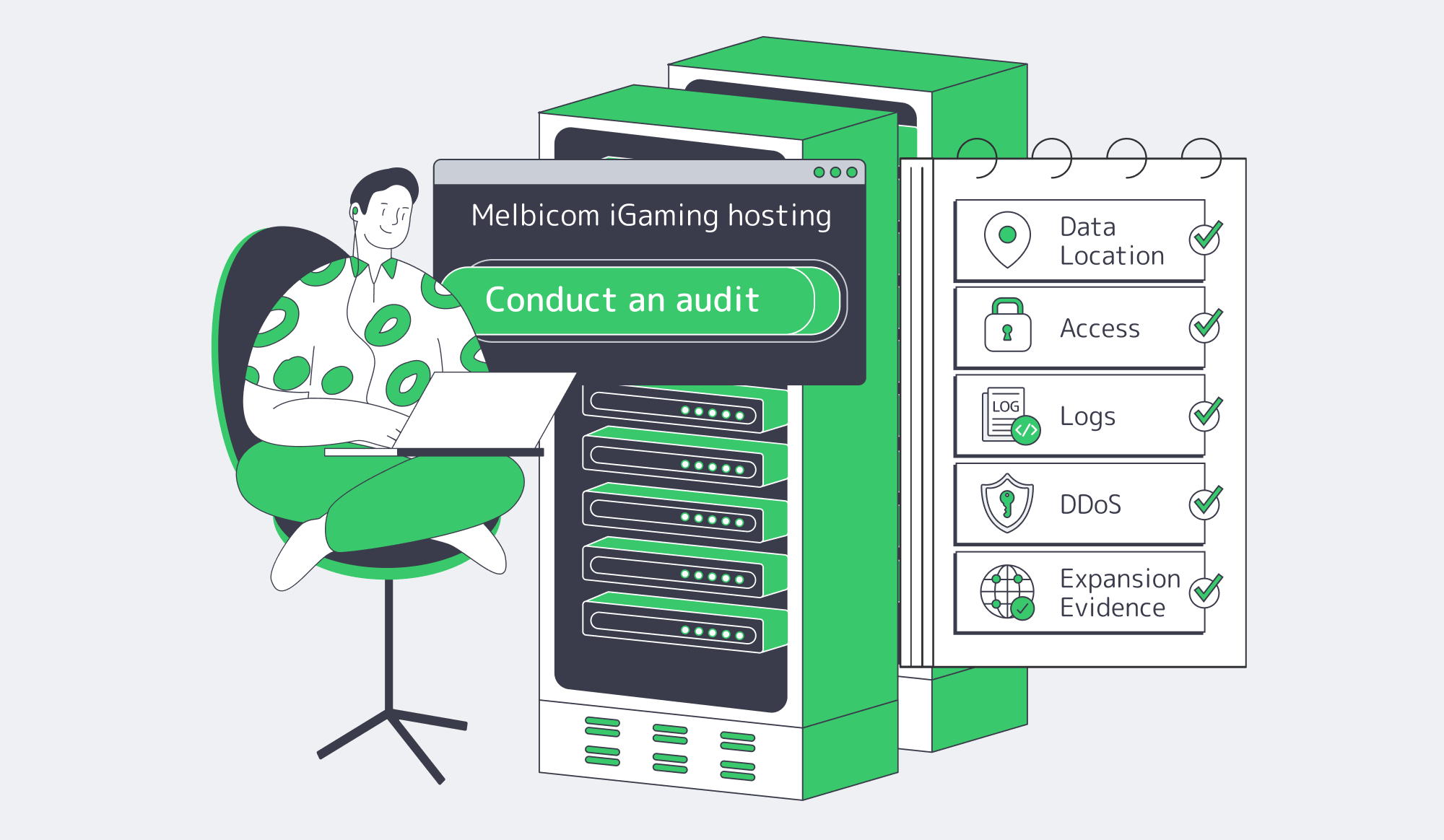
An audit-ready stack is easy to inspect and hard to misuse. Critical systems should run on dedicated or single-tenant production, logs should be centralized and tamper-resistant, clocks should be synchronized, privileged paths should require MFA, backups should be tested, and evidence should map cleanly to each regulator and payment requirement.
The goal is not to over-engineer every market. It is to make the control model repeatable. Before launch, operators should be able to answer five questions without a discovery project: where does regulated data live, who can reach it, what was logged, which systems stay available under attack, and how the same pattern will survive the next jurisdiction.
For teams planning that architecture, the provider conversation should focus on evidence, isolation, and recovery rather than generic uptime language. Closer alignment reduces audit-season work.
Build an Audit-Ready iGaming Stack
Map dedicated infrastructure, private networking, DDoS controls, and regional placement to each compliance requirement.
Get expert support with your services
Blog
Buy Dedicated Server with Crypto: Payment and Renewal Checklist
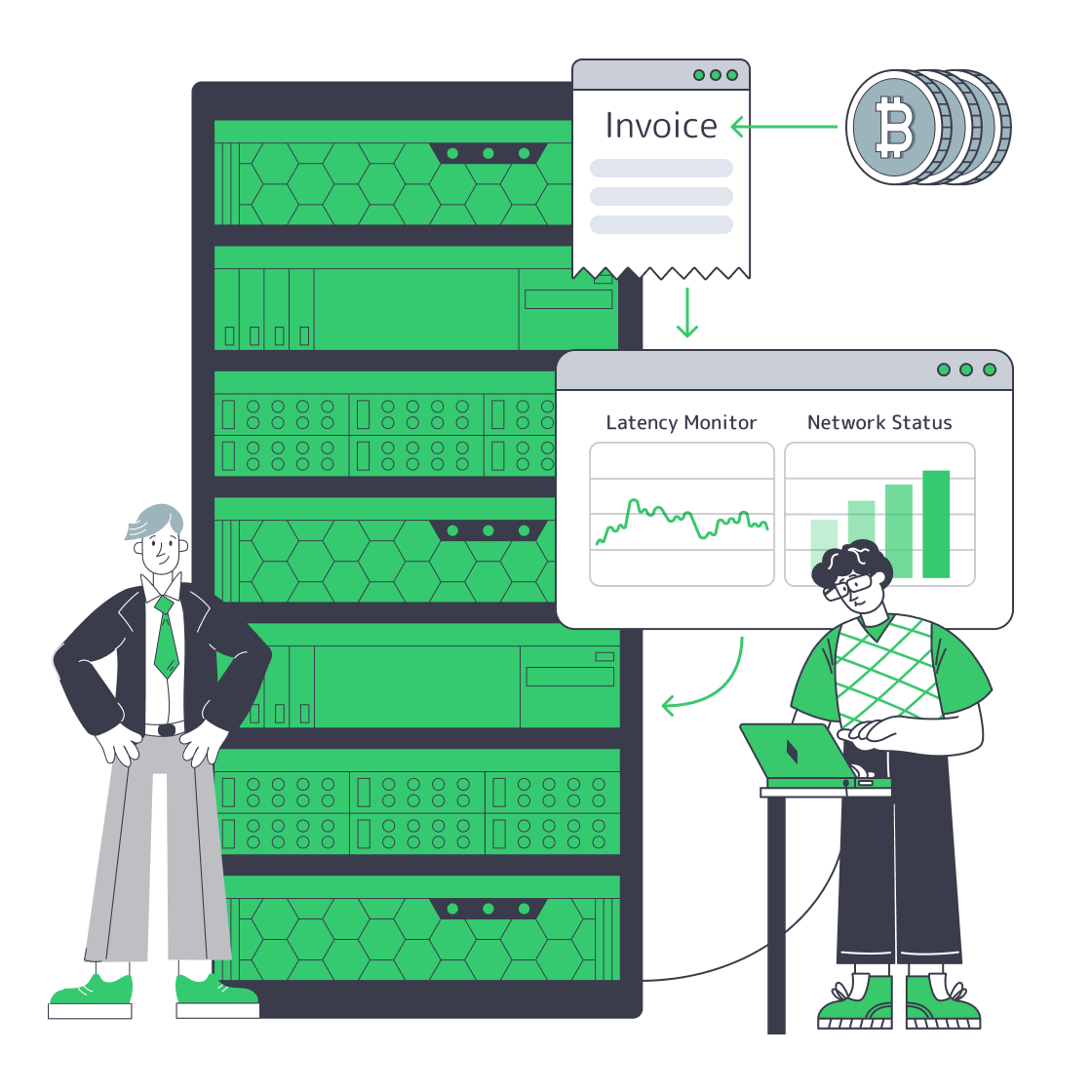
Buying infrastructure with crypto should make procurement faster only if the payment rail is treated like production infrastructure. The key question is not whether a provider accepts coins. It is whether invoice currency, quote timing, confirmation policy, account allocation, renewals, and refund handling are clear enough that a stocked dedicated server can move from order to activation without finance and ITOps waiting on each other.
Choose Melbicom– Clear crypto payment flow – 1000+ ready dedicated servers – 24/7 support |
|
How Can Teams Buy Dedicated Server with Crypto Without Provisioning Delays?
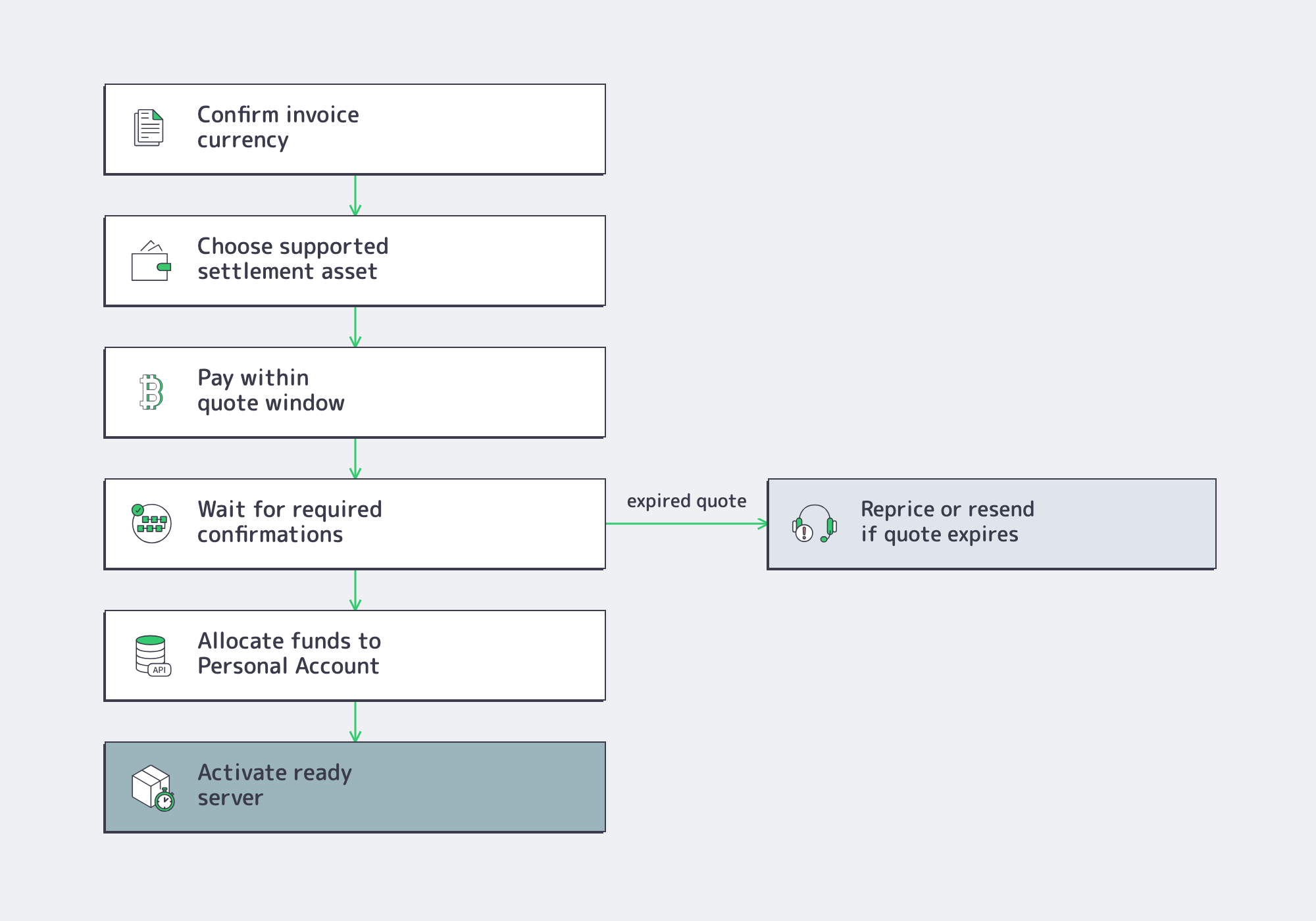
Teams can buy dedicated server with crypto without delays by fixing four variables before the order: invoice currency, settlement asset, confirmation threshold, and the event that marks the invoice paid inside billing. For stocked servers, payment should clear comfortably inside the provider’s activation window, not consume most of it.
Stablecoin and crypto payment volume is now large enough to belong in business procurement rather than novelty checkout. Visa reported adjusted stablecoin transaction volume of $10.2 trillion over the prior 12 months, up 63% year over year, with retail-sized transfers accounting for less than 1% of adjusted volume through March 2025. That pattern signals treasury settlement, not consumer spending.
The operational risk is that “transaction sent” and “server can be provisioned” are not the same state. Bitcoin developer guidance notes that fiat-pegged crypto invoices often expire after 10 to 20 minutes because exchange-rate drift complicates longer quote windows.
Melbicom’s Web3 hosting flow is designed around that kind of practical buying motion: crypto-native billing is available through an account manager, ready-to-go configurations are activated in two hours, and custom builds take 3–5 business days.
For finance, the buying rule is simple. Do not source coins after the invoice is issued. Keep the approved settlement asset ready, know the network fee policy, and make sure the provider’s billing system credits the Personal Account before the infrastructure team treats the order as live.
What Should Finance Confirm Before Paying Server Invoices in Crypto?
Finance should confirm the invoice currency, due date and timezone, supported coin and network, quote-lock window, refund route, and identity requirements before funds move. If any of those fields is informal, crypto payment adds an exception path instead of reducing procurement friction for dedicated server orders.
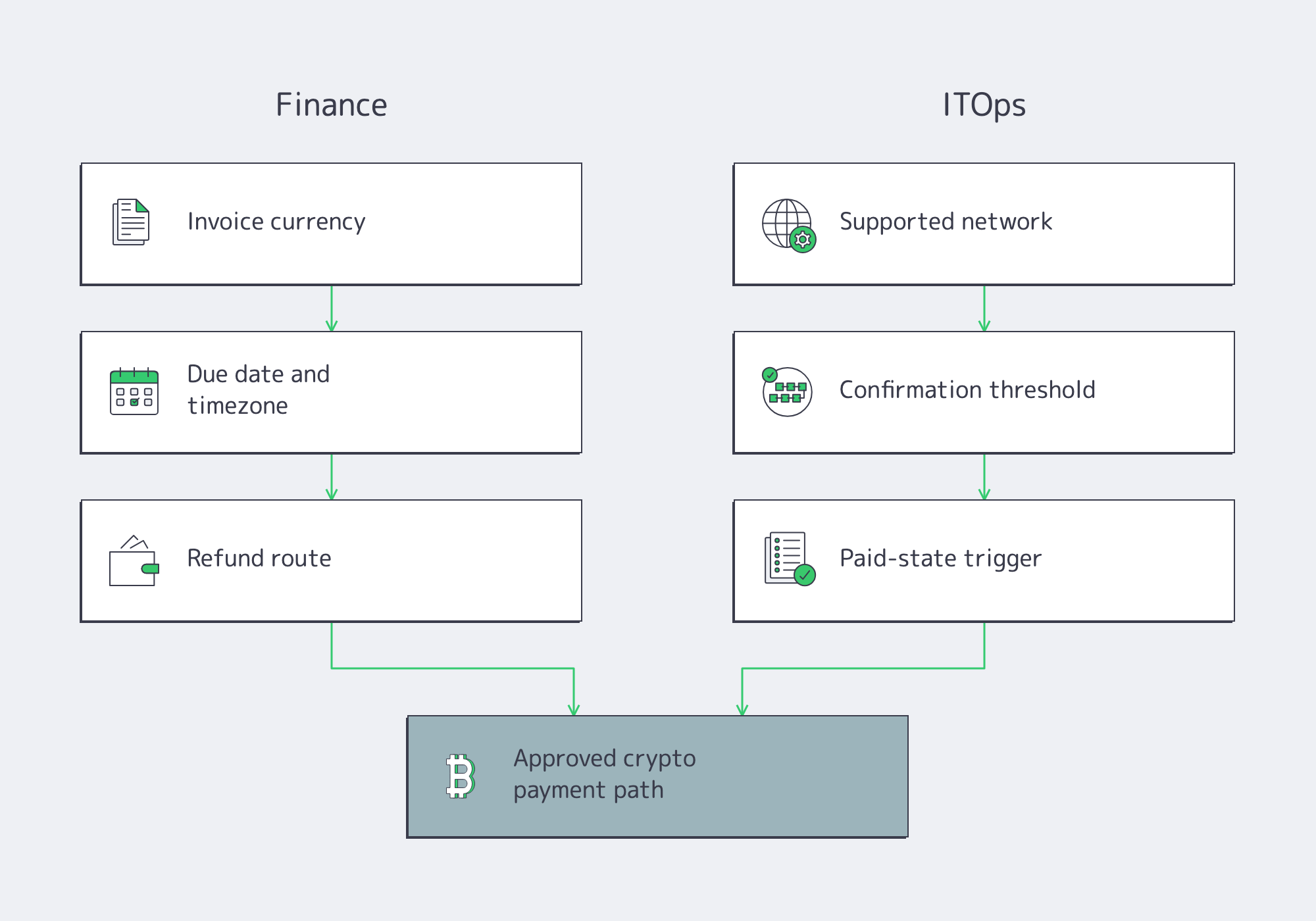
Melbicom’s current services agreement makes one point especially important: payment is completed only after funds are received and allocated to the customer’s Personal Account. That matters for multi-server procurement because the internal billing event, not the block explorer screenshot, is the trigger that protects provisioning and renewal workflows.
KYC belongs in the same checklist. The agreement requires accurate, complete, and current registration information, allows requested verification documents when identification, payment, or legal requirements apply, and prohibits false or anonymized contact details used to avoid identification requirements. Teams buying production infrastructure should clear verification before the first urgent order, not after crypto funds are already in flight.
Which Payment Rails Fit Server Orders?
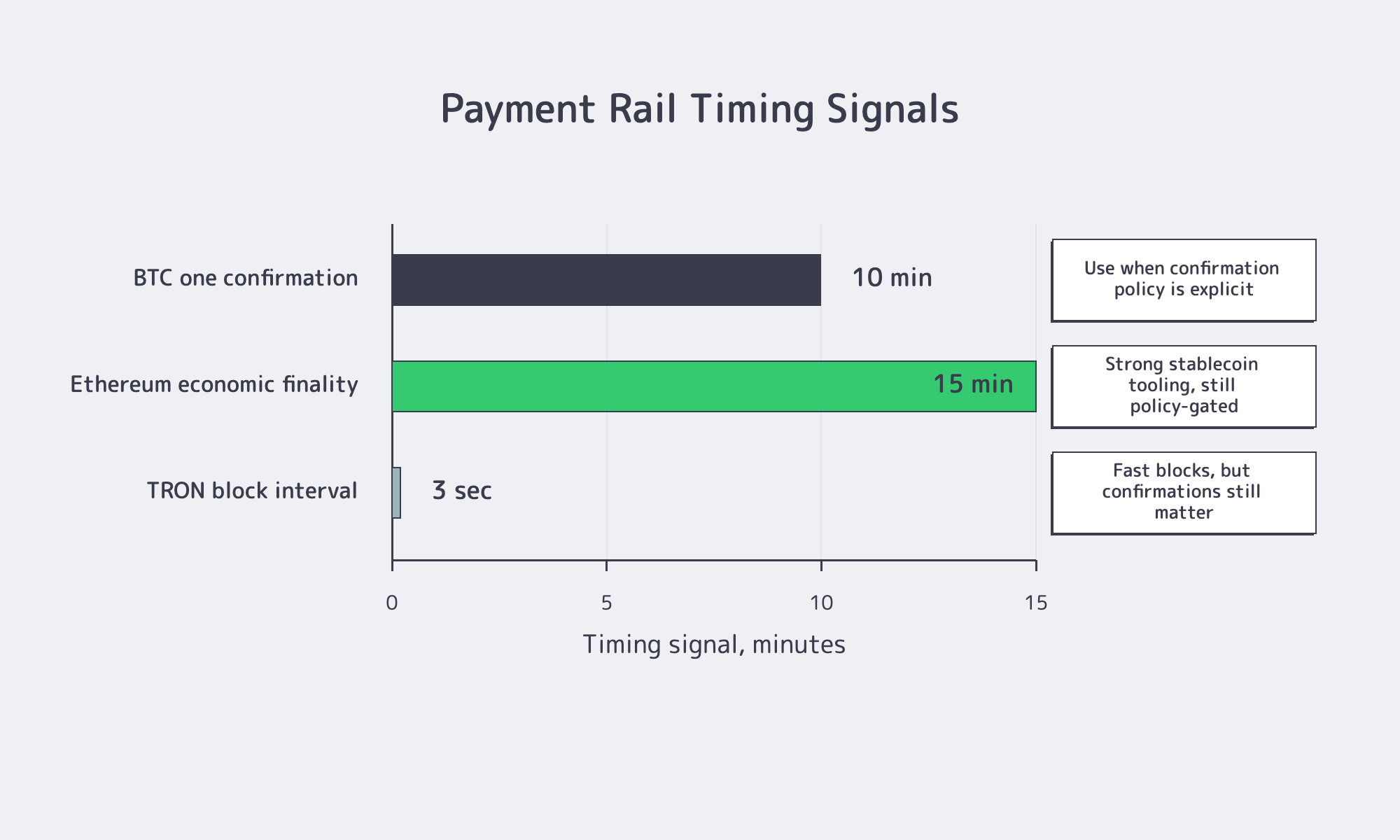
The best payment rail is the one that matches the invoice clock and the workload urgency. BTC can work when treasury already holds it and confirmation policy is explicit. Stablecoins often fit repeat invoices better because they reduce exchange-rate noise. Faster block times still need provider-side paid-status rules.
| Rail to Compare | Timing to Watch | Procurement Implication |
|---|---|---|
| BTC | One confirmation averages about 10 minutes; high-value acceptance may wait longer. | Works when treasury already holds BTC and the confirmation policy is compatible with the server activation window. |
| ETH or ERC-20 stablecoins | Ethereum blocks arrive about every 12 seconds, while economic finality is roughly 15 minutes. | Strong enterprise tooling, but merchant policy still decides when the invoice is credited. |
| TRON-based stablecoins | TRON’s average block interval is about 3 seconds. | Useful when supported and fee friction matters, but refund handling and confirmation counts still need written rules. |
Stablecoins usually win the operational argument because invoice language and settlement language stay close. Visa separately reported stablecoin supply rising from $186 billion in December 2024 to $274 billion in December 2025. That does not make every stablecoin rail equal, but it explains why finance teams increasingly prefer dollar-linked settlement for repeatable vendor payments.
The mistake is comparing coin menus instead of timing models. A long token list is less valuable than one supported asset that your treasury already holds, one network your controls understand, and one billing path where the provider can state exactly when an invoice becomes paid.
What Renewal, Refund, and Confirmation Checks Matter for Crypto Server Payments?
Crypto server payments stay predictable only when renewal, refund, and confirmation rules are explicit before launch. If service can suspend at period end, treasury should fund renewals before the due date, not on it, and ITOps should monitor invoice allocation like any other production dependency.
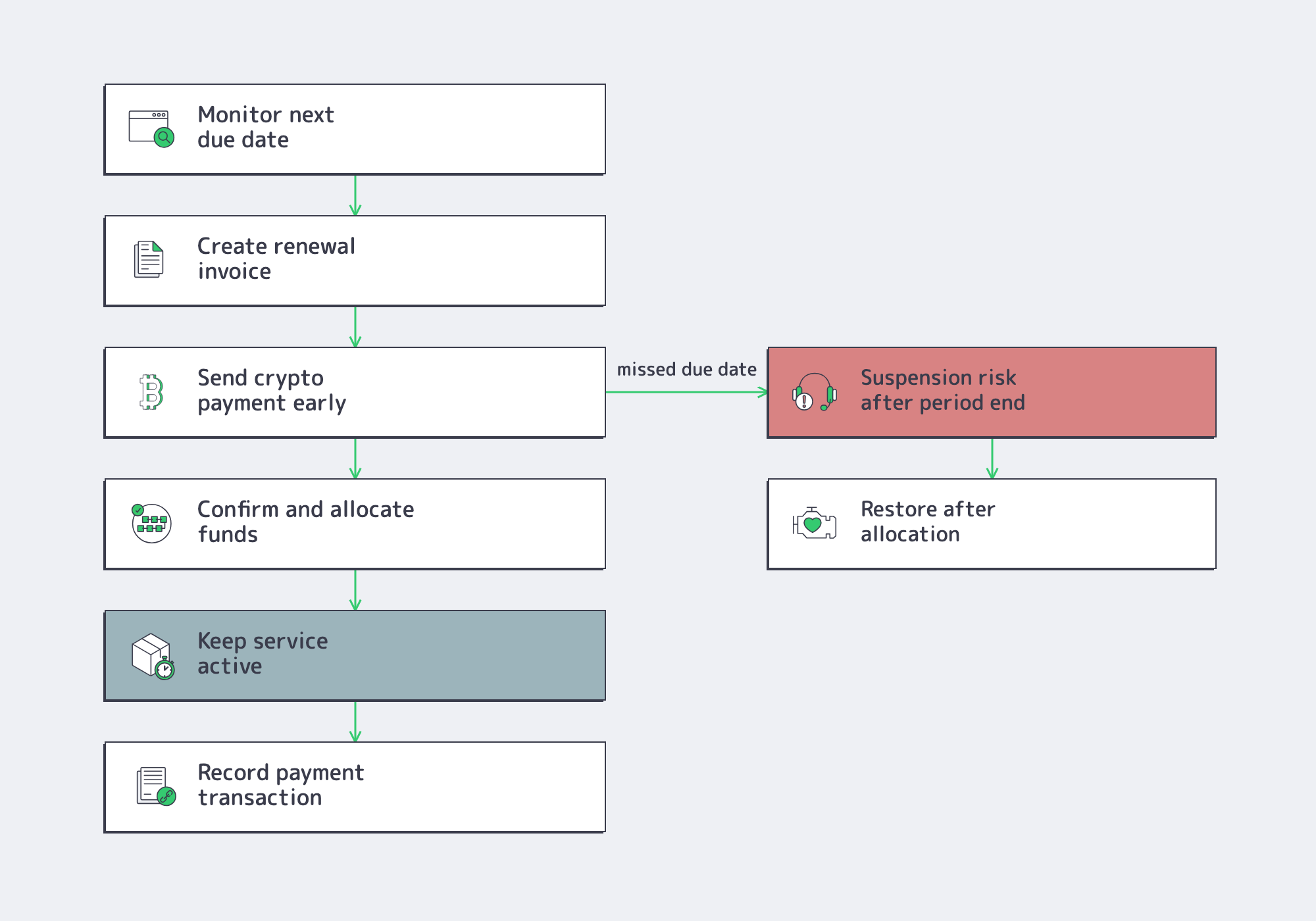
Melbicom requires each invoice must be paid by its due date. If payment for the next service period is not made, service may be suspended immediately after the paid period expires unless a grace period is specified. For physical servers, stored data may be retained for up to two days after suspension. After payment is received and allocated, service may be resumed within 24 hours, subject to technical availability. In production terms, a late crypto renewal is a recovery incident, not a harmless accounting delay.
Refund handling is also specific. Unused prepaid amounts may be refunded pro rata if Melbicom terminates without customer fault; if the customer terminates, refunds apply only to unused service periods and fees may be recalculated without discounts or bonuses tied to advance payments. Refund requests go through the Personal Account, refunds are processed within 30 days using the agreed payment method, and payment-system fees are borne by the customer.
Confirmation policy turns those legal terms into an operating schedule. Bitcoin documentation warns that zero-confirmation payments should generally not be trusted without risk analysis; one confirmation averages roughly 10 minutes; and higher-risk workflows may wait for six confirmations. That can fit custom builds, but it dominates stocked-server timing when finance waits too long.
How Does Melbicom Map Crypto Payment to Provisioning and Renewals?
Melbicom maps crypto-funded buying into a first-party billing and provisioning workflow: account-manager-enabled crypto invoicing, Personal Account allocation, two-hour activation for ready configurations, 3–5 business days for custom builds, and API-visible service and invoice states.
Mandatory KYC means identity is first verified through a secondary, validated funding source before crypto is enabled.
Melbicom’s infrastructure surface gives crypto-funded teams enough product context to plan the order. The platform includes 21 Tier III and Tier IV data centers, 1000+ ready-to-go server configurations, per-server bandwidth options up to 200 Gbps, 23 transit providers, 29 IXP peering hubs, and 24/7 support. For buyers that standardize on repeat orders, those facts matter because the payment method is only useful if capacity, port sizing, and support can keep up with deployment demand.
The Melbicom API is especially relevant after the first server. Service objects include states such as Active, Suspended, Pending, Cancelled, and Terminated, along with billingCycle and nextDueDate. Invoice endpoints can be filtered by status and may include payment-transaction details; a billing endpoint exposes current account credit. That is the right shape for monitoring crypto renewals like infrastructure rather than managing them as one-off checkout events.
What Is the Final Checklist Before You Buy Dedicated Server with Crypto?
The final checklist is to prove payment compatibility before production urgency appears: confirm the supported asset, network, invoice currency, quote timing, confirmation policy, KYC status, renewal schedule, refund route, and billing API visibility. If those items are known, crypto becomes a controlled procurement rail instead of an outage risk.
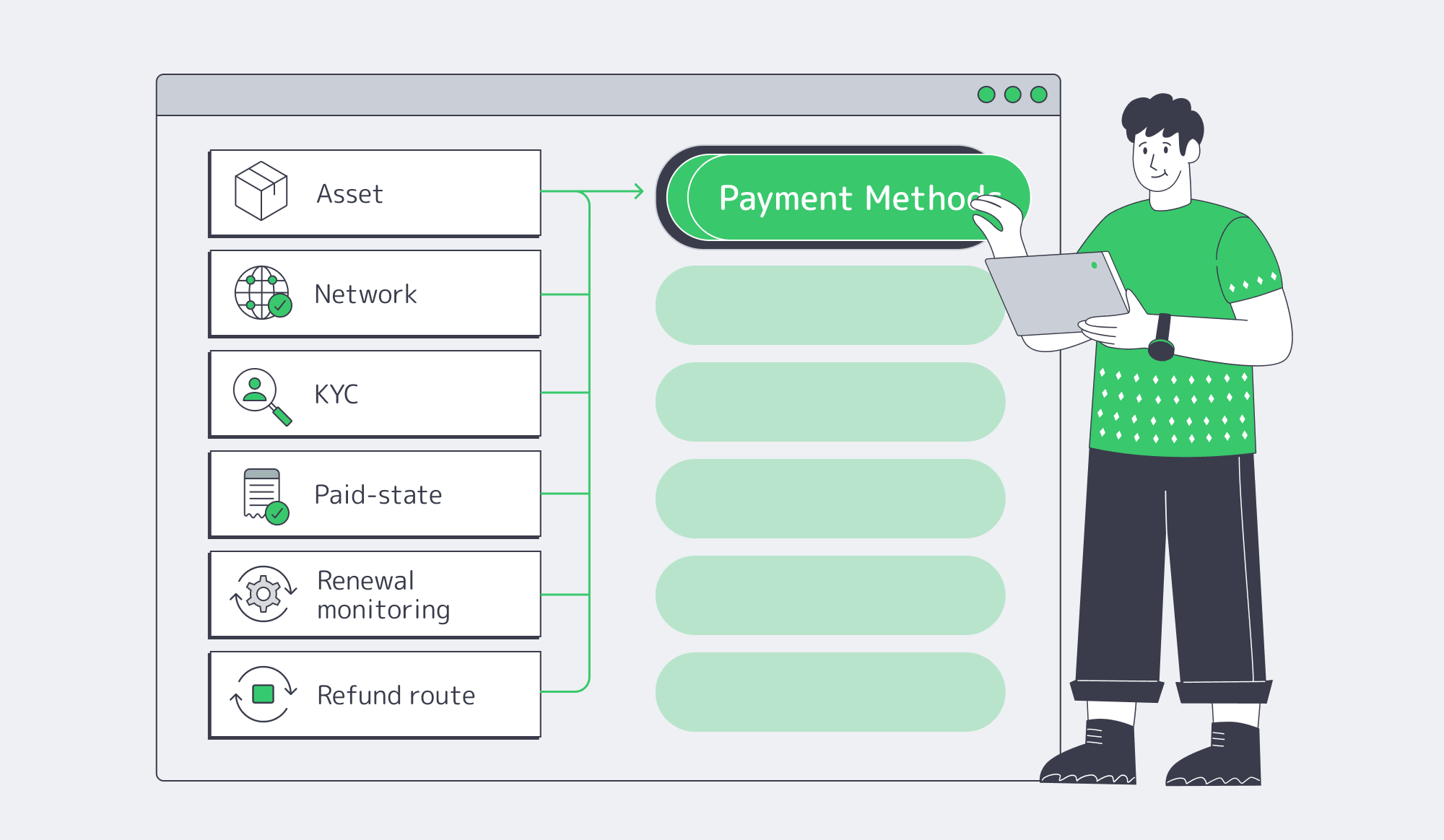
Use this sequence before the first production order:
- Confirm the exact settlement asset and network, not just that “crypto” is accepted.
- Match the confirmation policy to the activation window for ready stock or the build window for custom hardware.
- Pre-clear account verification and billing contacts before funds move.
- Record the paid-state trigger: funds received and allocated to the Personal Account.
- Monitor nextDueDate, invoice status, payment transactions, and account credit before every renewal.
- Document the refund route, timeline, and payment-system fee responsibility.
Teams that buy dedicated servers with crypto successfully are not chasing the widest coin menu. They reduce payment to an audited, schedulable input to provisioning. Once the invoice path is explicit, the technical decision becomes the normal one: choose the right data center, port, hardware profile, and support model for the workload.
Buy dedicated server with crypto
Plan crypto-funded server orders around explicit invoice, confirmation, provisioning, renewal, and refund rules.
Get expert support with your services
Blog
Amsterdam Server: VPS, Dedicated, or Colocation for EU Workloads?
Search intent around Amsterdam server is rarely generic. Teams are usually trying to answer a harder question: which Netherlands-based infrastructure model gives them low EU latency, enough operational control, defensible compliance posture, and predictable cost without overbuilding too early?
Amsterdam Servers– 300+ Amsterdam configs – Tier III & IV DCs in Amsterdam – 1–200 Gbps bandwidth |
|
Amsterdam belongs in that conversation because it is one of Europe’s densest interconnection markets. AMS-IX reported 35.66 exabytes of traffic on its Amsterdam platform in 2025, 69.57 Tb/s of active port capacity, 902 connected parties, 65% annual growth in 400G ports, and a new 15 Tb/s traffic peak in April 2026.
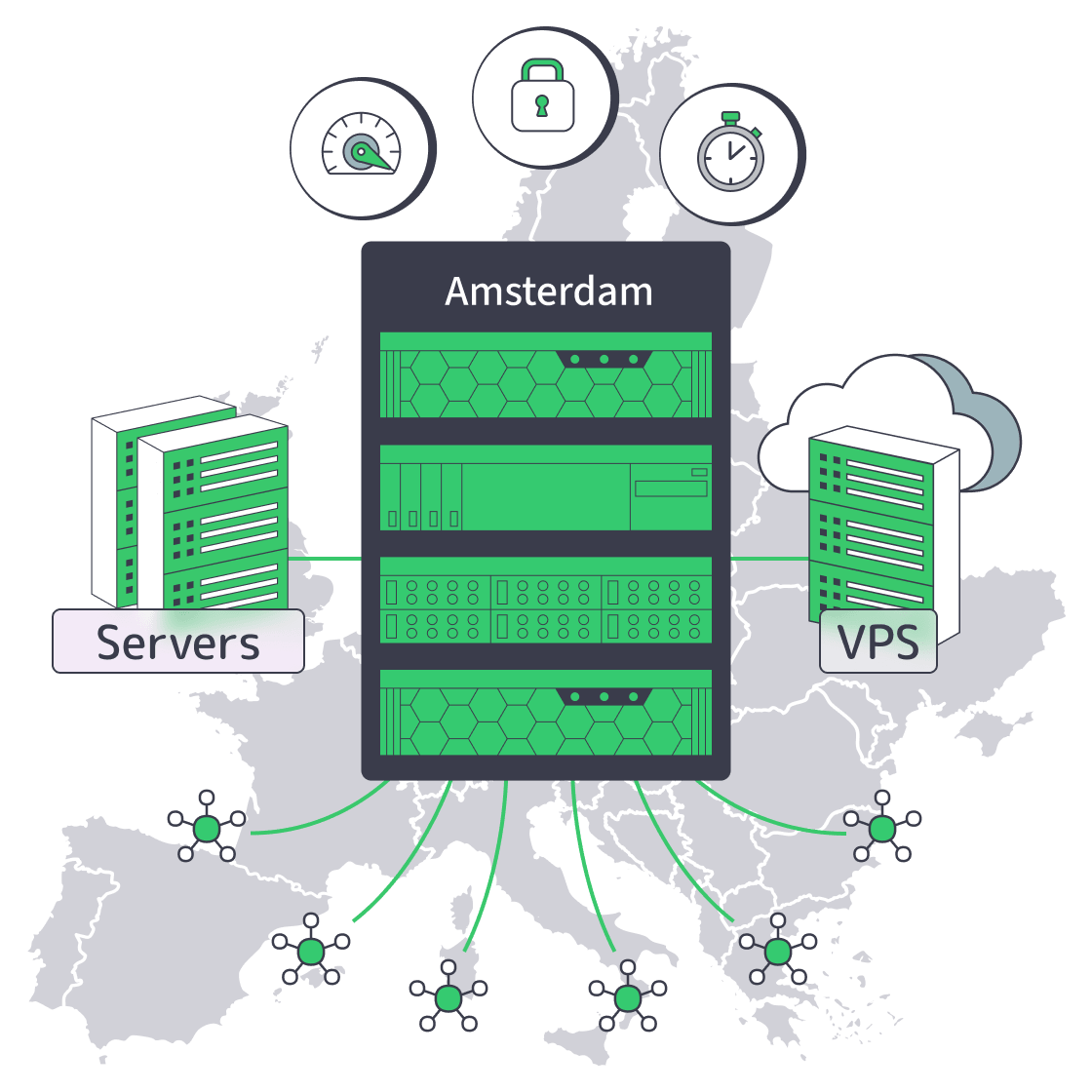
For Melbicom customers, Amsterdam is not just a map pin. Our Amsterdam dedicated server footprint includes 300+ configurations, Tier III & IV DCs in Amsterdam, Intel and AMD CPUs, 32–1536 GB RAM, 1–200 Gbps bandwidth packages, unmetered plan options, and network capacity up to 200 Gbps per server.
What an Amsterdam Server Should Deliver for European Workloads
An Amsterdam server for European workloads should reduce origin distance for uncached requests, keep EEA-sensitive operations easier to govern, and connect into dense regional routing. A practical benchmark is not “zero latency”; it is enough headroom for application, database, TLS, and queues to stay fast.
The Amsterdam case starts with interconnection. AMS-IX’s Amsterdam platform shows roughly 911 connected ASNs, 1,104 customer ports, and more than 900 route-server peers, which is why Amsterdam remains a default origin location for services aimed at Western, Central, and Northern Europe.
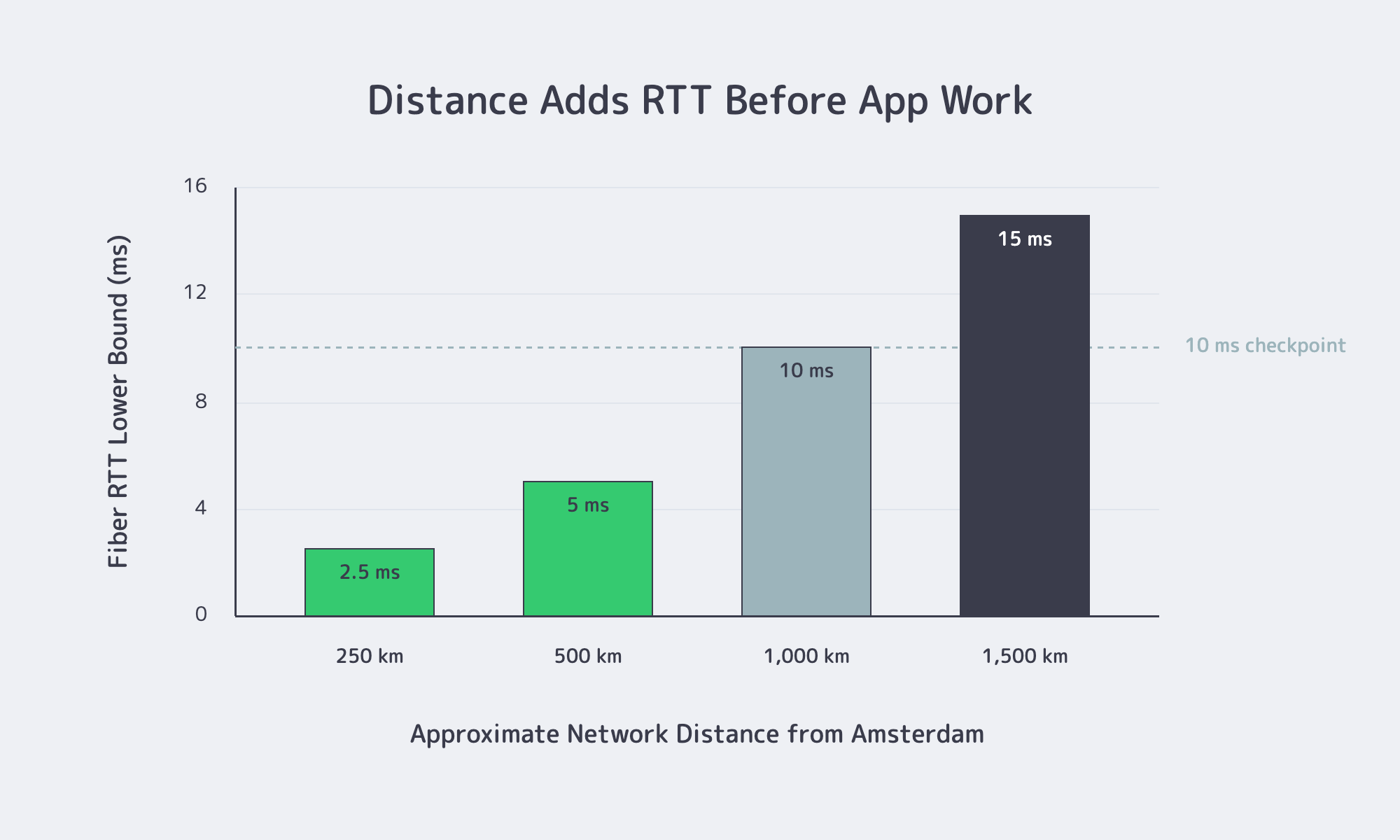
Distance still matters. In fiber, a useful lower bound is about 5 microseconds per kilometer one way, or roughly 10 ms of round-trip delay per 1,000 km, before routing overhead and application work enter the picture. Google’s web performance guidance treats 0.8 seconds TTFB, 2.5 seconds LCP, and 200 ms INP as “good” thresholds, so every unnecessary hop consumes budget the application also needs.
That is why Amsterdam is strongest when the audience is EU-heavy and the workload has real uncached work: APIs, portals, trading surfaces, AdTech paths, transactional stores, media origins, or database-backed applications. A cheap-versus-expensive framing misses the point. The better question is whether the bottleneck is shared-resource variance, sustained throughput, hardware control, compliance governance, or edge distribution.
Amsterdam VPS, Dedicated Server, or Colocation: Which Fits Best
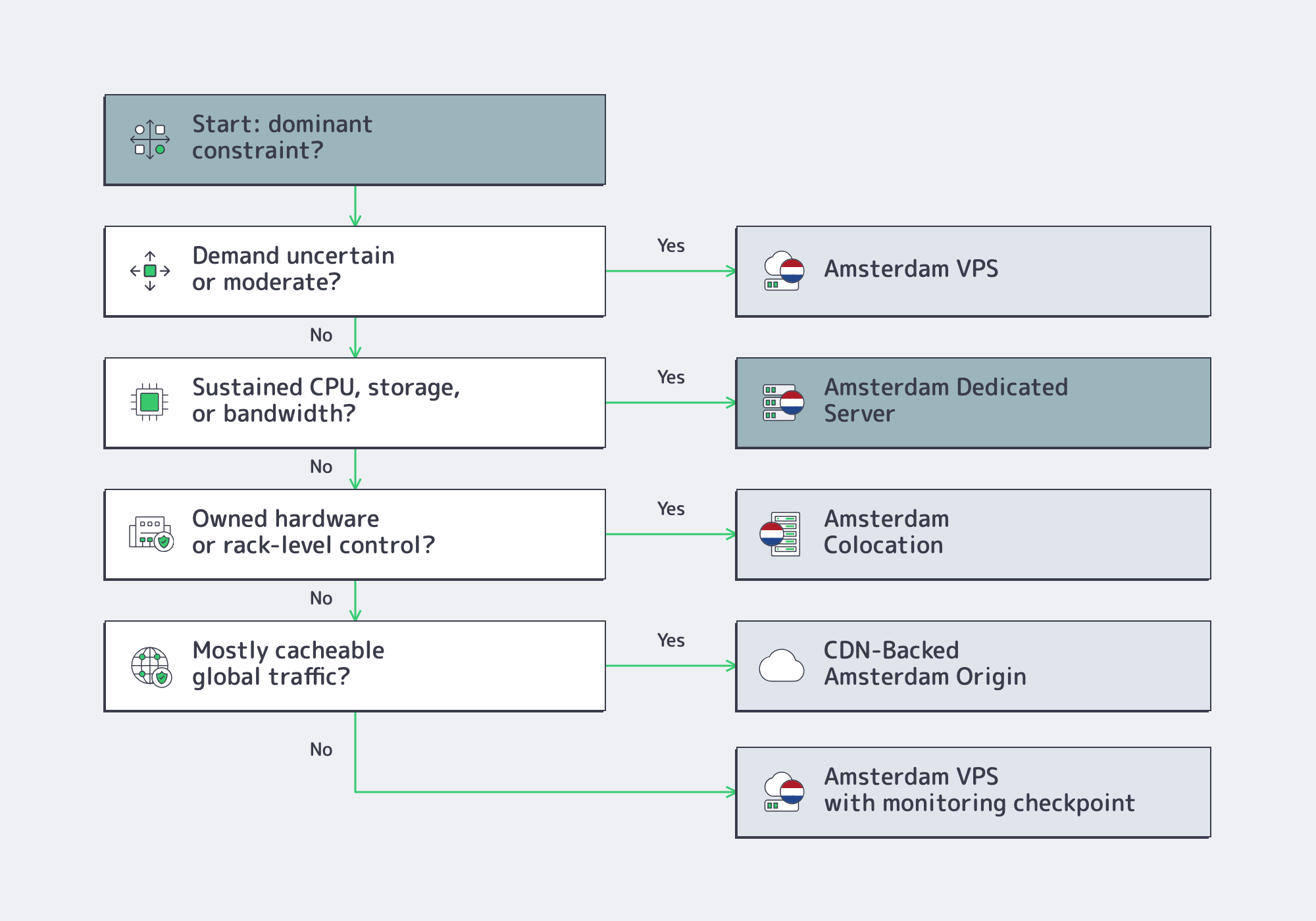
Amsterdam VPS fits lighter or less deterministic workloads, an Amsterdam dedicated server fits sustained compute, storage, and bandwidth demand, and Amsterdam colocation fits teams that already own hardware or need rack-level control. When traffic is global and mostly cacheable, an Amsterdam origin plus CDN can outperform a larger origin.
| Amsterdam Choice | Best Fit | Move Up When |
|---|---|---|
| VPS | Early production, dev/staging, regional apps, moderate variable demand | Performance variance appears in latency, I/O, or user-facing reliability |
| Dedicated server | Sustained CPU, storage, database, media origin, analytics, high-bandwidth workloads | Hardware consistency and predictable throughput matter more than elasticity |
| Colocation | Owned hardware, custom appliances, licensing tied to physical gear, rack-level design | You have a stable long-term footprint and hardware lifecycle strategy |
| CDN-backed Amsterdam origin | Read-heavy delivery, media, software downloads, global audiences, burst traffic | Dynamic, write-heavy, or database-bound traffic dominates |
When an Amsterdam VPS Is Enough
A VPS is the right Amsterdam entry point when launch speed matters more than deterministic hardware behavior. It works for services still discovering demand, regional applications with moderate load, and environments where adding instances is more useful than optimizing each node.
The risk is stretching VPS past the point where shared-resource variance becomes product-visible. Database-heavy applications, search, personalization, and media processing often expose jitter first through storage latency or CPU scheduling. Flexera’s 2025 State of the Cloud survey, based on 759 cloud decision-makers and users, found that 84% named managing cloud spend as a top challenge, a reminder that flexible infrastructure can become hard to govern once usage becomes real.
When Dedicated Makes Sense in Amsterdam
An Amsterdam dedicated server becomes the better fit when the workload needs consistency, not just compute. That usually means CPU is busy in steady state, storage performance is on the critical path, bandwidth is large enough to matter every month, or security and compliance reviews require more control over the node.
This is where cost predictability often improves. A known server profile and a known monthly bill are easier to model than an expanding estate of variable instances. Dedicated is not automatically cheaper; it is often easier to justify once the workload has a recognizable traffic floor. In Amsterdam, that decision can map to 300+ dedicated server configurations, Intel and AMD processor options, up to 1536 GB RAM, bandwidth packages from 1–200 Gbps, and unmetered plan options for workloads where traffic is a monthly planning variable rather than an occasional spike.
When an Amsterdam Server Belongs in Colocation
Colocation is the right answer when renting the server is not the goal. If you already own hardware, need a specialized appliance, want to preserve licensing tied to physical equipment, or require tighter control over rack design and lifecycle, Amsterdam colocation becomes the more natural model.
It is not a universal upgrade from dedicated. Colocation shifts economics toward long-term ownership and physical control, but it also shifts responsibility back to the customer: procurement, spares, lifecycle planning, and remote-hands dependence become architectural concerns. Melbicom colocation supports 1/4, 1/2, and full-rack options, customer BGP session use cases, private networking, connectivity through 29 IXP peering hubs, and 23 transit partners across our broader network footprint.
Latency, Control, Compliance, and Cost Checks Before Choosing
The fastest way to choose the wrong Amsterdam server is to compare product names instead of constraints. Check how much traffic is uncached and latency-sensitive, how much hardware control the workload requires, whether EEA data governance matters, and whether finance values low entry cost or stable monthly infrastructure spend more.
On latency, separate cached bytes from uncached work. Static assets, software packages, images, and media segments can often move to the edge. Dynamic application paths, write requests, authentication, personalization, and database-backed APIs still care about user-to-origin distance. For those paths, teams usually want origin RTT in the low tens of milliseconds across core EU markets so the application still has room to breathe.
On control and compliance, Amsterdam can simplify the default legal story for EU workloads. GDPR Chapter V requires specific conditions for transfers of personal data outside the EEA, and EU operational scrutiny has increased: DORA has applied to financial-sector ICT resilience since January 17, 2025, while the NIS2 implementing regulation covers cloud computing providers, data centre service providers, and CDN providers.
On cost, predictability and cheapness are different. VPS can be the lower-cost starting point, but a dedicated server or colocated footprint can make more sense once usage is steady. CDN changes the equation again by moving cacheable, bursty delivery away from the origin. Melbicom’s CDN supports a Global CDN tier from €0.15/GB and a Volume CDN tier with 12 PoPs from €0.002/GB, giving teams a way to route repeatable delivery away from the origin when bandwidth scale is the real cost driver.
Where CDN-Backed Amsterdam Servers Win
A CDN-backed Amsterdam server architecture wins when the origin belongs in the Netherlands but delivery demand is geographically spread, byte-heavy, or burst-prone. The concrete test is cacheability: if a large share of traffic can be served from edge locations, CDN reduces origin load without changing the authoritative infrastructure location.
That makes the strongest design less “VPS versus dedicated versus colocation” and more “what should the Amsterdam origin do, and what should the edge absorb?” Melbicom’s CDN operates in 40 locations across 35 countries, including Amsterdam, Frankfurt, Paris, Madrid, London, Warsaw, Prague, Palermo, Riga, Vilnius, and other European and global PoPs, which lets teams keep dynamic or authoritative state in Amsterdam while pushing repeatable delivery outward.
The limitation is equally important: CDN does not fix a slow database, overloaded origin, or stateful application where every request must return home. It is strongest when the origin is already the right size and the remaining problem is distribution and surge handling.
- Use VPS for uncertainty: early traffic, dev/staging, regional launches, and services where shared-resource variance is not yet a user-facing problem.
- Use a dedicated server for a known floor: sustained CPU, storage, bandwidth, database, media, analytics, or transactional workloads where predictable node behavior matters.
- Use colocation for ownership: hardware already purchased, specialized appliances, physical lifecycle control, or rack-level network design.
- Use CDN for distance and bursts: cacheable assets, software delivery, media, global audiences, and traffic surges that should not force an origin resize.
- Recheck the architecture when the bottleneck changes: the right Amsterdam server choice at launch may not be the right choice once traffic, compliance scope, or bandwidth economics stabilize.
Choosing the Right Amsterdam Server Path
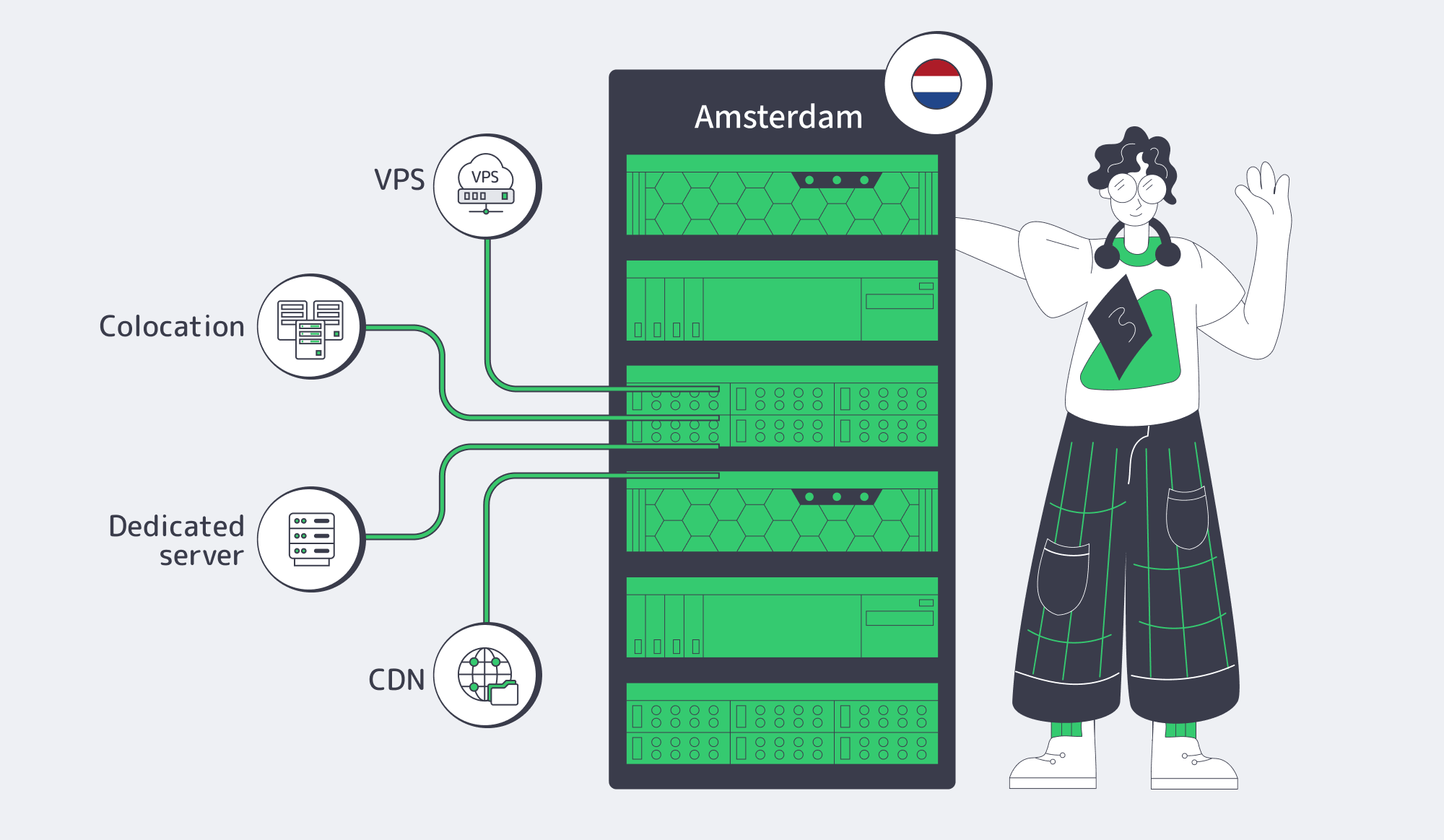
For EU-heavy workloads, Amsterdam is usually a strong place to start because it combines dense interconnection, practical regional reach, and a simpler operating posture for EEA-centered systems. But the infrastructure model still has to match the bottleneck. Dedicated servers are for consistent single-node performance and predictable throughput. Colocation is for hardware ownership and physical control. CDN is for distribution.
The decision gets clearer when you stop asking which product is “best” and ask which constraint is most expensive to get wrong: latency, control, compliance, or monthly spend. When steady compute, storage, or bandwidth has become the real constraint, an Amsterdam dedicated server is often the cleanest next step.
Explore Amsterdam Servers
Deploy a Netherlands-based origin with 300+ configurations, Tier III & IV DCs in Amsterdam, and bandwidth plans up to 200 Gbps.
Get expert support with your services
Blog
Dedicated Server Netherland: A Buyer Guide to Netherlands Hosting
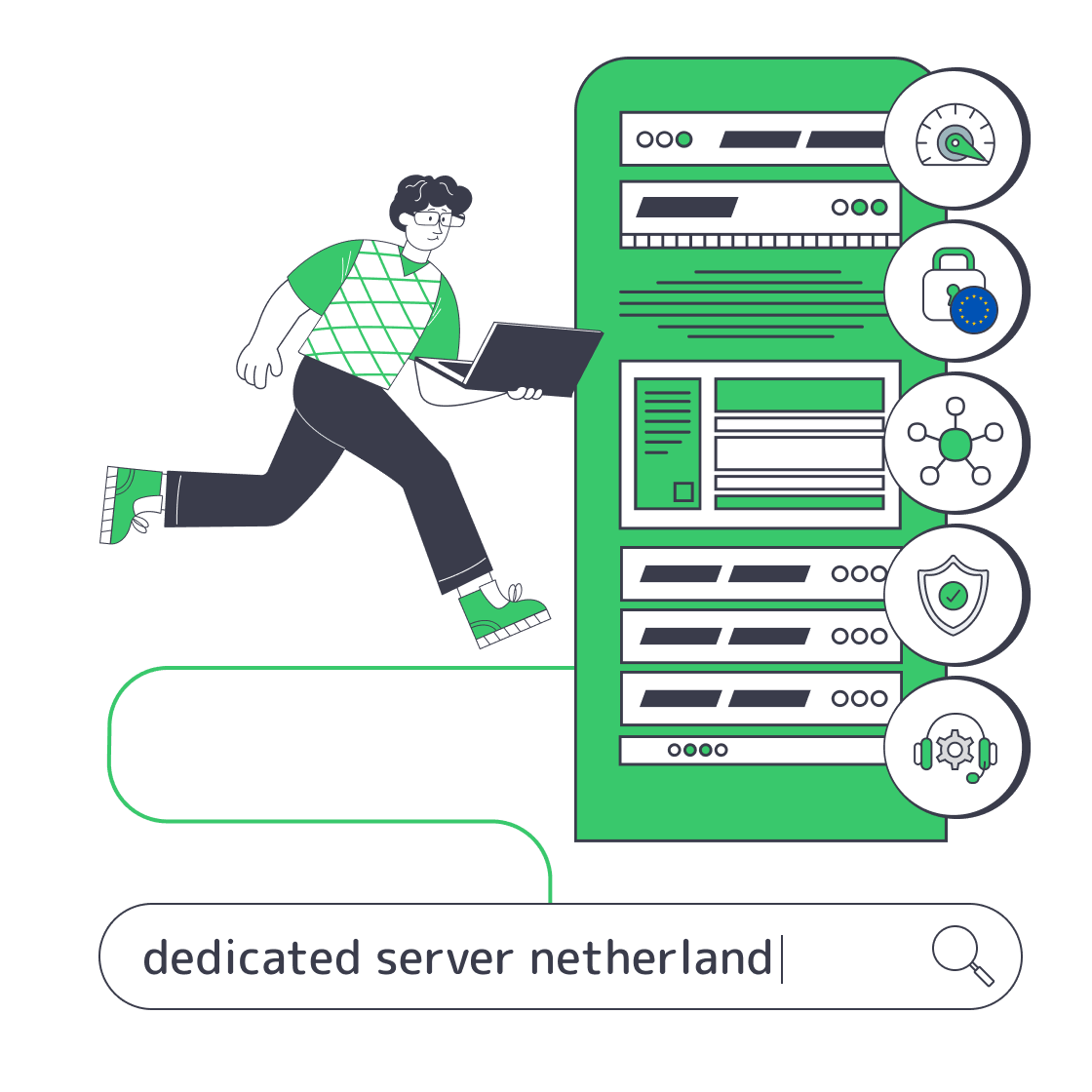
“Dedicated server Netherland” may be grammatically imperfect, but the buying intent is clear: dedicated infrastructure in the Netherlands, often Amsterdam, with strong European connectivity and predictable performance.
The buying framework is routing, bandwidth, DDoS response, EU obligations, provisioning, and support—not spelling.
What Dedicated Server Netherland Searches Mean for Netherlands Hosting?
A “dedicated server netherland” search usually means the buyer wants a physical server in the Netherlands, commonly Amsterdam. The useful comparison is not linguistic: it is measured latency from target users, sustained bandwidth headroom, DDoS handling, GDPR processing terms, provisioning time, and 24/7 operational support.
Variants such as “Netherland dedicated server,” “Netherlands dedicated hosting,” and “Amsterdam dedicated server” may lead to the same shortlist, but SaaS, streaming, and database workloads need different latency, throughput, memory, and storage profiles.
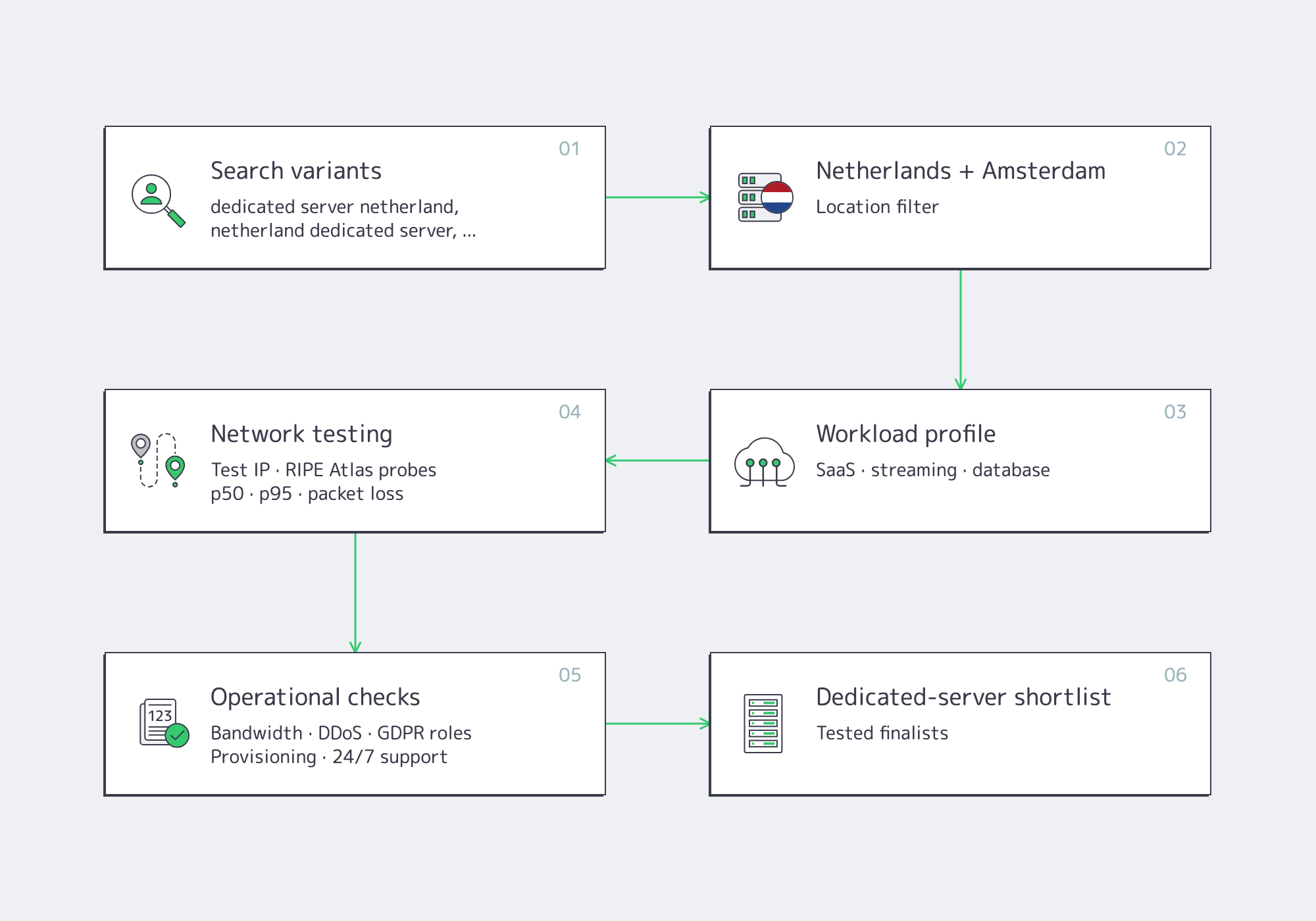
Document user regions, protocols, monthly transfer, peak throughput, storage writes, recovery requirements, and regulatory context before comparing hardware. Otherwise, headline core counts and port speeds can obscure routing, packet loss, traffic clauses, and support ownership.
Start with Melbicom’s Netherlands dedicated server options. Verify the facility, test IP, network path, inventory, and delivery window.
Dedicated hosting fits workloads needing exclusive resources, sustained network use, custom storage, or operating-system control. Because capacity scales in server-sized steps, include headroom for peaks, maintenance, and failover.
Amsterdam Connectivity, Bandwidth, and DDoS Requirements to Compare
For Amsterdam dedicated hosting, compare p50 and p95 round-trip time from real user networks, keep ordinary sustained traffic below roughly 70% of the selected port, and require automated DDoS mitigation before the uplink saturates. A faster port matters only when routing quality, traffic terms, and attack handling are equally clear.

AMS-IX reported that its Amsterdam platform carried 35.66 exabytes in 2025, connected 902 networks, reached a 14.2 Tbps peak, and had 69.57 Tbps of active port capacity. These figures show ecosystem density, not guaranteed performance for every server in the city.
Amsterdam Connectivity for a “Netherland Dedicated Server” Shortlist
Connectivity must be measured from the outside in. Each path depends on the user’s ISP, autonomous system, peering, transit, congestion, and routing policy; one office ping cannot represent multiple markets.
Test across weekday and weekend windows. RIPE Atlas can run ping, traceroute, DNS, TLS, and HTTP measurements from selected probes. Record median and p95 latency, loss, and path changes; LatencyMON shows latency over time.
Tail latency often matters more than the minimum: a 20 ms median with a 70 ms p95 can be less consistent than a stable 30 ms path. Investigate repeated p95 results above 1.5 to two times the median.
An Amsterdam test IP and downloadable test object are available on Melbicom’s data-center page. Melbicom’s network uses 29 Internet-exchange peering hubs and 23 transit partners, but buyers should still validate routes from their own source networks.
Amsterdam Servers– 300+ Amsterdam configurations – Up to 200 Gbps per server – Tier III & IV DCs in Amsterdam |
|
Bandwidth Math Beyond the Advertised Port
Port speed, transfer allowance, committed rate, burst capacity, and billing model are separate variables. A 10 Gbps interface does not automatically permit continuous line-rate use; a smaller port may suit high volume with modest peaks.
The ceilings below assume uninterrupted line-rate transmission for 30 days, decimal units, and no Ethernet, IP, TCP, TLS, retransmission, or application overhead.
| Dedicated port | Thirty-day line-rate ceiling | Planning interpretation |
|---|---|---|
| 1 Gbps | 324 TB | Suitable when ordinary sustained traffic stays comfortably below 700 Mbps |
| 5 Gbps | 1.62 PB | Useful for multi-gigabit peaks or several high-volume services |
| 10 Gbps | 3.24 PB | Appropriate when measured delivery, replication, or recovery demand can use it |
The 70% threshold is planning headroom, not a universal standard. It leaves capacity for bursts, backups, replication, overhead, and growth. Ask four questions before ordering:
- Is the port dedicated to the server?
- Is transfer metered or unmetered?
- Is the advertised speed committed or merely burstable?
- What happens when a quota, percentile, or usage condition is exceeded?
The Amsterdam location supports per-server network capacity from 1 to 200 Gbps, while current configuration bandwidth plans span 1–100 Gbps with 50 TB or unmetered transfer options. Buyers can compare 1 Gbps unmetered, 5 Gbps unmetered, and 10 Gbps unmetered Netherlands configurations.
At multi-gigabit rates, benchmark realistic packet sizes, connection counts, TLS processing, storage throughput, and application workers. Small packets can be harder to process than the same bit rate of large sequential transfers, and iPerf alone misses the next bottleneck.
DDoS Protection for Real Attack Volumes
DDoS protection is an incident system, not a checkbox. Cloudflare reported 47.1 million attacks during 2025, up 121% year over year, with its largest disclosed attack reaching 31.4 Tbps for 35 seconds. The figures show why mitigation must begin upstream, before a server’s 1, 10, or 100 Gbps connection fills.
Confirm where detection occurs, whether mitigation is automatic, which protocols are covered, how clean traffic returns, and whether upstream capacity can saturate first.
Network filtering does not replace application defenses. Public APIs, login systems, and dynamic services still need rate controls and application-aware protection. Establish who adjusts filtering, how false positives are escalated, which telemetry is available, and which incidents remain the customer’s responsibility.
EU Data Location and Operational Controls
An Amsterdam server can support a European data-location strategy, but physical location does not make a workload GDPR-compliant. The buyer still determines lawful basis, processing roles, data flows, retention, access controls, security measures, and international-transfer mechanisms.
When the host processes personal data on the customer’s instructions, Article 28 terms must reflect the actual service. The European Data Protection Board expects controllers to track processors and subprocessors and verify sufficient guarantees. EU contractual clauses and EDPB guidance provide the framework.
Review who can access the server, where management systems and backups run, which subprocessors participate, and how data is deleted. A Netherlands server does not prevent transfers through remote access, logs, or backups elsewhere.
GDPR Article 33 can require controller notification to the supervisory authority within 72 hours of becoming aware of a qualifying breach. Contracts should define notification contacts, escalation, log access, evidence preservation, and investigation support.
The Dutch NCSC states that the Cybersecurity Act implementing NIS2 entered into force on August 15, 2026. In-scope organizations may face registration, security, risk-management, and incident-reporting duties, including an initial report within 24 hours. Applicability depends on entity, size, sector, and service—not server location.
Choosing Netherlands Dedicated Hosting
Choose Netherlands dedicated hosting by scoring the workload rather than the spelling variant: user geography, CPU and storage profile, p95 throughput, attack exposure, regulatory duties, delivery requirements, and support boundaries. Reject any option that lacks a test target, exact traffic terms, documented processing roles, or a clear route for urgent escalation.
Use a weighted scorecard, while treating serious security, compliance, or access failures as rejection conditions:
- Network fit — 30%: p50 and p95 latency, packet loss, route stability, and reachability from real user networks.
- Bandwidth economics — 20%: normal throughput, peaks, transfer volume, commitment, metering, and the next capacity tier.
- Security and DDoS — 20%: automatic mitigation, saturation behavior, protected protocols, telemetry, and escalation.
- Compliance fit — 15%: processing roles, subprocessors, transfer paths, incident notice, deletion, and evidence.
- Operational support — 10%: contact channels, engineering access, ownership, and out-of-hours coverage.
- Provisioning and hardware — 5%: CPU, RAM, storage, disk layout, port, OS, and delivery window.
Network receives the largest weighting because poor routes cannot be repaired inside the server. Hardware should follow the limiting resource: per-core speed, memory, compute throughput, or storage IOPS.
Test support before an incident. Ask a presales question about a route, traffic clause, disk-replacement process, or operating-system requirement, then assess whether the answer is specific and ownership is clear. Melbicom provides 24/7 support, with phone, email, and Telegram contact paths on our contact page; buyers should still confirm the boundary between infrastructure assistance, server administration, and application troubleshooting.
Provisioning affects the economics. Melbicom’s Amsterdam portfolio includes 300+ configurations across Tier III & IV DCs in Amsterdam, with Intel and AMD processors and 32–1,536 GB of RAM. Custom configurations are delivered in 3–5 business days.
A slightly oversized available server may be rational when launch delay is expensive; a custom build may be better when excess capacity would create years of recurring waste.
A Netherlands Dedicated Server Decision That Holds Up in Production
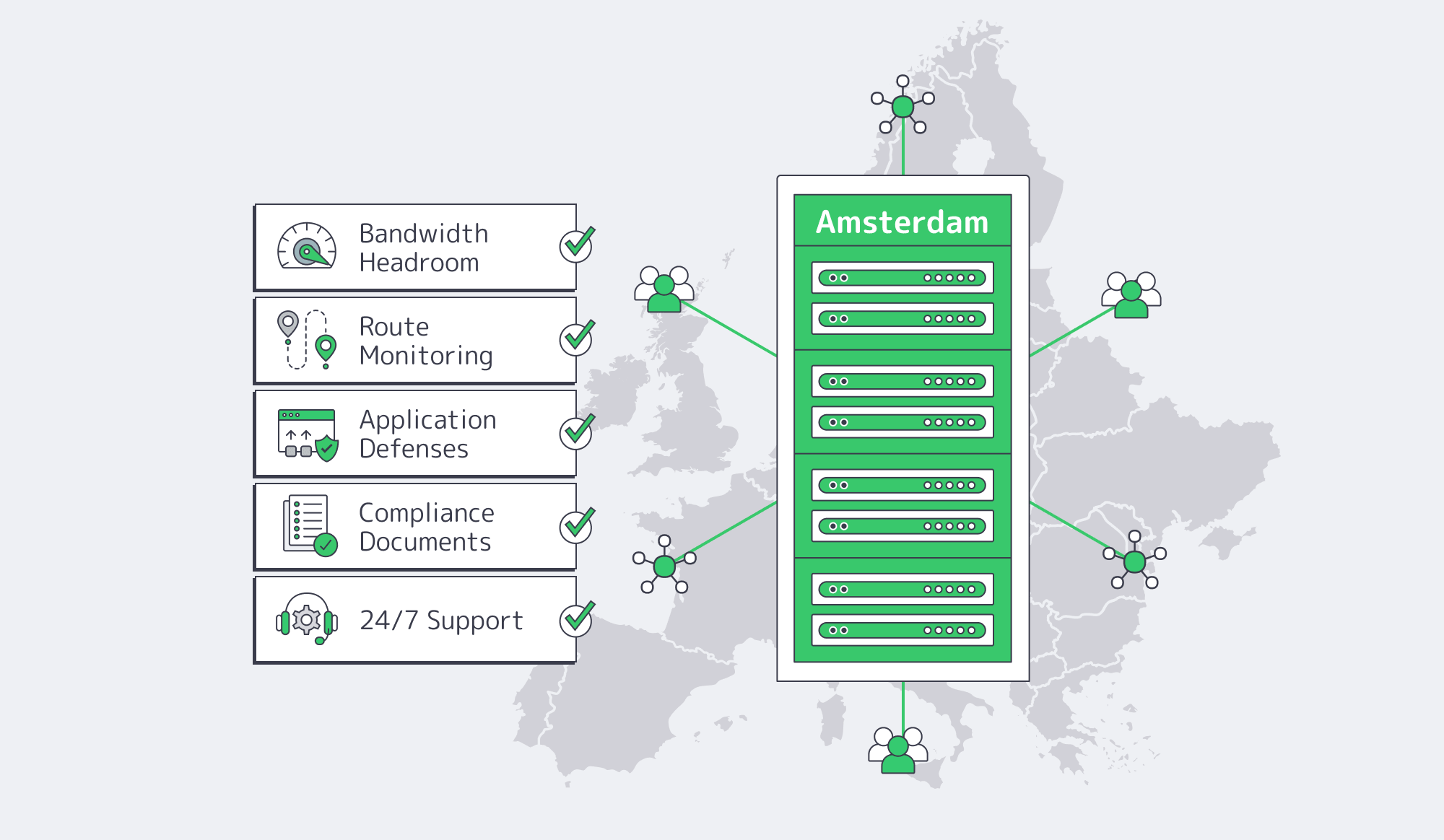
The Netherlands is attractive because Amsterdam places dedicated infrastructure near a dense interconnection ecosystem while preserving control over hardware, operating systems, storage, and network capacity. That advantage holds only when the route from users to server has been measured and the bandwidth, mitigation, compliance, and support terms are explicit.
A durable decision combines stable p95 latency, throughput headroom, understood billing, upstream DDoS handling, application defenses, documented processing responsibilities, and round-the-clock escalation. The final comparison should map each configuration to users, traffic peaks, outage cost, legal duties, and incident ownership.
Choose Netherlands Hosting That Holds Up
Compare Amsterdam server configurations by route, bandwidth, DDoS protection, and delivery needs.
Get expert support with your services
Blog
Dedicated Server Hosting Los Angeles: West Coast Performance Buying Guide
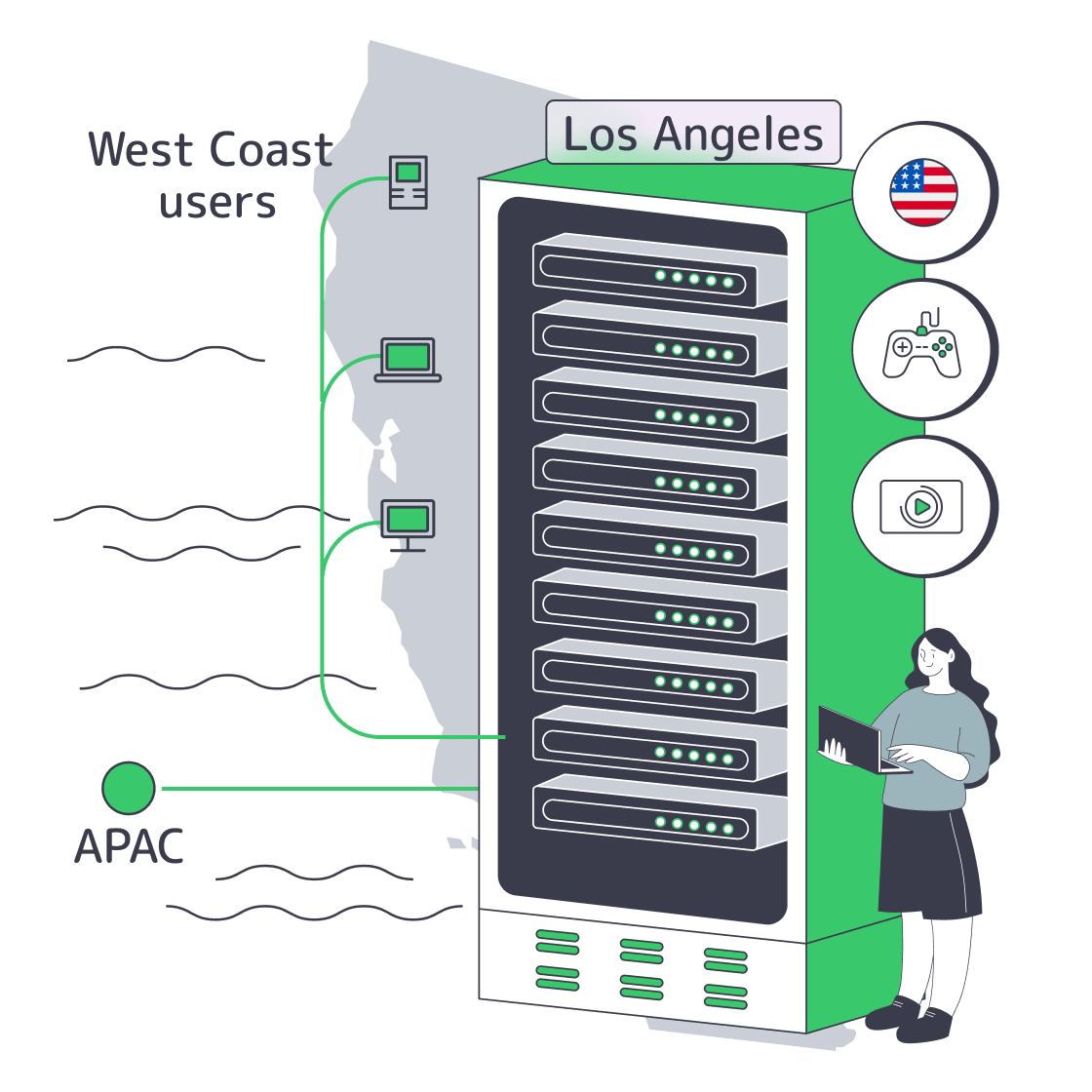
Dedicated server hosting in Los Angeles is a routing and workload-placement question, not a generic city-page topic. Los Angeles makes sense when Pacific users, media workflows, gaming sessions, APAC paths, and high-egress workloads are important enough that 20-60 milliseconds or a constrained port can change the product experience. The buying test is simple: prove the route, size the bandwidth, and know when LA beats central or eastern U.S. placement.
Deploy in LA Now– Tier III West Coast facility – 28 ready-to-go configs – Global Melbicom backbone |
|
Why Dedicated Server Hosting Los Angeles Fits West Coast Traffic
Dedicated server hosting Los Angeles fits West Coast traffic when Pacific users dominate the session mix and every 20-40 milliseconds matters. Directional RTT data puts San Jose to Los Angeles near 10.5 ms, San Francisco to Los Angeles near 12.8 ms, Phoenix to Los Angeles near 11.2 ms, and Seattle to Los Angeles near 27.6 ms, which is materially lower than central or East Coast paths.
Those measurements come from WonderNetwork city-pair pages, which use 30 ICMP pings per pair, so they are buying signals rather than contract metrics. They still show the shape of the decision clearly. A Bay Area-heavy SaaS app, a Southern California media team, or a western gaming lobby starts with a smaller network tax in Los Angeles than it would from Chicago or New York. That matters because Google’s web performance guidance puts good Interaction to Next Paint at 200 ms or less and Largest Contentful Paint at 2.5 seconds or less at the 75th percentile. If the network path is 10-13 ms instead of roughly 47 ms to Chicago or 63 ms to New York, more of the budget remains for TLS, application logic, storage, and database time.
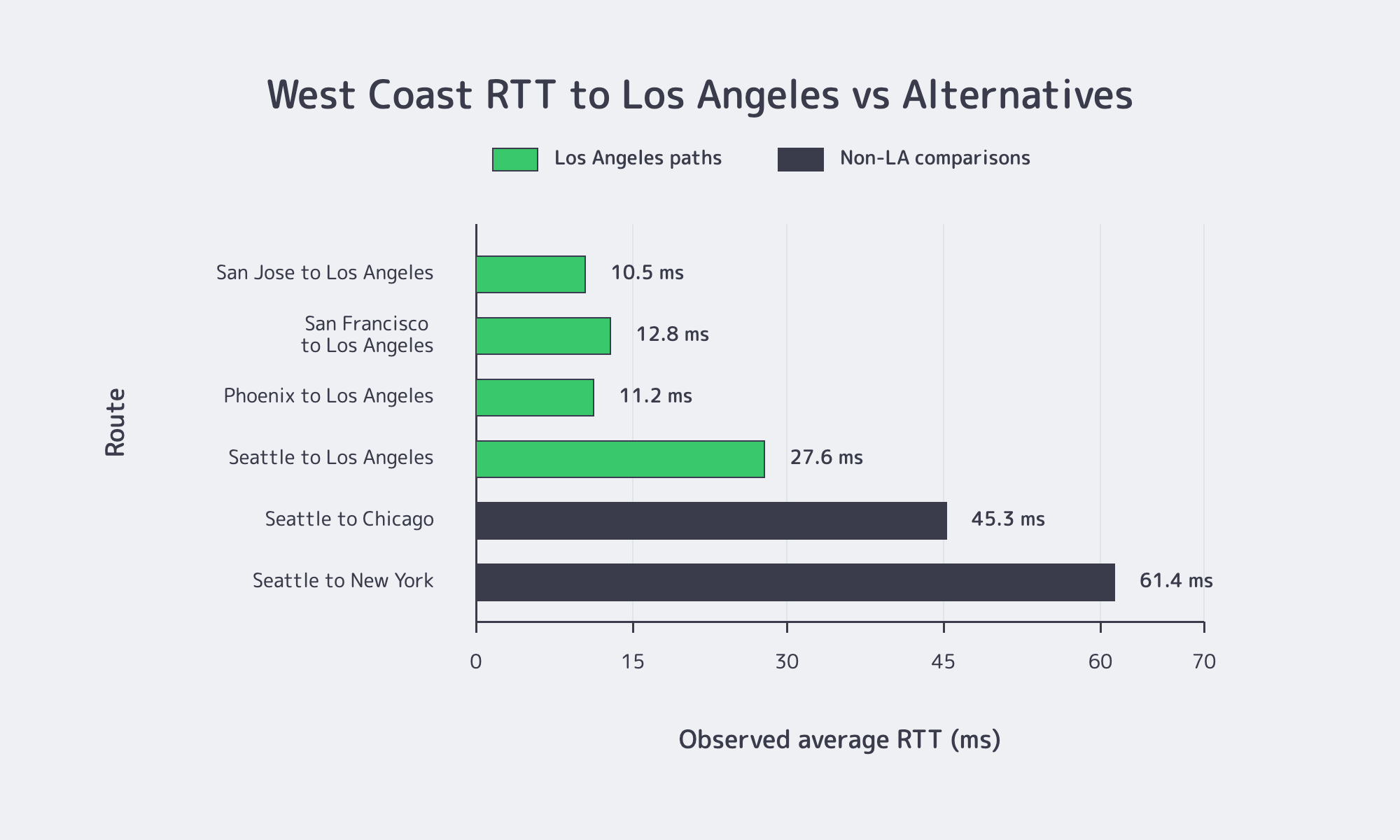
Los Angeles is not the default U.S. answer. If traffic is split evenly between coasts, central placement can win on average latency. In sample city-pair data, Seattle-to-Los-Angeles is about 27.6 ms and New York-to-Los-Angeles about 67.5 ms. Seattle-to-Chicago is about 45.3 ms and New York-to-Chicago about 19.0 ms. That tradeoff is the point: LA is for Pacific optimization, not symmetrical nationwide median latency.
How to Evaluate Dedicated Server Hosting Los Angeles for Media, Gaming, and SaaS
Dedicated server hosting Los Angeles should be evaluated on four proofs: user RTT, APAC RTT, burst-egress math, and attack-path resilience. A deployment that cannot show West Coast latency, high-bandwidth scaling, and route-testing options is a weak buy, even with strong CPU, RAM, and storage specs.
| City Pair | Observed Average RTT | Buying Implication |
|---|---|---|
| San Jose to Los Angeles | 10.5 ms | Strong fit for Bay Area-heavy SaaS and control planes |
| Seattle to Los Angeles | 27.6 ms | Usually workable for western gaming and live operations |
| Seattle to Chicago | 45.3 ms | Central U.S. adds visible delay for Pacific Northwest users |
| Tokyo to Los Angeles | 104.9 ms | Better for Japan-linked control paths than central or eastern U.S. |
| Singapore to Los Angeles | 167.4 ms | Viable for asynchronous APAC workflows, weaker for twitch loops |
Media teams should do bandwidth math before they buy a city. YouTube’s upload guidance recommends roughly 35-45 Mbps for 4K SDR uploads at standard frame rates and 8 Mbps for 1080p SDR. Melbicom’s streaming guidance recommends sizing around the top ladder rate multiplied by concurrency with headroom, and Melbicom offers server ports from 1 Gbps up to 200 Gbps per server. A 10 Gbps port with 20% headroom only covers about 180-225 simultaneous 4K streams at 35-45 Mbps. A 25 Gbps port moves into roughly 440-570. A 100 Gbps port reaches roughly 1,780-2,280. For origin, packager, or live-media roles, port planning often matters more than raw core count once codec and storage choices are right.
Gaming teams should care about location twice: geography and simulation cadence. Valve’s networking documentation describes a default Source engine simulation step of roughly 15 ms at 66.666 ticks per second. An avoidable 18-35 ms of extra RTT from choosing a farther region can cost one to two simulation ticks before client prediction and lag compensation help. For western lobbies or anti-cheat and matchmaking services, that is not an abstract difference.
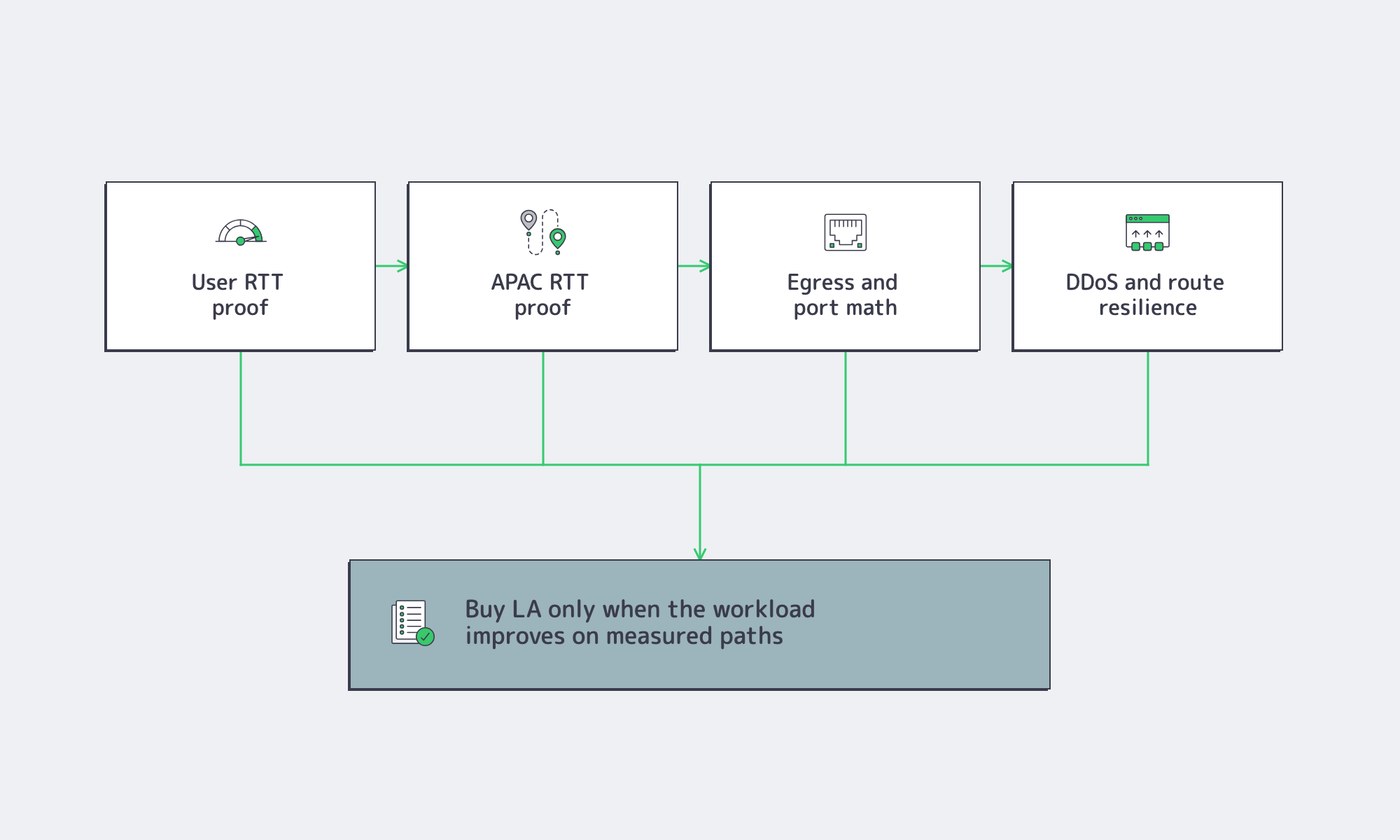
For SaaS, the right question is not “is LA fast?” but “which users and dependencies get measurably better?” If login, dashboards, AI moderation, payments, media APIs, or websocket-heavy interfaces are concentrated in Pacific time zones, Los Angeles gives the application a better network starting point. If the user base is equally split between New York and California, a central U.S. node may be the better default.
LA vs. Central US for Media and Gaming
LA beats central U.S. hosting when the Pacific edge is the business-critical edge. Media teams gain when creators, encoders, origins, or viewers are concentrated on the West Coast. Gaming teams gain when lobbies, matchmakers, state services, or APAC-linked systems are western. Central U.S. wins when the primary goal is national balance rather than Pacific performance.
Demand trends make that distinction more important. Ericsson reported global mobile network traffic at 200 exabytes per month in Q4 2025, with video representing 76% of mobile data traffic. Media delivery is not a niche workload; it is one of the dominant traffic classes. That pushes buying decisions toward port size, route quality, CDN strategy, and provider transparency rather than generic “high performance” claims.
APAC Routes, DDoS Exposure, and Bandwidth Checks Before Deployment
APAC-linked stacks are where Los Angeles becomes easiest to justify. TeleGeography’s Submarine Cable Map lists Los Angeles and nearby Southern California landing points tied into major trans-Pacific systems, including Tata TGN-Pacific, Unity/EAC-Pacific, JUPITER, SEA-US, and JUNO. Cable geography does not guarantee the best route, but it helps explain why LA can be a strong trans-Pacific node.
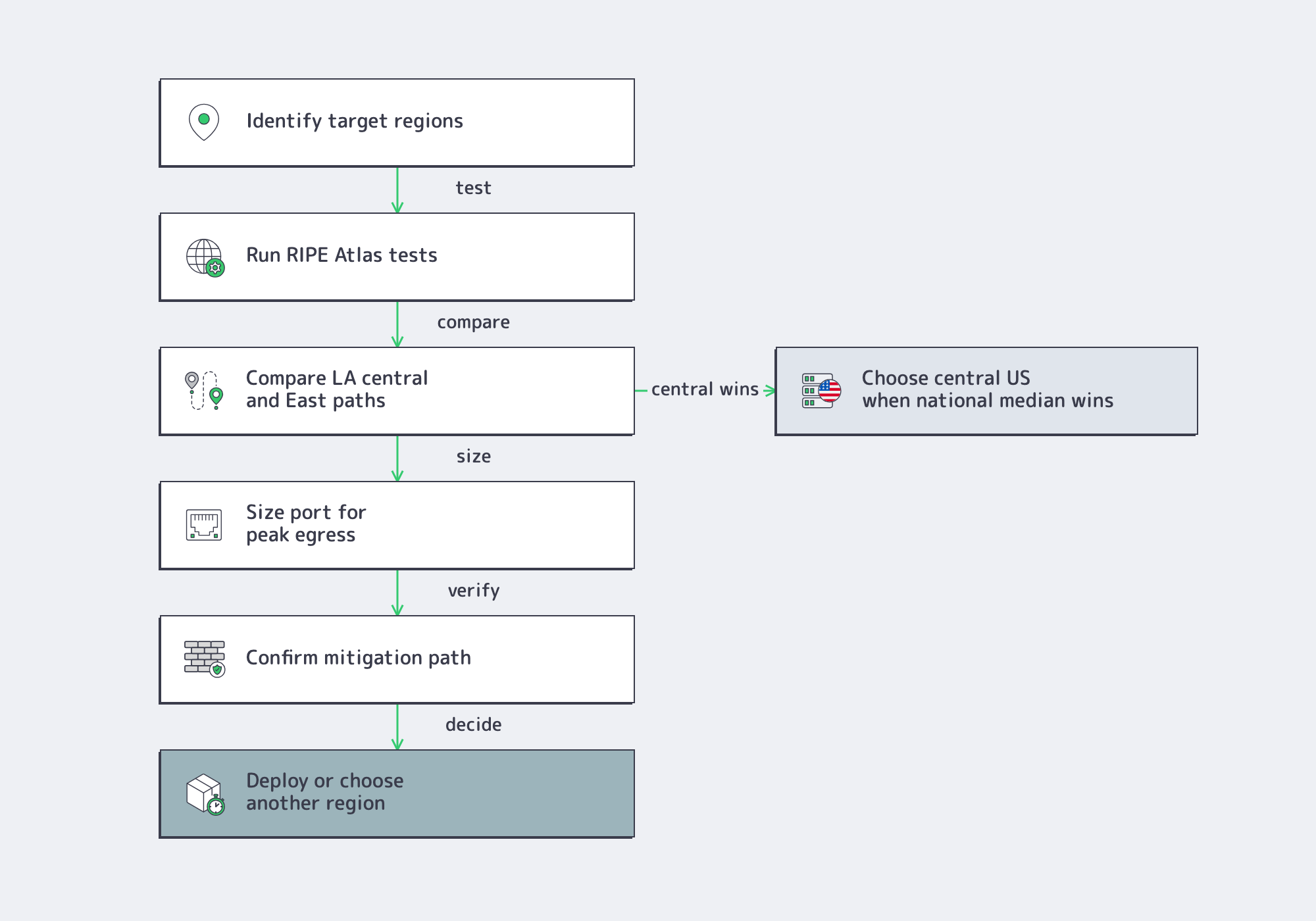
Interconnection density also matters. PeeringDB shows large LA-area exchange and facility ecosystems, including Any2West and LA2. Treat those figures as topology signals, not a promise about one provider’s exact route. The buying move is to validate with RIPE Atlas pings and traceroutes from target eyeball networks and APAC vantage points, then compare those paths with the provider’s test files and network documentation.
DDoS exposure belongs in the same checklist. Cloudflare’s Q4 2025 DDoS report said attack sizes grew by more than 700% in 2025 and included a 31.4 Tbps attack. Gaming was among the most-attacked industries. LA buyers should evaluate upstream diversity, exchange reach, mitigation pathing, and operational visibility before launch, especially for gaming, media, and public API workloads.
Where Melbicom Fits an LA Deployment
Melbicom is strongest here when it is evaluated as a published engineering surface. Its Los Angeles dedicated server and data center pages identify a Tier III LA site, 1–200 Gbps per server, and a downloadable LA test file. Melbicom’s network footprint includes redundant topology, 14+ Tbps of network capacity, 23 transit providers, 29 IXPs, 1000+ ready-to-go configurations, and 24/7 support.
For media-heavy deployments, Melbicom’s streaming servers and CDN products map cleanly onto the LA argument. Use Los Angeles for origin, packaging, stateful services, or western sessions; use CDN and object storage patterns to offload read-heavy delivery where edge fan-out is the better answer. That keeps LA from being overloaded with jobs that belong at the edge while preserving the low-latency control path where geography matters.
When Los Angeles Is the Right Call
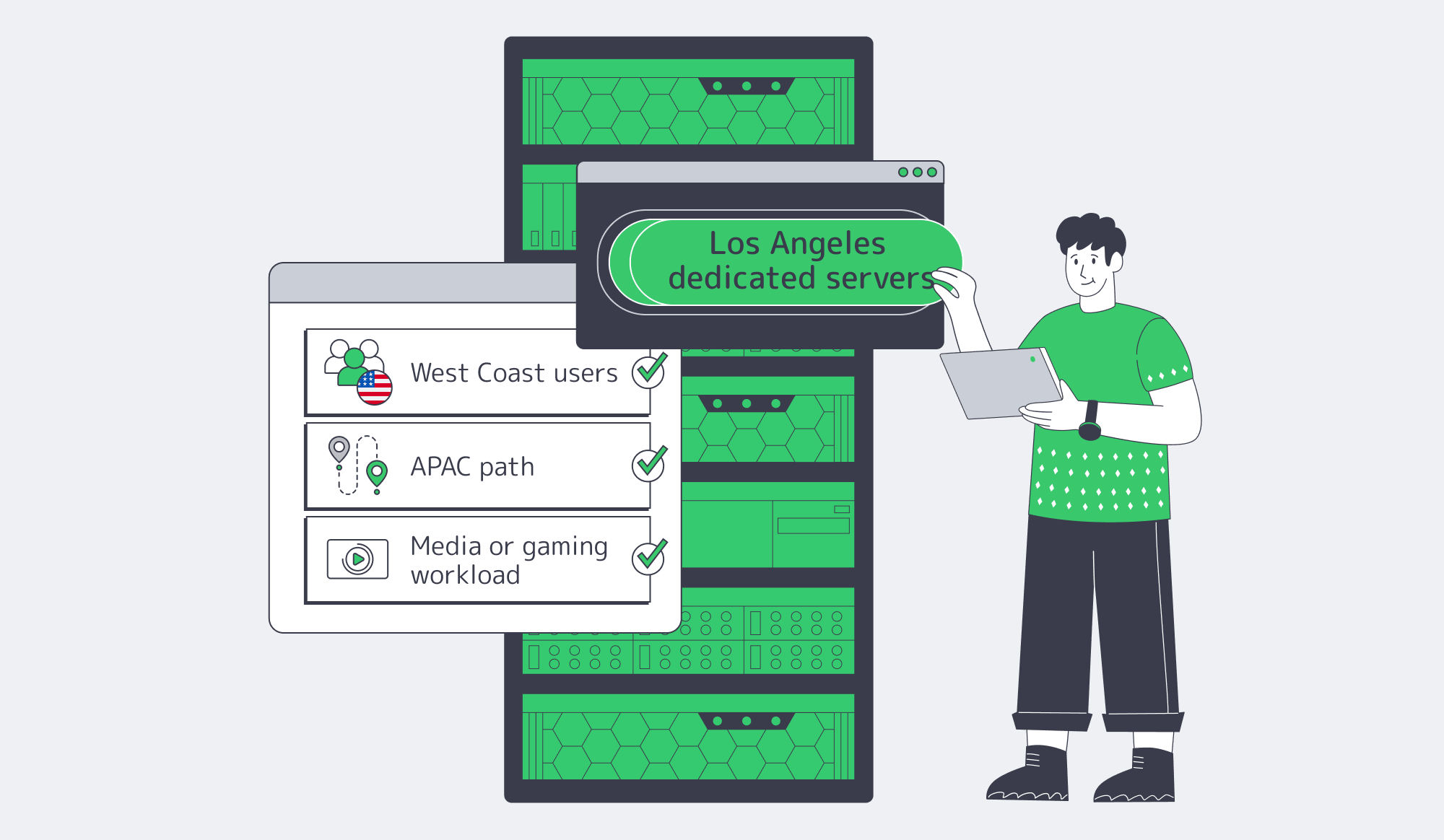
The cleanest way to buy dedicated server hosting in Los Angeles is to decide whether the workload is optimizing for Pacific performance or national averaging. Choose LA when West Coast user latency is a first-order metric, when Japan or Southeast Asia is part of the production path, or when live media and fast-twitch workloads make port size and route quality more important than generic hardware claims.
Reconsider LA when the workload is truly national and fairness between East and West matters more than Pacific optimization. In that case, central U.S. placement can produce a better median experience. The right region is the one that matches the traffic map, not the one that sounds largest on a sales page.
Explore Los Angeles Dedicated Servers
Use LA dedicated servers when West Coast latency, APAC routing, media delivery, or gaming response time matter.
Get expert support with your services
Blog
Dedicated Server Hosting Japan: When Tokyo Infrastructure Is Worth It
Tokyo is not a checkbox region. For APAC platforms, Japan is worth the spend only when Tokyo changes the live path: lower round-trip time for revenue-critical sessions, stronger routing into Japan and Northeast Asia, cleaner data-handling boundaries, or stronger failover than routing every scenario through another APAC metro.
Deploy in Japan Now– 14 ready-to-go configs – Custom configs in 3–5 business days – Tier III DC + 24/7 support |
|
The placement decision should be technical, not symbolic. Backbone telemetry, Japan traffic signals, privacy guidance, and Melbicom’s Japan dedicated servers and Tokyo dedicated servers point to one rule: use Japan as the hot path when Tokyo materially improves latency, control, or recovery.
When Dedicated Server Hosting Japan Improves APAC User Experience
Dedicated server hosting in Japan improves APAC user experience when Tokyo sits within roughly 30 ms RTT of the users who drive conversions, trading activity, gameplay state, or authenticated session depth. At that distance, Tokyo behaves like a real application region, not a backup site, and the latency gain can change write latency and jitter.
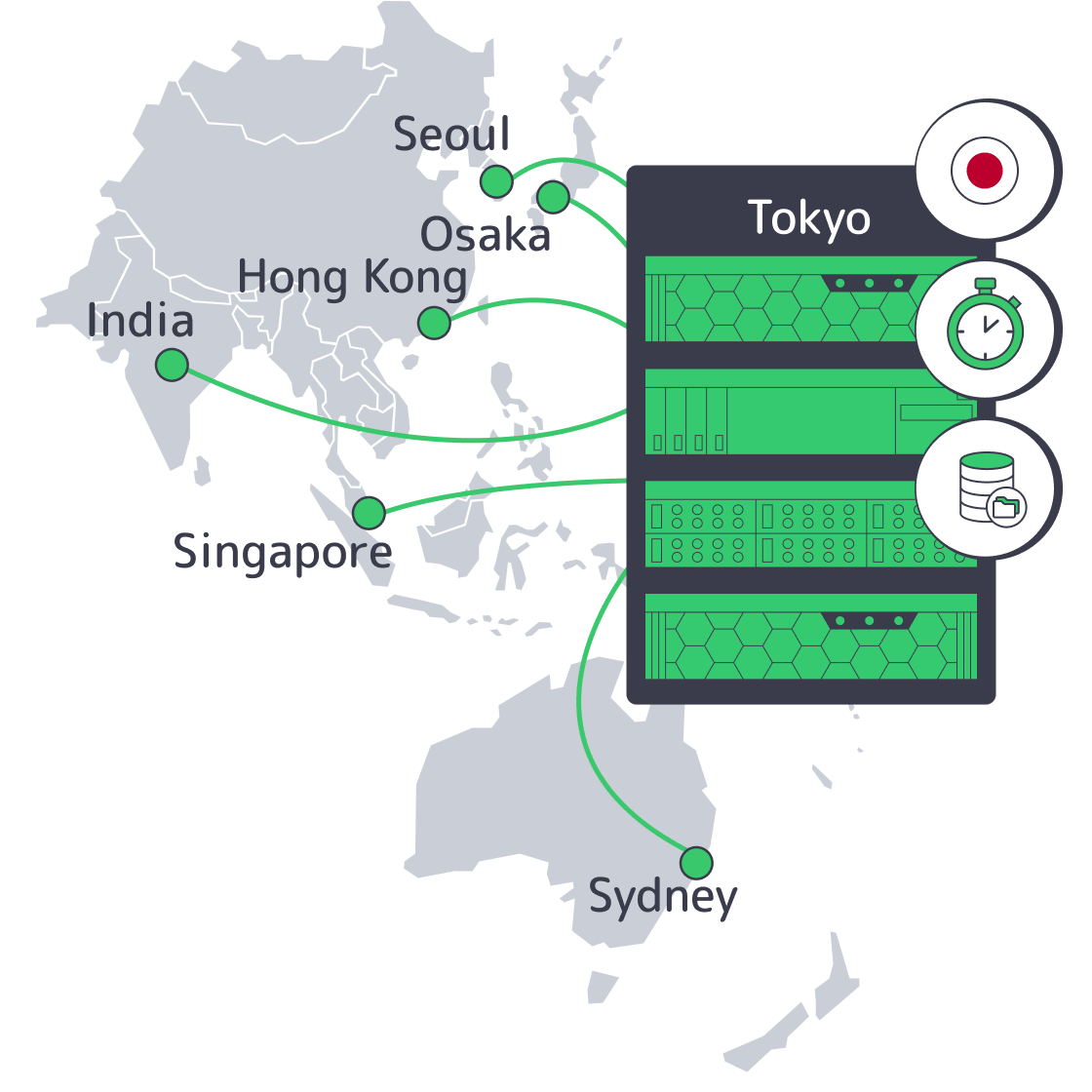
Japan’s infrastructure value is Tokyo as a routing and cable node, not “Asia” as a label. A CSIS case study notes that 99% of Japan’s communications depend on subsea cables and that Japan has at least 20 international submarine cable landing stations connecting it to the United States, Australia, South Korea, Southeast Asia, Russia, and the Mediterranean.
The experience argument is no longer just ping. Cloudflare Radar’s Japan overview, crawled in June 2026, shows Japan traffic at 57.4% mobile, with IPv6 at 53.4% of observed traffic and HTTP/3 at 25.3%. If Japan is user-facing, the origin path must handle mobile networks, dual-stack delivery, and QUIC-heavy traffic.
Latency Map Beyond Geography
The table below uses IBM Cloud latency data and Microsoft Azure latency statistics. It shows where Tokyo belongs on the write path.
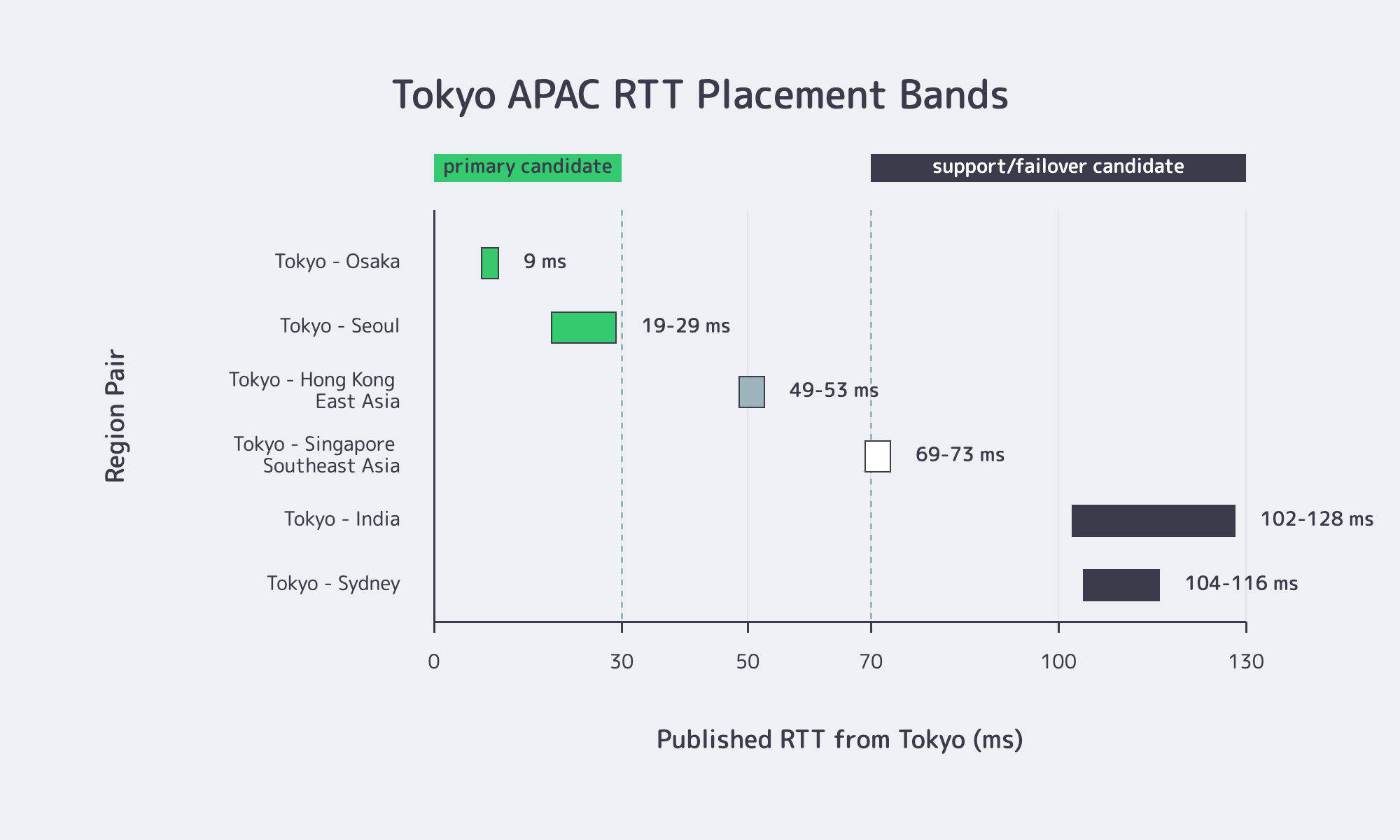
| Region Pair Involving Tokyo | Published RTT | What It Means |
|---|---|---|
| Tokyo ↔ Osaka | 9 ms | Same-country synchronous protection is realistic for many transactional workloads |
| Tokyo ↔ Seoul | 19–29 ms | Tokyo can be primary for Japan and Korea without a punishing write penalty |
| Tokyo ↔ Hong Kong or East Asia | 49–53 ms | Good for reads and many APIs; strong-consistency writes start to feel distance |
| Tokyo ↔ Singapore or Southeast Asia | 69–73 ms | Better for async replication and support services than SEA-first interactive writes |
| Tokyo ↔ India | 102–128 ms | Japan should rarely be the primary write region for India-first traffic |
| Tokyo ↔ Sydney | 104–116 ms | Viable as backup or data tier, not ideal as live write origin for Australia-first platforms |
Those ranges are why “closest on a map” is not enough. Tokyo can feel excellent for Japan and Korea, workable for Hong Kong-oriented traffic, and costly for Southeast Asia, India, or Australia. When user writes wait on the database, wide-area RTT compounds quickly.
Tokyo Latency, Routing, Storage, and Bandwidth Requirements to Compare
Tokyo latency, routing, storage, and bandwidth requirements should be compared as one system, not four separate line items. If Tokyo-to-user RTT stays under about 30 ms, Japan can justify a primary role for write-heavy applications; once paths approach 70 ms or more, replication design and port capacity usually decide whether Japan stays primary.
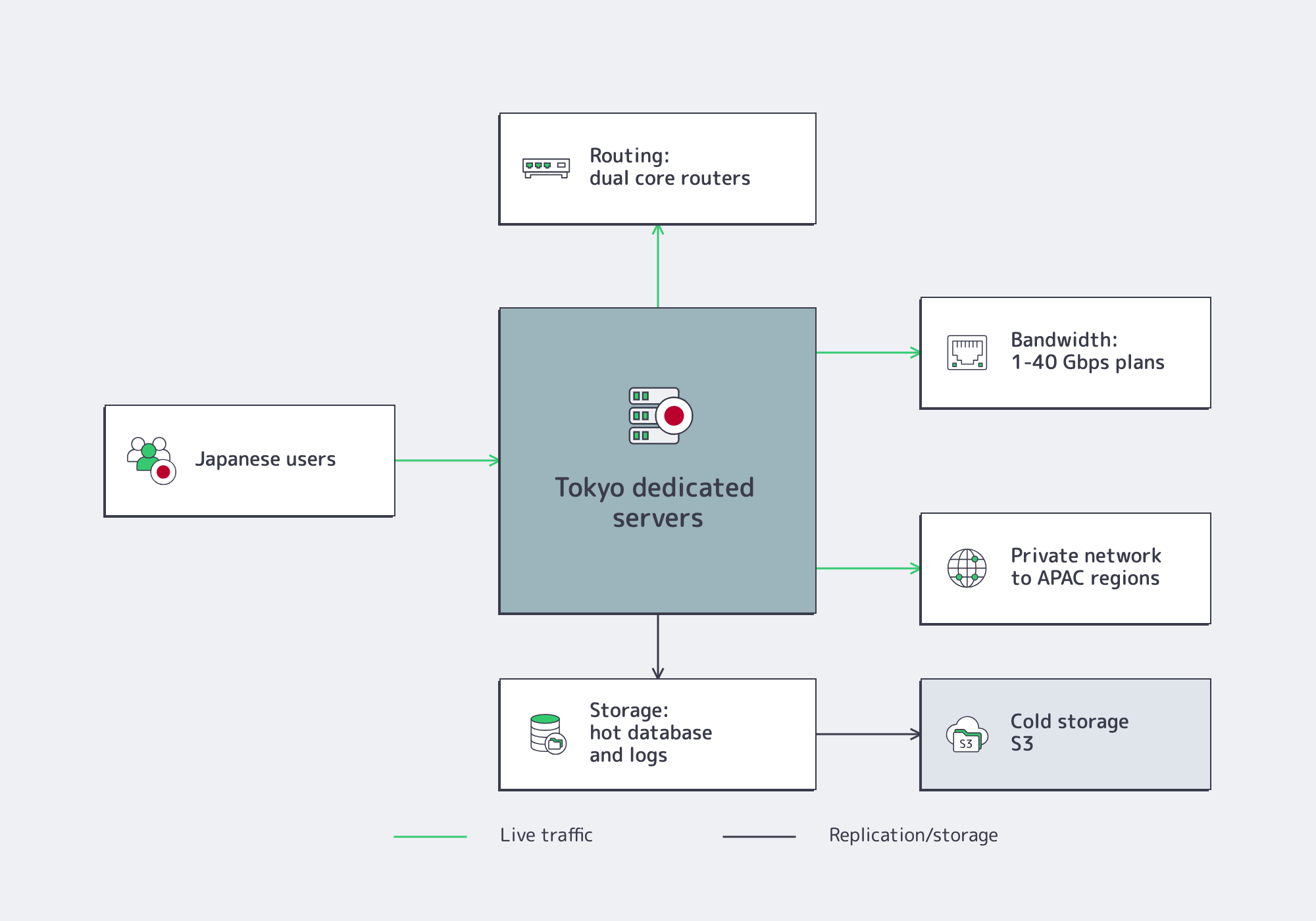
Start with routing, not hardware. TYO1 is a Tier III Tokyo site with 1–100 Gbps per server, while the network design uses redundant aggregation, dual core-router attachment, VRRP-protected L3, and private data-center networking. That lets Tokyo serve users and anchor multi-site topology.
Storage should follow the read/write path. If Japan hosts the live database, keep hot storage and the primary write log in Tokyo. If Japan is a support point, keep only hot Japanese-user data local and push colder objects to storage dedicated servers.
Bandwidth is where Japan designs often break quietly. Media origins, software distribution, exports, backups, and cross-region rehydration can turn a low-latency Tokyo server into a congested one. Tokyo dedicated server configurations include 14 ready-to-go options, including configurations built on Intel Xeon Scalable G3 CPUs, 128 GB DDR4 RAM, and 1–40 Gbps bandwidth plans with 50 TB or unmetered transfer. Japan unmetered dedicated server options map to 1 Gbps, 2 Gbps, 5 Gbps, 10 Gbps, and 40 Gbps use cases.
Storage Design Should Follow the Write Path
A simple rule holds: keep the authoritative write path where synchronous acknowledgement is still tolerable. PostgreSQL documentation is explicit that synchronous replication makes each write transaction wait for standby confirmation, and the minimum wait is the round-trip time between primary and standby. Tokyo-to-Osaka protection can fit transactional systems; Tokyo-to-Singapore or Tokyo-to-India synchronous commits are product decisions users may feel.
Primary Japan Deployment Versus Supporting APAC Region Strategy
Primary Japan deployment versus supporting APAC region strategy turns on where interactive writes originate. If more than half of latency-sensitive sessions come from Japan or nearby North Asia, Japan usually deserves the hot path; if revenue-critical traffic is concentrated in Southeast Asia or India, Japan more often works as compliance, cache-fill, analytics, or failover infrastructure.
A Tokyo-primary design makes sense when interaction clusters in Japan, Korea, and adjacent East Asia; when the platform depends on Japan-based partner integrations; or when tail latency matters more than average latency. Published RTTs such as Japan-West to Korea-Central at 18 ms and Japan-East to East Asia at 53 ms support Japan on the live path.
A Japan-supporting design is different. If most active users sit in Southeast Asia, published paths put Tokyo at roughly 69–73 ms before application processing or database waits. For India-oriented traffic, the range is roughly 102–128 ms. Japan still matters for local compliance posture, Japan-only APIs, customer data separation, analytics, cache fill, or failover for Japanese users.
Failover follows the same physics. Use synchronous or near-synchronous protection only where RTT leaves enough write budget for the product. Use asynchronous replication across longer APAC spans. PostgreSQL frames the tradeoff cleanly: synchronous replication raises response time because commits wait for standby confirmation, while asynchronous patterns expose data-loss risk proportional to replication delay at failover.
Melbicom’s topology supports both patterns. Private networking can extend across data centers, and the broader Asia dedicated servers footprint lets Japan participate in a multi-region design instead of forcing Tokyo to do every job.
Compliance Workloads for Japan Servers
Dedicated server hosting in Japan helps compliance-sensitive workloads when local infrastructure narrows data-handling, audit, access, and third-party-risk scope. Japan hosting does not replace legal analysis, but Japan-located dedicated infrastructure can simplify controls for data, backups, admin access, and recovery procedures.
Japan’s Personal Information Protection Commission separates location from control. The PPC’s English legal page references the current APPI consolidated text as of April 1, 2023. Its FAQ says storing personal data on a foreign server is not automatically a foreign third-party transfer if the foreign operator does not handle the data. It also says a server physically in Japan can still raise foreign-transfer issues when a foreign cloud operator handles the stored personal data.
That is why dedicated infrastructure in Japan remains attractive for audit-heavy workloads. Teams can define who accesses systems, where backups land, how admin paths are documented, and how recovery is executed. The Basel Committee’s 2025 third-party risk principles reinforce the same direction: due diligence, contracting, monitoring, continuity, and termination all matter across the provider lifecycle.
For most APAC platforms, Tokyo should be the hot path when:
- Japan or Northeast Asia accounts for most latency-sensitive sessions, and RTT stays in the sub-30 ms to low-50 ms range instead of the 70 ms-plus range seen into Southeast Asia and India.
- The workload is write-sensitive enough that one additional wide-area round trip per commit would be visible to users or downstream systems.
- The application needs strong routing into Japan, mobile-heavy network behavior, IPv6 readiness, and HTTP/3-friendly origin performance.
- Data handling, auditability, or customer requirements favor a Japan-located boundary, though APPI still depends on provider access.
- Failover needs Japan to remain independently serviceable, with private networking and enough port capacity to rehydrate data or absorb traffic.
A Practical Rule for Japan Hosting
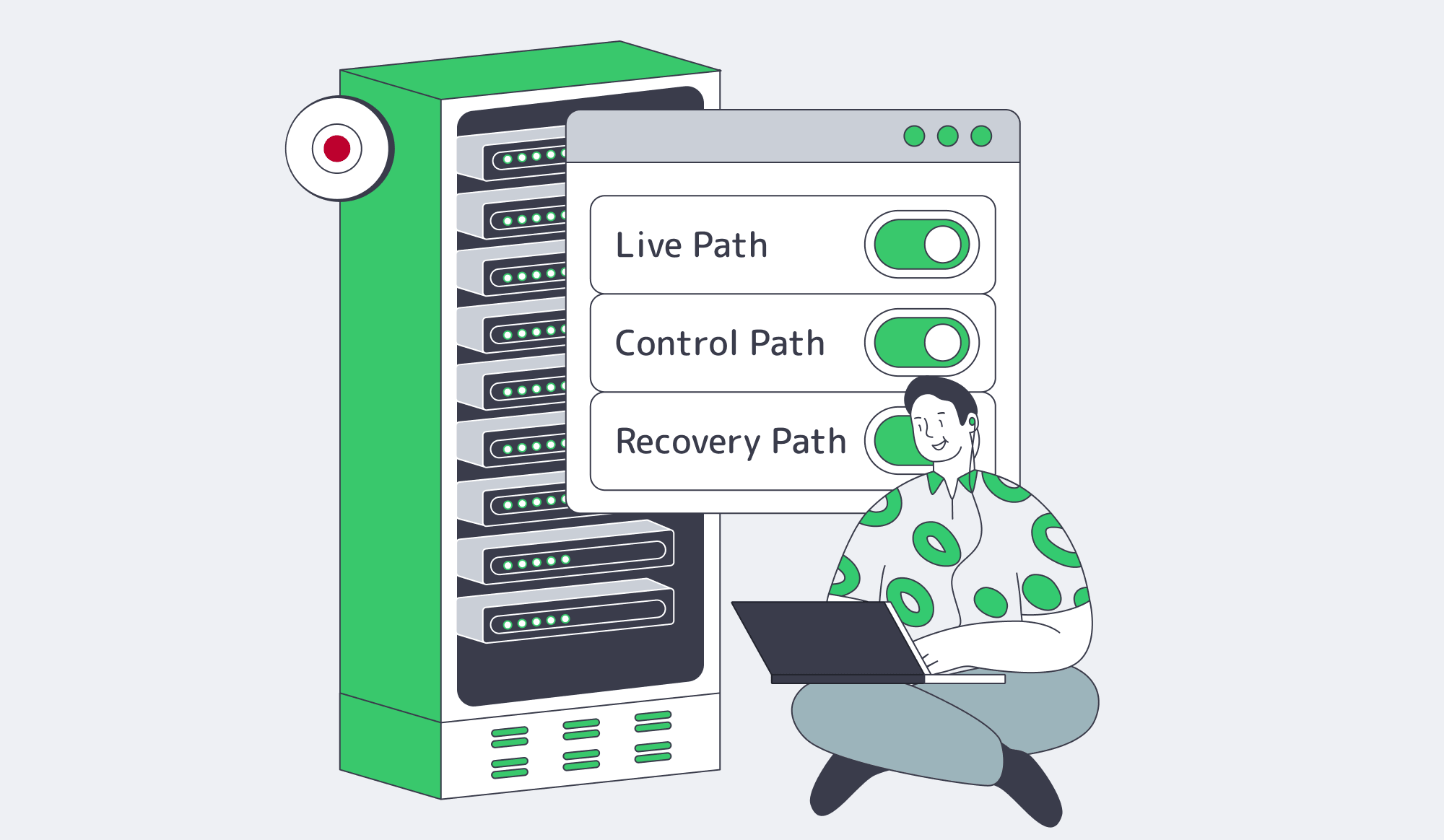
The cleanest rule for dedicated server hosting in Japan is this: pay for Tokyo when it changes the live path, control path, or recovery path enough to be more than another APAC box. If Tokyo does not improve one of those paths, keep Japan close to the user or regulator but off the synchronous write path.
That makes Japan a precision region. It should be primary when Tokyo lowers meaningful latency or protects Japan-centered transactions. It should support serviceability, compliance posture, cache fill, analytics, or recovery when another metro owns live writes. The wrong move is treating Tokyo as a generic APAC default; the right move is measuring whether Japan belongs on the hot path.
For teams deciding now, compare Tokyo against the real write path, data-control needs, and bandwidth profile.
Explore Japan Dedicated Servers
Deploy in Tokyo with high-bandwidth Japan dedicated servers, unmetered options, private networking, and a broader Asia footprint.
Get expert support with your services
Blog
Linux Dedicated Server: Production Checklist for Control, Security, & Scale
Production teams usually outgrow VPS hosting for operational reasons before raw CPU. The trigger is variance. A 2023 academic study on public-cloud VMs found rented virtual machines lack hard performance guarantees and vary across providers and benchmarks; a 2026 Kubernetes testbed measured noisy-neighbor slowdowns up to 67% for I/O-bound workloads under combined contention. Flexera’s 2026 State of the Cloud survey found 73% of organizations run hybrid estates and estimated 29% wasted IaaS/PaaS cloud spend.
The point of a Linux dedicated server is not nostalgia for physical hardware. The point is deciding what the kernel, scheduler, storage stack, container runtime, and management plane are allowed to do, then keeping those decisions stable for databases, queueing tiers, worker pools, and edge nodes where jitter or weak failure boundaries become expensive.
Build Linux Hosts– 1000+ ready-to-go servers – 21 Tier III/IV data centers – KVM/API and 24/7 support |
|
What a Linux Dedicated Server Enables
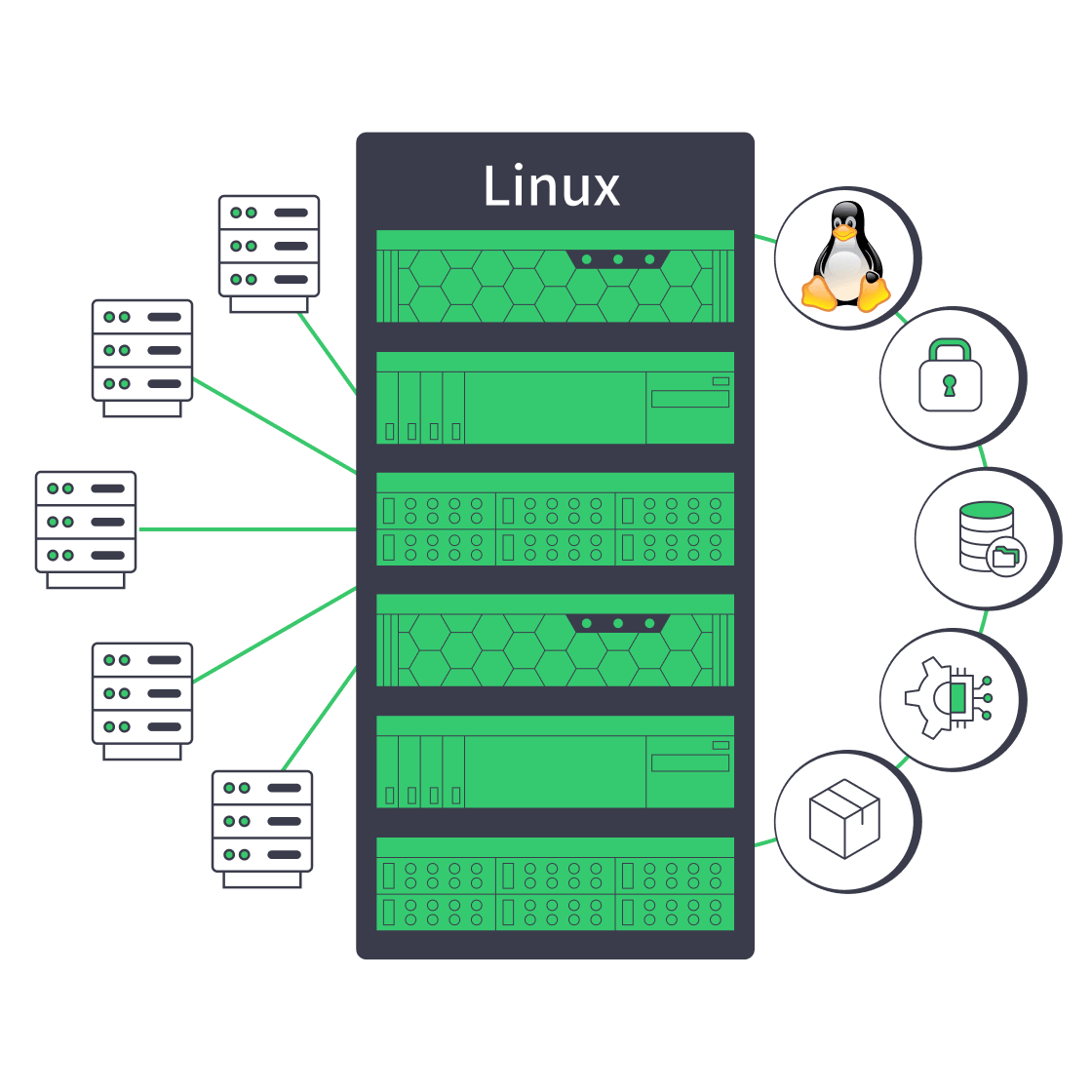
A Linux dedicated server gives production teams deterministic control over CPU, memory, storage, networking, and kernel behavior that VPS hosting cannot guarantee under multi-tenant contention. If a workload is sensitive to I/O jitter, needs custom kernel policy, or requires fixed per-host storage and network boundaries, dedicated infrastructure becomes a production design choice.
Dedicated Linux Is About Determinism
The production gain is fewer hidden variables. A dedicated Linux server removes hypervisor scheduling as a shared unknown, gives the team a fixed kernel and filesystem posture, and makes performance debugging less probabilistic. That is why dedicated infrastructure appears when P99 latency drifts without an application-level cause or storage-heavy services degrade during contention windows.
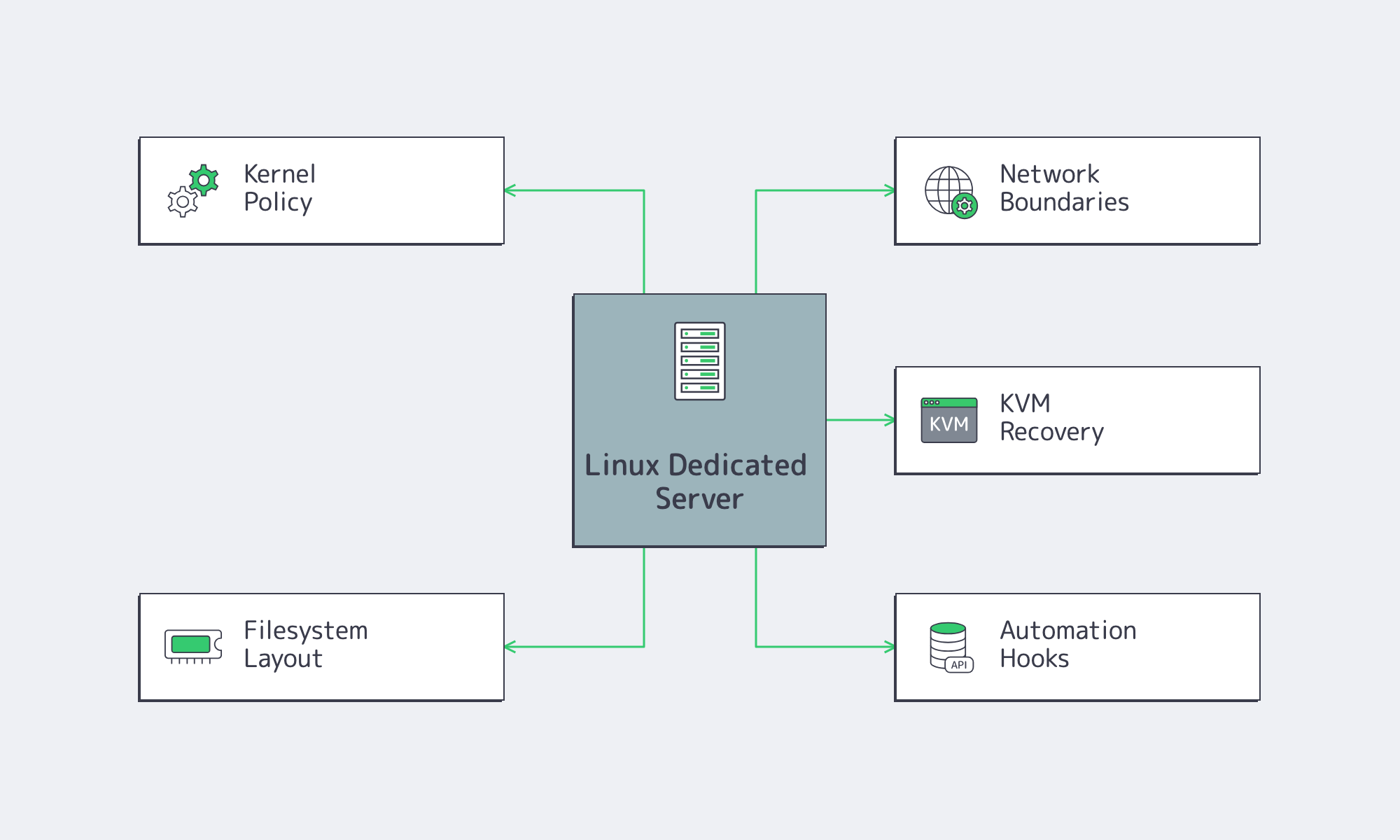
Melbicom’s dedicated servers support KVM/API access, initial OS installation help, and an isolated management network for control. Melbicom operates 21 Tier III and Tier IV data centers, offers 1000+ ready-to-go configurations, and supports up to 200 Gbps per server. Its backbone includes 23 transit partners and 29 IXP peering hubs for repeatable multi-region deployments.
Linux Server OS and Storage Decisions
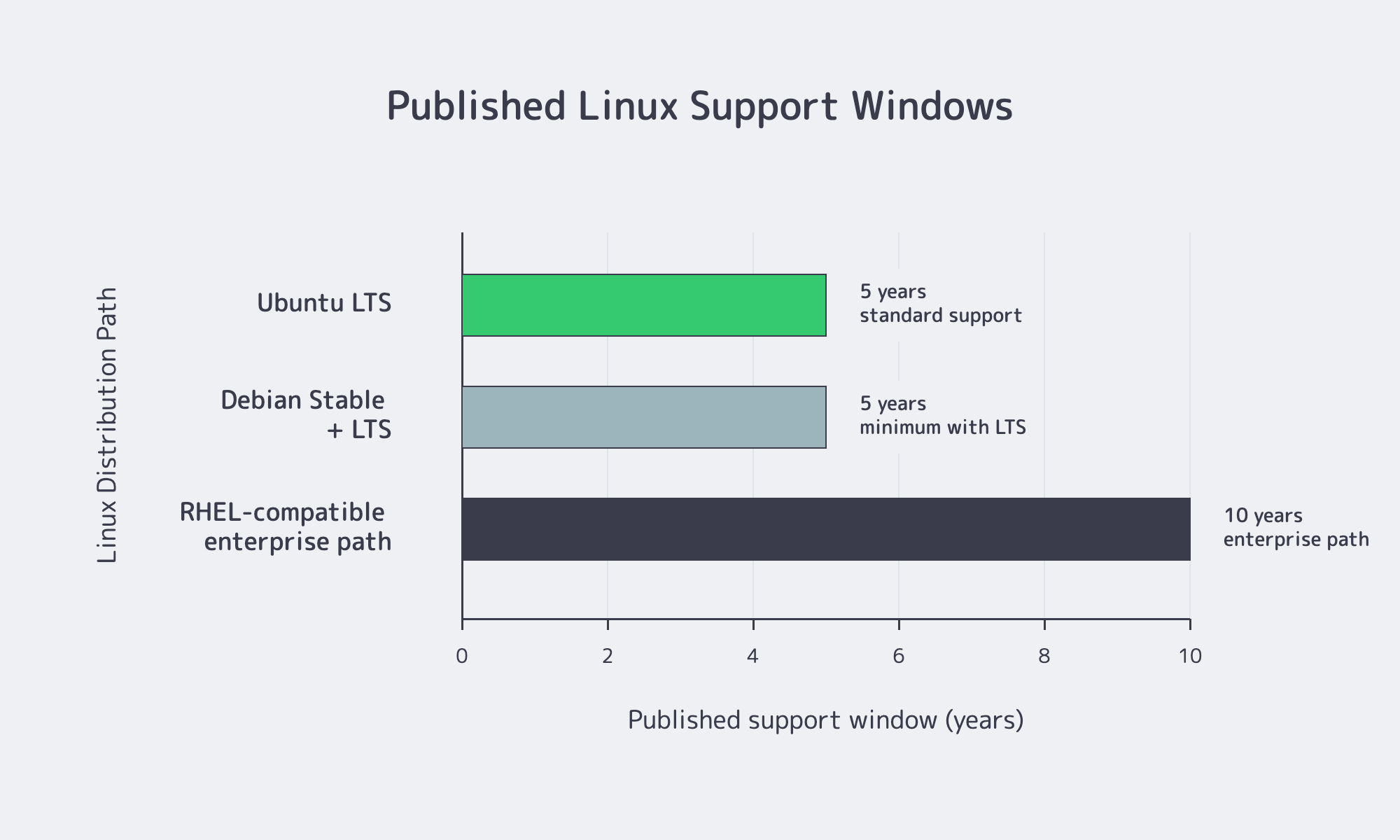
Select a Linux dedicated server by matching OS lifecycle, kernel policy, automation fit, and storage semantics to the workload. A five-year Debian or Ubuntu path fits fleets that upgrade regularly; ten-year RHEL-family paths fit environments that prioritize ABI stability, slower change, and longer maintenance planning.
| Fleet Priority | Distribution Path | Why It Fits |
|---|---|---|
| Vendor-backed support and long maintenance windows | RHEL or Ubuntu LTS | RHEL publishes a 10-year lifecycle; Ubuntu LTS publishes 5 years of standard support with longer coverage options |
| Stable application hosts with selective package refresh | Debian Stable | Debian Stable plus LTS gives at least 5 years, with backports used selectively |
| RHEL-compatible standardization without per-node subscription | AlmaLinux or Rocky Linux | Long RHEL-family release windows fit teams that own most OS-level troubleshooting |
Linux Dedicated Server by Distribution
Ubuntu is strong when teams want a fast-moving but production-friendly server Linux with clear LTS cadence, broad hardware coverage, and Livepatch options. Debian fits conservative bases and narrow backports. RHEL fits ABI stability, lifecycle planning, and vendor-backed errata. AlmaLinux and Rocky Linux fit RHEL-compatible behavior when the team can define its own escalation model.
Kernel Policy Is the Hidden Contract
Kernel choice is where many dedicated Linux server builds silently diverge. Ubuntu LTS defaults to a General Availability kernel and offers HWE kernels for newer NICs, storage controllers, and hardware enablement; the tradeoff is movement to newer kernel lines. RHEL favors stable major releases with backported fixes. Debian offers backports, but its guidance recommends using them selectively. GA kernels reduce surprise, HWE reduces hardware friction, and live patching reduces reboot urgency, but none replaces a documented reboot and rollback policy.
A Dedicated Linux Server Should Be Rebuilt from Code, Not Patched by Hand
Automation is mandatory once a team standardizes a dedicated Linux server fleet. HashiCorp describes infrastructure as code as a safe, consistent, repeatable way to define infrastructure, and Google’s Terraform guidance calls manual infrastructure management time-consuming and error-prone at scale. CNCF’s 2026 cloud native survey found that 82% of container users run Kubernetes in production, while 58% of cloud-native “innovators” report extensive GitOps use.
If users, SSH policy, firewalling, monitoring, packages, and mounts cannot converge from source-controlled definitions, the fleet will drift. Melbicom’s KVM/API access, stock configurations, custom builds in 3–5 business days, initial OS installation support, and managed services make rollout easier to fold into platform automation.
Storage Layout Keeps Incidents Small
Storage design should start with failure domains, not raw capacity. Red Hat recommends XFS as the default local filesystem on RHEL unless there is a specific reason to choose otherwise. Docker’s overlay2 driver supports XFS only when d_type=true is enabled and also supports ext4. Kubernetes states that local ephemeral storage is for scratch space, caches, logs, image layers, and writable container layers; it is not durable storage.
The lower-risk pattern is simple: separate the OS volume from application data, and separate persistent data from container image layers, writable layers, and logs. Use ZFS when checksums, snapshots, and scrubs justify the complexity. Use XFS or ext4 when tooling familiarity and standard container-host behavior matter more.
Security Hardening and Container Strategy for a Linux Dedicated Server
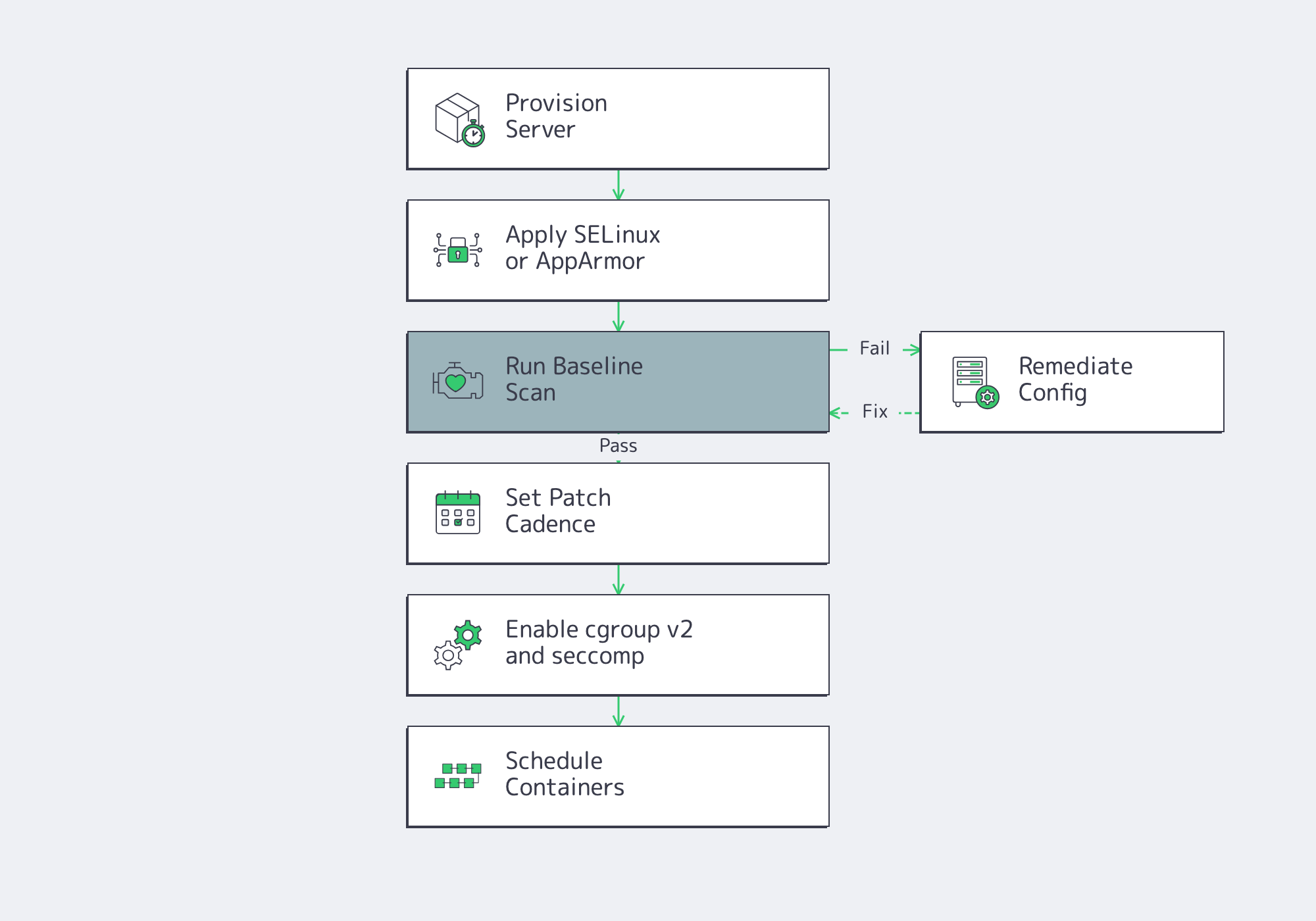
A Linux dedicated server should ship with enforcing mandatory access controls, audited baselines, documented patch cadence, and least-privilege container policy. For container hosts, cgroup v2, RuntimeDefault seccomp, and Kubernetes Baseline or Restricted Pod Security should be minimum production requirements.
Hardening Begins with the Host
The host still matters. Red Hat documents SELinux enforcing mode as the default and recommended mode on RHEL; Ubuntu ships AppArmor installed and loaded by default. ComplianceAsCode and OpenSCAP exist because security configuration has to be testable and automatable, not just written into a wiki.
Verizon’s 2026 DBIR reports vulnerability exploitation as the top breach entry point at 31% of breaches. The same source says only 26% of CISA KEV-listed critical vulnerabilities were fully remediated in 2025, with median full resolution rising to 43 days. Production hardening cannot depend on perfect patch velocity. Mandatory access control, audit coverage, and baseline scanning narrow blast radius while patch queues catch up.
Containers Must Respect the Host
Containers do not erase host decisions; they amplify them. NIST SP 800-190 frames containers as portable and automatable, but still emphasizes lifecycle-wide security. Kubernetes recommends cgroup v2 for stronger resource management and isolation, supports RuntimeDefault seccomp as the default profile on nodes, and defines Pod Security Standards from Privileged to Baseline to Restricted.
The right stance is not “run containers everywhere.” It is “run containers only on hosts whose kernel, cgroup, seccomp, namespace, admission, storage, and logging policies fit them.” The common mistake is turning one server into an accidental all-in-one cluster node, registry cache, build runner, and log sink. Stateful services, build caches, and logs should not compete for the same filesystem.
Support Model for Short Incidents
Support is a production design choice, not a procurement footnote. Ubuntu and RHEL publish formal vendor support structures; Debian publishes Stable plus LTS; Rocky Linux describes itself as community supported; AlmaLinux publishes long release windows for a forever-free enterprise operating system. Each model is valid, but each creates a different midnight escalation path.
Provider responsibility is separate. Melbicom supports production operations with 24/7 support, initial OS installation help, managed services, KVM access, network troubleshooting, private networking, BGP capability, and isolated management access. Hardware and network incidents have an owner; OS policy stays with the platform team unless managed services are added.
Linux Dedicated Server Rollout Checklist
A production Linux dedicated server rollout is ready when the team can answer these questions with configuration files, monitoring, and runbooks:

- Choose dedicated infrastructure when the workload has a measurable reason to leave multi-tenant hosting: I/O jitter, fixed placement, predictable utilization, or regional architecture that benefits from stable host-level control.
- Treat distribution choice as an escalation model, not a preference. Ubuntu LTS, Debian Stable, RHEL, AlmaLinux, and Rocky Linux can all be correct when lifecycle, package cadence, and support ownership match the fleet.
- Document kernel policy before deployment: GA versus HWE, backports, reboot cadence, live patching scope, rollback path, and hardware enablement tradeoffs.
- Rebuild servers from source-controlled automation. Users, SSH policy, firewalling, monitoring, packages, mounts, and container runtime settings should converge consistently across the fleet.
- Split storage by blast radius. OS, persistent data, image layers, writable container layers, and logs should not all share the same failure mode.
- Define container guardrails before scheduling workloads: cgroup v2, seccomp, RBAC, admission policy, Pod Security level, logging, and ephemeral-storage limits.
- Separate provider-owned hardware and network responsibilities from team-owned OS and application responsibilities, then add managed services intentionally where operational coverage requires it.
If that checklist points toward dedicated infrastructure, the next step is configuration. Selection should compress around distribution lifecycle, kernel policy, storage boundaries, automation depth, container posture, placement, and support ownership.
Build Your Linux Server
Match OS, kernel, storage, automation, and support needs to Melbicom dedicated server capacity.
Get expert support with your services
Blog
Dedicated Server Hosting Atlanta: When the U.S. Southeast Works Best
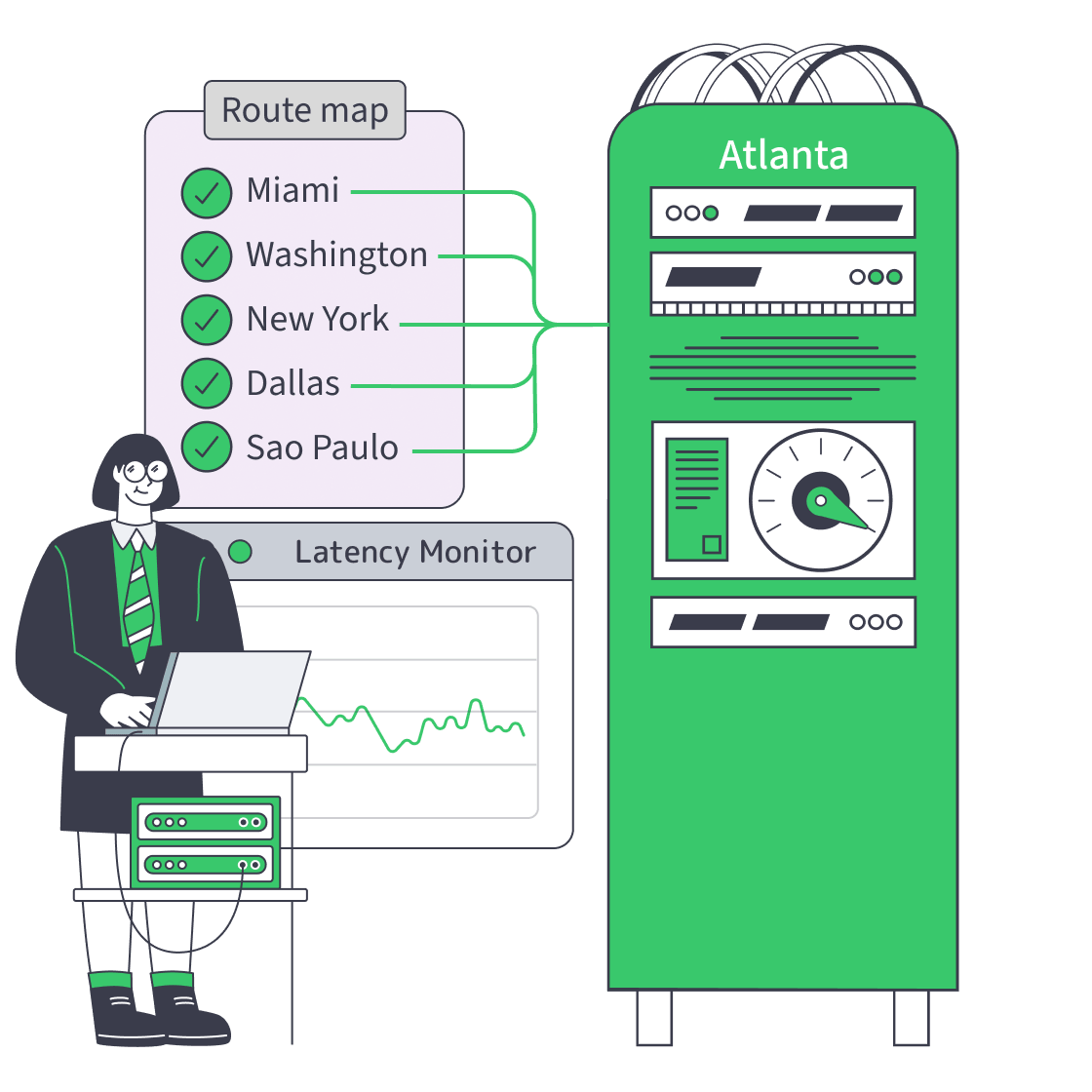
Atlanta is worth discussing as a network node, not as a civic branding exercise. Its value comes from the Southeast’s interconnection fabric, the 56 Marietta carrier corridor, fiber routes along the Florida–New York axis, and a growing inland path for subsea ingress from Myrtle Beach toward Atlanta and Northern Virginia. At the exchange layer, Community IX Atlanta has roughly 110–114 participating networks and about 15.9–17.9 Tbps of connected capacity, which is the kind of density that changes routing outcomes more than skyline photos ever will. 1
Deploy in Atlanta– Tier III DC in Atlanta – 64-128 GB RAM options – Up to 200 Gbps per server |
|
That makes Atlanta especially relevant for platforms balancing three realities: low-latency reach into the Southeast U.S., credible East Coast access, and workable adjacency to Latin America without pretending Atlanta is the shortest Brazil-heavy route. The question is not “Is Atlanta central?” but “Is Atlanta the best blend of latency, peering depth, route diversity, and operating cost for this traffic mix?”
When Does Dedicated Server Hosting Atlanta Fit Southeast U.S. Traffic?
Dedicated server hosting Atlanta fits Southeast U.S. traffic when most user sessions land in Georgia, Florida, the Carolinas, Tennessee, Virginia, or the broader Eastern corridor, and the workload can accept roughly 100–125 ms to major South American metros. It is strongest when sub-20 ms U.S. regional reach matters more than trimming Brazil-bound paths.
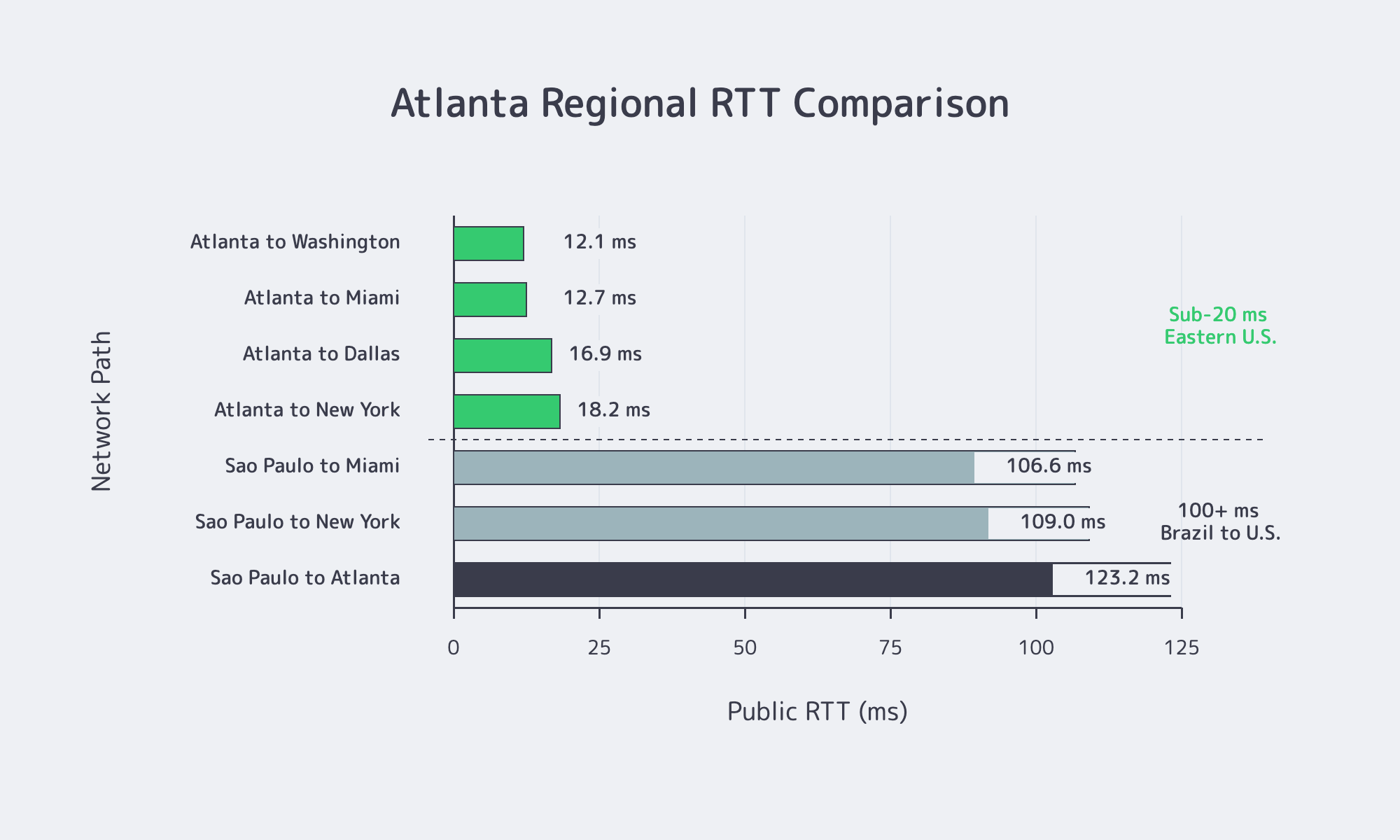
WonderNetwork’s city-to-city latency dataset is generated from 30-ping test runs between endpoints, so it should be treated as directional benchmarking rather than a delivery guarantee. Even with that caveat, it captures Atlanta’s core advantage: Atlanta is very close to the Southeast and Mid-Atlantic, still close enough to New York for dual-region design, and noticeably farther from São Paulo than Miami is. 2
| Path | Typical Public RTT | Deployment Read |
|---|---|---|
| Atlanta → Miami | ~12.7 ms | Strong for Florida reach and Southeast failover logic. 3 |
| Atlanta → Washington | ~12.1 ms | A practical benchmark for Mid-Atlantic and Northern Virginia corridor reach. 4 |
| Atlanta → New York | ~18.2 ms | Good enough for East Coast dual-node architecture without forcing everything into the Northeast. 5 |
| Atlanta → Dallas | ~16.9 ms | Useful when Southeast traffic also spills toward Texas or central U.S. integrations. 6 |
| São Paulo → Atlanta | ~123.2 ms | Fine for LatAm-adjacent control planes, origins, and replication; weaker for Brazil-primary interactive delivery. 7 |
| São Paulo → Miami | ~106.6 ms | Better if lowest Brazil-to-U.S. RTT dominates the architecture. 8 |
| São Paulo → New York | ~109.0 ms | Shows Atlanta is not the shortest LatAm path, but it is not dramatically worse than Northeast routes either. 9 |
That table translates into a simple architectural rule. If traffic is mostly Georgia, Florida, the Carolinas, Tennessee, Virginia, and the larger East Coast corridor, Atlanta is often the better first U.S. node than a more northerly location because it keeps the Southeast close without isolating the platform from the Northeast. If Brazil or other LatAm markets become the primary interactive audience, Atlanta should usually become the U.S. anchor in a two-node design rather than the only node.
The routing fabric around Atlanta supports that interpretation. Community IX says Atlanta is available to ISPs, content providers, and enterprises across many metro sites; Internet Society Pulse shows about 110 ASNs at CIX-ATL and notes 25 new ASNs joined over the prior 12 months as of May 2026. That is not background noise. It is evidence that Atlanta is an active peering market, which matters when the goal is to reduce avoidable transit hairpins for Southeastern eyeball traffic. 10
Atlanta and East Coast Redundancy
Atlanta versus East Coast hosting is usually a redundancy decision, not a winner-takes-all decision. Dedicated server hosting Atlanta gives very strong Southeast reach and keeps the Mid-Atlantic within roughly a dozen milliseconds, while also offering inland route diversity. The tradeoff is straightforward: Miami is the better single U.S. node for the shortest South America paths, while the Northeast still pulls closer to finance-heavy northern corridors.

Recent market data shows Atlanta is no longer a secondary market pretending to be strategic. CBRE said on March 4, 2026, that Atlanta ended 2025 with 1,459.2 MW of total inventory, up 458.8 MW year over year, making it the second-largest U.S. data center market. CBRE also put vacancy at 2% and under-construction capacity at 2,076 MW, which signals both scale and persistent demand rather than a speculative fringe buildout. 11
That scale matters because redundancy is not only about having a second site. It is about having a second site in a metro with enough interconnection gravity to sustain alternative transit, exchange participation, and routing choices when one path degrades. The downtown Atlanta corridor remains key here: 56 Marietta is described as a major interconnection point with network-neutral access to hundreds of carriers, and is positioned on fiber running from Florida to New York. The adjacent 55 Marietta property calls 56 Marietta the most connection-rich building in the Southeastern United States. 12
The inland-subsea story has also improved. Segra’s May 18, 2026, update describes a completed 600G path from the Myrtle Beach cable landing station into Charlotte and Raleigh, with access extending to Atlanta and Ashburn, and explicitly says Charlotte and Atlanta are emerging as inland subsea aggregation markets. Segra also says Myrtle Beach now serves as an international gateway between the U.S., South America, and Europe, with direct routes to Argentina, Spain, and Portugal. That does not turn Atlanta into Miami, but it strengthens Atlanta’s case as a resilient inland U.S. Southeast anchor. 13
For operators building resilient East Coast architectures, the practical play is often Atlanta plus one northern node, not Atlanta instead of every northern node. Atlanta handles the Southeast and a large share of the East Coast gracefully; the northern node protects region-specific dependencies, capacity spikes, or customer clusters that genuinely live closer to the Northeast. That is more defensible than forcing all Eastern U.S. traffic into one corridor and hoping the route map stays tidy.
Routing and DDoS Deployment Checks
Routing, DDoS, and cost-performance checks should determine dedicated server hosting Atlanta before hardware does. A viable Atlanta deployment usually means at least two credible upstream paths, visible IXP adjacency, and user RTT targets under 20 ms across the Southeast. If Brazil-facing latency must stay near the 105–110 ms band, dedicated server hosting Atlanta alone is usually the wrong answer.

Start with routing, because this is where Atlanta earns its keep. PeeringDB lists CIX-ATL at 114 peers, 135 connections, 85 open peers, 95% IPv6 participation, and 17.9 Tbps of total connected capacity as of its January 2026 update. Internet Society Pulse shows roughly the same exchange at 110 members and 15,900 Gbps of cumulative port speed, and also notes participation in the MANRS IXP program, which signals attention to routing-security hygiene rather than raw port count alone.
The DDoS side of the decision is about network ecosystem quality, not marketing adjectives. NIST SP 800-189 recommends practices such as BGP origin validation, source address validation, and Flowspec as part of resilient interdomain traffic exchange and DDoS mitigation. For teams evaluating Atlanta, that makes the checklist obvious: ask whether the network environment exposes real peering depth, supports routing control, and sits close enough to large upstream capacity to push mitigation toward the edge instead of backhauling pain to the server layer. 15
Then there is cost-performance. U.S. EIA data for year-to-date March 2026 puts average commercial electricity at 11.93 U.S. cents/kWh in Georgia, 11.52 in Virginia, and 22.67 in New York. Atlanta can tell a better power-cost story than much of the Northeast, but not automatically better than Northern Virginia. The stronger claim is “often better balanced” when power, network geography, and Southeast latency are priced together. 16
For Melbicom deployments, the Atlanta decision is location-specific rather than a generic U.S. placement. We operate in a Tier III Atlanta site with Intel dedicated server configurations, 64–128 GB RAM options, both metered and unmetered traffic plans, and per-server network options up to 200 Gbps. Atlanta also sits inside Melbicom’s broader network footprint of 23 transit partners and 29 IXP peering hubs, which matters when route diversity is part of the buying logic.
Workloads That Benefit Most from Dedicated Server Hosting Atlanta
The best Atlanta workloads are the ones that need broad Eastern U.S. efficiency more than the absolute shortest possible South America path. That usually includes API-driven applications, session-heavy platforms, ad delivery and decisioning layers, streaming origins, media processing tiers, game backends, e-commerce stacks, secure business portals, and regional databases or caches that serve Southeastern and East Coast users from one U.S. anchor point.
The traffic mix in Latin America also makes this architecture understandable. GSMA reported in October 2024 that more than 70% of mobile download traffic in Latin America was generated by just three platforms, and that social media, web browsing, and streaming constituted 41%, 29%, and 19% of traffic, respectively. For operators serving that kind of demand profile, Atlanta can work well as a U.S. origin, control-plane, logging, or high-bandwidth processing node while deeper in-region delivery is pushed closer to end users when volume justifies it. 17
This is also where a dedicated server can outperform a generic regional deployment strategy. Many of these workloads are bursty in network usage, sensitive to noisy-neighbor avoidance, or dependent on predictable throughput for ingest, encoding, replication, or bidstream handling. If the audience is geographically spread across the Southeast and East Coast, Atlanta’s latency shape is often more useful than chasing a single “closest” metro for one slice of the user base.
The main exception is straightforward: if the workload is truly Brazil-primary, highly interactive, or tied to in-country requirements, the right move is usually to add or prefer a São Paulo node. Melbicom’s LATAM infrastructure supports that distinction with São Paulo deployment options built around local routing control and very low São Paulo–Rio round-trip latency. That is not an argument against Atlanta. It is the precise boundary where “LatAm-adjacent” turns into “LatAm-local.”
Atlanta to LatAm Expansion Path
Atlanta should usually be treated as the first U.S. Southeast node in a broader Americas design, not as the final answer for every Latin American workload. A strong expansion pattern is Atlanta for Southeast and East Coast aggregation, then São Paulo once Brazil traffic, data-locality requirements, or product economics justify an in-region deployment. That sequence matches current routing realities better than pretending one metro can optimize every path at once.
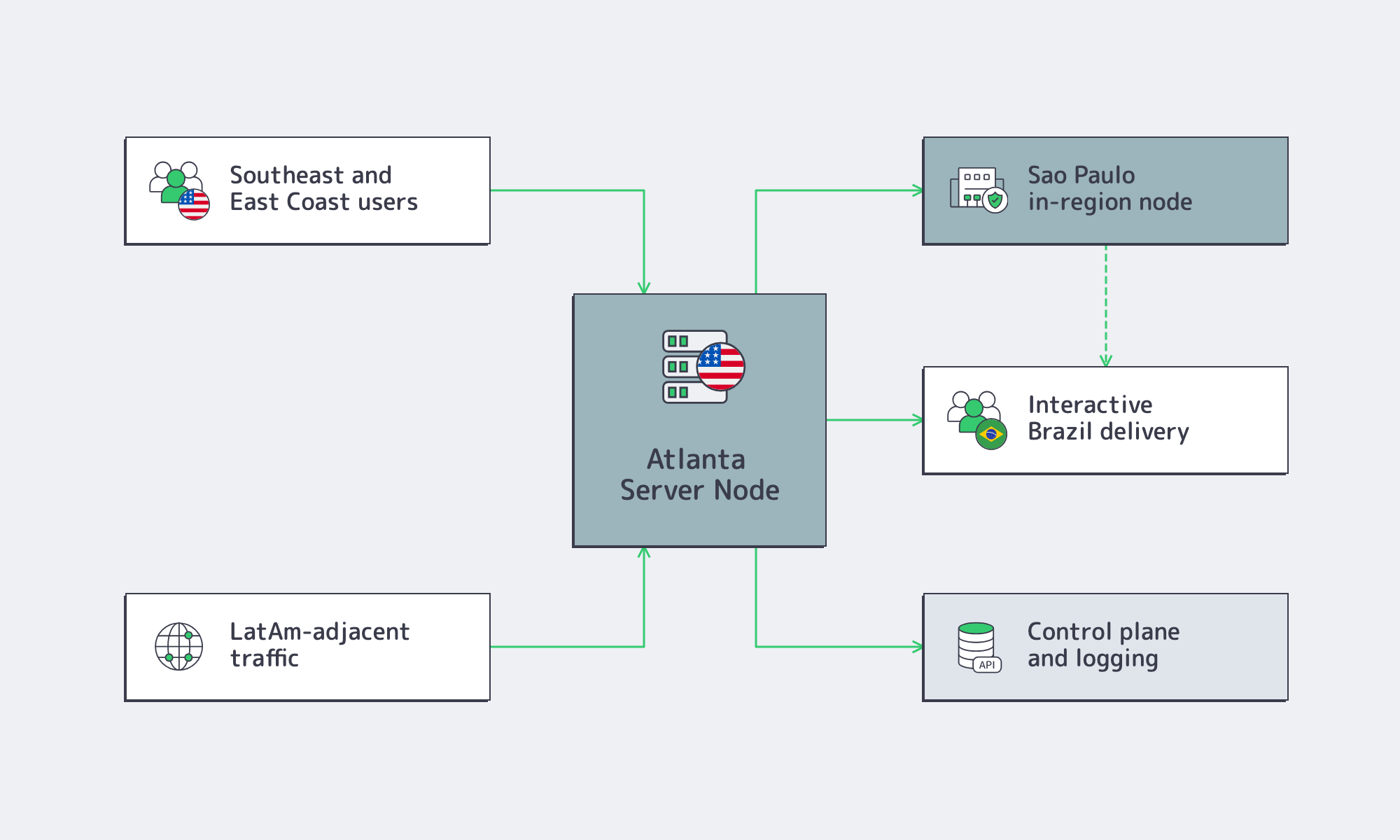
The in-region case for São Paulo is especially strong now. NIC.br said in March 2026 that IX.br reached 50 Tbit/s of aggregated traffic, with São Paulo alone hitting 32 Tbit/s and more than 2,500 directly connected networks. The expansion strategy is clear: use Atlanta for the U.S. Southeast and balanced Eastern U.S. reach, then add São Paulo when Latin America becomes a primary market. 18
Before committing to Atlanta as the next node, use the decision as an engineering exercise rather than a map exercise:
- Set a regional latency budget first. If Southeast and East Coast users need sub-20 ms regional RTTs, Atlanta deserves a serious test; if Brazil users need the lowest possible U.S. RTT, benchmark Miami and São Paulo paths before deciding.
- Separate LatAm adjacency from LatAm locality. Atlanta is a strong U.S. anchor for origins, processing, replication, and control planes; São Paulo is the better answer when interactive Brazil traffic becomes the product center of gravity.
- Treat peering depth as a procurement input. Check exchange density, upstream diversity, IPv6 readiness, and routing-security hygiene.
- Model power and bandwidth together. Georgia’s commercial electricity profile can help the cost case versus much of the Northeast, but the real decision is the combined cost of power, traffic volume, routing quality, and failover design.
Atlanta Is a Routing Decision
Atlanta makes sense when the workload needs a Southeast-first U.S. node that still behaves well across the East Coast and can support LatAm-adjacent architecture without pretending to be the lowest-latency Brazil option.
Its value is the blend: sub-20 ms Eastern U.S. RTTs, meaningful exchange density, inland redundancy, and practical cost balance.
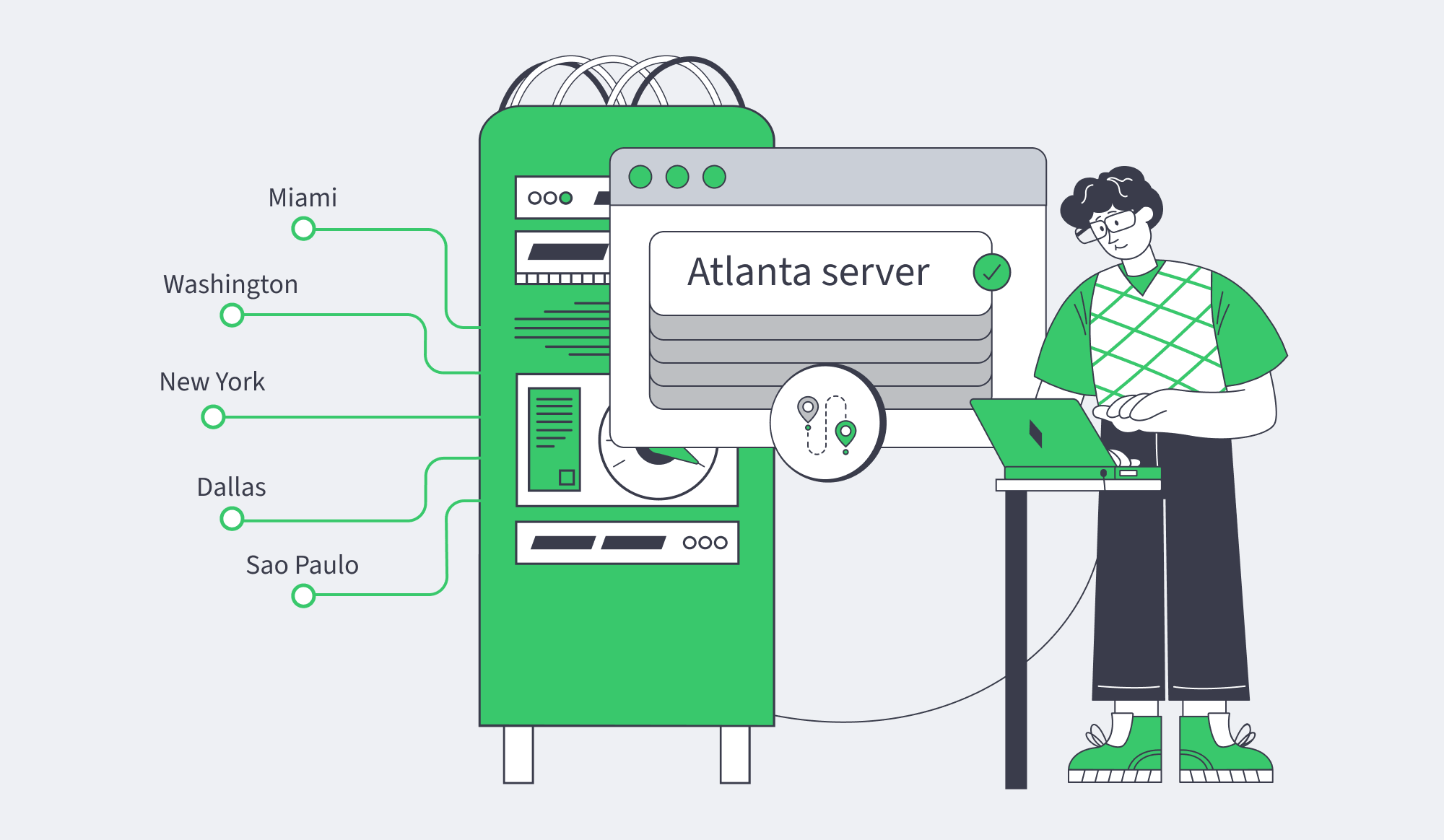
The decision threshold is practical. If traffic is primarily Southeastern and Eastern U.S., dedicated server hosting Atlanta can be the anchor. If Brazil becomes the main interactive market, add São Paulo beside it.
That is where Melbicom’s Atlanta footprint fits the expansion model.
Deploy Atlanta Dedicated Servers
Use Melbicom Atlanta dedicated servers for Southeast-first routing, East Coast redundancy, and LatAm-adjacent expansion paths.
Get expert support with your services
Blog
Buy Dedicated Server with USDT: Stablecoin Payment Checklist
USDT can remove one of the most persistent delays in international infrastructure procurement: moving funds from a treasury wallet to a hosting provider without waiting for banking hours, correspondent banks, or international wire processing. According to Chainalysis, stablecoins processed $28 trillion in adjusted economic volume during 2025, while Visa’s on-chain analytics reports billions of dollars in average daily weekend activity.
That does not mean every successful blockchain transaction becomes a successfully paid server order. A valid USDT transfer can still fail operationally if it arrives on the wrong network, misses the invoice deadline, uses the wrong amount, exceeds processor limits, or cannot be matched to the correct invoice. For dedicated server procurement, payment succeeds only when blockchain settlement, invoice reconciliation, and provisioning all work together.
USDT Payments– Invoice-based crypto billing – 1000+ server configurations – 24/7 infrastructure support |
|
How to Buy a Dedicated Server with USDT Across Stablecoin Networks?
To buy a dedicated server with USDT, begin with the provider’s invoice—not your wallet. Match the token, network, receiving address, exact amount, expiry time, and required confirmation state, then submit the payment with sufficient native gas. The order should proceed only after the provider marks the invoice as paid.
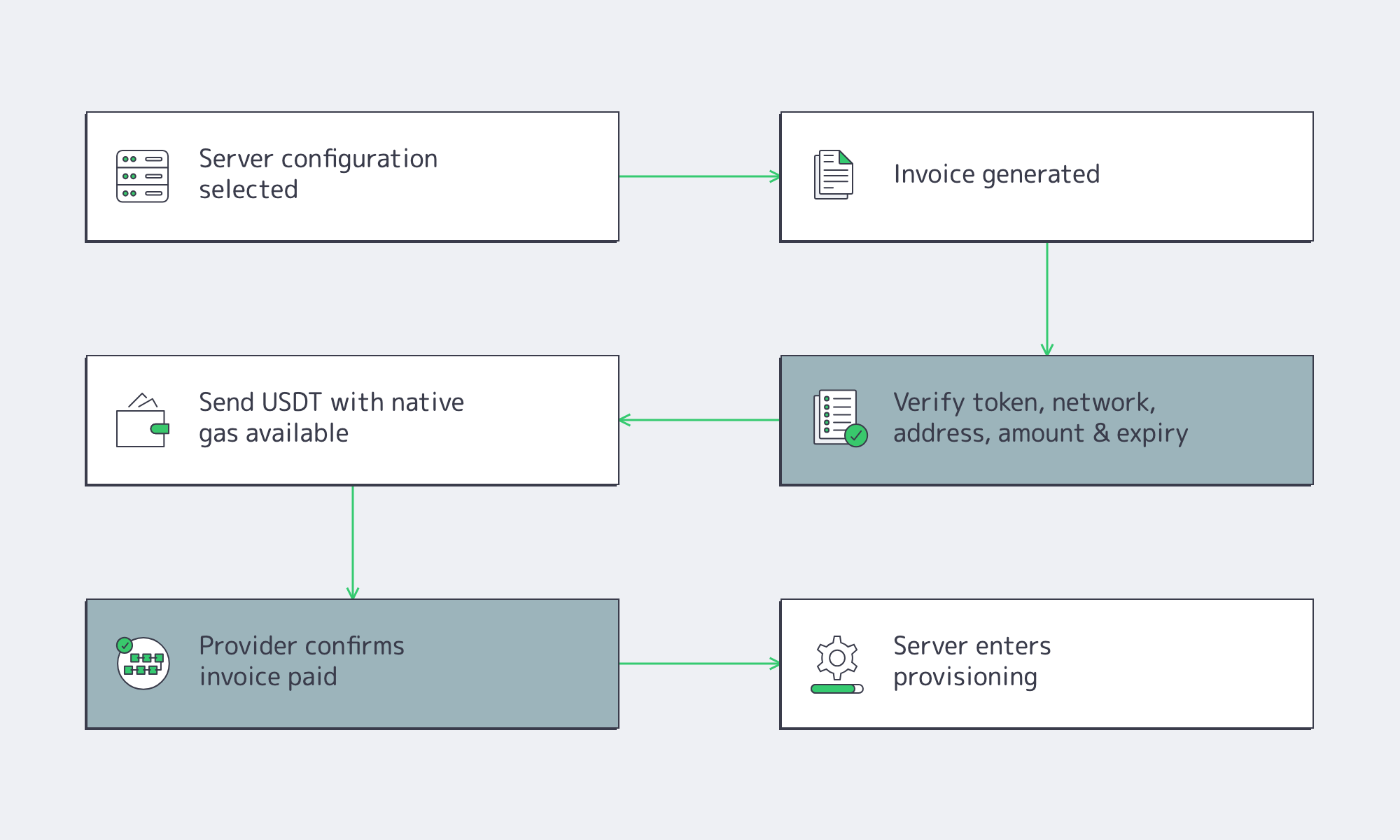
The invoice is the source of truth. It defines the customer account, server configuration, billing period, payment network, and destination address. Never rely on an address from a previous renewal or an older invoice because payment processors may rotate addresses or associate them with limited payment windows.
USDT exists on multiple blockchains. USDT-TRC20 and USDT-ERC20 represent the same stablecoin but operate on different networks with different addresses, fee models, and confirmation processes. A provider expecting TRC20 cannot automatically reconcile an ERC20 payment simply because both assets display the ticker “USDT.”
Before approving any transfer, verify five fields together:
- USDT token
- Network (TRC20 or ERC20)
- Destination address
- Exact invoice amount
- Invoice expiry
Also keep the native fee asset available. ERC20 transfers require ETH for gas, while TRC20 transfers consume TRON resources and may require TRX. Do not reduce the invoiced USDT amount to cover network fees.
Finally, save both the invoice ID and transaction hash. A blockchain transaction proves funds were transferred; it does not prove the invoice has been reconciled or the server order released.
TRC20, ERC20, Confirmations, and Invoice Matching: What Should You Compare?
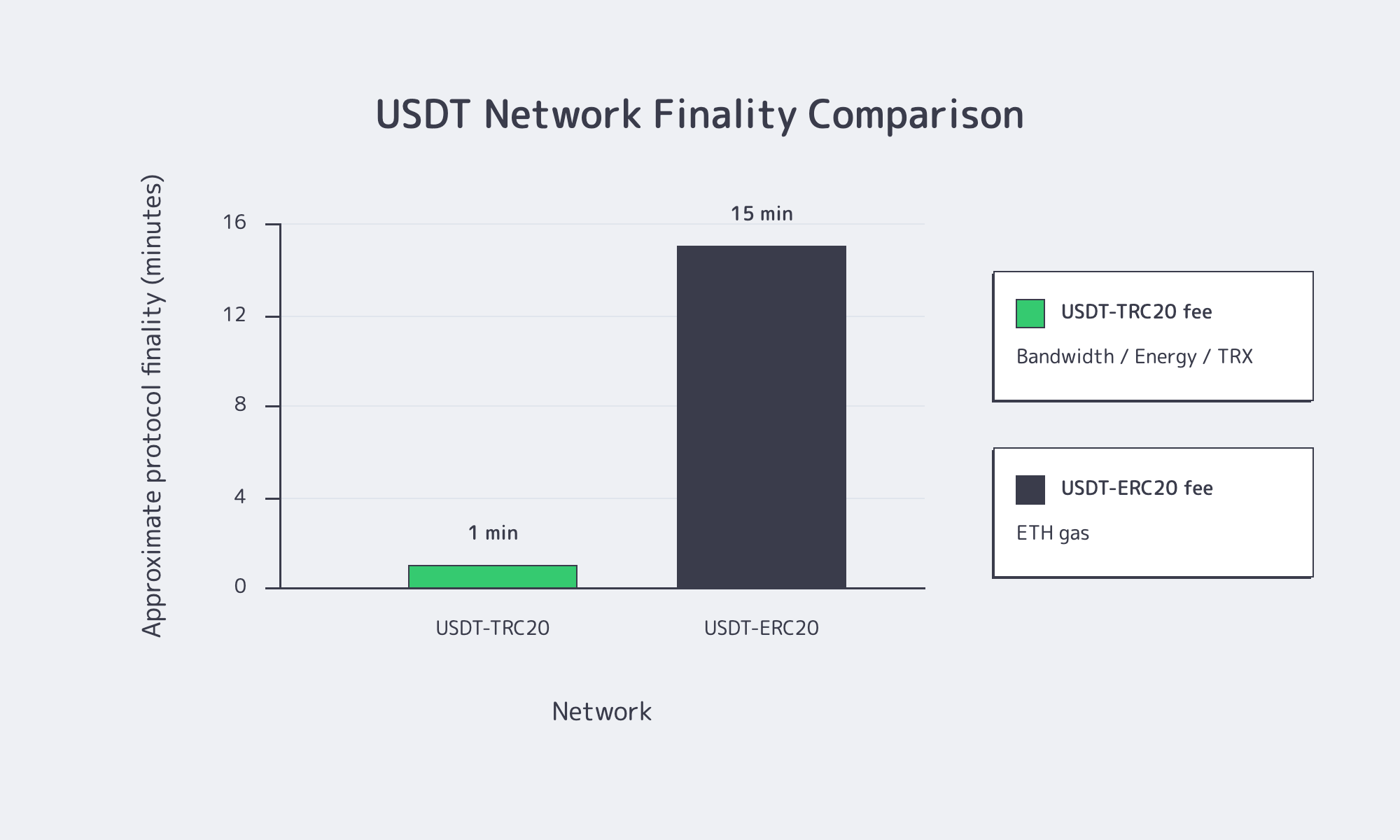
Compare TRC20 and ERC20 primarily by operational compatibility—not marketing claims about speed. The correct network is the one your provider explicitly accepts, your treasury wallet supports, and your invoice specifies. Confirmation policy, fee mechanics, and invoice expiry all matter more than block time alone.
| Criterion | USDT-TRC20 | USDT-ERC20 |
|---|---|---|
| Network | USDT on TRON | USDT on Ethereum |
| Finality | ~3-second blocks, solidification typically ~1 minute | 12-second slots, protocol finality roughly 15 minutes |
| Fees | TRON Bandwidth/Energy or TRX | ETH gas |
| Best fit | Invoice explicitly requests TRC20 | Invoice explicitly requests ERC20 |
Confirmation Speed Has Several Meanings
A wallet, blockchain explorer, payment processor, and hosting provider may all define “confirmed” differently. On TRON, broadcast, inclusion, successful execution, and solidification are separate events. Ethereum likewise distinguishes inclusion from protocol finality. Providers often credit payments before full finality under their own risk rules.
For procurement teams, the useful metric is time to provider acceptance, not blockchain block time. That includes transaction broadcasting, confirmations, invoice reconciliation, payment processing, and order release.
Invoice Matching Is an Off-Chain Control
Neither ERC20 nor TRC20 transfers include a built-in invoice reference. Providers therefore reconcile payments using combinations of receiving address, exact amount, invoice ID, transaction hash, payment window, and network.
This is why exact payment amounts matter. Public processor documentation shows underpayments, overpayments, and late payments often enter exception workflows instead of automatically marking invoices as paid. Use your wallet’s “send exact amount” function and keep network fees separate from the invoice amount.
Why USDT Can Simplify International Dedicated Server Procurement
USDT simplifies procurement because it reduces friction between treasury and infrastructure teams—not because it makes every payment instant.
Traditional cross-border payments depend on multiple commercial banks operating across different time zones and internal processes. The IMF notes that stablecoins can compress the transfer leg of international payments, while the BIS observes they can operate independently of banking hours, although compliance, liquidity, and operational controls still remain important.
For infrastructure procurement, that creates several practical advantages:
- Treasury can pay immediately when deployment is approved.
- Weekend or holiday purchasing becomes possible.
- Dollar-linked pricing simplifies budgeting compared with volatile cryptocurrencies.
- Every payment produces an independently verifiable transaction hash.
- The same treasury workflow can support deployments across multiple regions.
Those benefits depend on operational maturity. Publishing a wallet address alone is not enough. Mature providers connect cryptocurrency payments with customer accounts, invoices, renewals, payment status, and provisioning workflows.
At Melbicom, cryptocurrency billing is integrated into an account-managed process. To comply with KYC requirements, the first payment for your initial order must be processed via traditional methods (e.g., bank wire or credit card). Following this initial step, all subsequent renewals and new orders can be completed via crypto, tying payment directly to dedicated server deployments instead of treating it as an isolated checkout option.
Processor Limits Before Paying
Before sending USDT, verify invoice minimums, maximum transaction limits, supported networks, payment windows, confirmation requirements, and policies for underpayments or overpayments. Blockchain capability alone does not define payment acceptance; processors and providers may enforce additional operational limits that determine whether an invoice can be completed automatically.
Important checks include:
- Minimum invoice amount
- Maximum transaction or account limits
- Supported USDT networks
- Invoice expiry window
- Required confirmation threshold
- Underpayment policy
- Overpayment handling
- Unsupported-network recovery
Public payment processors illustrate why these checks matter. Some document minimum invoice sizes, while others publish minimum TRC20 payment amounts. Those examples are processor-specific rather than universal, reinforcing the need to follow the actual invoice rather than assumptions.
Do not split a dedicated server payment into multiple transfers unless the provider explicitly allows it. Likewise, avoid sending small test payments to production invoices. Exact matching remains the safest approach for high-value infrastructure purchases.
What Renewal and Refund Checks Matter for USDT Dedicated Server Payments?
Treat every renewal as a new invoice and every refund as a new blockchain transaction. Verify renewal payment instructions each billing cycle, and understand refund approval, destination requirements, fees, and network rules before paying. Successful initial checkout does not automatically guarantee predictable recurring billing.
Renewals Are Fresh Payment Objects
Renewals commonly generate new invoices, updated payment objects, or different receiving addresses. Even when the amount appears unchanged, invoice IDs, addresses, billing periods, or conversion quotes may differ.
Infrastructure teams should monitor service expiry while treasury confirms payment acceptance. The internal process is complete only after the provider records the renewal as paid—not simply after the wallet broadcasts a transaction.
A Refund Is a New Transaction, Not a Reversal
Blockchain payments cannot be reversed like card authorizations. Any refund requires the provider or processor to create a separate outbound transaction.
Before purchasing, clarify:
- Refund denomination
- Same-network return requirements
- Network fee treatment
- Approval process
- Expected timelines
This is especially important for custodial platforms, where the sending address may belong to a shared wallet rather than the customer.
How Does a Confirmed USDT Payment Become a Provisioned Server?
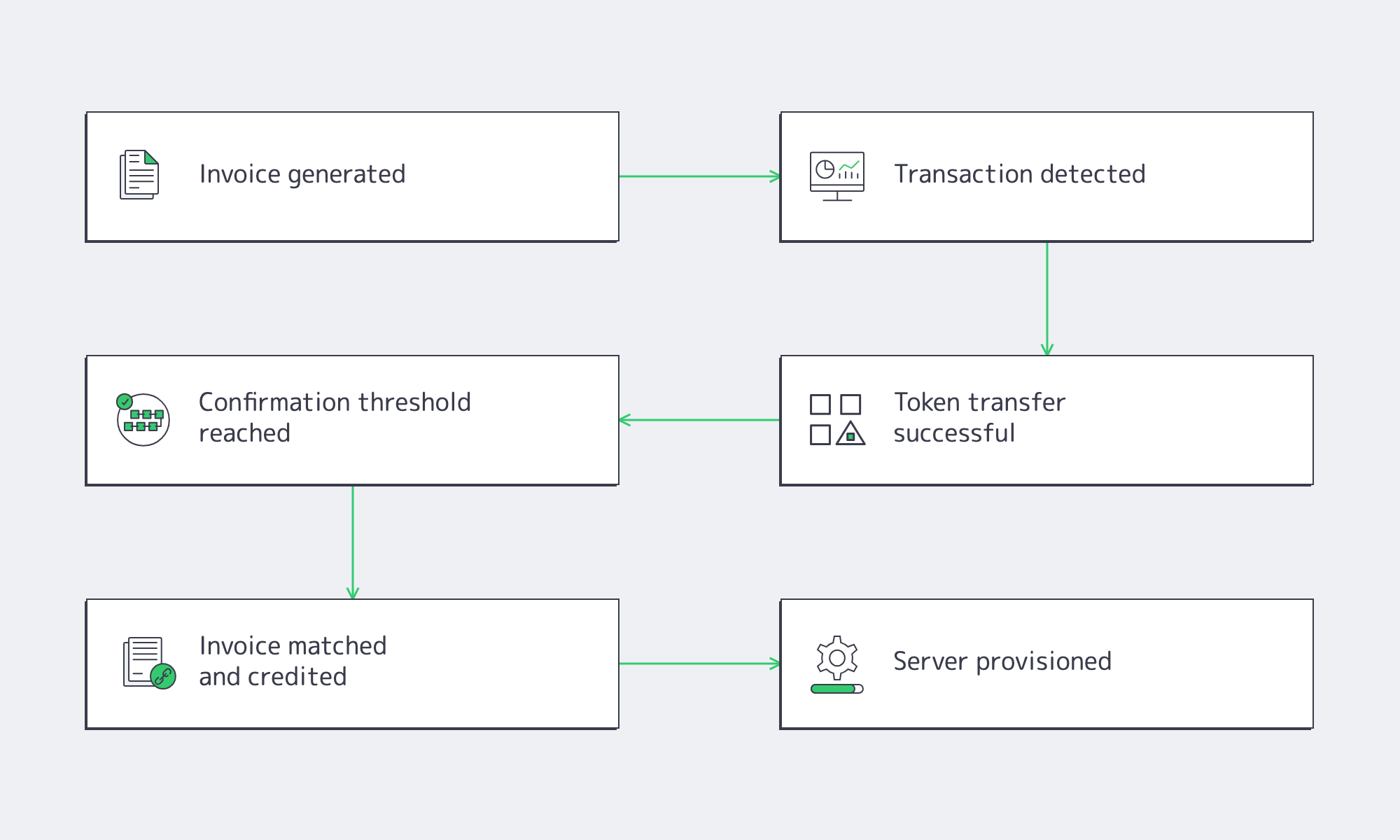
A confirmed blockchain payment is only one step toward deployment. Provisioning begins after the provider matches the invoice, verifies confirmations, credits the order, and releases the server into its deployment workflow. Payment speed reduces treasury delay but does not eliminate inventory, compliance, or provisioning processes.
Operationally, at least six separate events occur:
- Invoice generation
- Transaction detection
- Successful token transfer
- Required confirmation threshold reached
- Invoice matched and credited
- Server released for provisioning
Each step matters. A payment can appear on-chain yet remain underpaid, arrive after invoice expiry, or require manual reconciliation.
Provisioning then depends on inventory. Ready-to-go configurations can move directly into deployment, while custom builds remain a hardware workflow.
Melbicom provides 1000+ ready-to-go dedicated server configurations, custom configurations delivered in 3–5 business days, infrastructure across 21 Tier III and Tier IV data centers, and per-server bandwidth of up to 200 Gbps, allowing payment reconciliation to map directly to the ordered configuration and deployment location.
When exceptions occur, mature support processes become just as important as blockchain speed. Teams should be able to identify whether an order is waiting on confirmations, billing, compliance review, inventory allocation, or deployment rather than simply reporting that a payment was “received.”
Dedicated Server USDT Payment Checklist
Use this checklist before every new order and renewal:
- Confirm the server configuration, location, billing cycle, and customer account.
- Use the current invoice only.
- Verify both USDT and the exact network.
- Keep ETH or TRX separate for network fees.
- Check payment limits, expiry, and confirmation requirements.
- Send the exact displayed amount without rounding.
- Record the invoice ID, transaction hash, network, wallet, amount, and timestamp.
- Wait for provider acceptance rather than relying on wallet notifications.
- Define internal ownership for renewals, refund requests, and payment monitoring.
Operationally Mature USDT Procurement
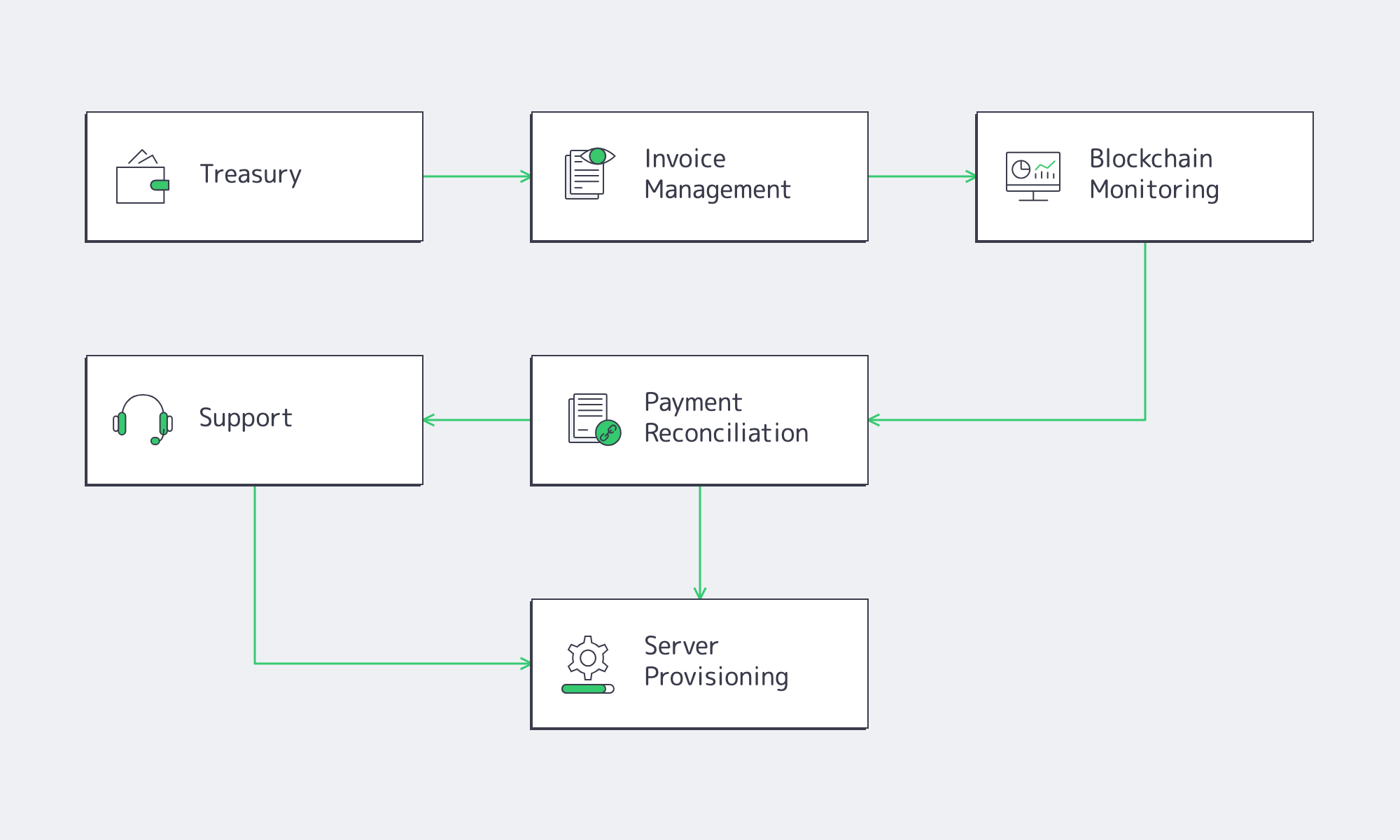
USDT’s real advantage is not that every payment becomes instant or free. Its value comes from shortening the path between treasury approval and dedicated server deployment while preserving transparent, independently verifiable payment records. That advantage only survives when invoices, confirmations, renewals, exception handling, and provisioning are connected into one operational workflow instead of isolated manual steps.
When evaluating a provider, focus on operational maturity beyond blockchain support:
- Confirm invoice matching, confirmation handling, and renewal workflows before the first purchase.
- Verify the supported USDT network for every order instead of assuming all Tether networks are accepted.
- Treat provider acceptance—not blockchain broadcast—as completion.
- Keep payment evidence, invoice IDs, and transaction hashes together to simplify reconciliation and support.
Buy Dedicated Servers with USDT
Use Melbicom’s account-managed crypto payment flow for dedicated server orders, renewals, and provisioning.
Get expert support with your services
Blog

GoDaddy Dedicated Server Alternative: VPS vs. Dedicated
GoDaddy is a familiar name in domains and hosting, so buyers still search for a GoDaddy dedicated server. But GoDaddy’s dedicated server end-of-life notice says all Dedicated Servers will be retired. As of July 2026, the former dedicated-server product URL presents VPS Hosting. The buying decision is whether GoDaddy VPS fits the workload or dedicated hardware from another provider is required (Melbicom is not affiliated with GoDaddy).
Choose Melbicom– 1000+ dedicated servers – 21 global Tier III/IV DCs – Bandwidth up to 200 Gbps |
|
GoDaddy VPS is a valid option for many workloads. Current plans offer KVM-based virtualization, root access, Linux or Windows, optional cPanel or Plesk, and up to 32 vCPU, 128 GB RAM, and 1.5 TB of NVMe storage. A dedicated server becomes relevant when the application needs single-tenant hardware, out-of-band recovery, stricter IP control, predictable sustained resources, or greater network headroom.
Why GoDaddy Dedicated Server Searches Now Lead to VPS
A GoDaddy dedicated server search now leads buyers toward VPS because GoDaddy’s public help center says its Dedicated Servers are being retired and its current server product page sells VPS Hosting. Buyers who need root access and scalable virtual resources may still find a fit; buyers who need dedicated hardware should compare dedicated-server alternatives from other vendors.
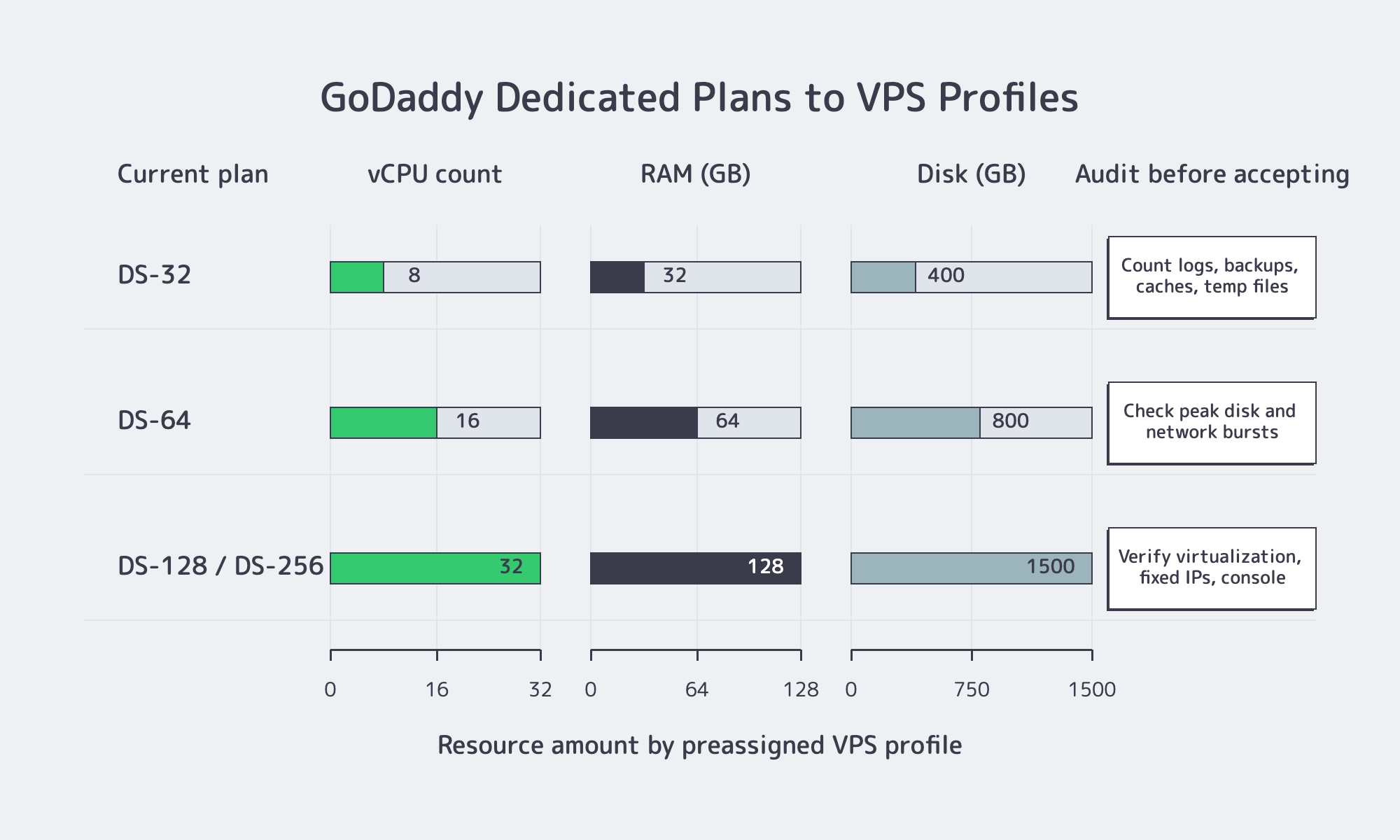
The retirement notice explains the mixed search results. It maps former DS-32, DS-64, and DS-128 or DS-256 plans to VPS profiles and says automated migrations were expected to begin in July 2024. That is product history, not a current dedicated-server catalog. Buyers should compare the available VPS service with the workload they plan to run.
| Workload Requirement | GoDaddy VPS Can Fit When | Choose a Dedicated Server When |
|---|---|---|
| Compute and storage | The workload fits within 32 vCPU, 128 GB RAM, and 1.5 TB NVMe | The workload needs full-host resources, larger local capacity, or predictable sustained load |
| Administrative control | Root or Administrator access and OS-level configuration are sufficient | The workload needs single-tenant hardware, out-of-band console recovery, or nested infrastructure |
| Network and IPs | Dedicated VPS IPs and standard regional placement meet the requirement | The design depends on IP portability, customer network announcements, or higher port capacity |
The distinction is architectural, not a quality judgment. A VPS abstracts the physical host and is easier to resize. A dedicated server assigns the machine to one customer and provides a different recovery and resource-isolation model. The correct option depends on what the application actually requires, not on which category sounds more powerful.
GoDaddy VPS or a Dedicated Server Alternative?
Choose GoDaddy VPS when a virtual machine with root access, supported Linux or Windows options, control-panel availability, and up to 32 vCPU is enough. Choose a dedicated server alternative when the workload requires single-tenant hardware, remote hardware-level recovery, stricter IP control, sustained resource use, or network capacity beyond the available VPS profile.
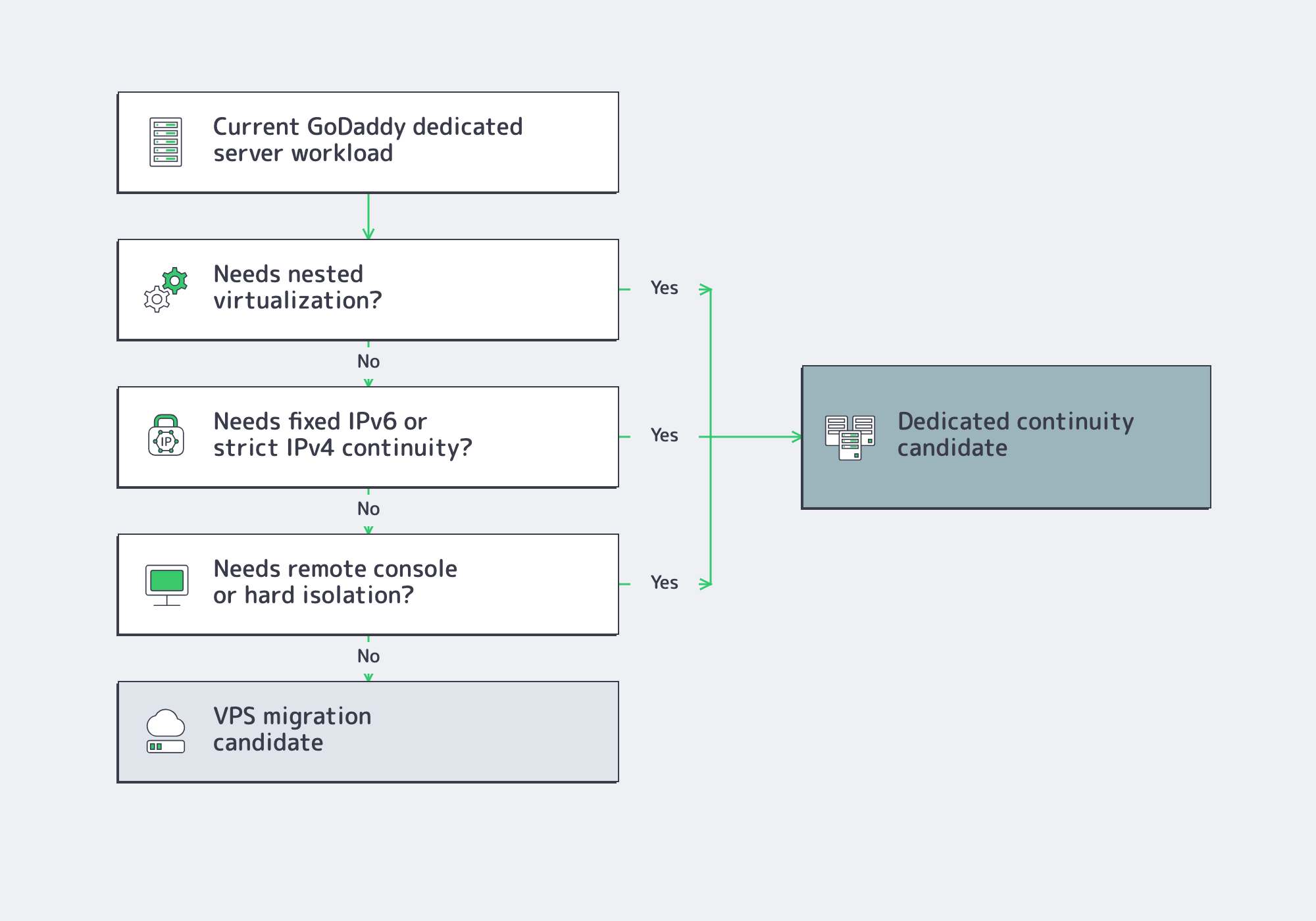
VPS is the efficient default for many websites, application servers, development environments, and control-panel estates. GoDaddy’s current offer includes root access, snapshots, Linux or Windows, and optional cPanel or Plesk. A team that mainly needs administrative control and a defined virtual resource allocation may gain little from an entire physical machine.
A dedicated server is the stronger fit when the hardware boundary matters: sustained CPU or storage load, IP-KVM recovery when the OS will not boot, customer-owned IP space announced through BGP, or technologies the GoDaddy retirement notice says cannot move into its VPS environment. The question is not whether VPS offers root, but whether OS-level control is enough.
Applications that send mail should also verify outbound ports, relay requirements, reverse DNS, SPF, and dedicated-IP policies. GoDaddy’s retirement notice specifically lists SMTP relay, port 25, and SPF changes for migrated services.
What to Compare in a GoDaddy Dedicated Server Alternative
A useful GoDaddy dedicated server alternative should be evaluated against the workload, not against a brand name. Verify operating-system support, root or Administrator access, control-panel migration, IP allocation and portability, tested backups, recovery access, sustained bandwidth, geographic placement, and provisioning time before comparing headline CPU, RAM, or monthly price.
Root Access and Control Panel Requirements
GoDaddy VPS includes root access, so root alone does not justify a dedicated server. Check the required Linux distribution or Windows version, panel availability, and recovery options when SSH or RDP fails. cPanel’s Transfer Tool documentation requires root-equivalent access for full transfers; Plesk’s migration documentation requires root or SSH-key access on Linux and built-in Administrator credentials on Windows.
A panel transfer still needs an audit of DNS and AAAA records, scheduled tasks, firewall rules, secrets, mail routing, database and PHP versions, and assigned IPs. cPanel notes that settings such as two-factor authentication do not transfer automatically.
IP Address and DNS Requirements
A dedicated VPS IP is not portable addressing. Check IPv4 and IPv6 availability, reverse-DNS control, support for customer-owned networks, and what happens to addresses after a move. GoDaddy’s notice says IPv4 retention during automated migrations is best effort and IPv6 cannot be retained, showing why IP dependencies need a separate inventory.
For rollback, lower the TTL on the A, AAAA, or CNAME records that will change, then wait for the previous TTL to expire. AWS Route 53 guidance recommends an initial shorter value such as 300 seconds for live-record changes. Increase it after stabilization.
Backups That Can Actually Be Restored
A platform comparison should separate provider snapshots from an independent backup strategy. Snapshots are convenient for fast rollback, but they may share the same account, platform, or failure domain. Microsoft’s SQL Server backup guidance states that there is no restore strategy until backups are tested. Restore representative data to a clean target before production moves.
Bandwidth, Locality, and Performance Planning
Port speed, included transfer, and traffic pattern are separate variables. Cloudflare’s 2025 internet trends release reported 19% year-over-year global traffic growth. Plan with 95th-percentile production traffic, replication volume, and campaign bursts rather than monthly averages.
Geography can matter as much as CPU. Cloudflare’s latency guidance puts roughly 100 miles at about 5–10 ms and 2,200 miles near 40–50 ms before application processing. Compare Atlanta or Los Angeles for North America and Amsterdam, Frankfurt, Madrid, Paris, or Warsaw for European workloads.
Migration Runbook for a New Dedicated Server Deployment
The destination usually replaces a VPS, aging physical server, control-panel host, or another provider. Provision first, replicate while the source remains live, validate the destination, lower DNS TTLs, run a final delta sync, switch traffic, and retain the source until monitoring is clean.
For Linux, validate the supported OS, packages, PHP, cron jobs, databases, mail routing, and permissions. For Windows, verify Administrator access, service identities, drive letters, backups, licensing, firewall rules, and bindings. A clean destination is often safer than combining an OS upgrade with the production cutover.
Before cutover, prove the rollback path is practical:
- Treat a successful restore test, not a completed backup job, as the migration gate.
- Lower the DNS records that will change before the cutover window, not during it.
- Document every partner allowlist, reverse-DNS entry, and application dependency tied to the old IP.
- Keep the source available, preferably read-only after final sync, until logs, mail queues, jobs, and customer traffic are clean.
- Define failure thresholds in advance, such as payment-webhook failures for 15 minutes or admin-login errors above 1%.
Choose the Right Alternative
If GoDaddy VPS fits the resource ceiling and the application only needs OS-level control, it remains a valid option. If the design depends on single-tenant hardware, IP-KVM recovery, customer IP announcements, larger storage layouts, sustained throughput, or a specific location, compare servers directly rather than forcing those requirements into a VPS.
Melbicom provides dedicated servers across 21 global Tier III/IV data centers, with 1000+ ready-to-go configurations and custom configurations delivered in 3–5 business days. Depending on location and configuration, per-server bandwidth ranges from 1 to 200 Gbps. IP-KVM access supports recovery outside the operating system, BGP is available for announcing customer IP networks, and engineers provide 24/7 support. Use the DC footprint to match GEO to the workload instead of buying a generic replacement.
Configure a Dedicated Server Alternative
Compare ready-to-go and custom configurations for the control, location, storage, and bandwidth your workload requires.