
Month: January 2026
Blog
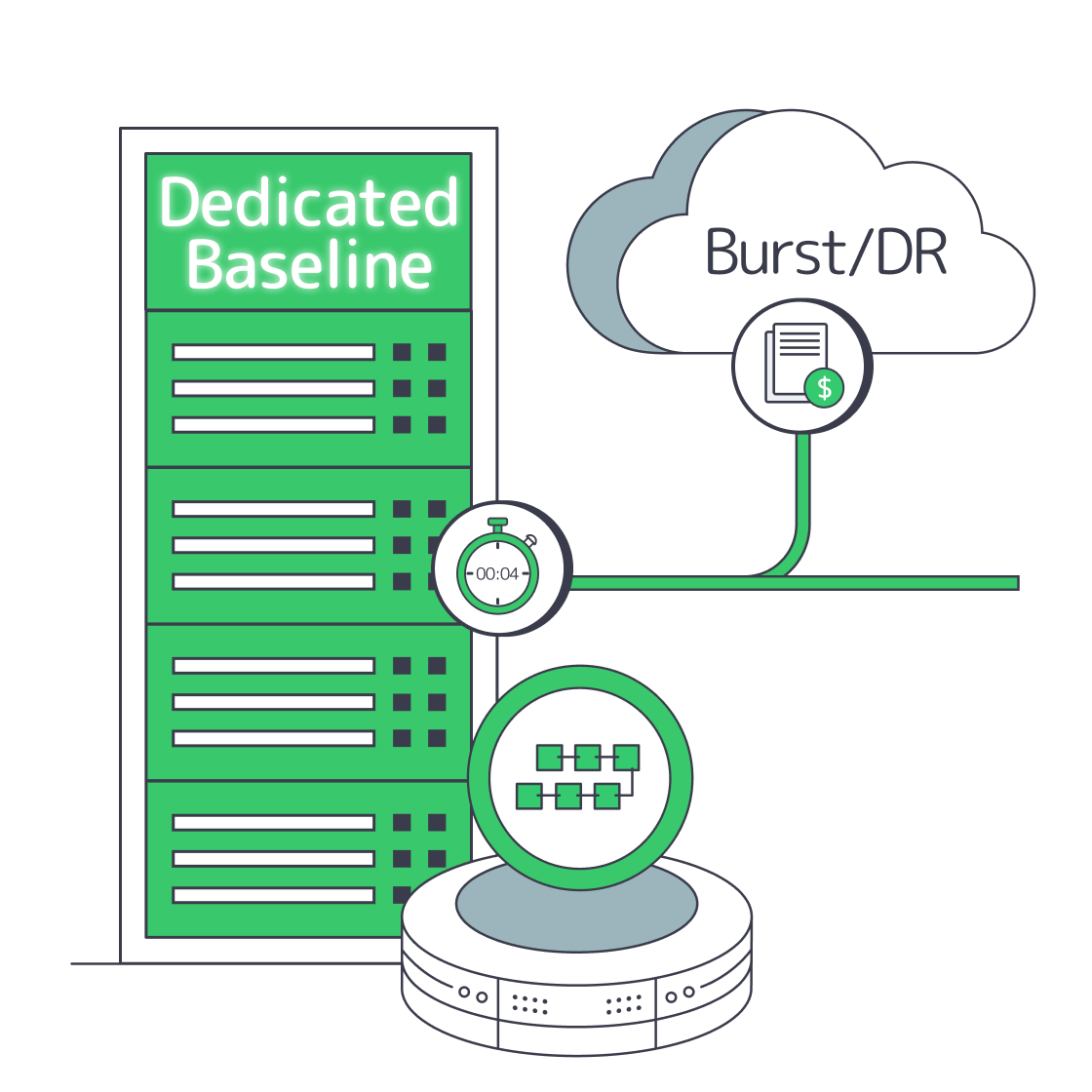
Hybrid Web3 Infrastructure Strategy: Dedicated Baseline, Cloud for Bursts
Web3 infrastructure doesn’t behave like “normal” web infrastructure. A blockchain server (validators, full nodes, sequencers, indexers, RPC, event pipelines) isn’t a stateless pool of app servers you can autoscale into oblivion and forget. It’s stateful, I/O-heavy, and latency-sensitive in ways that expose the two things hyperscale cloud is worst at: metered unpredictability and performance variance.
The result is a pattern that’s quietly become mainstream: modern teams keep cloud for bursts, edge, and backups—but repatriate the “always-on” core of crypto hosting to single-tenant dedicated servers for deterministic performance and predictable cost.
That last line is the uncomfortable truth for Web3 infra: you can’t optimize what you can’t predict. Usage pricing can turn into whatever your users and your chain demand.
What Reduces Web3 Infra Costs Most
Dedicated servers typically reduce Web3 infrastructure costs the most when workloads are steady-state: validators, RPC, indexers, and data-heavy backends that run 24/7. Hyperscale cloud still wins for burst capacity and one-off workloads, but metered compute, storage operations, and especially data egress can punish always-on systems. The cost-optimal architecture is usually hybrid: bare metal baseline, cloud for spikes and DR.
Why Cloud Pricing Fights Web3 Costs
Hyperscale cloud is optimized for elasticity and productized building blocks. Web3 infrastructure is optimized for continuous performance and continuous data movement. That mismatch shows up in places CFO dashboards don’t capture until it’s too late:
- Always-on compute: a validator or RPC fleet isn’t seasonal. If the box is always hot, “elastic” becomes “expensive.”
- State growth and reindexing: chain history and derived indices grow monotonically. Snapshots, reorg handling, and replay workloads create recurring high I/O windows.
- Bandwidth is a first-class resource: RPC is network-first. Indexers are network + disk-first. Propagation is latency-first. In cloud, bandwidth is usually metered and constrained at multiple layers (instance limits, cross-AZ, egress, managed LB/NAT).
Cloud vs. Dedicated for Web3 Infrastructure Decisions
| Web3 Infrastructure Constraint | Where Hyperscale Cloud Commonly Hurts | Dedicated Base Layer + Cloud Burst Approach |
|---|---|---|
| 24/7 node and RPC compute | Metered hourly costs + “always-on” instances erode unit economics | Single-tenant servers for baseline; cloud only for temporary scale events |
| Storage growth + reindex workloads | Storage ops + access patterns can trigger surprise bills and throttling | Local NVMe for hot state; object storage for snapshots/archives |
| High-throughput RPC and data APIs | Egress, cross-zone traffic, and LB/NAT patterns amplify spend | High-port dedicated bandwidth for steady traffic; cloud CDN/edge for cacheable reads |
| Latency variance and jitter | Multitenancy, virtualized networking, and noisy neighbors widen tail latency | Deterministic hardware + tighter OS/network tuning; cloud reserved for non-critical paths |
| Multi-region resiliency | Cross-region data replication is powerful but often pricey | Dedicated primary/secondary regions; cloud for DR drills, backups, and short-lived failover |
This is why “cloud repatriation” looks less like a rollback and more like an optimization: keep cloud where it’s best (burst and managed services), and stop renting your baseline.
Choose Melbicom— 1000+ ready-to-go servers — 21 global Tier IV & III data centers — 40 PoP CDN across 6 continents |
 |
What Dedicated Server Setup Optimizes Blockchain Performance
The dedicated server setup that optimizes blockchain performance is single-tenant hardware with high-clock CPU cores, fast local NVMe, and uncongested bandwidth in a well-connected data center. This minimizes noisy-neighbor interference, reduces latency variance, and gives operators control over kernel, I/O scheduling, and networking—controls that materially affect p95/p99 RPC latency and block propagation in real production.
Why a Single-Tenant Blockchain Server Beats a Multitenant VM for the Hot Path
In Web3 infrastructure, “performance” isn’t average throughput—it’s the tails:
- Propagation and gossip punish jitter. If a node’s networking stack is inconsistent, it’s effectively “slow” even if average throughput looks fine.
- RPC SLAs are tail-latency problems. A few bad milliseconds at p99 can feel like outages when wallets and bots retry and stampede.
- Indexer ingestion needs steady I/O; write spikes become visible lag.
A dedicated server gives you an unshared performance envelope. Cloud can give you impressive burst throughput, but deterministic variance control is harder when the noisy neighbor is literally someone else’s workload.
What Optimized Looks Like in Web3 Server Hosting
A high-performance Web3 server typically converges on a similar shape:
- CPU: fewer, faster cores beat “lots of mediocre vCPUs” for many chain clients and RPC workloads (especially under lock contention and mempool processing).
- Storage: local NVMe for hot chain state, databases, and indices; avoid remote volumes on the critical path when you can.
- Network: plan for sustained bandwidth, stable routing, and clear headroom.
This is also where infrastructure becomes geography-aware without becoming geography-obsessed: pick locations for users, peers, and liquidity centers, then tune routes and tail latency together across the stack.
Where Melbicom Fits Performance Bottlenecks
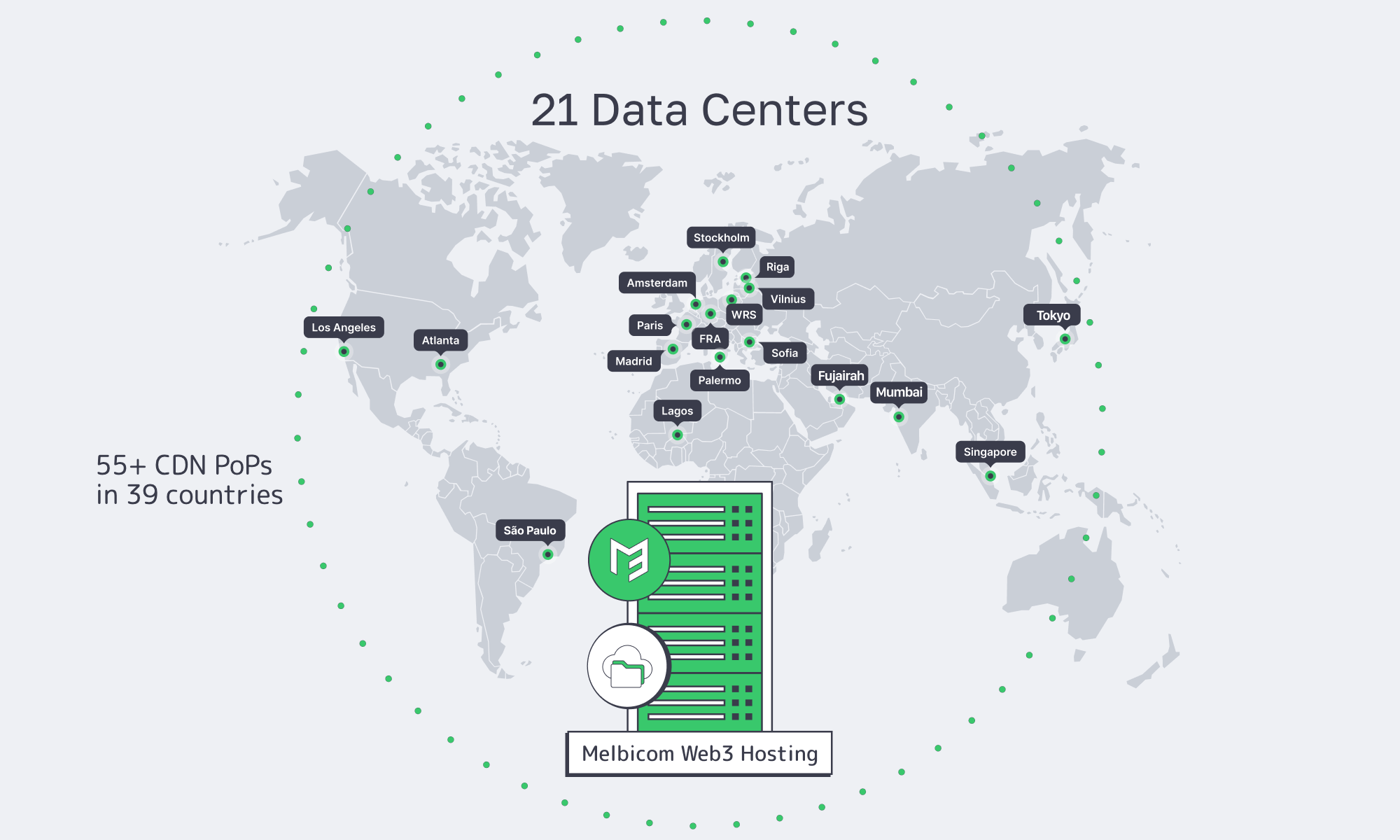
For teams building Web3 infrastructure on dedicated servers, Melbicom’s approach is purpose-built for the “baseline layer”: single-tenant Web3 server hosting in 21 global Tier IV and Tier III data centers, backed by a 14+ Tbps backbone with 23 transit providers and 29 IXPs, and per-server ports up to 200 Gbps (location dependent—see data centers). Melbicom keeps 1000+ ready-to-go configurations that can go live in about 2 hours, and Melbicom can deliver custom builds in 3–5 business days.
On top of that baseline, the hybrid layer stays intact: Melbicom’s CDN runs in 40 locations across 35 countries for cacheable reads and static assets; S3 cloud storage provides an object-store target for snapshots and backup artifacts; and BGP sessions enable routing control and multi-site designs without turning your edge into a science project. (And yes—Melbicom provides 24/7 support when you’re debugging routing at 3 a.m.)
When Should Web3 Infra Teams Repatriate Cloud Workloads

Web3 teams should repatriate cloud workloads when costs become volatile, latency SLOs keep failing at the tails, or storage and bandwidth economics start dictating architecture decisions. Repatriation doesn’t mean “no cloud”—it means moving baseline blockchain workloads to single-tenant servers while keeping cloud capacity for bursts, disaster recovery, and specialized managed services.
Repatriation Signals for Crypto Server Hosting
If you’re seeing these, you’re already paying the repatriation tax—just not explicitly:
- The “egress budget” is now a first-class line item (and keeps growing with usage).
- RPC p99 latency drifts upward under load, even after “adding more instances.”
- Storage throttling turns indexer lag into a constant firefight.
- “We can’t forecast this bill” becomes a monthly meeting rather than a one-off surprise.
- You’re optimizing architecture around pricing mechanics instead of around throughput, correctness, and resiliency.
What Web3 Infra Actually Moves First
Teams don’t repatriate everything. They repatriate what is (1) always-on, (2) bandwidth-heavy, (3) I/O-heavy, and (4) latency-sensitive:
- validator + full-node fleets
- RPC clusters and load balancers tightly coupled to network performance
- indexers, ETL, event pipelines, and query layers with large hot datasets
- gateway layers that need consistent throughput
What stays in cloud: burst compute, infrequent batch jobs, “just in case” overflow, and managed services that genuinely create leverage.
Hybrid Crypto Hosting Patterns That Work
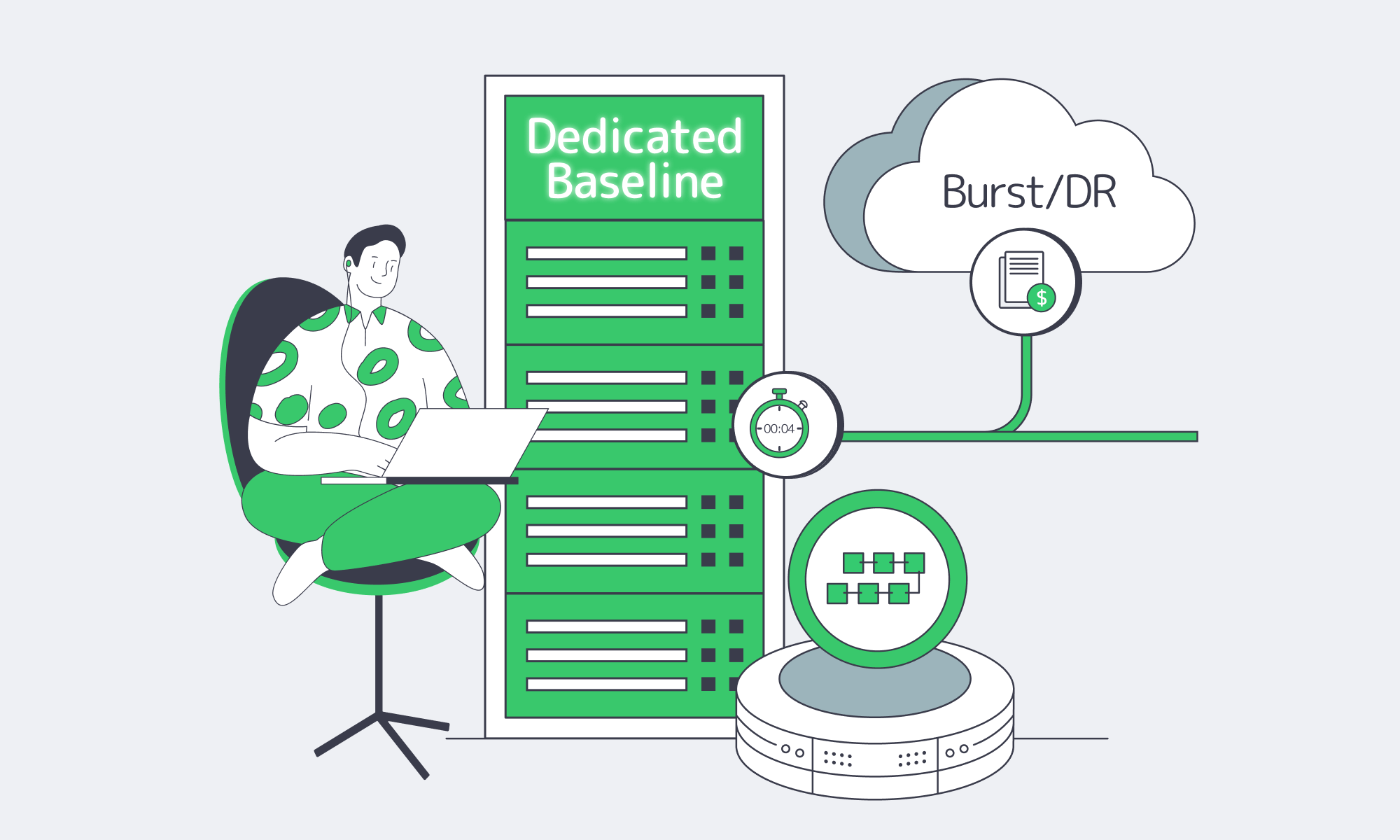
The winning pattern in 2026 is intentional hybrid. Put the baseline on single-tenant servers, use cloud for elasticity, and keep data movement under control.
Pattern 1: Dedicated Baseline + Cloud Burst
Run the steady-state load on dedicated servers. Use cloud only when demand exceeds baseline capacity: launch days, NFT mints, or volatility spikes. Premium rates then map to real upside instead of idle baseline load.
Pattern 2: Dedicated Core + CDN for Read Scaling
For read-heavy traffic (docs, ABIs, static site assets, and cacheable API responses), pushing delivery to an edge network changes the economics. Melbicom’s CDN (40 locations across 35 countries) can offload predictable reads while your dedicated core handles the uncached, chain-dependent requests.
Pattern 3: Dedicated Hot Data + Object Storage for Snapshots and Backups
Keep hot state and indices on local NVMe; move artifacts to object storage: snapshots, replay packages, logs, and backups. Melbicom’s S3-compatible storage is a natural fit for “durable and cheap(ish)” data that shouldn’t be on the same box as the node process.
Pattern 4: Multi-Site Dedicated Servers + BGP Sessions for Routing Control
When uptime and latency are existential, hybrid often becomes multi-site. With BGP sessions, teams can control routing and failover behavior more explicitly than DNS tricks alone. The key is keeping the topology simple enough to operate—two well-chosen sites beat five half-maintained ones.
Design Web3 Infrastructure for Scale
The next cycle won’t only stress scale. It will stress unit economics under scale. Web3 infra that survives isn’t the one that can hit the highest peak once—it’s the one that can run hot for months without making finance or SREs miserable.
At Melbicom, the architecture conversations that go best start with a brutally honest baseline: how much steady-state CPU, NVMe, and bandwidth your protocol actually needs when it’s “quiet,” and what kind of burst profile you get when it isn’t. Once you have that, infrastructure stops being a religious debate and becomes engineering: isolate the baseline onto single-tenant servers, then use cloud strategically where it creates real leverage.
Build Web3 Infrastructure with Melbicom
The most cost-effective Web3 infrastructure strategies today don’t chase purity. They chase control: control over tail latency, control over data movement, and control over unit economics as your chain traffic scales. Dedicated servers are how teams stabilize the baseline; cloud is how teams absorb the unpredictable.
If the goal is to ship reliable crypto hosting without turning cloud billing into an engineering constraint, the decision isn’t “cloud or dedicated.” The decision is what belongs on the baseline, what belongs in burst capacity, and which workloads belong at the edge.
- Baseline first: size dedicated capacity for validators, RPC, and indexing.
- Measure tails: optimize p95/p99 RPC latency and propagation jitter before throwing more instances at averages.
- Treat bandwidth as a primary resource: design for sustained throughput and predictable routing, not “free” internal traffic assumptions.
- Separate hot state from durable artifacts: keep hot chain data local; push snapshots/logs/backups to object storage.
- Use cloud tactically: bursts, DR drills, and non-critical services—never as the default home for the always-on core.
Launch dedicated Web3 servers today
Get predictable performance and cost with single-tenant hardware, CDN, and S3-compatible storage. Build a hybrid baseline on dedicated servers and burst to cloud when needed.
Get expert support with your services
Blog

Designing Latency-First Servers in São Paulo
São Paulo is where financial markets, instant payments, and real-time apps converge — and where a few extra milliseconds can mean lost trades, abandoned checkouts, or rage‑quits.
For latency‑sensitive workloads, the right move is to design a latency‑first dedicated server Sao Paulo plan: place servers in the right buildings, plug them into IX.br, and back them with multi‑homed 10 Gbps+ uplinks that keep jitter low when traffic spikes.
Choose Melbicom— Reserve dedicated servers in Brazil — CDN PoPs across 5 LATAM countries — 21 Tier III & IV DCs, including Brazil |
 |
Which Dedicated Servers Minimize Latency in São Paulo
A São Paulo dedicated server minimizes latency when it combines three things: physical proximity to users and exchanges, deep peering at IX.br, and high‑bandwidth multi‑homed transit. Put your compute in São Paulo’s core, plug into IX.br’s 2,400+ networks, and you can cut latency to Brazilian users by up to 70% compared with out‑of‑country hosting.
Melbicom’s Brazil design follows that pattern. Brazil dedicated servers are being rolled out in a Tier III data center directly tied into the city’s fiber ring and IX.br. By placing origins in SP, you keep user traffic on local routes instead of bouncing through distant transit hubs.
In practice, the right dedicated server in São Paulo is less about CPU brand and more about network placement and headroom:
| Latency Optimization Feature | Description | Benefit for Low-Latency Apps |
|---|---|---|
| São Paulo Data Center Location | Servers inside São Paulo’s metro, close to users and IX.br. | Minimizes propagation delay; local users see roughly 2–3 ms RTT within the São Paulo–Rio corridor instead of tens of ms from remote regions. |
| IX.br Peering | Direct connection to IX.br São Paulo, the world’s largest IXP by participants. | Shortens paths to Brazilian ISPs and carriers; fewer hops and less jitter for FinTech, trading, and gaming traffic. |
| Multi‑Homomed 10 Gbps+ Transit | Multiple Tier 1/2 carriers per rack and 1+ Gbps uplinks per server. | Avoids congestion and route flaps; traffic automatically follows the fastest, cleanest path. |
| BGP Control (with BYOIP) | Free BGP sessions on dedicated servers plus the ability to announce your own prefixes. | Lets you steer routes, build anycast, and tune performance per provider or region. |
| Dedicated Server Performance Tuning | Full root access to optimize OS/network stack (custom kernels, NIC offloads, etc.). | Squeezes out microseconds for trading engines, matching services, and real-time APIs. |
We at Melbicom also care about configuration freedom. Across 21 Tier III/IV data centers globally, engineers can choose from 1000+ ready‑to‑deploy dedicated server configurations — Ryzen, Xeon, and EPYC designs with DDR5 and NVMe — with per‑server bandwidth up to 200 Gbps in Amsterdam, 200 Gbps in Frankfurt, and 200 Gbps in Los Angeles.
For São Paulo specifically, we are staging dozens of configurations around those same building blocks (modern CPUs, NVMe storage, optional GPUs) and 1+ Gbps per‑server ports. Where a standard setup isn’t enough, Melbicom can deploy custom server configurations in roughly 3–5 business days, matching hardware and network layout to your exact latency profile.
What IX.br Peering Optimizes Real‑Time São Paulo Apps
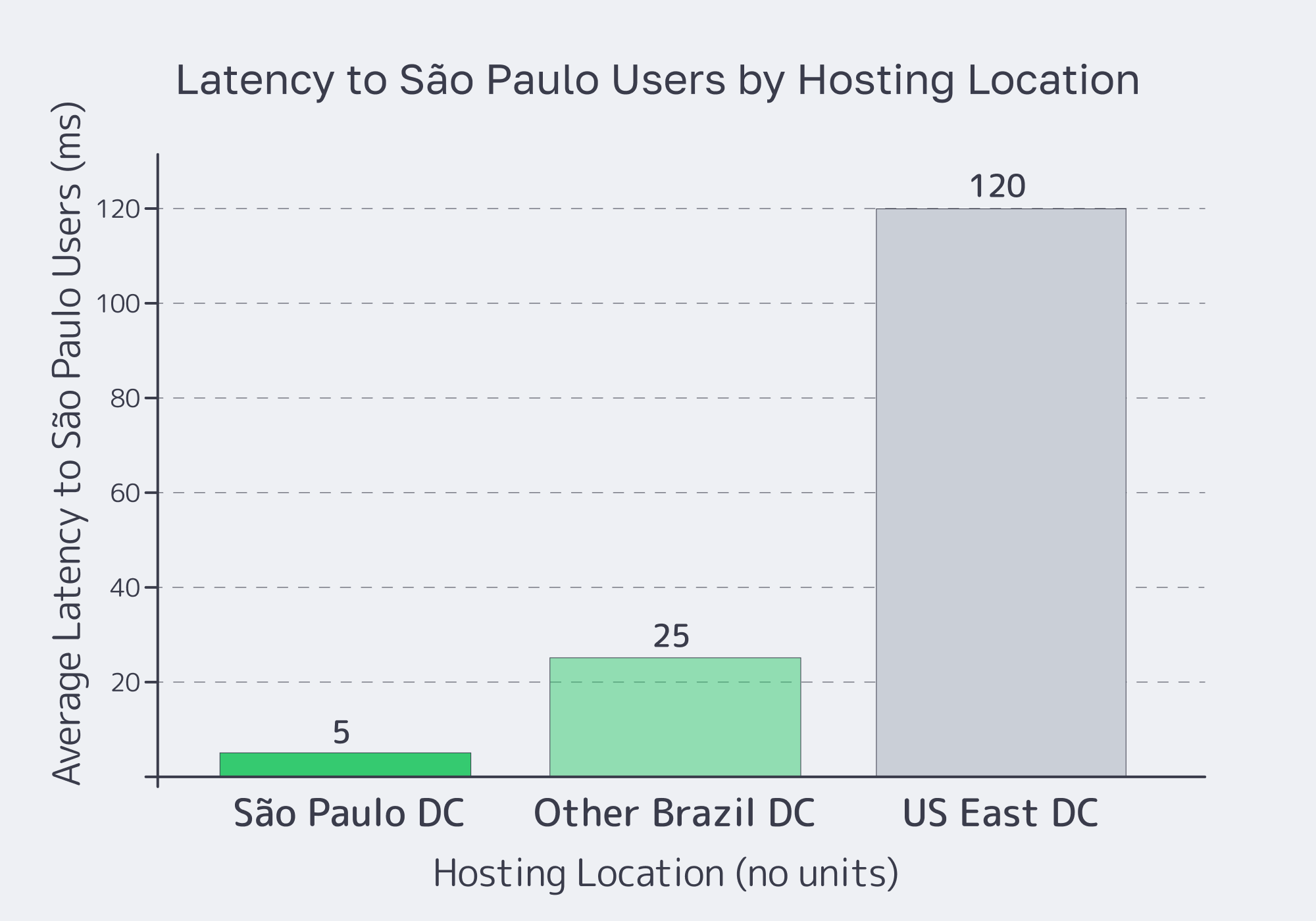
For real‑time apps, IX.br is the control point. IX.br São Paulo aggregates more than 31 Tb/s of traffic nationally and 22 Tb/s in São Paulo alone, with over 2,400 autonomous systems connected — the largest IXP fabric on the planet. When your network is on‑net there, you are effectively one hop away from most Brazilian eyeballs.
That directly impacts anything interactive. São Paulo–Rio paths inside the IX.br ecosystem typically sit in the low‑single‑digit millisecond range, which is exactly what real‑time payments, voice, video, and esports need. Brazil’s gaming market alone counts nearly 90 million gamers and roughly USD 2.5 billion in annual revenue, so shaving tens of milliseconds off routing isn’t cosmetic — it affects win rates, churn, and ARPU.
For a Sao Paulo dedicated server, the goal is therefore not just to “have good transit,” but to terminate as much traffic as possible on IX.br and treat transit as a fallback. That’s why we at Melbicom design São Paulo origins to reach IX.br’s 2,400+ networks directly and then layer a Tier 1‑backed transit mix on top: peering carries the bulk of local traffic; transit handles the long haul.
Brazil Deploy Guide— Avoid costly mistakes — Real RTT & backbone insights — Architecture playbook for LATAM |
 |
Extending São Paulo Performance with CDN
São Paulo apps rarely serve only São Paulo. When your audience spills into the rest of Latin America, you want the city to act as an origin shield and use a CDN Sao Paulo edge to project that performance outward.
Melbicom’s enterprise CDN runs 40 PoPs in 35 countries across 6 continents, with coverage across 5 LATAM countries. Pair a São Paulo origin with regional edges and you can serve static assets from PoPs close to your users in Latin America, while dynamic traffic returns to São Paulo over our optimized backbone. That keeps Time‑to‑First‑Byte low for users across the region without giving up the routing advantages of a single, well‑peered São Paulo hub.
Internationally, we also lean on the modern cable map. Systems like EllaLink link Brazil directly with Europe, cutting round‑trip latency by up to 50% versus legacy routes that detoured through North America. With the right transit mix, a São Paulo origin remains competitive even for cross‑Atlantic traffic.
Where to Place Dedicated Servers for São Paulo Trading Apps
Trading and FinTech are where São Paulo latency gets truly unforgiving. B3 — Brazil’s main stock exchange — runs its primary data center in Santana de Parnaíba, in Greater São Paulo. For co‑located clients, B3 has driven internal order‑processing latency down to about 350 microseconds from 1.2 milliseconds, a 70% reduction that shows how much speed matters.
Most platforms don’t need to sit in B3’s cage, but they do need to sit nearby. The right placement for a São Paulo dedicated server handling trading workloads is therefore a Tier III/IV facility in the metro with direct fiber paths to B3, IX.br, and key banking and payments networks. Done correctly, you see few‑millisecond latencies — enough for brokers, neobanks, real‑time risk engines, and Pix gateways.
Inside the city, that breaks down into a few practical rules:
- Keep your trading engines, risk services, and market‑data handlers in the same metro — don’t split them across regions.
- Choose a data center with cross‑connect options to carriers that already serve B3 and major financial ISPs.
- Use 10 Gbps+ ports even if today’s bandwidth is lower; the headroom keeps queues empty and latencies predictable during volatility spikes.
São Paulo Dedicated Server Patterns for FinTech & Real‑Time Apps
On top of placement, trading and FinTech apps expect control. With a São Paulo dedicated server, you can pick the exact CPU, NVMe layout, and NICs you need, then layer routing logic that matches your risk profile.
Melbicom supports this with configuration freedom: engineers can request custom builds delivered in 3–5 business days when edge cases appear. That includes CPUs tuned for high‑frequency workloads, all‑NVMe storage, optional GPUs, and 1+ Gbps ports per server.
Free BGP sessions on dedicated servers let you announce your own prefixes and build anycast or multi‑homed setups without extra line‑items. For real‑time apps beyond FinTech — multiplayer games, live streaming, collaboration tools — the pattern is similar: put your primary origins on a São Paulo dedicated server footprint with IX.br peering, keep latency‑sensitive state and queues local, and project static content out over CDN PoPs. Brazil’s nearly 90 million gamers expect that kind of responsiveness; the financial sector simply puts a higher dollar value on each millisecond.
Building a Latency‑First Edge in São Paulo
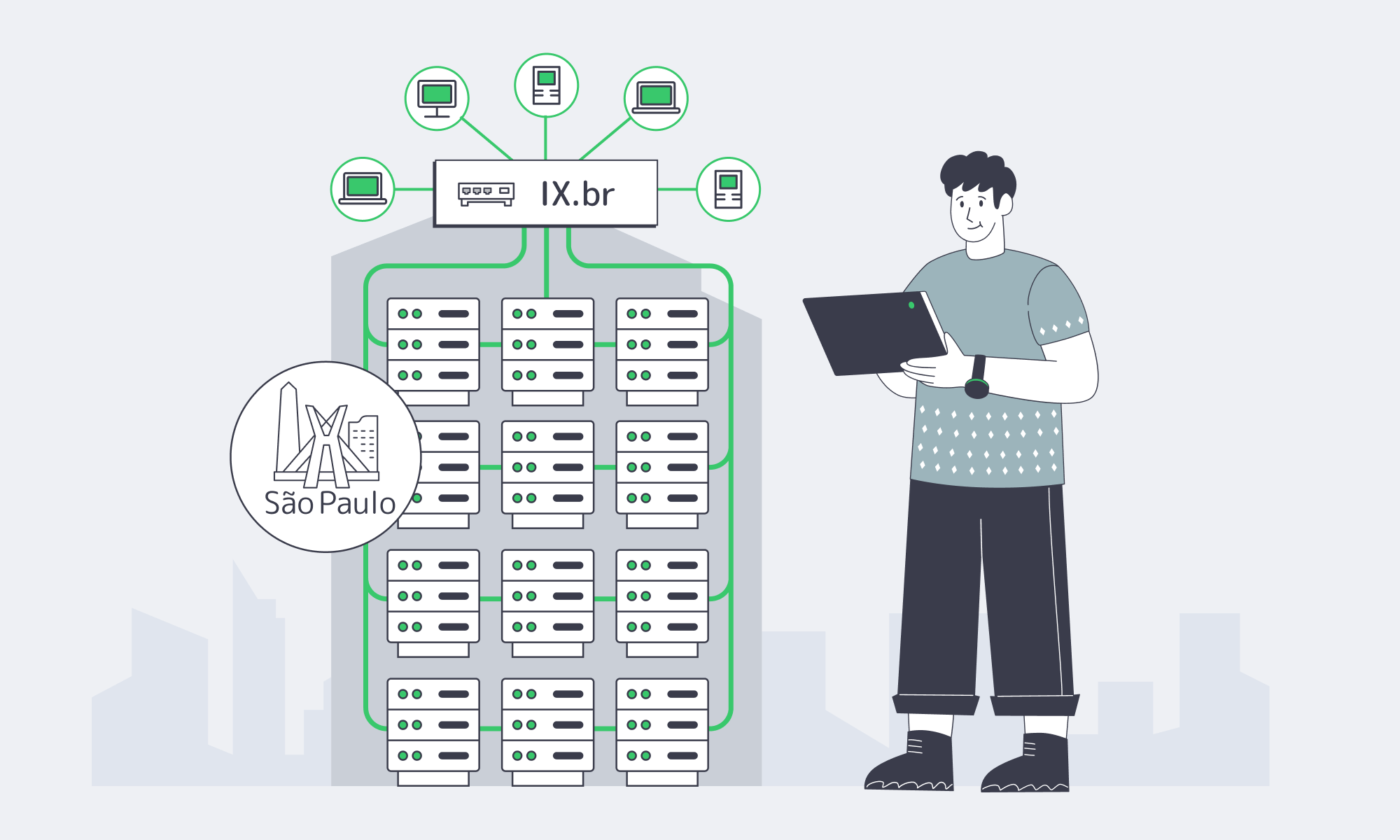
If you treat São Paulo as just “another region,” you leave performance on the table. Treat it instead as a latency‑first hub: place dedicated servers close to users and B3, plug directly into IX.br, and size ports at 10 Gbps and above so congestion never becomes your enemy. The result is a platform that feels instant to users and trustworthy to counterparties.
Key priorities for a latency‑first São Paulo design:
- Location First: Keep compute, caches, and trading engines in São Paulo’s metro, not a distant city — and keep latency‑sensitive microservices in the neighboring racks.
- Peering Before Transit: Aim to deliver most Brazilian user traffic over IX.br; use multi‑homed transit as the safety net for edge cases and international routes.
- Headroom as a Policy: Use 10 Gbps+ ports on origins, with clear capacity planning for when to jump to 25 Gbps and 40 Gbps, so traffic surges don’t push queues into your latency budget.
- Control the Routes: Use BGP sessions (and BYOIP if needed) to steer traffic and implement anycast or failover paths tuned to your risk model.
- Project Outward Smartly: Treat São Paulo as the origin shield and use regional CDN and object‑storage patterns to serve the rest of LATAM efficiently, instead of trying to stand up full stacks in every country.
Do that, and “dedicated server Sao Paulo” stops being a SKU label and becomes a design pattern: a way to guarantee that your FinTech, trading, and real‑time apps stay ahead of both user expectations and competitors’ infrastructure.
Deploy in São Paulo
Design a latency-first footprint with IX.br peering, Tier III placement, and 1 Gbps+ ports. Once our Brazil location is live, our team can deploy ready-to-go configs within 2 hrs and deliver tailored builds in 3–5 business days to match your performance goals.
Get expert support with your services
Blog

Palermo Edge: Routing for EU–MENA Low Latency
Latency engineering in Italy is not just about “how close is my server to Rome or Milan?” It’s about whether your Palermo edge lands on the right submarine systems, hits the right exchange fabric, and avoids avoidable detours through Northern Europe. The fastest path to EU–MENA users is often the path with the fewest policy mistakes.
Palermo makes a clean case study—it sits next to cable landings and peering ecosystems built for Africa and the Eastern Mediterranean. For network engineers, that turns Italy server placement into a routing problem you can instrument, debug, and improve.
Choose Melbicom— Tier III-certified Palermo DC — 6 ready-to-go servers — 40-PoP CDN across 35 countries |
 |
Latency from Palermo to Key Markets
Fiber-route length sets a propagation floor, but congestion, forwarding, and endpoint response time add delay. Cloudflare Radar’s country-level latency and jitter metrics provide context for Italy; they do not measure a specific Palermo-to-market route.
Build separate baselines for each client network and test direction. Depending on your users, include Milan / North Italy, Frankfurt / Central EU, London / UK, Paris / France, Athens / Greece, Istanbul / Türkiye, Tunis / North Africa, Cairo / Egypt, Dubai / UAE, and Mumbai / India. Record measured results rather than treating modeled citywide ranges as performance targets.
| Measurement | What to Record | Comparison Rule |
|---|---|---|
| Round-trip time | p50 and p95 RTT in ms for each probe–server pair | Compare repeated runs using the same protocol and IP version. |
| Jitter | Delay variation in ms, with the calculation method and sampling interval | Compare results only when the jitter definition and method match. |
| Test conditions | Probe ID and ASN, server IP, test dates, packet size, interval, and sample count | Keep normal-operation and failover measurements separate. |
| Route context | Traceroutes and corresponding BGP paths where available | Treat hop geography as inference and corroborate suspected detours. |
Why these measurements matter: a sustained increase in Palermo→Tunis RTT warrants investigation, but RTT alone cannot identify a detour through Frankfurt or Marseille. Compare endpoint measurements and route evidence; longer forward or return paths and congestion can all increase RTT.
Sicily’s Cables and EU–MENA Routing
Sicily can improve EU–MENA paths when traffic uses nearby Mediterranean cable landings and local peering instead of detouring through Northern Europe. In Palermo, DE‑CIX connects networks through the Sicily Hub ecosystem. The benefit depends on the destination network, available routes, and operator policy, not landing proximity alone.
Palermo’s leverage is not “one magic cable.” It’s the portfolio: multiple landings and backbones that create route diversity, plus local interconnection that lets networks swap traffic without detouring north. Melbicom’s Palermo data center connects to Sicily’s cable-landing infrastructure and Mediterranean subsea routes—good conditions for south/east-biased path selection.
What to Look for in Cable-Driven Route Quality
- Direct south/east exits (North Africa, Greece/Türkiye/Levant) that don’t transit a Northern European hub.
- Multiple independent paths (different landing stations/backbones) to reduce shared failure risks; verify physical diversity and test p95 latency on failover routes.
- Interconnect density at the edge: cable landings matter most when they terminate near IXPs and carrier hotels.
Palermo’s Sicily Hub Effect
As mentioned above, Palermo is a Mediterranean interconnection hub close to North Africa and connected into the Sicily Hub interconnection environment, with many carriers participating in the regional ecosystem.
For engineers, the actionable part is what happens when traffic stays in the Sicily interconnect fabric instead of being exported north first. Compare RTT, jitter, and packet loss with the same probes, destinations, and test windows before and after a routing change; the location alone does not establish a fixed improvement.
Why Mediterranean Route Diversity Matters
Red Sea cable cut events in September 2025 highlighted the risk of shared corridors: different cables can depend on the same geographic routes and physical infrastructure. For Italy server placement, verify end-to-end path diversity and test failover performance rather than assuming separate cable names or carriers eliminate shared risks.
BGP Policies and Palermo Server Latency
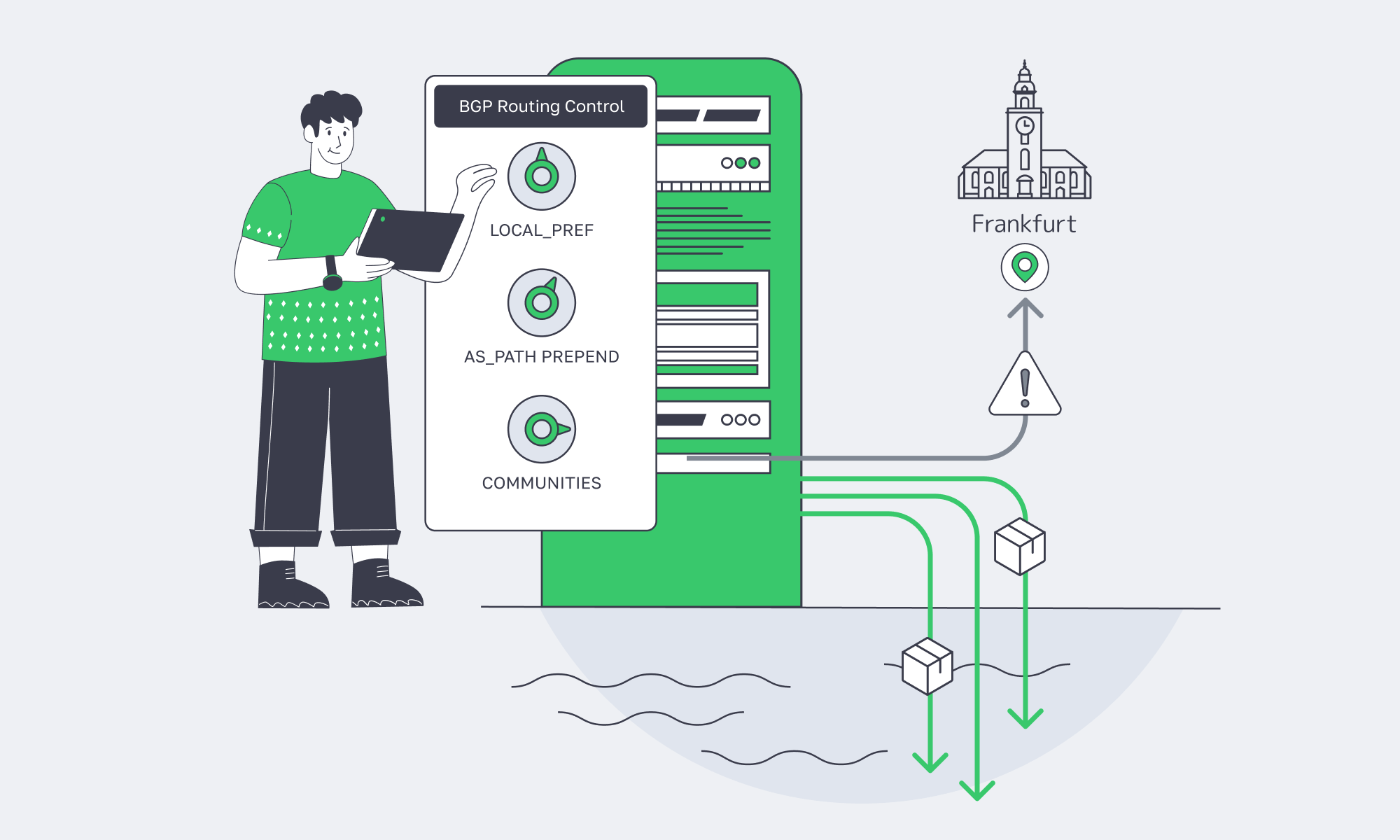
For Palermo servers, LOCAL_PREF favors outbound routes within your AS, while supported communities and AS_PATH prepending can influence inbound routing. These controls do not measure latency or guarantee a Mediterranean path: upstream and destination networks apply their own policies. Test both directions with regional probes before and after each change.
Traceroute: Checking for Northbound Hairpins
A traceroute from a MENA eyeball ISP to a Palermo server can provide three types of clues:
- Possible entry points into Europe (Sicily, Marseille, Frankfurt, or London), subject to corroborating router-location information.
- Possible IXP crossings, using exchange subnets or hostnames as clues rather than proof of a particular peering relationship.
- Where probe RTTs change persistently; a hop cannot by itself identify the BGP policy decision or the physical cause.
Rule of thumb: a jump from 15 ms to 55 ms that persists to the destination is a reason to investigate, not proof of a northern detour. Traceroute RTTs include each responding hop’s return path and response handling. Compare repeated traces in both directions where possible, endpoint RTT, and corroborating routing information.
BGP Basics That Actually Matter for Latency
You don’t need a BGP textbook. You need three concepts:
- Preference beats geography. BGP picks routes based on attributes (LOCAL_PREF, AS_PATH, MED), not distance.
- Symmetry is not guaranteed. Your inbound and outbound paths can differ; measure both directions.
- “Best” is per-AS. A path that’s optimal for one upstream may be worse for reaching your target ISP.
RIPE Atlas measurement documentation explains how to specify targets, protocols, probe selection, and schedules. Record those settings so before-and-after routing comparisons use comparable tests.
BYOIP and BGP for Performance or Resiliency
BGP sessions become a latency tool when you want to:
- Influence regional route preference. Announce the same prefix via different sessions and use supported communities or prepends to influence where it is preferred; other networks may override that preference.
- Engineer failover deliberately. Keep an alternative path available and test its reachability, capacity, and convergence behavior before relying on it during a cable or transit event.
- Keep IP continuity across moves. BYOIP plus BGP lets you relocate workloads (or add a second site) without renumbering.
Melbicom’s BGP Session service supports BYOIP, BGP communities, and full/default/partial route options, alongside RPKI validation and strict IRR filtering.
Mediterranean Edge Monitoring
You can’t “set and forget” a Mediterranean edge: routing changes, congestion, and server-side issues can all increase latency. Monitor two layers together—synthetic probes (RTT/jitter/loss/TTFB) from Southern Europe and MENA, plus routing intelligence (BGP updates, AS‑path changes, RPKI/IRR events). Alert on deltas and retain daily traceroutes.
A minimal modern stack has two layers:
- Synthetic performance probes (RTT, jitter, packet loss, HTTP TTFB) from EU and MENA vantage points.
- Routing intelligence (BGP updates, AS‑path changes, RPKI/IRR events) tied to alerts and incident workflows.
Recommended Monitoring Pattern
- Probe from where users are. Use a mix of cloud probes and RIPE Atlas-style agents in Southern Europe, North Africa, and the Gulf.
- Alert on sustained changes. For example, investigate “+20 ms to Cairo for 10 minutes” against the normal baseline and the application’s latency limits.
- Capture hop-by-hop changes. Store daily traceroutes so you can diff route shifts quickly during incidents.
- Watch BGP like an SRE watches deploys. Correlate route changes with performance alerts; local preference changes may not appear in public BGP updates, and routing telemetry is not guaranteed to precede user impact.
Italy-Centric Latency Engineering Checklist
- Measure p50/p95 RTT and jitter from EU + MENA probes to Palermo.
- Treat “Med direct” and “North hub” as inferred route labels; corroborate hop locations and routing evidence, and leave uncertain paths unclassified.
- Use supported BGP communities/prepends to influence route preference, then verify results for priority markets.
- Monitor BGP updates alongside RTT/jitter—and page on sustained deltas, not spikes.
- Pretest failover paths (including convergence behavior), then rehearse the playbook during maintenance windows.
- Re-run the benchmark suite after every routing change: new peer, new transit, policy tweak, or prefix move.
Your Palermo EU–MENA Latency Advantage
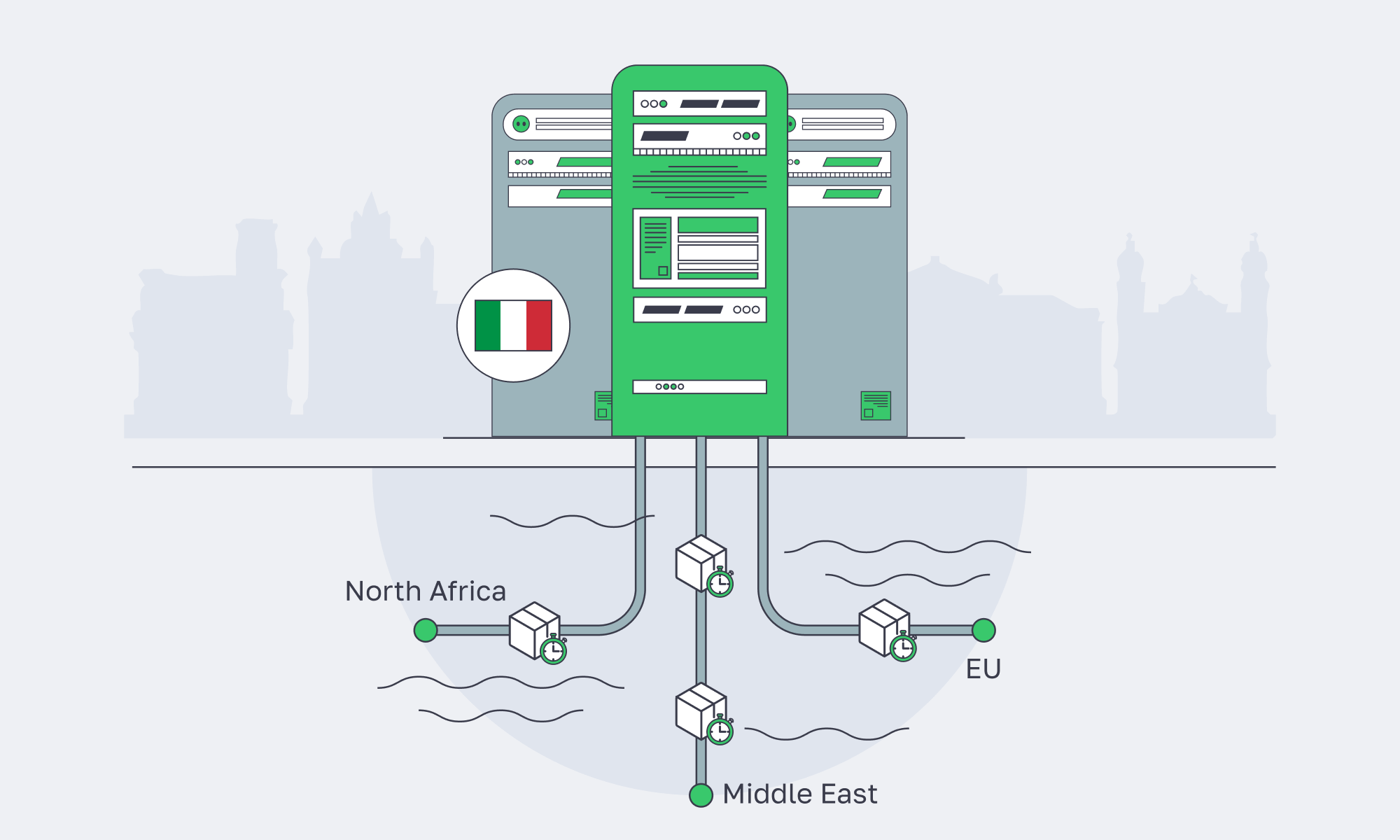
An Italy server strategy centered on Palermo is a bet that modern latency isn’t just distance—it’s interconnection. Sicily’s cable landings, exchange fabrics, and transit diversity can produce tighter RTT envelopes to North Africa and parts of the Middle East, while still staying competitive into core EU hubs.
The engineering playbook is straightforward: benchmark, interpret traceroutes, shape policy with BGP, and monitor routing drift like a first-class SRE signal. Do that, and Palermo stops being “a remote island” and becomes a controllable edge.
Low-latency servers in Palermo
Tap Sicily’s cable landings and regional peering for faster EU–MENA delivery. Choose a ready-to-go server for deployment in hours, or a custom configuration delivered in 3–5 business days. Enable BGP sessions with BYOIP and 24/7 support.
Get expert support with your services
Blog
Dedicated Servers in Bulgaria: Performance Without Premium Pricing
Enterprise IT teams are pushing more compute to the edge of the EU core—not because it’s trendy, but because the workloads got heavier. AI-assisted apps, real-time analytics, large CI/CD pipelines, and storage-hungry platforms all punish shared infrastructure. IDC’s 2025–2029 Global DataSphere forecast describes data creation, capture, replication, and consumption as still expanding, with generative AI and higher-value enterprise data reshaping demand, which is a nice way of saying: every system is now a data system.
Bulgaria sits in a useful sweet spot: close enough to Western and Central Europe for predictable latency, but priced more like an “efficient build” region. Pair that with modern Tier III facilities, dense multi-core CPUs, and NVMe-first storage options, and a dedicated server in Sofia becomes a practical answer to a current problem: how to scale performance without letting infrastructure spend become the product.
Choose Melbicom— Tier III-certified Sofia DC — 45 ready-to-go servers — 40 CDN PoPs across 35 countries |
|
Bulgarian Dedicated Server Performance
Bulgarian dedicated servers are performance-friendly because they pair low-latency European reach with Tier III infrastructure and high-throughput networking.
In Sofia, current multi-core CPUs, SSD/NVMe storage, and high-bandwidth ports give teams practical control over compute, storage, and network limits.
Geography that helps the packet, not the pitch
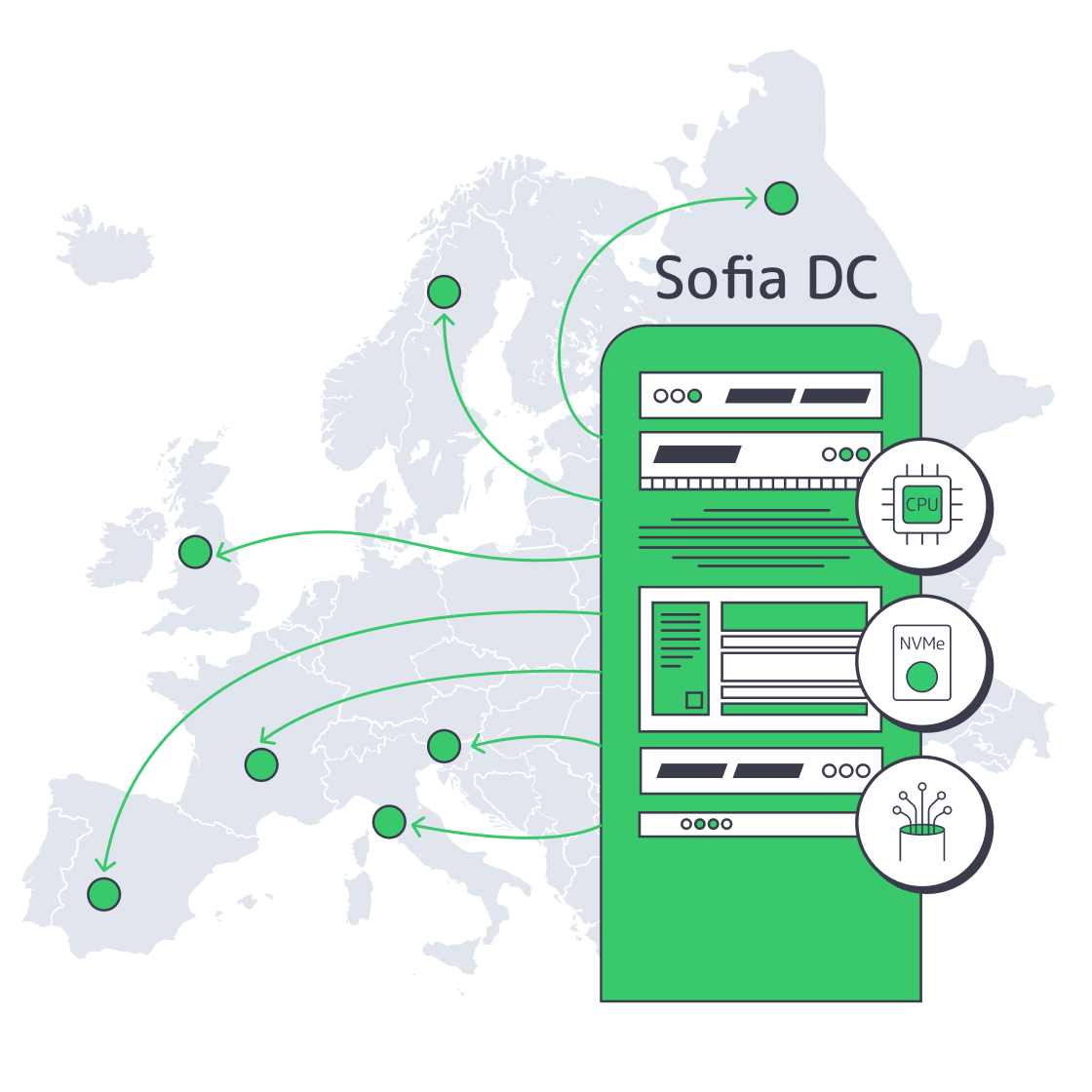
Sofia is positioned for strong regional reach: the Balkans, Turkey, Greece, Central Europe, and the rest of the EU. In practical terms, it’s a good place to run latency-sensitive services that don’t need to live in Frankfurt or Amsterdam to feel “European.” Melbicom’s Sofia facility is Tier III-certified, with on-site operations and per-server bandwidth options up to 40 Gbps.
Modern dedicated servers are built around two bottlenecks: I/O and parallelism
A decade ago, you could treat storage as “fast enough” and CPU as “one box runs the app.” That model dies under today’s operational reality:
- I/O is the floor: NVMe is the difference between a database that scales and one that gets slower as you add users.
- Parallelism is the ceiling: high core counts are now common, and real apps will use them—if your scheduling, caching, and storage can keep up.
In Bulgaria, this matters because you can build performance headroom without paying a premium for being inside the most expensive Western metros.
Performance Levers for Dedicated Hardware
| Domain | What modern dedicated servers deliver | Why it matters for performance |
|---|---|---|
| CPU | High sustained clocks + many cores | Predictable throughput for API, batch, and analytics workloads |
| Storage | SSD/NVMe-first tiers | Faster DB commits, lower tail latency, higher cache efficiency |
| Network I/O | Ports up to 40 Gbps in Sofia | Keeps distributed systems from stalling on replication/egress |
| Isolation | No “noisy neighbor” contention | Stable p95/p99 under load, fewer mystery incidents |
| Ops control | OS/kernel/runtime tuning freedom | Better fit for containers, DB tuning, and specialized stacks |
Bulgarian Servers for Heavy Workloads
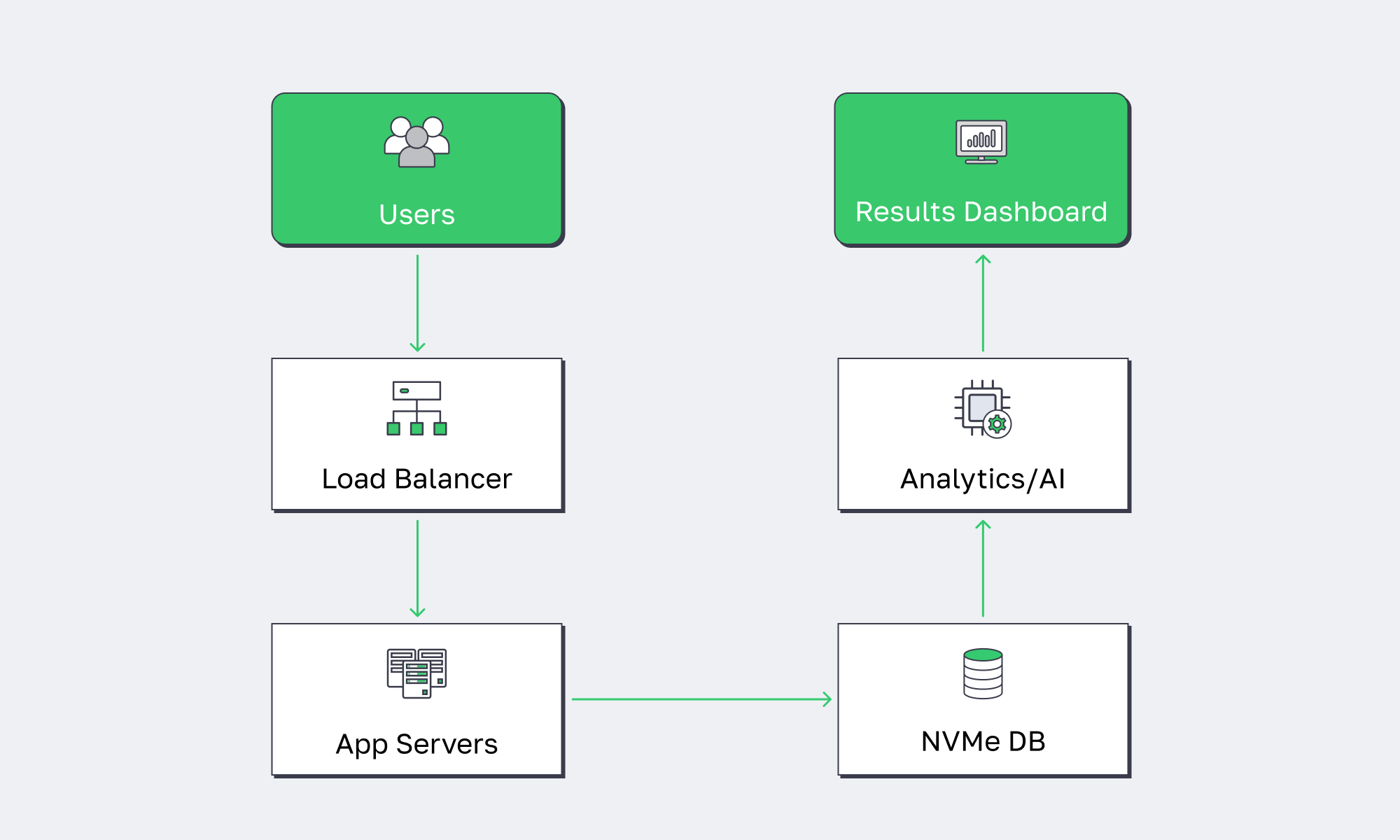
The best Bulgarian servers for heavy workloads prioritize core density, memory bandwidth, and NVMe storage, paired with high-throughput network ports. For resource-intensive stacks—large application hosting, AI inference, big data processing, and real-time pipelines—the goal is to keep your critical path on fast local storage and avoid variable performance from shared layers.
Workloads that actually benefit from “more metal”
Not every system needs a dedicated box. But the ones that do are the ones where variability costs money:
- Large application hosting: microservices clusters, API gateways, and session-heavy backends benefit from stable CPU scheduling and predictable I/O.
- AI inference + vector search: CPU-heavy embedding and retrieval pipelines prefer high clocks and fast NVMe for index storage.
- Big data + streaming analytics: ingestion, ETL, and columnar stores are storage- and network-bound when traffic spikes.
- CI/CD at scale: parallel builds need steady disks and CPU headroom.
Dedicated servers are also “future-proof” in a specific way: they are easier to scale horizontally without second-guessing whether the platform will throttle you.
Why NVMe Storage Is Mandatory for Data Stacks
The storage story has shifted from capacity to throughput. It’s not just databases—object storage gateways, observability stacks, and ML feature stores all behave like write-heavy systems. The difference between SATA III (6 Gbit/s, 600 MB/s theoretical) and modern PCIe 4.0 NVMe drives (up to 7,000 MB/s sequential reads on mainstream models) is the difference between “scale works” and “scale breaks.”
AI and Big Data Need Balanced Infrastructure
Modern AI pipelines are not just GPUs. The unglamorous work—data preparation, feature engineering, embedding generation, and vector DB operations—often runs on CPU + RAM + fast disks. Bulgaria works here because high-memory, NVMe-backed machines can sit close to EU users and data, while still delivering the IOPS and bandwidth these pipelines need.
Bulgarian Enterprise Server Options
You should source enterprise-grade servers in Bulgaria from a provider that can deploy dozens of ready-to-go configurations in Sofia or deliver custom configurations in days (not weeks), keep per-server bandwidth high, and support non-standard builds quickly. Look for Tier III/IV facilities, fast provisioning, and an EU/US/Asia footprint for expansion—without rebuilding your network model from scratch.
Melbicom in Sofia
At Melbicom, we keep capacity ready: 45 servers available for rapid provisioning, custom configurations delivered in 3–5 business days, and a 14+ Tbps network backbone behind the platform—backed by free 24/7 support.
Melbicom can then scale the same operating model globally: 21 Tier III/IV data centers in total, including Sofia, and an enterprise CDN with 40 CDN PoPs across 35 countries. Core compute can stay in Bulgaria while content and static assets move closer to users worldwide.
Cost-Effective Connectivity Without Speed Trade-Offs
A common fear is that moving outside the Western core means trading performance for savings. In practice, Sofia is competitive for regional connectivity—especially when the provider has serious peering and transit diversity. Melbicom runs a 14+ Tbps backbone with 23 transit providers and 29 IXPs, and offers BGP sessions (including BYOIP) so network teams can control routing and keep IP space consistent across regions.
Why a Dedicated Server in Bulgaria Belongs in Your Infrastructure Strategy
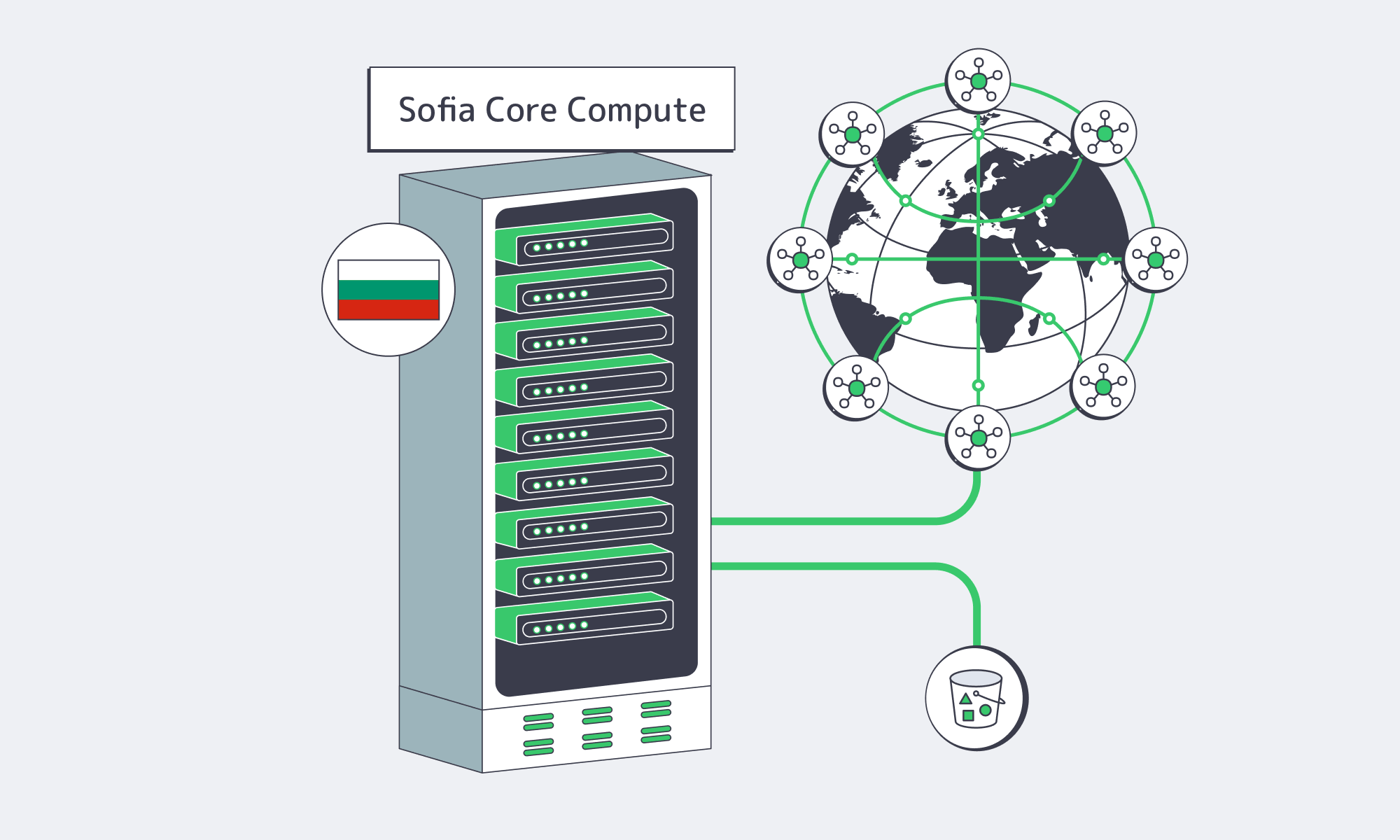
The economics are shifting. Dedicated server hosting is projected to grow from ~$20.1B in 2024 to ~$81.5B by 2032, driven by performance workloads, compliance needs, and cost pressure. At the same time, the enterprise server market keeps climbing (IDC reported $122.6B in server vendor revenue in Q1 2026), because compute demand is moving into specialized shapes rather than slowing down.
Bulgaria becomes strategically interesting in that environment: you can deploy modern dedicated infrastructure in the EU with strong regional latency characteristics, without paying the “premium geography tax.” It’s not a hedge against cloud—it’s a high-performance baseline for the parts of your stack that shouldn’t be burstable.
Bulgaria Dedicated Servers: Key Takeaways
If your stack is CPU-, storage-, or bandwidth-bound—and premium-region prices hurt—Bulgaria is increasingly a rational production region.
- Benchmark like an SRE. Test p95 latency and IOPS before rollout.
- Treat bandwidth as a design constraint. Decide early whether you need unmetered throughput (and how much), because it shapes replication, ingest, and backup architecture.
- Separate hot data from cold artifacts. Keep the hot set on local NVMe; push snapshots, logs, and large objects to storage; front static reads with a CDN to protect origin CPUs.
- Standardize builds and automate ops. Predictable performance only matters if you can re-create it: immutable images, config management, and monitoring that catches storage and network saturation before users do.
Conclusion: Performance Is About Location, Hardware, and Ops Maturity

Bulgaria isn’t “cheap hosting.” It’s where performance infrastructure looks like modern Europe: Tier III facilities, multi-gig connectivity, and current-gen CPUs and storage—without the top-tier metro markup.
If you want dedicated performance without paying for prestige geography, put predictable server infra in Sofia with delivery optimized for users worldwide.
Deploy Dedicated Servers in Bulgaria
Get high-bandwidth servers in Sofia with fast provisioning, 24/7 support, and steady EU performance.
Get expert support with your services
Blog
Sofia Servers Anchor Europe’s Emerging Data Hub
For years, Europe’s internet gravity has sat firmly in Frankfurt, London, Amsterdam, and Paris. Now the map is tilting. As AI, streaming, and distributed apps turn into bandwidth hogs, operators are adding capacity outside the established hubs in search of more power, available land, and routes to regional users.
JLL’s August 2026 analysis reports 3.8 GW of live capacity across the Frankfurt, London, Amsterdam, Paris, and Dublin (FLAPD) hubs, with about 453 MW of additions forecast for 2026. Expansion into secondary locations is broadening Europe’s infrastructure footprint, not replacing the core hubs.
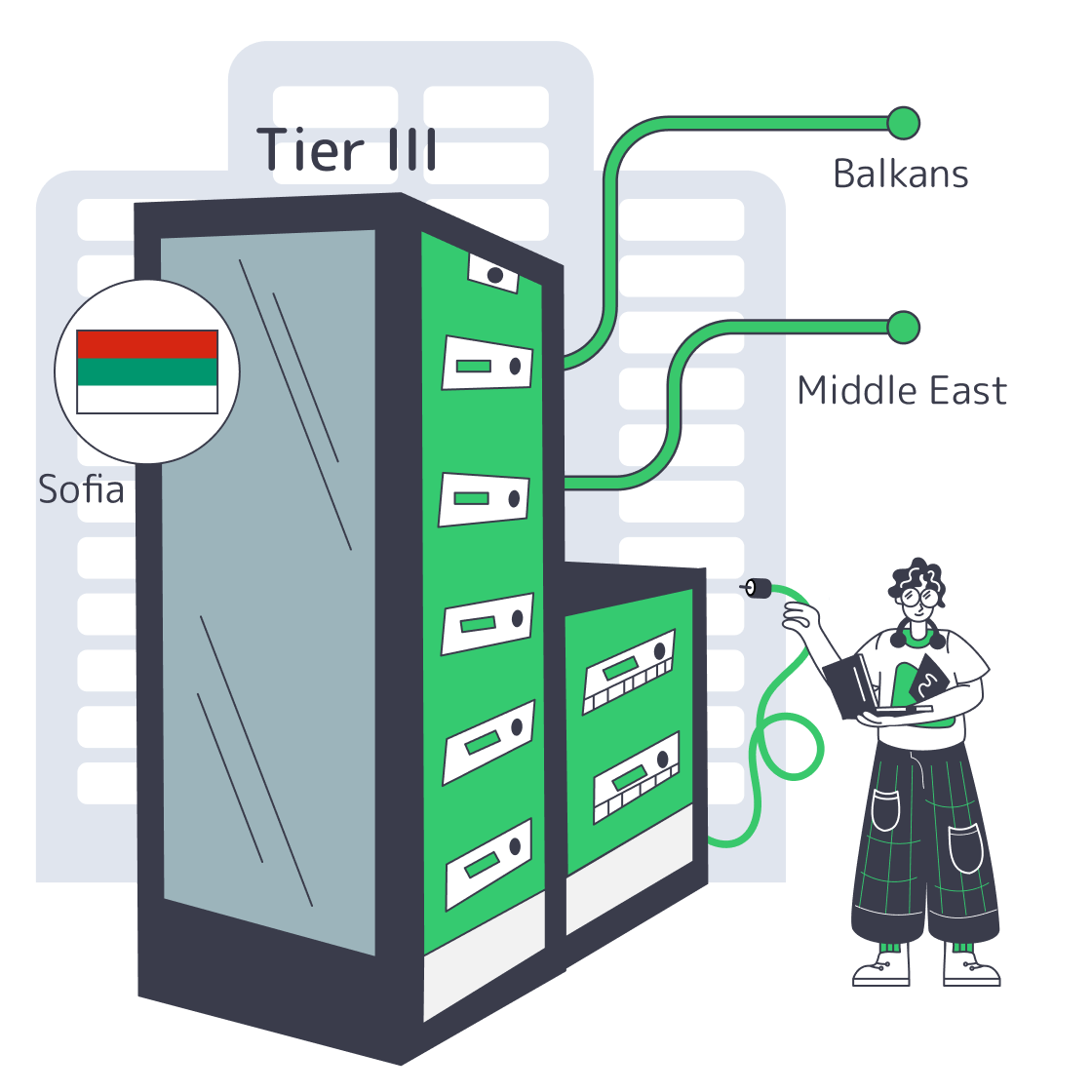
Bulgaria offers an alternative location for regional workloads. Sitting at the crossroads between Central Europe, the Balkans, and the Middle East, Sofia combines Tier III infrastructure with access to Bulgarian and international networks. For teams looking at a Sofia server deployment as a regional foothold, it’s a strategic option.
Choose Melbicom— Tier III-certified Sofia DC — 45 ready-to-go servers — 40 CDN PoPs across 35 countries |
|
Why Host Balkan Data Centers in Sofia?
A Sofia server places workloads in an EU location close to Balkan markets, with Tier III facilities and access to regional and international networks. Sofia is worth evaluating for regional hosting, but latency and cost advantages depend on the selected provider, destination ISPs, bandwidth plan, and application requirements.
Sofia’s geography does a lot of heavy lifting. The city is an intersection of Bulgarian and international networks, but nearby destinations do not necessarily share the same routing or latency. Public measurements between Sofia and Istanbul describe specific test hosts, not a guarantee of near-local performance throughout Turkey.
The infrastructure on top of those routes has caught up fast. In July 2023, a major global colocation provider reported a $12 million expansion that doubled capacity at one of its Sofia sites to 700 racks. Melbicom’s facility in Sofia – a Tier III data center with 9,000 m² of space and 3 MW of power – offers up to 40 Gbps in per-server connectivity. Melbicom’s 14+ Tbps aggregate global network complements that local connectivity.
Cost and power are the other half of the story. JLL’s 2026 analysis identifies lower powered-land costs in secondary markets, but facility costs do not translate directly into a cheaper server plan. Compare high-bandwidth Sofia servers against equivalent Western configurations using the same hardware, bandwidth allowance, redundancy requirements, and contract terms.
Finally, Sofia isn’t just a bandwidth pipe; it’s evolving into an AI and research hub. The BRAIN++ project, announced in March 2025 with a €90 million project value, combines the planned Discoverer++ supercomputer at Sofia Tech Park with an AI services hub.
On October 3, 2025, the government described exploring an AI gigafactory with IBM and the European Commission, including a concept with more than 100,000 GPUs and power demand potentially reaching 500 MW. This was an exploratory proposal, not an operating facility. The EU-wide gigafactories call published in July 2026 schedules project selection for early 2027.
In short: the combination of location, maturing infrastructure, and AI-focused investments is turning Sofia from a regional outpost into a serious data gravity well.
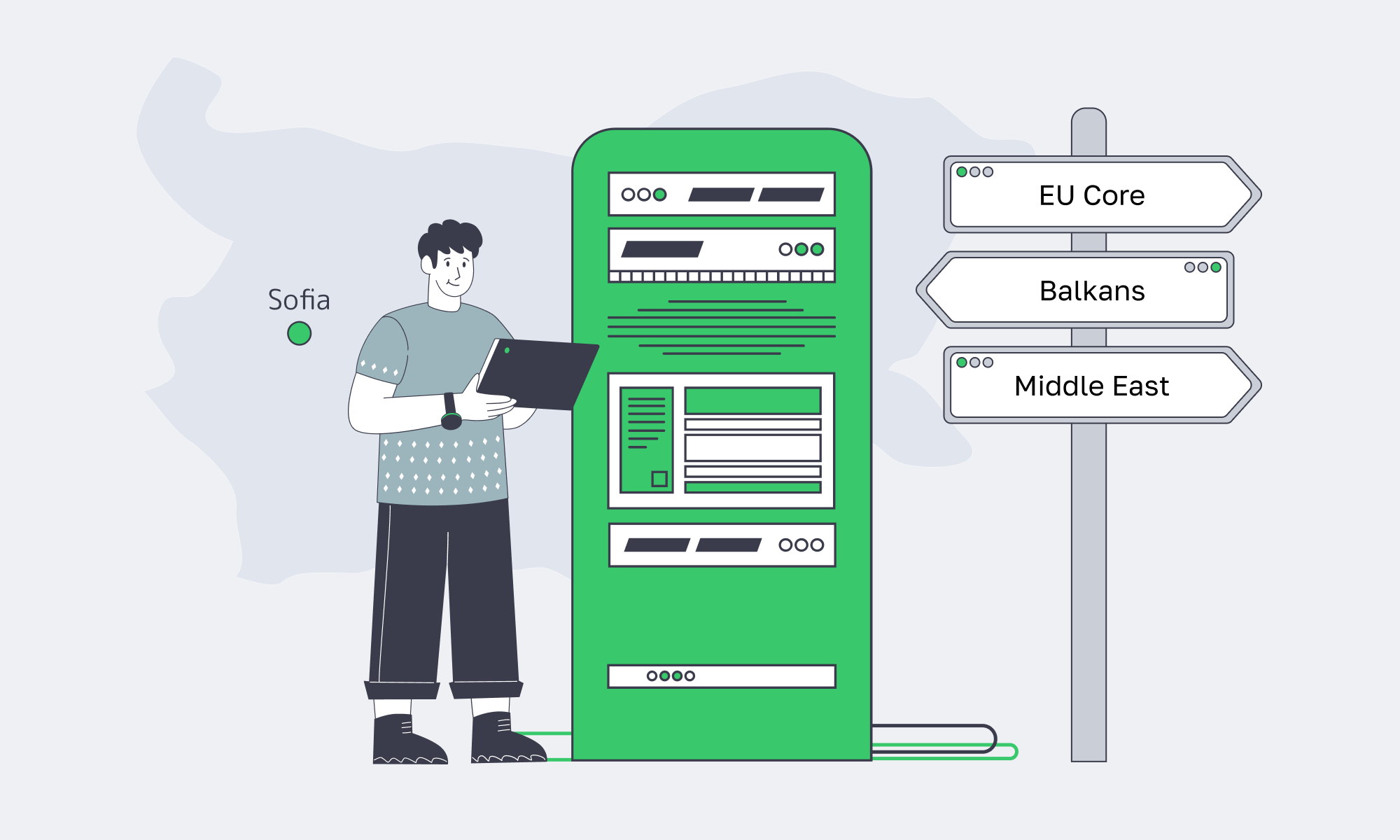
Where to Host Southeastern Europe Servers
A Sofia server is a regional hosting option for Southeastern Europe, with routes toward Turkey and the Eastern Mediterranean. Select Sofia when tests to your target networks and a like-for-like cost comparison support it; geographic proximity alone does not establish sub-20 ms latency or make every regional destination equivalent.
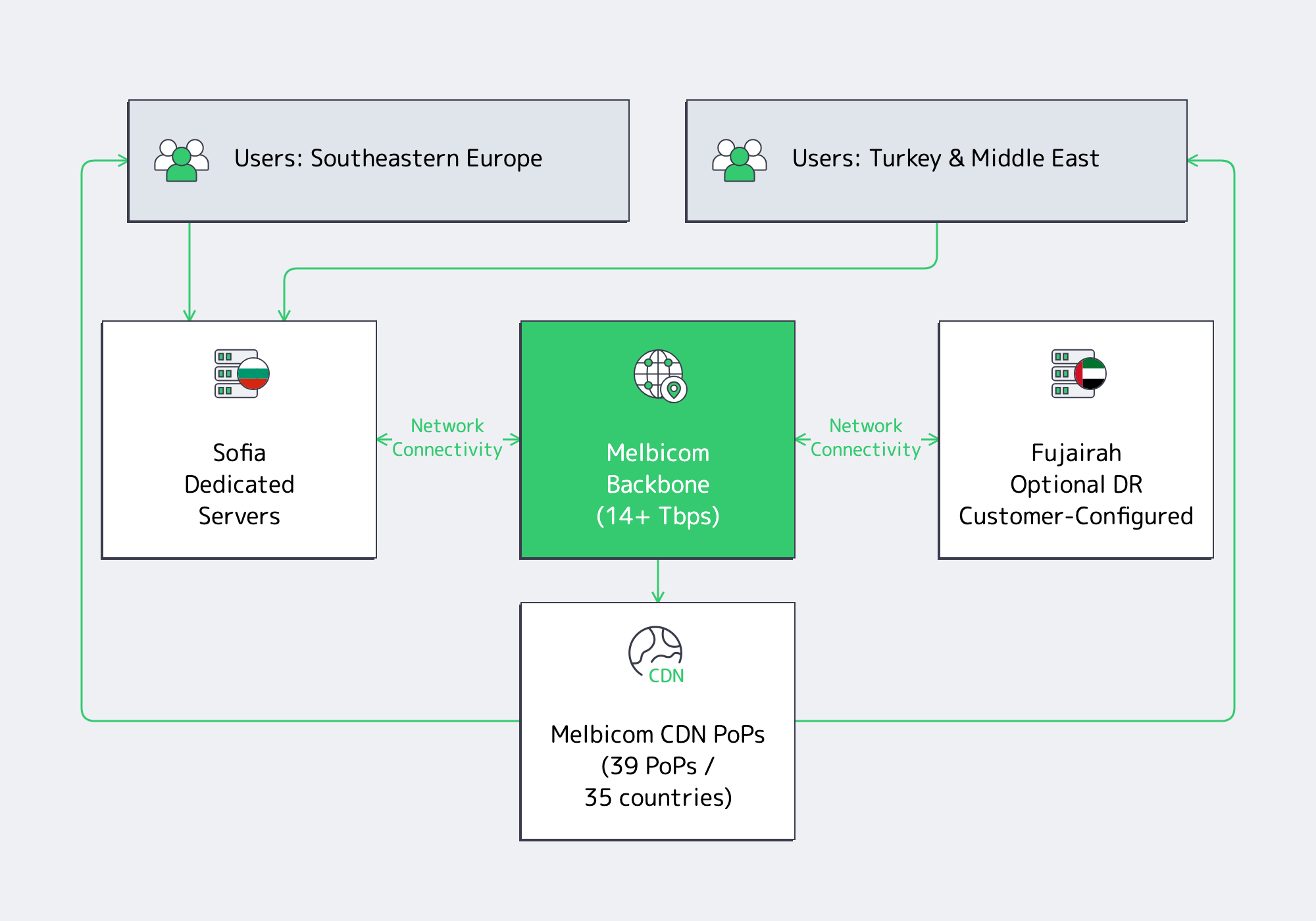
From a routing perspective, the measured path matters more than city-to-city distance. In WonderNetwork’s October 5, 2026 samples, the Bucharest-to-Sofia run averaged 43.1 ms, while the Sofia-to-Athens run averaged 15.0 ms. These are directional test-host examples, not typical RTTs for every Sofia provider.
Do not treat Romania, Greece, Serbia, Bulgaria, and Turkey as a single “latency zone.” Test the actual destination networks and application traffic before selecting Sofia for gaming, streaming, or low-latency Web3 infrastructure.
Sofia offers an EU location for sensitive workloads, but hosting in Bulgaria does not by itself establish GDPR compliance. Lawful processing, security measures, and appropriate processor contracts still matter. If a design uses Fujairah for disaster recovery or sends personal data to non-EEA CDN locations or other recipients, assess the actual data flows under the applicable international transfer rules before deployment.
Reliability needs to be addressed at both the facility and network layers. Verify that the selected carriers and physical paths provide the required diversity; geography alone does not establish independent routes. The topology above is illustrative: using Fujairah as a secondary location requires configured and tested replication and failover, not simply a network connection.
Finally, Sofia’s AI plans are relevant to long-term infrastructure planning, but planned systems are not the same as available capacity. As of October 5, 2026, the Discoverer++ procurement remained open, with an October 16 deadline; installation at Sofia Tech Park was planned for the end of 2026. Plan GPU-dependent workloads around confirmed hardware availability, not project announcements.
Example: Published Regional Ping Measurements
| Measurement direction | Sample average RTT (ms)* | Sample date |
|---|---|---|
| Sofia → Istanbul, Turkey | Not used; see note | 2026-10-02 |
| Bucharest, Romania → Sofia | 43.1 | 2026-10-05 |
| Sofia → Athens, Greece | 15.0 | 2026-10-05 |
*Rounded averages from individual 30-ping WonderNetwork runs: Bucharest → Sofia at 08:51:47 and Sofia → Athens at 09:02:56 on October 5, 2026. Times are as displayed by the source; no timezone is specified. The available October 2 Istanbul run ranged from 0.912 to 438.454 ms and is not used as a typical-latency estimate. These are third-party test hosts, not Melbicom benchmarks; results vary with ISP, direction, path, and time.
Key Advantages of Hosting in Sofia, Bulgaria
Zooming out, the value proposition of putting a Sofia server at the center of your Eastern European footprint looks like this:
- Performance where it matters: Sofia is a regional option for Balkan and Turkey-bound traffic, but latency must be checked against the actual destination networks.
- Modern, scalable infrastructure: Tier III facilities with multi‑megawatt power, redundant cooling, and fast ports support high‑throughput deployments; GPU-dependent workloads require a suitable server configuration.
- Cost efficiency vs. FLAP hubs: Compare equivalent hardware, bandwidth allowances, and redundancy requirements rather than assuming that every Sofia plan is cheaper.
- Network resilience by design: Carrier and physical-path diversity can reduce exposure to a route failure when those paths are independently provisioned and tested.
- Future alignment with AI growth: BRAIN++ and exploratory gigafactory proposals point to investment interest, but project announcements are not a substitute for confirmed service availability.
Sofia Dedicated Server: An Emerging Hub
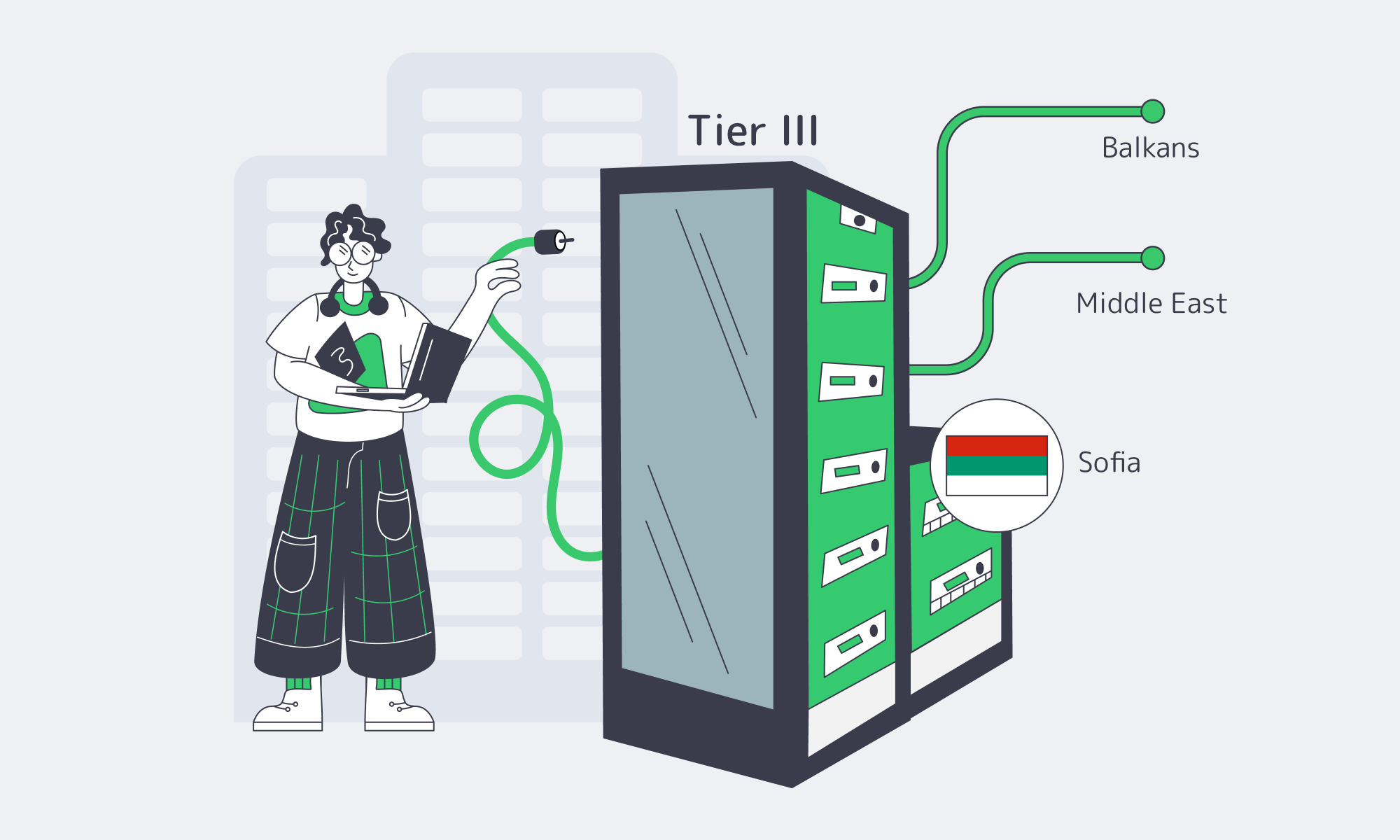
Choosing Sofia is not about chasing a cheap corner of the map; it’s about exploiting a structural tilt in how Europe’s infrastructure is being built. As core hubs hit power and land limits, operators are pushing new capacity into regions that still have room to grow. Sofia offers Tier III hosting and international connectivity close to the Balkans and Turkey.
For teams that care about both latency and long‑term flexibility, a Sofia server can play multiple roles at once: regional edge for Southeastern Europe, stepping stone toward the Middle East, and a resilient backup or spillover region for workloads running in Western hubs. As AI and bandwidth‑hungry applications continue to reshape traffic patterns, being present in an emerging node like Sofia looks less like an experiment and more like prudent risk management.
Launch Sofia servers today
Spin up Tier III servers in Sofia with up to 40 Gbps ports on a 14+ Tbps backbone. Go live fast with ready configs and custom builds.
Get expert support with your services
Blog

How Real Unmetered Ports Power Modern Workloads
“Unlimited bandwidth” is one of those phrases that sounds magical and usually isn’t. On shared hosting it often meant “until you use too much, then we slow you down.” On a dedicated server, though, it can be very real and extremely useful—if you understand what you’re actually buying.
By 2026, analysts expect around 82% of all internet traffic to be video, turning bandwidth from a line item into a core business dependency for streaming, gaming, collaboration, and more. When your workloads are UHD streaming, multi‑tenant SaaS, or global file distribution, the difference between a truly unmetered port and a marketing “unlimited” plan is the difference between scaling and stalling.
Choose Melbicom— Unmetered bandwidth plans — 1000+ ready-to-go servers — 21 Tier III & IV DCs; 40 CDN PoPs |
|
This piece digs into what “dedicated server unlimited bandwidth” really means, how modern providers avoid the old “unlimited” traps, and which modern workloads absolutely need the real thing.
What Does Unlimited Bandwidth Really Mean for Servers
On a dedicated server, “unlimited bandwidth” means unmetered data transfer up to the capacity of your network port, not infinite speed. The provider stops counting terabytes and instead sells you a fixed pipe (i.e, 1–200 Gbps) that you can saturate around the clock. In this context, “unlimited” equals predictable capacity, not a loophole in physics.
In a dedicated server unmetered bandwidth plan, the hard limit isn’t a monthly data cap, it’s your port size. A 1 Gbps port can only push so many bits per second; a 10 Gbps or 100 Gbps port can push far more. The provider simply doesn’t meter how many terabytes you move through that pipe each month. Instead of worrying about “will this launch blow past 100 TB?”, you think in terms of “can this port sustain my traffic profile?”
For example, if you ran a 1 Gbps port flat out for an entire month, you’d move on the order of ~330 TB of data. With a 10 Gbps port, that scales to multi‑petabyte territory. Metered billing models often attach overage fees above a certain TB threshold; unmetered models remove that dimension entirely and simply charge you for the port.
Historically, a lot of “unlimited” offers were more illusion than reality. Bandwidth was expensive, so some providers oversold shared links and leaned on “fair use” clauses or 95th‑percentile billing to rein in heavy users. The result: plans that claimed “unlimited” but quietly throttled or penalized you once you behaved like a successful service.
Today, transit costs are lower and global backbones are much larger, so serious providers can afford to be literal: no transfer caps, no thresholds, just the physical port as the limit.
That’s the model we follow at Melbicom: we treat “unlimited” as unmetered, port‑bound capacity. Our unmetered options ride on dedicated ports with guaranteed throughput and no oversubscription ratios, backed by a 14+ Tbps backbone and engineered specifically for high‑throughput workloads. You can push line‑rate traffic without hunting through the fine print for the catch.
How to Identify Truly Unmetered Dedicated Server Plans

A truly unmetered plan spells out its constraints in plain language: fixed port speed, no 95th‑percentile games, no hidden sharing ratios, and clear acceptable‑use rules. You should be able to run near line‑rate traffic for days without seeing throttling, surprise overages, or vague emails about “abuse.”
Here’s how to vet an unlimited bandwidth dedicated server offer.
- Confirm that “unlimited” refers to transfer, not burst.If the small print mentions 95th‑percentile billing, “burstable” tiers, or soft caps after some TB figure, you’re looking at a metered plan with nicer marketing. Unmetered means you are not charged per TB and aren’t cut off after some hidden limit.
- Make sure the port is truly dedicated (1:1).On a real unmetered port, if you pay for 10 Gbps, you alone control that 10 Gbps. Wording like “guaranteed bandwidth, without ratios” is what you want; it signals no silent sharing or oversubscription of your uplink.
- Check that the backbone can actually carry it.Providers with multi‑terabit backbones and diverse transit/IX peers have the headroom to keep unmetered ports honest. Melbicom, for instance, runs a 14+ Tbps backbone across 21 Tier III/IV data centers with 40 CDN PoPs, so fully loaded ports are normal operating conditions, not edge cases.
- Prefer Tier III / IV, carrier‑rich facilities.Carrier‑neutral Tier III / IV data centers give your server multiple upstreams and paths, so “unlimited” isn’t undermined by congestion on a single carrier. Melbicom’s footprint follows this pattern: Tier III/IV sites in Africa, Asia, Europe, North America, and South America, with per‑server bandwidth ranging from 1 Gbps up to 200 Gbps depending on location.
- Expect clear AUPs and testable performance.A good provider’s acceptable‑use policy bans actual abuse (open proxies, public torrent mirrors, etc.) rather than imposing fuzzy “fair use.” Ideally, you should be able to test from each location using downloadable files or your own scripts, and see that a “1 Gbps unmetered” port behaves exactly like one under sustained load.
Once those basics are covered, the remaining question is “How big a port do we need?” The rough math below assumes 100% utilization 24/7; your actual usage will almost always be lower, but it shows what’s theoretically on the table:
| Port Speed | Approx. Monthly Data at 100% Utilization | Typical Fit (Examples) |
|---|---|---|
| 1 Gbps | ~330 TB | Regional SaaS node, busy API backend, moderate VOD origin |
| 10 Gbps | ~3.3 PB | Multi‑region streaming origin, large SaaS region, big download mirror |
| 100 Gbps | ~33 PB | Major media node, CDN origin cluster, hyperscale data distribution |
The point is not that you’ll always drive ports this hard, but that a genuine dedicated server unmetered bandwidth plan allows you to. If a provider’s small print would prevent you from ever approaching these numbers in practice, their “unlimited” isn’t really unmetered.
At Melbicom, the pattern is explicit: you choose the port size (from 1 Gbps up to 200 Gbps per server), and when you opt for unmetered, that port becomes a flat, predictable cost—no surprise bills just because your product finally found its audience.
Which Workloads Require True Unmetered Server Bandwidth

Unmetered ports aren’t just for vanity. They’re for workloads where bandwidth is central to the business model: UHD/8K streaming, global SaaS, massive downloads, AdTech, and real‑time AI or APIs. In those cases, a capped plan becomes either a cost time bomb or a hard performance ceiling.
Some concrete examples:
- UHD and 8K Streaming Platforms: Streaming 4K typically needs around 25 Mbps per stream, and early 8K implementations can demand roughly 50–100 Mbps of sustained bandwidth. A few thousand concurrent viewers can overwhelm a capped plan quickly. Recent analysis of Sandvine’s Global Internet Phenomena data shows video applications already generate 39% of global fixed download traffic, with YouTube alone responsible for 16% of overall internet traffic. For live sports, IPTV, or large VOD catalogs, a 10 Gbps+ dedicated server unlimited bandwidth port is no longer overkill; it’s what keeps viewership spikes from becoming incidents.
- SaaS and Cloud Applications: In 2026, it’s estimated that 85% of business applications are SaaS‑based, so more critical workflows depend on continuous data movement between users and cloud services. High‑churn traffic—APIs, sync jobs, video calls, collaborative editing—doesn’t spike once; it spikes all day in different time zones. On a metered plan, every growth phase forces another bandwidth renegotiation. On unmetered ports, you treat bandwidth as a fixed cost and focus on latency, redundancy, and scaling patterns instead.
- Large File Distribution and Updates: Game patches, OS images, firmware, media assets, data sets—these are not small files, and a single popular release can push petabytes in days. Here, a dedicated server unmetered bandwidth configuration plus a CDN is the default pattern: let the origin run flat‑out on a large port while the CDN caches content close to users. Melbicom’s CDN, for example, runs in 40 CDN PoPs across 35 countries, tightly integrated with origin servers in 21 data centers, so you can combine unmetered origin bandwidth with globally distributed edge delivery.
- High‑Traffic Sites, Ad‑Tech, and Real‑Time APIs: Sometimes it’s not the size of each response but the sheer number of them. AdTech platforms, analytics beacons, social feeds, and high‑traffic content sites can generate billions of small responses per day. A metered plan turns that into a cost‑optimization exercise. An unmetered port turns it into an engineering challenge—keep p95 latency low at peak—so your team can tune code and architecture instead of designing around bandwidth caps.
In all of these scenarios, an unlimited bandwidth dedicated server isn’t a vanity asset; it’s a way to align infrastructure with how your product actually uses the network. It lets you focus on shaping traffic and optimizing architectures instead of performing invoice forensics at the end of every month.
Why Dedicated Server with Unlimited Bandwidth Matters

In 2026, we’re not just gently trending toward “more data”—we’re already there. Video dominates consumer traffic, SaaS dominates business software, and more workloads than ever are interactive, real‑time, and global. In that environment, bandwidth stops being a peripheral detail and becomes a first‑order design constraint.
That’s where the definition of “unlimited” really matters. A plan that promises the world but hides caps behind 95th‑percentile graphs or vague “fair use” clauses will, sooner or later, collide with your success. A dedicated server unlimited bandwidth plan, correctly implemented, does the opposite: it makes the limits explicit (your port speed) and makes everything else—especially your bill—predictable.
From a tech decision‑maker’s point of view, the practical recommendations look like this:
- Treat “unlimited” as unmetered, not unbounded.Insist that “unlimited” means “all the traffic your port can carry” with no per‑TB billing or soft caps. If the provider can’t say that plainly, assume you will hit hidden limits at the worst possible time.
- Tie bandwidth back to network reality.Choose providers that can prove they have dedicated ports, multi‑terabit backbones, and Tier III/IV, carrier‑rich facilities. If you can’t trace how your traffic leaves the data center (transit, IXPs, paths), you can’t trust “no throttling” to hold under load.
- Map workloads to ports, not caps.Size ports based on your actual workloads—UHD streams, SaaS tenants, download volumes—then use unmetered billing to remove guesswork around monthly transfer. Revisit port size as you grow, not because you’re afraid of unexpectedly expensive invoices.
Get those pieces right, and “unlimited bandwidth” stops being a red flag and becomes one of the cleanest, most understandable parts of your stack.
Get Unmetered Bandwidth on Dedicated Servers
Choose port speeds from 1 Gbps to 200 Gbps with predictable unmetered transfer. Our global network and Tier III/IV facilities keep throughput steady for streaming, SaaS, and large file delivery.
Get expert support with your services
Blog

How to Choose an Unmetered Bandwidth Dedicated Server
High-traffic services don’t “run out of CPU” first anymore — they run out of network. Internet traffic volume has climbed fast enough that “normal” outbound totals are now measured in exabytes: IBISWorld estimates global IP traffic rose from 207.4 exabytes/mo in 2020 to 521.9 exabytes/mo in 2025. That growth changes what good hosting is: you need predictable throughput, not surprise overages or mystery slowdowns.
Choose Melbicom— Unmetered bandwidth plans — 1000+ ready-to-go server configs — 21 Tier III & IV DCs; 40 CDN PoPs |
|
How Do You Choose Unlimited Bandwidth Hosting Without Hidden Limits?
Picking unlimited bandwidth hosting in 2026 is about guaranteed port speed, network quality, uptime discipline, and transparency. Treat “unlimited” as meaningless unless it’s tied to an explicit unmetered commit (for example, 20 Gbps+) with no hidden caps or throttling. Validate with policy language, test endpoints, and real throughput checks before you migrate production.
Dedicated Server Unmetered Bandwidth vs. “Unlimited” Marketing
The useful term is dedicated server unmetered bandwidth: you’re paying for a fixed-size pipe (1 Gbps, 10 Gbps, 40 Gbps…), and transfer volume isn’t metered. “Unlimited bandwidth” only matters when it’s paired with that explicit pipe size and a provider that can actually deliver it during peak hours.
Two practical reasons this matters:
- Cost predictability: public cloud egress is still usage-priced. Once you’re pushing tens of terabytes per month, outbound transfer alone can land in the “thousands of dollars” range at published list rates. (See the pricing tiers in this public-cloud example.)
- Performance predictability: unmetered bandwidth is a billing term. Performance is still constrained by physics: port speed, congestion, packet loss, and latency.
Which Port Speeds Ensure Reliable High-Traffic Server Performance
Port speed is your ceiling — but only if the provider’s network isn’t oversubscribed and your server can push packets fast enough. In 2026, 10 Gbps unmetered is widely available and often the starting point for serious outbound workloads, while 25/40+ Gbps ports are increasingly common for media, large downloads, and edge-heavy architectures.
Port Speed, Translated Into Monthly Headroom
If you use the connection at full capacity around the clock (uncommon, but helpful for planning), port speed defines your maximum monthly data transfer:
| Port Speed | Theoretical Max Transfer | When It’s the Right Choice |
|---|---|---|
| 1 Gbps | ~324 TB/month | High-traffic web/apps with caching; moderate downloads |
| 10 Gbps | ~3.24 PB/month | Video, software distribution, large API fan-out, “traffic spikes are normal” |
| 40 Gbps | ~12.96 PB/month | Massive content delivery, multi-tenant platforms, sustained burst workloads |
Those numbers are simple math (1 Gbps ≈ 0.125 GB/s). What matters operationally is how close you can get to them during real peak windows.
“Guaranteed” Needs a Definition, Not a Vibe
A modern plan should state, plainly, whether the switch port is dedicated at the advertised speed, how upstream capacity is provisioned for peak periods, and whether any rate-shaping can be applied when you become a “top talker.”
On our dedicated servers page, the language is explicit about “Guaranteed bandwidth, without ratios,” which is exactly the phrasing you want when you’re buying for predictable performance rather than “best effort”.
How to Verify No Hidden Throttling or Caps

A credible “unlimited” plan shows its limits up front: port speed, what direction is unmetered, and what policies trigger intervention. Verify by reading the acceptable-use language, confirming the port is unmetered on egress, and running repeatable throughput and packet-loss tests. If the provider won’t answer clearly, assume throttling exists.
- Force the provider to define “unlimited.” Ask: Is egress unmetered? Is there any soft cap (TB/month), fair-use threshold, or peak-hour shaping? You want a direct answer tied to a stated port speed.
- Look for “ratios,” “fair use,” and “may be limited” clauses. One sentence can turn “unlimited” into “best effort.” If the policy reserves the right to reduce speed after a threshold, treat the plan as capped.
- Test from your side, not theirs. Run sustained transfers at multiple times (especially prime time) and watch for step-function drops that look like shaping. If possible, test with multiple parallel streams; single-stream TCP can under-report capacity.
- Check for measurable packet loss under load. A port can show high Mbps on a short burst while dropping packets on sustained runs. That’s usually upstream congestion, not your server.
- Validate routing transparency. Providers with mature networks publish test endpoints and make it easy to measure path quality. Melbicom’s data center pages include network test downloads per location — useful for sanity-checking throughput before you order.
- Confirm the escape hatch: routing control. If you operate multi-site or carry your own IP space, BGP support is a strong signal of network maturity. Melbicom offers free BGP sessions on dedicated servers, including IPv4/IPv6 and communities, so you can engineer failover and steer traffic instead of hoping for the best.
Network Quality: Redundancy, Peering, and Latency Discipline
Unlimited transfer is worthless if the network collapses under pressure. The hard requirements are boring — and that’s the point.
Redundant switching and routing: Melbicom’s network design describes top-of-rack switches connected to two aggregation switches using vPC and 802.3ad, with L3 redundancy via VRRP — the kind of architecture that turns “a failure” into “a logged event”.
Upstream diversity and exchange presence: Melbicom’s backbone provides 14+ Tbps of capacity with 23 transit providers and 29 Internet exchange points (IXPs), which materially improves route options when a carrier has a bad day.
Edge offload for spiky traffic: Even with an unmetered origin port, you don’t want every user request to hit the origin. Melbicom’s CDN spans 40 locations across 35 countries, helping move cacheable traffic closer to users and reducing origin fan-out.
We at Melbicom also support private networking between data centers for east–west traffic, and Melbicom provides S3 object storage to keep bulky objects off your origin servers.
Uptime Is an Engineering Practice, Not a Checkbox
“Uptime” in high-traffic services is rarely about one magic promise; it’s about eliminating single points of failure and shortening recovery loops. A sensible baseline is geography and facility quality: Melbicom hosts servers across 21 Tier III/IV data centers globally with per-server ports up to 200 Gbps — useful when you need to scale throughput without fragmenting your fleet across multiple providers.
Then you look at operational reality: can the provider provision quickly, replace hardware quickly, and answer tickets at 3 a.m. without escalation loops? Melbicom offers 1000+ ready-to-go server configurations and free 24/7 technical support, so you can scale without waiting on a long procurement cycle. If you need something atypical, we at Melbicom can usually deliver custom configurations in 3–5 business days.
Fast Answers That Prevent Expensive Mistakes
Is “unlimited bandwidth” the same as unmetered? Not automatically. “Unlimited” is only meaningful when it is explicitly tied to an unmetered port speed and a policy that does not introduce fair-use throttling.
Does unmetered always include outbound traffic? No. Some plans only treat inbound as unmetered. If your workload is outbound-heavy, confirm egress is unmetered — in writing.
Will a 10 Gbps port guarantee 10 Gbps of real throughput? Only if the provider can sustain it and your server stack can push it. NIC, CPU packet processing, storage I/O, and TCP tuning can all be bottlenecks.
Dedicated Server Hosting with Unlimited Bandwidth in 2026
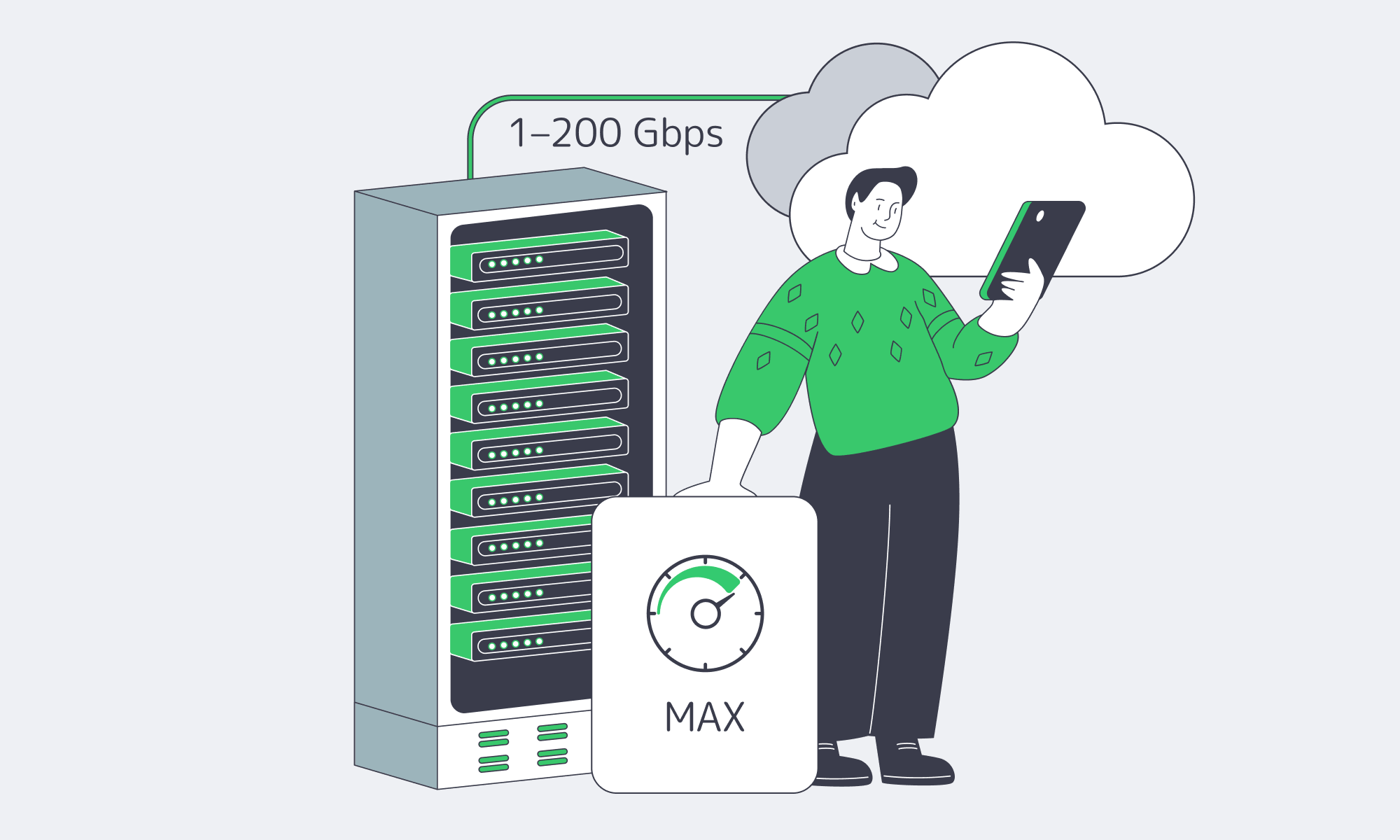
A good unlimited-bandwidth plan in 2026 is defined by what it can prove: a stated port speed, a network built for redundancy and low latency, operational uptime discipline, and transparent terms that don’t smuggle in caps. If you’re building for sustained outbound traffic, assume 20 Gbps+ unmetered options are the baseline — and treat every “unlimited” claim as guilty until measured.
- Choose plans with explicit port speeds and written confirmation of egress terms.
- Audit the provider’s network for redundancy, upstream diversity, and peering — then validate with real tests.
- Verify no hidden shaping by running sustained throughput checks during peak hours and watching for packet loss.
- Prioritize providers that offer routing control ( BGP/BYOIP) and edge options (CDN) so you can design around failure, not react to it.
If you do those four things, “unlimited bandwidth” stops being marketing and starts being a dependable part of your capacity plan — the same way you treat CPU cores and storage IOPS. And if you want those characteristics without turning procurement into a guessing game, it helps to start with a provider that publishes network details and makes pre-purchase verification straightforward.
Get unmetered bandwidth you can prove
Spin up unmetered ports up to 200 Gbps on dedicated servers with global routing, CDN options, and 24/7 support. Validate throughput with test endpoints, then scale confidently.
Get expert support with your services
Blog
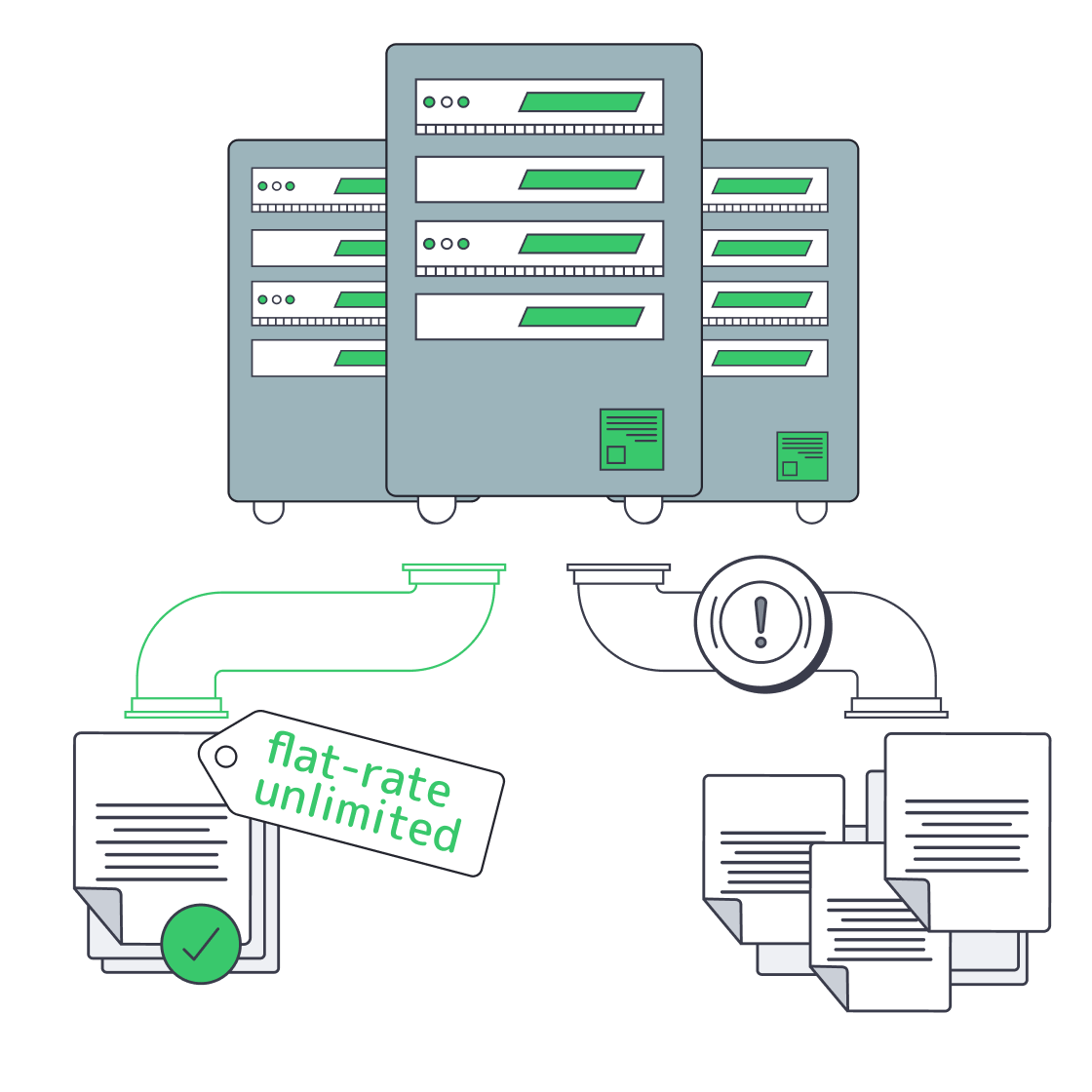
Cheap Unlimited-Bandwidth Dedicated Servers: Avoid Hidden Costs
Infrastructure teams running streaming, gaming, AdTech, or analytics workloads know bandwidth—not CPU—is often the real bill driver. Against that backdrop, offers for a cheap dedicated server with unlimited bandwidth are everywhere. The promise is simple: a flat monthly fee, “unlimited” traffic, and instant savings over metered cloud egress. The reality is often less pretty: fair‑use throttling once you actually saturate the port, surprise “abusive usage” emails, or renewal hikes that quietly erase any early discount.
At the same time, the cost of high‑capacity connectivity has collapsed. TeleGeography’s 2025 IP transit data shows that in the most competitive markets, the lowest 100 GigE transit offers sit at about $0.05 per Mbps per month, with 100 GigE port prices falling roughly 12% annually from 2022 to 2025. On the transport side, weighted median 100 Gbps wavelength prices across key routes have dropped 11% per year over the last three years. Those economics are exactly what make genuinely unmetered dedicated servers viable—if the provider actually passes the savings through instead of hiding limits in the fine print.
In other words: the market now supports truly TCO‑optimized unlimited plans, but there are still plenty of traps. The rest of this piece is about telling those apart.
Choose Melbicom— Unmetered bandwidth plans — 1000+ ready-to-go servers — 21 Tier III & IV DCs; 40 CDN PoPs |
|
What Makes an Unlimited-Bandwidth Dedicated Server Truly TCO-Optimized
A truly TCO‑optimized dedicated server with unlimited bandwidth keeps lifetime cost predictable: “unmetered” with no fair‑use throttling, guaranteed port capacity rather than shared ratios, clear renewal pricing, and enough backbone, peering, and support that you can run hot 24/7 without surprise bills or performance degradation.
- Start with the word “unlimited.” Many offers advertise it but tuck the real terms into a fair‑use policy: you can use as much as you like until the provider decides it’s too much. That usually means throttling or forced plan changes when you actually drive the link near line rate. A cost‑optimized plan instead spells out port speed—1, 10, 40, or even 200 Gbps—and lets you use that capacity continuously. At Melbicom we design our unlimited bandwidth dedicated server plans around that principle: if you pay for a 10 Gbps port, you can run 10 Gbps without being treated as an outlier.
- The second filter is whether the network can support that promise. Melbicom operates a global backbone with 14+ Tbps of capacity, connected to 23 transit providers and 29 internet exchange points (IXPs), plus 40 CDN PoPs that push content closer to users. Ports scale from 1 Gbps up to 200 Gbps per server, so “unlimited” has real headroom rather than marketing‑only numbers.
- Finally, TCO isn’t just bandwidth. Hardware quality, provisioning agility, and support translate directly into operational cost. Melbicom runs 21 global Tier IV & Tier III data centers so you can deploy close to users without redesigning your stack each time. All of that sits behind a flat monthly price per server, with free 24/7 support, so you’re not quietly paying in engineering hours for every incident or hardware tweak.
Which Unlimited Bandwidth Plans Avoid Hidden Renewal Hikes

Unlimited bandwidth plans that genuinely avoid renewal hikes are almost boring: a single, clearly documented monthly price; no “introductory” or “promo” qualifiers; no vague fair‑use clauses; and no essential features split into billable add‑ons after month twelve.
The classic “too good to be true” pattern is a rock‑bottom first‑term price that quietly doubles at renewal. That’s tolerable on a small SaaS plan; it’s disastrous when the asset is a high‑traffic dedicated server with terabytes of data gravity. You migrate workloads, tune performance, maybe colocate other services near it—and then the second‑year invoice jumps 2–3× because the initial rate was promotional. The same trick often shows up as add‑on metering: “unlimited” on paper, but with specific traffic types, locations, or features billed separately.
The way to spot this is to read pricing tables and terms as if you were finance. If the offer page shows only a discounted introductory rate and is silent on renewals, assume the hike exists. If “unlimited” appears alongside mention of 95th‑percentile billing, burst caps, or loosely defined fair‑use policies, the risk is high that your total cost of ownership will drift up as soon as you actually use the bandwidth you’re paying for.
By contrast, a TCO‑oriented unlimited plan aims for rate stability. At Melbicom we price dedicated servers on a flat monthly basis: you pick hardware and port speed, we provide the capacity, and the price tag on our dedicated server page is what you build into your model. If you need more bandwidth, you upgrade the port or add servers—rather than discovering a multiplier in the fine print. The absence of teaser pricing matters because it prevents the infra you depended on at 1× scale from becoming untenable at 10× scale.
How Do Flat-Rate Plans Simplify Bandwidth Budgeting
Flat‑rate unmetered plans simplify bandwidth budgeting by turning a volatile, usage‑driven cost into a fixed monthly line item. Instead of watching per‑GB meters or 95th‑percentile graphs, you decide what a given server and port are worth and know your bill won’t spike every time traffic does.
Usage‑based egress pricing is the opposite. Consider a typical major cloud provider. Public documentation for Amazon EC2, for example, starts data transfer out at $0.09 per GB for the first 10 TB per month, then drops to $0.085 per GB for the next 40 TB and $0.07 per GB for the next 100 TB. Those numbers sound small until you multiply them by real‑world traffic:
| Monthly Data Transfer | Estimated Cloud Egress Cost* | Flat-Rate Server Cost |
|---|---|---|
| 10 TB | ≈ $900 (usage-based) | $500 (fixed) |
| 50 TB | ≈ $4,400 | $500 (fixed) |
| 100 TB | ≈ $7,800 | $500 (fixed) |
*Illustrative calculation based on EC2 data transfer out pricing tiers across the first 150 TB/month. Actual charges vary by region and service.
At small scales, usage‑based billing is manageable. As soon as you cross into tens of terabytes per month, bandwidth becomes your primary cost risk. Analysis from practitioners and vendors alike repeatedly flags data transfer as one of the most common sources of unexpected overruns on cloud bills. That’s before you add AI inference traffic, larger media assets, or new regions.
Flat‑rate unlimited servers invert that risk profile. Instead of bandwidth being a variable cost that explodes with success, it becomes a predictable input: you choose an unlimited bandwidth server with, for example, a 10 Gbps port at a known monthly rate, then treat bandwidth as fixed when you model margins and runway. If you need more capacity, you add nodes or step up port speeds, but individual traffic spikes don’t translate into four‑ or five‑figure surprises. Pair that with a globally distributed CDN—and you can keep content close to users while keeping origin bandwidth and cost curves stable.
From a planning perspective, that means fewer worst‑case scenarios in your spreadsheets and more confidence in long‑term commitments. Bandwidth becomes the boring part of your infrastructure P&L—which is exactly what most CFOs and CTOs want.
From Chasing a Cheap Unlimited Bandwidth Plan to Choosing a TCO-Optimized One
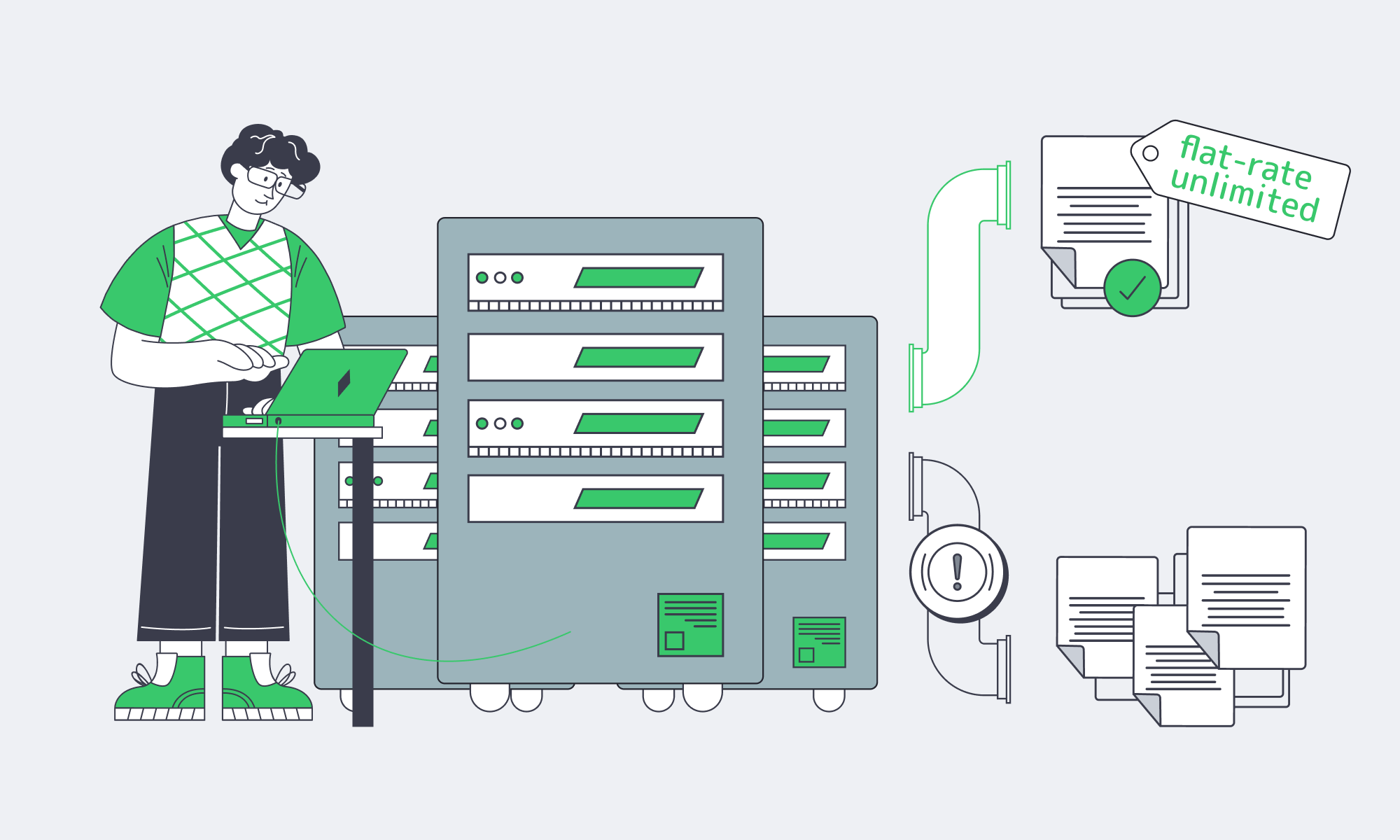
The current market makes it easy to chase the absolute lowest sticker price on anything labeled “unlimited.” The problem is that infrastructure rarely stays at its day‑one footprint. If your workloads grow as intended, 10× traffic is a matter of when, not if—and contracts that looked cheap at small scale can quietly accumulate risk.
What you want instead is a TCO‑optimized unlimited bandwidth strategy: understand how much bandwidth your workloads will consume, pick flat‑rate plans that genuinely let you use the ports you’re paying for, and ensure the underlying network and support model can keep up without hidden surcharges. Unlimited bandwidth dedicated servers that meet those requirements let you absorb new features, bitrates, codecs, and even extra regions without having to renegotiate your relationship with finance every quarter.
When you zoom out from individual offers, a few practical recommendations emerge:
- Treat “unlimited” as a technical claim, not a slogan. Ask explicitly what happens if you run the port hot 24/7. If the answer involves undefined “fair use,” thresholds, or 95th‑percentile clauses, assume there are financial or performance cliffs.
- Model renewals/edge cases before you sign. TCO‑optimized plans make renewal pricing explicit and avoid jumps after an introductory term. Include high‑traffic months, peak events, and feature launches in your cost scenarios—not just your current baseline.
- Move bandwidth from variable to fixed where it makes sense. For workloads pushing tens of terabytes per month, flat‑rate unmetered plans plus CDN offload are often cheaper and vastly more predictable than per‑GB egress, even if the per‑server sticker price looks higher at first glance.
- Favor providers that invest in backbone capacity and peering. Multi‑terabit backbones, 20+ TP, and broad IXP reach reduce both performance risk and the chance that your “unlimited” plan is really just oversold capacity with contention during peaks.
In practice, you’ll mix models—some usage‑based services where traffic is low or bursty, some flat‑rate unmetered infrastructure where throughput dominates. The key is that you choose where to take risk, instead of letting unclear fair‑use rules decide for you.
Choose flat-rate unlimited bandwidth servers
Predictable pricing and performance without fair-use throttling. Deploy in 21 global data centers with ports up to 200 Gbps and 24/7 support. Pick hardware and port speed, and keep bandwidth a fixed monthly cost.
Get expert support with your services
Blog

Compliance Playbook for Italian Dedicated Servers
European regulation has quietly killed “move fast and break things” for infrastructure teams. GDPR set the baseline for data protection; NIS2 and DORA now turn cyber‑risk and resilience into board‑level issues. IDC’s October 2024 analysis describes selective cloud repatriation driven by cost, performance, security, and operational concerns—not a wholesale departure from public cloud.
In an Open Systems survey conducted in Q2 2025 among 371 IT and security decision-makers in Germany, the UK, Austria, and Switzerland, 46% rated EU data sovereignty as their most important buying criterion, ahead of cost. For regulated services, that translates into a blunt infrastructure mandate: keep critical data on infrastructure where you can prove where it lives, who can access it, and which controls wrap around it.
Italy is a strong candidate for that anchor point. Palermo has multiple Mediterranean cable landing stations, and Melbicom’s Tier III data center there provides connectivity to those systems. The location can support routes toward North Africa and the Middle East, but actual latency depends on the destination and routing; test the paths your workloads will use. For EU‑facing workloads, hosting on a dedicated server in Italy combines clear EU jurisdiction with low‑latency connectivity into European backbones.
Choose Melbicom— Tier III-certified Palermo DC — 6 ready-to-go servers — 40 CDN PoPs across 35 countries |
|
This article offers a practical compliance playbook for running regulated workloads on a dedicated server in Italy – how to map data flows, what GDPR artifacts to demand, which controls line up with NIS2 and DORA, and how to stay audit‑ready instead of scrambling when someone says, “We have an assessment next month.”
What GDPR Artifacts to Request from Italian Dedicated Server Hosting Providers
For Italian hosting, you want GDPR paperwork that documents where data lives, who touches it, and how it’s protected. In practice, that means a DPA where the provider acts as a processor, sub‑processor and location transparency, mapped data flows, evidence of implemented security controls, and clear incident‑handling clauses.
The core evidence pack:
- Data Processing Agreement (DPA). Where the hosting provider processes personal data on your behalf, the Article 28 contract should define the processing scope and duration, data types and data-subject categories, documented instructions, confidentiality, security, sub‑processor authorization, assistance with rights and breaches, data return or deletion, and audit arrangements.
- Sub‑processor and location transparency. Demand a current list of sub‑processors with their roles and countries, the applicable authorization process, and advance notice of changes with an opportunity to object where general authorization is used.
- Data‑flow and data‑category mapping. Before migrating, map which components on the server handle personal data, which handle telemetry or logs, and which external services receive copies (backups, monitoring, email gateways). That map becomes your single reference when customers or regulators ask, “Exactly where does this field go?”
- Security certifications and audits. Request relevant certificates or audit reports with their scope, dates, and supporting control evidence. Certification is not universally mandatory under GDPR, and a certificate alone does not establish workload compliance.
- Incident handling and cooperation clauses. Your DPA and main contract should commit the provider to prompt incident notification and meaningful cooperation (log access, forensic details, timelines) so the responsible organization can meet the reporting triggers and deadlines that apply to it under GDPR, NIS2, or DORA.
With this pack in place, you can show regulators and enterprise customers that server hosting in Italia isn’t just a rack in Palermo – it’s a controlled processing environment with clear legal responsibilities and traceable data flows.
Which Controls Support NIS2 and DORA?
For workloads on a dedicated server in Italy, NIS2 and DORA compliance depends on the organization’s scope, governance, and implemented controls—not the server location alone. Where applicable, prioritize risk-based encryption, access control, monitoring, vulnerability management, tested recovery, and provider contracts that define security responsibilities and evidence access.
Italy implements NIS2 through Legislative Decree 138/2024; check your entity’s scope and applicable ACN requirements and implementation deadlines. DORA has applied since January 17, 2025 to covered financial entities. For those entities, its equivalent sector-specific ICT risk-management and incident-reporting requirements replace the corresponding NIS2 obligations; GDPR obligations remain separate.
Encryption, Access, & IAM for Server Hosting Italia
Use encryption appropriate to the data classification and risk: full‑disk or volume encryption for storage, TLS for services, and encrypted VPN connections for management and inter‑DC traffic. A private link alone does not establish encryption. NIS2 Article 21 requires proportionate risk-management measures, including cryptography policies and, where appropriate, encryption and MFA. Document key ownership, rotation, and access logging. Combine that with SSH keys or certificates, MFA-protected administrative access, and role‑based access control. Confirm the authentication options for Melbicom’s control panel and IP‑KVM separately rather than assuming both provide native MFA.
Logging, Monitoring, & Vulnerability Management
For organizations in scope, NIS2 and DORA require incident-handling capabilities supported by appropriate detection and monitoring. Centralize system, application, database, and network logs from your Italian server into a SIEM or log pipeline, define retention windows, and monitor for anomalies. In IDC research sponsored by Microsoft and published in July 2024, only 14% of respondents said they were fully NIS2‑ready. That is a historical baseline, not a measure of readiness in 2026. A disciplined patch and vulnerability‑management process – defined patch windows, regular updates, and documented remediation timelines for critical CVEs – helps address security gaps.
Incident Response and Resilience in Italy
NIS2 and DORA have different incident-reporting triggers and timelines; do not reuse GDPR’s 72-hour process for every incident. Under NIS2 Article 34, national maximum fines for essential entities breaching the risk-management or reporting obligations must be at least €10 million or 2% of the undertaking’s total worldwide annual turnover in the preceding financial year, whichever is higher. This sets a minimum level for national maximum penalties, not a minimum fine for each breach.
To keep your Italian server environment on the right side of that line, you need a written incident‑response plan, mapped roles between your team and Melbicom, and a tested disaster‑recovery design: encrypted backups, restore drills, and, where needed, second‑site capacity in another EU DC. For example, you can encrypt backups before sending them to Melbicom’s S3 object storage in Amsterdam and manage the keys separately. Amsterdam is in the EU but outside Italy, so this option does not satisfy an Italy-only storage requirement.
How GDPR, NIS2, and DORA Line Up for Hosting
| Framework | Primary Focus | Hosting‑Relevant Controls and Evidence |
|---|---|---|
| GDPR | Personal‑data protection and privacy | DPA where the provider acts as a processor; mapped data flows and sub‑processors; risk-appropriate security. The controller notifies the supervisory authority without undue delay and, where feasible, within 72 hours of awareness of a personal-data breach, unless it is unlikely to risk individuals’ rights and freedoms. The processor notifies the controller without undue delay. |
| NIS2 | Cybersecurity for essential/important entities | Proportionate risk-management controls, governance, supply-chain security, incident handling, and recovery. For significant incidents, Article 23 generally requires a 24-hour early warning and a 72-hour notification from awareness, followed by a final report within one month of the notification; ongoing incidents have a separate follow-up process. Apply the relevant Italian requirements and deadlines. |
| DORA | Digital operational resilience for covered financial entities | Applicable ICT‑risk framework; documented and tested backup/recovery arrangements; recovery time and recovery point objectives (RTO/RPO); ICT third-party register and appropriate contract provisions. Major-incident reporting generally requires initial notification within four hours of classification as major and no later than 24 hours from awareness; if classification occurs after that 24-hour window, notification is due within four hours of classification. Specified weekend and holiday extensions apply only to eligible entities. The intermediate report is due within 72 hours of the initial notification, and the final report within one month of the latest intermediate report. |
How to Keep Italian Hosting Audit Ready
Audit readiness for Italian hosting means treating your environment as an evidence machine, not just a stack of servers. You need up‑to‑date documentation, log trails you can reconstruct incidents from, clear ownership with your provider, and a lightweight review cadence that keeps controls aligned with applicable GDPR, NIS2, and DORA requirements.

Start with an evidence repository. Collect the DPA, main contract, network diagrams, data‑flow maps, and risk assessments that describe your Italian environment. Add vulnerability‑scan reports, backup/restore test logs, penetration‑test summaries, and configs proving MFA, encryption, and hardening. When an audit lands, you’re curating from a library, not hunting through inboxes.
Then audit from the outside‑in. Periodically run an internal checklist against the GDPR, NIS2, and DORA requirements that apply to your organization: Can you show where personal data sits on your dedicated server in Italy? Produce a sub‑processor list? Prove that backups are tested? The point isn’t to build a bureaucracy – it’s to ensure that if a bank client, regulator, or board asks, you have concrete answers backed by evidence.
Finally, stay ahead of regulatory drift. National data protection authorities imposed about €1.15 billion in GDPR fines during 2025, according to the EDPB’s 2025 Annual Report. This is an annual figure, not a cumulative total. NIS2 and DORA are only increasing the stakes. Build a lightweight governance loop: periodic reviews of guidance from EU and Italian authorities, internal gap analyses, and scheduled updates to your controls and documentation. When rules shift, you adjust the Italian environment deliberately instead of reacting under audit pressure.
Building a Compliance Advantage in Italy

Put all of this together and a dedicated server in Italy stops being “just hosting” and becomes part of your governance architecture. You concentrate your regulated workloads in a single‑tenant, clearly located environment under EU law; you can document where data is stored and processed, who has access, and which controls protect it. The server’s location does not by itself establish compliance.
Key Takeaways for Hosting in Italy
- Anchor sensitive workloads in a single‑tenant Italian environment. Keep personal‑data‑heavy systems on a dedicated server in Italy, and map backup, log, and support-access locations as well. Making personal data available to a separate organization outside the EEA can create an international transfer even when the server remains in Italy; assess the applicable GDPR safeguards.
- Treat security controls as regulatory requirements, not best‑effort. Map encryption, MFA, logging, vulnerability management, backups, and incident response to the GDPR, NIS2, and DORA requirements that apply to your organization. Make sure each control has an owner, a test schedule, and an associated piece of evidence.
- Build audit readiness into day‑to‑day operations. Maintain an evidence repository, standardize log retention, and schedule periodic “mini‑audits” so there are no surprises when an assessor or customer wants proof that your Italian hosting is under control.
Build your hosting environment in Italy
Deploy dedicated servers in Palermo with 24/7 support. Define the access controls, backup locations, and contractual responsibilities required for your workloads and compliance goals.
Get expert support with your services
Blog

Italy Dedicated Servers: A Due Diligence Playbook
Italy is no longer a “secondary” EU hosting decision. IMARC Group estimates the country’s data‑center market at USD 6.4 billion in 2025 and forecasts USD 16.0 billion by 2034.
If you’re here to rent a dedicated server in Italy, treat this guide like a production dependency: translate workload into CPU/RAM/NVMe and bandwidth tiers, pick a city that hits latency targets, and validate the boring‑but‑fatal details—routing, out‑of‑band access, remote hands, provisioning, and exit clauses. This is the checklist you can reuse.
Choose Melbicom— Tier III-certified Palermo DC — 6 ready-to-go servers — 40 CDN PoPs across 35 countries |
|
Sizing Dedicated Servers in Italy
Sizing isn’t about buying “big.” It’s about making performance predictable under ugly realities: cache misses, replication spikes, batch jobs colliding with user traffic, and the day your database vacuum decides it’s the main character.
- Profile (peak QPS, background jobs, read/write mix, hot‑set size).
- Translate into CPU/RAM/NVMe and a baseline bandwidth tier.
- Add headroom you can justify (incident mode + growth).
- Decide scaling path (vertical now, horizontal later—or vice versa).
Italy Server CPUs: Cores and Clocks
For latency‑sensitive services, clock speed and sustained all‑core behavior often matter more than “how many cores can we afford.” Ask for the exact CPU model and generation, then sanity‑check it against your p95 CPU time per request and expected concurrency. If the provider can’t name the SKU, you can’t reproduce performance later.
RAM: budget for churn, not average
Memory pressure is an incident generator. Size for the worst five minutes: GC churn, cache turnover, and page cache behavior during heavy reads. Confirm ECC RAM and ask how upgrades are handled (in‑place vs reprovision). For data stores, treat RAM as a performance tier (indexes + hot sets), not a cost center.
Storage: NVMe as the default, not the upsell
NVMe isn’t just “faster disk.” It is designed for SSD workloads. NVM Express notes that NVMe provides a lower-latency, more scalable interface than legacy SATA. For latency-sensitive storage, confirm the exact SSD model and supported PCIe generation and lane width, then benchmark your read/write mix and tail latency. Interface bandwidth alone does not predict application performance.
Bandwidth: tier it like a resource, not a line item
Define two requirements: steady‑state commit (normal egress, replication) and burst (backfills, re‑shards, release windows). Also decide if you need metered transfer or an unmetered port. The “right” tier is the one that doesn’t punish growth—or turn incident response into a cost spike.
Which Italian DCs Meet EU Latency Needs?
An Italian data center meets a low-latency requirement only when measured RTT and packet loss from your target networks meet your service objectives. Compare Milan and Southern Italy from the same probes over comparable test windows, and inspect routing; geography alone does not establish which location is faster.
Start with targets, then choose geography. WonderNetwork’s public ping dataset averages 30 pings between individual test servers. A Milan ↔ Frankfurt average is not a regional p95 target or a measurement of Melbicom’s network; test the provider’s route.
But “Italy” is not just Milan.
Palermo as a latency and routing lever
Melbicom’s Italy location is Palermo, a Tier III facility with per-server options up to 40 Gbps. Palermo’s connectivity to Sicily’s cable landing stations makes it a location to test for Mediterranean, North African, and Middle Eastern traffic. Any latency advantage depends on the specific source network, destination, and route.
Due‑diligence move: don’t accept “quality” as a vibe. Run multi‑probe RTT + packet‑loss checks from the networks you care about.
What to Validate in Italian Hosting MSAs
For a dedicated server in Italy, validate the MSA and service terms against operational requirements: network measurement scope, remote hands, IPMI/KVM access, provisioning milestones, and exit procedures. Distinguish advertised capabilities from written commitments, and confirm which work is included, chargeable, or subject to separate terms before signing.
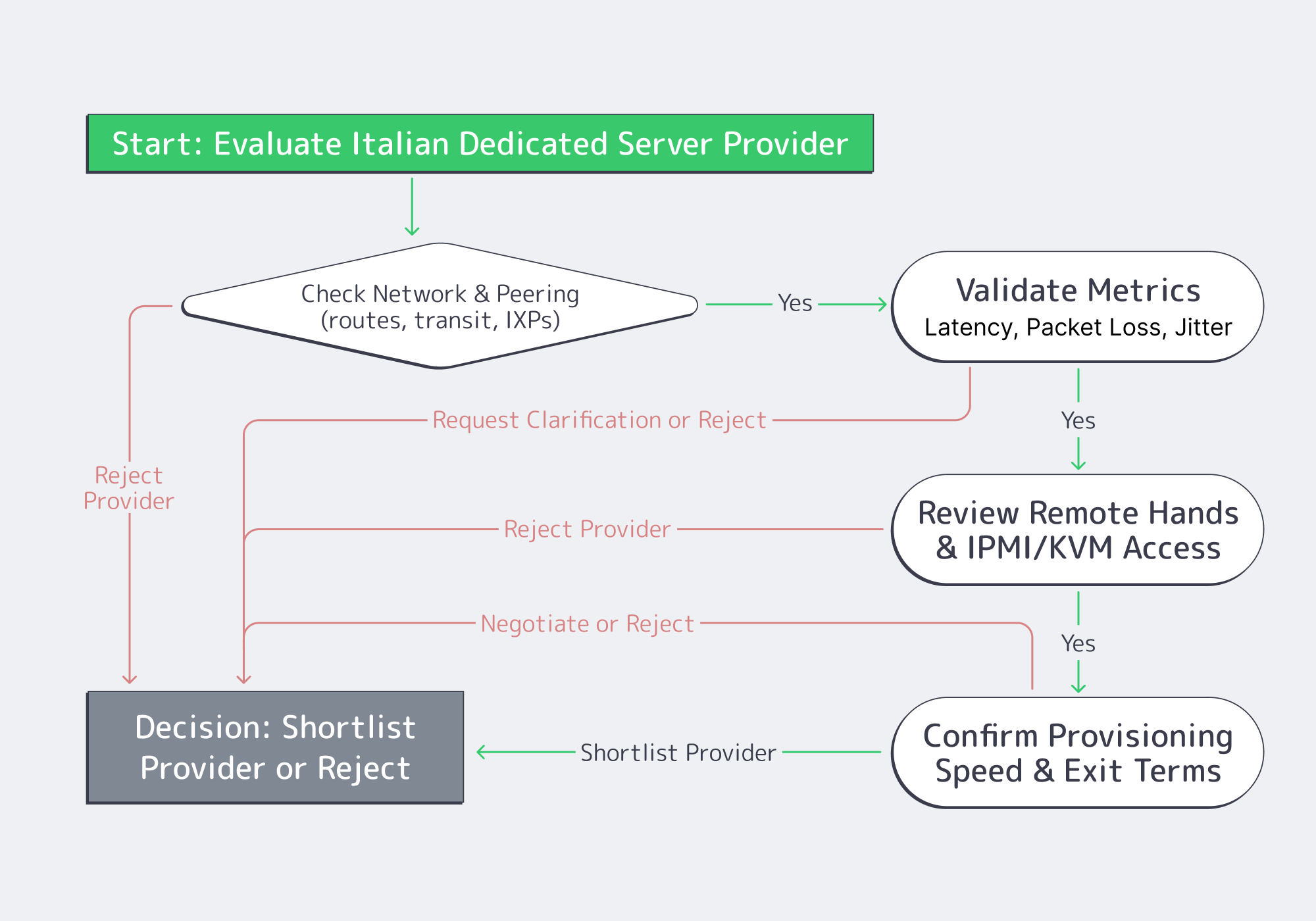
Here’s the due‑diligence checklist that actually changes outcomes.
- Peering and routing evidence. Ask for traceroutes to your top destinations (or a looking‑glass), and verify paths stay sane during peak hours. “Many peers” is not a guarantee; consistent paths are.
- Packet‑loss targets + measurement method. NTT’s backbone benchmark is ≤0.1% average monthly packet loss, subject to its service definitions and exclusions. This is not an industry-wide threshold or a Melbicom commitment. Lock down scope (inside provider backbone vs public internet), sampling, and metric reproducibility.
- Remote hands scope. Define which tasks are included or billable (reboots, reseats, KVM hookup, disk swaps, rack work), plus response times and escalation. Distinguish hardware-fault replacement from requested upgrades. This is how you turn “we’ll help” into an operational control.
- IPMI/KVM access (out‑of‑band recovery). Out‑of‑band access is your last line of defense when the OS is dead or the network is misconfigured. Validate isolation, credential rotation, and auditability.
- Provisioning lead time (stock vs custom). Put timelines in writing and separate “stocked config activation” from “custom build delivery.” When you need capacity under pressure, hand‑wavy provisioning is not a plan.
- Exit and migration clauses. Confirm notice periods, data wipe proof, and IP handling. If IP identity matters, routing options can make migrations cleaner; Melbicom supports BYOIP and BGP sessions on dedicated servers.
How to Build a Server Scoring Matrix
A scoring matrix turns subjective impressions into a repeatable decision. Weight the criteria that map to production risk, score each provider only with evidence, and force trade‑offs into the open. Include workload fit, measured latency, network quality, operational access (IPMI/KVM, remote hands), provisioning, and exit terms.
Weighted Score = Σ (weight_i × score_i) / Σ weight_i # score_i is 1–5, backed by a test result # or a contract clause |
| Category | Weight (%) | What “5/5” looks like |
|---|---|---|
| Workload fit (CPU/RAM/NVMe) | 25 | Exact CPU SKU, ECC RAM, NVMe; clear upgrade path |
| Latency to users/partners | 20 | Measured RTT meets p95 SLO from target regions |
| Network & peering quality | 20 | Clean traceroutes; defined loss target and method |
| Ops (IPMI/KVM + support) | 20 | OOB works; remote-hands scope and escalation defined |
| Provisioning + exit terms | 15 | Written timelines; migration window; IP portability |
To score honestly: run the same tests from the same probes, mark unknowns as unknowns, and penalize ambiguity in service terms. Evidence beats vibes.
Frequently Asked Questions (Ops Edition)
Is “Italy” automatically the lowest‑latency EU option? No. Latency is route‑dependent. Italy can be excellent for specific corridors, but you need measurements from your user regions and partner networks.
What’s the minimum due diligence before signing? A test IP for RTT/loss, exact hardware SKUs, written provisioning commitments, remote‑hands scope, and an exit clause you can execute without downtime gambling.
Do I need a CDN if I rent a dedicated server in Italy? If you serve global users or heavy static content, a CDN can reduce origin egress and improve TTFB for cached responses; cache misses still depend on the origin. Melbicom’s CDN spans 40 PoPs in 35 countries.
What’s the safest way to migrate in? Parallel run: replicate continuously, cut over in stages, and keep rollback. If stable IP identity matters and you control a portable address block, consider BYOIP via BGP sessions.
Italy Dedicated Servers: Key Takeaways
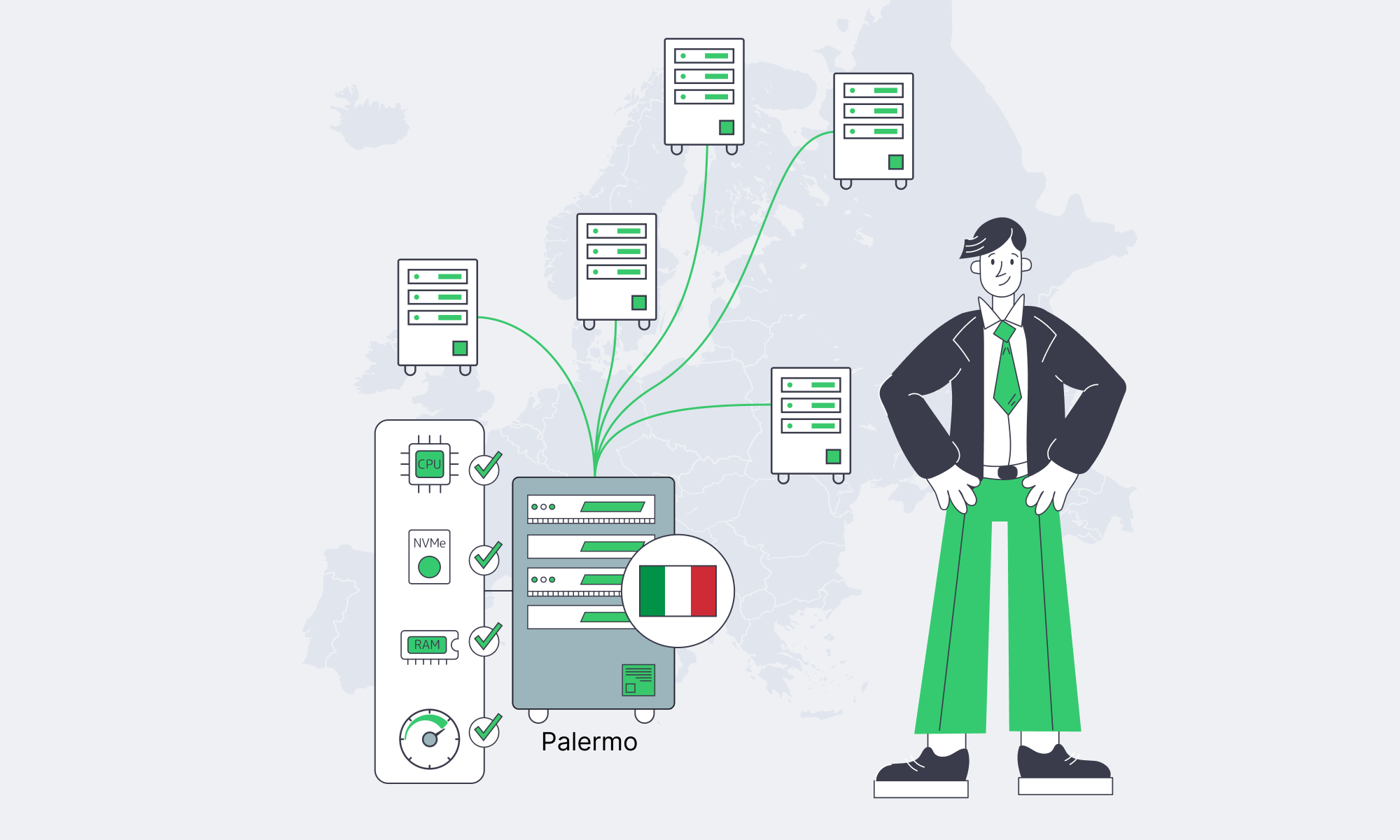
- Size from workload behavior: CPU/RAM/NVMe and bandwidth tiers should map to measurements, not guesses.
- Pick Italian locations by latency targets; test RTT, packet loss, and routes.
- Treat peering quality and out‑of‑band access as production requirements.
- Put remote hands, provisioning, and escalation rules in writing.
- Build an exit plan: migration windows and IP strategy are operational safety nets.
Dedicated Servers: Architecture Decisions
An Italy dedicated server is only “fast” if the whole stack is predictable: hardware that matches the workload, geography that matches users, routing that stays sane, and service terms that make recovery and exit possible. Do the diligence once—profile, measure, and score—and procurement becomes repeatable instead of emotional.
Deploy in Palermo today
Ready-to-go servers can be activated in 2 hours; custom configurations are delivered in 3–5 business days. Confirm Palermo stock and your delivery schedule, and compare Palermo vs Milan with real latency tests before ordering.