
Month: October 2025
Blog

Cheap Singapore Dedicated Servers: Hidden Costs
Ultra-cheap dedicated servers in Singapore promise a shortcut to regional presence: low monthly fees, local IPs, and the cachet of hosting in one of the world’s best-connected hubs. But the economics of Singapore’s high-cost, high-quality data center market are unforgiving. When a plan looks improbably cheap, the discount can be paid back later—in performance bottlenecks, outages, throttled bandwidth, or slow support at the worst possible moment. For budget-conscious startups and small businesses, the question isn’t “How low can I go?” It’s “What hidden costs am I taking on, and how quickly could they erase my savings?”
Choose Melbicom— 90+ ready-to-go SG servers — Tier III-certified SG data center — 40 PoPs in 35 countries |
 |
Why Cheap Singapore Servers Appeal
Singapore combines political stability, regional connectivity, and proximity to major Southeast Asian markets. Its data center sector is sizable, supported by cable landings and peering. The allure is obvious: a low-priced Asian dedicated server with local latency and familiar legal rules.
Singapore also carries high real estate, power, staffing, and compliance costs. When a plan’s price drops to the floor, savings usually come from older hardware, thinner network allocation, narrower support, a lower-tier site, or restrictive terms. Those trade-offs are acceptable only when explicit and within the workload’s risk budget.
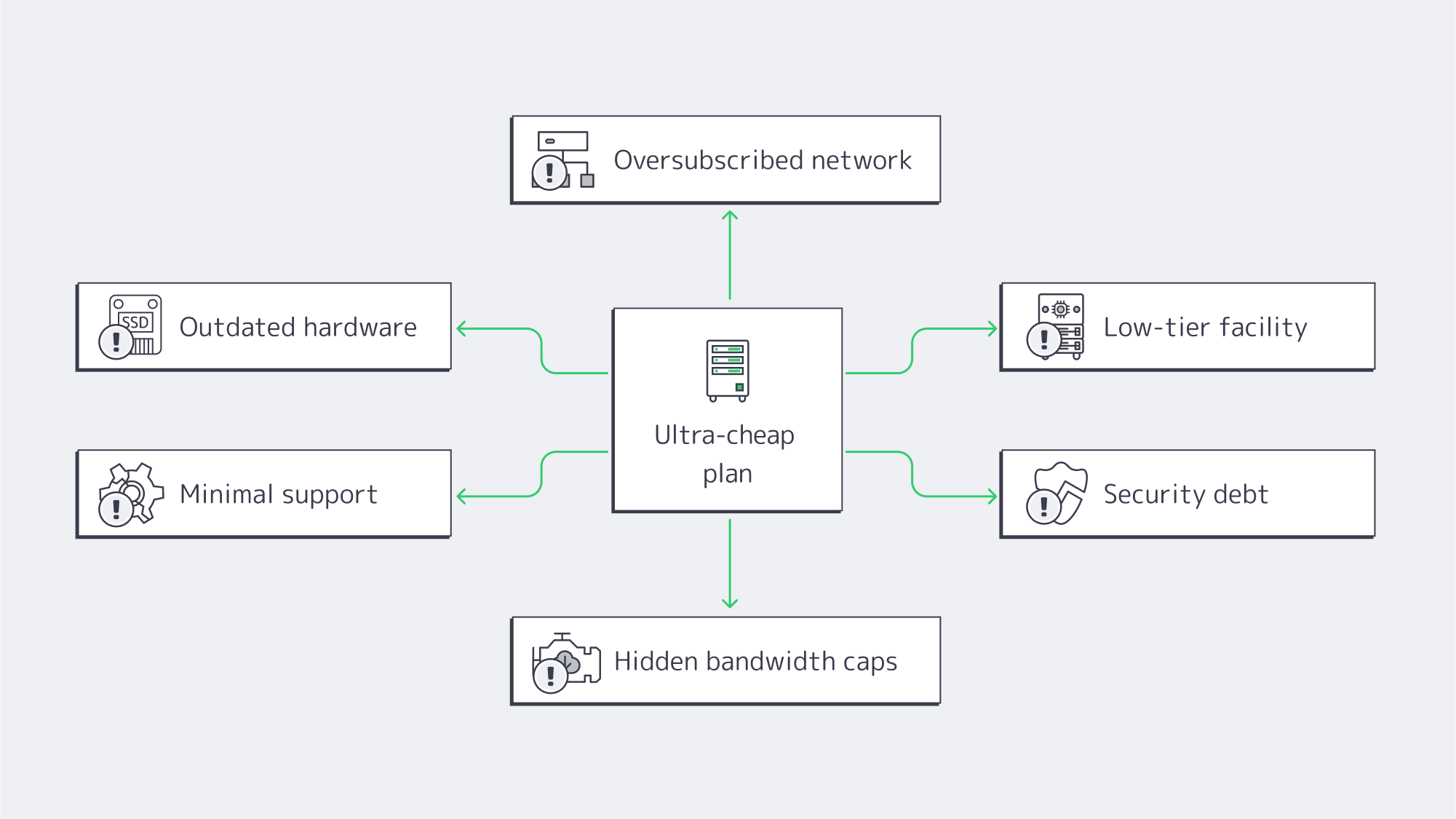
Cheap Dedicated Servers in Singapore: What Hidden Costs Should You Expect?
- Outdated hardware → slow I/O, limited concurrency, and little upgrade headroom.
- Oversubscribed networks → latency spikes, jitter, and packet loss at peak.
- Lower-tier facilities → less maintenance flexibility and greater exposure to power or cooling interruptions.
- Thin support → slower responses, longer outages, and recovery delays.
- Security debt → unpatched systems, poor IP reputation, and compromise risk.
- Fine-print bandwidth → throttling after a threshold, overage fees, hidden caps.
How does outdated hardware tax your revenue?
One common trade-off in cheap Singapore dedicated server deals is older CPU generations, HDD-based storage, or smaller memory footprints. The performance penalty appears as slower database work, longer request queues, and lower concurrency under peak load. Older components can also narrow the margin for growth and increase the operational effort required when hardware needs replacement. The right comparison is not “old versus new” in the abstract; it is whether the exact CPU, RAM, and storage configuration meets the workload’s measured needs.
Singapore inventory includes 90+ ready-to-go servers across Intel and AMD CPUs, with 32–576 GB RAM and multiple processor generations. Compare generation, core count, clock speed, memory, and storage before choosing; the lowest price helps only when the configuration fits.
How Thin Networks Hurt Singapore Latency
You choose Singapore for proximity to Southeast Asian users, but geography alone does not determine latency. Carrier selection, peering, congestion, and access networks all affect the route. A local server on oversubscribed uplinks can still show jitter, packet loss, or circuitous paths at peak.
Singapore deployments support up to 200 Gbps of per-server network capacity. For global static delivery, pair the origin with Melbicom’s CDN, spanning 40 PoPs across 35 countries. Test actual routes and port profile against your traffic before launch.
What is the uptime risk with low-tier facilities?
Data center tiering describes infrastructure topology and maintainability, not a guaranteed annual uptime percentage. Tier III certification means the site is concurrently maintainable: planned removal of a capacity component or distribution path should not interrupt operations, although equipment failure or operator error can still affect the site. Buyers should verify the certification scope and examine maintenance and redundancy practices rather than converting a Tier label into a promised number.
Downtime is where “cheap” turns expensive fast. The relevant number is the cost of one hour for your own workload: lost orders, delayed transactions, staff time, contractual exposure, and recovery work. Even a small number of incidents can erase the monthly savings of a low-end plan, so model incident costs from your own data.
Melbicom’s servers in Singapore run in a Tier III-certified facility. That supports planned infrastructure maintenance without shutting down the critical environment, but application resilience still depends on customer architecture and operations.
How Support Gaps Create Emergencies
On paper, you can self-manage a server and save money. In practice, incidents arrive at inconvenient hours. In Singapore’s dedicated server market, cheap offers may come with email-only queues, slow triage, or paid escalation. Each delay extends recovery time and can force teams to use external consultants or divert internal staff.
Melbicom provides free 24/7 technical support for server reboots, OS reinstalls, BGP setup, network troubleshooting, and performance issues. The operational value is faster access to engineering help; your own monitoring, runbooks, and escalation process still determine the full recovery time.
Which security risks lurk in budget server deals?
Security debt accumulates when operating systems, firmware, access controls, or network abuse processes are neglected. Poor IP reputation can affect mail delivery, while weak patching and access controls raise compromise risk. Before ordering, ask how IP reputation, abuse reports, hardware replacement, firmware, and customer-side patching responsibilities are handled. A lower monthly price does not transfer those responsibilities away from your team.
Bandwidth and Scaling Limits That Trigger Bills
Beware the promise of dedicated servers in Singapore with unlimited bandwidth. “Unlimited” can still be governed by port speed, traffic-shaping, fair-use, or acceptable-use terms. Ask whether transfer is metered, whether the port is shared or dedicated, which sustained rates are permitted, and what happens after any threshold. A successful campaign should not trigger a term you discover only after traffic rises.
Scalability is the second half of the fine print. Some configurations allow component changes; others require replacement hardware or migration to a different server. Ask which upgrades are possible in the current chassis, what downtime they require, how IPs and data will move, and how long replacement capacity takes to provision.
In Singapore, Melbicom supports network capacity up to 200 Gbps per server; ready-to-go configurations currently show 1–40 Gbps bandwidth with 50 TB or unmetered options. Choose the port and transfer model from the actual configuration, and treat later hardware changes as planned upgrades or migrations unless the order terms confirm a simpler path.
Hidden Infrastructure Costs and Operations
Hidden infrastructure costs usually appear as slow responses, unstable network performance, longer incidents, security problems, or unexpected transfer charges. The operational symptom points to the compromise; the business impact appears in lower conversion, lost revenue, staff time, compliance exposure, or budget volatility.

Use this table to trace each symptom back to a likely infrastructure compromise.
| Hidden cost lever | You notice it as | Business impact |
|---|---|---|
| Old CPUs / HDDs | Slow load times; poor concurrency | Lost sales; delayed processing |
| Oversubscribed uplinks | Peak-hour lag; jitter; packet loss | Missed service commitments; bad UX |
| Low-tier facility | More maintenance exposure; longer interruptions | Lost revenue; reputational damage |
| Minimal support | Hours to first response; long recovery times | Missed sales; overtime and consulting costs |
| Security debt | Poor IP reputation; compromise risk | Incident spend; compliance exposure |
| “Unlimited” with throttles | Sudden slowdowns; surprise fees | Growth penalty; budget volatility |
How Do You Balance Dedicated Server Hosting Cost and Reliability in Singapore?
If you only remember one framework, make it this:
- Verify the facility, not just the badge. If planned infrastructure shutdowns are unacceptable, use Tier III concurrent maintainability as a baseline. Also review certification scope, maintenance process, and your redundancy plan.
- Match hardware to measurements. Compare CPU generation, core count, clock speed, RAM, and storage against the workload; NVMe is valuable for I/O-bound systems but is not a universal requirement.
- Audit the network, not the brochure. Ask for test IPs and route visibility from the user regions that matter. A lower monthly price is not a saving if congestion or poor routing breaks the latency budget.
- Price recovery into your TCO. Document support channels, escalation scope, the hardware-replacement process, and the operational cost of each hour your service remains degraded.
- Read bandwidth terms like a contract. Confirm port speed, transfer allowance, fair-use rules, and overage or throttling conditions. Pair origin capacity with a CDN when static assets need broader geographic delivery.
The useful comparison is total cost: a workload-appropriate configuration, sufficient network headroom, facility resilience, and human support weighed against the operational cost of incidents and migrations.
What Does a Pragmatic Shortlist Look Like?
Use these checks for cheap Singapore dedicated server offers:
- Facility: Tier III certification, documented redundancy, a clear certification scope, and defined maintenance processes.
- Network: Transparent port speeds, test IPs, route visibility, and written transfer terms. Verify any 100–200 Gbps requirement against the specific configuration rather than assuming every ready-to-go plan includes it.
- Hardware: Exact CPU model and generation, usable RAM, storage type and endurance, drive layout, remote management, and replacement process. Require NVMe only when the workload’s I/O profile justifies it.
- Support: Written 24/7 channels and scope, response process, replacement responsibility, and escalation path.
- Bandwidth terms: Define “unmetered,” thresholds, and overages in plain English. For sustained high transfer, confirm written allowance instead of informal tolerance.
- Growth path: A documented route to a larger configuration, including provisioning time, migration steps, IP handling, and expected downtime. Singapore inventory includes 90+ ready-to-go servers for right-sizing across different CPU, RAM, and network needs.
Bottom Line on Cheap Singapore Servers
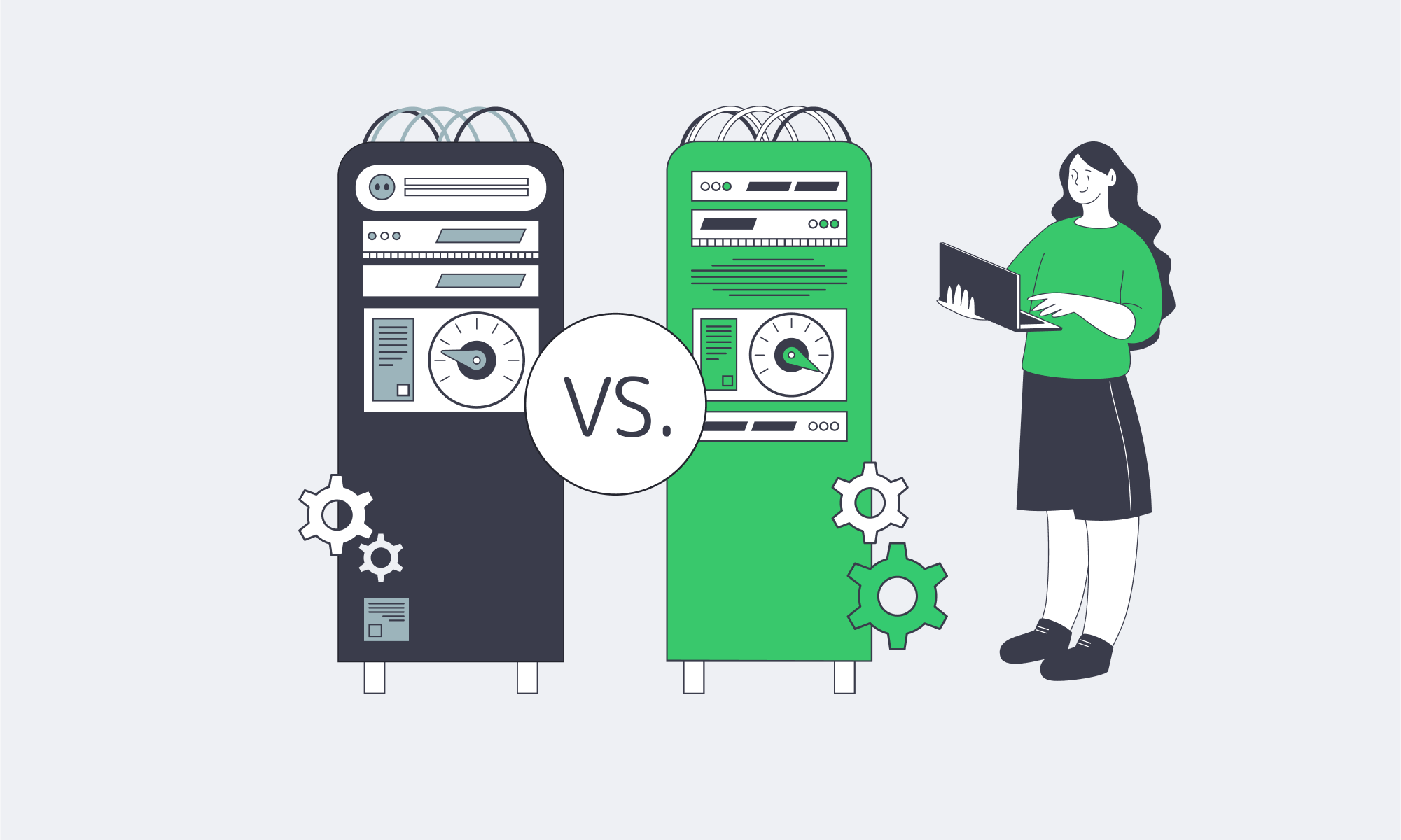
Rock-bottom pricing in a high-cost market usually reflects a trade-off: hardware age, network allocation, facility design, support scope, contract terms, or upgrade flexibility. Those trade-offs are not automatically disqualifying, but they should be explicit and compatible with the workload’s risk tolerance. Singapore’s latency advantage depends on the server, network, and operating model working together.
For buyers controlling spend, the useful target is not the lowest sticker price but the lowest acceptable total cost for the workload. Verify the exact hardware, network, facility, support, and bandwidth terms, then model incident and migration costs. A cheap Singapore dedicated server is a good deal only when those assumptions remain acceptable under peak load and failure.
Ready for Reliable Singapore Servers?
Host where your users are without the performance compromises of bargain plans. Choose workload-fit hardware, a strong network, and 24/7 expert support—at transparent prices.
Get expert support with your services
Blog

24/7 Reliability: Ensuring Maximum Uptime for Affiliate Platforms
Affiliate platforms monetize every minute; if the click → redirect → landing → conversion → payout chain breaks at any point, revenue evaporates. The Uptime Institute Annual Outage Analysis 2026 reports that 57% of respondents said their most recent major outage cost more than $100,000, while one in five said their most recent impactful outage cost more than $1 million. An affiliate platform’s loss may be lower, but it compounds until tracking, redirects, and payouts recover.
Downtime also erodes trust between affiliates and advertisers that prioritize uptime in partnerships. Affiliates are vying for distribution and budget, and advertisers are more likely to allocate spend to a network with a solid four-nines (99.99%) availability record than to one with recurring incidents. The thresholds for acceptable downtime are razor-thin, as Table 1 shows.
Table 1 — Availability vs. allowable downtime (per year)
| Uptime percentage | Approx. downtime/year |
|---|---|
| 99.9% | ~8.8 hours |
| 99.99% | ~52.6 minutes |
| 99.999% | ~5.26 minutes |
These standard availability conversions are common in SRE and hosting planning and show that each additional nine sharply reduces the annual downtime budget.
How Do Affiliate Platforms Engineer 99.99% Uptime Without Single Points of Failure?
Affiliate platforms engineer 99.99% uptime by removing single points of failure across power, network, compute, application, and data layers. That control begins with dedicated servers, but four-nines also requires redundant facilities, multi-provider routing, health-checked load balancing, replicated datastores, automated failover, CDN caching, and enough spare capacity to absorb faults and traffic spikes.
Choose Melbicom— 1000+ ready-to-go servers — 21 global Tier III/IV data centers — 40 PoPs across 35 countries |
 |
Redundant data center design
For high-availability deployments, evaluate both the Tier of the data center and the provider’s operating practices. Under the Uptime Institute Tier framework, Tier III is concurrently maintainable, while Tier IV adds fault tolerance to the Tier III topology. These classifications describe facility topology, maintainability, and fault tolerance; they do not guarantee application-level 99.99% availability.
Melbicom operates 21 Tier III/IV data centers worldwide. Per-location specifications show available port speeds, and Melbicom offers up to 200 Gbps of bandwidth per dedicated server, depending on location and configuration.
Networking through multiple providers
The network architecture also needs to facilitate high availability; you can’t convert traffic that doesn’t reach you. You can implement a few things to make sure that no single carrier, fiber path, or router outage prevents business as usual.
A resilient network design can use dual top-of-rack uplinks connected to separate aggregation planes and redundant core routers. Multi-homed upstream connectivity reduces dependence on any single carrier. Health-checked load balancers distribute application traffic, while VRRP or a similar first-hop redundancy protocol protects the gateway layer. Multiple transit providers and peering connections provide alternative paths for global reachability.
Melbicom’s network provides 14+ Tbps of aggregate capacity and connectivity through 23 transit providers across the footprint. That diversity expands routing options at the network level, while carrier availability in a specific location and application-level failover still have to be validated for each deployment.
Clustering application tiers and automating failover
Running critical tiers as clusters helps remove single points of failure. Consider the following for affiliates:
- Click routing/redirects: Run multiple stateless nodes behind L4/L7 load balancers with continuous health checks so failed nodes can be removed from rotation quickly.
- Landing experiences: Cache eligible content at the CDN edge and deploy origins in at least two independent facilities.
- Datastores: Replicated pairs or quorum-based clusters reduce recovery time, provided failover behavior and consistency tradeoffs are tested. Use active-active only where the data model supports it; otherwise, use a rehearsed primary-replica failover path.
This pattern reduces the blast radius of individual failures, but only if health checks, state handling, and failover procedures are tested under realistic conditions.
Cushioning origin issues with edge caching
A global CDN can cushion short origin incidents and congestion. When cacheable assets and eligible responses are already at the edge, users can continue receiving them while origins fail over. Edge proximity also reduces round-trip time for distant users. Melbicom’s CDN spans 40 locations across 35 countries, providing a broad footprint for origin offload and regional delivery.
Capacity as a control factor
Redundancy is one part of the uptime equation; the other is headroom. If interfaces, CPUs, or queues routinely run near their limits, an unexpected traffic spike can trigger saturation and failure. Select port speeds and compute capacity from measured peak demand, then keep critical tiers below defined thresholds with multiple dedicated nodes and queue- or rate-based scaling policies. Melbicom offers dedicated-server bandwidth up to 200 Gbps per server, depending on location, and the catalog includes 1000+ ready-to-go servers for capacity expansion.
Operational Discipline for High Availability

Monitoring and drills. A “four-nines on paper” plan becomes credible in production only when it is continuously measured and tested. Track health checks, latency SLOs, saturation, error rates, and error-budget burn. Regional synthetic probes and actionable alerts shorten detection time. Run controlled failover drills that remove a primary database from service and withdraw a primary network path, then verify automation, runbooks, recovery targets, and team response.
Change discipline. Many outages stem from change failures. Staged rollouts, canaries, automated validation, and tested rollback paths reduce the blast radius of routing, configuration, and application changes.
An affiliate platform checklist for HA hosting
- Facilities with redundant power and cooling (Tier III/IV): verify the certification scope and maintenance topology.
- Multi-provider transit and redundant routing from rack → aggregation → core → edge to reduce dependence on any single path.
- Health-checked load balancing across multiple servers for each tier, with automated failover in place.
- CDN edge caching for eligible content to reduce latency variability and continue serving cached responses during origin disruption.
- Sufficient headroom to keep interfaces, CPUs, and queues below defined thresholds during traffic surges.
- Monitor telemetry, rehearse incident response, and feed findings from runbooks, paging, and postmortems back into your architecture design.
Always-on across regions
Geographic segmentation can reduce the blast radius. Deploying in two or more facilities with different metro power grids and carrier mixes limits the impact of a regional failure. If one region fails, global traffic steering can move requests to a healthy origin while edge caches continue serving eligible content.
SLA considerations for cashback sites
Perceived tracking gaps can be detrimental to cashback sites and loyalty portals. An SLA does not create uptime, but it can document availability targets, maintenance terms, measurement methods, exclusions, and remedies. Start with the platform’s risk model, then align commitments to the tracking plane and other critical services. Review facility certifications, architecture diagrams, and public status history before signing an uptime-sensitive hosting agreement.
How Modern Infrastructure Achieves Four-Nines
Four-nines availability permits about 52.6 minutes of downtime per year, or roughly 4 minutes 23 seconds per month. Modern infrastructure approaches that budget through redundant components, automated failover, controlled maintenance, observability, and tested recovery procedures, while recognizing that no design can schedule every outage or eliminate operational risk.
- Engineer to the budget: A 99.99% target leaves about 52.6 minutes of unavailable time per year for the measured service. Use redundant routers or gateways, multi-region origins where justified, and health-checked service discovery instead of static targets.
- Plan the maintenance budget: Tier III/IV facility redundancy lowers infrastructure risk, but application and change failures still consume the availability budget. Active-active designs can reduce user-visible maintenance when state and consistency are handled correctly. Freeze risky changes during peak campaigns.
- Prove it quarterly: Run synthetic click-to-payout journeys and controlled failovers from each region to validate tracking, redirects, and payout paths.
Revenue Protection Uptime Summary

- Uptime protects revenue: Outage costs can escalate quickly, so availability budgets should be measured in minutes rather than hours.
- Eliminate single points of failure: Use redundant power and cooling, clustered servers, and multiple transit providers so one isolated fault does not cascade.
- The edge is an advantage: CDN caching can preserve eligible cached delivery while regional origins provide failover targets.
- Engineer to the numbers: Four-nines permits about 52.6 minutes of downtime per year, so maintenance and incident budgets must align with that math. Drills verify whether the architecture stays within the budget.
- Vet partners: Review facility certifications, network diversity, inventory, bandwidth options, support coverage, and public status history before deployment.
A Practical Path to Four-Nines

Availability is a product requirement for affiliate platforms, not something to leave to chance. Start with core origin clusters in two independent facilities, multi-provider transit, load-balancer-driven health checks, a load-balanced tracking plane, and a CDN that continues serving eligible cached content while origins are busy or failing over. Map click-to-payout journeys and assign SLOs and error budgets to every step. Keep peaks below saturation, instrument the stack, rehearse failures, and schedule maintenance windows.
Melbicom supports high-availability affiliate platforms with 21 Tier III/IV data-center locations, per-server bandwidth up to 200 Gbps, 14+ Tbps of aggregate network capacity, and 23 transit providers. Its CDN spans 40 PoPs across 35 countries, with 24/7 technical support available by phone, email, and Telegram.
Build your 99.99% uptime plan
Choose data-center pairs, bandwidth tiers, and CDN edges for round-the-clock affiliate availability.
Get expert support with your services
Blog

Hybrid ERP Hosting for Cost, Control, and Speed
Public cloud made ERP modernization feel inevitable. But a sharper set of pressures—security and data sovereignty mandates, AI-driven analytics, real-time global access, and ballooning cloud bills—has pushed enterprises toward a more deliberate balance between cloud and dedicated infrastructure. The real question is how to blend cloud and on-prem infrastructure for control, performance, and predictable cost.
Why Are Organizations Rebalancing Now?
Three forces dominate the recalculation:
- Cost variability. Cloud’s elasticity comes with variable and complex pricing. Flexera’s 2026 State of the Cloud Report found that 85% of respondents ranked managing cloud spend as a top challenge, 17% exceeded public-cloud budgets in the prior year, and estimated IaaS/PaaS waste rose to 29%. Those dynamics justify workload-by-workload cost modeling rather than blanket migration.
- Sovereignty and control. New sovereign-cloud options from major enterprise technology providers underscore how serious data residency and jurisdiction have become. SAP expanded its Sovereign Cloud portfolio—including an “On-Site” model—to let customers keep workloads under local control. In parallel, AWS opened the AWS European Sovereign Cloud, operated in the EU by EU residents, to support data-residency and operational-control requirements.
- Performance and AI gravity. The farther users are from the ERP application and database, the more network latency compounds across interactive transactions. Meanwhile, AI features inside ERP—forecasting, anomaly detection, and copilots—pull compute toward the data, making predictable, close-to-data capacity attractive for steady, high-throughput work.
A clearer picture emerges: cloud remains powerful for bursty or edge use cases, but security, sovereignty, and predictable performance are pushing core ERP components—especially databases—toward dedicated servers or private clouds.
Choose Melbicom— 1000+ ready-to-go servers — 21 global Tier IV & III data centers — 40 CDN PoPs across 35 countries |
|
Cloud-Only ERP Hosting Pitfalls
- Unpredictable bills and waste. Egress, cross-region traffic, peak autoscaling, and orphaned resources drive overruns. Flexera’s 2026 report found cloud cost was a top challenge for 85%, 17% exceeded public-cloud budgets, and estimated IaaS/PaaS waste reached 29%. It also reported year-over-year increases in repatriated workloads and data, reinforcing targeted workload placement.
- Latency and variability. Shared-cloud contention and distance from users can introduce jitter and latency variability. Dedicated servers isolate compute and let teams place workloads closer to users or regulated data.
- Integration and data gravity. ERP is never alone; it ties to MES/SCM/CRM, data lakes, and print/reporting servers. When source databases sit in one region and analytics or spreadsheets in another, latency and transfer charges can accumulate. Offloading reporting to nearby dedicated nodes—for example, running Epicor Spreadsheet Server near its database—can curb cost and lag. The same principle applies to a Sage X3 print server placed near its application and database tiers.
- Security posture. Cloud is a shared-responsibility model, and misconfiguration remains a common failure mode. For regulated datasets, single-tenant dedicated hardware can simplify isolation, auditing, key custody, and jurisdictional control.
What Is the Best ERP Server Hosting Mix for Control, Performance, and Cost?
The best ERP server hosting mix keeps stateful databases and sensitive workloads on dedicated servers or private cloud, while using public cloud for development, burst capacity, and stateless services. Place each component according to data-residency rules, latency budgets, workload variability, recovery objectives, and the cost of moving data between environments.
- Keep stateful cores on dedicated servers or private cloud to meet data residency, performance, and customization needs.
- Use public cloud tactically—for development/test, burst analytics, seasonal closes, or global fan-out of stateless web tiers.
- Place nodes where your users and laws are. Distribute read replicas and app tiers to reduce latency without violating residency policies.
Sovereign-cloud moves by major vendors validate this trajectory. SAP’s sovereign and on-site options acknowledge that for many, control is a feature, not a bug. AWS’s EU-operated sovereign cloud makes the same point from the infrastructure side.
How ERP AI Shapes Infrastructure
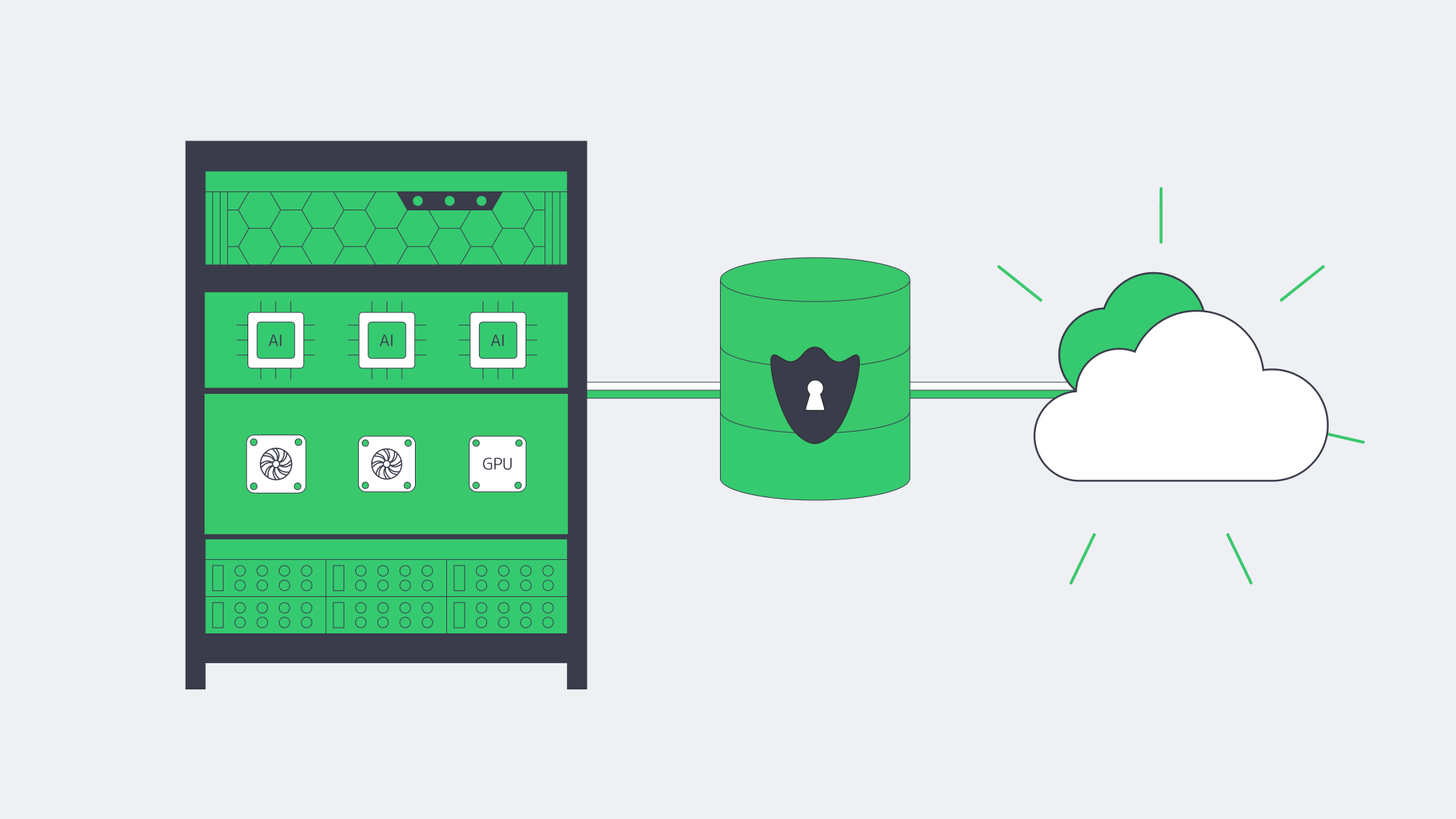
- Compute placement. Training and inference against ERP data—forecasts, quality alerts, and fraud checks—benefit from high-memory, GPU-capable servers close to the ERP database to minimize data movement and latency. Renting cloud GPUs ad hoc is useful for spikes; dedicated GPU servers can offer more predictable capacity and cost for continuous workloads.
- Data governance. Many teams are uncomfortable shipping sensitive ERP rows to third-party AI services. Keeping models next to the data, on dedicated hardware, preserves control and auditability.
Current cloud data reinforces the operational shift: Flexera’s 2026 survey found 81% of respondents using generative AI and 45% using it extensively. For ERP teams, that raises practical questions about model placement, governed data access, and whether continuous inference belongs on predictable dedicated capacity or burst cloud resources.
Global ERP Access Within Sovereignty Rules
Companies can deliver global ERP access by keeping the system of record in the required jurisdiction, placing app tiers or read replicas near users, and using a CDN only for cacheable assets. Separate data residency from interface acceleration, then size replication links against RPO, throughput, and security needs.
- Multi-region placement. Run the ERP database where policy or law requires, but deploy regional application tiers or read replicas near users.
- CDN acceleration. Cache public or non-sensitive static ERP assets—scripts, stylesheets, and approved documents—at the edge; exclude personalized or regulated responses. Melbicom’s CDN spans 40 locations across 35 countries, helping accelerate cacheable interfaces while the system of record stays in its required location.
- High-bandwidth backbones. Where replication is needed, bandwidth matters. Melbicom’s network supports up to 200 Gbps per server.

Platform-Specific ERP Hosting Notes
Odoo, IFS, Workday, Epicor, Infor, Sage X3
- Odoo server requirements. Odoo uses PostgreSQL; production sizing should follow its worker and memory guidance rather than a fixed small/large threshold. Module-heavy estates can pair an Odoo dedicated server for tuned I/O with a separate analytics node for reporting.
- IFS server. IFS Cloud supports cloud and remote deployment models. Remote deployments use a Linux/Kubernetes middle tier and Oracle database; physical, virtual, dedicated, or private infrastructure can suit controlled sites.
- Workday server / Workday server locations. Workday is SaaS rather than self-hosted ERP. Regional and sovereign-cloud options can address data-residency requirements, including Workday EU Sovereign Cloud, but adjacent integrations or data-processing systems may still need separate placement decisions.
- Epicor server. Epicor Kinetic remains available for cloud, hybrid, and on-premises deployments, but Epicor has scheduled the final on-premises Kinetic feature release for 2028.1 and is directing future innovation to Epicor Cloud. Existing local dedicated estates therefore need both proximity planning for shop-floor integrations and a lifecycle or migration plan.
- Infor server. Infor distinguishes multi-tenant cloud, single-tenant cloud, hosted/private cloud, and hybrid ERP deployment models. Choose among them based on update control, customization, compliance, and operational responsibility rather than assuming single tenancy is the default.
- Sage X3 print server. Sage X3 uses a Windows print-server component that communicates with the application and database servers. A dedicated node should be sized for print volume and network paths; multiple print servers can be used when volume requires.
Dedicated ERP Cores vs. Public Cloud
| Dimension | Dedicated servers / private cloud | Public cloud (SaaS/IaaS) |
|---|---|---|
| Data control | Pin data to selected countries or facilities; isolate compute on single-tenant hardware. | Choose regions, but operational and jurisdictional control varies by service and contract. |
| Performance | Consistent allocated resources; place compute near users and data. | Elastic capacity, with latency and variability shaped by service design and region distance. |
| Cost profile | Fixed or contract-based; bandwidth and capacity are easier to forecast, but transfer charges depend on the provider and plan. | Usage-based; egress, cross-region traffic, and idle resources require active FinOps controls. |
Which Modern Solutions Actually Resolve Today’s ERP Constraints?
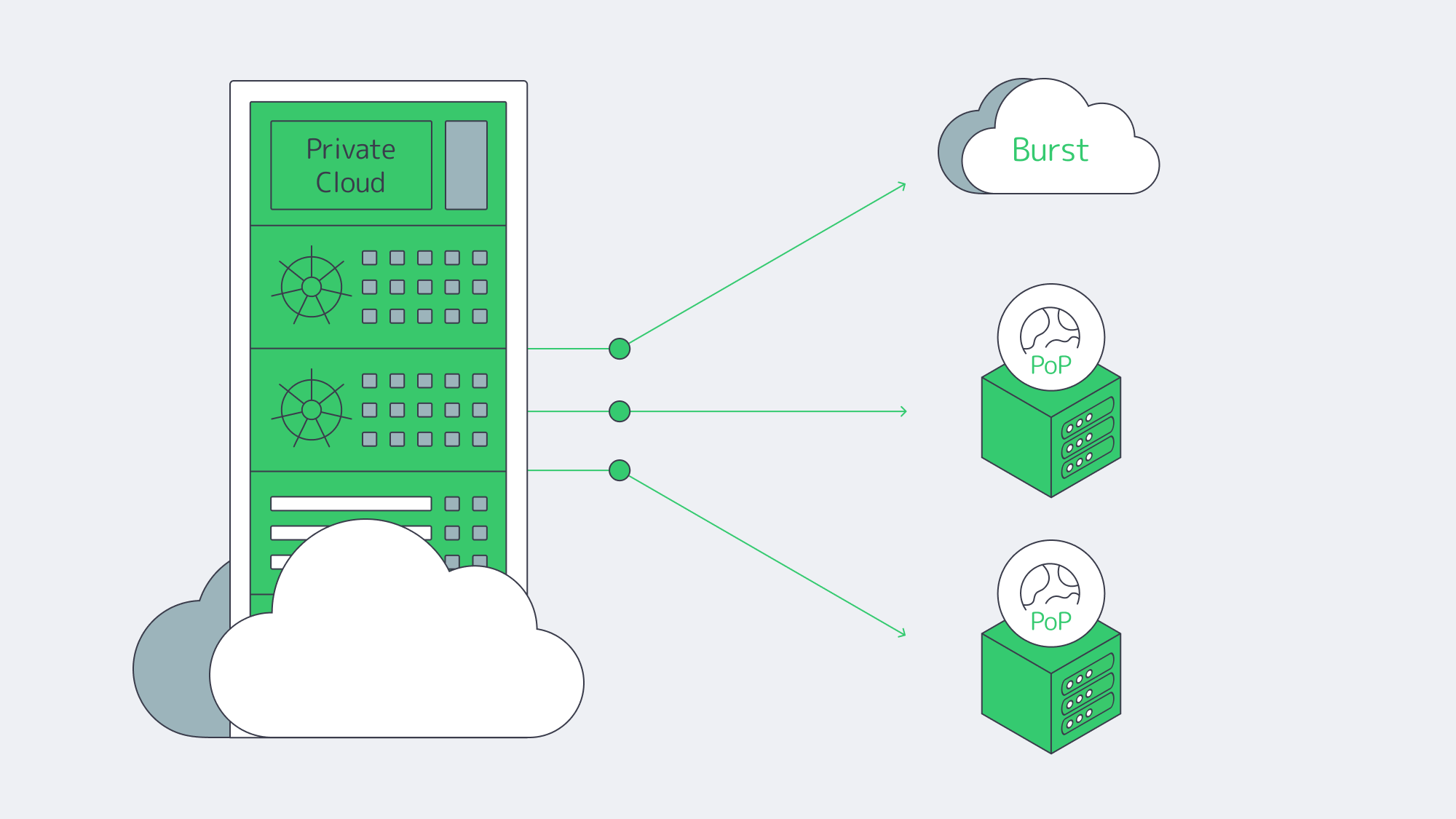
Hybrid architectures, by design. Treat the cloud as an extension of your dedicated footprint. Keep ERP databases on private or dedicated nodes; burst stateless services—APIs and web tiers—to cloud as needed. Flexera’s 2026 report found hybrid cloud in use at 73% of organizations and reported year-over-year increases in repatriated workloads and data, supporting selective workload placement rather than wholesale exits.
Private cloud and HCI. Build cloud-like agility on dedicated hardware with virtualization or Kubernetes. You get self-service provisioning and policy control without sharing compute with unrelated tenants.
FinOps discipline. Even in hybrid, the cloud portion needs guardrails. Flexera’s 2026 report highlights rightsizing, commitment discounts for steady loads, and unit economics that tie spend to business outcomes. Spend governance is now as critical as identity governance.
Edge + CDN choreography. Pin state to required regions; project the user experience globally through cacheable assets and smart routing. Melbicom’s CDN and global dedicated footprint support regional placement and edge delivery while the ERP system of record remains in its required location.
ERP Hosting Strategy Blueprint
- Start with non-negotiables. Map sovereignty constraints, RTO/RPO, and latency budgets per region. Use those to decide where cores must live.
- Model true TCO across scenarios. Include egress, cross-region sync, idle capacity, and support costs.
- Place compute by data gravity. Run analytics/AI close to ERP data on dedicated or GPU nodes; burst to cloud for exceptional spikes.
- Design for distribution. Place replicas and application tiers near users; use a CDN for cacheable static assets and approved document delivery.
- Instrument and iterate. Apply FinOps to cloud and capacity planning to dedicated. Revisit placement quarterly as usage, laws, and AI needs evolve.
Balance for Sovereignty, Speed, and Spend

The new equilibrium for ERP is hybrid on purpose: dedicated servers or private cloud for the stateful, sensitive core; cloud where elasticity or reach is uniquely valuable. This blueprint balances sovereignty, speed, and spend: control where data lives, minimize how far it travels, and forecast what it costs.
Enterprises that act now—consolidating ERP cores on dedicated infrastructure, distributing application tiers and caches globally, and governing cloud usage with FinOps—can build ERP estates with predictable performance, clearer security boundaries, and tighter costs.
Talk to ERP Hosting Experts
Get a tailored ERP hosting plan with dedicated servers, global CDN, and 24/7 support, all optimized for sovereignty and cost.
Get expert support with your services
Blog

Adult VR Hosting Solutions with Dedicated Servers
Immersive adult experiences—high-resolution 180°/360° VR scenes, live multi-camera shoots, and interactive adult gaming—are now mainstream engineering problems. What used to be a single HLS ladder is becoming a GPU-accelerated, edge-anchored, multi-protocol pipeline that must hold quality under extreme concurrency while keeping motion-to-photon latency within the experience’s comfort limits. Below, we zero in on the infrastructure demands behind these formats and how dedicated servers, paired with an edge CDN and modern codecs, provide the determinism, bandwidth, and compute density needed to deliver them at scale.
Choose Melbicom— 1000+ ready-to-go servers — 21 global Tier IV & III data centers — 40 CDN PoPs across 35 countries |
|
Why Adult VR Hosting Is Hard
Throughput per viewer is much higher than for conventional video. Current Meta Quest media guidance expects high-quality 360° video to use more than 50 Mbps and identifies 8K as a typical codec decode ceiling for clear 360° content. Plan origin and CDN capacity from the tested top rendition bitrate, expected concurrency, cache-hit ratio, protocol overhead, and failover headroom instead of assuming one fixed bitrate per viewer.
Latency budgets tighten dramatically. Current Cloud VR measurements separate network latency from end-to-end latency: around 20 ms RTT is cited for optimal VR network performance, while the user-visible path also includes rendering, encoding, decoding, and display. Regional ingest and edge-proximate delivery reduce the transport share, so validate the complete end-to-end path rather than treating network RTT as the entire motion-to-photon budget.
Protocols must match the experience. At one end, WebRTC reliably delivers sub-500 ms glass-to-glass latency for interactivity and live VR cam shows; at the other, Low-Latency HLS (LL-HLS) can reduce delivery latency to around 2 seconds while preserving HTTP scalability and CDN friendliness. A production pipeline for adult VR rarely picks one protocol—it mixes them by workload.
Compute shifts from “nice to have” to “hard requirement.” Real-time HEVC/AV1 encoding for stereoscopic 4K and 8K ladders, AI-assisted upscaling/denoising, multi-angle compositing, and interactive state synchronization all compete for cycles.
Hardware encoders (NVIDIA NVENC) support HEVC and AV1 on compatible GPU generations. Multi-NVENC split-frame encoding can accelerate one high-resolution HEVC or AV1 session, but NVIDIA documents a possible quality tradeoff, so benchmark the codec, GPU, preset, and throughput together. Use NVMe storage for large VR segmenting work.
Global proximity matters. Keeping session logic and media delivery close to viewers helps control RTT and jitter. That means multi-origin deployment across regions and a CDN footprint dense enough to shorten last-mile paths during peaks. Melbicom’s footprint—21 Tier III and Tier IV data centers, per-server bandwidth up to 200 Gbps, and a CDN with 40 PoPs across 35 countries—supports this pattern: place origins near target audiences, fan out cached segments globally, and deploy low-latency nodes where interactivity requires WebRTC.
Brief context: why the old stack fails
Classic OTT stacks assumed seconds of buffer, a handful of renditions, and region-limited audiences. They struggle when 8K stereoscopic assets must be transcoded in real time, and when control channels (camera switching, avatar state, haptic triggers) need sub-second round-trip. The modern answer is not “one giant cloud region,” but single-tenant dedicated servers tuned for throughput, paired with an edge CDN and regionally distributed real-time nodes. (Think: origins in Amsterdam/Atlanta/Singapore, WebRTC SFUs in additional metros, CDN caching everywhere your users are.)
Adult VR Hosting Setups That Scale

1) GPU-optimized dedicated origins for encode, packaging, and authorization
VR ladders drive extreme parallel encodes. Dedicated servers with GPUs can offload AV1/HEVC encoding from the CPU and increase parallel encoding capacity. Actual bitrate, latency, and quality depend on the GPU generation, codec, preset, content, resolution, and device support, so benchmark the complete ladder before capacity planning. On GPU-heavy workflows such as preprocessing, denoising, or stabilization, keeping compatible stages on the same GPU can reduce avoidable data movement. Melbicom can provision GPU dedicated servers with high-bandwidth network options so ingest and encode nodes can be sized together.
2) Edge CDN for scale; edge compute for interactivity
On-demand VR scenes cache efficiently. Use LL-HLS over 40 CDN PoPs across 35 countries to distribute cacheable media while origins focus on cache fill and authorization. For live VR cams and interactive adult gaming hosting, place WebRTC SFUs or microservices (state sync, avatar presence, telemetry) on dedicated regional nodes. Operators often target under 500 ms for two-way interactions and around 2 seconds for broadcast-style LL-HLS delivery; choosing protocols by workload—and placing servers appropriately—is the difference between an interactive path and a scalable broadcast path. Melbicom’s CDN and regional data centers let you anchor compute in the required metros and fan out assets globally.
3) High-bandwidth NICs and capacity planning
VR peaks require explicit egress planning. Size each origin from the top rendition bitrate multiplied by expected concurrent sessions, then add headroom for cache misses, failover, and protocol overhead. Melbicom offers per-server bandwidth up to 200 Gbps, depending on location and configuration. Monitor throughput, packet loss, queueing, and jitter across ingest, origin, and CDN paths; timestamp alignment and player drift are primarily controlled by encoder, packager, clock, and buffer management.
4) NVMe for asset prep; S3-compatible object storage for libraries
VR masters are enormous. NVMe SSDs keep packaging/transmux and thumbnail/extract steps from blocking on I/O, while S3-compatible storage holds the long tail economically. Melbicom’s S3-compatible storage offers plans from 1 TB to 500 TB in Amsterdam with free ingress, making it practical to stage new scenes from encode nodes to durable storage and let the CDN fetch on demand.
5) Multi-origin layouts (don’t centralize your failure domain)
Spread origins across at least two failure domains for critical markets. That helps keep origin paths short for the CDN, supports failover, and avoids one encoder pool becoming the global bottleneck during a release spike. Melbicom operates 21 Tier III and Tier IV data centers; choose origin metros from the current data-center footprint and verify latency to ingest sources, CDN fill paths, and target audiences before deployment.
Example workload mapping (adult VR focus)
| Workload | What it demands | What to deploy |
|---|---|---|
| 8K/4K stereoscopic VR VOD | More than 50 Mbps for high-quality 360° video; exact rate varies by codec, frame rate, stereoscopy, and device | GPU-equipped dedicated origins for AV1/HEVC; LL-HLS packaging; CDN with 40 PoPs across 35 countries; NVMe scratch + S3 library. |
| Live VR cam & Q&A | Sub-500 ms interaction; regional ingest; rapid scale-up | WebRTC ingest/SFU on regional dedicated servers; bandwidth sized to measured session load; multi-origin failover. |
| Interactive adult gaming hosting (VR worlds/minigames) | Application-specific RTT budget; state sync; bursty peaks | Regional game/logic servers; proximity-aware routing; CDN for static assets; telemetry backhaul to origins. |
Production architecture building blocks
- Encode where you ingest. Use regionally distributed GPU-optimized dedicated servers to transcode ladders near cameras and contributors; ship packaged outputs to nearby origins/CDN to minimize first-mile.
- Pick protocols by interaction level. WebRTC for two-way/live control; LL-HLS for scale when chat latency is tolerable. Keep the player’s buffer discipline separate from the control channel.
- Keep the network fat and simple. Select per-server bandwidth up to 200 Gbps at Melbicom based on measured peak egress and location availability. Track throughput, packet loss, queueing, and jitter together.
- Use NVMe for hot paths; S3 for the library. Stage transcodes on NVMe, publish to S3-compatible storage, and let the CDN fill. This keeps origin disks focused on hot paths.
- Exploit AV1 where devices support it. Benchmark content-specific gains against HEVC/H.264 before rollout.
Why dedicated servers instead of cloud VMs?
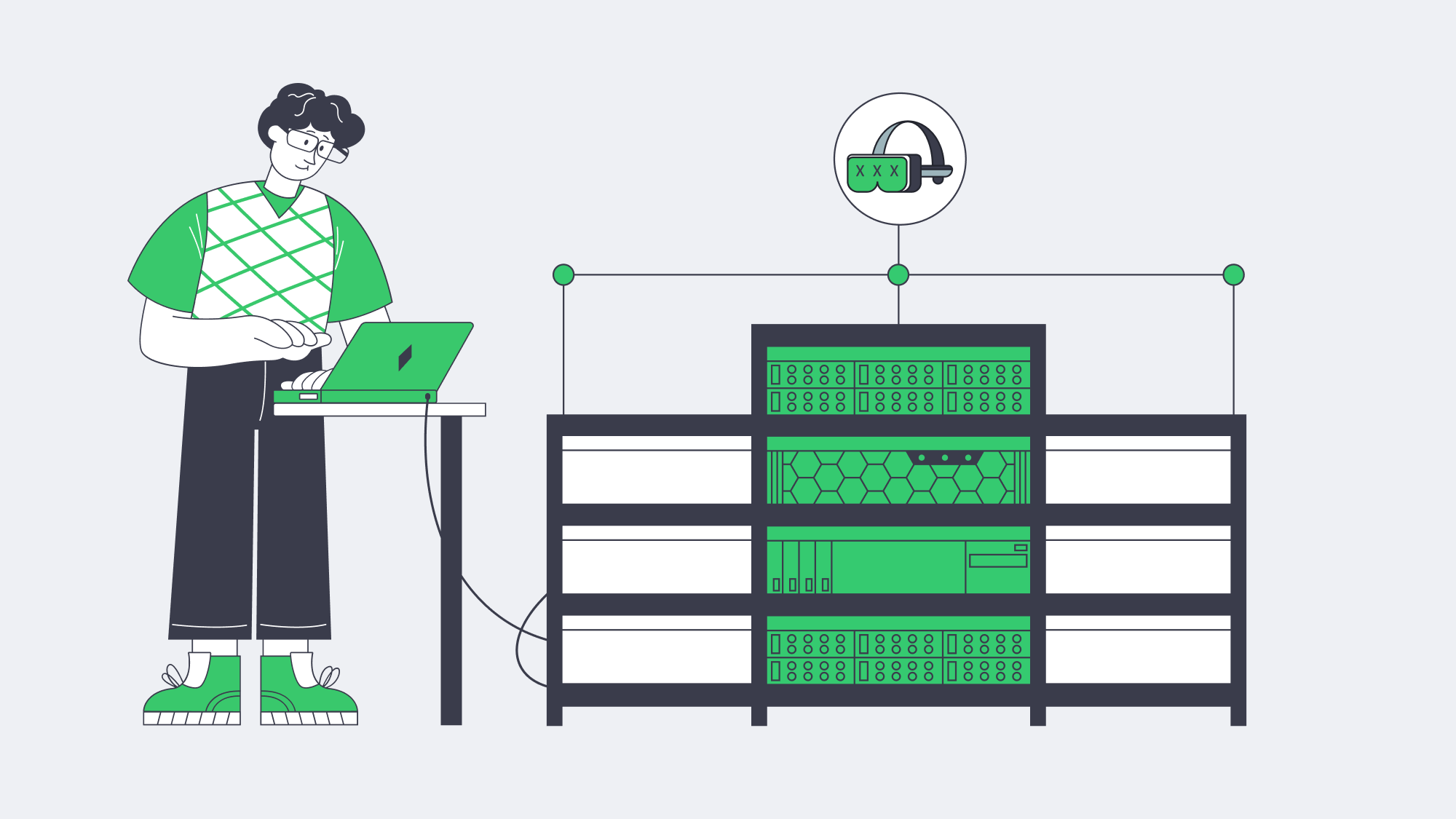
VR delivery is sensitive to resource contention. Dedicated servers provide exclusive CPU, memory, and storage resources plus root-level control to tune queues, congestion control, and driver stacks around real-time behavior. Melbicom’s dedicated platform offers 1000+ ready-to-go servers, per-server bandwidth up to 200 Gbps, and 24/7 support, so you can size machines to the role—encode, origin, or regional compute—without compute noisy-neighbor contention. Pair those servers with 40 CDN PoPs across 35 countries so viewers can reach a nearby edge by default.
Reference pipeline
- Ingest/Encode (GPU) → Packager (per-workload: LL-HLS segments + WebRTC tracks) → Regional Origins (Atlanta, Amsterdam, Singapore, etc.) → CDN (40 PoPs across 35 countries) for VOD/live cache → Edge WebRTC SFUs for sub-second interactions → Players & headsets.
- Storage: NVMe scratch on encode nodes; S3-compatible object storage for masters and long-tail renditions.
Implementation notes you can apply tomorrow
- Viewport-aware or tiled streaming for 8K 360° keeps device decode and network budgets sane. Use AV1 when the device supports it; HEVC otherwise.
- Hybrid live: LL-HLS for the “watch” cohort, parallel WebRTC for a smaller “interact” cohort (tip, vote, switch camera) sharing the same production feed.
- Edge selection: Direct interactive users to the nearest WebRTC SFU; leave VOD to CDN affinity. Melbicom’s multi-region footprint supports this hybrid routing model.
How Should You Move from Pilot to Production without Re-Architecting Twice?
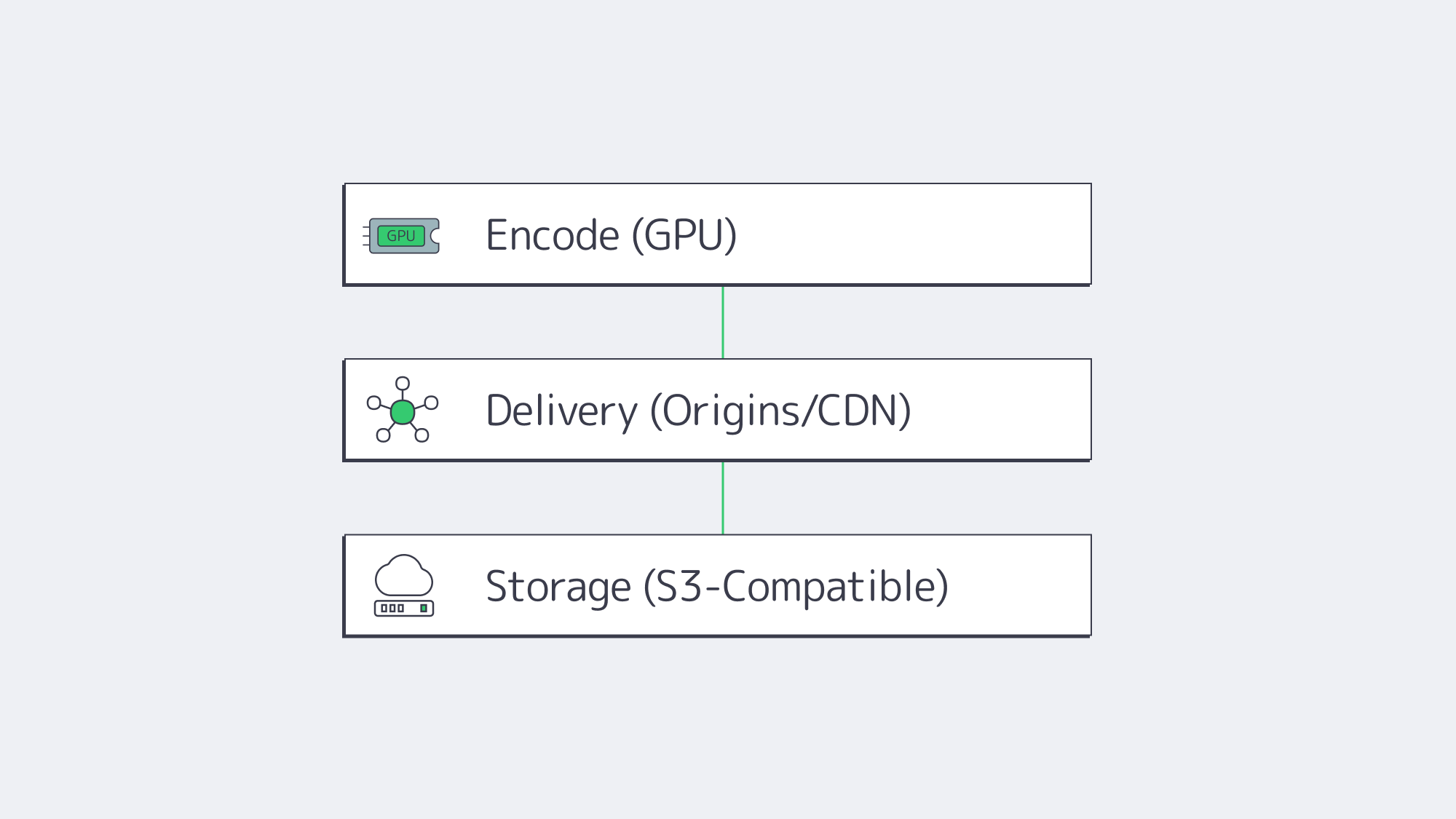
Start by right-sizing the three planes of your system:
- Encode plane: Place GPU encoders in the same metros where you gather content or where creators connect. Prefer AV1 when headsets/browsers decode it; keep HEVC ladders for fallback. Use NVMe for segmenting and thumbnails to maintain deterministic encode-to-publish timing.
- Delivery plane: Publish LL-HLS ladders to origins in at least two failure domains for critical markets, then cache via a CDN for scale; route interactive cohorts to regional WebRTC nodes. This separates the scalable broadcast path from the sub-500 ms interaction path.
- Storage plane: Keep your library on S3-compatible storage (Melbicom offers 1 TB to 500 TB plans in Amsterdam), with lifecycle rules where supported; serve “first frames” from NVMe caches on origins to minimize startup delay.
The outcome is a pipeline that de-risks growth: you can add origins by region, add encoders by ladder, and drop in new edge compute nodes as interactive formats evolve—without replacing your core.
Launch Your VR Platform
Deploy ready-to-go servers, storage, and a global CDN for bandwidth-intensive 180°/360° adult VR streaming.