
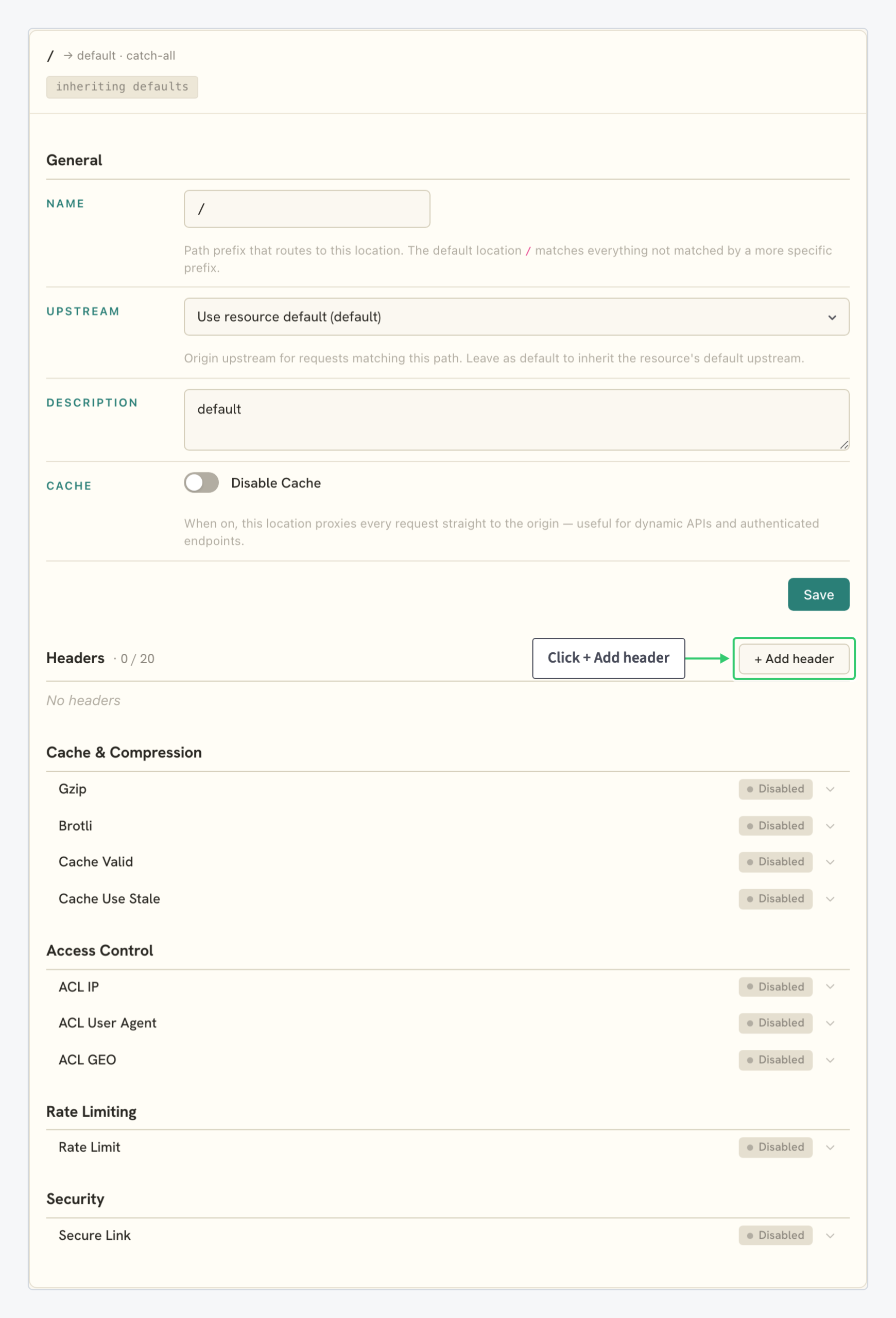
Custom headers let a CDN resource change what your origin receives and what your visitors receive, without changing either system. They live on locations, the path-based routing rules of the Origins tab, so every rule applies to one URL prefix; the catch-all / covers the whole resource. This page lists the types, the limits, and the headers most configurations use.
Header Types
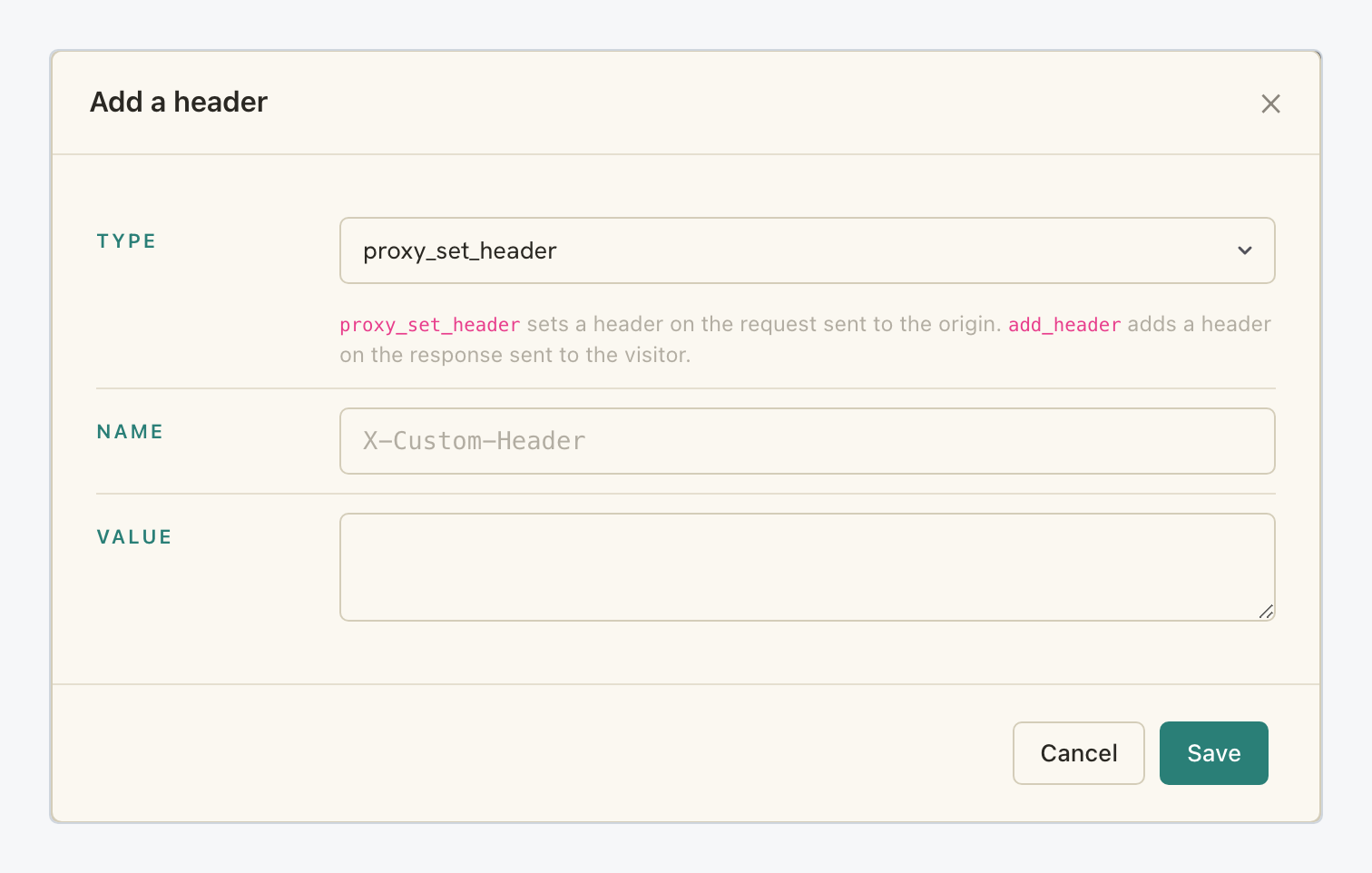
You give each header a type, a name and a value in the Add a header dialog. The type decides the direction:
| Type | Direction | Use it for |
|---|---|---|
proxy_set_header |
Request the CDN sends to your origin | A hostname the origin expects, a tag for your logs, a value your backend checks |
add_header |
Response the CDN sends to the visitor | CORS, browser caching hints, security headers |
Open the dialog with the + Add header button of a location card:
Limits and Behaviour
| Property | Value |
|---|---|
| Scope | Per location. A rule on /api/ never applies to /images/; more specific prefixes take precedence over the catch-all /. |
| Count | Up to 20 headers per location, both types combined. |
| Name and value | Free-form text; any header name your origin or your visitors’ browsers understand. |
| Applying | Save each header from its own dialog; remove one with the × on its row. |
Request Headers to the Origin (proxy_set_header)
| Header | What it does |
|---|---|
Host |
Names the site the origin should serve when it expects a different hostname than your resource: shared hosting, storage buckets, staging origins. The walkthrough is in Fetch Content from Your Origin with a Different Host Header. |
X-CDN-Tag |
Marks CDN traffic in your origin’s logs and firewall rules, under any custom name you choose, so you can tell edge fetches from direct hits. |
Authorization |
Carries a static secret your origin checks, so the origin answers CDN fetches and rejects direct requests. Any custom token header works the same way; rotate the value like any credential. |
Response Headers to the Visitor (add_header)
| Header | What it does |
|---|---|
Access-Control-Allow-Origin |
Lets pages on another domain consume your content (fonts, scripts, API responses); its value is the allowed page origin, such as https://app.example.com. Use it with Access-Control-Allow-Methods, which names the allowed HTTP methods, and Access-Control-Allow-Headers, which names the request headers a cross-origin page may send. The full walkthrough is in Manage Response Headers and CORS on Your CDN. |
Cache-Control |
Tells browsers how long to keep their own copy. This is the visitor side only: what the CDN itself caches is set by Cache Valid, covered in Control How Your CDN Caches Content. |
X-Frame-Options |
Stops other sites from embedding your pages in frames; SAMEORIGIN allows your own embedding, DENY allows none. |
X-Content-Type-Options |
nosniff stops browsers from guessing content types, closing a class of content-injection issues. |
Referrer-Policy |
Controls how much of the current URL travels in the Referer header when visitors follow links away from your pages. |
Strict-Transport-Security |
Tells browsers to reach the hostname over HTTPS only. Enable it only after every path on the hostname serves HTTPS. |
The two tables are conventions, not a closed list: the fields are free-form, so any header your origin or your visitors’ browsers understand is valid.