
The CDN panel uses a small set of terms that look interchangeable and are not: resource, origin, upstream, location, and a few more around them. This page defines each one and points to the screen where it lives, so you can open any tab in the panel and know exactly what you are looking at. The tutorials then read as instances of one simple model instead of isolated recipes.
Resource (and alias)
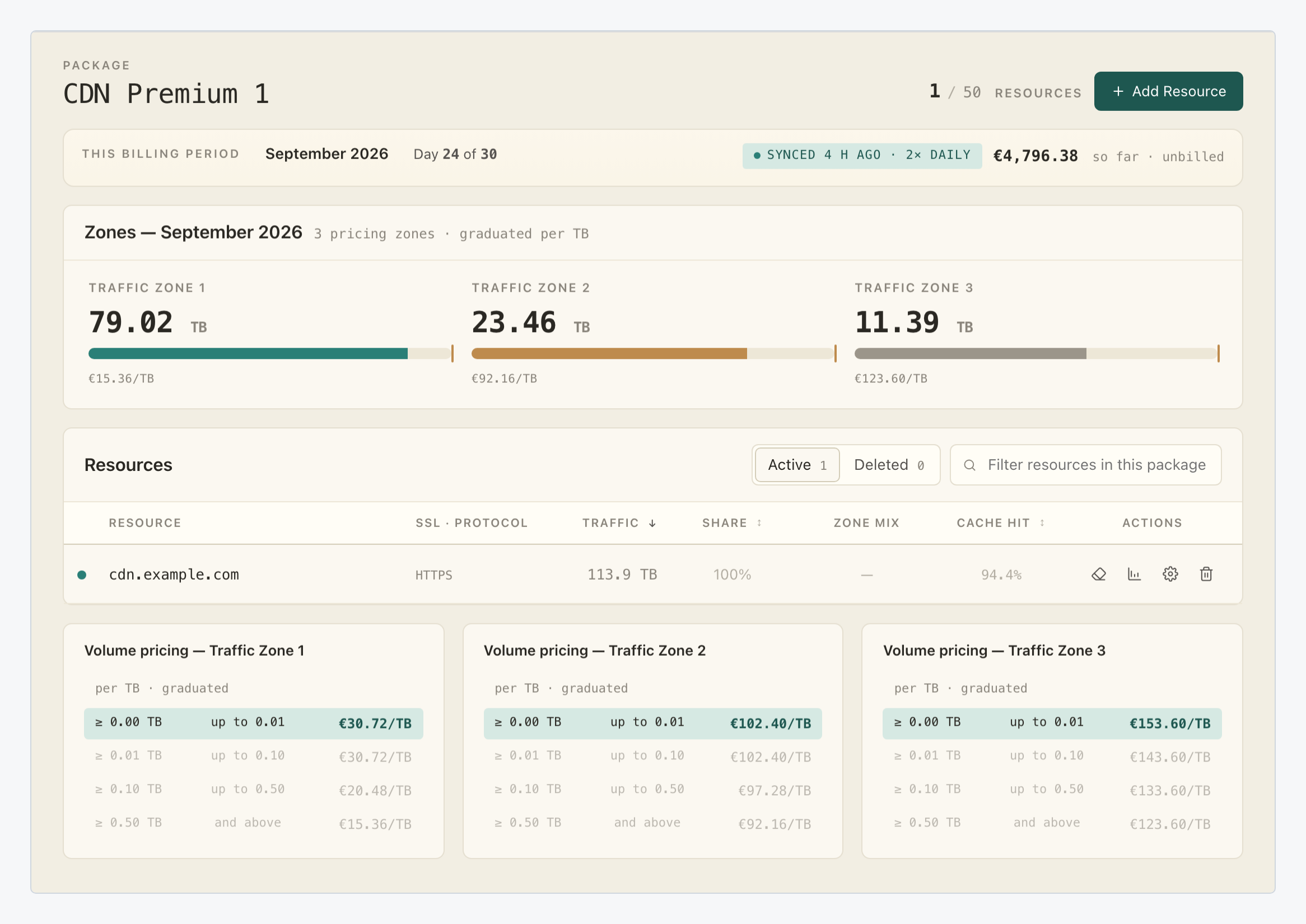
A resource is one hostname you serve through the CDN, with its own settings, certificate and cache. In the panel, each row of the table on the package overview is one resource. The counter next to the package name (for example 1 / 10 resources) shows how many of the package’s slots you are using: the package is the billing container that carries the traffic allowance, the pricing and those slots.
The gear icon in a row opens the resource in simple view; Advanced settings is the same resource with everything exposed, organised in four tabs: General, SSL, Origins and Statistics.
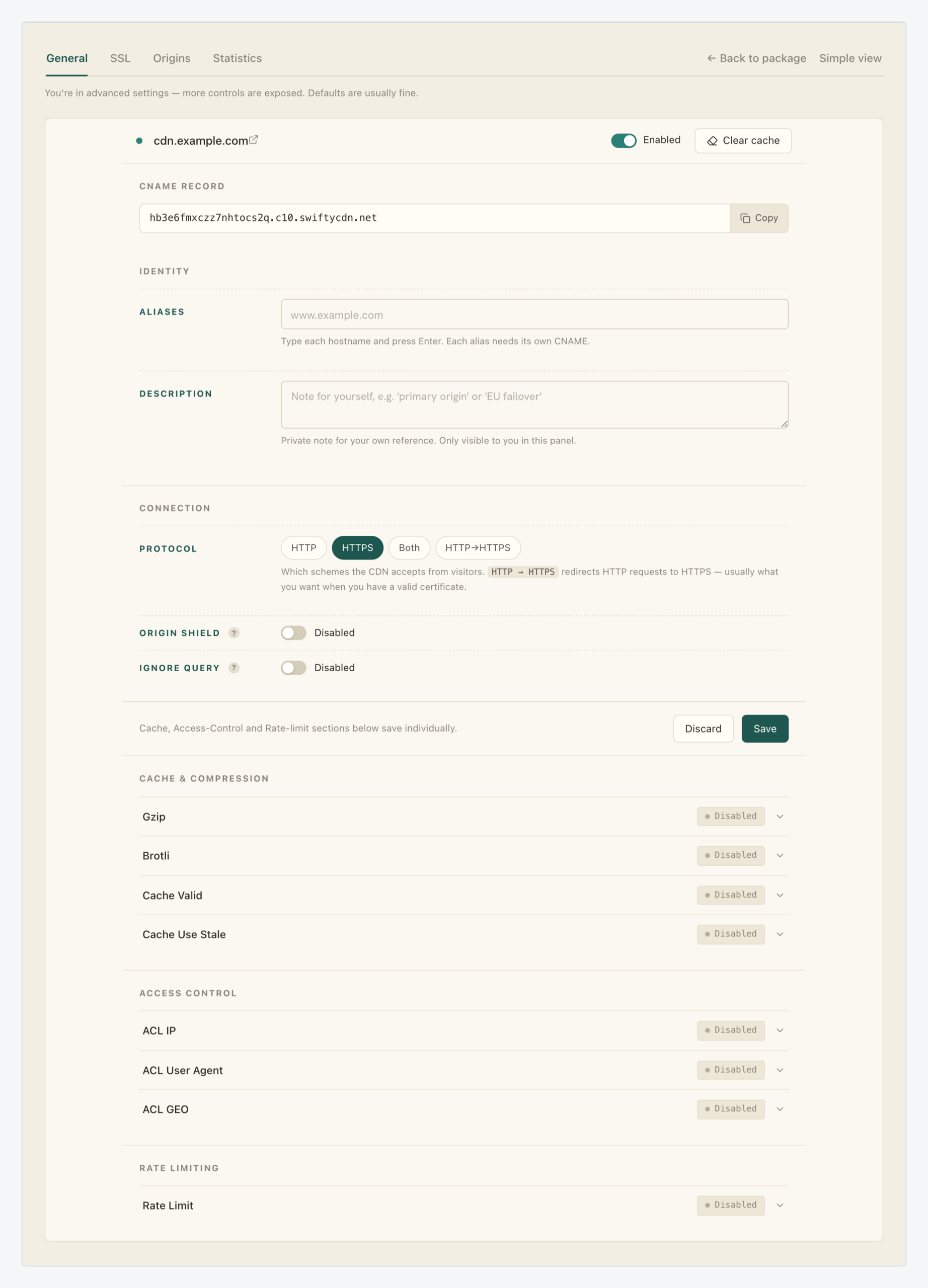
An alias is an extra hostname answered by the same resource. Aliases live on the advanced General tab, and each alias needs its own CNAME record.
See: Add your first CDN resource.
Origin
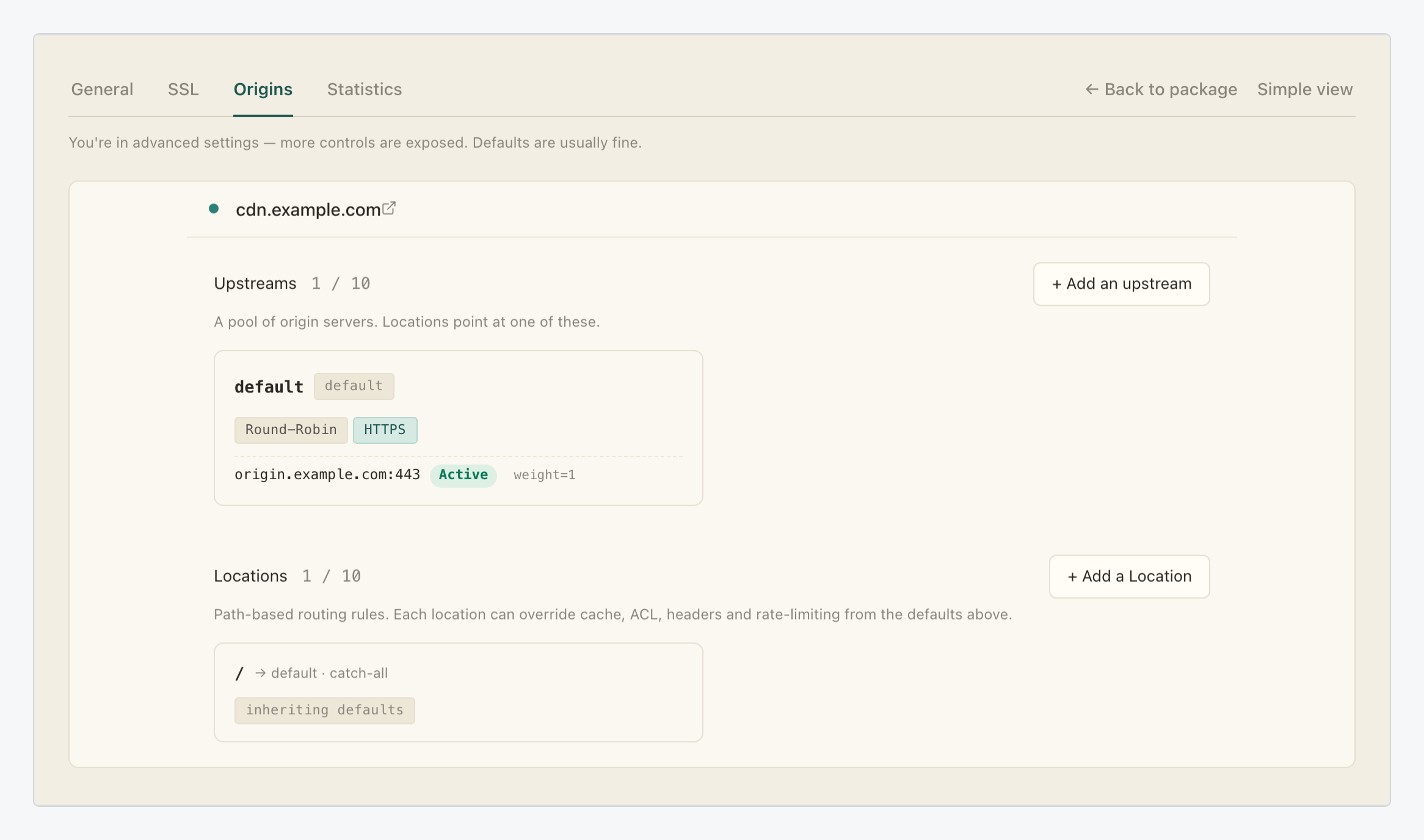
An origin is one server you own: an address, a port, a weight and a health state. Your origins live in the Origins tab of Advanced settings, for example origin.example.com:443, active, weight 1. Only requests the CDN cannot answer from cache ever reach it.
Upstream
An upstream is what locations point at: a named pool of origin servers with a balancing method, or, since the S3 origin type, an object storage bucket. The default upstream balances round-robin over HTTPS; add a second origin with the Active role and the pool load-balances; mark it Backup instead and it takes over only when every Active server is down. Weight sets each Active server’s relative share of the traffic.
Location
A location is a path-based routing rule: requests matching a path prefix go to a chosen upstream. Locations sit below the upstreams on the same Origins tab. Every resource starts with the catch-all / location pointing at the default upstream.
A location can override cache, ACL, headers and rate limiting for just its path. A typical setup routes /api/ to an application upstream with caching off, while / serves static content from a storage upstream with caching on. Read bottom-up, the hierarchy is:
- Origins group into upstreams.
- Locations choose an upstream per path.
- The resource is the hostname that owns the locations.
Cache, cache hit and cache miss
The cache is the copy of your content stored on a CDN edge node; a cache hit is a request answered straight from that copy, and a cache miss is a request the edge must fetch through the upstream from an origin. The diagram shows the whole path:
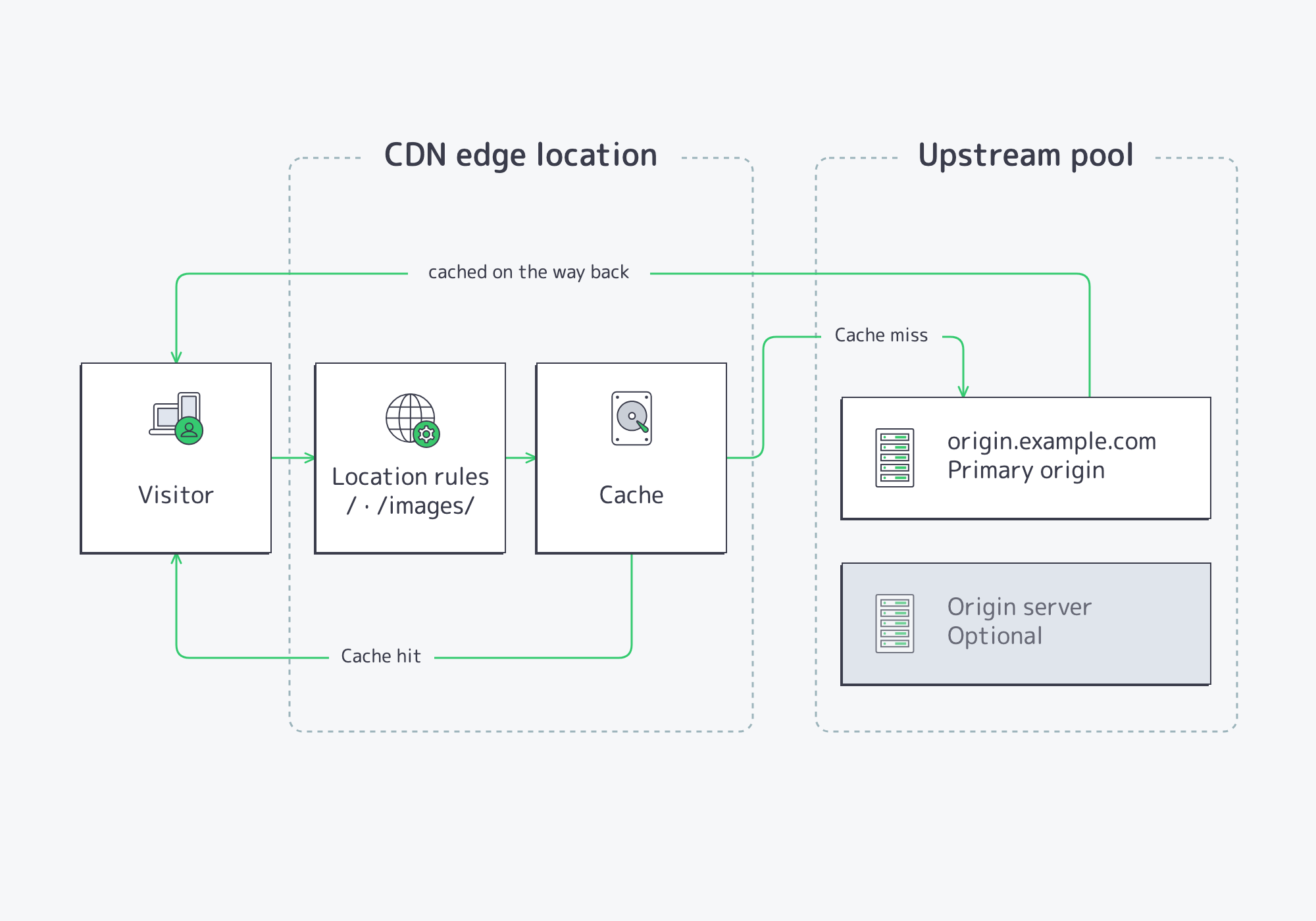
On a hit, the object is served immediately and the request never reaches your server. On a miss, the response travels back through the edge, which caches it on the way, so the next visitor in that region gets a hit. The Cache hit column on the package overview is this loop measured over time: the fraction served straight from the CDN, the number the product is designed to maximize.
Two related items appear on the advanced General tab:
- The Cache & Compression section (Gzip, Brotli, Cache Valid, Cache Use Stale) tunes caching per resource.
- Origin Shield is an intermediate cache layer between the edges and your origin: many edges refill from one place instead of all hitting your server.
See: Purge the CDN cache.
SSL certificate
An SSL certificate is what lets visitors connect to a resource securely over HTTPS. The panel summarises it in the resource’s simple view, gives it a full tab in Advanced settings, and reports it per hostname in the SSL · Protocol column of the resources table.
See: Add SSL certificates.
Protocol
The protocol is how visitors connect to your resource. You set it in the resource’s simple view, and the resources table shows it next to the certificate state in the same SSL · Protocol column.
See: Choosing a protocol.
Zone
A zone is a group of regions with its own graduated per-TB traffic rate. Zones are about billing, not routing: you do not choose a zone, your visitors’ geography does. On the package overview, the Volume pricing cards at the bottom list each zone’s tiers, and the Zone mix column shows where each resource’s traffic happens.
Where to go next
With the vocabulary in place, the tutorials apply this model step by step: create a resource, point your domain at it, give it a certificate, and purge its cache when you deploy new content.