
Sometimes you need a resource to stop serving without deleting its configuration: a site is being migrated, a hostname should stop serving during maintenance, or you want to cut delivery while you investigate a problem. The resource settings page has a single toggle for exactly that. This tutorial shows where it is, what a disabled resource does, and how to bring delivery back with nothing to reconfigure.
Prerequisites
- An active CDN service with the resource you want to pause. If you have not created one yet, start with Add your first CDN resource.
- Client Area access to the package.
Step 1: Open the resource settings
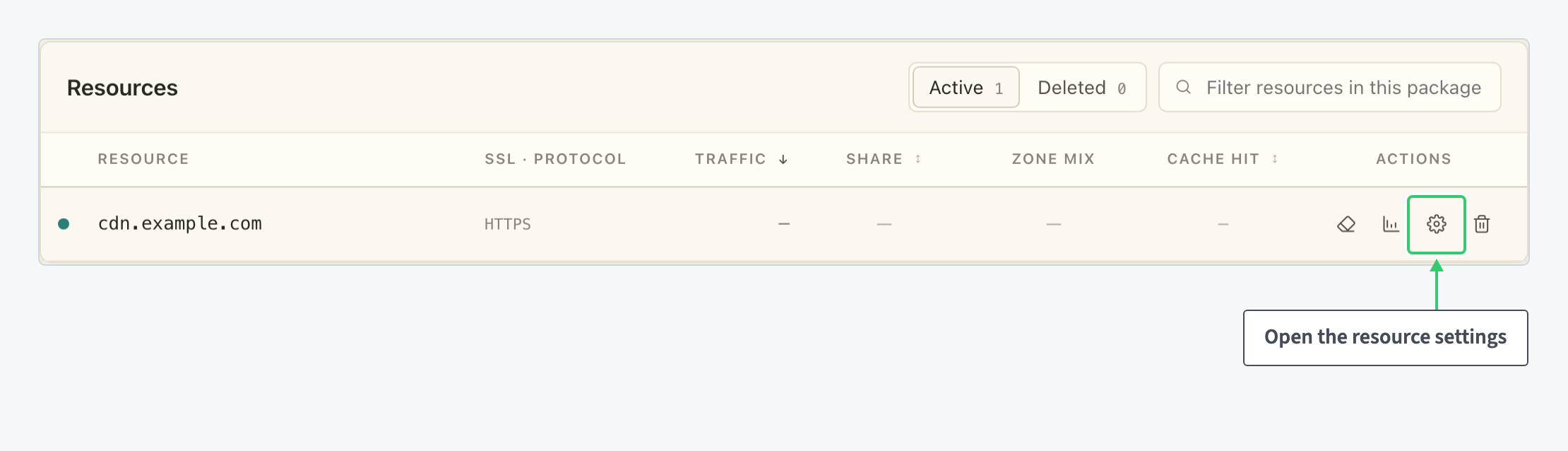
Open your CDN package and find the resource in the Resources table. In the Actions column, click the gear icon (Edit resource settings) on the row of the hostname you want to pause.
Step 2: Toggle the resource off
The switch sits in the header of the settings page, right next to the hostname. On a running resource it reads Enabled.
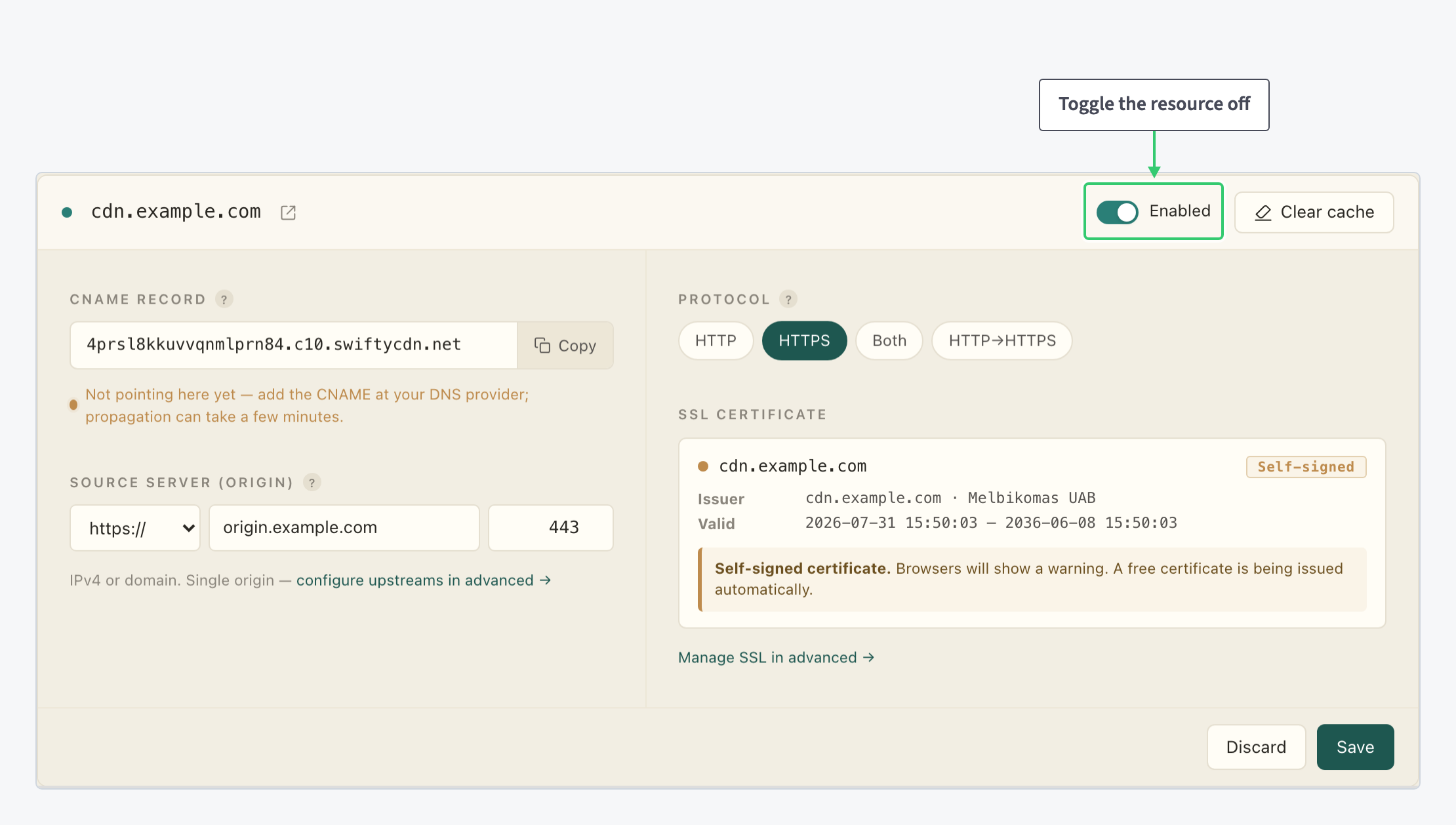
Click the toggle to switch it off. The label changes to Disabled · serving 503, which sums up the effect: while disabled, the resource answers requests with an HTTP 503 error instead of your content.
Nothing has taken effect yet. The toggle stages the change on the page; it only takes effect when you save in the next step. If you clicked it by accident, Discard puts it back.
Step 3: Save to apply the change
Click Save at the bottom of the page. That is the moment delivery actually stops.

Note that the rest of the page is unchanged in that screenshot. Disabling changes one thing only: whether the CDN answers with your content.
- The CNAME record, the origin, the protocol and the SSL certificate all keep their values: no configuration to rebuild later.
- No DNS change to make: your hostname keeps pointing at the CDN the whole time.
- Visitors get a 503 response rather than a connection error. That is what makes this switch useful for planned maintenance: a 503 tells clients and crawlers the outage is temporary.
Step 4: Re-enable the resource
Bringing the resource back is the same procedure in reverse: open the resource settings, click the toggle so it reads Enabled again, and click Save. Delivery resumes on the same CNAME, origin and certificate as before the pause.
What you’ve done
You can now stop and resume a resource with one toggle and a Save, leaving every setting in place. That makes disabling the right tool whenever the pause is temporary.
If a resource should be removed permanently, that is a different action with different consequences: see Delete a CDN resource. And if what you actually want is to refresh the content being served, purge the cache instead.