
Your content does not have to live on Melbicom S3 Object Storage to be served by the CDN: a bucket on Amazon S3, Google Cloud Storage or any other S3-compatible storage can be the origin of a resource. The CDN then fetches objects with a key you create on the provider’s side and caches them at the edge. This tutorial creates that key for each provider and fills in the origin.
Prerequisites
- A CDN resource for the hostname you want to serve from (Add Your First CDN Resource).
- A bucket on the external provider, and an account there with permission to create credentials.
- For the command-line route in Step 1: the AWS CLI or the Google Cloud CLI installed and signed in to the account that owns the bucket.
Step 1: Create a Read-Only Key on the Provider
The CDN only ever reads, so give it a credential that can only read that one bucket. Create it on the provider’s side before touching the CDN.
Amazon S3 and Google Cloud Storage
Both providers have a command-line route with fewer steps than the console. On Amazon S3, create an IAM user with a single GetObject policy on the bucket. On Google Cloud Storage, create a service account with the object viewer role and an HMAC key, the credential its S3-compatible interface authenticates with:
BUCKET=my-assets
NAME=cdn-origin-reader

aws iam create-user --user-name "$NAME"
aws iam put-user-policy --user-name "$NAME" --policy-name cdn-origin-read \
  --policy-document "{\"Version\":\"2012-10-17\",\"Statement\":[{\"Effect\":\"Allow\",\"Action\":\"s3:GetObject\",\"Resource\":\"arn:aws:s3:::$BUCKET/*\"}]}"
aws iam create-access-key --user-name "$NAME"      # AccessKeyId and SecretAccessKey
aws s3api get-bucket-location --bucket "$BUCKET"   # the region; null means us-east-1
BUCKET=my-assets
NAME=cdn-origin-reader
PROJECT=my-project
SA="$NAME@$PROJECT.iam.gserviceaccount.com"
gcloud iam service-accounts create "$NAME" --project="$PROJECT"
gcloud storage buckets add-iam-policy-binding "gs://$BUCKET" \
--member="serviceAccount:$SA" --role=roles/storage.objectViewer
gcloud storage hmac create "$SA" --project="$PROJECT" # access ID (GOOG1E...) and secretOther S3-Compatible Storage
Every other provider is configured the same way in the CDN, with its S3 endpoint typed in. Create the key in the provider’s own access-key or API-token screen, limited to reading the one bucket. Note three values next to it: the access key ID, the secret, and the S3 endpoint hostname the provider documents.
On Cloudflare R2, for example, that is an API token with Object Read only permission scoped to the bucket, and the endpoint is <account-id>.r2.cloudflarestorage.com.
Keep the key pair for the next step and store it nowhere else: the CDN is its only user.
Step 2: Fill In the Origin
Open the resource’s settings (the gear icon on its row). In the Source Server (Origin) block, click S3 bucket, then the card for your provider. The fields differ slightly per provider; a key prefix inside the bucket (origin path) can be set from the advanced upstream editor if the content is not at the bucket root. For Amazon S3:
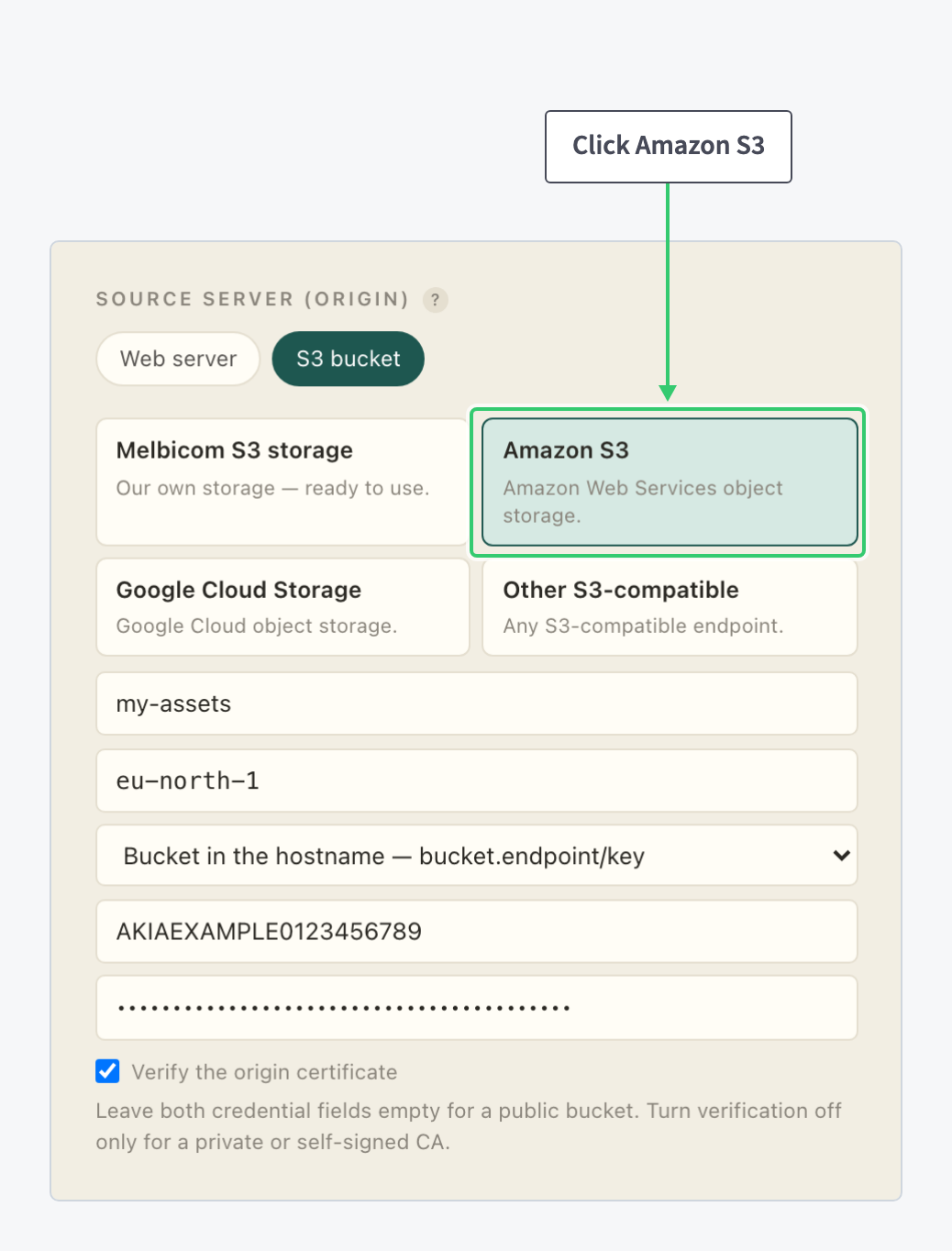
| Field | Value |
|---|---|
| Bucket name | The bucket exactly as named at the provider. |
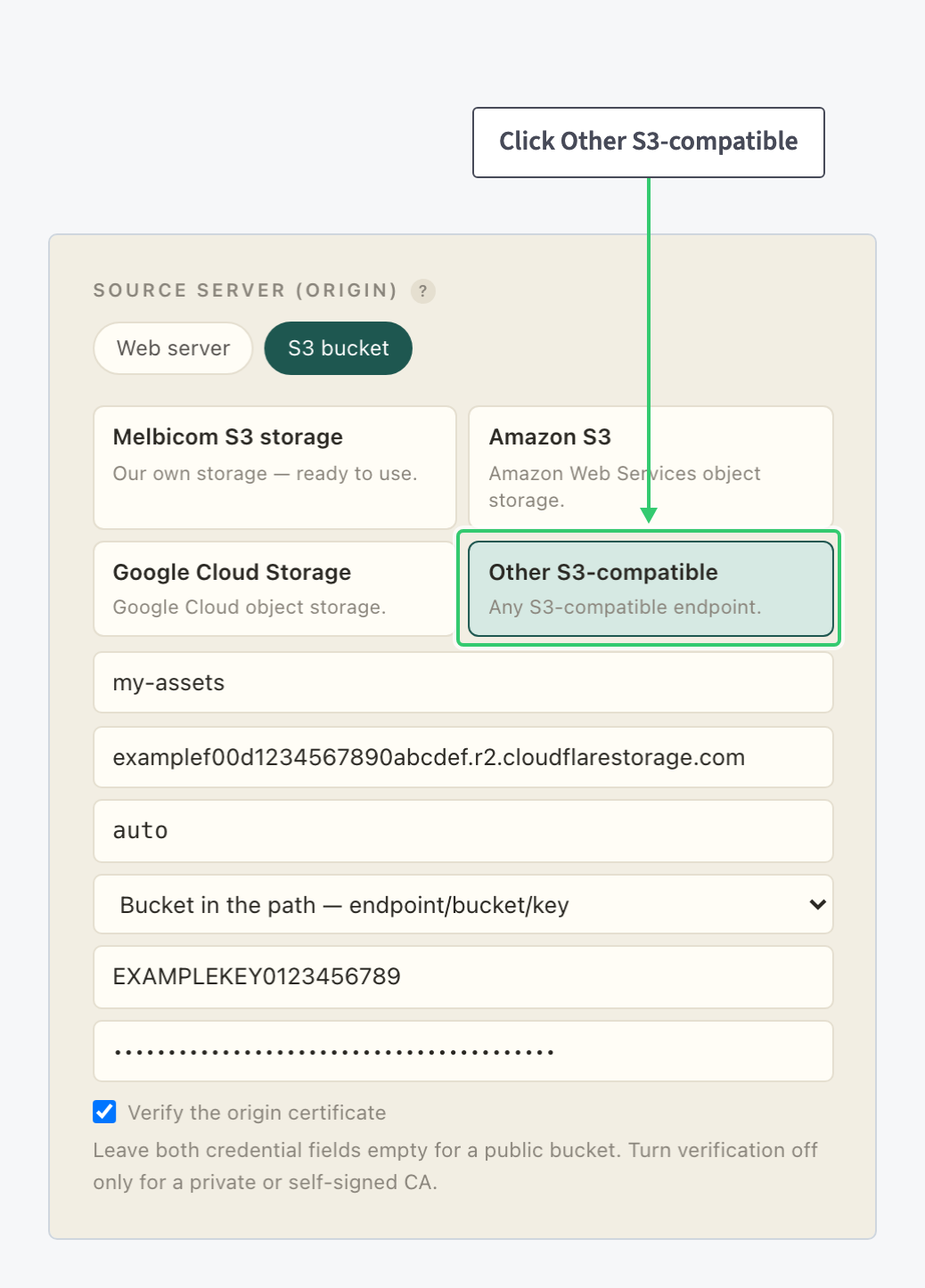
| Endpoint | Other S3-compatible only: the S3 hostname of the service, with an optional :port, no scheme and no path. For R2, <account-id>.r2.cloudflarestorage.com. |
| Region | The bucket’s region for Amazon S3; auto for R2; whatever the service documents for other endpoints. Google Cloud Storage needs none. |
| Addressing style | Bucket in the hostname (bucket.endpoint/key) for Amazon S3; bucket in the path (endpoint/bucket/key) for R2 and most self-hosted storage. |
| Access key ID, Secret access key | The read-only pair from Step 1. Leave both empty only for a bucket that is public anyway. |
| Verify the origin certificate | Keep it on for any public cloud provider; turn it off only for a self-hosted endpoint with a private certificate. |
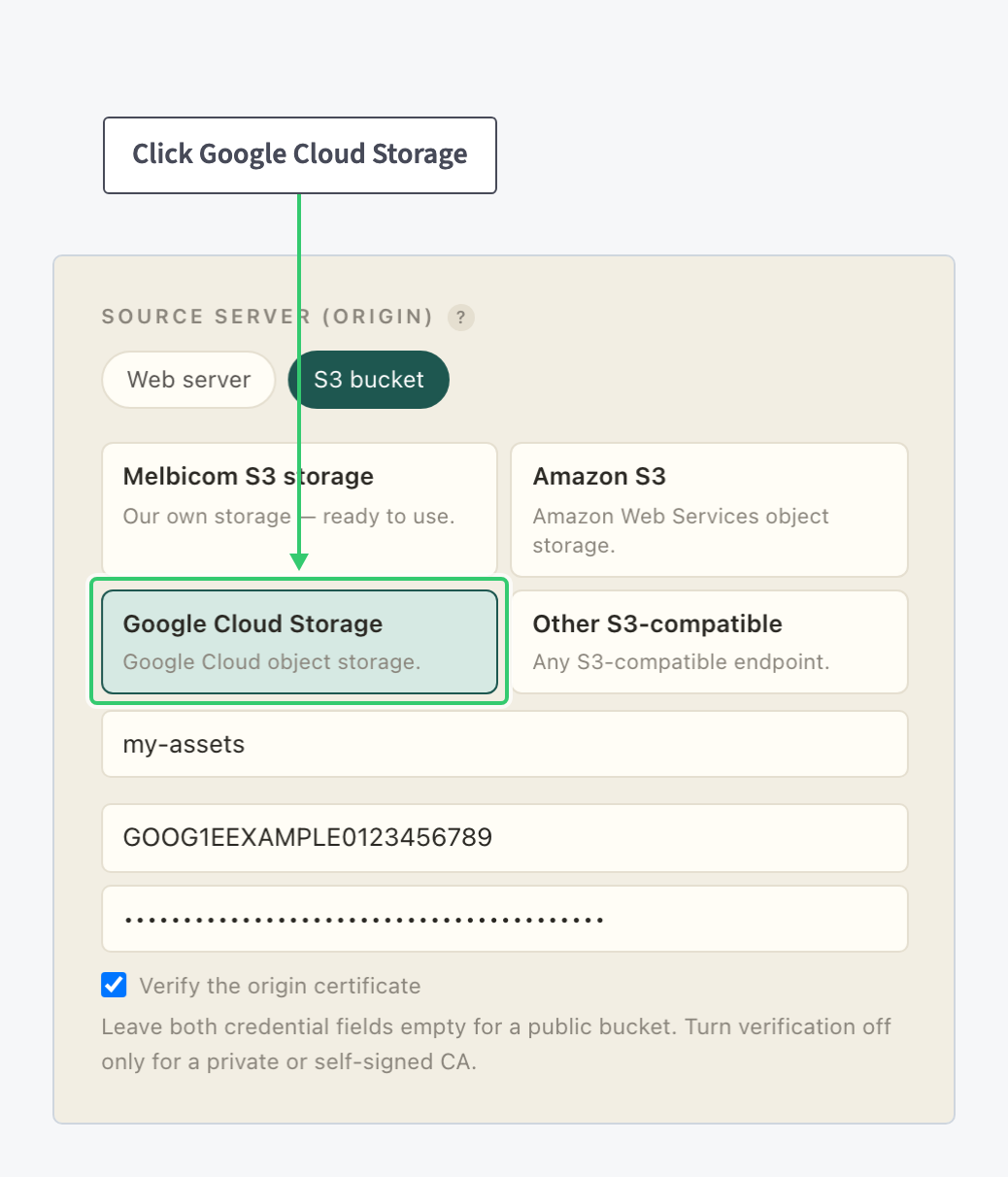
Google Cloud Storage shows the effective URL it will fetch from as you type, a quick check that the bucket name is right:
For every other S3-compatible service, the endpoint and the addressing style are the two fields that decide whether the origin answers:
Step 3: Save and Test
Click Save. Request an object you know exists through your CDN hostname, for example https://cdn.example.com/images/logo.png for the key images/logo.png.
A 200 means the origin, the key and the addressing style all match. A 403 from the provider points at the key’s permissions or a wrong bucket name. A connection error points at the endpoint or the addressing style.
The same URL mapping rules apply as for Melbicom buckets: the path is the object key, a URL without an object key returns 403, and one bucket per resource is the clean pattern. They are explained in Serve a Melbicom S3 Bucket through Your CDN.
What You Have
A CDN hostname in front of storage you already run, fetching with a credential that can read one bucket and nothing else. Origin traffic drops to cache misses, which for object storage usually means the provider’s egress bill drops with it, while the bucket stays private behind the read-only key. Azure Blob Storage is the one major service this does not cover, since it does not speak the S3 protocol.