
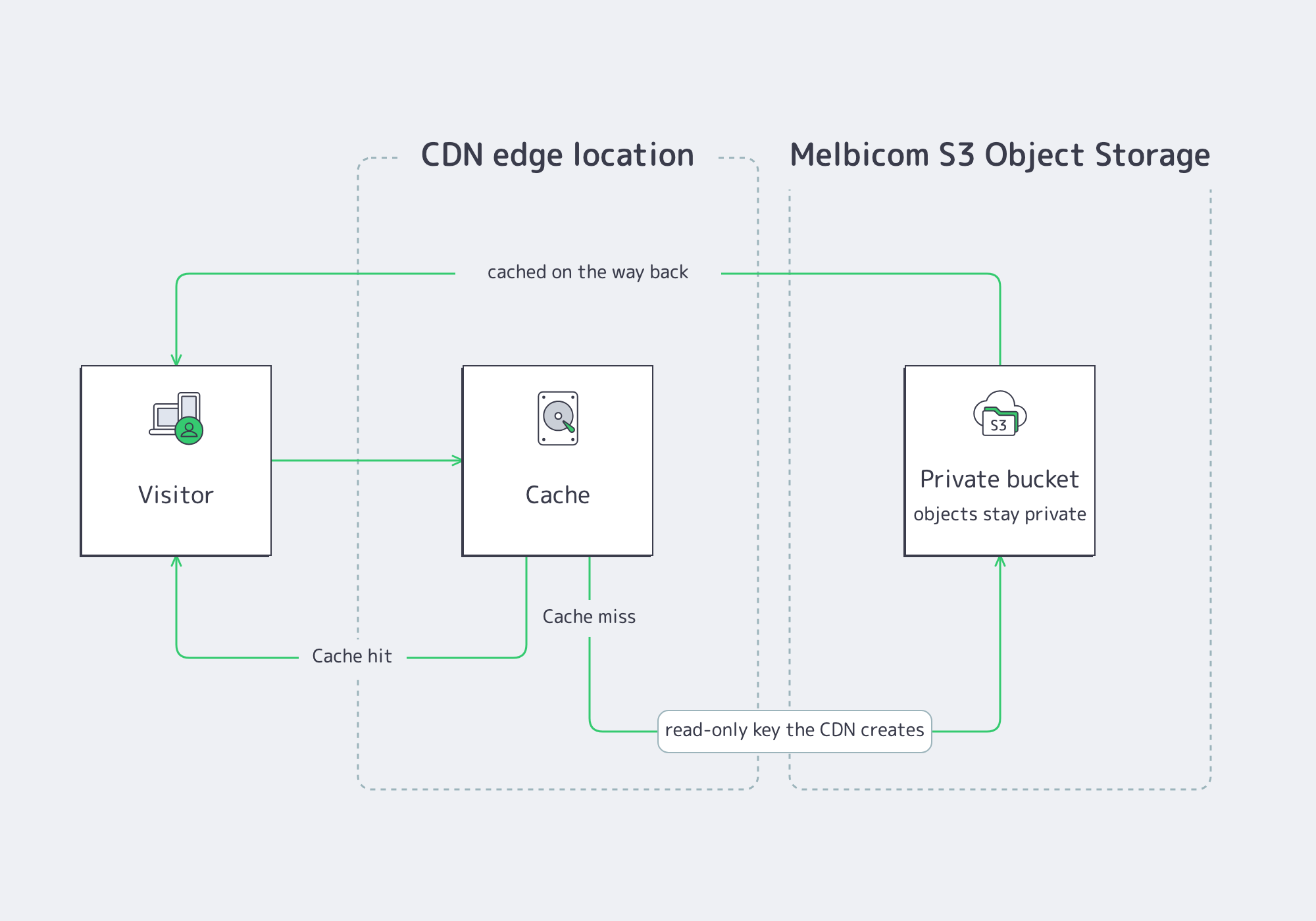
A bucket on your Melbicom S3 Object Storage is already a web-reachable origin; what it lacks is caching close to your visitors and your own hostname in front of it. Both come from making the bucket the origin of a CDN resource. This tutorial switches a resource from a web-server origin to an S3 bucket and explains how object keys map to URLs.
Prerequisites
- A CDN resource for the hostname you want to serve from; to create one, follow Add Your First CDN Resource.
- A Melbicom S3 service on the same account, with a bucket holding the objects to serve (Create a Bucket on Melbicom S3 Storage).
Step 1: Open the Resource Settings
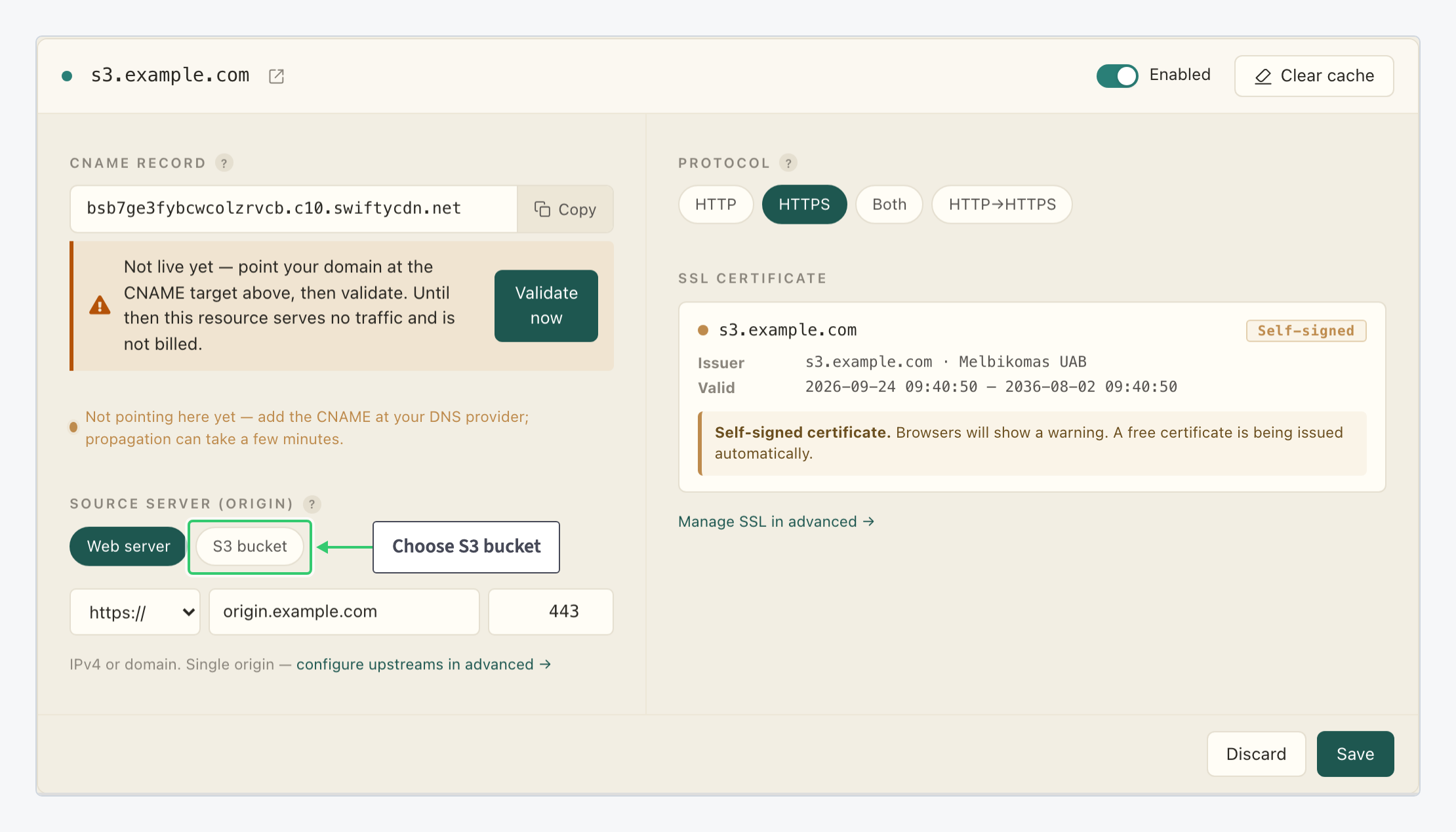
In your CDN package, click the gear icon (Edit resource settings) on the resource’s row. In the Source Server (Origin) block, choose the origin type: Web server for the address and port of an HTTP server, or S3 bucket.
Step 2: Choose the Bucket and Save
Set the block’s three choices and click Save; no credentials are needed:
| Setting | Value |
|---|---|
| Origin type | S3 bucket |
| Provider | Melbicom S3 storage |
| Bucket | The bucket to serve, from the list of every bucket on your account’s S3 services. |
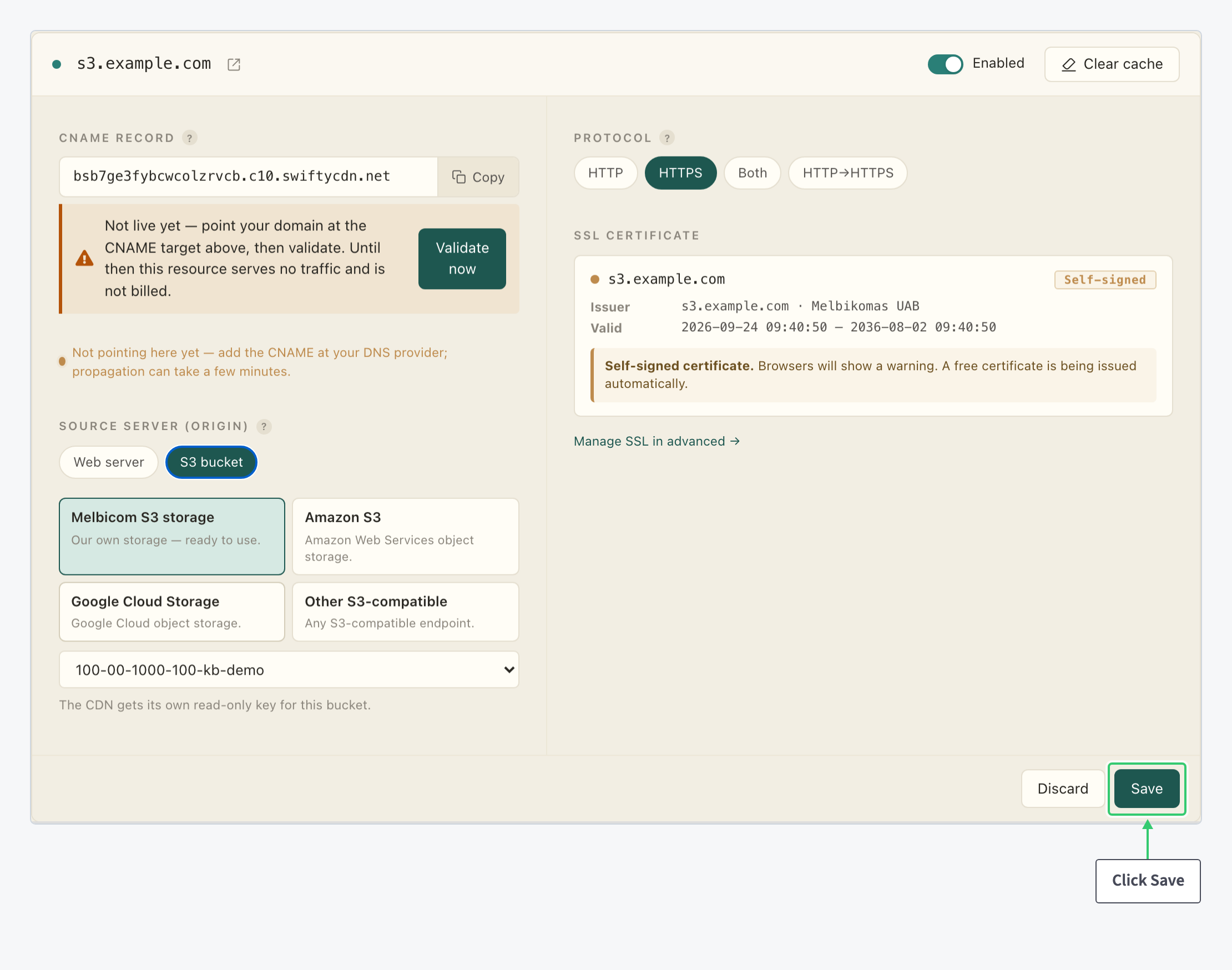
On save, the CDN creates its own read-only key for the bucket: it appears on your S3 console’s Access Keys page, named cdn- followed by the resource id. Leave it in place; deleting it stops the origin until you save the resource again. The bucket itself stays private.
The other three cards, Amazon S3, Google Cloud Storage and Other S3-compatible, connect storage hosted elsewhere with credentials you provide: Connect External S3 Storage to Your CDN. If the resource is new, finish its setup as for any other, by pointing your hostname at the CNAME target (Point Your Domain at the CDN).
Step 3: Link to Objects by Their Keys
With the bucket on the catch-all / location, the URL path is the object key: an object stored as images/logo.png is served at https://cdn.example.com/images/logo.png. Three rules follow from that:
| Rule | What it means for you |
|---|---|
| No directory index | A URL that ends in / or names a prefix rather than an object returns 403; there is no automatic index.html. Link to objects by their full key. |
| One bucket per resource | Give each bucket its own resource. A bucket attached to a non-root location such as /media/ is reachable only with the bucket name repeated in the path (/media/<bucket>/key), so a dedicated hostname is the clean pattern. |
| Cache like any origin | Cache Valid, Origin Shield and purging apply unchanged: objects are cached at the edge on first request and refetched from the bucket when they expire or are purged. |
What You Have
A hostname that serves your bucket from the edge, with the origin fetch authenticated by a key you never had to create or store, and the bucket itself still private. Uploads keep going to the bucket as before, from the console or with Install and Configure the MinIO Client for Melbicom S3. The CDN picks new objects up on their first request and serves the cached copy after that, until you purge a path that changed.