
Backups and audit records need a stronger guarantee than a permission: nobody, including an administrator with the right credentials, should be able to delete or overwrite them before a set date. Object Lock gives a bucket exactly that. This tutorial creates a locked bucket on your Melbicom S3 Object Storage and sets its default retention.
Prerequisites
- An active Melbicom S3 service and access to its web console (see Understanding Your Melbicom S3 Object Storage Service).
Step 1: Create the Bucket with Object Locking On
Object Locking can only be enabled when the bucket is created, never on an existing bucket. In the console, open Buckets, click Create Bucket, type a name with your account prefix, and switch Object Locking on. Versioning turns on with it: locking works on versions, so the two are inseparable.
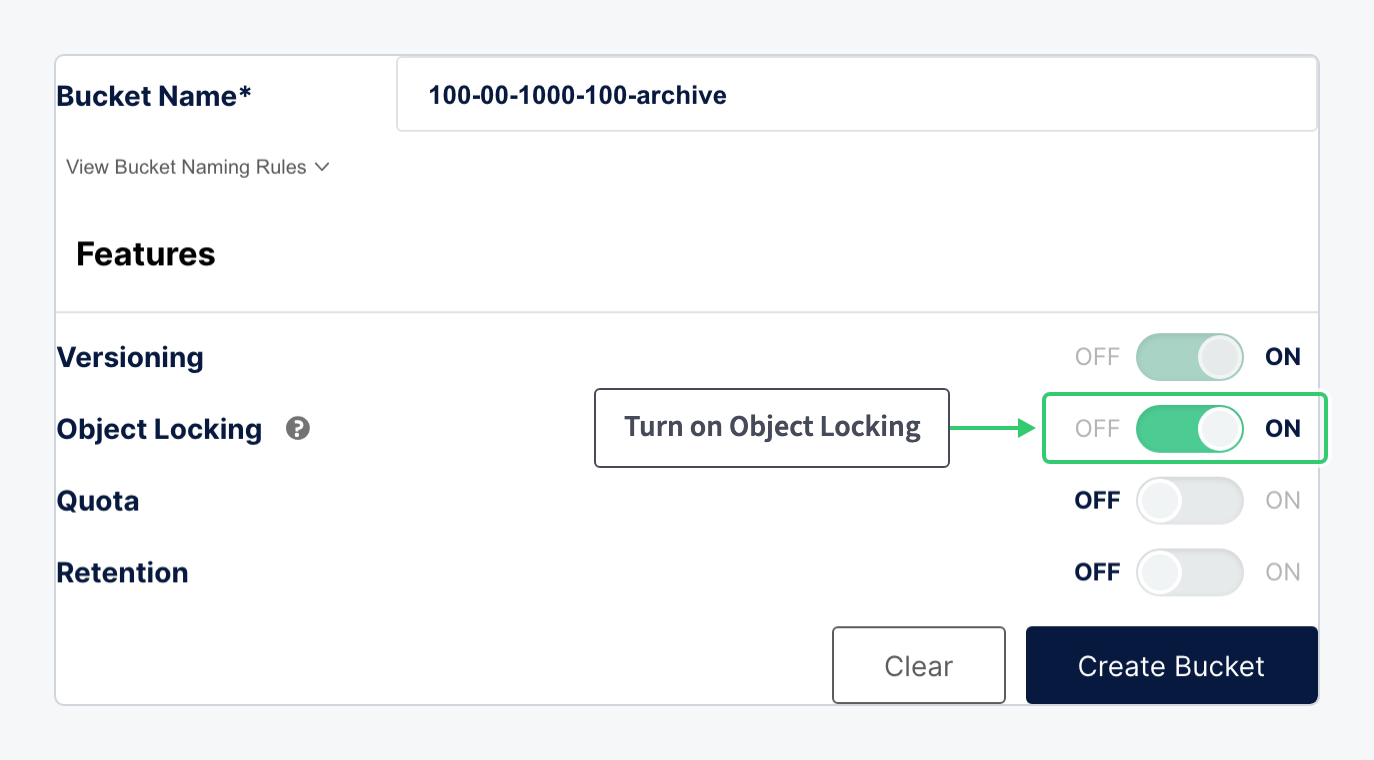
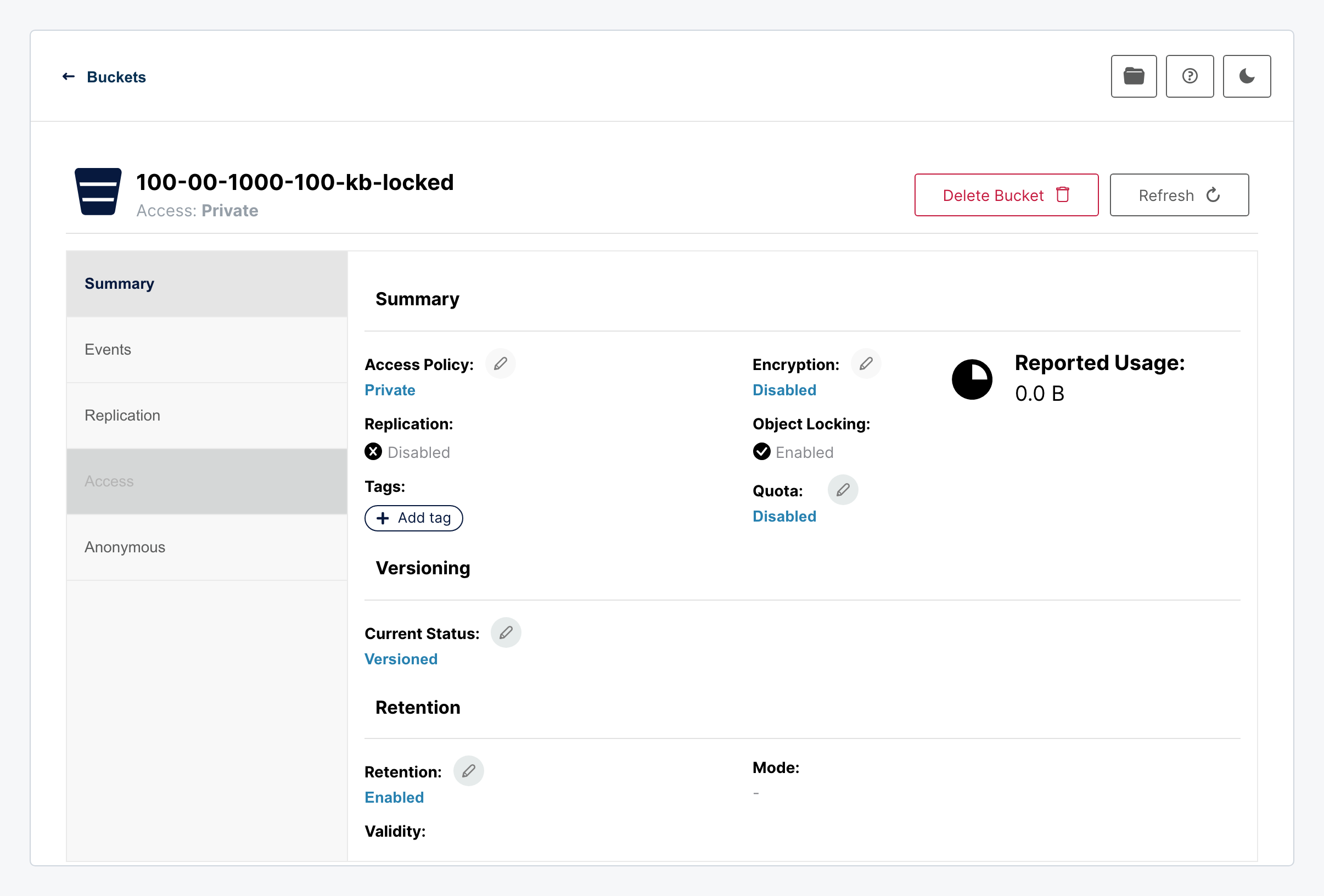
Click Create Bucket. The bucket is created with Object Locking enabled and, as a consequence, versioning on:
Step 2: Set the Default Retention
A locked bucket protects nothing by itself: retention is applied per object, and the default retention makes every new object inherit it. Click the Object Locking value on the Summary to open the retention dialog:
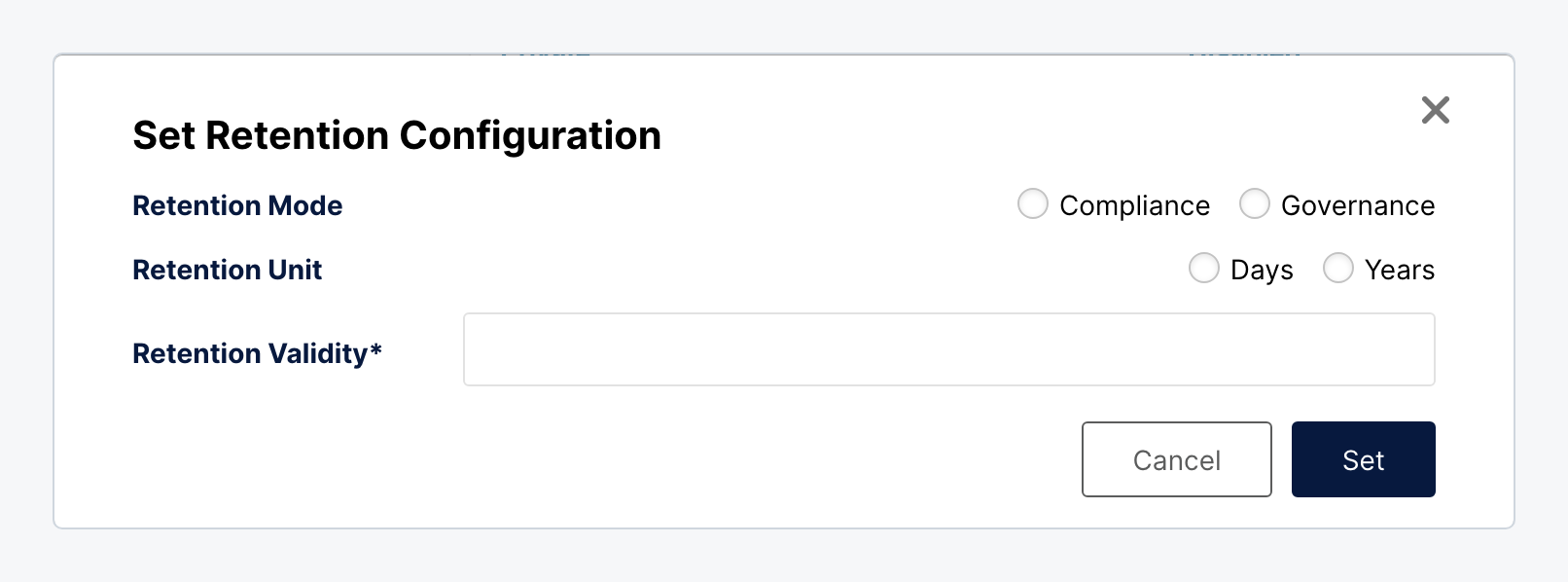
| Setting | Value |
|---|---|
| Retention Mode | Compliance: no one can shorten the period or delete a version before it ends, not even the account owner. Governance: users with a specific bypass permission can, which suits internal policies that occasionally need an exception. |
| Retention Unit | Days or years. |
| Retention Validity | How long each new object stays locked from the moment it is written. |
Choose Compliance for anything a regulation or a ransomware plan depends on. Choose Governance when your own team needs a documented way to release objects early. Set the validity to the retention your policy requires and click Set.
What You Have
A bucket where every object written from now on is immutable until its retention expires: overwrites create new versions instead of replacing, and deletes are refused. Point your backup tool at it. Locked versions count toward stored data until they expire, so choose the validity that matches the retention you need rather than the longest option.