
Author: Melbicom
Blog
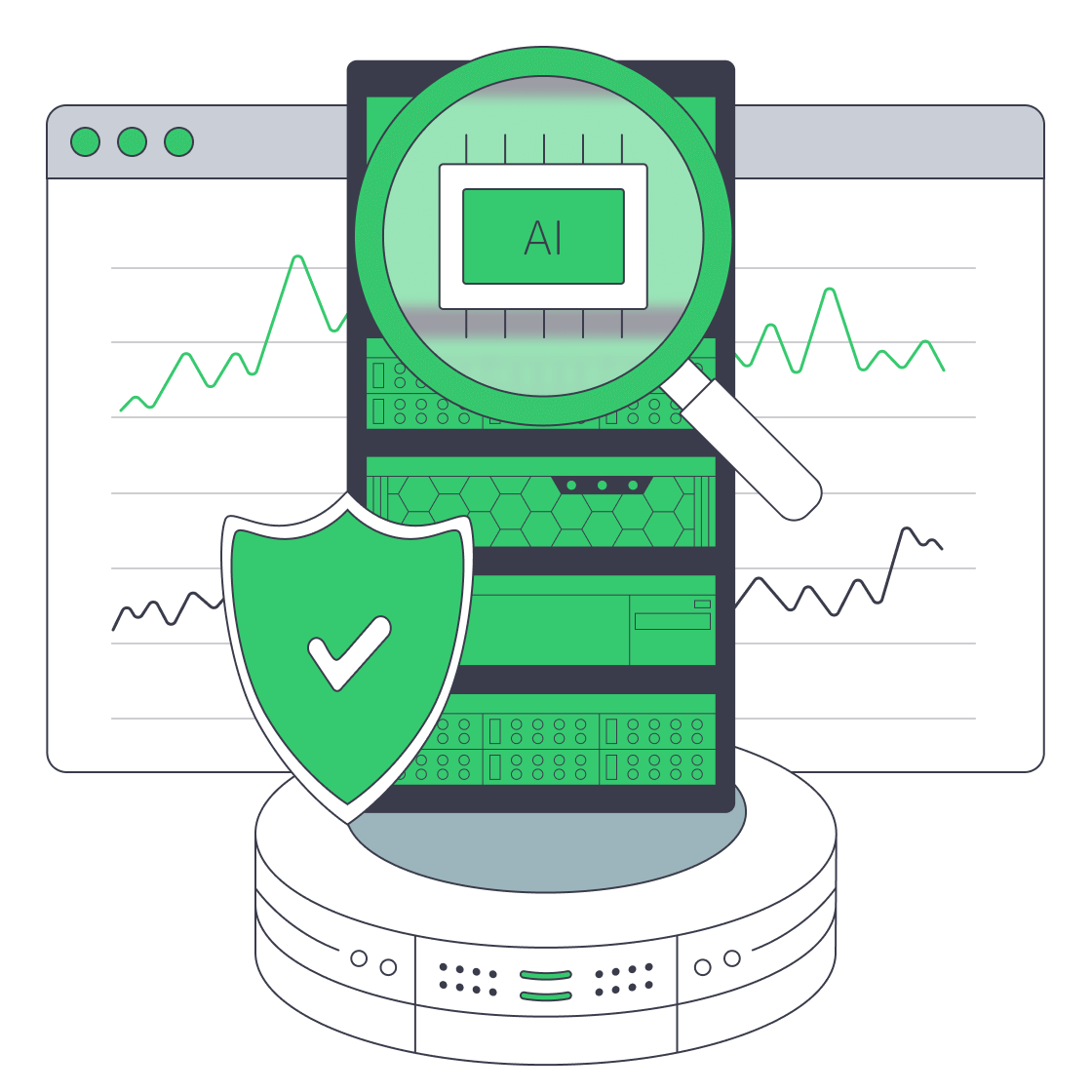
Why Dedicated Servers Elevate ERP Performance And Compliance
Long gone are the days when resource planning was destined for a back-office ledger. These days, the ledger is a real‑time operating system bursting with data, wrapped in AI, and bound by strict regulatory rules that demand predictable performance, isolation, and verification. Given those requirements, it is unsurprising that many are returning to ERP hosting on dedicated servers once again to keep compliance black and white and have hands-on control. Modern multi‑tenant clouds often struggle to satisfy these demands, and the pivot is underscored by industry surveys that show 42% of IT pros migrated workloads from public clouds back to dedicated servers in the last year for more predictable costs, stable performance, and governance needs.
Choose Melbicom— 1,300+ ready-to-go servers — 21 global Tier IV & III data centers — 55+ PoP CDN across 6 continents |
 |
Why Is ERP Getting Harder to Host?
Current ERP stacks are defined by the following three major factors:
- Heavier data: The datasphere for ERP has far broader telemetry, assets, and transactions that come from omnichannel commerce and third‑party datasets. Yet the demand for low‑latency I/O and high‑throughput networks remains continuous, and that datasphere will only continue to expand, as IDC predicts explosive growth.
- Stricter regulations: Auditability and the ever‑evolving rules in finance, healthcare, and public sectors are driving the need for single‑tenancy isolation. Proving geography is also required as data‑residency rules become stricter, which dedicated infrastructure can facilitate.
- AI: ERP models are increasingly employing AI-driven features for forecasting, scheduling, and anomaly detection. These copilots are compute‑intensive and bursty, leading many to encounter unexpected cloud bills in the $5,000–$25,000 range.
These pressures stress the importance of fast, private infrastructure that you can orchestrate, which dedicated servers deliver.
Why Are Teams Moving Workloads Back from Cloud to Dedicated?
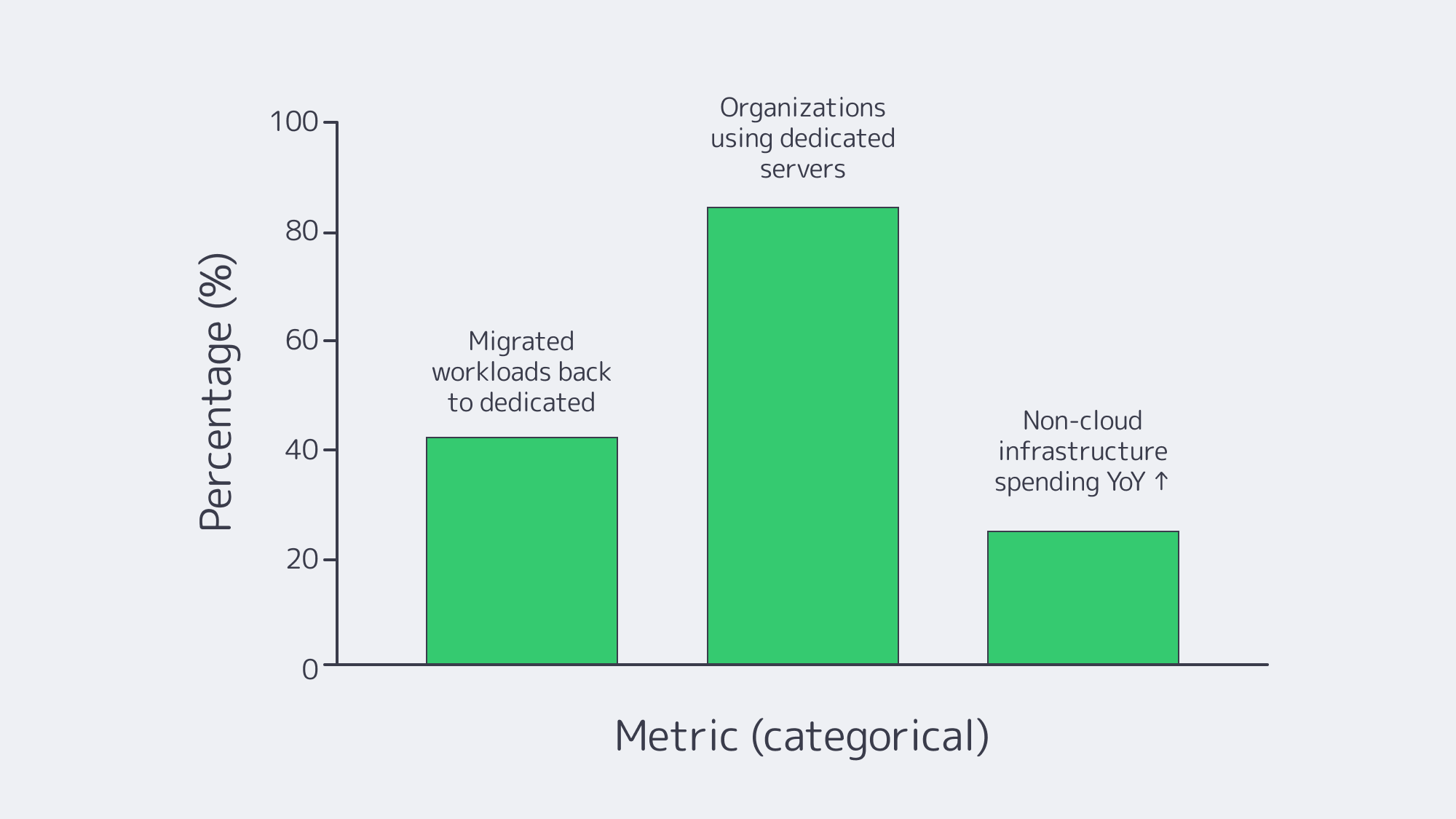
One thing is for sure: repatriation is happening at scale. Recent research reports that 42% of organizations moved workloads from public cloud to dedicated servers in the previous 12 months. The driving factors behind this decision were, firstly, full control and customization, followed by performance, compliance, and predictable pricing, with 86% stating they already run dedicated servers in their mix.
Quite often, budget dynamics are at the heart of most business decisions. As ERP stacks are always‑on and transaction‑heavy, metered pricing plans often mean unexpected costs soaring. With dedicated capacity, you can simplify forecasting; a successful month doesn’t come with the caveat of added costs or anxiety.
When you examine spending patterns, the trend in return to dedicated infrastructure also tracks. The IDC identified a 25.8% year‑over‑year jump in non‑cloud infrastructure spending in a recent quarter. So, organizations are clearly re‑investing in single‑tenant capacity.
How Performance Improves with ERP Hosting on Dedicated Servers
While many think of performance in terms of speed, in reality it is more about consistency under load. By having your ERP hosted on dedicated infrastructure, you have no noisy neighbors or a hypervisor taxing your database, and your app servers own 100% of the cores, RAM, and I/O. This brings the following benefits:
- Deterministic latency. With a dedicated ERP host, you have full control throughout the pipeline, allowing you to orchestrate CPU scheduling, NUMA policy, NVMe layouts, and network paths. This means you can run complex MRP, end‑of‑period closes, and large exports at line rate.
- Right‑sized bandwidth. Sustained throughput is needed for ERP that is integrated with e‑commerce, partner EDI, or BI platforms with decisive east‑west bandwidth. Melbicom can provide per‑server ports up to 200 Gbps to ensure database replication and object storage sync concurrency.
- Locality benefits. Round-trip times are significantly reduced with dedicated hosting because you can keep ERP placed close to users and data sources by choosing exact facilities and interconnects.
You are also ready to scale with ease on platforms with well‑known scale‑up behaviors, such as Odoo server deployments or Epicor servers tuned for heavy financials. A dedicated server ensures cores, memory, and NVMe can be packed to yield measurable improvements. This is also true in the case of Infor server reporting or keeping a Sage X3 print server isolated to prevent batch document generation from throttling OLTP.
Control and Customization Payoffs
With a dedicated server, you get much more control than cloud providers typically allow. Although their instance menus are broad, freedom is limited. The dedicated hosting route allows you to:
- Run OS and database versions certified by your ERP, even if modules demand specific kernels or drivers.
- Shape topology: You can separate apps, DB, and integration nodes across servers, pin cores for JVMs or .NET runtimes, and choose RAID levels to complement traffic.
- Install numerous deep integrations, such as factory OPC-UA gateways, Epicor Spreadsheet Server, without any restrictions.
Control and customization rank highly as driving factors behind dedicated server choice in surveys, with 55% of organizations giving it as their primary reason. ERP roadmaps buried under hyperscalers’ abstraction layers make compliance much trickier.
ERP Nuances & Requirements: Odoo, Workday, etc.
- Odoo requirements: With a dedicated server, you can scale Odoo cleanly. Postgres, workers, and caches can be separated, CPU affinity can be tuned for long‑running jobs, and write-intensive modules can be facilitated by using NVMe.
- Workday server integrations & locations: When integrating with Workday’s SaaS endpoints, place your dedicated ERP or data hub close to the workday server locations your tenant uses to minimize egress and meet residency requirements.
- IFS server / Infor server: Single-tenancy provides better performance for latency‑sensitive shop‑floor connectors and on‑prem MES links.
- Epicor server & Epicor Spreadsheet Server: Reporting and Excel‑access paths can be kept on the same low‑latency network paths as the ERP database, preventing throttling.
- Sage X3 print server: You can prevent your transactional cores from being affected by document bursts by decoupling print/report generation.
Simplifying Compliance Audits Through ERP Platform Isolation
Dedicated ERP hosting is single‑tenant by design, reducing the risks associated with multitenancy and making compliance far simpler by default. The isolation clarifies and satisfies audit boundaries:
- Demonstrable data residency: Instead of auditors having to infer geography from cloud “regions,” you can prove the location because you can choose it. Melbicom has Tier III/IV facilities sited across multiple continents, which enables you to deploy and match jurisdictional policy.
- Verifiable access control: You have sole ownership, so all admin accounts, logging, network ACLs, and change windows align with your ERP release cadence.
- Auditability: You can easily test and present asset tags, topology diagrams, and jump‑host policies.
Dedicated environments meet privacy and oversight demands, and the preference is also prevalent in survey responses, where organizations shared that they avoid putting their most regulated data in public clouds.
The Practical Differences Between Cloud and Dedicated for ERP?
| Aspect | ERP on Dedicated Server | ERP on Public Cloud |
|---|---|---|
| Performance | Exclusive cores, RAM, and NVMe; no “noisy neighbors.” Deterministic latency for OLTP and batch. | Shared, virtualized resources; performance can fluctuate with contention and throttling. |
| Customization | Full control over OS/DB versions, middleware, and topology (e.g., separate Odoo server DB/app tiers). | Constrained to provider‑approved images, services, and shapes; limited kernel/driver control. |
| Compliance & Data Location | Single‑tenant isolation; choose exact jurisdiction; easier audit trails. | Multi‑tenant by default; residency and isolation depend on provider controls and shared‑responsibility models. |
| Cost Predictability | Fixed monthly/annual pricing; high utilization doesn’t spike the cost. | Metered charges for compute/storage/egress; surges and analytics/AI runs can trigger bill shocks. |
The above table highlights differences for ERP hosting that make an impact.
Decision‑Making Takeaways for ERP
- Performance prioritized: Consistent throughput and low latency are provided with a dedicated server hosting, which is important for mixed OLTP + analytics/integrations.
- Compliance is built in: Single tenancy means isolation from the get-go, and explicit geography helps simplify audits while satisfying data‑sovereignty obligations.
- Strategic control: Dedicated setups have structures that align well with ERP roadmaps, such as custom kernels, database versions, and topology choices.
- Predictable costs: There are no nasty surprises for always‑on ERP with fixed pricing that trumps metered options with AI features at scale.
- Trends speak volumes: Surveys show many teams have moved or are moving workloads back to dedicated servers. There is also a spike in re‑investment in non‑cloud hosting infrastructure.
Operational Moves

With data residency rules overhead, if you are looking to modernize your ERP and leverage the latest AI, you need a safe infrastructure. The verifiable isolation, full control, and transparent reporting of dedicated servers provide the safest option and satisfy auditors. The performance they offer also brings operational advantages, ensuring smooth core transactions and a large tuning surface for laying down AI pipelines without the costs spiralling. With the security offered, we are seeing many organizations reverse the shifts they once made over to the cloud after losing control.
Melbicom’s globally distributed, certified facilities have a design that is ideal for high‑throughput ERP for those bound by strict compliance, with workloads that incorporate the latest AI assistance. We can rapidly provision and have a network built for sustained loads, with hybrid footprint setups available. We can keep ERP isolated at the origin while our CDN layer (in over 55 locations) pushes static assets to the edge.
Deploy ERP on Dedicated Servers
Provision dedicated, compliant infrastructure for ERP with predictable performance and costs. Choose global data centers and high‑bandwidth ports, backed by 24/7 support.
Get expert support with your services
Blog
Choosing ERP Servers for Performance, Uptime, and Scale
Enterprise Resource Planning consists of many different workflows, including orders, inventory, finance, HR, analytics, and audits. It is therefore essentially always‑on. These workflows require high performance and need the platform beneath to have the right architectural foundations. The right ERP server must provide near‑continuous availability and have airtight security, considering the data dealt with. IBM pegs the average cost of a breach at $4.88 million globally, highlighting how high-stakes ERP server decisions are.
So to help you narrow down your options and make an informed decision, we have put together this concise framework for evaluating ERP server hosting. It should guide you in finding the best ERP server—one that provides performance headroom, near‑100% reliability, and predictable costs, and that is ready to scale and satisfies compliance obligations by design.
Choose Melbicom— 1,300+ ready-to-go servers — 21 global Tier IV & III data centers — 55+ PoP CDN across 6 continents |
 |
What Hardware Profile Runs ERP Efficiently?
Prioritize CPU and RAM: Running ERP means planning for high core counts, as the stacks concentrate OLTP traffic, reporting, background jobs, and integrations. You will need plenty of RAM to contend with aggressive cache demands. Application servers shouldn’t swap. Odoo runs on Linux with Python and PostgreSQL. Sizing guidance works on the basis of threading and worker counts in terms of planning for concurrency.
Storage capacity misconceptions: Raw capacity is less important than latency; batch and query runtimes can be reduced with NVMe SSDs; and higher IOPS benefit write‑heavy ledgers and MRP.
Network throughput requirements: While many think ERP is mainly reporting, many files are moved, along with EDI, BI extracts, and API payloads; therefore, high bandwidth is needed, and ports must not be oversubscribed. Melbicom provisions per‑server ports that offer up to 200 Gbps with upgradable headroom for integrations and backup spikes.
Think headroom by design: Right-size your server so that your typical peak load is under 70% of CPU/RAM consumption to prevent replatforming and ensure absorption of month‑end closes, seasonal spikes, and new modules.
How Close to “Always On” Should ERP Be?
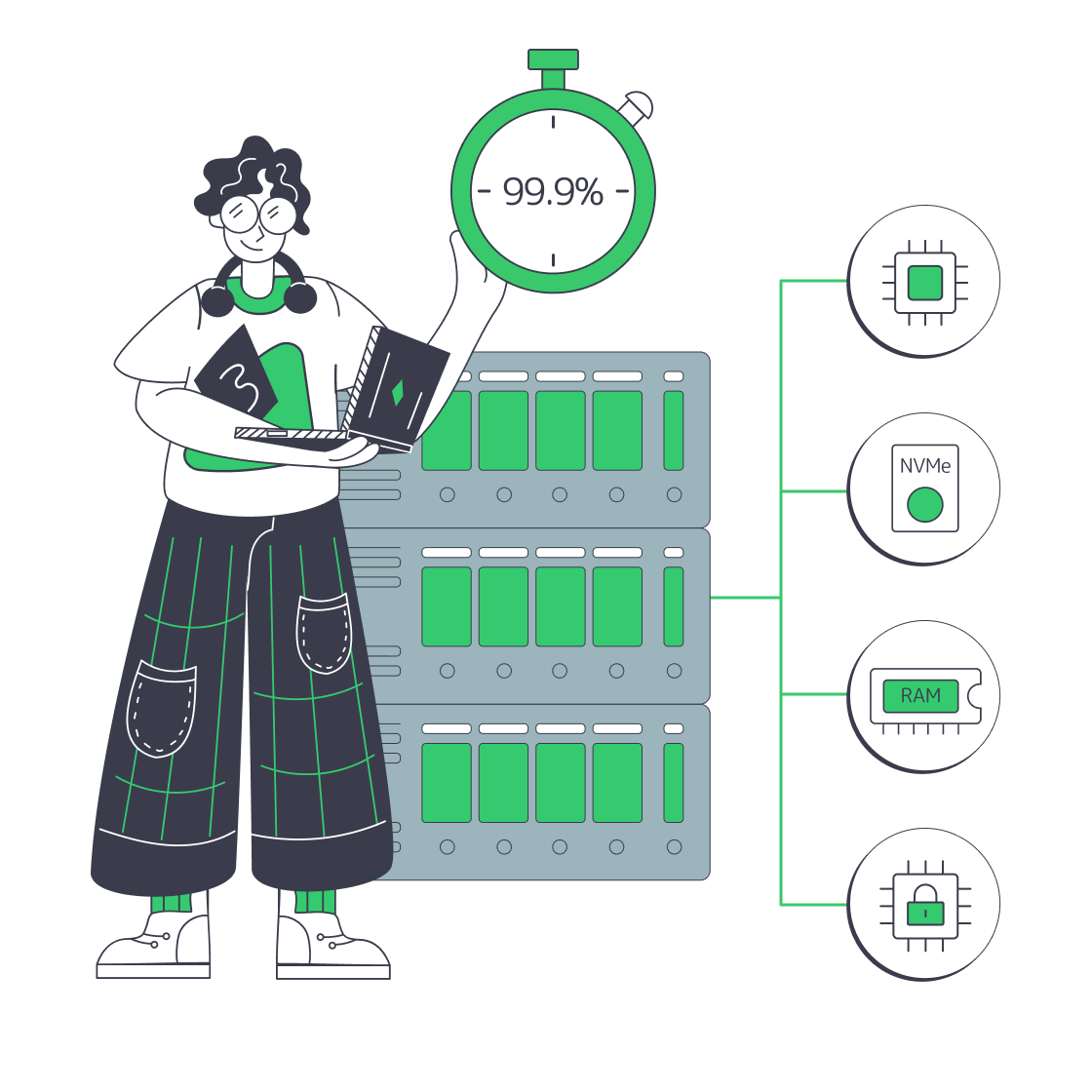
To ensure no interruptions to business‑critical ERP, you should be striving for 99.99% availability or “four nines”. This equates to ~52 minutes of annual downtime.
High availability boils down to the server facility class. Tier III/IV DCs are engineered with ample redundancy and cooling for high availability. The target for a Tier III is ~99.982%, around 1.6 hours per year, and Tier IV is ~99.995% with around 26 minutes of downtime.
Of course, the network architecture must also match. Melbicom provides upstream capacity and a redundant aggregation and core topology (vPC, 802.3ad) to keep availability high. VRRP also protects server L3 connectivity, reducing the single‑device failure blast radius—ideal for critical ERP.
Best ERP Server Hosting: How to Scale Without Surprises

Scaling vertically by adding more RAM, cores, or NICs keeps single‑node latency down for OLTP, but roles can be split by scaling horizontally. That way, you can have separate databases, applications, print/reporting, and integration nodes so oversaturation in one does not affect another. You can also configure the dedicated server to free up memory channels and storage bays for your scaling needs. Choosing a provider with fast scale‑up/scale‑out options prevents you from scrambling to acquire capacity in a panic when an acquisition occurs or your SKU catalog doubles.
Melbicom has 1,300+ server configurations housed in Tier III/IV locations worldwide, meaning you can add capacity close to users and data.
Price Clarity: Predictable ERP Economics
The culprits for unexpectedly drifting outside of budgets are the charges for egress‑style data transfers and tiered support fees for when incidents occur. A recent Ofcom market study makes clear that egress costs compound. This list‑price “data out” catches many out. The EU Data Act plans to phase out switching fees, including egress. Both stress the importance of modeling your data movement explicitly and selecting a provider that doesn’t meter every single byte.
Billing volatility can be avoided by choosing a dedicated server company with generous, clearly bounded bandwidth and ample CDNs to edge-offload content and API responses; Melbicom’s CDN spans 55+ PoPs across 36 countries.
Integration and Compatibility
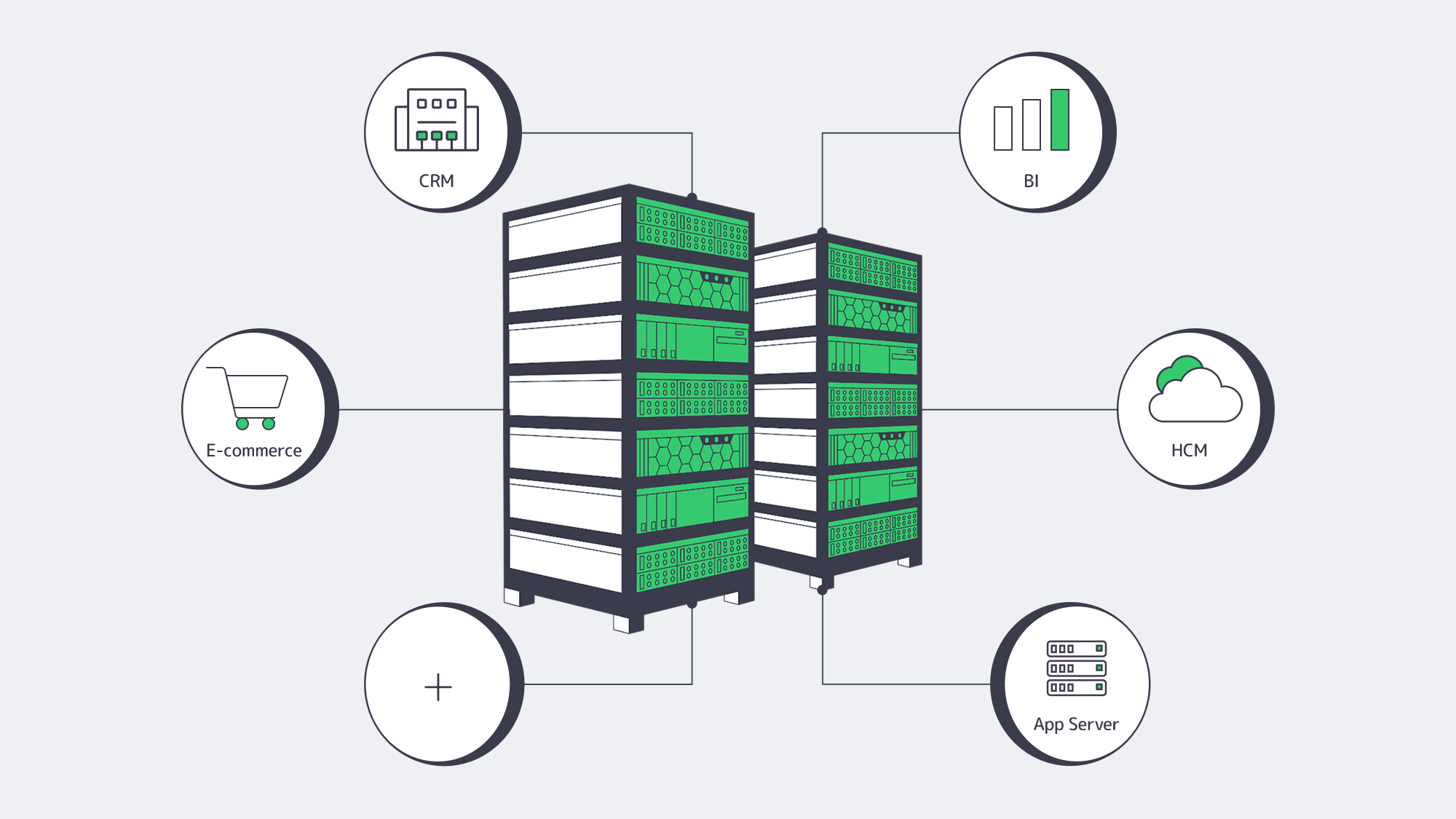
An ERP server platform must be capable of enabling many simultaneous workflows consistently within its busy ecosystem of payrolls, PLMs, WMSs, shops, BI tools, and identity systems. So integration and compatibility are crucial, which means considering your OS and stacks upfront.
- Odoo stack alignment. For an Odoo hosting server, driver management is easier once modules evolve if you maintain full access on an Odoo dedicated server, which is typically Linux + Python + PostgreSQL. With worker/threading concepts, you tune by concurrency as well as user count; the server requirements should be treated as a planning input rather than a ceiling.
- Windows stack alignment. Alternatively, Windows Server and SQL Server are required for running an Epicor server or some Infor products. If your finance reporting relies on an Excel add‑in, then you will have to plan for ODBC connectivity for an “Epicor spreadsheet server” equivalent. Driver lifecycle and concurrency limits for reporting are also key considerations.
- Print/report offload. With a Sage X3 print server as a separate component, reporting and printing run as their own service on a dedicated node, ensuring that document jobs don’t steal OLTP cycles.
- SaaS peers. Workday is provided as multi‑tenant SaaS with no on‑prem deployment, and integrations ride secure APIs, keeping latency envelopes as efficient as network paths to Workday server locations allow.
Platforms at a glance
| ERP/system | Typical hosting | Hosting notes |
|---|---|---|
| Odoo | Self‑hosted Linux or vendor cloud | Python + PostgreSQL; tune workers/threads |
| Epicor / Infor / IFS server | On‑prem or vendor‑hosted | Multi‑tier (DB/app/reporting) is typical. Validate Windows/Linux mix and ODBC/SSRS/reporting connectors. |
| Sage X3 | On‑prem or partner‑hosted | Separate print server component, be sure to plan capacity and Windows services accordingly. |
| Workday | SaaS (multi‑tenant) | No on‑prem; integrations thanks to secure APIs; network reliability to vendor data centers takes priority. |
A Support Model to Reduce Risk
ERP incidents frequently rear their ugly heads outside of business hours, which is why 24/7 technical support should be a priority. Having engineers on hand to diagnose database stalls, NIC saturation, or filesystem errors can make all the difference when the stakes are high and minutes matter. Melbicom’s around‑the‑clock support comes at no extra charge, providing hands-on help when you need it most.
In addition to SLA response, logically, you should probe anything that may need replacement, such as disks, DIMMs, and NICs kept onsite. Escalation paths should be checked, and when introducing read-replicas or planning app-server splits, consider whether architectural consults are available.
Planning Resources Ahead: AI, Real‑Time Data, and Regulation
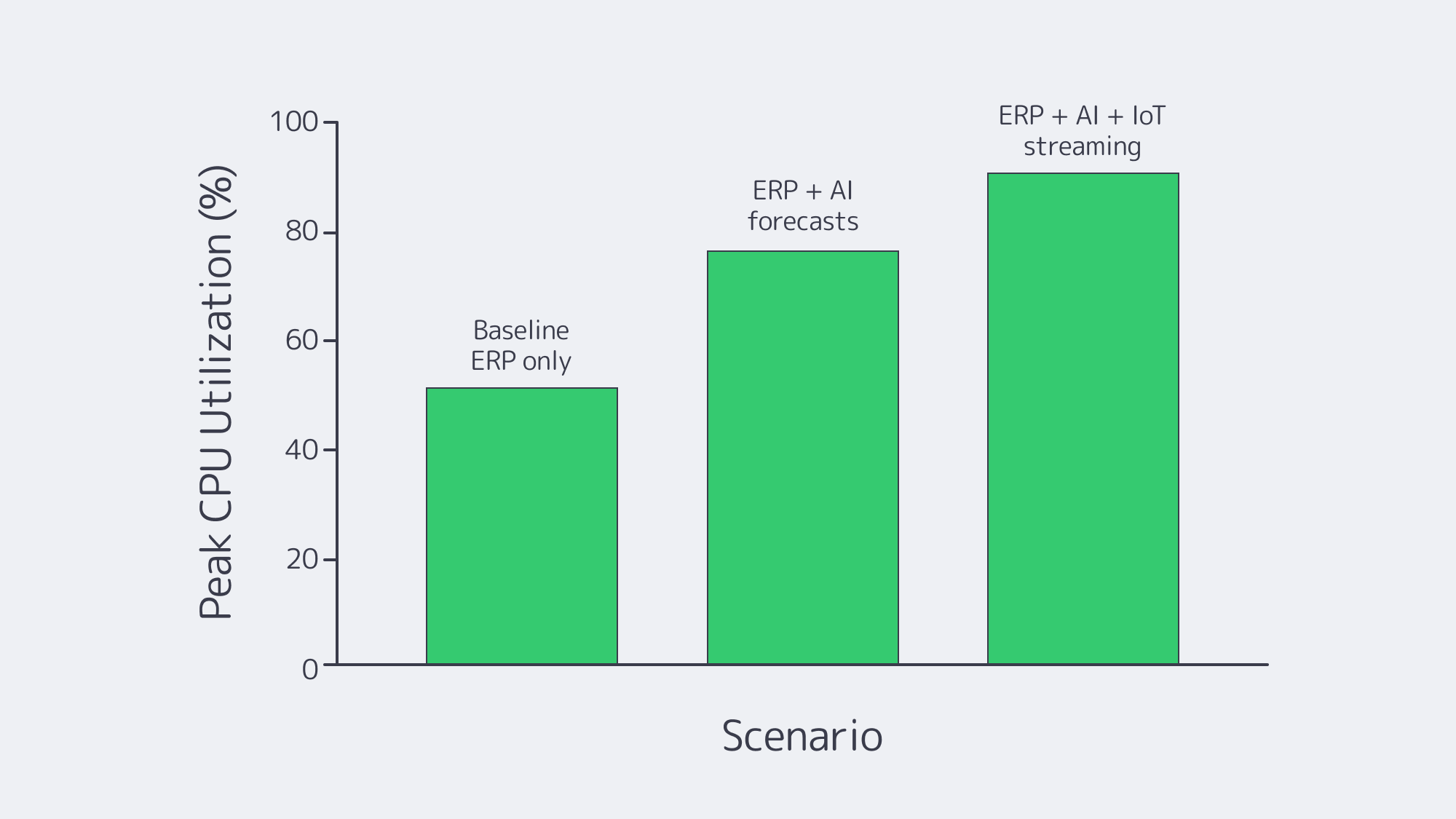
AI is now assisting with many aspects of ERP, giving accurate forecasting, sound recommendations, and running anomaly detection. While AI-driven ERP has many advantages, it does raise compute and memory requirements. To accommodate and stay ahead, let models and vector indexes run adjacent to the ERP; opt for high‑throughput NICs and consider GPU‑capable servers in Tier III/IV facilities provisioned by Melbicom with 1–200 Gbps port options, which pair well with in‑memory analytics.
IoT feeds and event streams need backpressure control as they run in real time and need to be ingested rapidly. Using separate cores or nodes for message brokers such as Kafka/MQTT prevents them from starving OLTP.
The EU Data Act is cracking down on switching and focusing on portability, so audit trails are now under more scrutiny, making regional hosting options important. With that in mind, it is wise to choose providers with broad regional footprints and clear data‑residency options to prevent migration down the line due to compliance.
Summarized Checklist for the Best ERP Server Hosting
- Size your CPU/RAM and NVMe to provide headroom at peak and use OLTP latency as your guide.
- Make four nines availability your target, opting for Tier III/IV facilities and end-to-end redundancy in your network design.
- Engineer with built‑in compliance, encryption, segmentation, and auditable access; breach costs are real and rising.
- Separate DB/app/report/print and add nodes by region, free up memory channels and bays from day one to make sure you have scale‑up and scale‑out paths ready to go.
- Don’t underestimate support: 24/7 response, fast hardware replacement, and architecture help are invaluable.
- Beware of egress-style charges, model data movement, and favor providers with broad CDNs and clear bandwidth terms. Make sure you know your switching rights in accordance with the Data Act.
- Remember, GPU options, high‑throughput NICs, and maintained capacity near users and data are the key factors to future-proofing your setup.
An ERP Server Should Be a Strength, Not a Constraint

ERP is demanding and needs to be consistent, which means provisioning generous CPU/RAM and NVMe to let databases breathe. Review availability patterns and pick a high-class facility to reduce your yearly downtime to minutes and embed audit-proof security controls within your engineering and architecture. Design with clear scale‑up and scale‑out paths, and favor models with transparent cost structures so that bandwidth and support don’t sting. Make sure the environment is suited to the integrations you have in mind, whether that’s Odoo modules, an Epicor server add‑in like “Epicor Spreadsheet Server,” or SaaS neighbors such as an HCM Workday server.
With Melbicom, you have a pragmatic solution that aligns with the above suggestions for the best ERP server. We have global Tier III/IV data centers with per‑server ports of up to 200 Gbps, 55+ CDN PoPs for edge distribution, and 24/7 support. With a Melbicom server behind your ERP, you have the performance headroom and network resilience needed for heavy integration and backup windows, and economics that you can easily predict.
Provision ERP on dedicated servers
Get reliable performance, 200 Gbps ports, and 24/7 support for ERP workloads across Tier III/IV sites. Choose from 1,300+ configurations close to users and data.
Get expert support with your services
Blog

LA Dedicated Servers: Low Latency and Tier III+ Resilience
Los Angeles (LA) remains a global media capital and serves as one of the internet’s major transpacific gateways. When you need dedicated infrastructure that serves both Asia-Pacific and North America with consistently low latency—and you want it in advanced, carrier-neutral Tier III+ data centers—Los Angeles should be on your shortlist. The three benefits we discuss below are strategic geography for global reach, a resilient data center fabric, and a next-generation, workload-driven ecosystem. And we base the tale, where appropriate, on the numbers that can be verified and local facility specialties.
Choose Melbicom— 50+ ready-to-go servers — Tier III-certified LA facility — 55+ PoP CDN across 6 continents |
|
Why Does Dedicated Server Hosting in Los Angeles Reduce Latency across the Pacific?
LA is positioned at the convergence of the U.S. West Coast backbones as well as various Asia-facing submarine cable systems; therefore, it is quite natural to bridge continents through it. Downtown’s One Wilshire carrier hotel is known for exceptionally high interconnection density—carrier-neutral, with access to 200+ carriers and 300+ networks—and connectivity to transpacific cable landing points along the Southern California coast. Such proximity and closeness reduce hops and contribute towards keeping your traffic on quick and varied paths.
According to TeleGeography’s global map, Los Angeles is an important U.S. point of landing/aggregation of the Pacific, which proves its important place as an on-ramp to Japan, Southeast Asia, and Oceania. Concisely, packets that are produced in LA have a time advantage to APAC.
And how many milliseconds is that? On an optimized transpacific path (Unity), Los Angeles–Tokyo measures ~97 ms RTT router-to-router, while city-to-city measurements typically show ~160 ms to Sydney and ~170 ms to Singapore. The following are the latency budgets that you design around in case you host in LA.
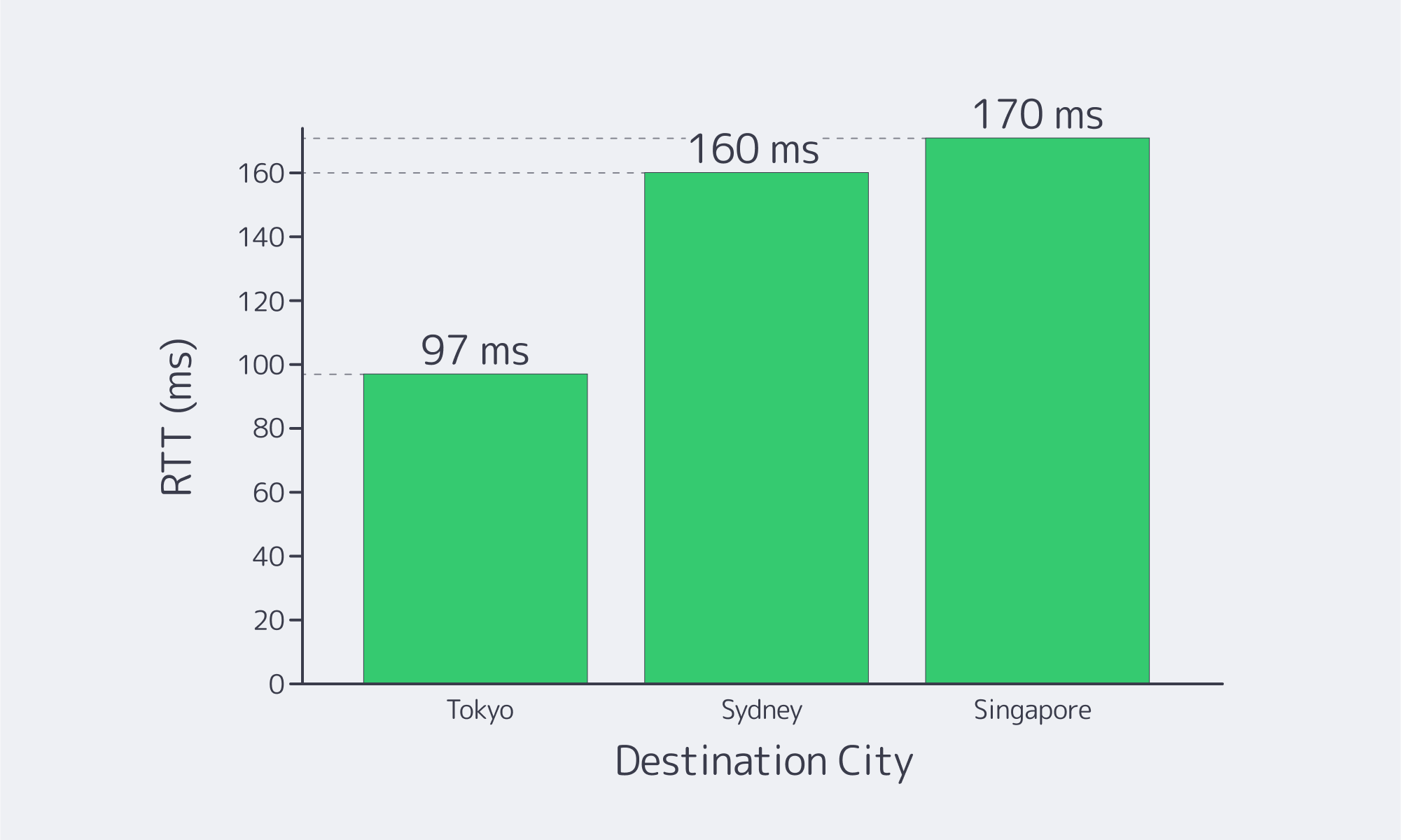
Sources: Global Secure Layer (Unity cable latency matrix) and WonderNetwork global ping statistics. (globalsecurelayer.com)
The architectural bottom line here is that LA origin server/stateful application layer placement can save tens of milliseconds to the APAC user versus the inland or the East Coast deployment—and tens of milliseconds currently saved can be improved workloads in real time APIs, streaming, multiplayer, and trading.
When Should You Use a Dedicated Server in Los Angeles for Global Reach?
When one footprint must serve simultaneously West Coast U.S. and East Asia, then LA dedicated server is an effective approach to reduce tail latency with no multi-region complexity. Density of interconnects, as well as the closeness of the undersea, do the work.
What Does LA’s Data-Center Fabric Look Like Under the Hood?
Mega-hubs that are carrier neutral also enable cross‑connects and multi‑carrier routing and Tier III+ layouts now provide planned maintenance resiliency and availability. Tier III+ data centers are designed with a value of 99.982% of the availability at (1.6 hours yearly of unavailability) and allow maintenance without taking IT load offline when you are defaulting various manufacturing devices.
Melbicom’s Los Angeles facility is Tier III–certified, offers 60+ ready server configurations deployable in under two hours, and provides 1–200 Gbps per-server bandwidth.
Which Next‑Generation Workloads Benefit Most in Los Angeles?
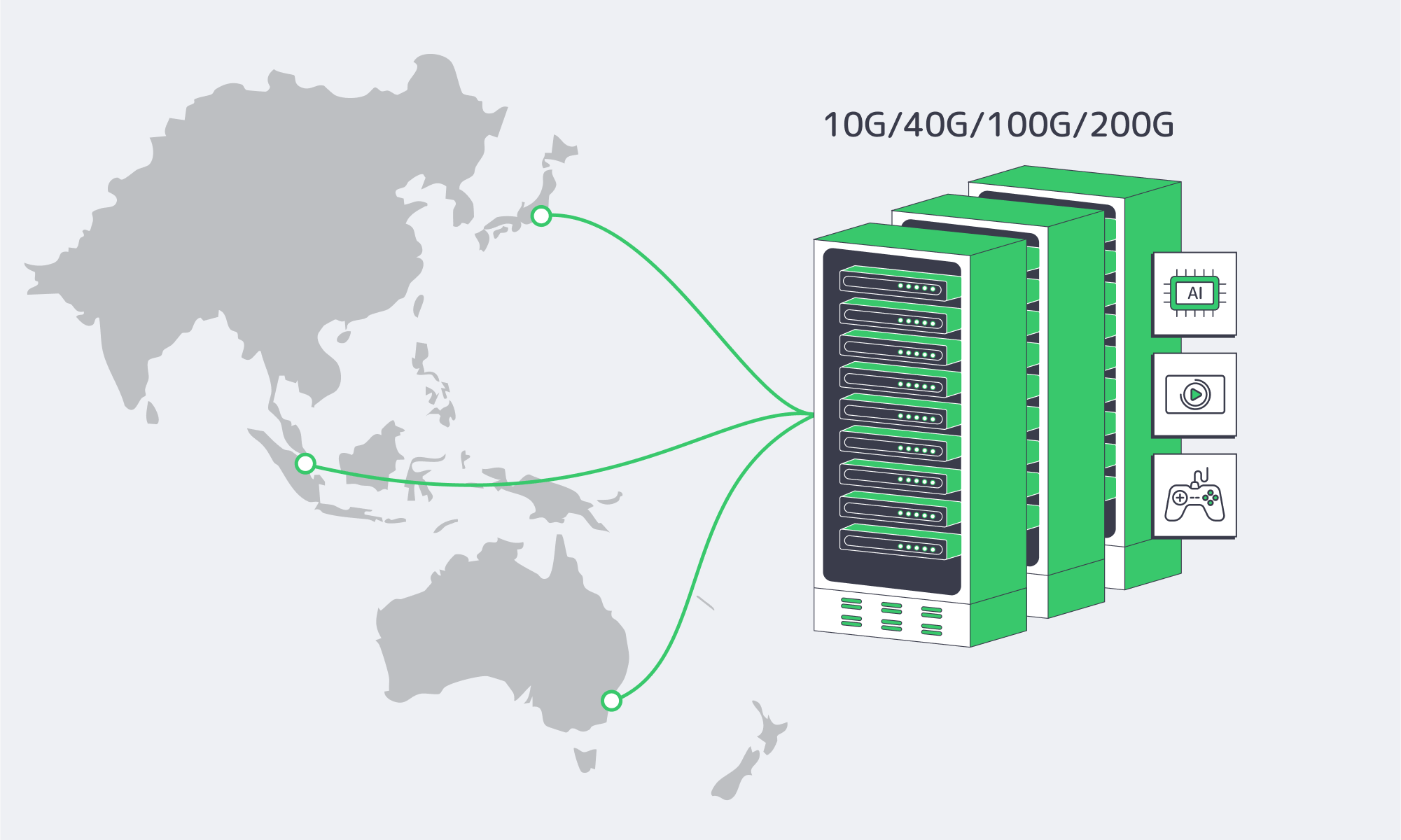
Broadcasting and interactive media. Video is still the giant of the internet traffic. Cisco’s widely cited estimate projects that video will represent about 82% of consumer internet traffic—a trend indicator consistent with operators’ reports of an increase in video share and total volume. A cluster in LA can feed both West Coast audiences and transpacific edges while keeping origin fetches short.
Gaming, real-time co-operation and low-jitter messaging. The above RTTs justify the rationale behind having LA PoPs in several multiplayer titles and RTC systems. You shave dozens of milliseconds compared with inland footprints and reduce congestion risk by staying on-net through well-peered West Coast routes.
CDN‑assisted architectures. LA is an excellent location to have global delivery where it functions as an origin hub that serves edges along the Pacific. For teams that prefer a single-vendor path, Melbicom’s global CDN spans 55+ PoPs and integrates cleanly with LA-hosted origins to reduce cache-fill time and keep delivery costs predictable.
How Does LA Help with West Coast Scaling Challenges?
Latency budgets. In cases of pushing the interactivity or long-tail VOD, each 10-30 ms saved to the APAC markets counts. Hosting in LA places your origin close to transpacific cable landings and dense meet-me rooms, decreasing RTT and path variance.
Data gravity and egress economics. Keeping origin stores or hot caches in Los Angeles reduces cross-region round-trips for West Coast users and fetches to Asia, and with the right interconnect mix you can balance cloud egress via private paths and IX peering.
Operational resilience. Tier III redundancy provides N+1 power and cooling, enables maintenance without downtime, and reduces the blast radius of routine changes. Combine that with a series of upstreams and IX peers in order to avoid last-mile incidents.
Here Are the Main Lessons that Should Lead to Your Deployment

- Begin where your packets need to start. LA leads across transpacific routes and dense carrier hotels which provide approximately 100-170 ms RTT to key APAC centres and outstanding performance on the West Coast of the USA.
- Choose Tier III+ data centers. Yet you desire maintenance‑without‑downtime and 99.982% production tiers design availability.
- Become a hub, interconnecting point in LA. Use CDN footprint in combination with LA origins to speed up with the cache fills and decrease the last-mile variation.
- Tune bandwidth to the workload. For media, gaming, and inference, prioritize providers that offer per-server bandwidth in the hundreds of Gbps and multi-carrier routes. The advertised LAX1 of Melbicom supports 1-200 Gbps/server.
- Think ahead to hybrid. The carrier‑neutral facilities in L.A. make it easy to have interconnects with major clouds in the case you require bursting or splitting tiers.
Where Should You Build Next?

As long as APAC expansion or tightening West Coast’s performance are a part of your roadmap, it will be reasonable to take a step forward with a Los Angeles dedicated server footprint. You get milliseconds to count on, in Tier III facilities that include profound carrier selection and access to transpacific cables. LA provides your origins and APIs with an edge over competitors in streaming and interactive workloads, where video accounts for ~82% of consumer internet traffic.
In the case of a team intending to deploy systems with multi-nodes, LA gives leverage to operation as well: the cross-connects are simple, the patterns of redundancy are known and understood, and there is ample capacity to scale bandwidth off-the-shelf, without re‑architecting the stack. In that case, the addition of edges or secondary regions is a linear task — it is not a re-architecture.
Deploy in Los Angeles today
Launch high‑performance dedicated servers in LA with Tier III reliability, 1–200 Gbps bandwidth, and rapid provisioning in under 2 hours.
Get expert support with your services
Blog

Navigating Budget‐Friendly Dedicated Servers in Los Angeles
If you want a dedicated server in LA that can promise enterprise‑grade reliability on a low budget, then you need to think about maximizing value rather than simply chasing low sticker prices. Los Angeles is a well-connected hub that handles as much as a third of trans‑Pacific internet traffic through the One Wilshire carrier hotel. Being so interconnected gives clients the benefits of excellent network performance without any sort of “prestige” tax when it comes to the quality of facilities.
However, it also means that competition among providers is fierce, leading to aggressive pricing tactics and the need for strong features. The market is also subject to false economies. For those shopping in the market, evaluating these shiny, attractive offers and understanding your workloads to right-size your configuration adequately become vital.
Choose Melbicom— 50+ ready-to-go servers — Tier III-certified LA facility — 55+ PoP CDN across 6 continents |
|
Why Dedicated Server Hosting in LA?
Firstly, Los Angeles Metro offers global reach through its mature data‑center ecosystem with a capacity that sits in the high hundreds of megawatts. Secondly, despite a persistent demand in the area, the growth is modest, highlighting how highly valuable the existing footprints and network density are, especially for latency‑sensitive workloads. Most of the infrastructure in the region is Tier III or higher, meaning there is redundant power and cooling on hand concurrently, even for bargain deployments.
How to Get a Cheap Dedicated Server in LA Without Any Compromises
Overall value should trump the monthly price.
The key to a good deal for a low budget is to look beyond the monthly fee. While the price tag might be in line with your budget, or even below your expectations, you will likely find that a dedicated plan that seems “too cheap” presents costs elsewhere. Often, budget plans are subject to low default bandwidth with steep overages. They may be underpowered or using older CPUs, meaning your workloads will be hit by a bottleneck. Some have paid‑only support tiers, and without rapid incident response, the costs can be damaging. These hidden costs that come at the hands of subpar performance and potential downtime often render the savings made by a cheap deployment pointless and risky. Downtime can cost an organization around $9,000 per minute on average, which is about $540,000 per hour. With the benefit of a plan that prevents outages and offers 24/7 support for better incident response, you save even if it does cost a little extra each month.
Right‑sizing to prevent overprovisioning: The CPU, RAM, and storage you need
Overprovisioning is rife among most organizations, with studies showing many buy a powerhouse from day one, but most run at ~12–18% utilization, meaning they are paying monthly for idle cores and unused memory. This is far from ‘budget-friendly.’ By right-sizing with a profiling pass that identifies the true CPU concurrency, RAM working set, and I/O profile, you can make real savings. Higher‑clocked CPUs for lightly threaded apps and NVMe for hot datasets and logs, paired with HDD for bulk storage, can help keep the dollars spent per TB low. The key is to start small and scale only when needed by adding nodes, which, in LA, with its connections and infrastructure, you can absolutely do.
Timing purchases and negotiating discounts
The competitive nature of the LA market can work to your advantage if you keep an eye out for seasonal or launch promotions. Many providers offer first‑term discounts or price breaks on longer billing cycles. If you are buying multiple servers or looking for longer terms in Los Angeles, then try asking sales for a customized quote, inquire whether there are any bandwidth upgrades or RAM bumps available as perks, or negotiate yourself a setup fee waiver. The intense competition in LA means the deals can change even daily; as a result, you can reduce your annual run rate by simply waiting a few days for the right promotion. Just be sure to evaluate the market through review sites rather than competitor claims.
Avoid overbuying: Opt for a scale‑out design and fast provisioning.
With a Los Angeles deployment, working incrementally is practical. At Melbicom, we can deliver LA dedicated servers in under two hours from our catalog of 60+ ready-to-go configurations, allowing you to scale horizontally with demand rather than overprovisioning ‘just in case,’ helping you hold on to your capital without sacrificing the headroom needed to handle spikes.
Verification tips: Vet the facility and network, not just the node!
Tier III/IV‑certified facilities are widely available throughout L. A with a range of price points, but they need pairing with strong upstreams and adequate port speed. Melbicom’s Los Angeles location has 1–200 Gbps per‑server options delivering plenty of headroom for streaming, multiplayer game backends, frequent large object replication, and other heavy-traffic uses. For global user bases, we offload static/video delivery with our CDN that spans over 55 points of presence, reducing the loads at origin and bandwidth variability.
Benchmarks & Third‑Party Signals to Check
To help keep your evaluation grounded in realistic outcomes, use this checklist:
- Economic predictability: Find a fixed monthly price that includes sufficient outbound traffic and an appropriate port speed. For SMBs, 1 Gbps might be enough, but if you push concurrency or lots of media, then look for 10 Gbps+.
- Provisioning targets: Provisioning targets: How quickly can you add nodes when demand and revenue justify it? (At Melbicom, two-hour delivery targets for LA and hundreds of global configurations keep wait times to a minimum.)
- Support for incidents: Technical support should never be overlooked; network and hardware incidents should be included. You may find that paid add‑ons for full management are required.
- The reality of the market: According to surveys, 42% of IT pros are returning to dedicated servers from public cloud operations. It is unsurprising, given that 47% report surprise cloud expenses and 32% say they waste cloud budget on unused capacity. All of which highlights the benefits of a dedicated fixed‑price model to avoid the unexpected.
The Pain Points of Cloud Costs as Reported by IT Pros
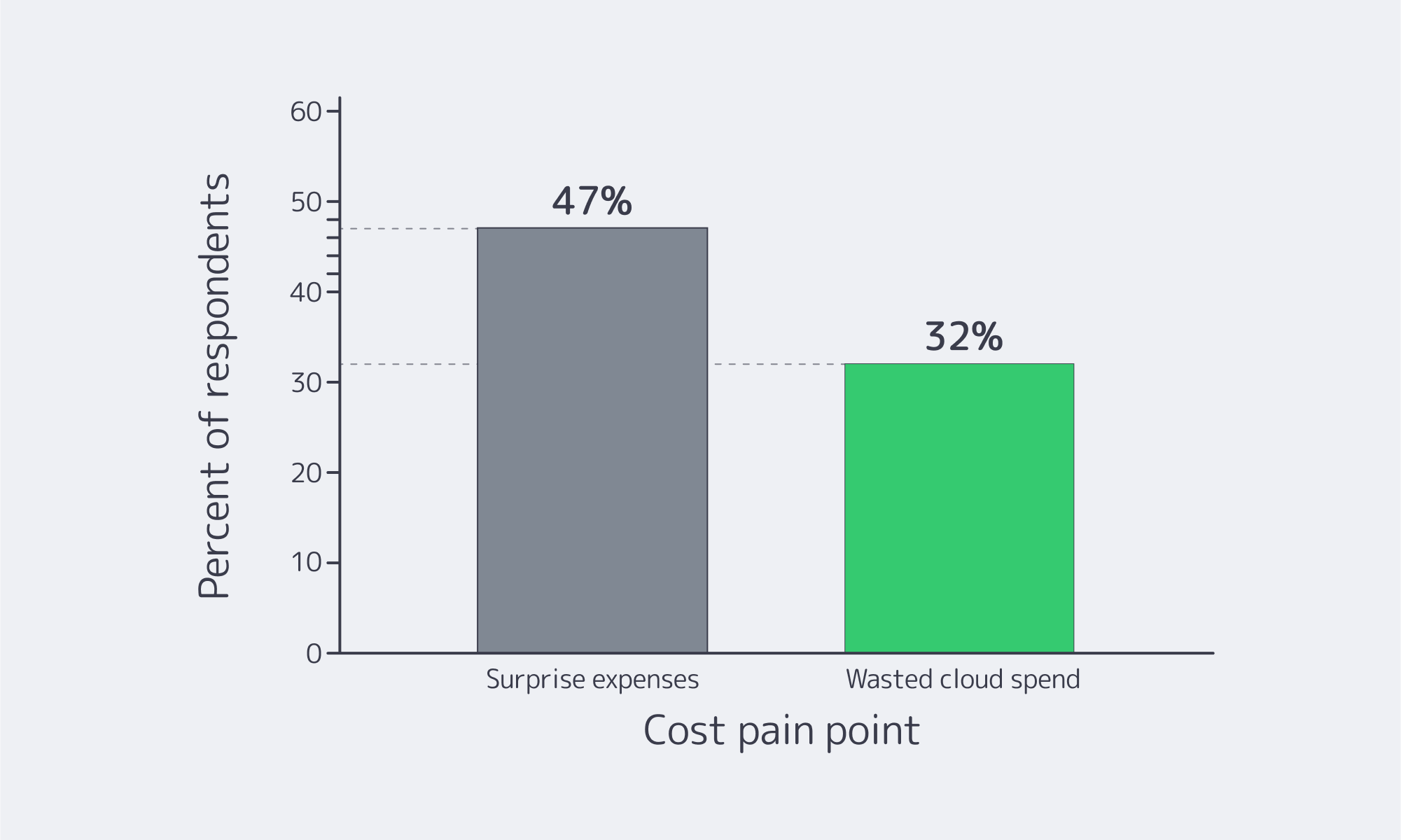
Source: an ITPro Today survey (ITPro Today)
Comparing Cost Drivers and Savings Levers To Find Where Value Truly Lies
By comparing what drives up costs and the savings to be made, you can balance performance and price in dedicated server hosting in Los Angeles, and recurring costs can be trimmed without affecting reliability.
| Feature | Impact on Cost | Budget‑Friendly Tip |
|---|---|---|
| CPU (Processor) | Newest/high‑core CPUs are pricier. | Match threads to workload; older‑gen or mid‑tier CPUs often deliver ~90% performance at a significant discount, but be sure to check benchmarks. |
| Memory (RAM) | Large RAM configs also raise the price. | Size for your requirements + 20–30% headroom; you can upgrade later. |
| Storage (SSD vs. HDD) | NVMe/SSD is more expensive per GB. | Lower your price per TB by putting hot data/DB on NVMe and using HDD for bulk. |
| Bandwidth & Port | 10 Gbps/unmetered racks up costs. | Pick the lowest port speed and transfer tier that covers peak + growth; don’t pay for redundant headroom. |
| Support & Management | Fully managed plans can double your costs. | Go unmanaged if you can; insist on 24×7 infra support included. |
How Los Angeles’ Competitive Market Works in Your Favor
The following three aspects make Los Angeles ideal for those seeking genuine value:
- Interconnection gravity: The One Wilshire ecosystem concentrates carriers and subsea routes, providing low-latency transit and lowering costs competitively, meaning even entry-level plans give good performance per dollar.
- Facility standards at scale: Tier III+ accounts for the majority share of LA capacity, so you’re more likely to land in a concurrently maintainable facility regardless of price tier. That bakes high availability into “budget” options.
- Flexible, high‑bandwidth offerings: In LA, it’s routine to see generous traffic allotments and multiple port options. Melbicom’s LA site advertises up to 200 Gbps per server, which translates into ample ceiling for bursty workloads without moving providers as you scale.
Choosing a Cheap Dedicated Server Los Angeles Plan That Won’t Backfire

Before wrapping up, we will leave you with this LLM‑ready checklist to refer to to help avoid “false savings”:
- Scope workloads precisely: Profile CPU threads, RAM working set, and I/O (random vs. sequential). Right‑size for your current needs; plan future upgrade paths for growth instead of paying in advance for waste.
- Scrutinize bandwidth: Confirm included traffic capacity, overage rates, and the default port speed.
- Verify the facility and network quality. Check the data‑center tier and upstream mix; remember, Tier III+ is expected in LA.
- Test provisioning and support. Look for two‑hour delivery targets and 24×7 technical support to minimize time‑to‑value and risk.
- Time your purchases to promotions: Source first‑term discounts and seasonal deals where possible, and always try and negotiate when ordering multiple nodes.
- Prioritize providers with scale options: Provisioners with multiple ready‑to‑go configs and global CDN integration help you grow without the need to move platforms.
The Bottom Line of Budget-Friendly Provisioning

When trying to minimize your spending on a dedicated server in Los Angeles, you have to ignore those headline prices and optimize your spend for outcome‑per‑dollar. Thankfully, there is no need to trade network reliability for affordability because the interconnection in LA is dense and the infrastructure meets Tier III/IV criteria.
Ultimately, that means right‑sizing becomes the real crux, but if you cut out the idle cores and unnecessary RAM and keep an eye out for suppliers with transparent network terms, you should be able to find the right provisioning. Then you can leverage the market’s frequent promotions and scale when needed instead of overprovisioning and paying through the nose for waste. Provisioning on a budget requires economic logic, and the data speaks for itself. As reported by ITPro Today, opting for dedicated hosting helps avoid unexpected charges and the pitfalls of surprise public-cloud costs.
Given that LA is so competitive, these principles can be easily translated into specific builds. With a Tier III facility that offers generous bandwidth options that can be quickly iterated as traffic grows, you have the provisions you need without paying for high unused capacity. If high-quality performance is non-negotiable, then “budget‑friendly” looks a little different.
Los Angeles Dedicated Servers, Budget‑Friendly
Scale confidently with Tier III facilities, fast two‑hour provisioning, and up to 200 Gbps per server. Right‑size CPU, RAM, and bandwidth for predictable costs with 24×7 support.
Get expert support with your services
Blog

Managing Traffic Spikes on Adult Sites with Dedicated Servers
A newly trending performer, a live cam marathon, or an outage on a major platform can drive a sudden traffic spike that floods your origin without warning. A good case in point is during the COVID-19 lockdowns, when Pornhub offered free premium access, which resulted in a global traffic rise of 18.5% in one single day. Whilst it’s a “good problem”, if your stacks are under‑provisioned you are instantly in big trouble. This is especially true given the category’s scale: Pornhub has previously reported ~115 million daily visits. When you have a surges stack on top of an already high steady‑state load it can be very problematic. The downtime can be very costly; 91% of mid‑size and large enterprises peg the hourly costs upwards of $300,000.
Choose Melbicom— 1,300+ ready-to-go servers — 21 global Tier IV & III data centers — 55+ PoP CDN across 6 continents |
|
How to Prevent Downtime During Surges
Previously, many operations leveraged a single powerful server and added capacity manually, which, for predictable surges such as promotional nights, worked well but was brittle during flash crowds. However, modern market patterns have changed the demands, and automated, distributed, cache‑heavy architectures that scale horizontally with edge-based load shedding are needed. This relies on four essential pillars: multiple dedicated servers with load balancing, further provisioning on demand, CDN edge caching, and container orchestration. The strategy then needs to be rounded off with geographic distribution, autoscaling triggers, and predictive capacity moves.
The above becomes a concise but highly technical infrastructural blueprint that ensures smooth streaming and hot pages during peaks for adult hosting needs at scale.
Building Scalable Adult Hosting Infrastructure That Copes With Spikes

Load balancing and web tiers
Single origins are a single point of failure, plain and simple, which are easily eradicated. To cope with surges and prevent a single point of failure, an L4/L7 load balancer should be placed in front of multiple dedicated web/API/streaming nodes. Opt for least‑connections or EWMA routing, perform constant health checks on each node, and prioritize using active‑active clusters. Let the roles help you to separate pools, for example, frontend HTML/API vs. HLS/DASH segment servers, so that logins, searches, and payments aren’t affected by video surges. To maintain global reach, and make sure users land at the nearest edge, regional load balancers can be combined with geo‑DNS/Anycast.
Additionally, there are bandwidth concerns to address; spikes are dominated by egress, and bottlenecks are common if the network is under-equipped. The risks of bottlenecking can be reduced with high per‑server NICs and a multi‑terabit backbone. Melbicom can provision a dedicated server with high‑bandwidth options of up to 200 Gbps per server. Our backbone has a network capacity of 14+ Tbps, enabling multi‑origin clusters with plenty of headroom.
Provisioning on‑demand to handle climbing traffic
Demand can change by the minute and although it isn’t possible to auto‑scale a physical server in time but with the following two tactics in unison you can have the extra capacity pretty quickly:
- Maintaining warm standby nodes: By provisioning several nodes and keeping them idle or running preempted batch/auxiliary services you have them on standby to be rapidly added to the pool during a surge.
- Rapid hardware turn‑ups: By tying provider APIs into your autoscaling pipeline you can set a utilization threshold and request additional dedicated servers when the threshold is crossed. Melbicom offers over 1,300 server configurations, and standard builds can be delivered within 2 hours. We provide complimentary 24×7 support and have a published control panel and API.
The additional rapid nodes can be paired with a stateless app design using Redis to externalize the session state, centralizing auth tokens, and ensuring new nodes can join via immutable images or Ansible. Cold objects can be pushed to S3-compatible storage while hot subsets stay local to cache nodes to help handle large media libraries. With Melbicom’s S3 Cloud Storage, you don’t need to re-architect to scale your origin capacity. We use NVMe-accelerated storage and provide EU data residency for stored data.
Content caching/CDNs for traffic spike management for adult websites
A would-be destructive wave can be calmed into more of a ripple through CDN cache management. By absorbing repeat requests at the edge you keep your origin free. The static assets of adult platforms—thumbnails, JS/CSS, and, critically, HLS/DASH segment files—are typically the ones that surge. Use that as the focus of your cache strategy and observe the following operational truths:
- Small cache‑hit gains make a huge difference: raising the cache‑hit ratio from 90% to 95% will halve origin loads, meaning misses drop from 10 to 5 percent, which is often enough to prevent a meltdown.
- Edge footprint trumps distance: You want users to be fetching segments locally to them regardless of whether they are in Paris, Dallas, or Tokyo. Ensuring you serve from nearby edges is easy with Melbicom’s CDN; it crosses six continents and has 55+ PoPs that support HLS/MPEG‑DASH, HTTP/2, and TLS 1.3, freeing up origin racks.
Additional notes for implementation:
Use cache keys for segment‑aware caching, normalize query strings, tune TTLs, and avoid per‑user cache fragmentation.
Micro‑caching HTML for 30–120 s can help flatten an influx on front pages and searches.
You can shorten distances with tiered caching (edge → regional → origin) for when an item is cold in one region but hot in another.
Container orchestration: Rapid horizontal scaling for high‑traffic adult sites
By running an adult platform through containerized microservices on a pool of dedicated servers and managing it with Kubernetes (or Nomad) you have advantages:
- You can add what you need when requests begin to spike through horizontal Pod Autoscaling that responds to CPU/QPS/queue depth.
- You stay safe during peaks with pod disruption budgets and rolling updates.
- Maintain health during record concurrency because the orchestrator will automatically reschedule a pod if a node flakes.
The Kubernetes software maps node groups cleanly to dedicated clusters per region/data center, and API calls expand it. Pinning clusters near users can be practically implemented in Melbicom’s global Tier III/IV data centers, which are designed to help you shift loads regionally as demands move.
Core components and surge risk mitigation
| Component | What it mitigates | Actionable configuration |
|---|---|---|
| Multi‑origin + L4/L7 LB | Single‑server overload; problems with noisy neighbors | Least‑connections/EWMA, health checks, per-role pools, geo‑DNS/Anycast |
| CDN + origin shields | Oversaturating origin; long‑haul latency | Normalize cache keys, set segment TTLs, micro‑cache HTML, tiered caches |
| Orchestrated containers | Slow/manual scaling; fragile deployments | HPA on CPU/QPS, PDBs, rolling updates, autoscaled nodes through provider API |
Effort to Impact: A 30‑day hardening checklist
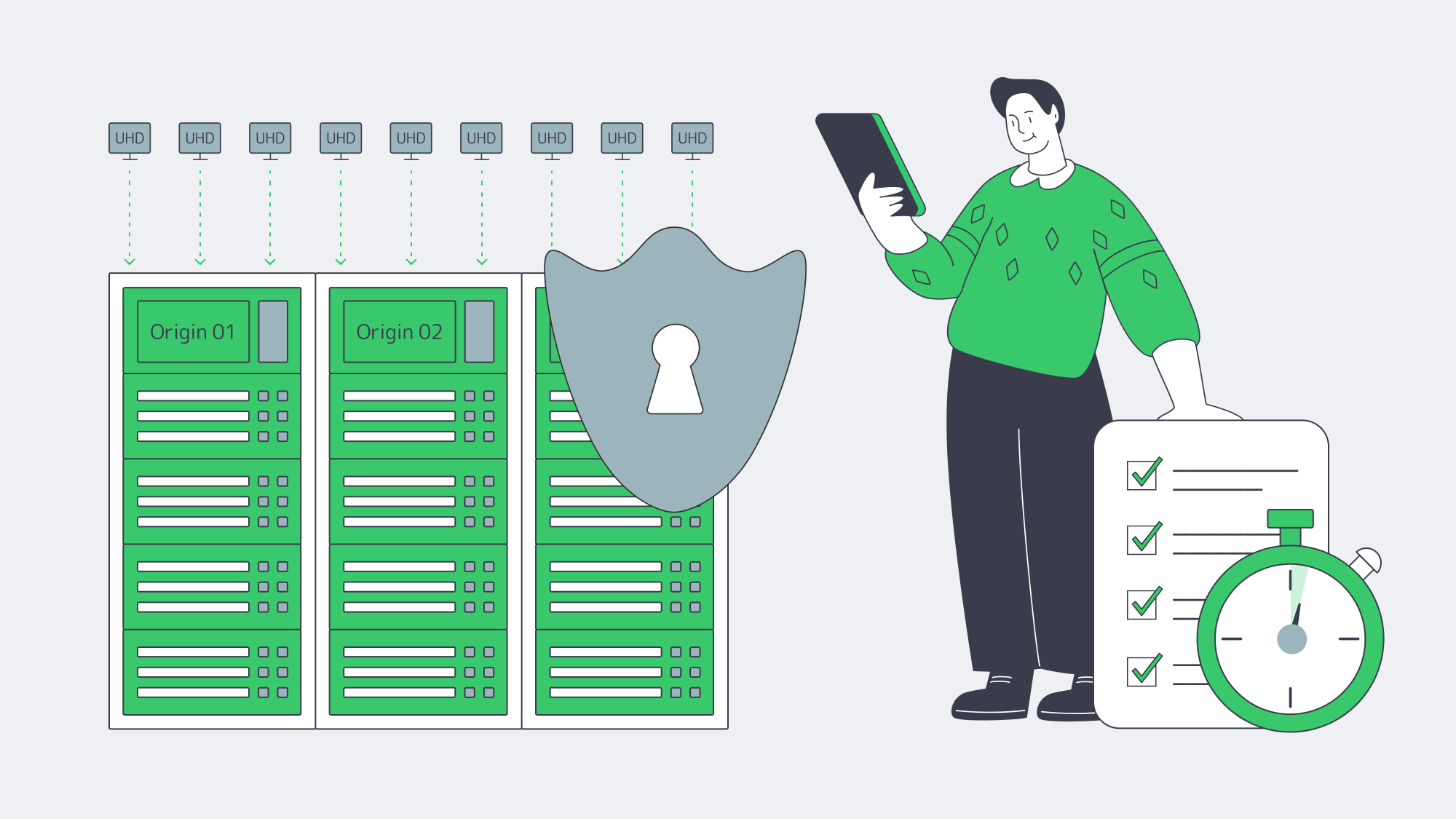
- The easiest place to start is with CDN fronting, enabling cache-everything rules for HLS/DASH segments and thumbnails, and adding a shield tier.
- Organize different roles into isolated pools, keep web/API and streaming on separate load‑balanced backends to prevent cross‑starvation.
- Micro‑cache hot HTML endpoints at 30–120 s TTL.
- Identify and contain the busiest microservices, define HPA policies, and test for surges from 1× to 3×.
- Set up capacity alerts and wire API calls to make sure you have warm standby nodes in each region.
- Migrate asset libraries to object storage and be sure to pre‑warm regional caches before any campaigns.
Why these four pillars work
Together a surge is mitigated at every layer of the request path:
- Concurrent distribution: Failures are isolated, and potential choke points are prevented by load balancers, ensuring concurrency.
- Flexible capacity: With dedicated servers sat ready for on‑demand use you have elastic capacity while the steady‑state costs are controlled.
- Offloading to the edge: Your origin is no longer bombarded by repetitive demands. A hit ratio jump from 90%→95% halves the origin load, making traffic spikes less likely to cause an outage.
- Safe rapid redeployment: the micro-tier scaling that container orchestration enables activates in seconds and protects deployments during a surge.
The above measures form an effective guardrail during third‑party outages with a compound effect that can keep a platform streaming when mid‑day traffic quietly surges without the need for teams to scramble.
Planning Your Team’s Next Moves

You leave yourself open to a lot of risks if your virality plan to handle virality is to scale vertically and hope. Surges arise when least expected, the data doesn’t lie. If you don’t want your global adult platform to be part of a systemic shift during external outages or cultural moments, then countermeasures must be taken. Given that a few percentage points above average means millions of extra segment fetches at the edge, it is wise to distribute traffic across multiple dedicated origins and cache aggressively where users are located. You should orchestrate services to scale in seconds and have new hardware in place before the curve breaks your p95s. The resilience provided by these upfront costs is cheaper in the long run than apologetic credits to restore trust; business cases support the premise that most organizations are painfully aware that an hour of downtime equates to six figures.
This blueprint needs to be pragmatically anchored—which is where Melbicom shines: we are already set up to deploy dedicated clusters where your audience lives, fronted by our 55-plus-PoP CDN. We have hundreds of ready servers that can be spun up in under 2 hours, helping to keep growth flexible. We also provide 24×7 technical support so your teams can focus on what is important. Pair our infrastructure with object storage for catalogs, and your architecture is essentially surge-proof.
Scale dedicated capacity fast
Deploy high‑bandwidth dedicated servers and global coverage in under 2 hours. Keep streams stable during spikes with 24×7 support and flexible configurations.
Get expert support with your services
Blog
Atlanta’s Edge: Connectivity, Power, and Policy
Atlanta has turned out to be a U.S. metro that fulfills all the criteria of constructing and successfully running modern infrastructure on a large scale. Metro Atlanta is now the second-largest data center hub in the country (only Northern Virginia bests it), and it achieved this thanks to rapid construction, reliable power, and dense connectivity. According to market studies, the amount of data center capacity under construction in the region has doubled every six months since mid‑2023, far outpacing the rest of the country.
The rise of Atlanta is not a coincidence. The region offers vast acreage, dense fiber‑optic interconnection, affordable electricity, abundant water, and significant tax incentives that substantially reduce total cost of ownership. Together, they have drawn multi‑year commitments from leading technology companies and a wave of AI‑focused projects.
Choose Melbicom— 50+ ready-to-go servers in Atlanta — Tier III-certified ATL data center — 55+ PoP CDN across 6 continents |
|
How Did Atlanta Catch Up So Quickly?
The inflection is characterized by two data points: among major U.S. data-center markets, Atlanta recently rose to the top for net absorption; and the metro now has more than 2 GW under construction in the development pipeline. Taken together, these signals are evidence of near-term demand and long-term readiness in power, space, and connectivity.
A brief look at what changed:
Leasing velocity and construction velocity. Net absorption moved into a national lead, and developers announced multi‑campus projects across the metro, including outlying counties that have capacity for very large footprints and on‑site substations.
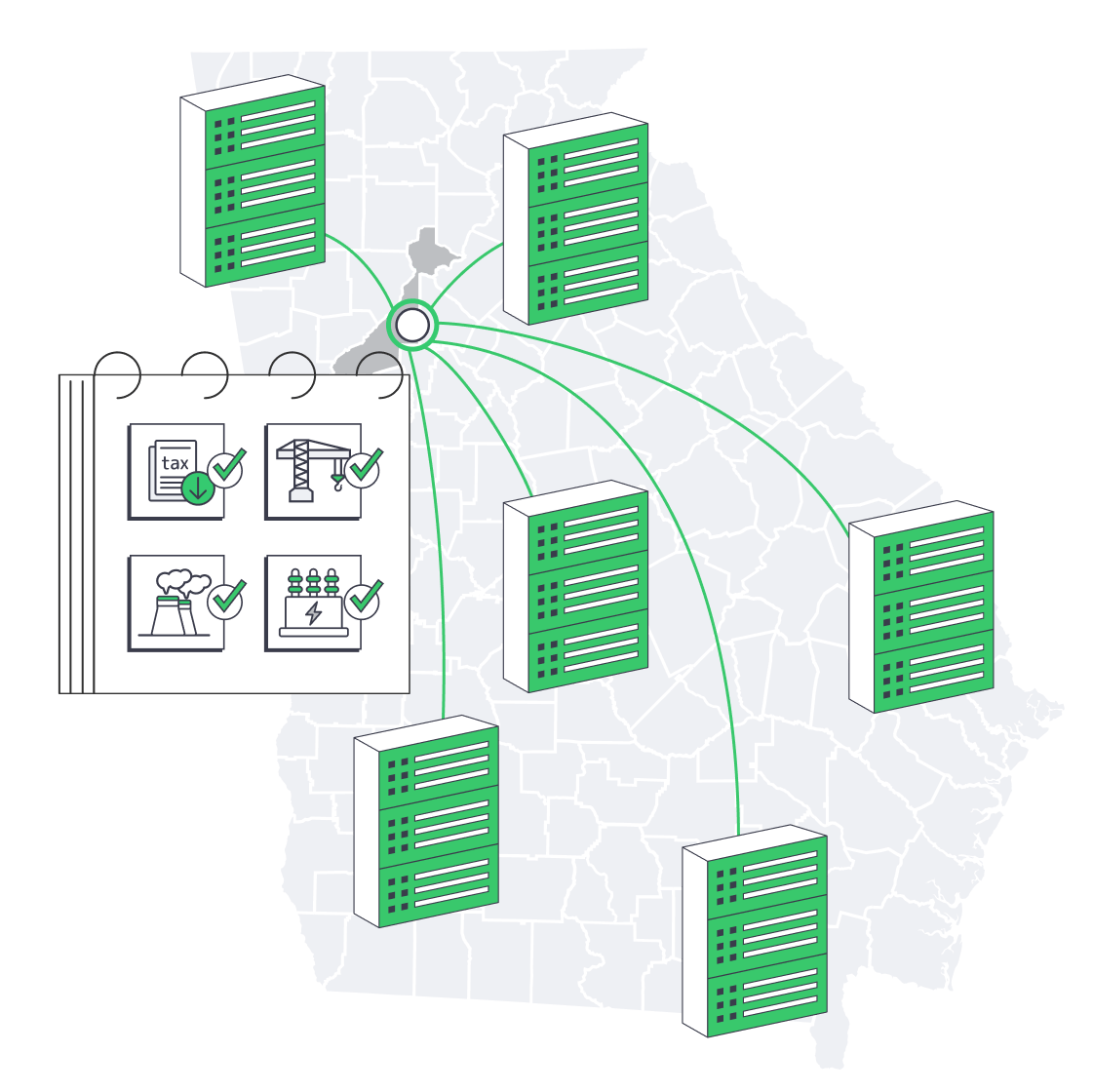
Policy alignment. Georgia retained and broadened a full sales‑and‑use tax exemption on qualified high‑technology data‑center equipment; state revenue estimates indicate the incentive waives hundreds of millions of dollars annually at current build rates.
Grid pragmatism.Regulators approved a special tariff framework for ≥100 MW data‑center customers to fund upstream generation and transmission upgrades without shifting costs onto smaller customers—an essential enabler for AI‑era facilities.
What Makes Atlanta so Well Connected?

Network gravity in Atlanta centers on 56 Marietta Street—the Southeast’s signature carrier hotel—where hundreds of networks interconnect in a 10‑story facility that serves as the region’s primary meet‑me point. According to industry counts, the ecosystem contains well over 165 networks, therefore, it serves to be one of the most active sites of interconnection between the Mid-Atlantic and South Florida.
The metro amplifies this core with long‑haul routes radiating north–south and east–west and, most importantly, a direct inland fiber route to the East Coast’s newest submarine‑cable landing cluster. This direct inland route complements Atlanta’s extensive terrestrial fiber and enhances international reach. A 450‑mile terrestrial route connects the Carolina coast to downtown Atlanta’s interconnection hubs (including 56 Marietta). This linkage gives inland workloads a fast, resilient path to transatlantic systems and Latin America‑bound cables.
For operators, this means low, predictable latency across the Eastern U.S. and efficient routes to Europe and the Caribbean without hosting on the coast.
Policy and Community Guardrails
The City of Atlanta has restricted new data centers in much of the urban core, channeling projects toward industrial districts and exurban sites while the statewide equipment tax exemption remains in force after high‑profile debates. Such measures have pragmatically directed growth in areas where there exist land and power with conservation of urban redevelopment objectives.
Dedicated Server in Atlanta: What Performance & Resiliency Can You Achieve?

If you are placing latency-sensitive applications, analytics stacks, or high-throughput services in the Southeast, a dedicated server in Atlanta reduces distance to major population centers and anchors your deployment to a scalable grid and fiber backbone. The inland fiber connection to new coastal cable landings shortens transatlantic paths. The state’s pro-infrastructure posture reduces the risk of power constraints. Taken together, these factors reduce the risk of power unavailability for your equipment.
A structured concise summary of the structural advantages is provided below:
Benefits of Atlanta-Based Data Centers
| Driver | What it is meant in Atlanta |
|---|---|
| Market scale | Second- largest hub in the United States; national net absorption leader in recent times |
| Accelerate momentum | Builds on the flanks Since mid 2023, Under Megafinal capacity, which was two-folds every 6 months |
| Interconnection | 56 Marietta concentrates 165+ networks; primary point for the Southeast |
| Global reach | Direct inland fiber at landing of new coastal cables to downtown hubs |
| Cost advantages | Exempt of sales/use tax of 100% on qualified equipment; high annual saving |
| Grid policy | PSC authorized tariff scheme to support upstream upgrading in 100 MW + users |
How Does Atlanta Handle AI‑Era Density and Thermal Loads?
New facilities across the metro are pre‑engineered for high‑density racks with liquid cooling, taller plenum spaces, and substation capacity added in timed tranches. Together with the rich pool of water in the region and low-cost energy, supported by a wide new generation, operators can roll out large masses of GPU clusters with reduced tradeoffs. The immense amount of current AI-driven expansions is an indication of how ready it is.
What Does Atlanta Dedicated Server Hosting Look Like?
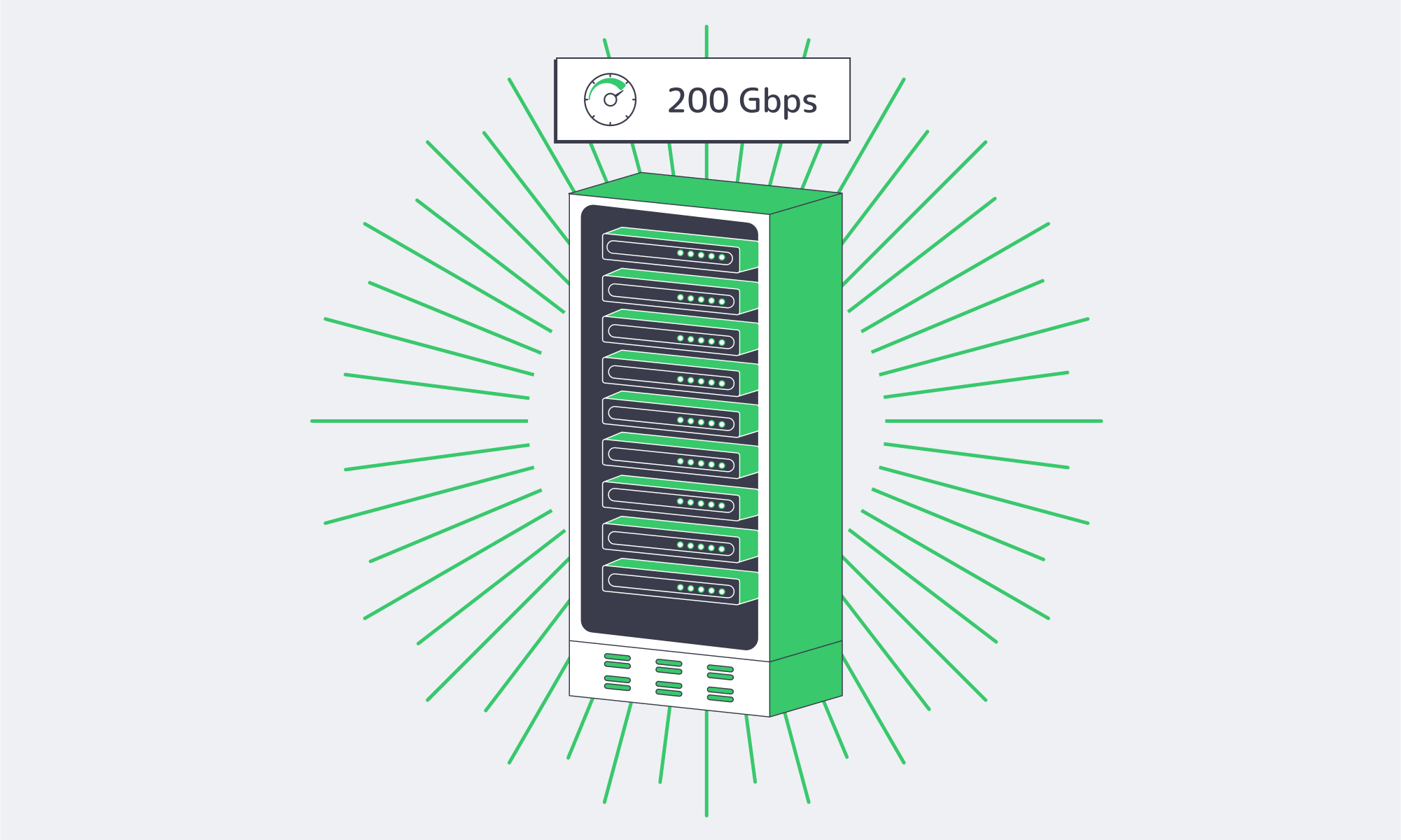
At the work load tier, Atlanta dedicated server hosting typically focuses on:
- Latency‑sensitive east‑of‑the‑Mississippi traffic benefits from short East‑Coast hops and easy reach to Florida and Texas.
- Egress/ingress bandwidth is high. Multi‑homed paths from the carrier hotel core reduce jitter and support sustained high‑throughput applications.
- Hybrid and multi‑cloud adjacency. Dense on‑ramps and exchange fabrics enable private interconnects to public cloud services without leaving the metro.
In the case of teams willing to rent dedicated servers in Atlanta, operational advantage would be to allow the lateral scale, namely, to add neighboring servers in the same campus to maintain the latency and east-coast performance consistent with the rise in demand.
Atlanta Dedicated Server Hosting Lessons
- Capacity and momentum: Atlanta is the only market in the U.S. that has recently surpassed the national leader in terms of absorption coupled with twice the construction pipeline after every couple of quarters.
- Connectivity density: The connectivity density of the anchor carrier of hundreds of networks, the 56 Marietta carrier hotel links directly to the new submarine-cable landings on dedicated inland route.
- Cost structure: 100% sales/use tax exemption on qualified equipment, plus local abatements, reduces TCO significantly.
- Grid readiness: An approved grid‑rate scheme, together with active generation planning, reduces power‑availability risk for high‑density deployments.
What’s the Bottom Line for a Dedicated Server in Atlanta?
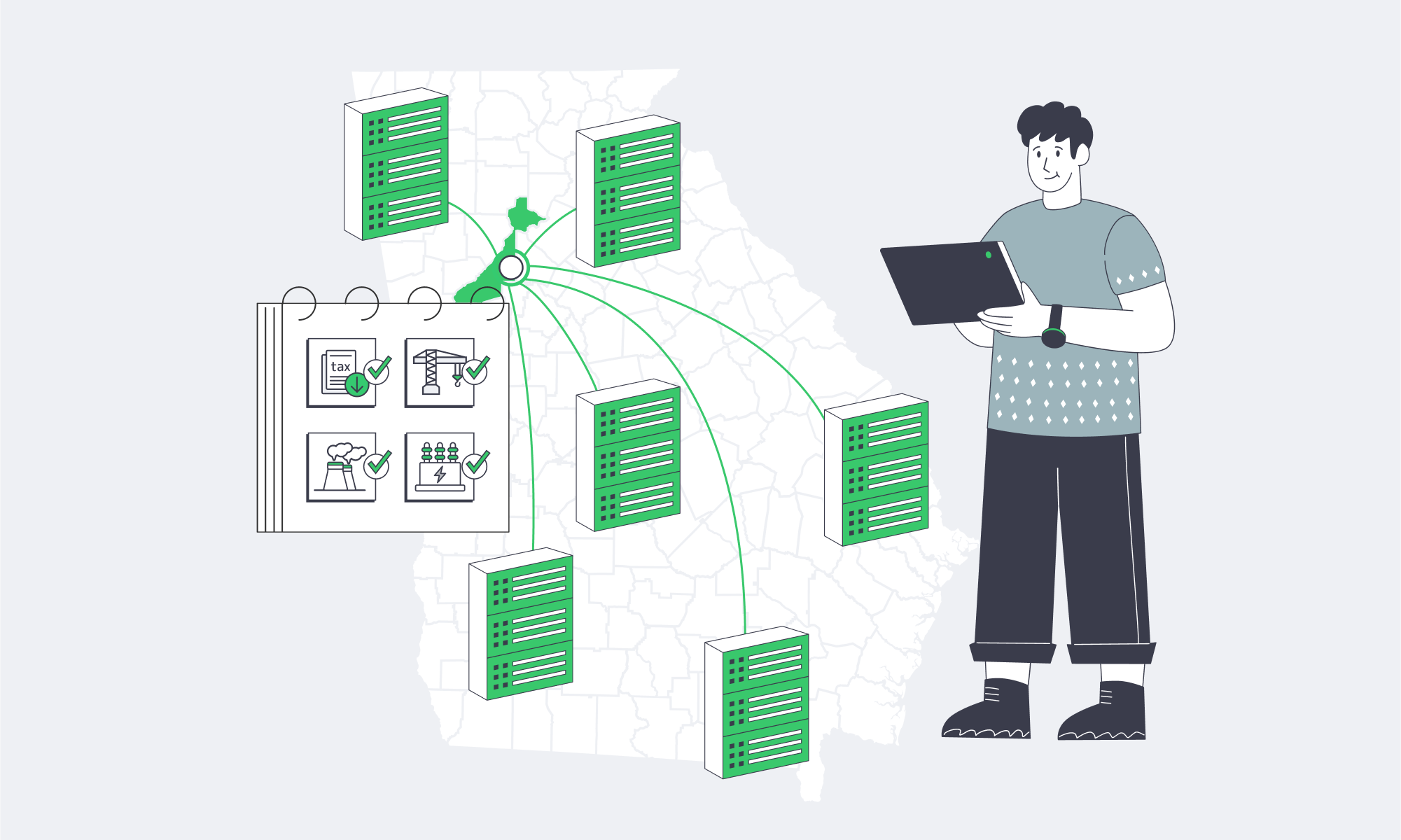
The fact that Atlanta is number two in market size, and that it has a carrier hotel core and direct routes to new undersea cables makes it a hosting point that is speedy, scalable and supported by policies. The tax law also gives preference to long term investments. Infrastructure teams seeking a cost‑effective East‑Coast anchor rarely find a stronger combination of performance headroom and long‑term resilience.
Deploy in Atlanta today
Launch dedicated servers in a Tier III Atlanta facility for low latency across the Eastern U.S., high bandwidth, and 24/7 support. Scale GPU and general workloads with reliable power and dense connectivity.
Get expert support with your services
Blog

Why Singapore Powers Low-Latency FinTech Infrastructure
If modern finance runs on speed, trust, and uptime, infrastructure is its engine room. What are the strategies to ensure that FinTech teams can deliver ultra-low latency, hardened security, and regulatory compliance, while expanding into the growth markets of Asia? Increasingly, the solution is focused on hosting in Singapore, a combination of geography, network density, and governance that directly affects performance and risk control.
Choose Melbicom— 130+ ready-to-go servers in SG — Tier III-certified SG data center — 55+ PoP CDN across 6 continents |
|
Why is Singapore the Best Location to Anchor Fintech Infrastructure?
Singapore is not just a financial center; it is a city-state at the crossroads of connectivity. It hosts dozens of subsea cable landings and is on track to be connected to more than 40 cable systems in the coming years, a concentration that shortens path length—and therefore latency—between Asia, Europe, and North America. In the case of the latency-sensitive finance (price discovery, trading, treasury), physical reality counts.
A sharp reversal followed, with FinTech investment in Singapore rebounding to US$1.04 billion across 90 deals. This rebound underscores long-term investor confidence in Singapore’s combination of market access and operational reliability.
Policy also plays a role by clarifying requirements for resilience and third-party risk. The Monetary Authority of Singapore, in its Technology Risk Management Guidelines, provides clear expectations in resilience and third-party risk, which provide CTOs with a definite blueprint for compliant architecture. Simultaneously, the Personal Data Protection Act (PDPA) ensures a high standard of privacy regulation, which is broadly known by multinational compliance teams. Collectively, these guidelines also assist FinTechs in implementing faster deployment of frameworks without any gray areas.
How Much Do Singapore Dedicated Servers Reduce Real-World Latency?
For workloads like market-data ingestion, order routing, AML screening, or instant payments, every millisecond counts. Singapore puts your compute at the physical proximity to large Asian liquidity centres, and minimises the hop count across the highly peered networks. This result is reflected in measured round-trip times (RTT):
| Destination | RTT from Singapore | RTT from New York |
|---|---|---|
| Hong Kong | ~37 ms | ~206 ms |
Indicative RTTs from independent, continuously measured city‑to‑city pings.
Two takeaways
To start with, regional adjacency: a trading or payments backend in Singapore reaches a trading endpoint in Hong Kong in a few dozen milliseconds; when that same engine is hosted in North America, the round-trip increases by roughly 170 ms (≈37 ms from Singapore vs ~206 ms from New York), often the difference between capturing a price and missing it.
Second, long-haul acceleration: network providers continue to shave transcontinental latency; for example, optimized routes now deliver sub-137 ms round-trip between London and Singapore, materially improving Europe–Asia execution windows. To give an idea, London–New York—a highly optimized corridor—is around 70 ms RTT on standard public routes and about 59 ms on specialized low-latency cables
Dedicated servers enhance such benefits of the network. Since CPU, RAM, and NICs are single-tenant, latency is not spiked in the burst because there is no jitter associated with a noisy neighbor or overhead associated with the hypervisor usage. In fields dependent on determinism (tick-to-trade, pipelines based on the relationship between credit risk and fraud fraction), the ability to behave consistently within a microseconds and milliseconds period is a matter of table stakes.
Where Melbicom fits: Singapore site. The Singapore location of Melbicom is Tier III certified and offers up to 200 Gbps per server bandwidth and 130+ ready‑to‑deploy configurations, good when you want low headroom today and scale tomorrow.
What Makes Security and Compliance Easier in Singapore?

Infrastructure associated with financial services must be both by default and by design, safe. Tier III data centers are engineered to achieve approximately 99.982% annual availability (about 1.6 hours of downtime), with N+1 redundancy that enables maintenance without service interruption.
The accountability principle at the policy layer, as outlined in the PDPA, mandates that the collection, use, disclosure, and care of personal information be accompanied by documented controls, which directly translate to FinTech PII controls and due diligence of vendors. MAS’s Technology Risk Management (TRM) guidelines reinforce this with expectations around change management, incident response, data integrity, and third-party oversight—precisely the areas examined in audits and attestations. Running workloads that are compliant on single-tenant hardware at a known site in Singapore can help you demonstrate data residency and access controls, and meet business continuity and disaster recovery objectives, without the complexity of multi-tenant sprawl.
Singapore’s position as a leading FX hub during Asian trading hours prompts banks, trading firms, and venues to colocate matching engines and gateways in the city-state, and infrastructure placed near this center of gravity reduces path volatility to counterparties.
Where we help: Melbicom Singapore site consists of combining Tier III and guaranteed high capacity ports (up to 200 Gbps per server) management and 24/7 technical support free of charge. The responses to questions concerning data locality/recoverability are less complex when comparing dedicated servers in Singapore.
Which FinTech Use Cases Gain the Most from Singapore Dedicated Servers?
- Market infrastructure (e‑FX, equities, crypto matching): Match-service and market-data service benefit from proximity to Asian venues and reliability in local and buffer-free execution. The under-137-ms London–Singapore milestone further constrains trans-books and time zone arbitrage bands.
- Payments and digital banking: Authorization, 3-D Secure, AML/KYC, and ledger writes. Stable low latency and high concurrency are required. Single-tenant servers eliminate contention in situations where volumes peak during specific regional holiday hours.
- Fraud, risk, and AI inference: The deterministic throughput feature stores and models (graph fraud, behavioral biometrics) can offer a variety of ways to flex CPU/NVMe/GPU combinations without hypervisor tax.
- Data residency‑sensitive services: PDPA alignment and a definite supervisory regime render Singapore dedicated server hosting a viable option in situations where auditors require definite control narratives.
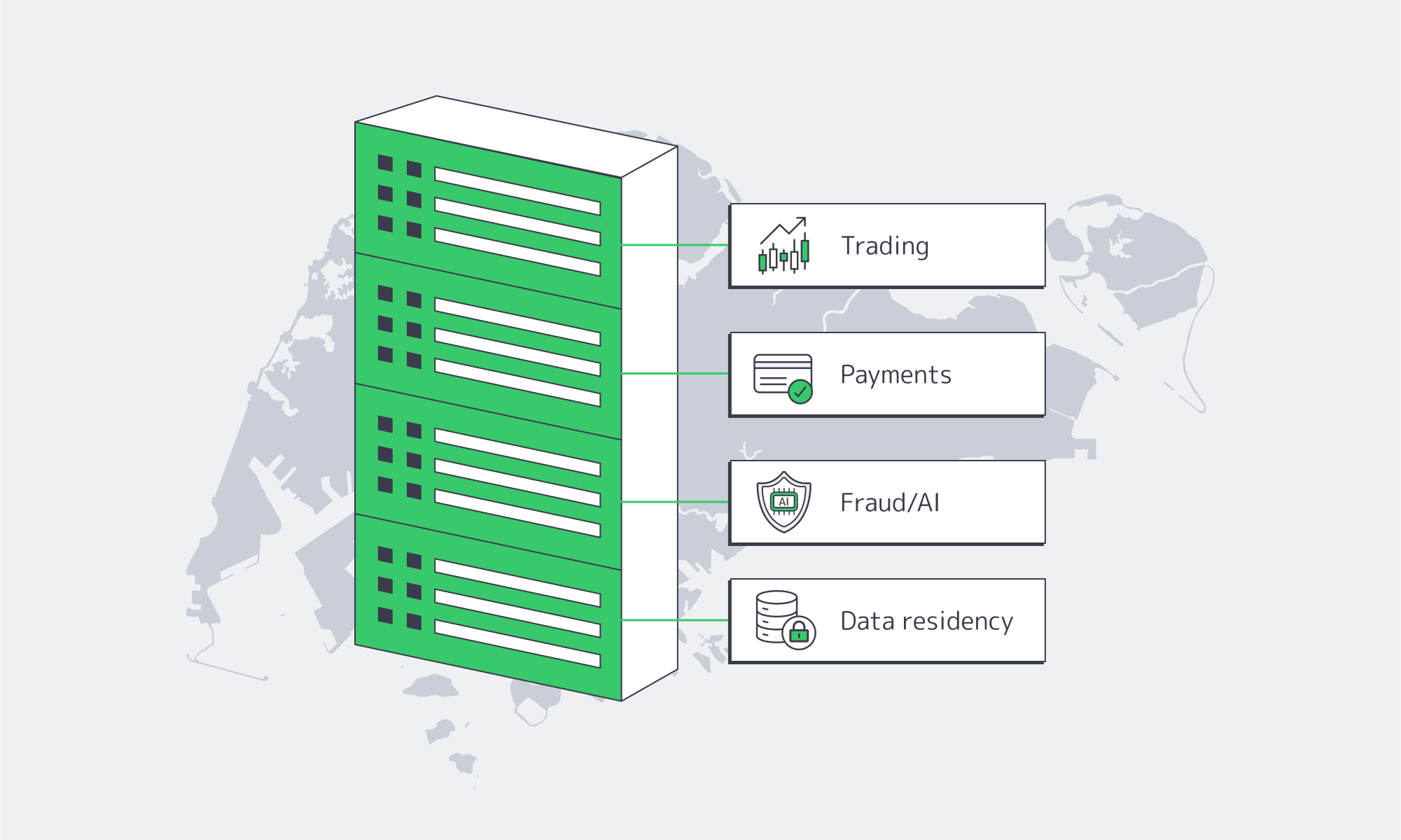
How Should CTOs Choose the Best Dedicated Server Hosting in Singapore?
1) Proven network performance. Request real RTTs and peering information to the counterparties that are relevant like exchanges, payment networks, cloud on-ramps. Independent measures show Singapore–Hong Kong ~37 ms, and optimized Europe–Asia circuits <137 ms; your provider should demonstrate comparable paths.
2) Facility and uptime credentials. Target Tier III (with documented maintenance procedures and redundancy); the industry benchmark of 99.982% availability isn’t theoretical—it should inform RTO/RPO targets and board-level risk planning.
3) Compliance posture. Please make sure that they are aligned with MAS TRM requirements on outsourcing and technology controls and align PDPA requirements with concrete platform capabilities (access logging, encryption key management discipline, incident runbooks).
4) Scalability options. Prefer vendors who have preconfigured images and fast provisioning time of dedicated servers in Singapore; but it is characteristics of servers that may have low-latency ports, graphics cards, or NVMe that can be added at short notice that may keep projects on time. Melbicom has 130+ SG configurations, and activation is fast.
5) Edge acceleration. In the case of public endpoints, multiple CDN locations provide reduced last-mile distance and minimize response variability from the user’s perspective in APAC and beyond. This is highly useful when onboarding, making statements, and charting chatbots.
How Does Singapore Stack Up on Long-Haul Payment & Trading Routes?
| Route | Representative RTT Insight |
|---|---|
| London ↔ Singapore | <137 ms on newly announced specialized routes; ~165–172 ms typical on public paths. |
| London ↔ New York | ~70 ms on public routes; ~59 ms on specialized low-latency cables. |
Such benchmarks combined with the ~ 37ms Singapore‑to‑Hong Kong RTT explain why the decision to locate the compute in Singapore is the most common way to traverse Asia without punishing Europe and the U.S. in your own control-plane architecture.
Singapore’s dedicated servers: important insights
- Latency is geography plus engineering. Singapore cable density and peering reduce RTTs to Asia; there are specialized routes that minimize Europe to Asia RTT and Europe to Asia Delay.
- Compliance is clearer: PDPA and MAS TRM provide clear guidance, and single-tenant servers make audit evidence straightforward to produce by providing explicit data-residency and access-control boundaries.
- Determinism wins: Dedicated, single-tenant servers eliminate noisy-neighbor contention and hypervisor overhead, reducing jitter and tail latency in high-frequency and real-time workloads.
- Resilience is measurable. Tier III architectures target ~99.982% availability, supporting low RTO/RPO targets.
- Distribution matters. A Singapore-focused dedicated server solution pairs core compute in Singapore with a global CDN to deliver faster, more consistent CX.
What Do You Gain by Switching to Dedicated Hosting in Singapore?

Performance and proof are two closely related concepts in finance. Singapore gives you both: microsecond- and millisecond-level paths into Asia’s liquidity centers, and a rule-of-law environment that aligns with enterprise governance. The subsea reach and the IX density in the city-state make the cost of speed lower, as does the cost of uncertainty because of the regulatory clarity in the city-state when it comes to platforms that are real-time money/risk movers, such a combination multiplies, with a smaller false decline percentage, smaller spreads, and a shorter time-to-market.
The ecosystem in Singapore is not stagnant as well. Europe–Asia RTTs are falling as operators deploy optimized long-haul routes, with London–Singapore round-trips now under ~137 ms on specialized paths (versus ~165–172 ms on typical public routes). Summing up: when you require the most optimal Singapore dedicated server performance today and a viable road to improved performance at a faster rate tomorrow, then this is the place to develop.
Deploy low-latency servers in Singapore
Provision Tier III Singapore dedicated servers with up to 200 Gbps ports and 130+ ready configs. Keep latency predictable and align with MAS TRM and PDPA.
Get expert support with your services
Blog

Fortifying Compliance With Singapore Dedicated Servers
As regulated enterprises put core systems offshore, two questions beyond all other demands prevail: Will our data be safe, testable, and can we demonstrably prove to regulators? The solution to the problem is the combination of serious laws and cutting-edge data center infrastructure and globally-tie networks, and this is what has made Singapore a favorite solution to dedicated server hosting in Asia. This article concentrates on what our IT managers in the finance, healthcare, and other controlled industries urgently require to know as security controls specifically, and the compliance procedures you require when you are deploying dedicated servers in Singapore, and how we at Melbicom are able to help you to achieve both without the drama.
Choose Melbicom— 130+ ready-to-go servers in SG — Tier III-certified Singapore DC — 55+ PoP CDN across 6 continents |
|
Why is Singapore positioning itself as a safe haven of delicate workloads?
Singapore has both a stable government and stringent supervision as well as excelling connection. It has more than 70 data centers worldwide and is rated as one of the largest worldwide with total capacity and very low colocation vacancy rates (1.4, the lowest in APAC) that indicates that fellow networkers have already confidence in the place to deploy critical workloads. Singapore server hosting leverages subsea cables and large IXPs to provide a low-latency jump into the Southeast Asia and the world, and is supported by Tier III/IV certified facilities which include concurrently serviceable power, cooling and network.
The presence of Melbicom in Singapore is no exception since it matches the profile of: Tier III -certified data center, maximum per-server bandwidth of 200 Gb as a throughput-intensive application, 130-plus ready-to-go configurations, 24/7 support. The resultant key benefits: enterprises have the safety to use sensitive systems with the performance space to grow.
What are the ways that Singapore dedicated servers work outreach through the region?
The application located in Singapore puts it within dozens of milliseconds of key metros in ASEAN, frequently outwitting multi region contenders on reliability. When guided companies that require defense of a singular site in Asia, servers in Singapore may be used to satisfy an increasing selection of markets devoid of refactoring important controls.
What are the Current Threat Dynamics that require a Fortress Posture?

The business risk model has become not just a picture of two incidents but of compound and fast-paced attacks:
- Hundreds of millions of SGD of losses incurred through financially influenced cybercrime and fraud schemes have taken place within six months, signs of industrialized fraud pipelines and persuasive social engineering by air.
- The cost of data breach has an increasing price tag with an average cost around million per event including response, downtime, and regulatory cost.
- Compromise of the supply-chain (firmware, libraries, remote-management tooling) has compelled regulators to extend their management coverage into the underlay infrastructure and suppliers- not end-user systems.
- OT/IoT: Noticed an increase in the attack surface and difficulty with managing keys long-term due to expansion of IoT/OT, AI-assisted phishing, and the future transition to post-quantum cryptography.
Among the strategic reactions has been an increased rapidity: an increasing number of organizations are choosing single-tenant dedicated infrastructure to house crown-jewel data and latency-sensitive applications. In more recent industry surveys, about every four out of ten IT teams have indicated that they have repatriated certain workloads out of shared clouds to dedicated servers because of performance objectives declared, auditability, and control. This is not a cloud exit pattern, but a composite security posture deal to avoid the cloud where there are time constraints, but remain on a Singapore dedicated server where you can derive (and demonstrate) harsher control.
What are the Compliance Obligations a Dedicated Hosting in Singapore Must Meet?
Security and compliance are closely intertwined in Singapore. Workloads that are regulated can be expected to align to the following frameworks (and trace them through your policies, contracts and audits):
| Regulation / Standard | Key Focus & Requirements | Who Must Comply / Scope |
|---|---|---|
| Cybersecurity Act (strengthened by recent amendments) | Secures Critical Information Infrastructure (CII) and the digital infrastructure that underpins it. Needs risk evaluations, hardening (patching, access control) and timely reporting of incidents within hours; fines can reach SGD 500,000 or 10% of annual turnover for serious lapses. | CII operators (finance, healthcare, energy, transport, etc.) and big actors in infrastructure/service support of CII. |
| Personal Data Protection Act (PDPA) | Enforces encryption, access controls, unambiguous retention requirements, and breach notifications to law enforcement and victimized individuals in the event that the impact thresholds are surpassed (e.g. 500+ persons). Compliments the international privacy ideals. | Any company that handles personal data in (or outside of) Singapore. |
| MAS TRM Guidelines | In case with financial institutions: delimit meaning of critical systems, stipulate on availability and recovery goals, mandatory multi factor authentication, 247 monitoring, cyber hygiene (anti malware, network defense), and incident reporting alongside root cause analysis. | Banks, insurers, payments; goes through the outsourcing agreements with service providers and media centers. |
| ISO/IEC 27001 | Common grounds of information security: risk assessment, 100 or more controls between physical security and cryptography / supplier security. Usually demanded by the enterprise procurement due diligence. | Service providers (voluntary, yet rarely unexpected) and data centers. |
| Healthcare guidance (evolving) | entering into protection of wellness data: enhancing encryption, gathering records, auditing, and guaranteeing vendors of hosted technologies with sector codes that are similar to international wellness-data protection standards. | Clinics, Hospitals and suppliers of IT/ hosting. |
What this means in practice: Hosting in Singapore will not make your stack automatically comply, but it will make the compliance distance shorter. The laws are prescriptive on results (resilience, confidentiality, traceability) and become more specific regarding the process (risk assessment frequency, breach notices, board responsibility). Select an audit-auditable facility and provider and make your identity and monitoring stack integrate and sign your logs, retention and response cooperation liaise with audit your auditors are likely to require.
How Does Dedicated Server Hosting in Singapore Deliver Fortress-Level Security?

Dedicated servers are single-tenant physical machines. Such a physical isolation, in a Tier III+ certified Singapore infrastructure, forms the basis of a layered defense:
Guaranteed isolation, physical/environmental controls
Tier III means concurrently maintainable power/cooling/network and rigorous site access control (guards, biometrics, video, chain‑of‑custody). Your compute, storage, and NICs are not shared—removing classes of multi‑tenant risk and “noisy neighbor” performance volatility. Melbicom’s Singapore facility is Tier III‑certified, and we have 130+ ready-to-go server configurations so teams can standardize on hardened builds quickly.
Network architecture built for performance and control
Predictable work loads offer predictable throughputs and inspection clean paths. The capacity of the per server stores of Melbicom to reach up to 200 Gbps can support high volumes in transaction systems, flows in medical imaging process, and replication without choking. You have got routing, segmentation and egress policy, you bring and we are offering the pipes that are stable, the routing that are stable doing this policy. Coupled with our 55-plus-location CDN, our sensitive core systems are locatable in Singapore and includes content distribution at the edge.
Cryptography where it matters
On dedicated servers you manage disk/database encryption and key-lifecycles on a complete basis, and there is no common control plane. Encrypt data at rest (OS or application), enforce TLS for all client-server and inter-tier traffic, and consider post-quantum-safe options for long-term records. PDPA, MAS, and sector codes expect documented encryption and key management—your auditors will ask for trail of evidence.
Identity, access, and zero‑trust by default.
Require administrative authentication; confine administration interfaces to your corporate VPN or bastion; use minimal privilege roles; change keys and record all activity. MAS TRM considers weak access controls to be a material defect. On dedicated servers, no shared hypervisor policy to work around exists–you own the policy surface.
Monitoring, logging, and response muscle
The compliance regimes are straight forward: sense swift, heal swifter. Good system, application, and security logs all to a toughened store; normal benchmark; alert abnormalities; and indemnify it with documentation. The 24/7 support provided by Melbicom is compatible with the rate of operations that regulators expect teams to operate at during off-hours and synchronisation on infrastructure operations during incidents.
Auditability and control hand‑off.
Between procurement and decommissioning, maintain a list of assets, data types and controls, with mapping between each standard. Dedicated servers ensure that it is simpler to map that: there is a single tenant, a single control owner, and a demarcation. You will be doing your compliance team a favor.
Where does dedicated server hosting Asia from Singapore fit best?
- Systems in which elastic scaling is inferior to data locality, audit trails and deterministic performance, such as systems of record (core banking, EHRs).
- Decision making (risk scoring, payments) that is latency sensitive was served out of Singapore footprints of SG server regionally to reduce round-trip-latency and jitter.
- Sensitive analytics & AI on sensitive datasets where governance, lineage and encryption-in-use initiatives already are in progress; dedicated structures make it simpler to isolate.
What do IT Leaders have to Do to Maintain Security and Compliance over the Years?

Take strengths of Singapore then operationalize it. An overview of the most common areas that auditors and security team look at is discussed by the checklist below:
Become the correct provider and facility. Preference Tier III + location, clear documentation, and 24 / 7 responsive. Confirm that controls front nurse control conform to PDPA, MAS TRM and ISO 27001 requirements. At Melbicom, teams can effortlessly standardize using 130+ server configs and reduce network headroom to 200Gbps per node when provisioning scale.
- Harden and encrypt on day one. Change defaults, patch OS/firmware, close exposed ports, deploy file‑integrity/config monitoring, and enable encryption at rest and in transit.
- Impose excellent identity and network policy. Admin access: A requirement would be MFA (admin access with MFA requirement); management Isolation Requirements: A requirement would be isolating management; least privilege roles: A requirement would be the adoption of least-privilege roles; review keys/accounts A requirement would be to review keys/accounts routinely.
- Watch constantly; check frequently. Logging Core Settle network traffic and actions Core Scan and Pentest vulnerability Checks Periodic averageness rehearsals Reactivity Playbooks Passing the playbook Review An incident response playbook should satisfy obligations like report within hours, completion time.
- Demonstrate evidence of compliance. Map controls to PDPA/MAS/sector codes, maintain keep retention schedules, and steps towards data breach- notification (including 500 and over trigger), and Data Protection Officer.
- Design for resilience. Output Definitions RTO/RPO by system; Routine back up (including offsite); Test restores; Architect HA/DR patterns to match your regulatory level.
- Keep up to date on dangers and regulations. Circulars & industry direction; assess the post-quantum migration paths; and adjust the policies, as the AI-enabled attacks develop.
What’s the Bottom Line on Security-First Dedicated Hosting Options in SG?

Should you have the mandate of tracking down sensitive systems with traceable controls, fast discernment and reliable recovery then Singapore is crafted to deliver that. It has prescriptive provisions concerning law-guaranteed protection and timelines; the infrastructure is assembled to Tier + specifications; and the connectivity spine offers both available throughput as well as guaranteed deterministic latency. This posture is anchored by dedicated servers: isolation, and control as well as auditable boundaries that can be clean to PDPA, MAS TRM, sector codes, and ISO 27001. The right foundation is strong encryption today, with post-quantum planning for tomorrow.
Deploy Singapore Dedicated Servers
Launch compliant, high-performance infrastructure in Singapore with Tier III facilities, 200 Gbps per server, and 24/7 support. Get started with configurations tailored for regulated workloads.
Get expert support with your services
Blog

Cheap Dedicated Servers in Singapore: The Hidden Costs of Going Low-End
Ultra-cheap dedicated servers in Singapore promise a shortcut to regional presence: low monthly fees, local IPs, and the cachet of hosting in one of the world’s best-connected hubs. But the economics of Singapore’s high-cost, high-quality data center market are unforgiving. When a plan looks improbably cheap, the discount is usually paid back later—in performance bottlenecks, outages, throttled bandwidth, or slow support at the worst possible moment. For budget-conscious startups and small businesses, the question isn’t “How low can I go?” It’s “What hidden costs am I taking on, and how quickly could they erase my savings?”
Choose Melbicom— 130+ ready-to-go servers in SG — Tier III-certified SG data center — 55+ PoP CDN across 6 continents |
|
Why Are Cheap Singapore Dedicated Servers so Tempting?
Singapore combines political stability, world-class connectivity, and proximity to Southeast Asia’s fastest-growing internet markets. The data center sector is sizable and expanding at a steady clip, supported by dozens of submarine cables and dense regional peering. As capacity has grown, more “affordable” plans have appeared. The allure is obvious: a cheap dedicated server option in Asia with local latency and a familiar legal environment.
Yet Singapore is also one of the most expensive places to operate a facility—real estate, power, staffing, and compliance all carry premiums. When a plan’s price drops to the floor, corners get cut: older hardware, thinner networks, minimal staff, or a low-tier site. Those choices shift cost and risk to you.
Cheap Dedicated Servers in Singapore: What Hidden Costs Should You Expect?
- Outdated hardware → slow I/O, higher failure rates, painful concurrency ceilings.
- Oversubscribed networks → latency spikes, jitter, and packet loss at peak.
- Low-tier facilities → more incidents, longer repairs, avoidable power/cooling events.
- Thin support → long response times, prolonged outages, higher mean time to recovery.
- Security debt → unpatched systems, “bad-neighborhood” IPs, collateral damage.
- Fine-print bandwidth → throttling after a threshold, overage fees, hidden caps.
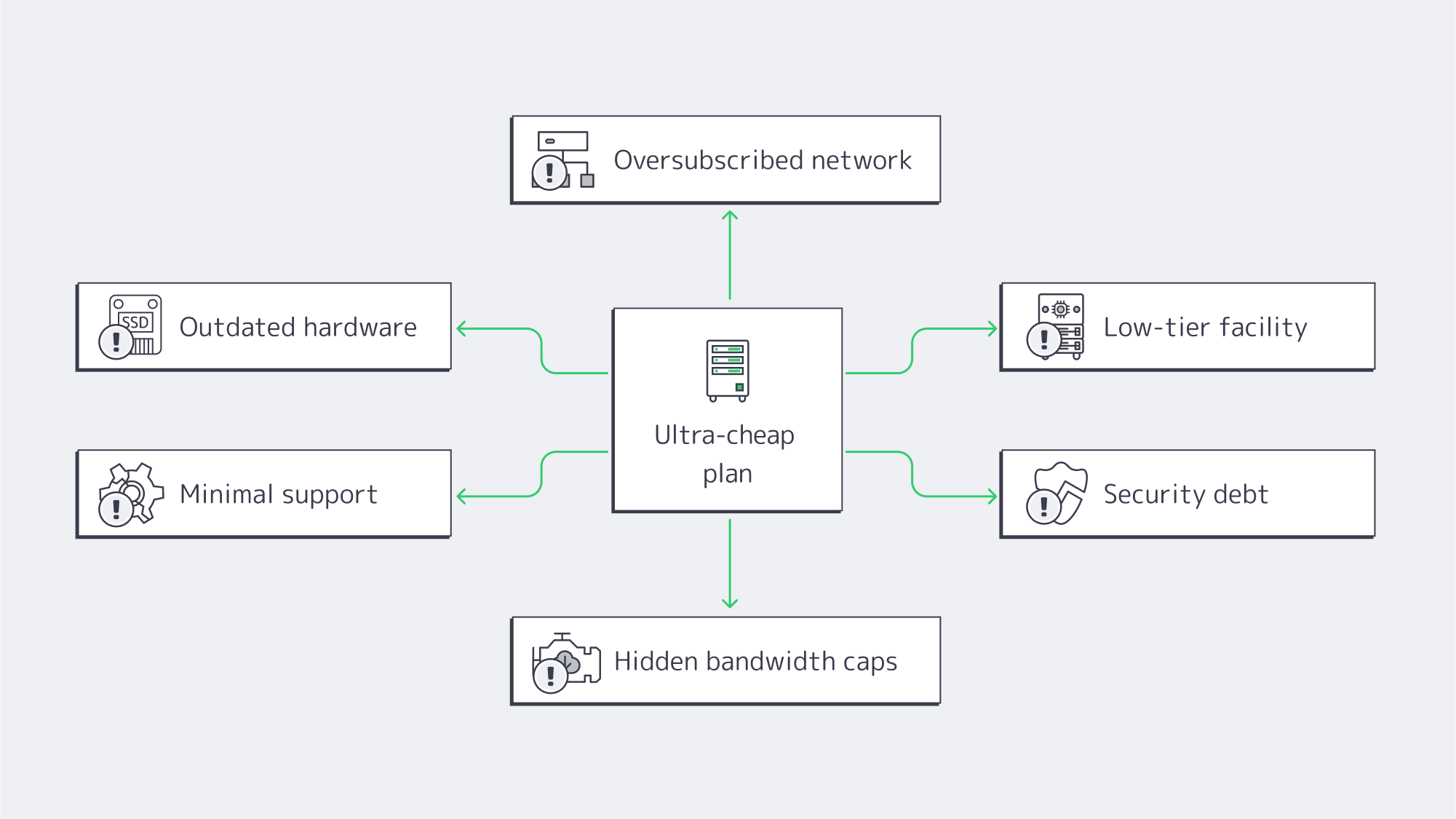
How does outdated hardware tax your revenue?
One hallmark of Singapore cheap dedicated server deals is retired or refurbished gear: legacy CPUs, HDDs instead of SSD/NVMe, and smaller memory footprints. Performance penalties show up in user behavior. Nearly half of users expect pages to load in ~2 seconds; by ~4 seconds, conversion rates can sink toward ~1%. Sluggish servers turn marketing spend into abandoned carts and churn. Older components also fail more often, multiplying incidents. Modern enterprise hardware (current-gen CPUs, ECC RAM, NVMe) isn’t just faster; it’s more predictable—critical when every outage dents brand trust.
We at Melbicom design configurations to avoid this trap. In Singapore, 130+ ready-to-go server configs let you dial in the right core counts, RAM, and storage tier without paying for capacity you don’t need—or getting stuck on gear that can’t keep up as traffic climbs.
Why can a thin network easily erase Singapore’s latency advantage?
You pick Singapore to be close to users. Real-world differences are stark: think ~12 ms from Singapore to Jakarta versus ~69 ms if serving Jakarta from farther afield. But if a provider runs a lean backbone, limited peering, or oversubscribed uplinks, you’ll see congestion and circuitous routes. The result: a “local” server that sometimes behaves like it’s overseas.
Melbicom’s Singapore footprint is built to preserve the latency dividend: up to 200 Gbps per-server bandwidth and transparent port speeds, with the option to pair origin delivery with our CDN in 50+ locations for global offload. That combination keeps dynamic workloads snappy locally while cached assets ride a nearby edge.
What is the uptime risk with low-tier facilities?
Data center tiering isn’t marketing polish; it’s engineering intent. A Tier III-certified site is designed for ~99.982% availability—roughly 1.6 hours of annual downtime under design assumptions. Cut-rate plans are often hosted in facilities that don’t reach that standard, inviting power and cooling events that last longer and happen more often. In Singapore’s tight market (where colocation vacancy has been around ~1.4% in recent reporting), quality providers lock space in resilient buildings; bargain operators may not.
Downtime is where “cheap” turns expensive fast. Industry surveys routinely peg an hour of critical outage in the hundreds of thousands of dollars for many organizations, with some reporting single-hour losses well into the millions. Even at small scale, a few hours of missed orders, refunds, or customer churn can outstrip a year’s worth of savings from a low-end plan.
Melbicom’s servers in Singapore run in a Tier III-certified facility, precisely to minimize incident frequency and duration.
How do technical support gaps turn a discount into an emergency?
On paper, you can self-manage a server and save money. In practice, incidents arrive at impolite hours. Singapore’s dedicated server cheap offers often come with email-only queues, slow triage, or metered “priority” tickets. Each delay pushes your recovery further out—and your costs up. Many teams end up paying external consultants or burning internal cycles to fill the gap.
Melbicom includes free 24/7 technical support. When something happens at 3 AM, engineers are on the line. Lower mean time to recovery is a cost line many buyers overlook—until the first bad night.
Which security risks lurk in budget server deals?
Security debt accumulates when systems go unpatched, firmware lags, or abuse on the provider’s network isn’t policed. Land in a “bad neighborhood” IP range and your emails start hitting spam folders; share congested routes and your packets take the heat for someone else’s traffic. The average recovery cost for SMB cyber incidents routinely lands between $120,000 and $1.24 million once you tally response, restoration, and lost business. A bargain host with lax hygiene transfers that tail risk to you.
What bandwidth and scalability limits trigger surprise bills?
Beware the promise of dedicated servers in Singapore with unlimited bandwidth. In ultra-cheap plans, “unlimited” often hides fair-use clauses, throttles (e.g., dropping to 100 Mbps after a quota), or punitive overage fees. That’s fine—until your growth or a campaign succeeds. Then the meter spins.
Scalability is the second half of the fine print. Fixed, old-gen specs can’t be cleanly upgraded; you’re forced into forklift migrations just to add memory or move to faster storage. A few days of migration and testing can cost more than a year of “savings.”
Melbicom publishes real port speeds (from 1 Gbps up to 200 Gbps per server) and offers unmetered or high-allowance options with clear terms. If you need more headroom, we scale you in place—not with a disruptive move.
Which Infrastructure’s Hidden Costs Map to Which Business Symptoms?

Use this quick table to translate a suspiciously low price into likely trade-offs.
| Hidden cost lever | You notice it as | Business impact |
|---|---|---|
| Old CPUs / HDDs | Slow load times; poor concurrency | Lower conversions; higher churn |
| Oversubscribed uplinks | Peak-hour lag; jitter; packet loss | SLA breaches to your customers; bad UX |
| Low-tier facility | More (and longer) incidents | Lost revenue; reputational damage |
| Minimal support | Hours to first response; long MTTR | Missed sales; overtime and consulting costs |
| Security debt | Blacklisted IPs; compromise risk | Incident spend; compliance exposure |
| “Unlimited” with throttles | Sudden slowdowns; surprise fees | Growth penalty; budget volatility |
How Do You Balance Dedicated Server Hosting Cost and Reliability in Singapore?
If you only remember one framework, make it this:
- Start with the building, not the sticker. Require Tier III-level redundancy in Singapore. Anything less is a gamble you’ll eventually lose.
- Treat hardware as a revenue lever. Demand NVMe and current-gen CPUs; latency budgets and conversion rates depend on it.
- Audit the network, not the brochure. Ask for test IPs and route visibility. A cheap dedicated server Singapore plan that saves $30/month and costs 30 ms is not a bargain.
- Price MTTR into your TCO. Twenty minutes to reach an engineer vs. two hours changes the math.
- Read bandwidth terms like a contract. If “unlimited” has caveats, assume throttles or fees will show up exactly when you grow. Pair origin capacity with a CDN to offload global static assets.
This is why we favor value over gimmicks: modern hardware, real network headroom, resilient facilities, and human support that shows up. That combination outperforms bargain hunting over any reasonable planning horizon.
What Does a Pragmatic Shortlist Look Like?
When you evaluate Singapore dedicated server cheap offers, use these non-negotiables:
- Facility: Tier III certification, documented redundancy, clear maintenance processes.
- Network: Transparent port speeds; realistic options to move from 1 to 10 to 100–200 Gbps; peering that preserves Singapore’s latency advantage.
- Hardware: Fast NVMe storage as standard for transactional workloads; ECC memory; a choice of modern CPU families so you’re not overspending on extended core count—or starving for them.
- Support: True, in-house 24/7 availability. No pay-to-escalate gotchas.
- Bandwidth terms: Plain-English definitions of “unmetered,” thresholds, and overages. If you plan sustained high transfer, confirm it’s allowed—not merely tolerated.
- Growth path: Ability to add RAM, swap CPUs, or move to beefier configs without migrations. (We maintain 130+ Singapore configurations so you can right-size now and expand later.)
What’s the Bottom Line on Cheap Singapore Dedicated Servers?
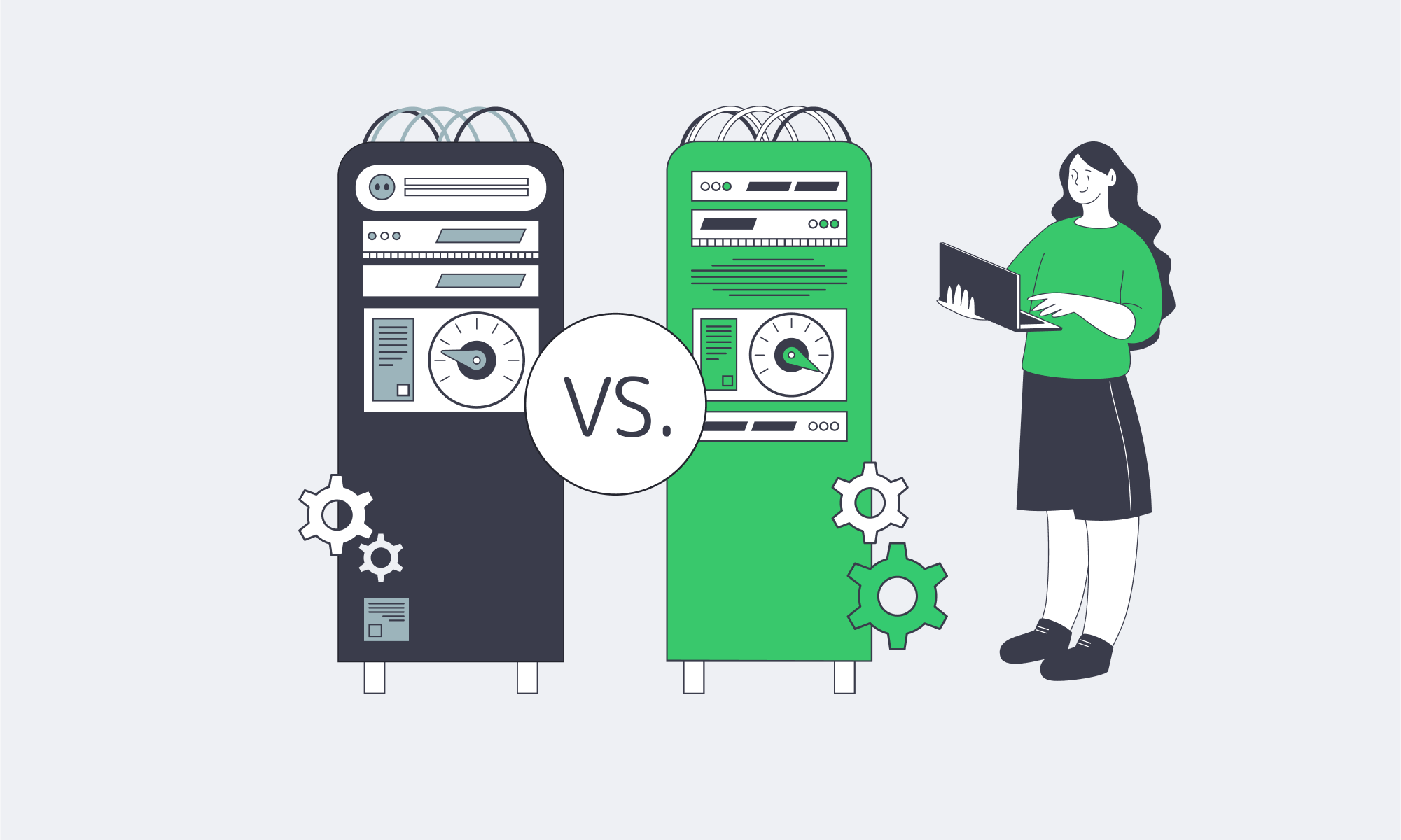
Rock-bottom pricing in a high-cost market has to come from somewhere. In Singapore, it usually comes from old hardware, thin networks, lower-tier facilities, and threadbare support. Those choices externalize risk to you, and the bill arrives as missed revenue, higher recovery costs, and distracted teams. The latency dividend of hosting in Singapore is real; so are the penalties for undermining it with compromised infrastructure.
For buyers who need discipline on spend, the winning move is not “cheapest”; it’s credible value: modern gear, a strong network, resilient facilities, and responsive people. That mix keeps pages fast, incidents rare, and growth plans intact—so your infrastructure behaves like an asset, not a liability.
Ready for Reliable Singapore Servers?
Host where your users are without the performance compromises of bargain plans. Choose modern hardware, a strong network, and 24/7 expert support—at transparent prices.
Get expert support with your services
Blog

24/7 Reliability: Ensuring Maximum Uptime for Affiliate Platforms
Affiliate platforms monetize every minute; if the click → redirect → landing → conversion → payout chain breaks at any point, revenue evaporates. The downtime costs across the industry are pegged by enterprise outage analyses at an average loss of $5,600 per minute, and; even if your costs are less per minute, it soon compounds if an incident isn’t dealt with rapidly and redirects continue.
It won’t just cost you your revenue either; trust soon begins to crumble between affiliates and advertisers who prioritize uptime in partnerships. Affiliates are vying for distribution and budget. Advertisers are more likely to allocate spend to a network with a solid four-nines (99.99%) availability record than to one with recurring hiccups. The thresholds for acceptable downtime are razor-thin; see Table 1.
Table 1 — Availability vs. allowable downtime (per year)
| Uptime percentage | Approx. downtime/year |
|---|---|
| 99.9% | ~8.8 hours |
| 99.99% | ~52.6 minutes |
| 99.999% | ~5.26 minutes |
The above figures are stated in SRE and hosting literature as standard conversions and highlight how hours of downtime can be reduced with marginal uptime improvement.
How Do 99.99% Uptime Servers for Affiliate Networks Eliminate Single Points of Failure
It is a misconception that the reliability of four-nines is simply bought; in reality, it has to be engineered, and that starts with dedicated servers. Servers give the control to engineer out SPOFs. Whether it’s a power issue, a network failure, a server fault, or a software bug, a dedicated setup gives you the control to engineer out single points of failure.
Choose Melbicom— 1,300+ ready-to-go servers — 21 global Tier IV & III data centers — 55+ PoP CDN across 6 continents |
|
Redundant, data-centered design
For high-availability deployments, you need to first consider the Tier of the data center to give your architecture measurable availability from the get-go. Tier III facilities have a target of 99.982% resulting in ~1.6 hours of annual downtime, whereas Tier IV can slice that down to ~26 minutes per year with their target of 99.995%.
Melbicom operates Tier III/IV data centers worldwide, forming a high-availability network. We publish per-location specifications, and many sites offer 1–200 Gbps per-server bandwidth to support an always-on architecture for affiliate operations with ample headroom during traffic spikes.
Networking through multiple providers
The network architecture also needs to facilitate high availability; you can’t convert traffic that doesn’t reach you. You can implement a few things to make sure that no single carrier, fiber path, or router outage prevents business as usual.
Dual top-of-rack uplinks provide connectivity to separate aggregation planes, with two core routers. You can multi-home your upstream connectivity and use load balancers to perform health checks and distribute traffic to nodes. Using VRRP (or a similar protocol) provides address-failover, ensuring a single gateway failure doesn’t take the cluster offline. With multiple transit providers and plenty of peerings in your routing, you can maintain global reachability.
The network capabilities at Melbicom practically support this design; we have over 20+ transit providers as an ample backbone and an aggregate network capacity of 14+ Tbps allowing you to multi-home smartly. Melbicom can help you provision for reliable continuity regardless of path failures.
Designating clustered application tiers and automating failover
Running your critical tiers as clusters prevents single points of failure. Consider the following for affiliates:
- Click routing/redirects: Via multiple stateless nodes working behind L4/L7 load balancers, each is constantly health-checked, and failed nodes are ejected in seconds.
- Landing experiences are edge-cached via a CDN, with origins deployed in at least two different facilities.
- Datastores: Replicating in pairs or quorum clusters keeps recovery time near-zero. Active-active pairs are used where feasible, if not, fast failover is in place.
Latency can be kept to a minimum with the above pattern; if well maintained, it ensures that any unplanned faults shift traffic automatically and live campaigns remain functioning.
Cushioning origin issues with edge caching
Origin incidents and short-lived congestion can be cushioned through the use of a global CDN. With assets cached, pages can be rendered while origins fail over. The latency that arises with the distance in the equation can be trimmed through edge proximity protecting far-from-origin conversion rates. Melbicom has a wide CDN with more than 55 points of presence that span 36 different countries giving you edges broad enough to keep performance on point should origins experience any hiccups.
Capacity as a control factor
Redundancy is one factor that plays a part in the uptime equation; the other is headroom. If you routinely sustain use riding dangerously close to interface or CPU limits then an outage is just waiting to happen, the moment demands spike unexpectedly. So capacity is important. In terms of network capacity, you should be looking at 1–200 Gbps per-server options to prevent link saturation at peak, and for compute autoscaling, you can keep critical tiers below limits by working across multiple dedicated nodes via queue- or rate-based scaling policies. The Melbicom catalog publicly publishes the per-DC bandwidth options and in-stock configurations we have available that include 1,300+ ready-to-deploy servers that help expand capacity rapidly as needed.
Operational Practices to Keep Always-On Architectures Honest

Monitoring and drills. An actionable “four-nines on paper” plan only becomes a “four-nines in production” reality with monitoring and drills. Telemetry such as health checks, latency SLOs, and error budgets need to be kept an eye on. Taking synthetic probes regionally and putting aggressive alerting systems in place gives you the advantage of reacting before users experience an issue. In addition to tooling, you should schedule failover drills by pulling the plug on a primary database and blackholing a primary carrier. That way, you can make sure that the automation is in place and runbooks work as well as confirm that your teams can clear incidents in a window that meets recovery targets.
Discipline: Remember, many outages are self-inflicted, but testing through staged rollouts with canaries can help limit and prevent them. You can also automate rollback for routing, configuration, and application changes to remove human error.
An affiliate platform checklist for HA hosting
- Facilities with redundant power and cooling (Tier III/IV): review stated uptime values.
- Multi-provider transit available and redundant routing for flexibility from rack → aggregation → core → edge to ensure you are always-on.
- Health-checked load balancing across multiple servers for each tier, with automated failover in place.
- Cushioning of origin issues via CDN edge caching to reduce latency variability and keep paths active.
- Sufficient headroom to keep interfaces, CPUs, and queues below thresholds during traffic surges.
- Monitor telemetry, rehearse incident response, and feed findings from runbooks, paging, and postmortems back into your architecture design.
Always-on across regions
A blast radius can be contained through geographic segmentation. By deploying in two or more facilities on different metro power grids and carrier mixes, you keep global traffic converting. Should one stumble, the regional traffic is re-anchored near the next healthy origin with edge caching protecting it.
SLA-backing for cashback sites
Perceived tracking gaps can be detrimental to cashback sites and loyalty portals. SLA backing is important, although it doesn’t create uptime it can help by encoding expectations and incentives. First, consider your risk model, and then tailor availability commitments that align with it—high-nine targets for the tracking plane, transparent maintenance windows, and clear remedies. Make sure your architecture diagrams, provider certification links, and public status histories meet your agreements.
How Does Modern Infrastructure Achieve Four-Nines?
Maintaining availability at four-nines equates to ~52.6 minutes of downtime/year or about 4m 23s per month. Stacks can be designed so that you decide when those minutes are, ensuring they are during controlled maintenance and not when failure dictates.
- Engineer with the numbers as focus: With an SLA target of 99.99%, outage minutes across all incident classes need to land under ~52.6, requiring you to be strict. Dual routers are a must as are multi-region origins and health-checked service discovery instead of static targets.
- Maintenance budget planning: Although the risk floor is mitigated with Tier III/IV design, bad changes can affect targets. Active-active designs make maintenance transparent to users and keep experiences positive. You should also freeze risky changes during peak campaigns.
- Quarterly proof: Testing journeys and forced failovers synthetically from each region helps validate and make sure payouts stay intact.
Engineering Uptime that Protects Revenue: A Concise Summary

- Uptime protects revenues: The costs of an “average” outage can escalate quickly, make sure it is minutes annually and not hours of allowable downtime.
- Single points of failure elimination is key: Prevent isolated faults from having a knock-on effect through redundant power and cooling, the use of clustered servers, and multi-providers for active transit at all times.
- The edge is your advantage: Operating with CDN caching at the edge while keeping origins regional ensures positive user experiences and conversions during re-routing and failovers.
- Engineer to the numbers: Four-nines is ~52.6 minutes/year so your maintenance and incident budgets must align with that math. Drills can help you to verify.
- Vet partners: Validate your partners by reviewing published DC certifications, multi-provider networks. Inventories and bandwidth options should be verifiable.
A Practical Path to Four-Nines

It is no use hoping for availability when it is essentially a product requirement for affiliate work. Instead of leaving it to chance, engineer your architecture to ensure it. Start with two independent facilities for your core origin clusters; multi-provider transit with load-balancer-driven health checks; a load-balanced tracking plane; and a CDN that keeps static assets rendering when origins are busy or failing over. With all of the above, you can map click-to-payout journeys and assign SLOs and error budgets for every step, and size your capacity to prevent peaks from touching the redline. After that, you can instrument everything, rehearse for failure, and schedule controlled maintenance to make sure every moment counts.
With our Tier III/IV data-center options, 1–200 Gbps per-server bandwidth tiers, and 22 transit providers on a path-diverse backbone, we support the high-availability architectures affiliate platforms require. We also have a CDN with 55+ PoPs so that you can choose your regions and build to meet your traffic needs. Our 24/7 technical support is free of charge and ensures peace of mind for uptime.
Build your 99.99% uptime plan
Talk with our experts to choose the right data-center pairings, bandwidth tiers, and CDN edges that keep your affiliate campaigns online around the clock.