
Author: Melbicom
Blog

Beyond Hardware: Total Cost Of Dedicated Servers
Dedicated server price is no longer just hardware: the monthly fee reflects power, network, IP, support, and contract economics. Similar CPU/RAM servers can produce different invoices once bandwidth, renewals, remote hands, or extra IPs enter the picture.
Uptime Institute reports rack densities rising into the 7–9 kW range, while modern servers can draw several hundred watts under load. TeleGeography says global internet bandwidth grew 23%. More density and traffic make the “server as a box” view outdated.
Choose Melbicom— 1,300+ ready-to-go servers — Custom builds in 3–5 days — 21 Tier III/IV data centers |
 |
What Drives Dedicated Server Pricing Beyond CPU and RAM
CPU and RAM explain the base server, not the full bill. Storage performance, bandwidth accounting, interconnection quality, IP usage, support scope, and contract flexibility create the biggest pricing gaps—and the costs that compound fastest as deployments grow.
Dedicated Server Prices and Why Storage Is No Longer “Just Disk”
Storage is now priced by latency as much as capacity. SATA 6 Gb/s tops out around 600 MB/s; NVMe is built for lower latency under parallel load. That makes NVMe right for DBs, caches, queues, and write-heavy logging—but an expensive mistake for cold data.
Melbicom’s S3-compatible storage changes that sizing math. Keep NVMe for the hot working set, then move snapshots, artifacts, and cold content to object storage. Pay for fast storage only where speed changes outcomes.
Server Prices and Why the Network Is the Bill
Most budget mistakes start with a category error:
- A port is capacity, measured in Gbps.
- Transfer is volume, measured in TB or by a metered model.
Those are not the same. “Unmetered” also does not automatically mean unconstrained. TeleGeography shows weighted-median 100 GigE transit pricing falling at about a 12% compound annual rate across key cities over a recent three-year span.
Melbicom’s live dedicated server catalog filters configurations by CPU, CPU brand, RAM, storage, bandwidth, transfer, GPU, and data center. That is how quotes should be read: know whether throughput is guaranteed (Melbicom’s case) or “up to,” how overages are billed, and whether mid-cycle provisioning changes the first invoice.
Location, Peering, IPs, Support, and Term
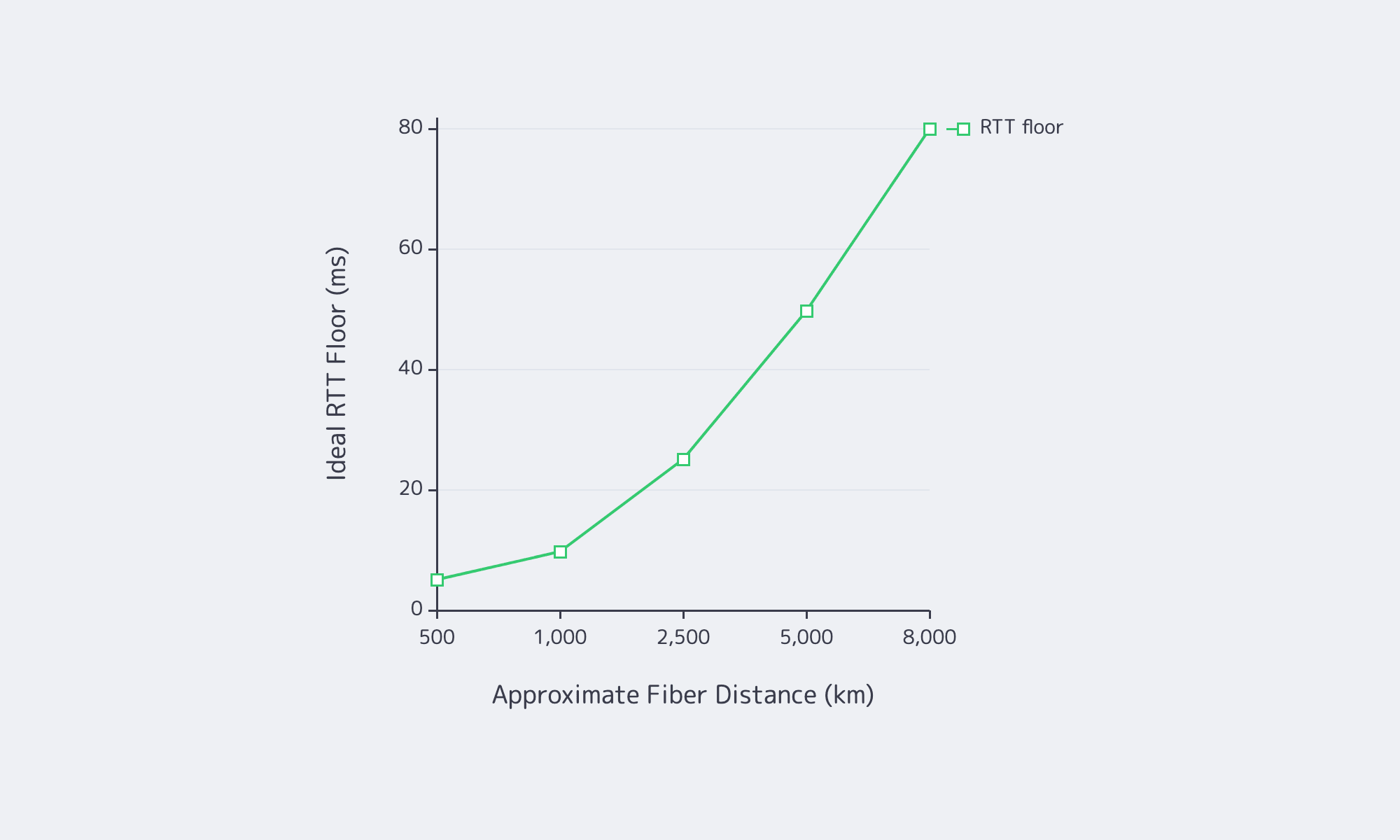
Location pricing is partly geography and mostly interconnection. High Performance Browser Networking uses a rule of thumb of 200,000,000 meters per second for light in fiber.
Then come the quiet line items. ARIN documents the depletion of the free IPv4 pool, so additional addresses can become expensive at scale. Remote hands often sit outside the monthly fee. A good first-term number can become a bad long-term number if bandwidth, IPs, or support work are repriced. Melbicom’s BGP session service matters here because BYOIP and routing flexibility can reduce renumbering and migration cost when infrastructure changes.
How to Compare Dedicated Server Quotes Without Missing Hidden Costs
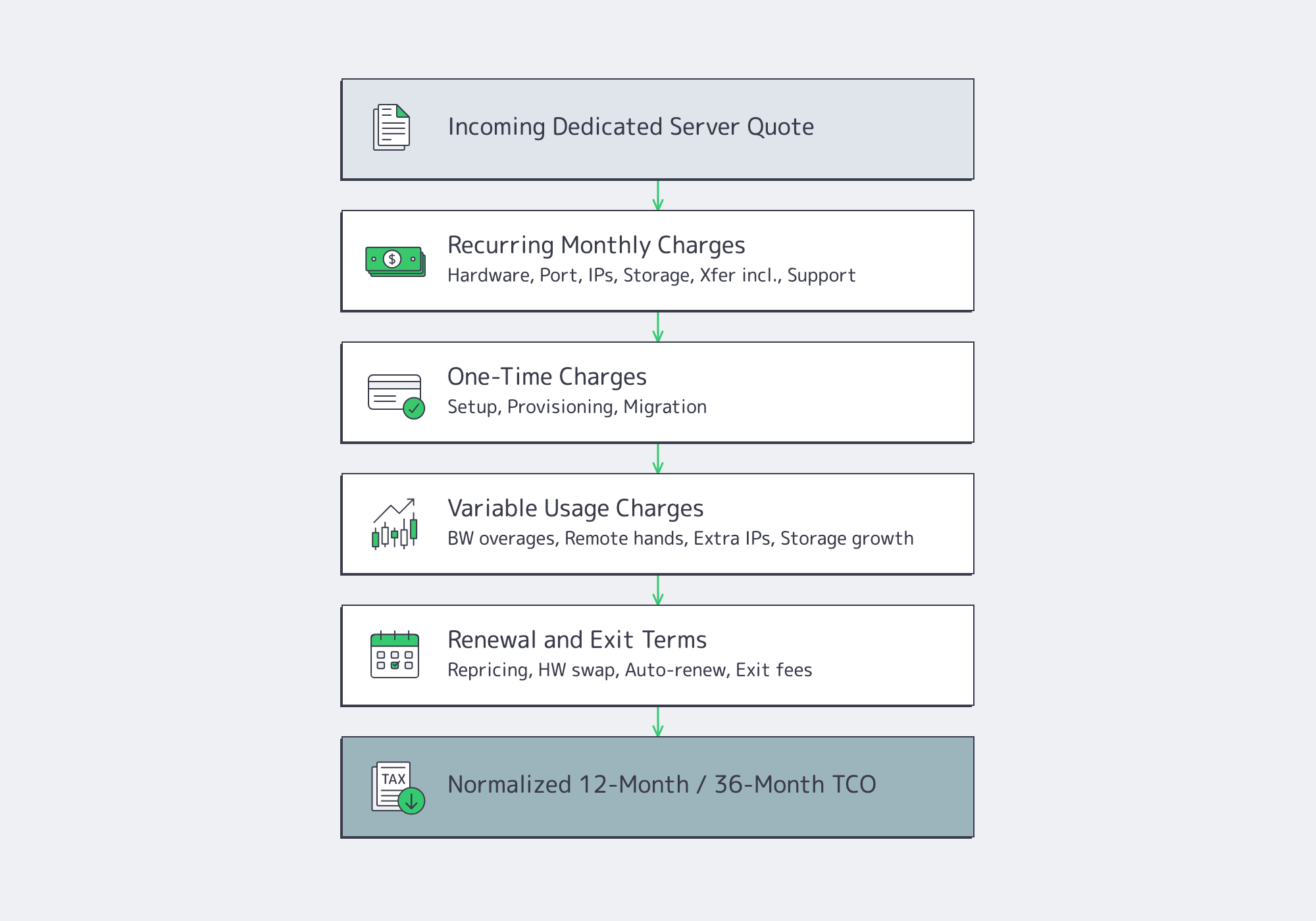
The only sound way to compare dedicated server quotes is to force each one into the same ledger: recurring charges, one-time fees, variable usage, and renewal mechanics. Without that normalization, the cheapest line item on day one often becomes the most expensive deployment over the term.
A simple quote-normalization framework:
- Recurring monthly charges: hardware, port, included transfer, IPs, storage, support, management.
- One-time charges: setup, provisioning, migration, install labor, cross-connects.
- Variable charges: bandwidth overages, extra IPs, remote hands, storage growth, burst events.
- Renewal mechanics: term, repricing language, auto-renewal, hardware swap terms, exit conditions.
| Cost Driver | How It Appears on Quotes | What to Clarify |
|---|---|---|
| CPU and licensing | CPU model, cores, threads | Are you paying for cores your workload—or your software licenses—cannot use? |
| RAM and storage | GB RAM, NVMe/SSD/HDD, x TB | Is premium local storage being used for cold data that belongs in object storage? |
| Port and bandwidth | 1/10/25/100 Gbps, unmetered, included TB | Is throughput guaranteed, how are overages billed, and is billing prorated mid-cycle? |
| Location and interconnection | Region or data center | Does the site have the peering depth and network headroom the workload needs? |
| IPs, support, and term | Included IPs, support tier, contract | How are additional IPs, remote hands, after-hours work, and renewal pricing handled? |
Two traps are especially expensive. First, oversized CPUs can inflate software licensing. Microsoft’s Windows Server rules are core-based with minimums per physical server, so extra headroom can also mean extra license spend. Second, network-heavy workloads become hard to forecast if CDN and object storage are treated as “later” optimizations. Melbicom’s CDN reaches 55+ PoPs in 36 countries and makes egress offload modelable instead of anecdotal.
How to Build a TCO Model for Dedicated Servers at Scale
A durable TCO model has three layers: fixed monthly spend, variable utilization costs, and change-or-risk costs. That structure reflects how dedicated servers behave in production, where traffic spikes, extra IPs, support work, licensing effects, and migration events often explain more spend than the server’s headline monthly rate.
Start with three buckets:
- Fixed monthly spend: server MRC, port, baseline transfer, included IPs, standard support, baseline storage.
- Variable utilization spend: bandwidth overages, extra IPs, storage growth, premium support, remote hands.
- Change and risk costs: setup, migrations, hardware refreshes, emergency work, and outage impact.
That third bucket is not theoretical. Uptime Institute says one in five impactful outages cost more than $1 million. The International Energy Agency estimates data centers use about 415 TWh of electricity, or roughly 1.5% of global demand, with consumption growing around 12% annually over the prior five years. Even when power is embedded in the provider’s price, those constraints still flow into server economics.
Use a unit-cost lens: cost per 1,000 requests, cost per TB served, cost per active tenant, or whichever metric maps infrastructure cost to delivered value. If spend rises while output stays flat, the problem is usually oversizing.
Dedicated Server Price Optimization Through Sizing Tips That Prevent Overpaying
The most common dedicated server pricing mistake is not paying too much per server. It is buying the wrong shape. Use a few simple rules:
- Fit CPU to the real bottleneck. Single-thread latency and throughput workloads do not scale the same way.
- Size RAM for the working set, not the full dataset.
- Use NVMe for hot paths; push cold data to lower-cost storage.
- Treat port speed as risk control for peak traffic, not a vanity metric.
- Use CDN offload to reduce origin egress and avoid oversized ports.
- Choose location for latency and routing efficiency, not just compliance.
Melbicom makes those trade-offs easier to model because the relevant levers are explicit: dedicated servers, data center locations, CDN, S3 storage, and BGP support sit in the same commercial ecosystem. That matters because reducing TCO is often about using the right adjacent service—not just buying a bigger server.
Dedicated Server Price Checklist Before You Sign
Before you approve a quote or renewal, use these rules of thumb:
- Separate port size from transfer volume and model both against normal traffic and peaks.
- Treat extra CPU cores as a licensing decision, not just a performance upgrade.
- Keep NVMe for hot data and move backups, snapshots, and logs to cheaper tiers.
- Price the full contract path: setup, renewal, extra IPs, remote hands, and exit costs.
- Choose location by latency, peering depth, and bandwidth ceiling—not by map alone.
Conclusion: Model the Full Operating Cost, Not the Sticker Price
Dedicated server price only looks simple when the quote hides the expensive parts. In reality, total cost is driven by storage latency choices, bandwidth accounting, interconnection depth, IP consumption, support scope, and how much optionality the contract preserves when traffic, routing, or architecture changes. The smartest buy is rarely the lowest monthly line item. It is the deployment shape that stays efficient when assumptions move.
Treat dedicated servers as a system, not a SKU. Normalize the quote, measure cost against the output your environment actually produces, and use services like CDN, object storage, and BGP to avoid solving every problem with a larger server and a fatter port.
Compare dedicated server pricing now
See configurations, ports, and transfer options across global data centers. Filter by CPU, RAM, storage, and bandwidth to model total cost before you buy.
Get expert support with your services
Blog
Spec Dedicated Servers From Workload, Not the Catalog
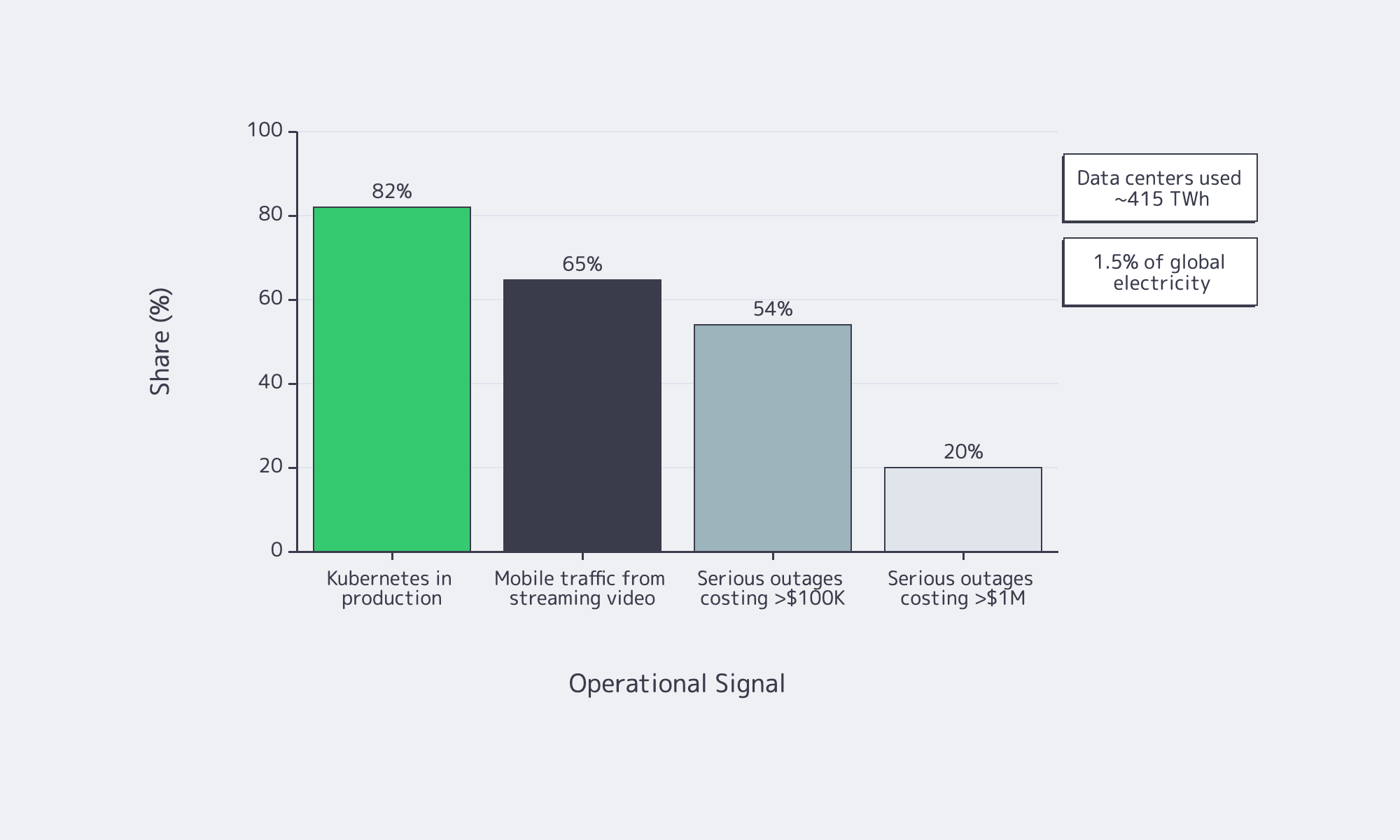
Dedicated server buying is no longer a catalog exercise—the IEA says data centers used about 415 TWh, 1.5 percent of global electricity consumption, while Uptime Institute reports that 54 percent of recent serious outages cost more than $100,000 and one in five topped $1 million. Overbuild and you waste power; underbuild and you buy downtime.
Server models work best as a bill of materials tied to workload behavior: what stays in RAM, what commits to storage, what bursts on the network, and how the machine fails and recovers. That is where Melbicom becomes useful: dedicated servers, BGP, IP-KVM, high-bandwidth ports, CDN, and S3-compatible storage.
Choose Melbicom— 1,300+ ready-to-go servers — Custom builds in 3–5 days — 21 Tier III/IV data centers |
|
Why Server Models Are Changing
A server model used to mean a prebuilt configuration. Now it is an engineering pattern: workload, constraints, BOM, and acceptance test. Current platforms offer more PCIe, DDR5 bandwidth, and NVMe headroom, but they also punish bad topology; a weak WAL device or undersized NIC can erase the benefit of a headline CPU.
Software is more distributed by default. CNCF says 82 percent of container users run Kubernetes in production, which makes east-west traffic and control-plane storage first-order concerns. Global Internet Phenomena reports streaming video is more than 65% of mobile traffic by volume, so port speed and routing are now application-design decisions.
How to Spec a Dedicated Server from Workload Requirements
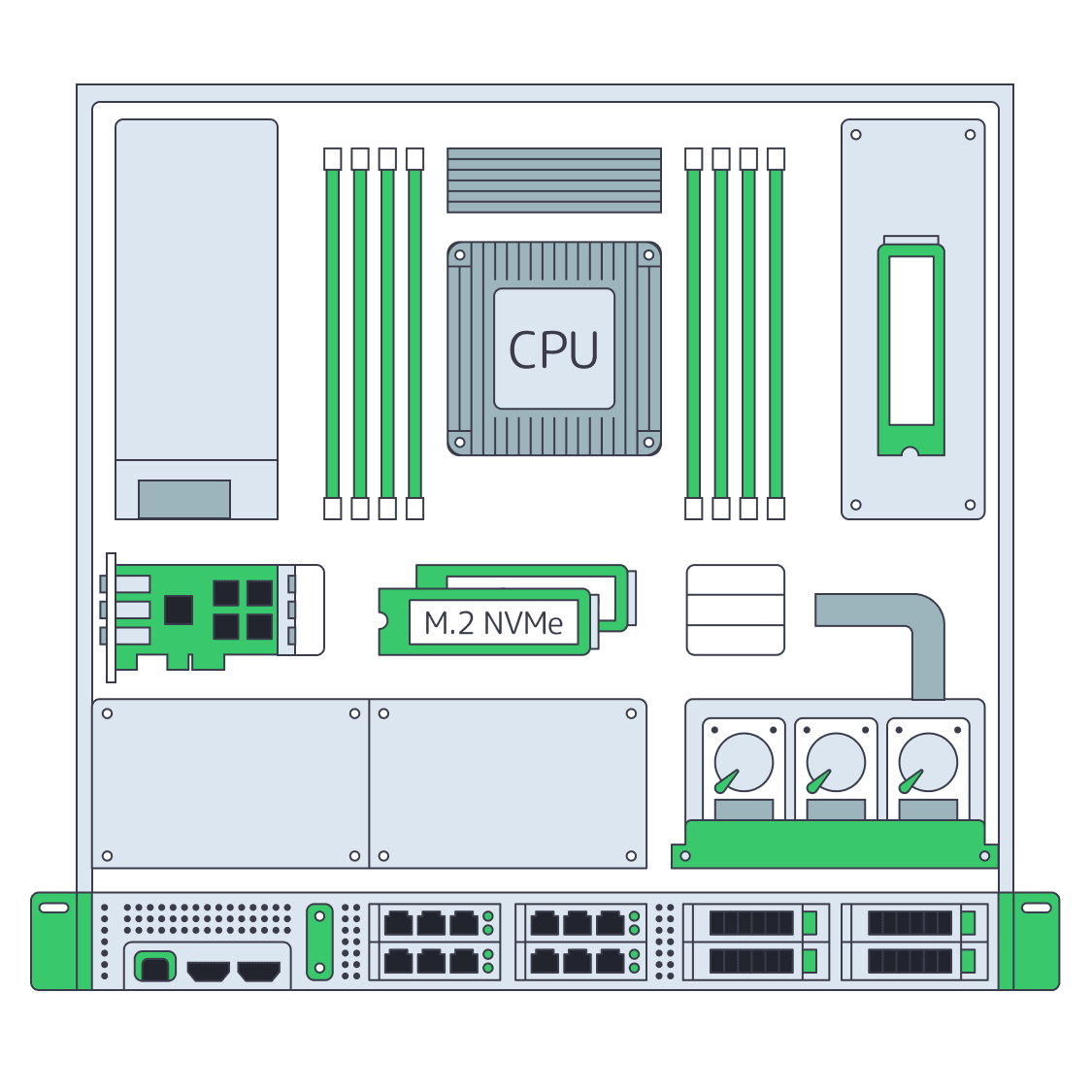
Start with the workload, not the catalog. Define latency, throughput, growth, and failure targets; map them to CPU time, memory residency, storage latency, and network headroom; then write the server as roles—compute, RAM tier, NVMe layout, NICs, remote management, and redundancy—with acceptance tests attached from day one.
Server Hardware Signals That Map Cleanly to Sizing
Start with p50/p95/p99 latency, burst shape, concurrency, working-set size, growth, and RPO/RTO. CPU hot spots tell you whether you need clocks or cores. Working-set fit sets the RAM tier. Commit behavior tells you whether storage latency matters more than throughput. Replication and client fan-out set the NIC floor.
Two paths deserve special attention. PostgreSQL reminds us that commits depend on WAL reaching durable storage, which is why a separate low-latency log device still matters on write-heavy databases. etcd is equally blunt: disk write latency dominates cluster behavior, so SSD-class storage is mandatory for heavier control planes.
How to Choose CPU, RAM, NVMe, and Network Config for a Custom Server Build
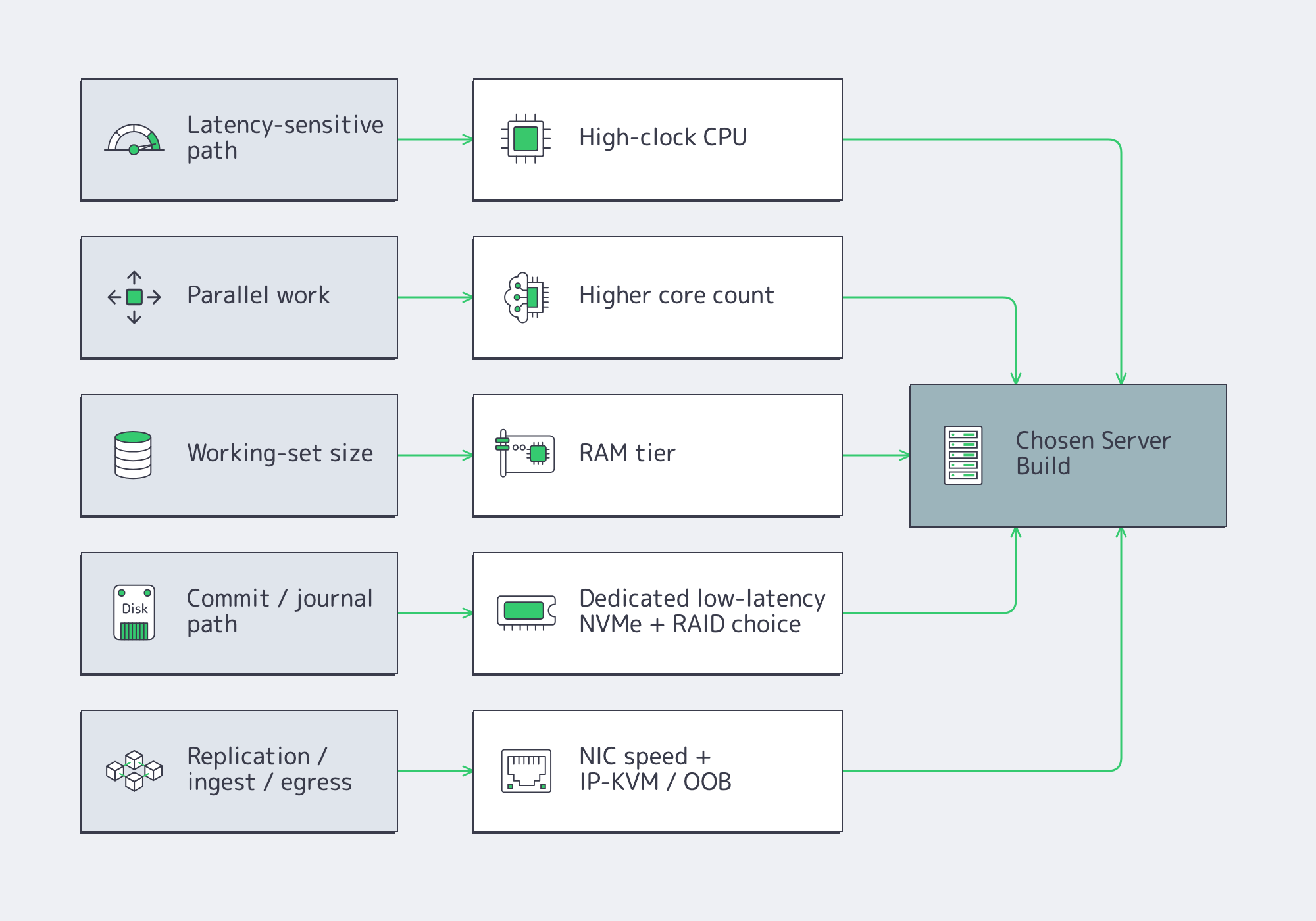
Choose parts by removing the bottleneck that actually limits the application. Fast clocks help latency-sensitive paths, more cores help parallel work, RAM keeps the hot set off disk, NVMe layout controls tail latency, and the right NIC plus out-of-band access makes both peak traffic and failure recovery survivable.
CPU Server Hardware: Cores Versus Clocks
Fewer, faster cores usually win when the critical path is request latency, locking, compression, crypto, or commit coordination. More cores pay off when the workload scales cleanly across workers: analytics scans, encoding, indexing, or heavy parallel query execution. The wrong CPU often shows up first as tail latency or stalled background work, not as obvious saturation.
Memory Tiers and Server Hardware Headroom
Think in three bands: fits in RAM, almost fits, and does not fit. The first delivers stable latency. The second can sometimes be rescued with better caching or hot-set pinning. The third usually means redesign or sharding. Faster memory helps bandwidth, but it does not fix a hot path that is larger than the practical DRAM budget.
Storage Server: NVMe Layout and RAID Strategy
NVMe is the default for serious latency-sensitive roles, but layout matters more than brand. Mirror the boot volume. Isolate WAL, journals, or metadata onto their own low-variance devices when commit frequency is high. Use RAID10 where mixed read/write latency matters; use capacity-oriented protection where rebuild behavior matters more. NVMe ZNS is worth watching for sequential-write-heavy systems as it can reduce write amplification.
Network, Remote Management, and Redundancy
The NIC is both a performance part and a recovery tool. Size port speed from real replication, rebalance, ingest, and egress numbers; small-packet systems may be packet-rate bound before bandwidth-bound. If routing control matters, Melbicom’s BGP service supports BYOIP, IPv4/IPv6, communities, and full, default, or partial routes. Melbicom’s network design allows isolated IP-KVM access plus vPC/802.3ad and VRRP. Melbicom’s wider platform spans 20+ transit providers, 25+ IXPs, and port ceilings up to 200 Gbps by location, so the facility choice can change the BOM almost as much as the NIC.
Ready-to-Copy Server Models for Modern Dedicated-Server Workloads
These are starting points, not SKU dumps. Treat them as copy-ready roles that map to current catalog shapes rather than frozen part numbers.
| Workload | What Matters Most | Copy-Ready Starting Spec |
|---|---|---|
| OLTP database | Commit latency, cache hit rate | High-clock single-socket CPU; hot-set RAM; RAID1 boot; dedicated NVMe WAL; NVMe RAID10 data; dual 25/100 GbE if replication is heavy; OOB console. |
| Cache node | RAM residency, packet rate | Fast-clock CPU with enough cores for network and background tasks; high ECC RAM; RAID1 boot; optional dedicated NVMe if persistence is enabled; 25/100 GbE when refill or large-object traffic is high. |
| Storage node | Rebuild behavior, metadata latency | Moderate-core CPU; RAM for metadata and recovery; RAID1 boot; NVMe for DB/WAL or metadata; capacity SSD/HDD tier for bulk data; 25/100 GbE sized to backfill windows; explicit recovery plan. |
| Kubernetes node | Pod density, image/log I/O | Balanced core count; moderate-to-high RAM; RAID1 boot; NVMe for images, logs, and local volumes; keep control plane and etcd on low-latency storage; 25 GbE floor when east-west traffic is substantial. |
| Blockchain node | Sync I/O, state growth | Strong single-thread plus enough cores for validation and indexing; high RAM for state caches; RAID1 boot; large NVMe data tier; redundant layout if resync time is unacceptable; higher-bandwidth ports for sync and clients; BGP if IP stability matters. |
| Streaming origin / packager | Ingest bursts, segment egress | High-clock CPU or GPU-assisted transcode where needed; 128-256 GB RAM; RAID1 boot; NVMe cache or origin tier; 25/100/200 GbE sized from concurrent streams and bitrate ladder; pair with CDN so repeat reads leave origin. |
Two caveats keep these profiles honest. Cache persistence is optional. Storage clusters still rise or fall on metadata and DB/WAL placement; Ceph continues to recommend SSD/NVMe tiers even when bulk data sits on larger drives. For streaming, push repeat reads out to Melbicom’s CDN, which spans 55+ PoPs in 36 countries.
What a Provider-Ready RFP for a Dedicated Server Build Should Include
A provider-ready RFP should let two engineers arrive at the same build without a sales call. That means a measured workload summary, explicit CPU/RAM/storage/network roles, routing and management requirements, acceptance tests, and location constraints written clearly enough to quote, rack, and verify on delivery day.
- Workload summary: role, software stack, refresh cycle.
- Performance targets: throughput, p95/p99 latency, burst model, data growth.
- CPU and RAM: clocks-versus-cores priority, memory target, ECC, headroom policy.
- Storage: boot, log/WAL/journal, data, scratch roles, RAID, endurance.
- Network: port speed, number of ports, bonding, IPv4/IPv6, peak transfer.
- Routing and management: BGP/BYOIP, route type, communities, out-of-band console.
- Acceptance tests: fio profile, network throughput, burn-in window, topology validation.
- Location: required metro or region, residency constraints, term, migration dates.
Before you approve the quote, make sure it explicitly names:
- core count and clock bias
- RAM target and headroom policy
- NVMe role separation
- NIC speed and routing requirements
- out-of-band recovery path and redundancy assumptions
A Good Server Spec Is a Deployable Document
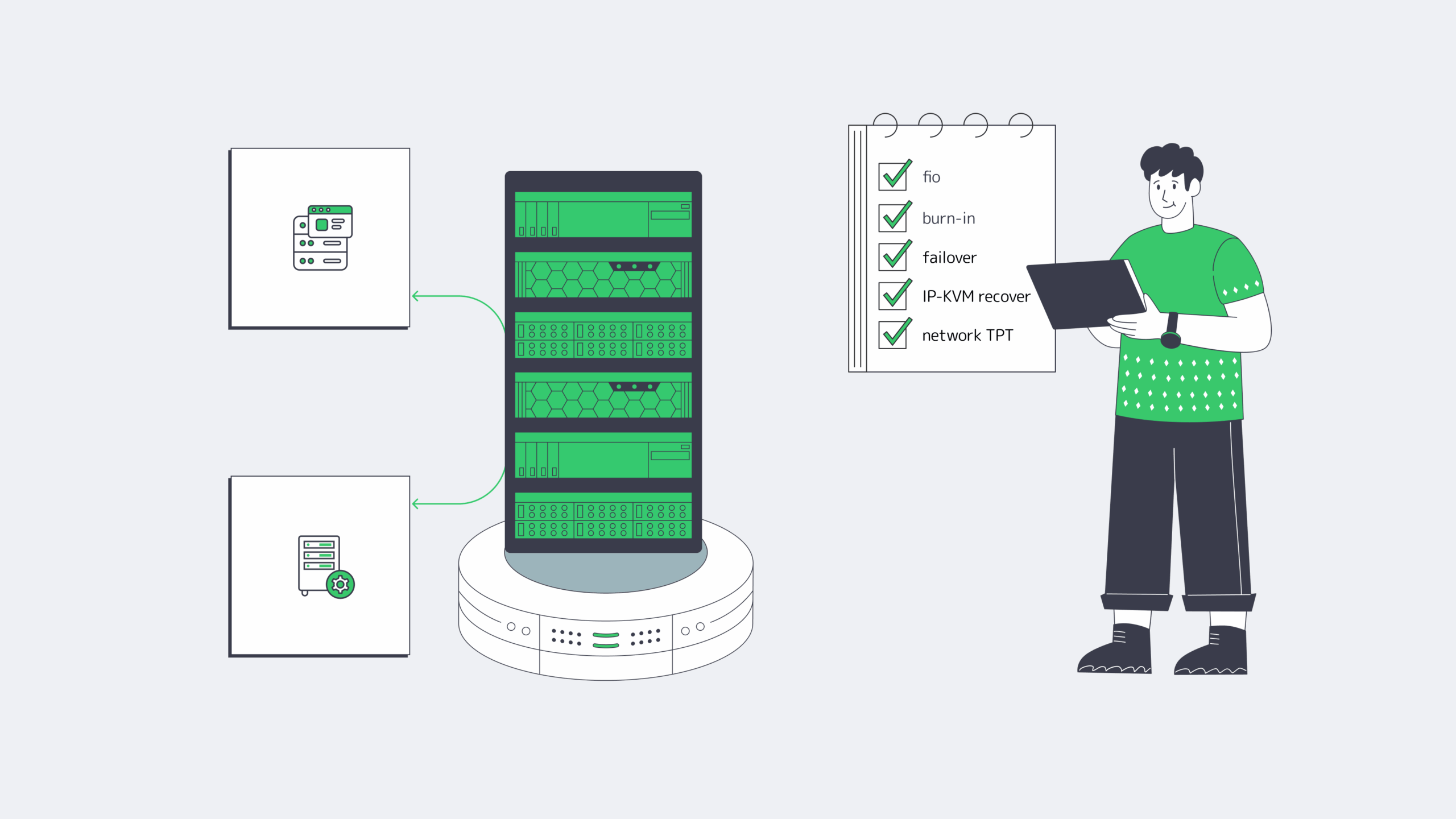
The point of a server model is not elegance. It is to turn workload behavior into a machine you can buy, test, recover, and scale when traffic, data size, or replication patterns change. If the BOM cannot explain the CPU, RAM tier, NVMe layout, NIC, and management path, it is still too vague.
Provider fit is the same test. The quote should mirror the workload: drive roles, port ceilings by location, routing options, and a deployment window you can plan around.
- Buy NIC speed for failure and backfill windows, not quiet-hour averages.
- Separate commit and metadata paths from bulk data before you add more CPU.
- Make IP-KVM, RAID layout, and burn-in tests part of the quote, not an afterthought.
- Treat location as a hardware variable: port ceilings and interconnection depth change the best build.
Build a Custom Server with Melbicom
Get a custom build aligned to your workload—CPU, RAM, NVMe, NICs, and BGP options—with delivery in 3–5 days across 21 Tier III/IV locations and ports up to 200 Gbps.
Get expert support with your services
Blog
1Gbps Reality: Goodput, Bottlenecks, And Upgrade Cues
A 1Gbps port still lands in the sweet spot for production infrastructure: fast enough for serious web traffic, predictable for monthly planning, and affordable. But the number on the order form is line rate, not guaranteed application payload. That gap matters more now because HTTPS is effectively default on the public web, median home pages are still measured in multi-megabytes, and modern DDoS campaigns operate at scales far beyond a single server port.
So the real question is not “Is 1Gbps fast?” It is: how much can a dedicated server 1Gbps setup move over a month, which workloads fit, which ones hit the wall, and when does a port upgrade solve the problem rather than just move it?
Dedicated Server 1Gbps Reality Check: Line Rate Is Not Monthly Payload
A 1Gbps Ethernet port is a wire-speed number. Your users see goodput, not line rate. Ethernet framing, IP and TCP headers, TLS, retransmits, congestion control, and proxy overhead all shave usable payload before the application sees a byte. As a planning rule, treating about 928 Mbps as a clean TCP ceiling without jumbo frames is more honest than budgeting around a perfect 1,000 Mbps.
That distinction is why a port can be “dedicated” and still disappoint. User experience is often capped first by CPU used for encryption and proxying, disk I/O serving cold files, connection handling under concurrency, or latency over longer paths.
How Much Traffic a 1Gbps Dedicated Server Can Realistically Handle per Month
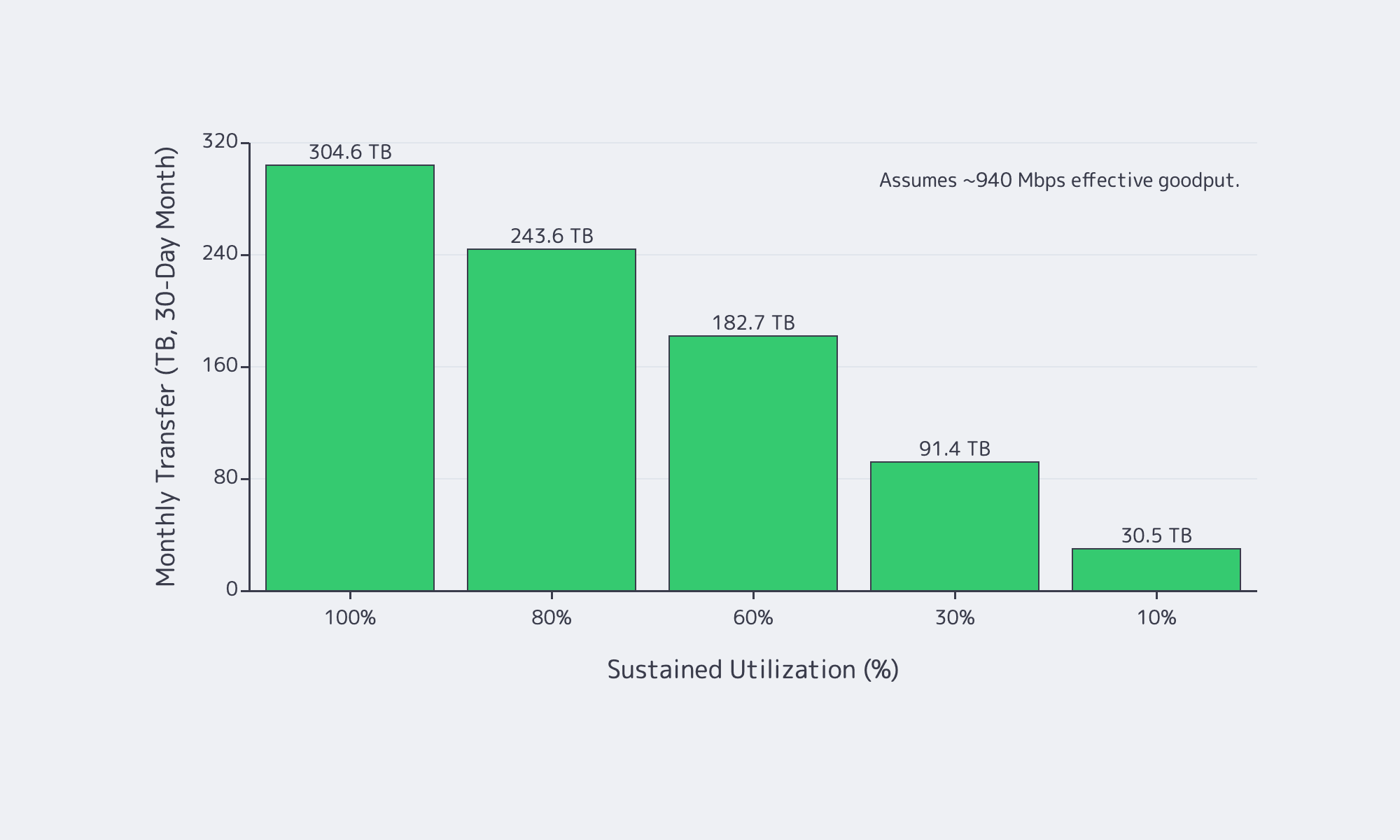
In practice, a 1Gbps port tops out at about 324 TB/month in perfect math, but realistic TCP goodput is closer to 928–940 Mbps, so plan around roughly 300 TB/month at full sustained utilization—and much less once burstiness, retransmits, and headroom enter the picture.
If a link could run at exactly 1,000,000,000 bits per second for a full 30-day month, it would move about 324 TB, or about 295 TiB. But nobody should buy a port on perfect math. A safer model is to treat about 940 Mbps as the top end of realistic sustained TCP payload and then scale monthly transfer by average utilization, not by peak screenshots.
| Sustained Utilization | Effective Goodput | Monthly Transfer (30-Day) |
|---|---|---|
| 100% | 940 Mbps | 304.6 TB |
| 80% | 752 Mbps | 243.6 TB |
| 60% | 564 Mbps | 182.7 TB |
| 30% | 282 Mbps | 91.4 TB |
| 10% | 94 Mbps | 30.5 TB |
Two numbers matter more than the headline maximum. First, average utilization decides the month. Second, maintenance-window math matters. A 1Gbps link is about 125 MB/s at line rate and roughly 117 MB/s at 940 Mbps payload, so moving 1 TB in ideal conditions still takes about 2.4 hrs. It is a hard constraint when larger transfers must finish before morning.
Which Workloads Fit 1Gbps Dedicated Bandwidth and Which Outgrow It
1Gbps is comfortable for web apps, APIs, SaaS platforms, backups, and regional delivery when caching is healthy and transfer windows are controlled. It starts to break when the origin serves many large files, high-bitrate video, or time-sensitive bulk data that cannot be shifted off-peak.
For interactive web applications, bandwidth is often not the first ceiling. Latency, cache efficiency, and compute matter more. Even so, pages are not lightweight: the HTTP Archive Web Almanac puts the median home page at about 2.86 MB on desktop and 2.56 MB on mobile. That is why a 1Gbps dedicated server works well as an origin when it is focused on dynamic responses and cache misses instead of every image, script, font, download, and backup artifact. Melbicom’s S3 Storage also helps here because it is AWS S3-compatible storage rather than a reason to keep treating the origin like a file warehouse.
Where 1Gbps starts to run out is simple: large objects times high concurrency times tight time windows. That is why downloads, patch distribution, regional file delivery, and streaming pressure a 1Gbps port so quickly. YouTube’s current live guidance still puts 1080p and 4K streams in the single-digit to tens-of-megabits range, and Ericsson says global mobile data traffic reached 200 EB per month with video accounting for 76 percent of it. If your origin mostly answers requests, 1Gbps is usually healthy. If your origin mostly ships bytes, you will outgrow it faster than you think.
This is where Melbicom’s CDN matters: keeping static files and large downloads on a delivery layer with 55+ PoPs across 36 countries makes a 1Gbps origin feel much larger.
Choose Melbicom— Unmetered bandwidth plans — 1,300+ ready-to-go servers — 21 DC & 55+ CDN PoPs |
|
Dedicated Server 1Gbps Bottlenecks That Usually Appear Before the Port Saturates
A bandwidth graph does not tell you which subsystem is failing. In many production environments, the first hard wall appears before the NIC ever gets close to 1Gbps.
Why a 1Gbps dedicated server can be CPU-bound before it is bandwidth-bound
Encryption is baseline now, not optional overhead. Google says HTTPS navigations climbed into the 95–99 percent range and then plateaued, while W3Techs currently puts HTTP/3 usage at 38.5 percent of websites. A server handling TLS termination, compression, reverse proxying, and app logic can run out of CPU long before it runs out of port speed.
Why a 1Gbps dedicated server can be I/O-bound before it is download-bound
A 1Gbps link can sustain roughly 100+ MB/s of payload. If the server is repeatedly serving cache-cold assets, large downloads, or backup data from local disks, storage throughput and latency become the real limiter. Slow downloads with a half-empty network graph are often an I/O story, not a bandwidth story.
Why a 1Gbps server can look “full” at 300 Mbps
High-concurrency APIs and proxy tiers often fail on connection handling first. Linux still documents the default ephemeral port range as 32768–60999, and connection tracking has its own scaling behavior around bucket sizing and active flow counts. Accept queues, file descriptors, and state tables can all break a service while bandwidth looks moderate.
Why DDoS changes bandwidth planning
Modern attacks routinely exceed anything a single server port can absorb. Cloudflare’s latest reporting includes a 31.4 Tbps record attack and HTTP floods above 200 million requests per second. The right lesson is not “buy a bigger port.” It is “do not force a single origin port to absorb internet-scale abuse.”
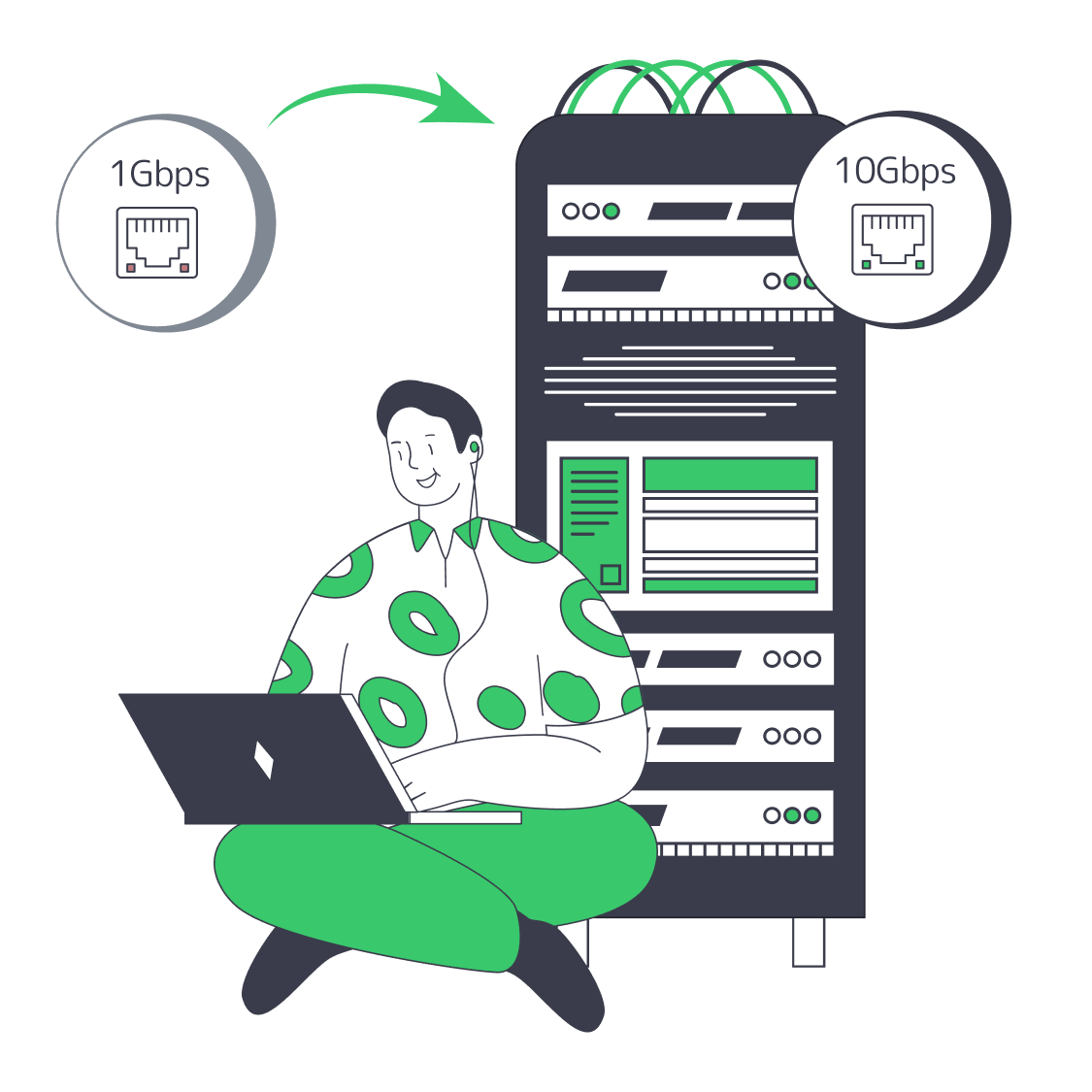
How to Decide When 1Gbps Should Be Upgraded to 10Gbps
Move past 1Gbps when utilization stays high for hours, backup or replication windows slip, or large-object concurrency turns peaks into constant pressure. But upgrade bandwidth only after checking CPU, disk I/O, connection limits, and traffic offload; otherwise a faster port just exposes a different bottleneck.
Use this decision tree:
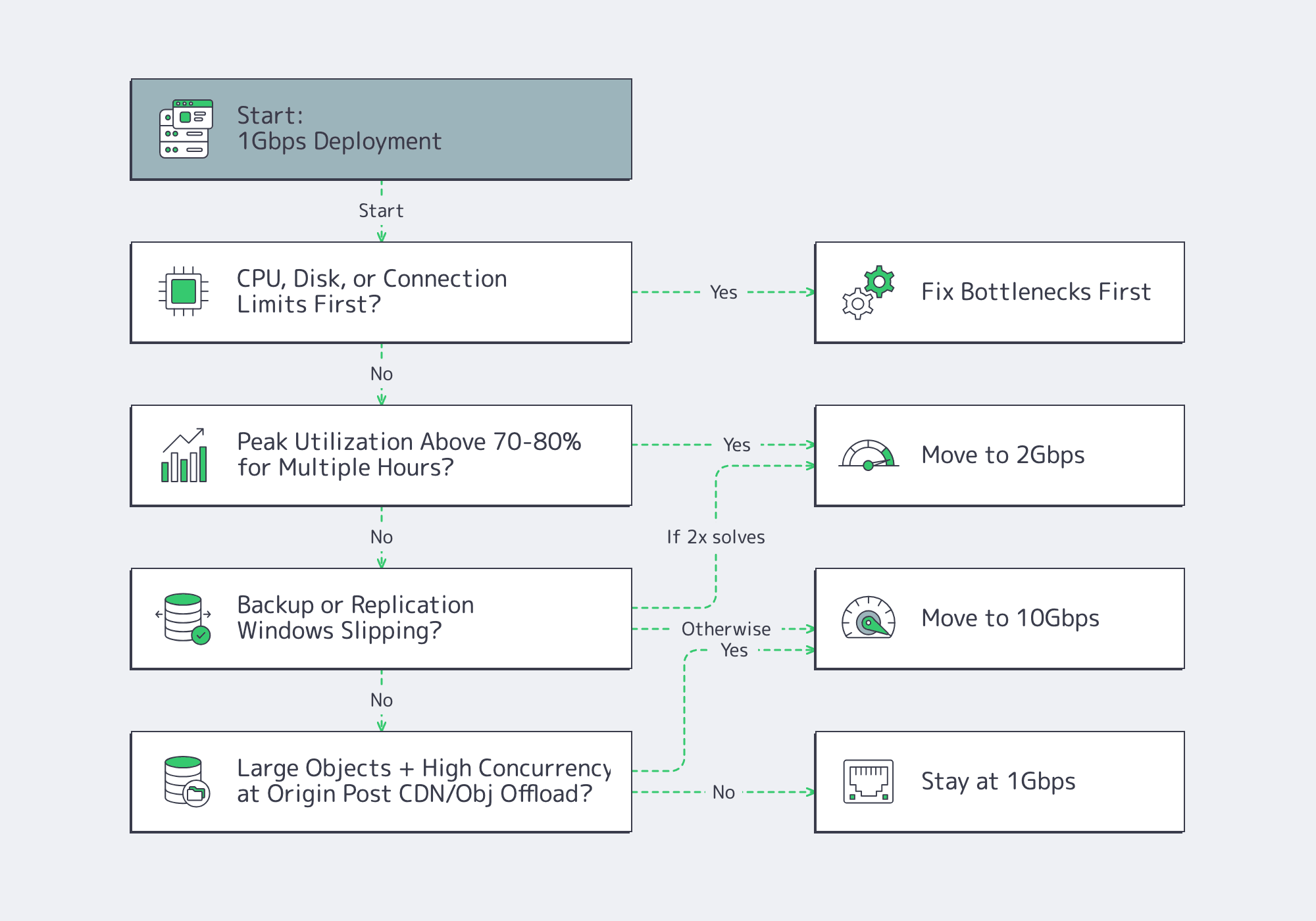
That step-up path matters because a port upgrade only helps if the node can keep up. Melbicom’s live public catalog already pairs 1, 10, 100, and 200 Gbps offers with current Ryzen 7 9700X and EPYC 7402 NVMe-based servers, which is the right kind of alignment between hardware and bandwidth tiers rather than abstract bandwidth labels.
- Model 1Gbps bandwidth against monthly goodput and peak-hour headroom, not order-form line rate.
- Treat CPU, disk, conntrack, and ephemeral ports as first-class capacity metrics; a half-empty NIC graph can still hide a full server.
- Offload large static objects, backup traffic, and regional delivery paths before buying more port speed; upgrade only when the line itself is the limiting resource.
Buy Bandwidth for the Month You Actually Run, Not the Peak Graph You Screenshot
A 1Gbps port is a strong choice when monthly transfer stays inside realistic goodput math, concurrency is controlled, and origin bandwidth is not wasted on content better served from a CDN or object store. The mistake is assuming 1Gbps solves a CPU problem, a storage problem, or a distribution problem.

We at Melbicom see the best results when teams treat bandwidth as one layer of a delivery stack. Keep the origin focused on dynamic work, push large files outward, and upgrade the port only when utilization, time windows, and concurrency say the line itself has become the constraint.
Scale beyond 1Gbps with Melbicom
Upgrade from 1Gbps to 10–200 Gbps on Ryzen and EPYC servers. Keep origins for dynamic content and offload static files to CDN or S3-compatible storage.
Get expert support with your services
Blog

Decoding Unlimited Dedicated Server Offers: Ports & Policies
“Unlimited” bandwidth is one of hosting’s most abused phrases because it tries to sound like both a pricing model and a technical guarantee. One promise says your bill will not spike with every extra terabyte. The other says the network will carry sustained load without a quiet intervention later. Those are not the same thing.
Market Reality: Why Unlimited Dedicated Server Pricing Exists
Providers can offer flat-fee “unlimited” plans because bandwidth is bought upstream as capacity and because most customers do not run hot all month. A small minority account for a disproportionate share of traffic, a pattern visible in operator discussions and in the broader market. TeleGeography reports continued IP transit price erosion in major hubs, with 100 GigE now standard and 400 GigE appearing. At the same time, Sandvine extrapolates global internet traffic at roughly 33 exabytes per day across 6.4 billion mobile and 1.4 billion fixed subscriptions. “Unlimited” is real business math. It becomes risky when the contract assumes you will never behave like the port you bought.
What “Unlimited Dedicated Server” Really Means in Hosting Offers
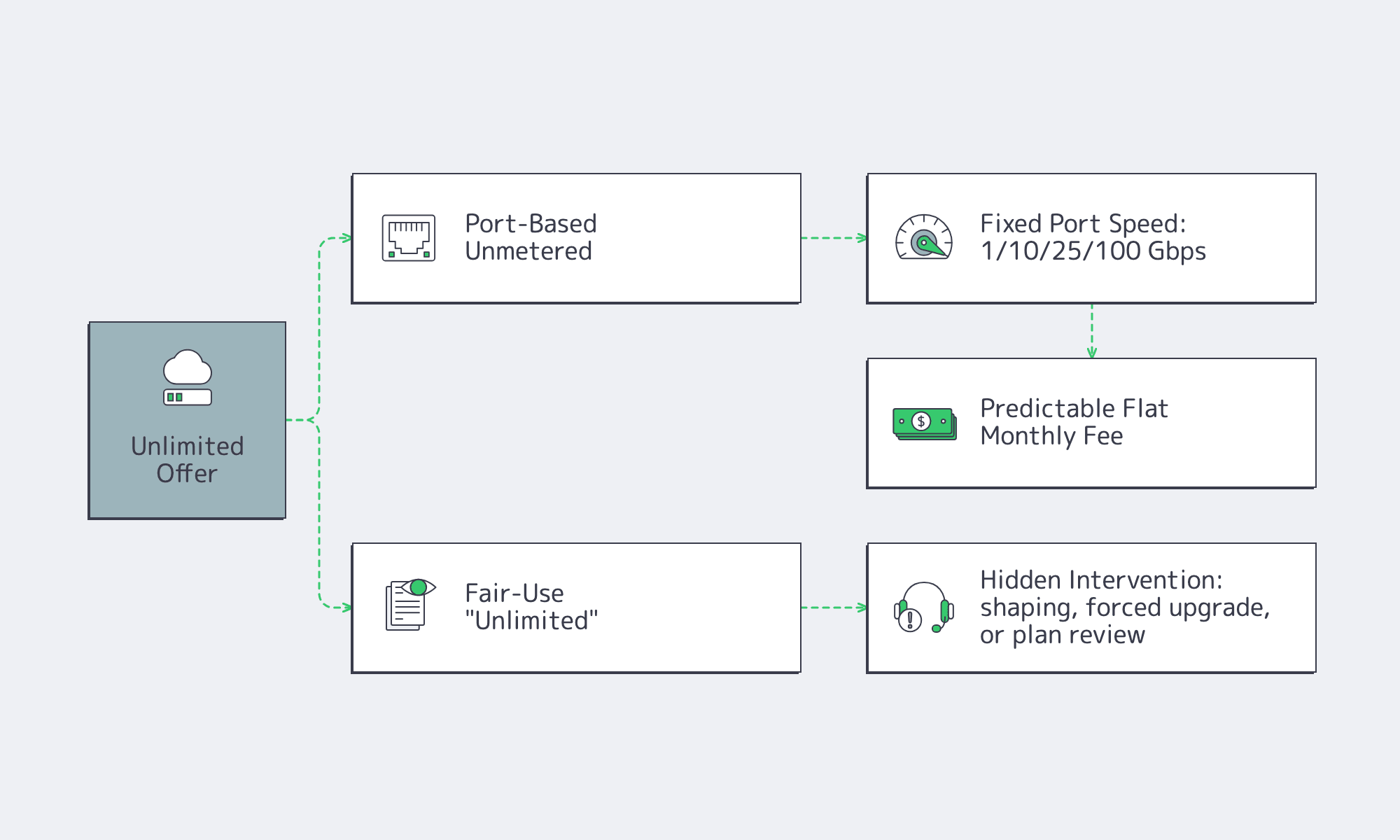
An unlimited dedicated server offer is almost never infinite bandwidth. In practice, it means either the provider stopped billing by TB and is selling access to a fixed port speed, or it is selling a flat monthly headline while keeping the right to intervene under fair-use language. The entire buying decision is figuring out which version you are actually being sold.
The physical ceiling is always the port: 1 Gbps, 10 Gbps, 25 Gbps, 100 Gbps, or higher. That is why “unmetered dedicated server” is usually the more useful phrase. It does not pretend data is infinite; it says volume is not billed separately, while throughput is limited by the port rate.
A simple reality check: a 1 Gbps port sustained for a 30-day month moves roughly 324 TB before overhead. A 10 Gbps port moves traffic on a multi-petabyte scale. So the core question is not whether a provider says “unlimited.” It is whether sustained use near line rate is treated as normal.
Choose Melbicom— Unmetered bandwidth plans — 1,300+ ready-to-go servers — 21 DC & 55+ CDN PoPs |
|
Unmetered Dedicated Server: Port Speed Is the Real Ceiling
Port-based unmetered is the clean version. You buy a defined port speed, the monthly price is flat, and normal use does not trigger a punitive conversation just because you actually use the port.
The other version is “unlimited until fair use.” The ad says unlimited, but the terms reserve the right to shape traffic, force an upgrade, or redefine your workload as “non-standard” once it becomes expensive.
We at Melbicom offer guaranteed bandwidth and backbone capacity. That matters because the network behind the offer is the real product.
How Fair-Use Policies, Shaping, and Throttling Affect “Unlimited” Server Plans
Fair-use language is not automatically a problem; the risk appears when it replaces measurable bandwidth terms. In practice, throttling usually means shaping or policing that appears once your traffic changes the provider’s cost, congestion, or abuse profile. If the trigger is undefined, the headline stops being an operating guarantee.
The most common red flags are consistent across the market:
- sustained near-line-rate use that breaks the provider’s utilization assumptions;
- DDoS exposure or collateral filtering on busy networks;
- traffic profiles with high packets per second, many small packets, or heavy UDP;
- inbound-heavy patterns that look different from classic “mostly outbound” hosting;
- encrypted transport such as QUIC and HTTP/3, where RFC 9000 makes clear that packet payloads are protected, reducing classification and pushing enforcement toward blunter rate-based controls.
The abuse backdrop is real. ENISA’s threat landscape says DDoS accounted for about 76.7% of recorded incident types in its dataset. That does not mean your traffic is malicious. It means many providers now design first for survivability, and fuzzy terms can turn that posture into customer-visible throttling.
How to Compare Unlimited, Unmetered, and 95th-Percentile Bandwidth Models
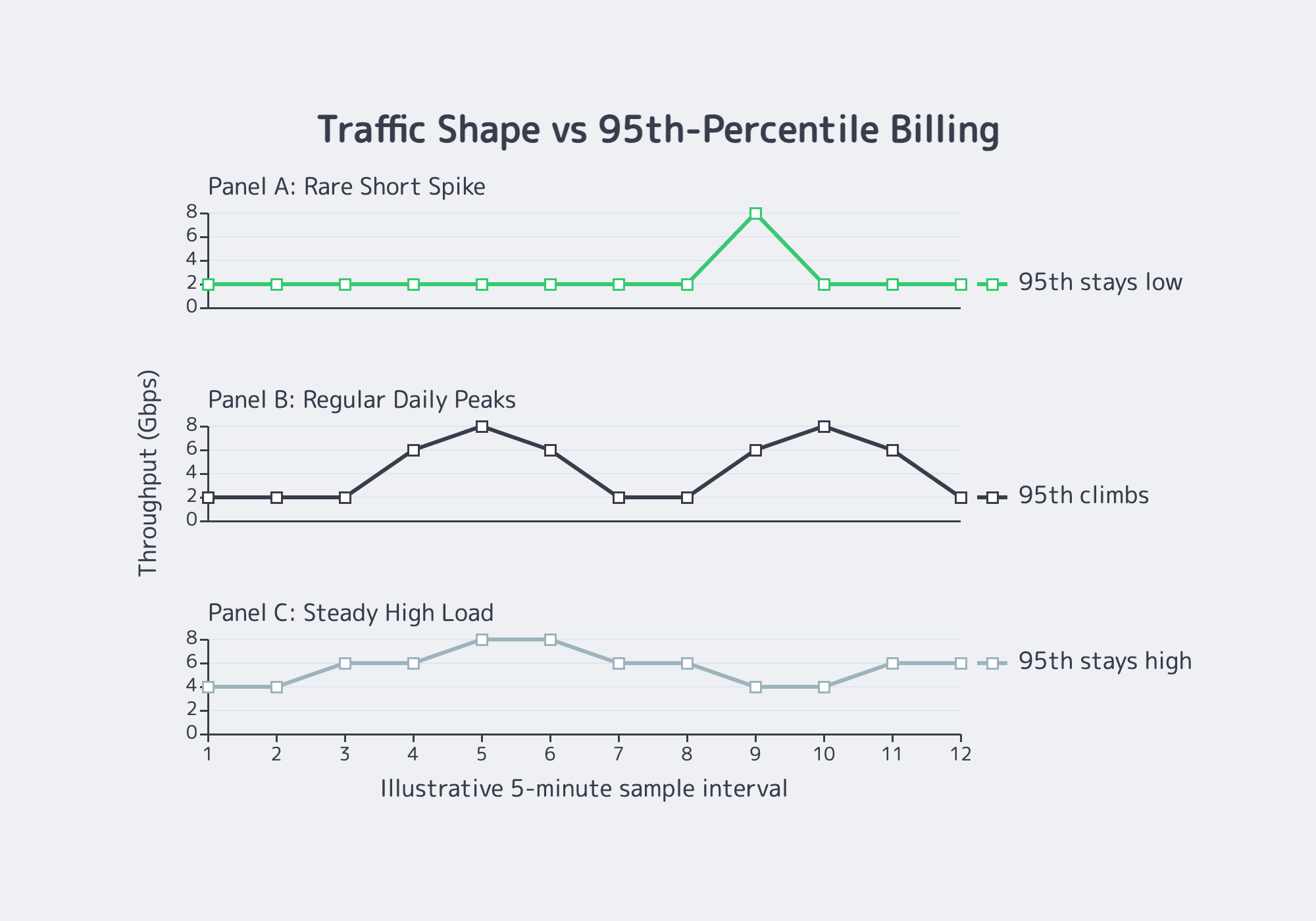
Ignore the adjective and compare the meter. Unlimited, unmetered, and 95th percentile can all ride on the same physical port, but they create very different cost and throttling risks. The safe comparison is the rule that determines when more traffic changes your bill or triggers a network response.
Think of the options this way:
| Model | How It Works | Where Buyers Get Burned |
|---|---|---|
| Port-based unmetered | Flat monthly fee tied to a defined port speed. No per-TB billing; throughput is capped by the port. | Trouble starts when the provider quietly assumes you will not sustain heavy utilization. |
| “Unlimited” until fair use | Flat monthly headline plus discretionary thresholds such as “excessive” or “impacts others.” | You cannot model either performance or cost because the real limit is hidden. |
| 95th percentile | Traffic is sampled, the top 5% of samples are discarded, and the remaining peak becomes the bill. | Repeated “bursts” stop being bursts and become your normal bill. |
| Committed rate with policing | You buy X Mbps and the network enforces it. | Predictable, but inflexible; spikes require overprovisioning or upgrades. |
A quick way to sanity-check 95th percentile is to ask whether your peaks are rare events or daily behavior. Equinix’s enterprise billing documentation describes 95th percentile as a burst-billing model, not a flat rate.
If you spike for a short launch window, the model can work well. If you run hot every afternoon, the percentile climbs with you.
Contract and Technical Checklist for Predictable Bandwidth
This is where expensive surprises hide. Your contract should define sustained-use expectations, the billing method, intervention triggers, and renewal mechanics in plain language. Words like “excessive” or “non-standard” are not harmless if they are undefined.
Ask four things before you sign: is sustained port utilization allowed, and what counts as “sustained”; is billing flat-rate, 95th percentile, or a committed rate with overage; what happens first if traffic is flagged + what happens at renewal if your pattern stays the same?
Traffic mix belongs in that conversation too. Two customers can both use 2 Gbps and create very different network load. Sandvine notes the growing importance of upstream traffic from backups, file sharing, and user uploads. If your workload is upload-heavy, UDP-heavy, or event-driven, say so early and get the answer in writing.
Designing for Predictability: Modern Ways to Reduce Bandwidth Surprises
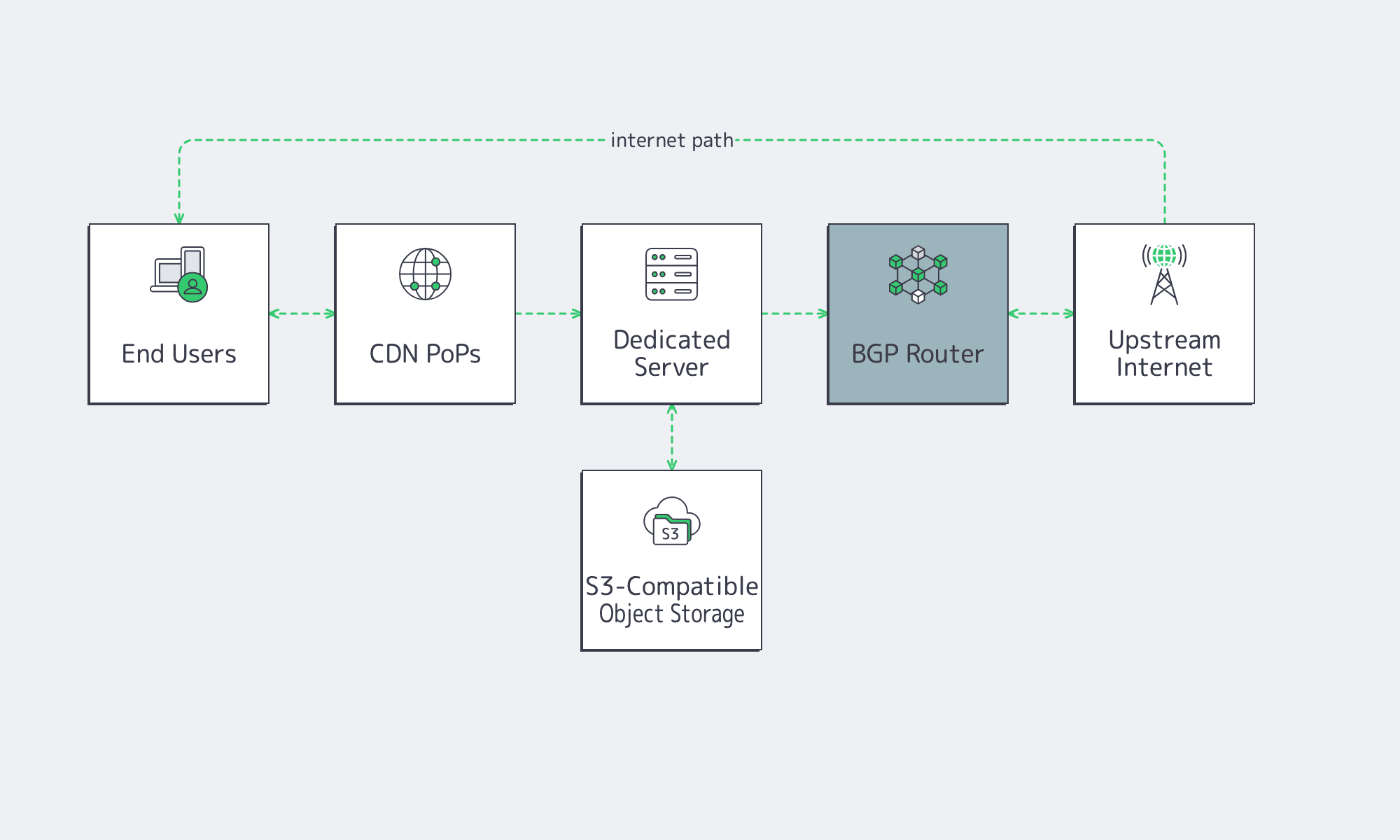
Bandwidth predictability is also an architecture question. TeleGeography says direct connections and caching have a localizing effect on traffic, which is one reason CDN and regional distribution still matter.
That is where Melbicom’s stack becomes relevant. Melbicom’s CDN spans 55+ PoPs in 36 countries and offers unlimited requests with bandwidth-based pricing options. Melbicom’s S3-compatible object storage can help separate origin compute from bulk object delivery. BGP sessions are available in every data center for predictable routing and BYOIP. On the network side, Melbicom has a 14+ Tbps backbone tied into 20+ transit providers and 25+ IXPs. Those are the kinds of facts that make “unlimited” testable.
The Right Way to Buy “Unlimited”
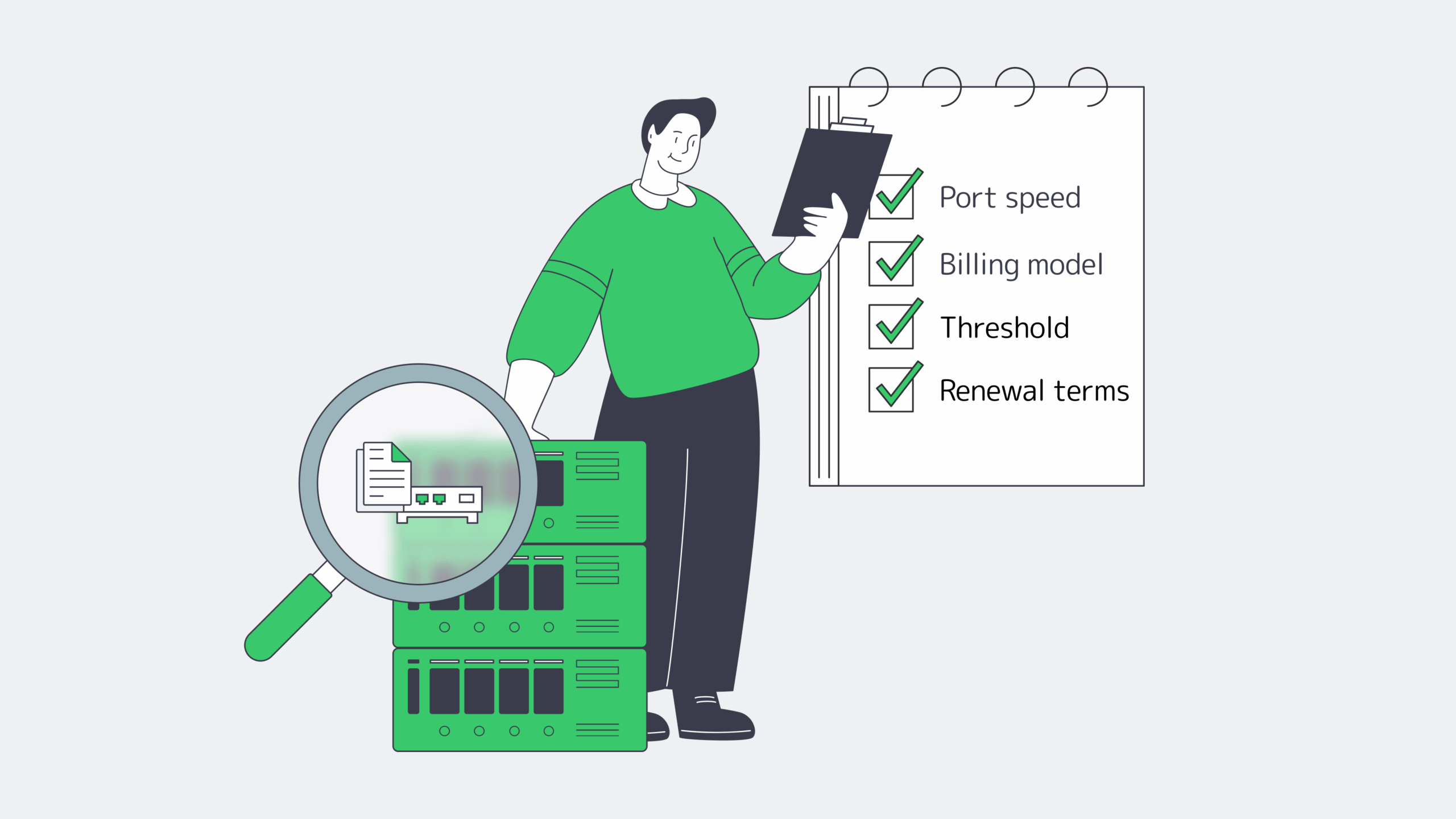
The safest way to evaluate an unlimited dedicated server offer is to treat “unlimited” as branding and ask what is actually being sold: a flat port, a burst-billed percentile, a committed rate, or a fair-use plan with discretionary enforcement. Once that is clear, the decision becomes operational instead of emotional.
Use this filter before you commit:
- treat “unlimited” as packaging until the port, meter, and intervention policy are explicit;
- match the billing model to your traffic shape, because steady high throughput and bursty peaks are not the same purchase;
- require written thresholds for shaping, policing, abuse review, and renewal;
- include upstream mix, packet profile, and protocol behavior in the pre-sales discussion;
- leave headroom in ports and architecture so the first sign of growth is not the first throttling event.
That checklist does not slow the buying process. It makes the result safer. When a provider can answer those questions directly, “unlimited” stops being a slogan and starts acting like infrastructure you can plan around.
Get predictable bandwidth now
Choose unmetered ports or committed rates across global locations. Pair with CDN, S3 storage, and BGP to reduce throttling risks and keep costs predictable.
Get expert support with your services
Blog

Validate 10Gbps Dedicated Server Line-Rate Performance
A “10Gbps” port is not a guarantee. It is a systems claim that has to survive CPU scheduling, PCIe topology, kernel queues, storage I/O, and transit design. That matters because traffic keeps climbing: the ITU recently estimated roughly 6 zettabytes of annual fixed-broadband traffic and 1.3 zettabytes of mobile-broadband traffic, and Sandvine’s latest application data shows how heavily usage now skews toward bandwidth-intensive delivery (source).
Annual Broadband Traffic by Access Type:

Why a 10Gbps Unmetered Dedicated Server Is a System Design Problem
A 10Gbps unmetered dedicated server only performs as advertised when every stage of the path can sustain that rate. “Unmetered” usually removes per-terabyte billing, not contention, shaping, or design limits, so the real metric is repeatable throughput with acceptable jitter, loss, and latency under load.
That is why line rate can collapse in practice. “Unmetered” hosting usually means a port and a policy model, not infinite headroom (example).
What Hardware Bottlenecks Limit Sustained 10Gbps Throughput on Dedicated Servers

Sustained 10Gbps throughput is limited by four usual suspects: PCIe bandwidth to the NIC, single-thread CPU headroom on hot flows, kernel queue and offload behavior, and the storage path feeding or absorbing data. If any one of those falls behind, the “10Gbps” label becomes a best-case moment instead of an operating baseline.
NIC + PCIe Topology for a 10Gbps Dedicated Server
A capable NIC on a weak PCIe path is the fastest route to disappointment. PCIe 3.0’s bandwidth jump over PCIe 2.0 matters because slot generation and width can be the reason a 10GbE interface stalls below line rate. NIC manuals are explicit about slot requirements (example), and platforms such as AMD EPYC emphasize high lane counts for the same reason.
CPU Single-Thread Ceilings and Per-Flow Reality
Many teams over-index on total core count. The catch is that a single TCP flow, encryption path, or userspace process can still pin one core first. That is why single-stream tests often underfill 10Gbps while multi-stream tests look healthier, a pattern practitioners regularly report when troubleshooting 10GbE upgrades (discussion). Test both: one tells you what a real session can do, the other tells you what the platform can do.
Kernel Queues, Offloads, and the Packet Plumbing
At 10Gbps, the OS path matters. Check these first:
- Are receive or transmit queues dropping packets?
- Are interrupts collapsing onto one busy core?
- Are offloads and ring sizes sensible for the workload?
Tools like ethtool exist for this layer, and vendor documentation explains why checksum offload, TSO/GSO, interrupt moderation, and ring sizing reduce per-packet CPU cost. Linux buffer ceilings are not the same as defaults.
NVMe Read/Write Paths: The Hidden Limiter in Network Problems
A lot of “network” failures are storage failures in disguise. At 10Gbps, large-object delivery can require roughly 1+ GB/s of sustained storage throughput once overhead is included, and concurrent writes from logs or cache churn can introduce jitter if they share the same NVMe path. That is one reason to keep archive behavior off the hot path; Melbicom’s S3-compatible object storage is useful when you need to separate storage roles instead of forcing one delivery node to do everything.
Choose Melbicom— Unmetered bandwidth plans — 1,300+ ready-to-go servers — 21 DC & 55+ CDN PoPs |
|
How to Verify Line-Rate Performance on a 10Gbps Unmetered Dedicated Server
To verify line-rate performance on a 10Gbps unmetered dedicated server, prove three things in sequence: the host can hit line rate in controlled conditions, it can hold that rate long enough to expose drift, and it can repeat the result across real network paths. That is the mindset behind RFC 6349: throughput testing is a method, not a screenshot.
A practical plan starts with three questions:
- Can the server and NIC hit line rate in controlled conditions?
- Can the system sustain TPT long enough to expose thermal, IRQ, or buffering issues?
- Does performance still hold outside the provider’s immediate neighborhood?
Start With a Clean, Controlled Baseline
Begin locally or within the same metro. If the box cannot move bits there, WAN testing only adds ambiguity. ESnet’s iPerf guidance uses the same pattern: parallel streams, longer runs, interval output, and reverse testing.
| # On receiveriperf3 -s# On sender: multi-stream, longer run, 1s intervaliperf3 -c <server_ip> -P 8 -t 120 -i 1 # Reverse directioniperf3 -c <server_ip> -P 8 -t 120 -i 1 -R |
Use Linux endpoints when possible; Microsoft has warned that iPerf3 on Windows can be misleading in some cases. Do not stop at a burst.
Test UDP Separately When Jitter Matters
TCP can hide timing problems behind retransmits and backoff. If delay variation matters, test UDP explicitly. RFC 3393 and RFC 5481 are useful references because they treat jitter as a measurable delay-variation problem, not a hand-wavy complaint.
| # Start lower, then step upiperf3 -c <server_ip> -u -b 2G -t 60 -i 1iperf3 -c <server_ip> -u -b 8G -t 60 -i 1 |
Confirm TCP Windowing and Buffer Headroom on Wide Paths
Fast long-distance TCP is gated by bandwidth-delay product. If buffers are too small, the server underfills the pipe even when the hardware is fine. Linux’s tcp(7) and RFC 7323 are the right references: window scaling and autotuning only work when the system has enough headroom to use them.
How to Test Oversubscription, Jitter, and Real-World TPT Before Choosing a Provider
The tests that expose oversubscription and weak transit are the ones a provider cannot easily stage-manage: multi-region runs, multiple source networks, long-enough durations, and measurements taken during busy hours. The goal is not a flattering peak number. It is repeatable performance when the path is congested, asymmetric, or both.
Throughput Tests That Are Hard to Game
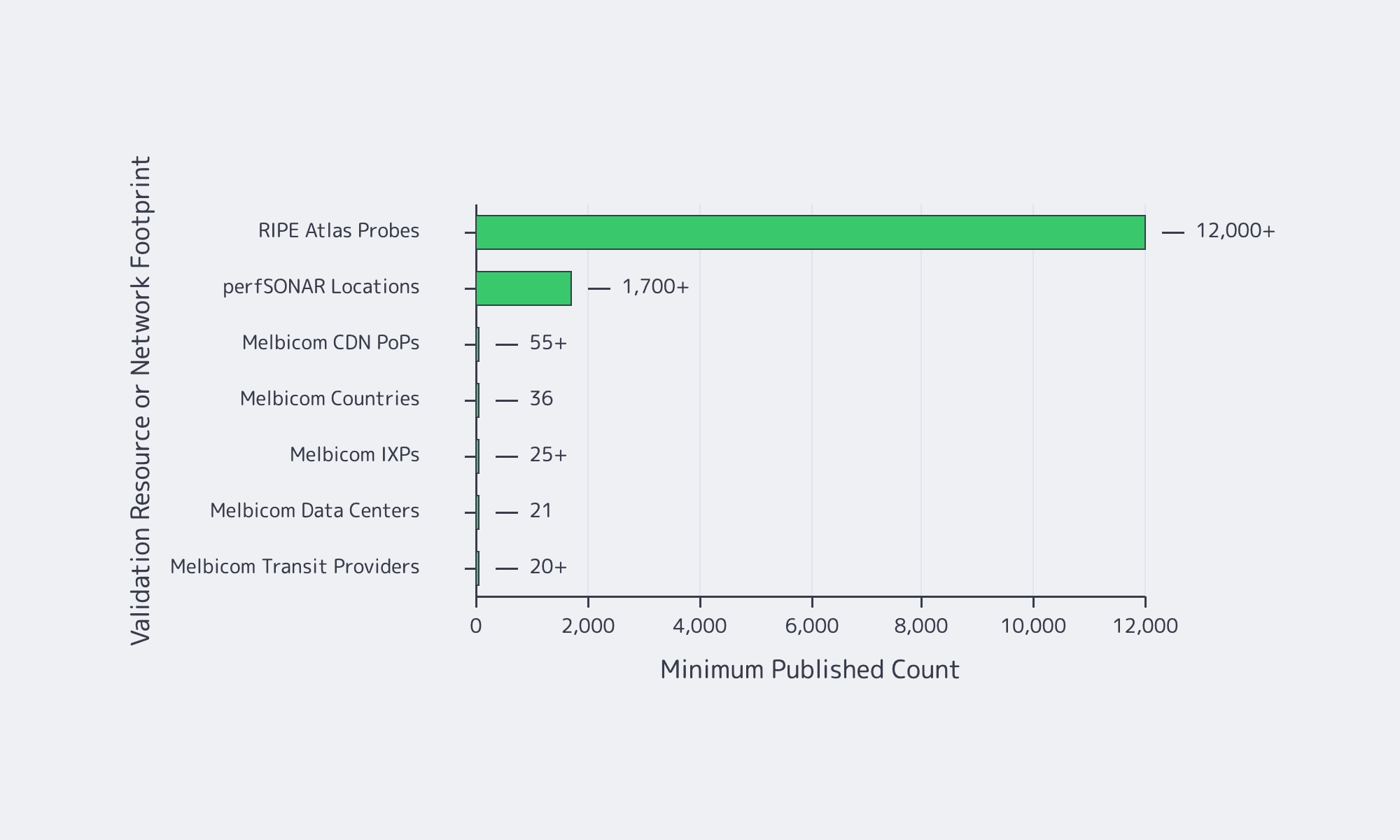
For realism, test across different geographies, different networks, and different times of day. Add infrastructure the provider does not control. RIPE Atlas offers more than 12,000 probes for path and latency checks. For multi-domain throughput troubleshooting, perfSONAR’s training material describes deployments in 1,700+ locations, and pScheduler shows how those tests are orchestrated (reference).
Jitter and Queueing: Proving Stability, Not Just Bandwidth
At high utilization, latency is often the first thing to break. That shows up in operator discussions on Hacker News and in newer IETF work. RFC 9341 describes alternate marking for measuring live loss, delay, and jitter, while RFC 9330 sets out the L4S architecture for lower queueing latency at high TPT. Hitting 10Gbps is not enough if the tail turns ugly.
Provider Questions That Reveal Oversubscription and Weak Transit
Ask whether the service is sold as guaranteed bandwidth without ratios. Ask how much transit and peering diversity exists. Ask whether external test files and test IPs are published. Ask whether BGP sessions are available if routing control matters. Melbicom makes that diligence easier because Melbicom publishes bandwidth tiers and test files, and BGP session capabilities, so you can validate the path rather than trust a sales claim.
Reference Server Builds for Predictable 10Gbps Egress
A reference build shows which components cannot be underspecified when 10Gbps is the baseline. Treat these as validation-oriented shapes, then map them to current inventory and location-specific bandwidth before ordering.
| Workload Pattern | Reference Build Focus | What to Validate Before Scaling |
|---|---|---|
| High-throughput streaming origin or large-file delivery | High-clock CPU, clean PCIe layout, NVMe for hot content, correct NUMA affinity | Sustained multi-stream TCP, single-stream ceiling, UDP jitter under load, disk read stability during concurrent writes |
| CDN cache or software distribution mirror | NVMe capacity and endurance, strong read plus concurrent-write behavior, enough RAM for page cache | Throughput during cache fill and eviction, queue drops, peering diversity, multiple external source networks |
| Real-time APIs and RPC endpoints with heavy egress | Stable CPU scheduling, low-jitter path, tuned queues, balanced interrupts, buffer headroom | Tail latency under load, route asymmetry, peak-hour behavior, TCP window scaling on longer RTT clients |
10Gbps Unmetered Dedicated Server: Verification Checklist
Reliable 10Gbps buying discipline looks like this:
- Buy the test plan before the port: define duration, regions, stream counts, and acceptable jitter ahead of time.
- Separate host proof from network proof: first prove the box can move data locally, then prove the provider can move it across real paths.
- Treat jitter as a first-class failure mode: a link that peaks at 10Gbps but blows out tail latency is still the wrong answer for real-time delivery.
- Ask location-specific questions: per-server bandwidth, transit mix, public test files, and BGP policy should vary by site, and you should know how.
Conclusion

A 10Gbps unmetered dedicated server is not validated by a product page. It is validated when the server holds line rate in controlled tests, repeats the result across real paths, and stays stable when storage, CPU, and kernel behavior are under pressure.
That is why provider due diligence matters as much as hardware choice. Buyers should demand transparent network details, test points, clear answers on contention, and operational data to build a repeatable test plan before moving production traffic.
Deploy 10Gbps Unmetered Servers
Validate sustained 10Gbps line rate with tested builds, real-path checks, and location-specific bandwidth. Launch faster on Melbicom with predictable egress and transparent network details.
Get expert support with your services
Blog

Dedicated Server Bandwidth: Plan Ports, Not Bills, For Viral Demand
Traffic does not rise smoothly anymore; it spikes. A live event, a product launch, a software update, or a sudden API surge can turn outbound throughput into a bottleneck in minutes. Sandvine’s Global Internet Phenomena Report estimates total internet traffic at roughly 33 exabytes per day across fixed and mobile networks, while Ericsson says mobile networks alone now carry 200 exabytes per month, with video still dominant.
A dedicated server with unmetered bandwidth has become a control surface for high-traffic systems: single-tenant hardware, a known port speed, and a fixed monthly cost instead of a bill that inflates every time demand does.
Choose Melbicom— Unmetered bandwidth plans — 1,300+ ready-to-go servers — 21 DC & 55+ CDN PoPs |
|
Dedicated Server Unmetered Bandwidth and What “Unlimited” Actually Buys You
A dedicated server with unmetered bandwidth does not mean infinite throughput. It usually means you are no longer billed per GB transferred; instead, you buy a defined port speed and can use that capacity continuously without per-GB overage surprises. In practice, that turns traffic growth from a billing problem into a capacity-planning problem.
In hosting, “bandwidth” mixes two different ideas: port speed, which is instantaneous throughput, and data transfer, which is monthly volume. The unmetered part changes the economics. You stop paying for every TB and start engineering around a known ceiling.
Unmetered Dedicated Server vs. Metered Transfer
An unmetered dedicated server makes sense when traffic is bursty, event-driven, or difficult to forecast. A metered model may expose a large port, but every surge also becomes a financial event. For modern delivery stacks, that can turn success into overhead.
A brief historical note: the old problem was hard bandwidth caps and punitive overages. The modern problem is whether the port, backbone, and routing path can sustain demand without throttling, congestion, or billing shock.
Cost Certainty and Budget Control When Traffic Spikes
The real value of unmetered bandwidth is not “cheap data.” It is cost certainty during the exact moments when your system is already under operational stress. A fixed monthly bill removes one variable from launch planning, premiere planning, and incident response, so traffic spikes stay an engineering problem instead of becoming a finance problem too.
This matters most for workloads that push heavy outbound traffic: adaptive video segments, software binaries, online gaming patches, recordings, exports, large SaaS payloads, or user-generated assets. Peaks are no longer unusual. AppLogic’s summary of the Global Internet Phenomena report describes live events as traffic “earthquakes” that can hit several times normal usage.
The user-facing penalty for underprovisioning is clear. In a Carnegie Mellon quality-of-experience study, buffering ratio had the strongest negative effect on engagement; for live content, even small increases in buffering reduced viewing time.
Unthrottled Performance during Viral Events Hinges on Ports, Routing, and Caching
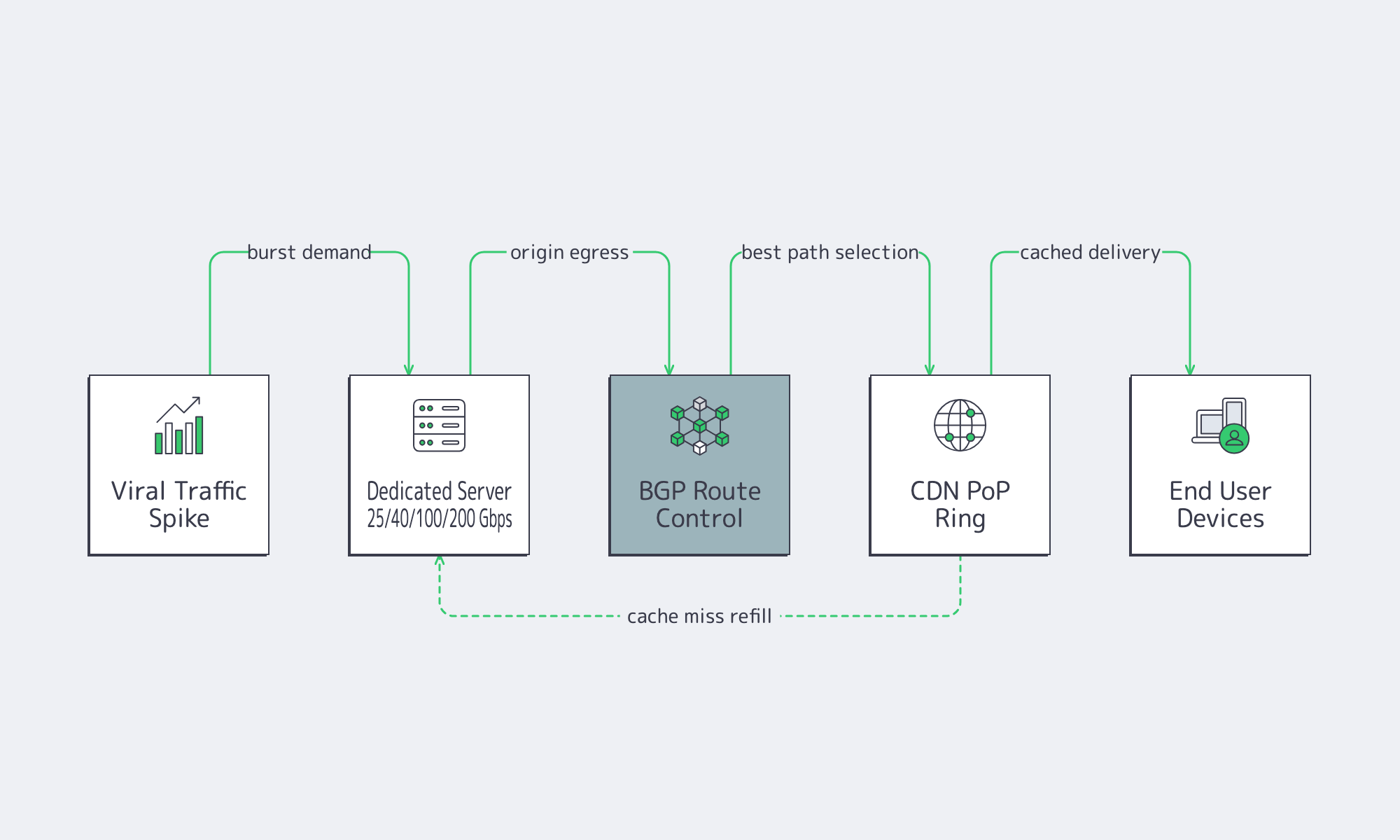
“Unthrottled” is not a marketing switch. It is the outcome of having enough port capacity, a network that can deliver that capacity under load, and a delivery architecture that keeps your origin from becoming the bottleneck. During viral events, all three matter at once.
The choke points are server egress, upstream path quality, and origin load. Even with caching in front, origins still get hit during cache-miss storms and release waves. Ethernet Alliance’s summary of IEEE 802.3bs shows how 200 GbE and 400 GbE became standardized Ethernet classes; by 2026, providers such as Melbicom can credibly expose dedicated ports in 25, 40, 100, and 200 Gbps classes for heavy workloads, depending on location.
Dedicated Server Hosting Unmetered and the Network Checklist
If you are evaluating dedicated server hosting unmetered, the right question is not “Is it unlimited?” The right question is whether the provider can keep delivery stable when concurrency jumps, cache efficiency drops, or a single event turns your quiet origin into the hottest endpoint in the stack.
The checklist is practical: port tiers that map to real concurrency, route control when you need stable ingress and egress, and a CDN footprint that reduces long-haul hops and origin load. RFC 4271 still matters because BGP policy keeps reachability predictable across regions. Melbicom’s CDN spans 55+ PoPs across 36 countries to keep repeated content closer to users.
Affordable Unmetered Dedicated Servers
For high-traffic projects, “affordable” does not mean the lowest sticker price. It means buying bandwidth in a way that prevents both overage shocks and quality collapse. The cheapest plan on paper is often the expensive one in practice if it breaks the first time demand spikes.
The traffic mix makes that obvious. Sandvine shows video as the largest downstream category across regions, roughly in the low-40s to high-40s percent range, while file delivery remains a major traffic class in several markets. Those are exactly the patterns that punish per-TB billing during releases, updates, and live events.
Unmetered still does not change physics. Port speed is the real control knob.
| Port Speed (Gbps) | Theoretical Max per Day (TB) | Theoretical Max per 30 Days (PB) |
|---|---|---|
| 1 | 10.8 | 0.32 |
| 10 | 108 | 3.24 |
| 40 | 432 | 12.96 |
| 100 | 1,080 | 32.4 |
| 200 | 2,160 | 64.8 |
At 40 Gbps and above, metered transfer stops looking like a small variable and starts looking like a structural risk. Gartner projects data-center systems spending will exceed $650 billion in 2026.
Melbicom’s affordability angle is capacity you can actually plan around: more than 1,300 ready-to-go server options in stock, custom builds in 3–5 business days, unmetered options with guaranteed throughput, and a network footprint described in current commercial-page language as a 14+ Tbps backbone with 20+ transit providers and 25+ IXPs. Layered with 55+ CDN PoPs in 36 countries and BGP sessions with BYOIP, that is the difference between “we got popular” and “we need to explain the bill.”
How to Size Unmetered Servers without Guesswork
The fastest way to misbuy bandwidth is to size around averages. High-traffic systems fail at the peak, not in the monthly mean. A better approach starts with peak concurrency, converts that into required egress, and adds enough headroom to preserve quality when the burst arrives.
For adaptive delivery, the math is simple: concurrency multiplied by average delivered bitrate gives you the egress target. That is why larger port tiers exist. If your event model says 60 Gbps sustained, a 10 Gbps port is not a growth path; it is the bottleneck you are about to hit.
A Throughput Sketch for Peak Events
Below is a simple back-of-the-envelope model for event sizing:

What to Do with That Sizing Result
Once you have a peak target, the next steps are operational:
- Choose a port tier with explicit headroom. If your model lands near 35 Gbps, a 40 Gbps port may work; if it lands near 70 Gbps, 100 Gbps is the safer class; for especially bursty delivery, 200 Gbps becomes relevant.
- Put unmetered bandwidth where bursts are hardest to smooth: origin delivery during premieres, large file distribution, and cache-miss-heavy launch windows.
- Offload repeated assets aggressively. A CDN lowers origin egress, trims long-haul latency, and buys you stability during the first wave of demand.
- Keep endpoints stable when compute moves. Melbicom’s BGP sessions and BYOIP support matter here because route control is a tool for migrations and multi-region designs.
Key Takeaways
- Model bandwidth from peak concurrency and delivered bitrate, not from monthly averages.
- Buy headroom at the port layer; the cost of unused capacity is usually lower than the cost of degraded quality at peak.
- Put unmetered bandwidth on origin, release, and export tiers where bursts are hardest to predict and hardest to cache away.
- Treat CDN offload and BGP-based route control as part of the same design problem as server bandwidth.
- Recheck the economics once sustained egress reaches double-digit Gbps; that is usually where fixed monthly pricing starts to beat transfer-based surprises.
Why Dedicated Server Unmetered Bandwidth Is Now a Strategic Buy

For modern high-traffic systems, unmetered dedicated infrastructure solves two problems at once: it caps financial uncertainty and raises the performance ceiling when demand turns nonlinear. You are not buying “unlimited internet.” You are buying a monthly cost you can model, a port you can design around, and a delivery path that does not flinch when a launch or viral event lands.
That is why this category keeps moving upmarket. When providers can pair single-tenant hardware with global caching, route control, and dedicated ports up to 200 Gbps, unmetered bandwidth stops being a checkbox and becomes an architectural choice for services that cannot afford buffering, throttling, or billing surprises.
Scale bandwidth with fixed monthly pricing
Get single-tenant servers with unmetered ports up to 200 Gbps, global CDN offload, and BGP sessions with BYOIP. Build around predictable performance and costs for launches and viral events.
Get expert support with your services
Blog
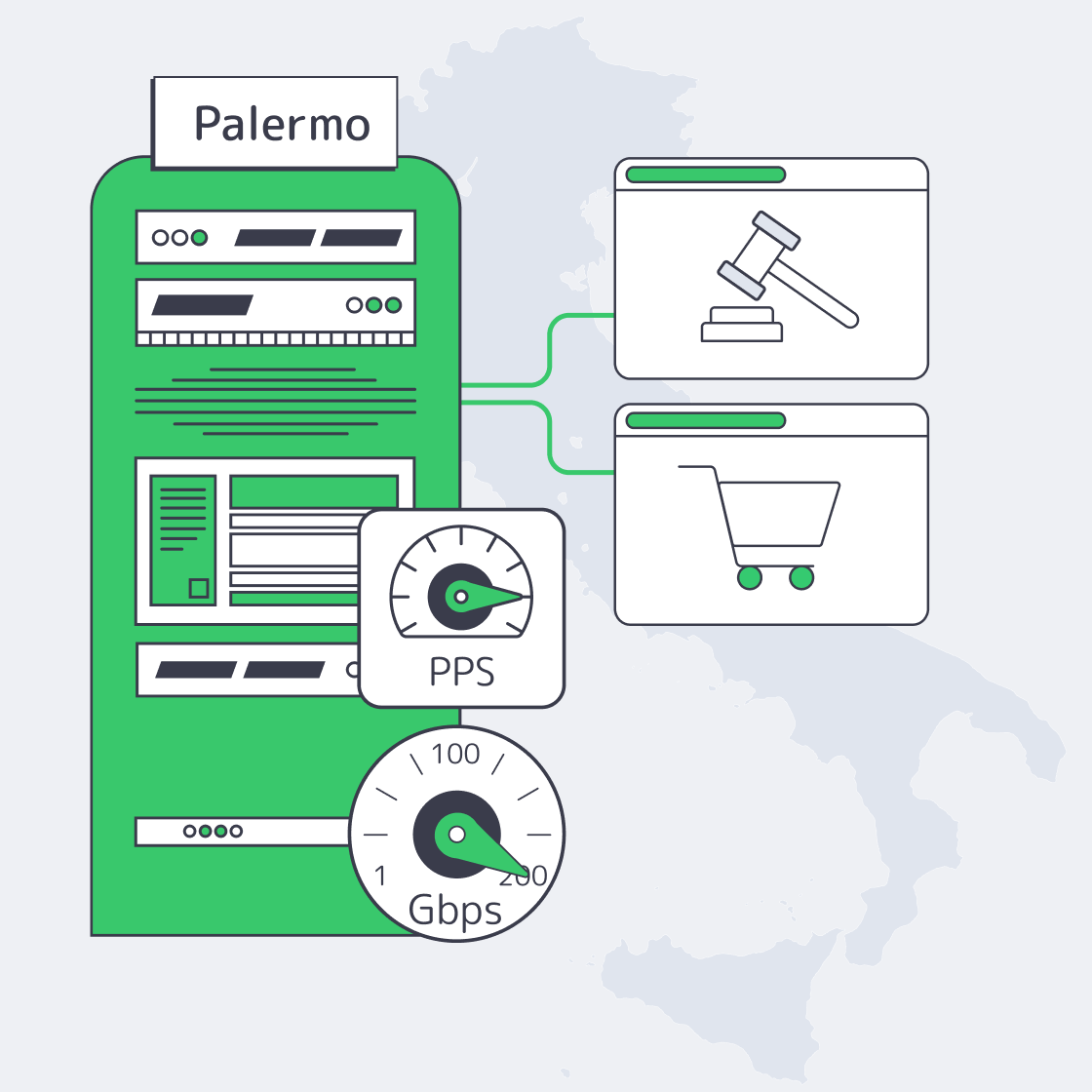
Designing Predictable Egress for Italy Servers
Ultra‑HD streaming and programmatic advertising share a constraint: egress you can actually deliver. Video represents 80%+ of global internet traffic, while AdTech stacks drive bursts of small requests where packet handling—not raw bandwidth—sets the ceiling. Italia is increasingly viable for both when you treat the server, kernel, NIC, and upstream connectivity as one system.
Here’s the practical playbook: metered vs. unmetered egress, how to measure real throughput (`iperf3` and HTTP), how to reason about PPS limits, and how the results map to NIC choice, kernel tuning, peering/IX strategy, and origin‑to‑CDN design.
Choose Melbicom— Tier III-certified Palermo DC — Dozens of ready-to-go servers — 55+ PoP CDN across 36 countries |
|
Sizing a Server in Italia for Predictable Egress
Plan for two bottlenecks: throughput (Gbps) for origin fill and video delivery, and packet rate (PPS) for auctions, beacons, and fan‑out control traffic. A port can look huge on paper but underperform if the cost model is metered, the kernel is untuned, the NIC can’t parallelize queues, or upstream paths are congested.
Which Italy Servers Offer Best Unmetered Egress Rates

Unmetered egress is usually the most defensible answer when outbound traffic is high and spiky: you pay for a fixed-capacity port instead of per‑GB fees, so costs stay stable while performance becomes an engineering problem you can measure, tune, and forecast—rather than a billing surprise that explodes during peaks.
Cloud egress metering turns traffic volatility into budget volatility. The same workload can be cheap one month and painful the next—and finance doesn’t care that the spike was “a good problem.” The simplest way to de-risk is to buy capacity as capacity.
Metered vs. Unmetered: The Part Your Budget Actually Feels
(For the metered examples below, we’re using an Oracle public egress-cost reference point to illustrate how quickly per‑GB pricing turns spikes into line items.)
| Traffic scenario | Metered cloud cost (est.) | Unmetered capacity needed |
|---|---|---|
| Steady 10 TB outbound / month | ≈ $880 (Oracle) | ~0.3 Gbps port |
| Surging 100 TB outbound in one month | ≈ $7,000 (at ~$0.07/GB) | ~3 Gbps port |
| Massive 300 TB peak traffic event | ≈ $20,000+ (at ~$0.06/GB) | ~10 Gbps port |
On the unmetered side, the key question is: does the provider deliver the port rate to real networks, consistently? Melbicom’s Palermo facility is listed at 1–40 Gbps per server and frames bandwidth as guaranteed (no ratios). That matters for streaming origins and ad delivery systems that can’t “pause” egress when a bill looks scary.
Why an Italy Dedicated Server Can Be a Cost-Control Lever
- Mediterranean geography: Palermo sits on major subsea routes and can cut 15–35 ms versus mainland Europe for parts of Africa and the Middle East. Less tail latency means fewer retries and more stable delivery.
- Operational burst capacity: Melbicom offers dozens of servers ready for activation within 2 hours, which helps when a “temporary” spike becomes the new normal. Custom configurations are deployed in 3–5 business days.
Traffic Spikes: Capacity + Cost Worksheet
Use this worksheet to translate a spike into required port headroom and metered egress exposure. Keep inputs honest: peak origin rate, duration, and your cache hit ratio (because cache misses are what light up origins).
Sanity checks: 1 Gbps sustained is ~10 TB/day; 10 Gbps is ~324 TB/month at full tilt.
| Peak outbound (Gbps) | Duration (hours) | Data moved (TB) | Metered egress cost ($) | Recommended port (Gbps) |
|---|---|---|---|---|
| 10 | 6 | 27.0 | TB×1024×$/GB | 10–20 |
| 20 | 3 | 27.0 | TB×1024×$/GB | 20+ |
Formulas:
- Data(TB) ≈ Gbps × 0.45 × hours
- Metered cost($) ≈ Data(TB) × 1024 × ($/GB)
How to use it: If you rely on a CDN, plug in the origin rate during cache-miss storms (deploys, cold edges, token rotation, regional outages). That number is usually higher than your “average day” dashboards suggest.
What Kernel Tuning Optimizes Streaming Throughput And Latency
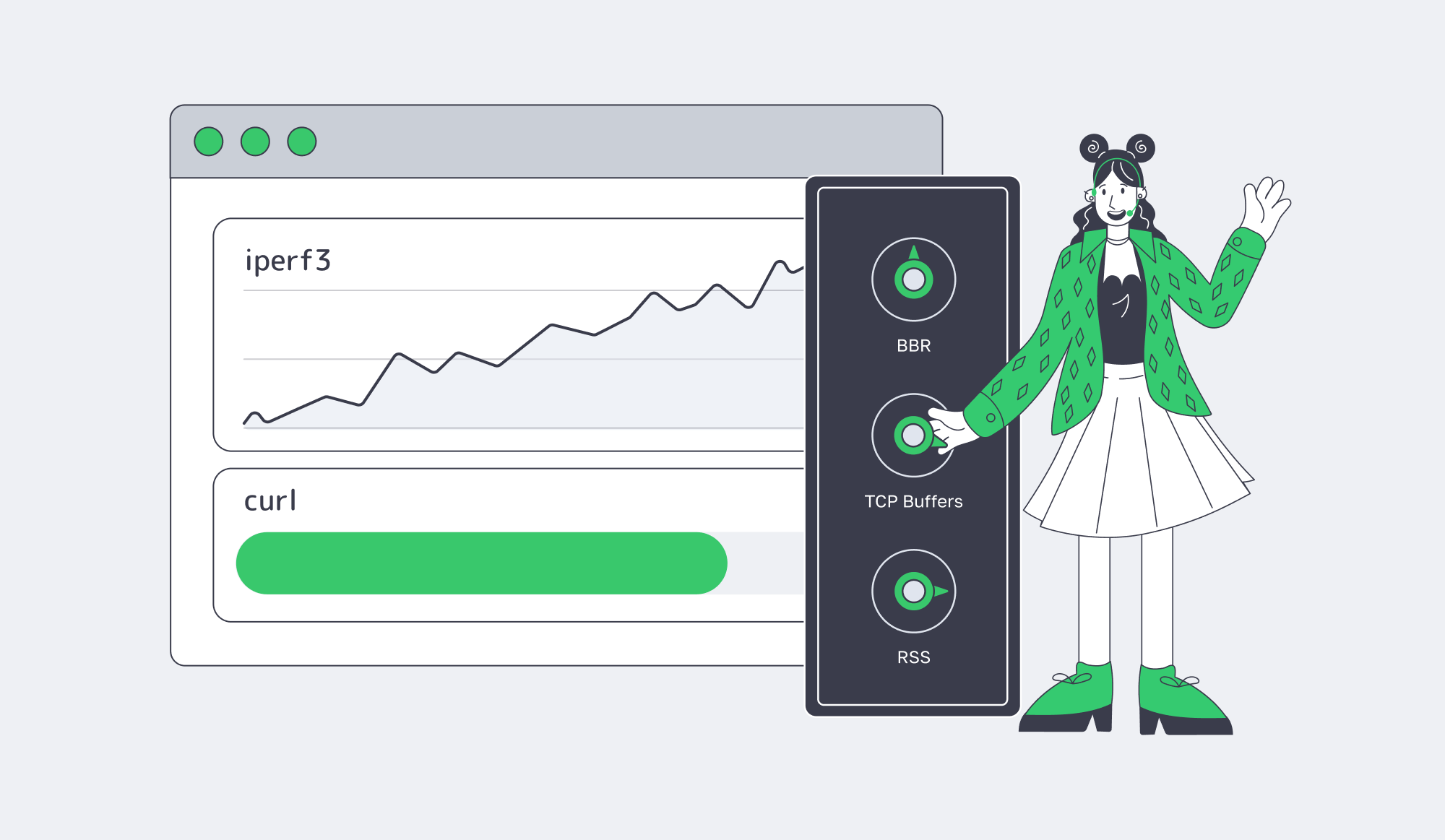
Kernel tuning that matters removes invisible ceilings: pick a modern congestion control (often BBR), increase TCP buffers/window scaling, and spread NIC work across CPU cores so a single interrupt queue doesn’t cap throughput or inflate latency under load—especially under high concurrency and real-world RTT variance.
Start by proving you have a ceiling. Untuned 10 Gbps tests often stall around 6–7 Gbps with iperf3, including a reported plateau at 6.67 Gbps until ring buffers and CPU affinity were adjusted. That’s why you benchmark with both synthetic tests and application-layer pulls, and only trust results you can reproduce under realistic concurrency.
Benchmark an Italy Server: iperf3 + HTTP
| # On the server (receiver) iperf3 -s # On the client (sender): parallel streams to fill the pipe iperf3 -c <server_ip> -P 8 -t 30 # HTTP throughput: parallel pulls to simulate segment delivery curl -o /dev/null -L –parallel –parallel-max 16 https://<host>/bigfile.bin |
Then tune what actually moves the needle:
- Congestion control: In results published by Google Cloud, BBR delivered 4% higher throughput and 33% lower latency versus CUBIC, and the same work was credited with 11% fewer video rebuffers.
- Buffers and windowing: Use Red Hat’s high-throughput checklist for
tcp_rmem,tcp_wmem, and socket limits. - CPU/IRQ hygiene: Enable RSS and multi-queue; isolate IRQ handling from hot app cores; raise NIC rings when microbursts drop packets (the “4096 ring” theme shows up in the same tuning thread).
Which NIC Hardware Handles High PPS AdTech Workloads
High-PPS workloads live or die on queues, offloads, and CPU scheduling: choose server-grade NICs with multiple hardware queues and stable drivers, enable RSS and multi-queue early, and validate packet-rate ceilings with synthetic tests so you don’t discover a 1 Mpps wall during a bid flood or beacon storm.
A 10 GbE link can theoretically push 14.88 million packets/sec at minimum-sized frames. Real systems hit software walls: Cloudflare engineers have pointed out vanilla Linux can top out around ~1 Mpps, while modern 10 GbE NICs can do “at least 10 Mpps”. With kernel bypass, the ceiling moves again—MoonGen/DPDK can saturate 10 GbE with 64‑byte packets on a single CPU core.
PPS Reality Check (10 GbE, small packets)

For an Italy server handling AdTech traffic, the practical playbook is: parallelize queues first (RSS + multi-queue), treat offloads as knobs (validate latency impact), and tune rings + interrupt moderation so microbursts don’t turn into drops.
When global routing matters, BGP becomes an architecture tool. Melbicom offers BGP sessions with BYOIP, BGP communities, and full/default/partial route options, which enables routing patterns where path control is part of performance—not a last-min rescue.
Peering, IX Strategy, and Origin-to-CDN Infrastructure Design
Latency budgets are shrinking. Google’s ad exchange requires bid responses within 100 ms, and the same analysis notes many flows aim to keep network transit well under 50 ms to stay safe. That’s why peering and IX presence are performance features: they reduce hop count, avoid congested transit, and make latency variance less random.
Melbicom positions upstream diversity and exchange reach as first-order network inputs: a 14+ Tbps backbone with 20+ transit providers and 25+ IXPs. For streaming, that improves origin-to-CDN fills by reducing “weird paths” and congested transit. For AdTech, it reduces the chance auction traffic detours through oversubscribed routes right when determinism matters most.
CDN design is where the bytes get disciplined. Melbicom runs a CDN delivered through 55+ PoPs in 36 countries. The durable pattern is simple: keep stateful logic on dedicated origins, push cacheable payloads to the CDN, and size origins for the days the CDN isn’t warm—deploys, outages, or sudden audience migration.
Key Takeaways for Predictable High Egress
- Treat egress like a capacity product: pick port tiers that match your peak profile, then measure and tune until you can reproduce the target rate on real paths.
- Benchmark both failure modes early—Gbps (fills/segments) and PPS (auctions/beacons)—because they collapse for different reasons and require different fixes.
- Use `iperf3` to find ceilings, then remove them systematically: congestion control, buffers, IRQ/RSS/affinity, and ring sizing—validated under realistic concurrency.
- Turn PPS into a budget: define “safe” Mpps targets per service, map them to NIC queues/cores, and decide when you need kernel bypass versus “just better tuning.”
- Design origin-to-CDN for the ugly days: cache-miss storms, deploy waves, and sudden traffic migration—then run the worksheet so spikes are planned engineering events, not billing incidents.
Conclusion: Building a Predictable Server in Italia Stack
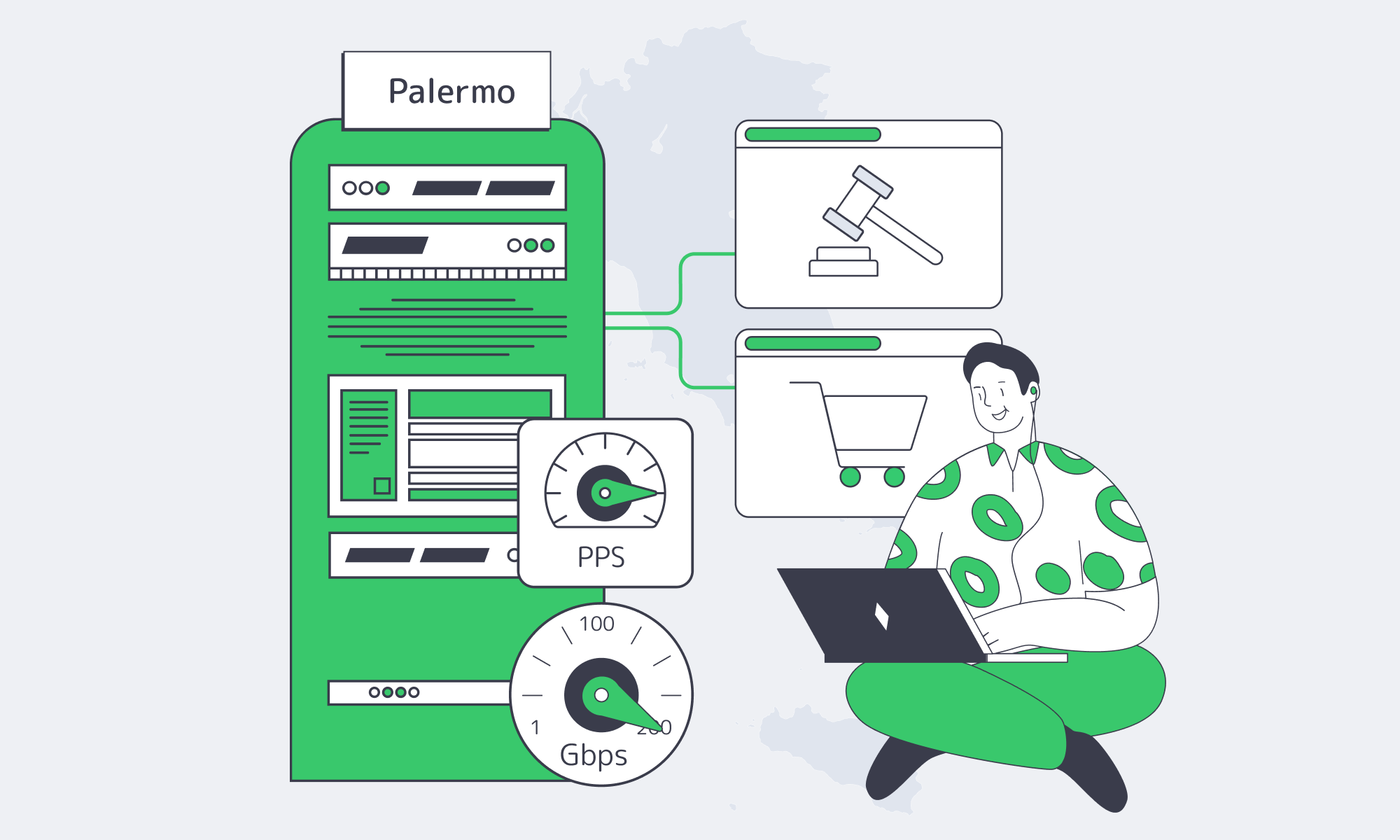
High-bandwidth delivery isn’t a single purchase decision; it’s a chain. Metered egress can punish success, untuned kernels can quietly cap throughput, and PPS-heavy services can collapse on the wrong NIC or queue setup. The fix is to engineer for predictability: measure, tune, and design for the ugly days—spikes, cache misses, and latency pressure.
That’s where Italia fits: strong geographic positioning for EMEA traffic, viable high-capacity ports, and an ecosystem where the right provider can make egress predictable and performance measurable.
Deploy high‑egress servers in Italy
Ready-to-go dedicated servers in Palermo with 1–40 Gbps unmetered ports, rapid activation, and 24/7 support. Ideal for streaming origins and AdTech workloads that demand predictable egress and low latency across EMEA.
Get expert support with your services
Blog

Hybrid Storage With Dedicated Servers In São Paulo
São Paulo isn’t “regional” anymore—it’s a gravity well. In 2023, over 84% of Brazil’s population was online, and the city’s interconnection role keeps expanding. If your users, partners, or data producers are in Brazil, the fastest path is straightforward: keep compute and the hot working set in São Paulo, then scale out with cloud storage in São Paulo patterns for durability and retention.
The latency math supports the move. The Seabras‑1 route sits at roughly 105 ms RTT between New York and São Paulo, so hosting in Brazil can shave close to ~100 ms versus routing workloads north. Hybrid is also the default posture: 80% of organizations using multiple platforms prefer a mix of public cloud and private/on‑prem environments.
Choose Melbicom— Reserve dedicated servers in Brazil — CDN PoPs across 6 LATAM countries — 20 DCs beyond South America |
 |
How to Architect Hybrid Object Storage in São Paulo
Start with a São Paulo dedicated server as the performance anchor, then attach object storage as the elastic capacity layer. Keep hot reads/writes local; move cold data and long retention to objects via lifecycle rules. Standardize on S3‑compatible interfaces so apps can swap storage backends without rewrites as requirements evolve.
Dedicated Server São Paulo as the Storage Gateway
Treat the dedicated server São Paulo footprint as the edge of your data plane: it terminates user traffic, runs ingestion/ETL, and hosts the tier your pipelines touch constantly. Local disk bandwidth is the difference between “fast enough” and “architectural regret”—NVMe can sustain 7–8 GB/s, compared with ~550 MB/s for SATA SSDs.
Local Object Storage for Backups, Media Libraries, and Data Lakes
In São Paulo, hybrid storage usually converges on three workloads: backups (fast restores plus off-site copies), media libraries (hot caches plus long-tail archives), and data lakes (cheap objects plus local transforms). Keep the active working set on the server, and push the rest into object storage on a schedule.
One constraint to design around: Melbicom doesn’t yet provide managed cloud storage in Brazil today. Melbicom’s S3 service is currently hosted in a Tier IV datacenter in Amsterdam. Teams either build S3‑compatible storage on dedicated infrastructure (software-defined object storage on local disks) or integrate São Paulo compute with an external object store—without hard-wiring the system to any single vendor.
Brazil Deploy Guide— Avoid costly mistakes — Real RTT & backbone insights — Architecture playbook for LATAM |
 |
Policy-Driven Tiering That Doesn’t Trap You
Policies should decide placement, not ad‑hoc scripts. Use lifecycle rules to keep fresh objects on São Paulo NVMe for a short window, then transition or replicate to cheaper tiers and long retention. This matters because budgets slip fast: 62% of businesses have exceeded cloud storage budgets, and 59% saw cloud costs rise in the last year.
Hybrid Storage Reality Checks for São Paulo
| Metric (used once) | Why architects care |
|---|---|
| IX.br peak throughput > 22 Tb/s | A proxy for how much traffic and interconnect density lives in-region |
| 95% of IT leaders report surprise cloud storage charges | Evidence that cost variance is systemic, not an edge case |
| Brazil cloud market grows ~$24B (2025) → ~$78B (2032) | Data gravity will intensify; hybrid won’t stay optional |
Which Replication Policies Secure Data Across South America
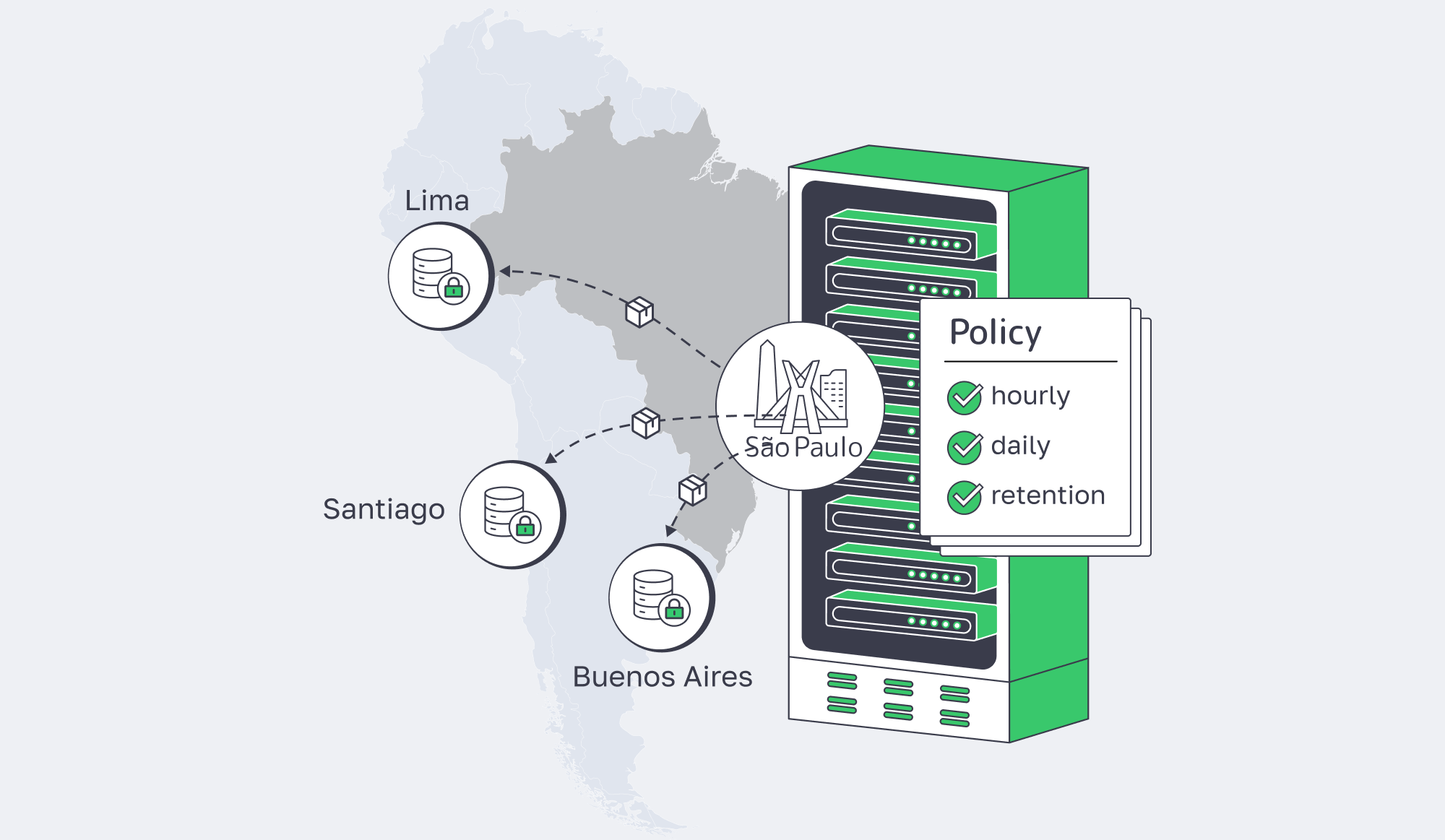
Replication policy is the bridge between local performance and regional resilience. Use São Paulo as the primary origin, then replicate critical objects to at least one other South American site for recovery and locality. Keep asynchronous replication for bulk data, and apply tighter consistency only where the write-path truly requires it.
Replication Rules: Scope, Timing, Placement
Replication shouldn’t be a DR checkbox—it’s a control plane with explicit knobs. Define scope (tier‑1 datasets and regulated objects first), timing (batch large objects; keep near-real-time replication for small, high-value writes), and placement (at least one geographically distinct South American location to reduce correlated failures). Many teams codify rules like “replicate incremental deltas hourly” to balance consistency against bandwidth and cost.
Cross-Border Replication Without Overbuilding
Brazil’s LGPD doesn’t universally mandate residency, but international transfers require a defensible framework, and guidance on cross‑border transfers continues to evolve. The practical implication: keep at least one replica in Brazil for recovery and audit, replicate outward only to approved jurisdictions, and encrypt replication traffic end-to-end.
Networking: Why Routes Matter
Replication succeeds or fails on network behavior—loss, jitter, and routing stability. Melbicom’s network services support routing control and private connectivity patterns. That matters when replication traffic shares pipes with latency-sensitive users: throttle replication during peaks, open it off‑peak, and keep failure modes legible.
What Egress-Aware Designs Minimize Enterprise Cloud Costs
Egress-aware design assumes your bill is shaped by data movement, not just storage size. Keep the busiest reads in São Paulo, cache aggressively on dedicated infrastructure, and offload repeat delivery to a CDN. Model cross-region traffic explicitly, because South America egress pricing can turn “cheap storage” into expensive operations.
Line-Rate Transfer Capacity (Theoretical maxima, 30-Day Month)
| Port Speed (Gbps) | Max Transfer / Month (TB) | Time to Move 10 TB (hours) |
|---|---|---|
| 1 | 324 | 22.2 |
| 10 | 3,240 | 2.2 |
| 40 | 12,960 | 0.6 |
| 100 | 32,400 | 0.2 |
The Egress Math in South America
Published examples put South America egress around $0.12–$0.18 per GB. That means pulling 10 TB can land in the $1,200–$1,800 range, and one example puts 8 TB egress from a South Brazil region at roughly $1,430. With a 10 Gbps port, that’s not a throughput problem—it’s a billing model problem.
Dedicated Server in São Paulo as an Egress Firewall
The simplest egress reducer is locality. Put hot content behind a dedicated server in São Paulo and treat object storage as the durability layer, not the serving layer: fetch once, cache locally, serve many times without repeated egress events. On metered bandwidth, repeats compound—Melbicom’s Brazil guidance warns that overages can become “a nasty surprise”. Portability is part of the prize, too: 55% of IT leaders said egress costs were the biggest barrier to switching cloud providers.
CDN in São Paulo, Brazil and Beyond as the Read-Traffic Absorber
A CDN turns your origin into a write-optimized system, not a read bottleneck. Melbicom’s CDN is delivered through 55+ strategic PoPs in 36 countries and supports pay-as-you-go or volume tiers with large-commit pricing as low as €0.002–€0.015 per GB depending on tier/zone. In practice, that means a São Paulo origin can stay focused on ingestion, auth, and writes, while the CDN absorbs repeat reads and smooths traffic spikes.
Cloud Storage São Paulo: The Hybrid Architecture That Holds Up Under Scale
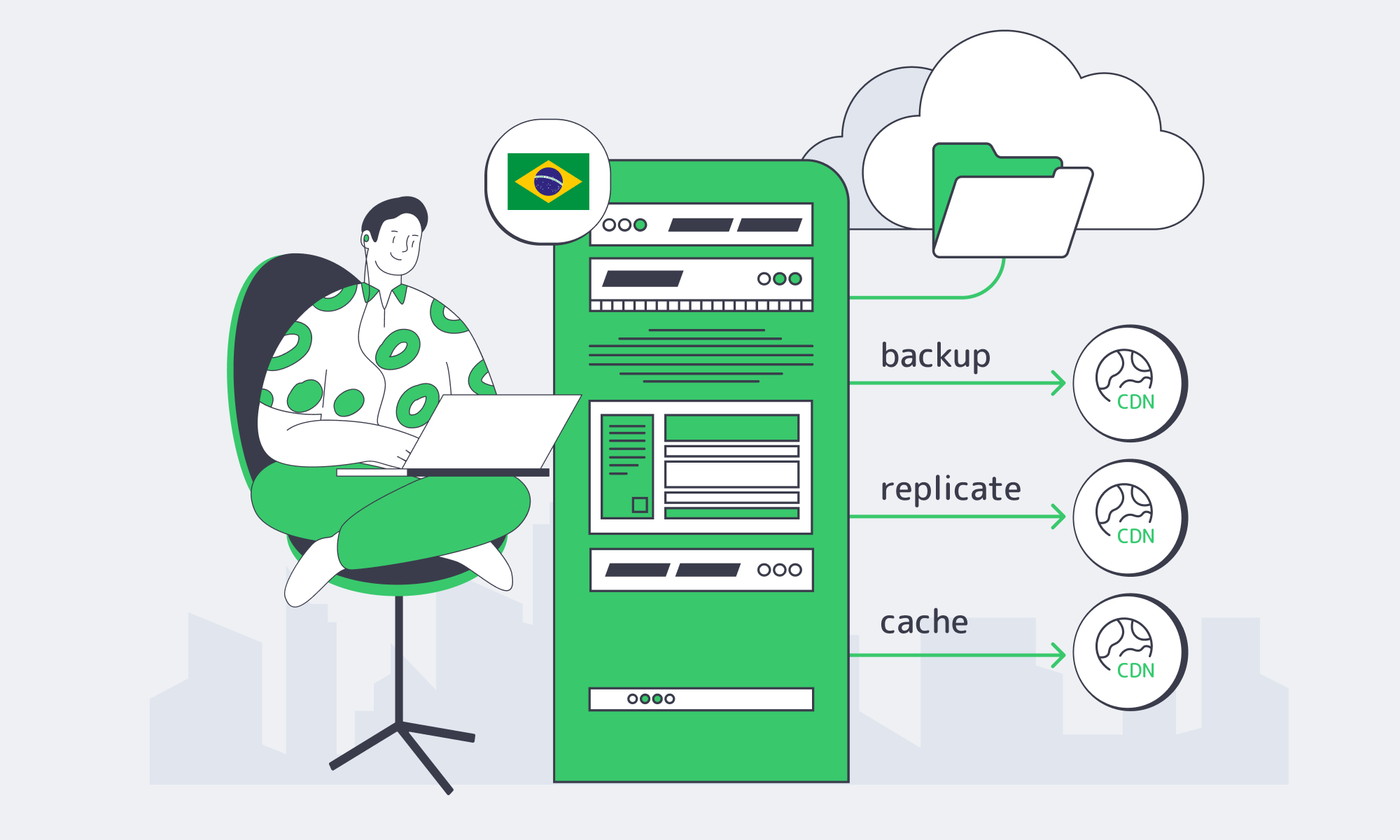
Hybrid in São Paulo works when the design treats dedicated compute as the control point and object storage as the elastic reservoir. Keep hot reads/writes local, replicate by policy to other South American sites, and use CDN distribution so cloud storage stops billing you for popularity. With cost management emerging as a top cloud challenge, egress-aware architecture is now part of platform engineering—not an afterthought.
Architecturally, the “boring” recommendations are the ones that prevent the expensive incidents later:
- Define an explicit egress budget (per workload) and make “unexpected egress” a regression—track it like latency.
- Cache with intent: pin hot objects to São Paulo NVMe, and use TTLs/lifecycle rules so cache doesn’t quietly become primary storage.
- Separate replication goals: one policy set for compliance/residency, another for RTO/RPO, and another for performance locality.
- Treat object storage as a durability layer first: move compute to data when possible; ship results, not raw datasets.
Plan Your São Paulo Hybrid Build
Share your target CPU/GPU, RAM, NVMe, and port speeds. We’ll help design a hybrid setup with dedicated servers in São Paulo, S3-compatible storage integration, and CDN coverage.
Get expert support with your services
Blog
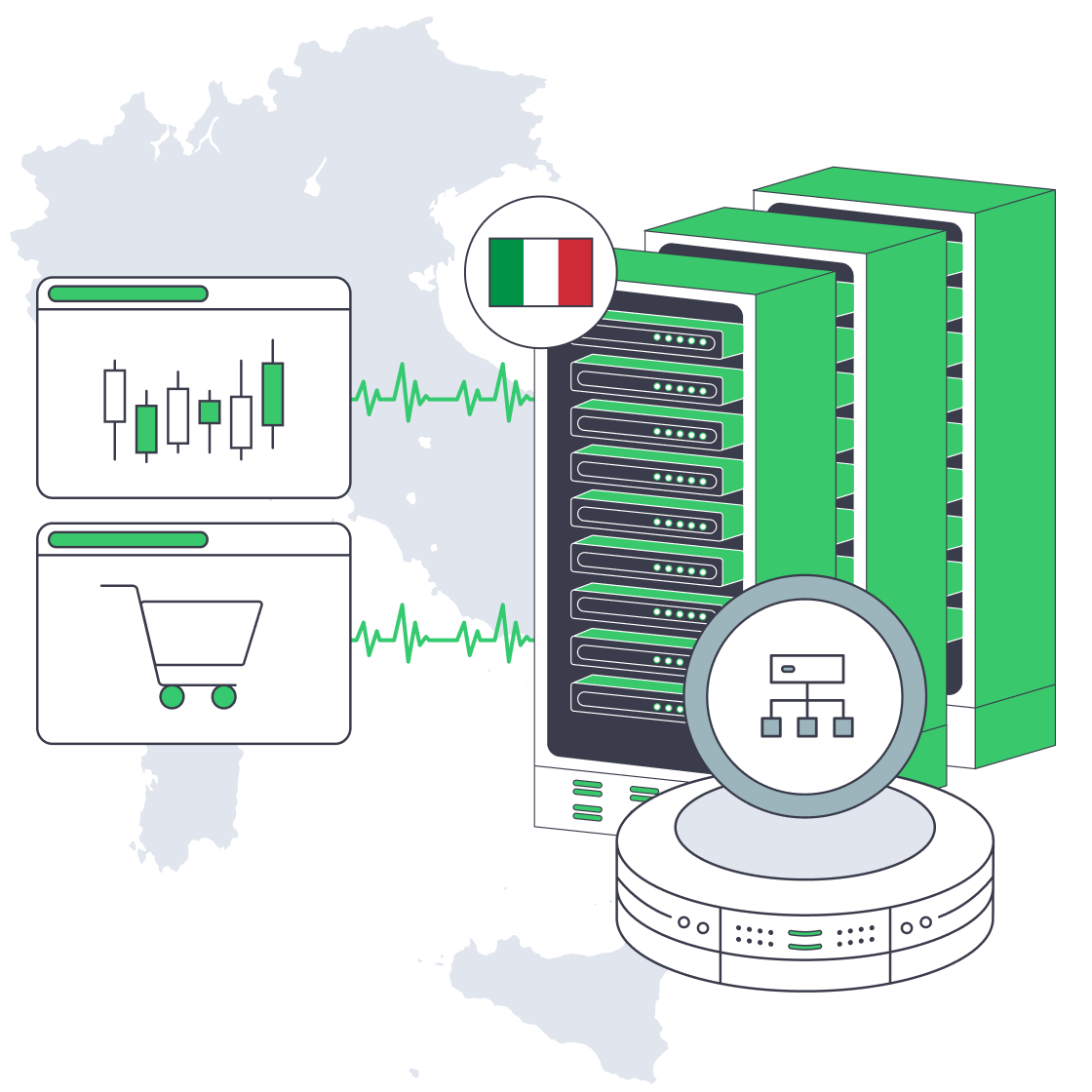
Multi-Node High Availability on Italy Dedicated Servers
Downtime isn’t a blip on a status page; it’s a revenue event. Peak-season retail e-commerce outages have been estimated at $1–2 million per hour, while finance/trading downtime can run $5 million+ per hour. That’s why “high availability” becomes a product requirement when checkout or execution is the core flow.
Dedicated infrastructure matters because predictability is a reliability feature: “noisy neighbor” contention can turn p99 latency into a moving target. With server hosting in Italia, geography also matters. Tier III facilities are typically designed for 99.982% availability (~1.6 hours/year), and Palermo’s position on Mediterranean routes can reduce latency to North Africa, the Middle East, and Southern Europe by ~15–35 ms.
Choose Melbicom— Tier III-certified Palermo DC — Dozens of ready-to-go servers — 55+ PoP CDN across 36 countries |
|
Which Multi-Node Patterns Ensure Italy Dedicated Server Availability
High availability on an Italy dedicated server fleet means designing for inevitable node and network failures—and still hitting SLOs. Use redundant load balancers, an active-active stateless tier, and a data layer that continues after a node loss. Add N+1 capacity headroom, then prove the design with repeatable failover drills and chaos tests.
Load Balancing: Active-Active by Default, With a Redundant Edge
Treat the load balancer as a failure domain, not “just a router.” Run at least two LBs (failover pair or anycast/DNS design), and use health checks that eject sick nodes before they become brownouts. Keep app nodes stateless where possible so a backend can die mid-request without customer-visible downtime.
Dedicated Server Italy: Capacity Headroom as a Hard Requirement
Redundancy without headroom is theater. Design for N+1 so N-1 can still meet peak, and keep steady-state utilization around 60–70% on critical tiers to cover failures plus bursts. Load test the real constraints: DB connection pools, cache miss storms, and downstream rate limits.
Active-Passive Where State Makes It Safer
Some systems should not be multi-writer. Use active-passive for components like certain databases or tightly coupled stateful services—but demand automation: fencing to prevent split brain, automated promotion, and a measured RTO/RPO. If failover requires a human to remember the right commands, uptime depends on pager latency.
Geographic Redundancy: When the Math Forces It
Four nines is where a single building becomes a liability. Multi-location design is a recurring recommendation in reliability guidance. On dedicated servers, that often means an Italy primary plus a second site for disaster recovery, with DNS failover or BGP traffic steering.
Melbicom supports these designs with a backbone above 14 Tbps, connectivity across 20+ transit providers and 25+ internet exchange points, and optional BGP sessions for engineered routing and failover. In Italy, Palermo supports 1–40 Gbps per server, which matters when replication and catch-up traffic spike during incidents.
Chaos Engineering and Failover Testing: Stop Trusting Diagrams
Reliability is empirical. The chaos engineering tooling market had been pegged around $2–3B in 2024 and growing because teams learned the hard way: untested failover is imaginary failover.
Run experiments: kill an app node at peak, force a DB primary switch, sever a replication link, and roll an LB config forward and back. Track detect/route-around/recover times and SLO impact—then automate until drills feel boring.
What Database Quorum Configs Support Zero-Downtime E-commerce Deploys
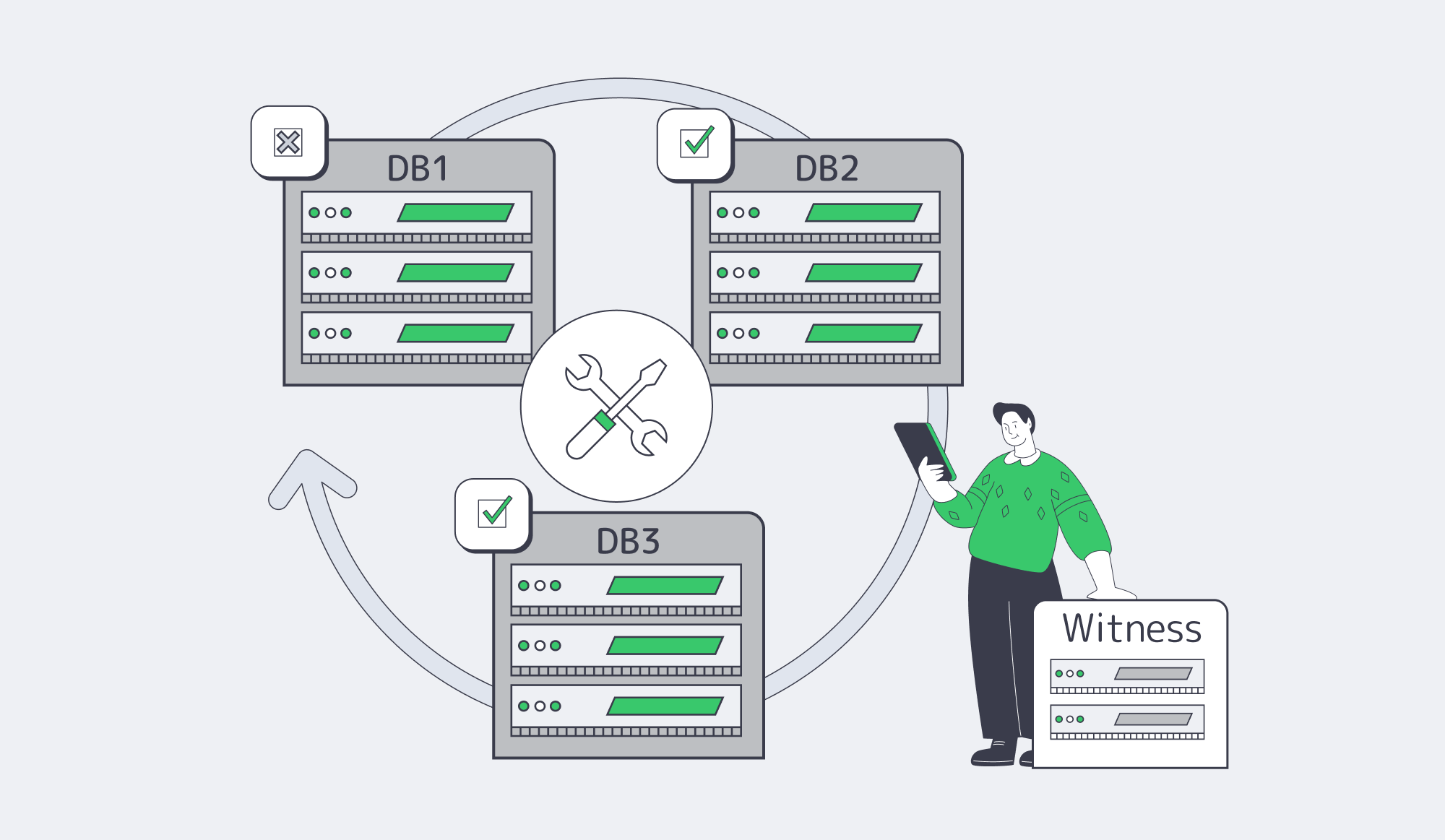
Zero downtime depends on quorum: a database topology where writes commit on a majority so the system keeps serving after a node failure and can be upgraded one node at a time. A three-node (or five-node) cluster avoids split-brain, and a lightweight “witness” can break ties when spanning two sites. Pair quorum with online schema changes and blue-green/canary deployments.
Odd Nodes, Majority Writes, Fewer Surprises
The practical rule is 2f+1 nodes: three nodes tolerate one failure; five tolerate two. Majority (quorum) commits trade a bit of write latency for survivability. If you stretch a cluster across exactly two sites, partitions get ambiguous—hence the witness pattern to prevent 1–1 deadlocks (Yugabyte).
Replication Models: Choose Your Truth About “The Last Write”
For trading and payments, synchronous or semi-synchronous replication is common because losing the last accepted transaction is worse than adding a little latency. Asynchronous replicas still matter for read scaling and distant DR, but they aren’t a substitute for quorum if your effective RPO is near zero.
Zero-Downtime Deploys: Overlap Versions, Shift Traffic, Keep Rollback Hot
Zero downtime is choreography: old and new code must coexist while traffic moves. The standard playbook—blue-green, canary, rolling updates—works because it keeps capacity online while changing software.
A compact pipeline teams can automate:
- Bring up the new version (green) on separate nodes; warm caches and connections.
- Run backward-compatible DB migrations (expand-first; avoid breaking reads/writes).
- Send a small slice of traffic (canary) and watch SLO metrics (error rate, p95/p99, business KPIs).
- Ramp traffic to green; keep the old version ready for immediate rollback.
- Drain and retire old nodes once stability holds.
- Perform “contract” migrations later (dropping old columns, removing flags) once safe.
CDN and Asset Versioning: Prevent “New Backend, Old Frontend” Outages
Many “availability incidents” are cache coherence failures. Version static assets (content-hash filenames) so deploys are atomic by URL, and purge only when required. Melbicom’s CDN footprint—55+ PoPs across 36 countries—reduces origin load so the core fleet has more headroom when something breaks.
From SLO to Redundancy, Alerting, and Runbooks
An SLO is a budget for failure. Convert it into requirements: how many failures you must survive, how fast you must detect them, and how quickly you must fail over.
The math is blunt: small changes in “nines” radically shrink the downtime budget (see the table below; source:Couchbase)). Tier IV targets are often cited around 99.995%, but software still fails—multi-node architecture carries the rest.
| Availability SLO | Max downtime/year (approx) | Typical architecture to meet it |
|---|---|---|
| 99.9% | ~8.8 hours | N+1 in one DC; automated node failover; tested restores |
| 99.99% | ~52.6 minutes | Multi-DC/site design; quorum/replication; automated site failover |
| 99.999% | ~5.3 minutes | Multi-region active-active for critical paths; aggressive automation; constant testing |
Redundancy Requirements: Start From the Worst Credible Failure Mode
List the failures that can violate the SLO: “DB primary dies,” “LB misconfig,” “cache stampede melts DB,” “Italy site loses upstream.” For each, define maximum tolerated user impact and the mechanism that keeps you inside the error budget. If restore-from-backup takes hours, four nines is already gone—replication and fast promotion are non-negotiable.
Alerting System: Page on Error-Budget Burn, Not on CPU Graphs
Burn-rate alerting pages only when users are being hurt fast enough to matter. A commonly cited approach uses 2% of the budget consumed in an hour for paging, and 5% in a day for escalation. Tie these to real user journeys (login/browse/checkout), not just host metrics.
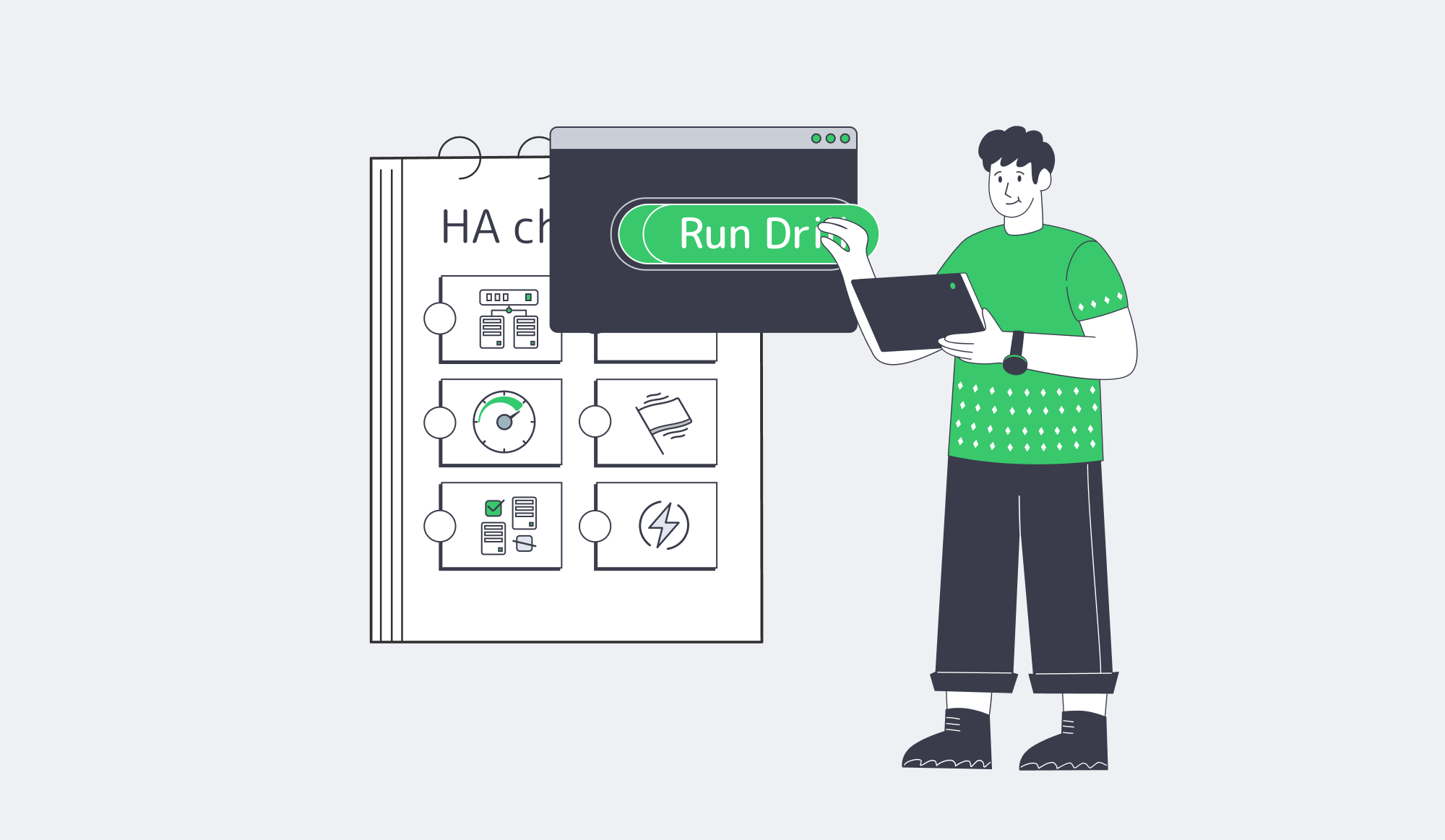
Runbooks: Automate the Repeatable, Document the Dangerous
Every page should link to a runbook that answers: what’s broken, how to confirm, how to mitigate, and how to roll back safely. Test runbooks in game days, and convert repeated manual steps into automation (drain node, promote replica, reroute traffic, disable a feature flag).
Key Takeaways for Multi-Node Italy Deployments
- Write down your top three “revenue killers” (LB failure, DB quorum loss, deploy regression), then map each to a tested mitigation path with owners + RTO/RPO targets.
- Treat capacity as a resilience primitive: run N+1 with enough headroom that a single-node failure plus peak traffic doesn’t trigger rate limiting or queue collapse.
- Standardize a “quorum bundle”: odd-number clusters, explicit fencing, and a witness plan for two-site topologies—then rehearse promotion under load.
- Make deploy safety measurable: canaries gated on SLO burn-rate and business KPIs, with rollback that’s automated and practiced, not “documented.”
- Schedule failure on purpose: monthly game days that include a live failover, plus quarterly chaos experiments that validate assumptions about timeouts, retries, and backpressure.
Conclusion

High availability on dedicated servers is a discipline: assume failure, engineer redundancy, and measure whether failover stays inside the SLO. Load balance what can be stateless, fence and replicate what can’t, and keep enough headroom that “one node down” doesn’t become “everyone down.”
When the architecture is paired with SLO-based alerting and practiced runbooks, incidents stop being existential and start being measurable. That’s the difference between a platform that survives peak traffic and one that headlines it—for the wrong reasons.
Deploy HA Infrastructure in Italy
Build active-active apps and quorum databases on Palermo servers with tested failover, BGP routing, and 1–40 Gbps bandwidth options.
Get expert support with your services
Blog
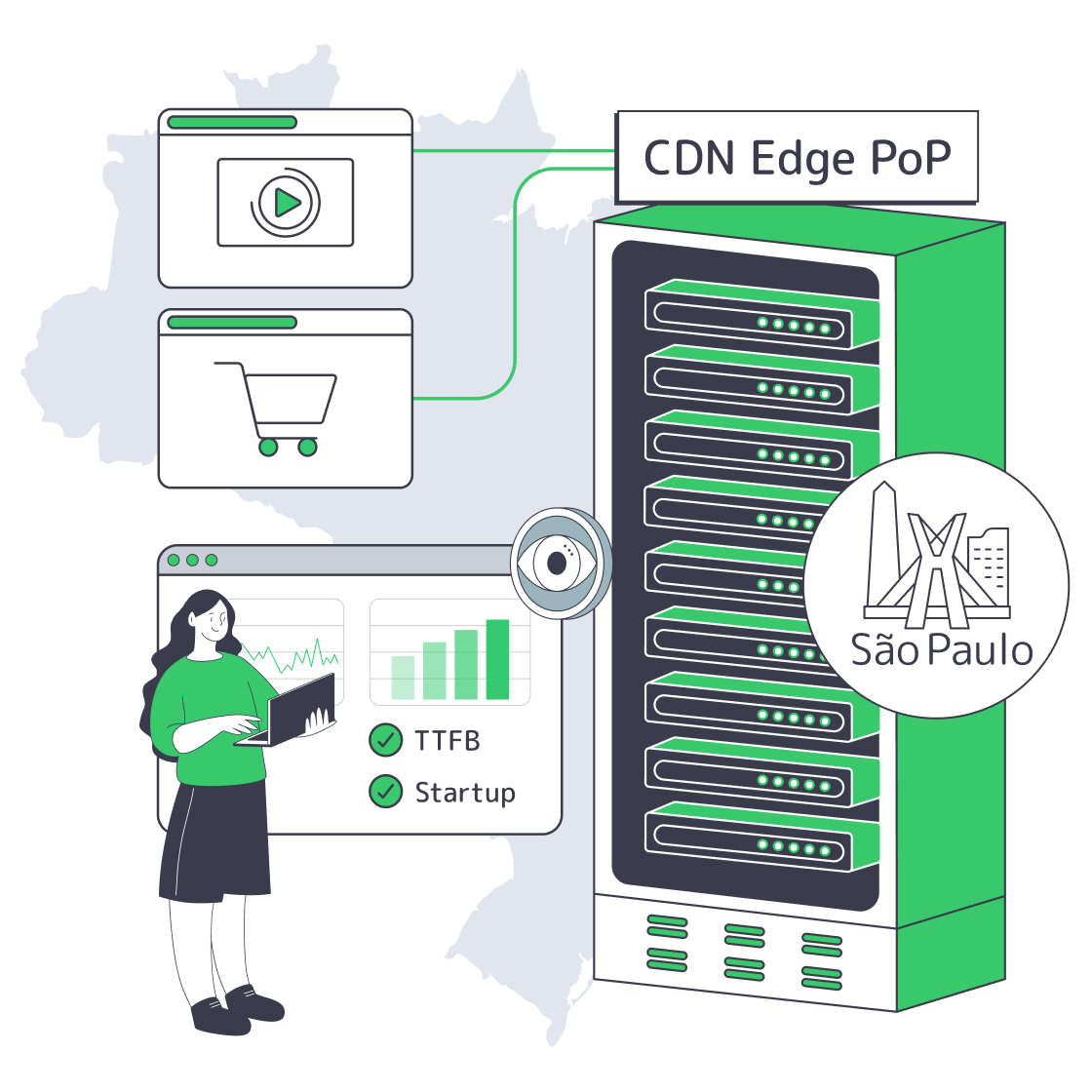
Designing São Paulo Edge for Commerce and OTT
Brazil is already a high-scale digital market: more than 84% of Brazilians were online in 2024, and São Paulo’s IX.br exchange has recorded peak traffic above 31 Tbit/s. That density is the opportunity—and the trap. At this scale, every cache miss becomes an infra event.
The urgency isn’t hypothetical. 53% of mobile visitors abandon if a page takes over 3 seconds to load, and speed research often cites conversion losses around 5–7% per additional second. Meanwhile, Latin America’s e-commerce market is rising 12.2% YoY and projected to top $215B by 2026, with 84% of online purchases happening on smartphones. If the storefront or stream feels slow in São Paulo, it’s slow everywhere that matters.
This is where CDN São Paulo PoP stops being a checkbox and becomes an operational design: cache rules tuned for commerce and OTT, an origin shield in São Paulo, and failover to secondary LATAM PoPs—measured with KPIs and A/B tests, not vibes.
Choose Melbicom— Reserve dedicated servers in Brazil — CDN PoPs across 6 LATAM countries — 20 DCs beyond South America |
|
How to Configure Cache Rules for São Paulo
Cache rules for a CDN in São Paulo should maximize edge hits without corrupting user state: cache static assets and VOD segments hard, micro-cache shared HTML where safe, keep carts/checkout uncacheable, and treat streaming manifests as near-real-time. The target is fewer long-haul origin trips, faster loads, and predictable behavior during spikes.
Cache what’s identical, never what’s personal
Start with the repeatable wins:
- Static assets (images/CSS/JS): Long TTL (days+). Use versioned filenames or cache-busting params so deploys invalidate naturally.
- Shared HTML: Product/category pages for anonymous users can take micro-caching (seconds to a few minutes) to absorb bursts without serving stale content for long.
- Personal flows: Cart, checkout, account, and strict price endpoints should be pass-through. Keep TLS termination at the edge so Brazilian users still get fast handshakes.
One rule: cache by content truth. If most users would see the same payload, edge-cache it. If it’s identity-, inventory-, or payment-sensitive, don’t.
Brazil Deploy Guide— Avoid costly mistakes — Real RTT & backbone insights — Architecture playbook for LATAM |
|
OTT: long-lived segments, short-lived manifests
- Segments (HLS/DASH): Cache aggressively. VOD segments can be long-lived; live segments can be cached briefly and will age out naturally.
- Manifests (.m3u8/MPD): Cache very short or require revalidation so viewers don’t drift behind during live events.
- Startup variance: Streaming research shows churn climbs once startup delay passes ~2 seconds, and each added second can lose ~5.8% more viewers—so treat manifest freshness as a reliability feature, not a tuning detail.
Melbicom’s CDN is built for this “segments are cache, manifests are control” split, and the São Paulo PoP is the right place to enforce it.
São Paulo Caching Patterns
| Content type | Examples | São Paulo caching strategy |
|---|---|---|
| Static assets | Product images, CSS/JS bundles | Long TTL; cache-bust via versioned URLs; enable modern delivery (HTTP/2, compression) where available. |
| Shared HTML | Home/product/category pages (anonymous) | Micro-cache; use stale-while-revalidate to hide origin latency while keeping content fresh. |
| Personal flows | Cart/checkout/account | No-cache / pass-through; still terminate TLS at edge for faster handshakes. |
| Video segments | HLS/DASH chunks | Cache hard (VOD) and cache briefly (live); fill São Paulo edge fast via pull or prefetch. |
| Manifests | .m3u8 / MPD | Very short TTL or revalidate; treat as “real-time index,” not a static file. |
Where to Integrate Origin Shields and Dedicated Servers

Put origin shields in São Paulo to collapse cache misses into a single upstream fetch, then pair that with a local dedicated server origin to eliminate cross-continent round trips for traffic you can’t cache. Design failover so Brazil can swing to secondary LATAM PoPs and backup origins automatically—without turning an edge hiccup into a full outage.
Dedicated origin shield in São Paulo: one miss, not a stampede
An origin shield is a mid-tier cache layer: edge PoPs check the shield first, and only the shield hits the origin on a miss. In a LATAM topology, São Paulo is the practical shield location because it’s the region’s aggregation point and Brazil’s main interconnect.
Two high-yield patterns:
- Origin outside Brazil → Shield in São Paulo: Regional PoPs pull through São Paulo, so the expensive international fetch happens once.
- Origin in São Paulo → Shield still helps: The shield reduces duplicate origin fetches during sudden spikes (product drops, breaking-news live streams).
Local dedicated server origin: when cache misses must be fast
Even the best CDN service in São Paulo won’t cache everything: pricing APIs, payment flows, entitlements, DRM, session state. That traffic should not be crossing continents.
Melbicom’s CDN is already operating across LATAM PoPs, and dedicated servers in São Paulo are coming soon—with capacity reservations open now. Melbicom also supports 1,400+ ready configurations across 21 Tier III/IV data center locations, with custom builds in 3–5 days.
The integration path is straightforward:
- Run origin services (web app, API gateway, streaming packager/auth) on a São Paulo dedicated server.
- Front it with the São Paulo CDN PoP for caching and TLS termination.
- Use São Paulo as the shield for other LATAM edges, keeping cache fill close.
For teams that want tighter routing control, BGP sessions can fit the same design—useful when standardizing delivery across regions without giving up autonomy. Melbicom empowers teams to deploy, customize, and scale infrastructure where customers actually are, not where a provider’s template says you should operate.
Failover strategy: secondary LATAM PoPs and backup origins
A single-PoP strategy is a fragile one. Build failover at two layers:
- Origin failover: Configure a secondary origin and health checks so the CDN switches automatically when the São Paulo origin is degraded.
- Edge failover: Ensure users can be routed to the next-closest LATAM PoP when São Paulo has issues, so Brazil stays online even if performance temporarily degrades. Melbicom’s CDN PoPs across Brazil, Chile, Colombia, Argentina, Peru, and Mexico make that secondary-path planning practical today.
Keep the failover path warm: replicate critical assets, keep config parity, and run failure drills during low-risk windows.
Which Metrics Measure E-Commerce and OTT Success
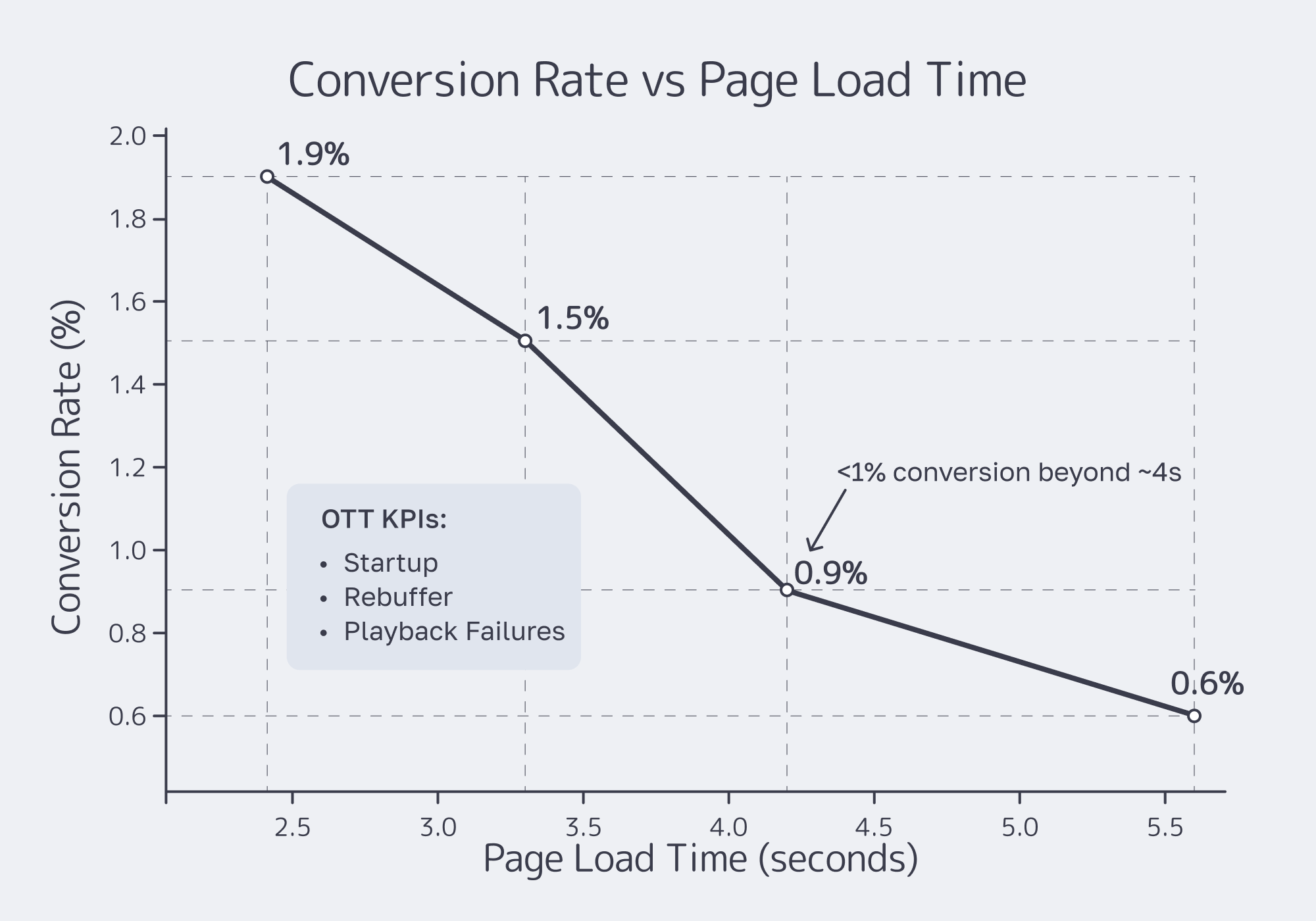
Success in a CDN São Paulo rollout is measurable: for commerce, track Brazilian-user TTFB/LCP plus conversion and bounce; for OTT, track startup time, rebuffering, and playback failure rates. Run an A/B plan that splits Brazil traffic between old and new delivery paths, uses real-user telemetry, and ties edge changes to business outcomes.
E-Commerce KPIs: speed is the input, conversion is the output
Measure from Brazil, not from your HQ:
- TTFB + LCP: Validate that São Paulo caching and edge TLS termination are working.
- Conversion and bounce: A retail benchmark reports a 1-second speedup can lift conversion.
- Checkout completion: Track cart abandonment and payment-step drop-offs; Brazil’s PIX usage makes “fast checkout” table stakes.
OTT KPIs: time-to-first-frame and “did it break?”
For streaming, track quality-of-experience, not just origin bandwidth:
- Video startup time: Measure p50/p95 time-to-first-frame and correlate to abandonment.
- Rebuffering ratio and stall events: The “buffer circle” is the product.
- Playback failures: Timeouts and errors during spikes are where delivery architecture shows its seams.
A/B testing plan: isolate the edge variable
Keep it simple enough to trust:
- Split Brazil traffic: 50/50 between the existing path and the new São Paulo edge configuration.
- Hold everything else constant: same release, same ABR ladder, same origin logic.
- Run long enough to cover peaks: promotional days for commerce and live-event windows for OTT.
- Evaluate by percentile: p50/p95 load and startup time and map changes to conversion and playback success.
Minimum dashboard:
- p50/p95 LCP and TTFB (Brazil)
- Cache hit ratio by content class (assets vs HTML vs video)
- p50/p95 startup time and rebuffering ratio
- Conversion rate and playback success rate
Conclusion: CDN São Paulo Rollout Checklist
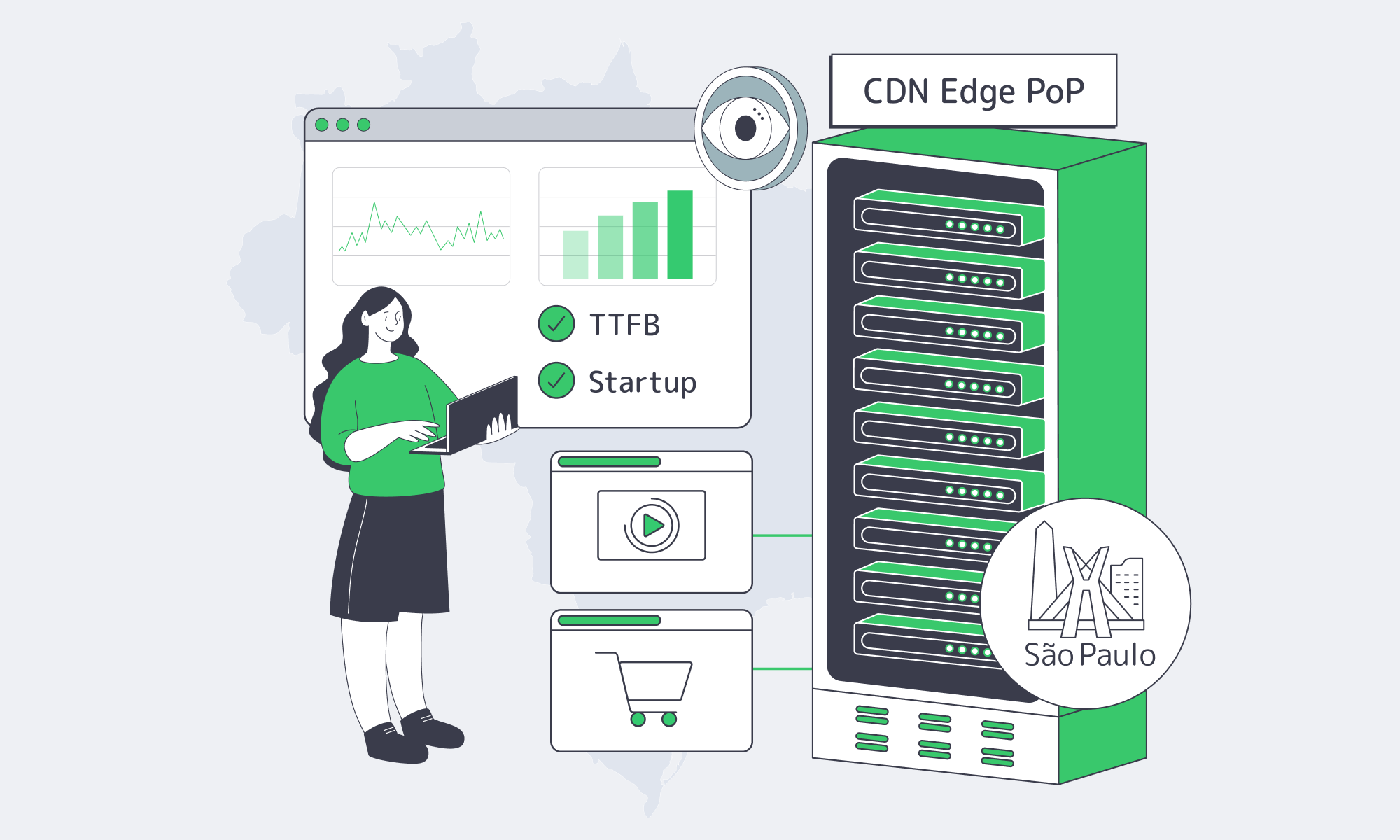
A São Paulo edge only pays off when it’s treated as a system:
- Define a cache taxonomy first: treat assets, shared HTML, private flows, segments, and manifests as different products—with explicit TTL/revalidation targets and separate hit-ratio goals.
- Make São Paulo a tier, not a point: place the origin shield there early so other LATAM edges pull through it and a miss becomes one upstream fetch, not a stampede.
- Localize the “uncacheable” path: move checkout/auth/DRM/session APIs to a São Paulo origin so personalized calls and cache misses don’t cross oceans.
- Make failover boring on purpose: use health-checked origin pools plus edge fallback to secondary LATAM PoPs, then rehearse the switch before campaigns and live events.
- Gate rollout on A/B evidence: require percentile improvements (p95 LCP/startup) and stable error rates before pushing the new São Paulo config to 100% of Brazil traffic.
Traffic density keeps rising, so “we’ll fix performance later” gets more expensive. Ship the edge, validate with A/B results, then scale the design across LATAM.
Reserve São Paulo Dedicated Servers
Capacity reservations for Brazil are open. Pair local origins with our São Paulo CDN PoP to cut latency for e-commerce and OTT traffic across LATAM.