
Blog
Building a Resilient Multi‑Layer Backup Strategy with Dedicated Servers
Almost all modern businesses rely on data, which can potentially put their finances and reputations on the line. Catastrophic data loss is a real threat for organizations of all sizes.
Ransomware often targets this data, and the methods being used today by cybercriminals are becoming increasingly sophisticated.
Choose Melbicom— 1,100+ ready-to-go servers — 21 global Tier IV & III data centers — 55+ CDN locations, 39 countries |
 |
Whether it is hardware failure, human error, or an internal breach from a third party, modern server backup solutions can help provide multi‑layered resilience.
These solutions have also come a long way in an effort to counter cybercriminal refinements and now go way beyond nightly tape rotations.
Modern methods use automation and faster restore workflows, helping IT managers improve business continuity, support compliance, strengthen ransomware resilience, and reduce downtime.
Backup Strategy Evolution: From Single‑Copy to Multi‑Tier
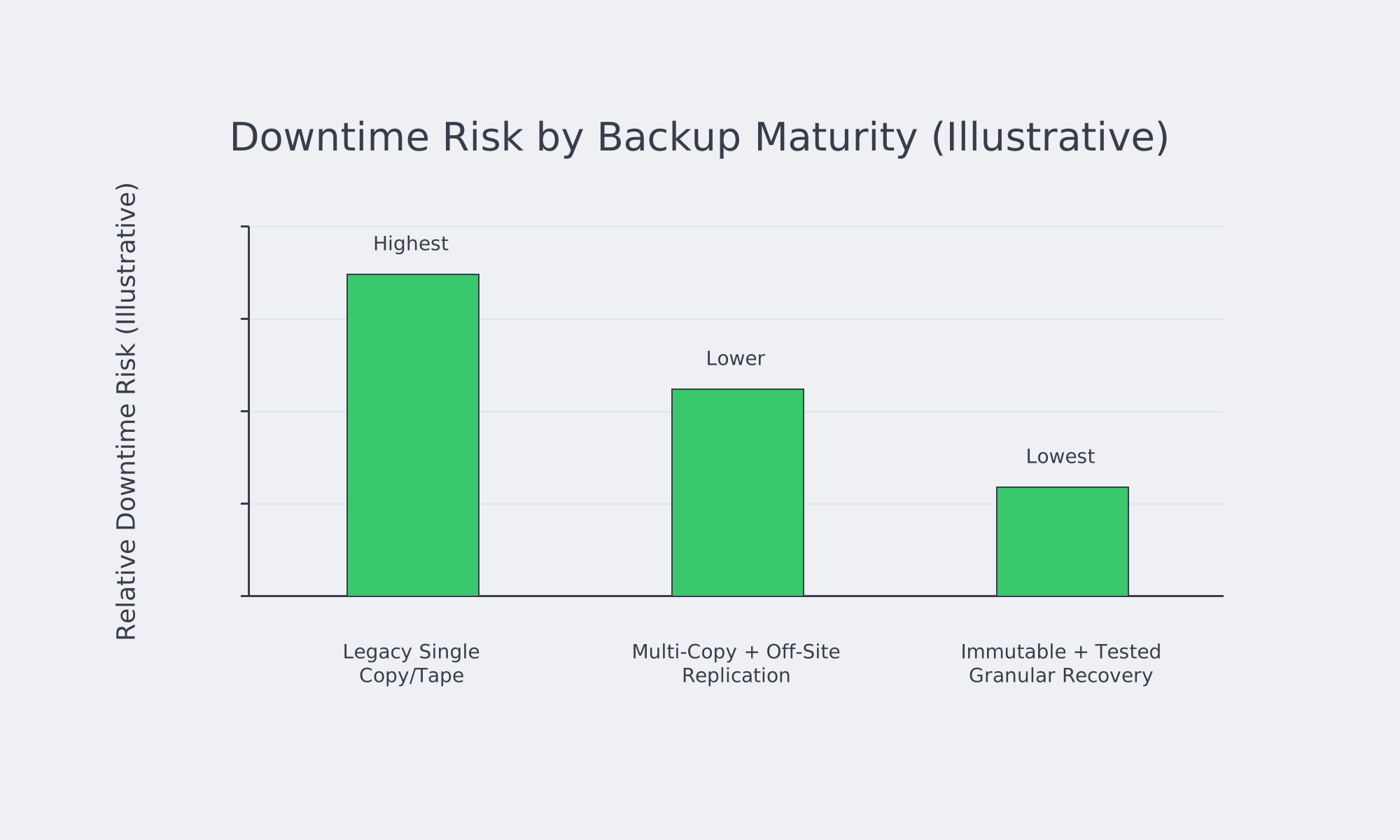
The previous standard was single‑copy or tape‑only backups, but each carries risk. Recovery is slow, and a destroyed or infected backup set can mean permanent data loss.
While tapes are better for long‑term archiving, modern threats require more advanced solutions. A combination of multiple copies and periodic snapshots can help combat these threats, especially when coupled with off‑site replication.
Redundancy, immutability, recovery speed, automation, and security are all key aspects. The table below compares legacy methods with modern solutions:
| Aspect | Legacy Methods (Single‑Copy/Tape) | Modern Solutions |
|---|---|---|
| Redundancy | Single backup, stored on‑site or off‑site | Multiple copies across diverse locations (cloud, multiple data centers) |
| Immutability | No safeguard against malicious encryption | Immutable snapshots prevent alteration. |
| Recovery Speed | Slow, manual tape retrieval and system rebuild | Faster, granular restore of files, volumes, or entire servers where platform support and data size allow |
| Automation | Mostly manual, with the risk of human error | Policy‑based orchestration to automate schedules and replication |
| Security | Vulnerable to mishandling, theft, or environmental damage | Air‑gapped object storage plus encryption, access controls, and multi‑cloud redundancy |
Organizations need to meet regulatory requirements, and when ransomware or infrastructure failure occurs, critical data needs to be restored without delay.
Ransomware Resilience: Data Immutability
Modern ransomware attacks often target backup repositories, encrypting or deleting the data to force payments.
A great workaround is immutable snapshots; these snapshots lock the backup data for a set period of time, ensuring it can’t be changed in any way or erased by anyone, regardless of their privileges.
These immutable snapshots are “write once, read many,” meaning that if a malware infection strikes at midnight, a snapshot taken at 11:59 PM remains uncompromised.
Additionally, these backups are bolstered via multi‑layer replication across separate clouds or sites to prevent single‑point failure. If one data center backup is compromised, there is another that remains unaffected.
The replication tasks are swift thanks to high‑speed infrastructure and are monitored to identify any unusual activity. Any backup deletions or file encryption spikes are reported through automated alerts, helping to further protect against ransomware.
Multi‑Location Replication for Continuity
If a single site is compromised through failures or attacks, the data must remain recoverable. Major outages and regional disasters can be covered with multi‑cloud and geo‑redundancy to keep backups safe.
With a local backup, you have the ability to restore rapidly, but you shouldn’t put all of your eggs into one basket. By distributing backups with geographic separation, such as a second copy in a data center in another region or an alternate cloud platform, you avoid this pitfall.
With the right implementation, you can restore vital services properly, such as key business systems and line‑of‑business applications, keeping you protected against hardware failures and cyberattacks while adhering to Recovery Time Objectives (RTOs).
The more diverse and concurrent your backups are, the better your IT department can meet these RTOs.
Another strong method organizations often employ to ensure a fallback copy is always available is the “3‑2‑1‑1‑0” rule. That is to say, they have three copies, in two distinct forms of media, with one kept off‑site, one immutable, and zero errors.
Granular Restores for Lower Downtime
While multiple secure backups are key, they are only half of the solution. Regardless of the lengths you go to back up and store data, flexibility and speedy recovery are required for these efforts to succeed.
Organizations must be capable of recovering data without rolling back the entire server, which is where granular recovery comes into play. Downtime can be reduced by restoring only what’s needed, be it a single database table or mailbox. That way, systems remain operational throughout restoration.
If the platform allows, you can also boot the server directly from the backup repository for instant recovery. This helps keep downtime to a minimum and means that you can still operate despite a failure on a server hosting critical services by copying data to production hardware.
With granular recovery and instant recovery, organizations can easily address regulatory demands and maintain business continuity.
Air‑Gapped Storage as Final Defense
Live environments can still be devastated by a sophisticated attack despite a strong multi‑layered approach to securing data servers. The same can be said for connected backups, especially when it comes to insider threats. The solution is keeping isolated copies off‑network, otherwise known as air‑gapped backups, much like traditional tape stored offsite once did.
The modern approach differs slightly, elevating the level of protection using offline dormant copies on disconnected arrays or object storage. They only connect for a short window to perform scheduled replication, during which the physical or logically unreachable data cannot be altered. If data is breached, then the dormant copy acts as a final defense, becoming a vital lifeline.
Policy‑Based Backup Automation
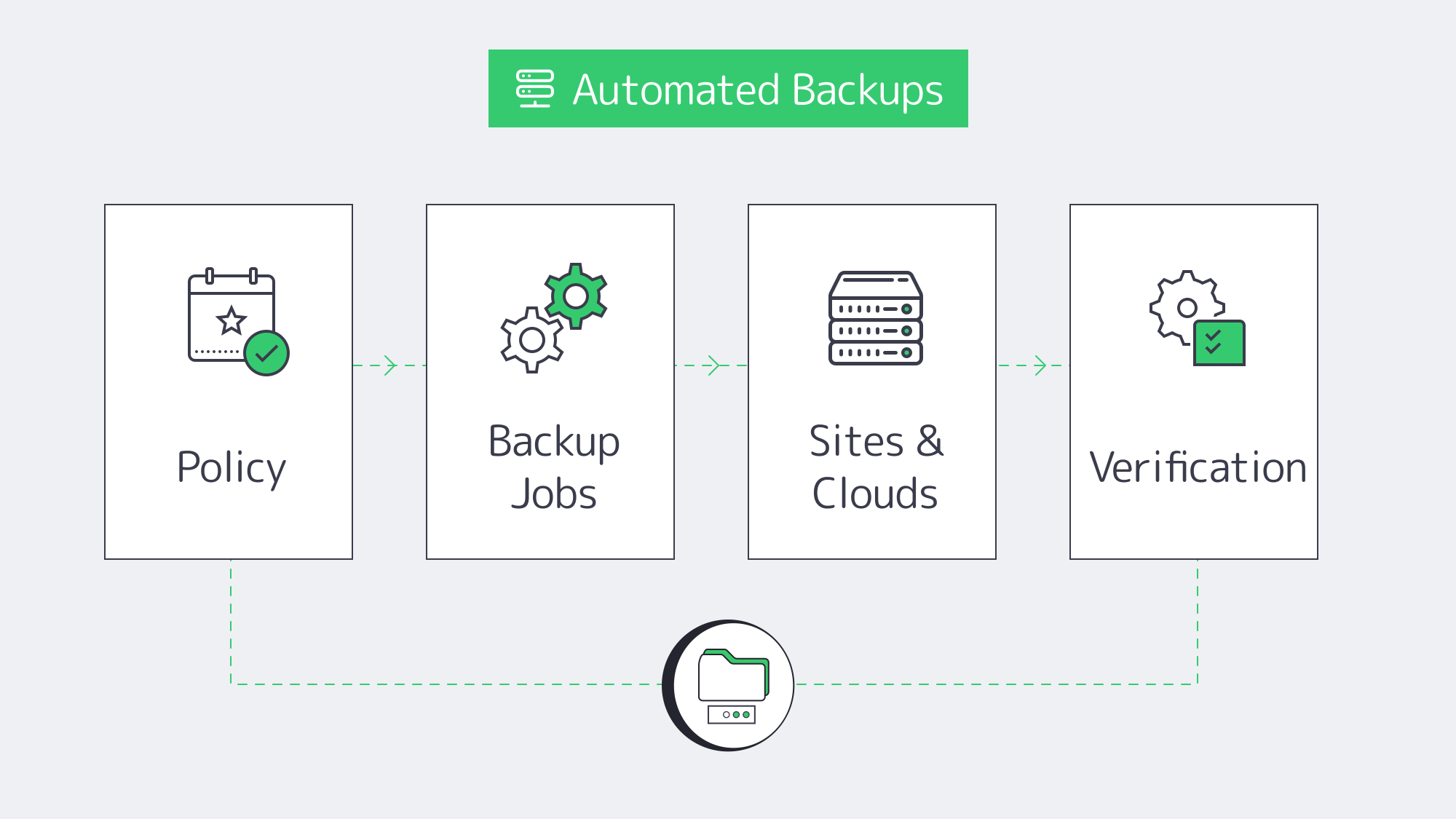
Manual backup management is error‑prone. With policy‑based orchestration, IT can streamline backup management processes by defining a schedule and setting retention and replication rules. This rules out the errors that manual backup is prone to.
Once IT has defined backup policies, the system automatically applies them across servers, clouds, and storage tiers, keeping everything consistent no matter the scale of operations.
Servers with “production” tags can be backed up hourly and replicated offsite with 2‑week immutability locks by admins without the need for continual human intervention. Scheduled test restores can also be automated on many platforms to simulate recovery under real conditions, saving time, reducing risks, and demonstrating proof of recoverability for regulatory requirements.
Server Backup Systems and Compliance
Regulated organizations need backup and recovery controls that support availability, integrity, and evidence of recoverability. GDPR Article 32, for example, requires the ability to restore availability and access to personal data in a timely manner after a physical or technical incident. HIPAA contingency planning also emphasizes data backup, disaster recovery, emergency‑mode operations, and periodic testing; finance and payment environments may need similar evidence for SOX and PCI DSS programs.
Modern server backup solutions help organizations fulfill mandates and duties by enabling encrypted backups and off‑site redundancy failsafes. Immutability and air‑gapping help protect backup integrity, while documented restore tests provide practical audit evidence.
Through automation, scheduled backups can support retention policies, such as retaining monthly copies for seven years, when those policies are required by the organization or regulator. These automated backups help support legal obligations and are a reassuring trust factor for customers.
Technical Infrastructure: Laying the Foundations of a Robust Backup Plan
A robust backup plan rests on solid technical infrastructure. Efficient replication needs high‑bandwidth links (10, 40, 100 Gbps or more), redundant power, and enough cooling. To meet these requirements, consider Tier III/IV data centers from providers with global locations for geographic redundancy.
Melbicom has a worldwide data center presence in 21 Tier III and Tier IV data centers, with up to 200 Gbps server connections available for rapid backup transfers. Melbicom enables data replication across different regions, with reduced latency, helping organizations comply with data sovereignty laws. We have 1,100+ ready‑to‑go dedicated server configurations, meaning you can scale to match demands, and should an issue arise, Melbicom provides 24/7 support.
Future‑Proof Server Backup Implementation
A future‑proof server backup solution should combine immutable restore points, off‑site replication, granular recovery, air‑gapped storage, automated retention, and recurring restore tests. The practical target is not just keeping copies; it is proving that critical services can be restored within defined RTOs without exposing backups to the same failure or attack path.
Use these technologies as the foundation:
- Lock data with immutable snapshots to prevent tampering.
- Spread data across multiple clouds and sites with multi‑cloud replication.
- Minimize downtime with granular restores that recover only the necessary data.
- Keep an offline failsafe using air‑gapped storage for worst‑case scenarios.
- Use policy‑based orchestration to automate schedules, retention rules, and verification.
Remember that live environments need regular testing to verify they are running smoothly and that you will be protected should the worst occur. Test with real and simulated restoration to make sure backups remain valid over time, and be sure to encrypt in transit and at rest with strict access controls.
Conclusion: Always‑On Data Protection
Forgotten single‑copy tapes, modern hardware, and evolving cybercrime methods require modern multi‑level automated solutions.
To withstand today’s ransomware, reduce insider‑threat impact, and prepare for rigorous regulatory audits, immutable snapshots, multi‑cloud replication, granular restores, and air‑gapped storage are needed.
Leveraging these technologies collectively with solid technological infrastructure is one of the strongest ways to combat modern‑day threats to business‑critical data.
Get Reliable Backup‑Ready Servers
Deploy a dedicated server configured for rapid, secure backups and 24/7 expert support—available in 21 global data centers.