
The root record is the one that answers for the bare domain, example.com itself. Until it exists, your zone on FastPath DNS holds no address for your website. This tutorial creates it, adds its IPv6 counterpart, and makes www follow the root.
Prerequisites
- A zone for your domain on your FastPath DNS service (Add a DNS Zone to FastPath DNS).
- The IPv4 address of the server that hosts your website, and its IPv6 address if it has one.
Step 1: Open the Zone
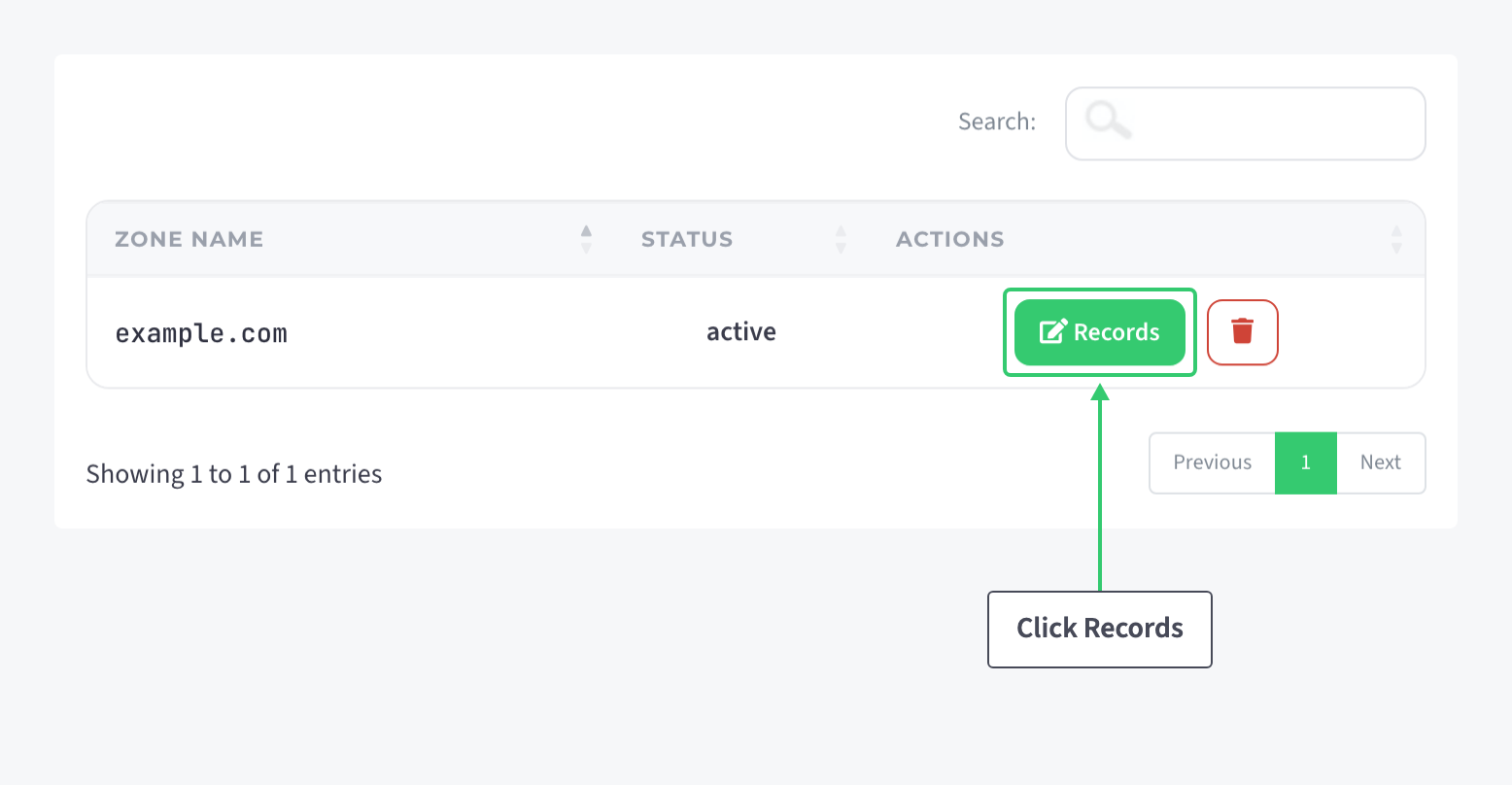
Open Services in the client area and click your FastPath DNS service. In the zones table, click Records on your domain’s row:
Step 2: Add the A Record at the Root
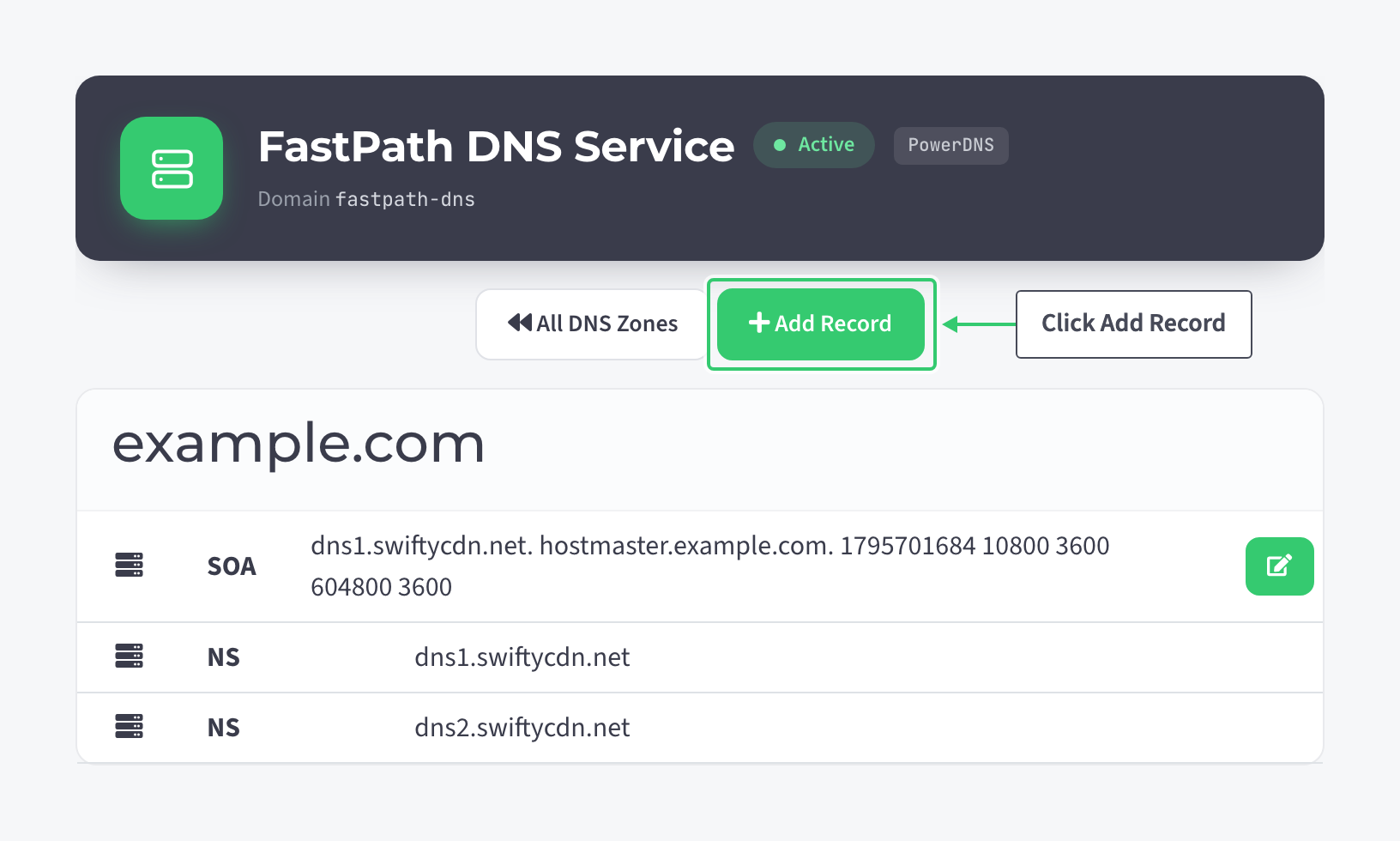
Click Add Record:
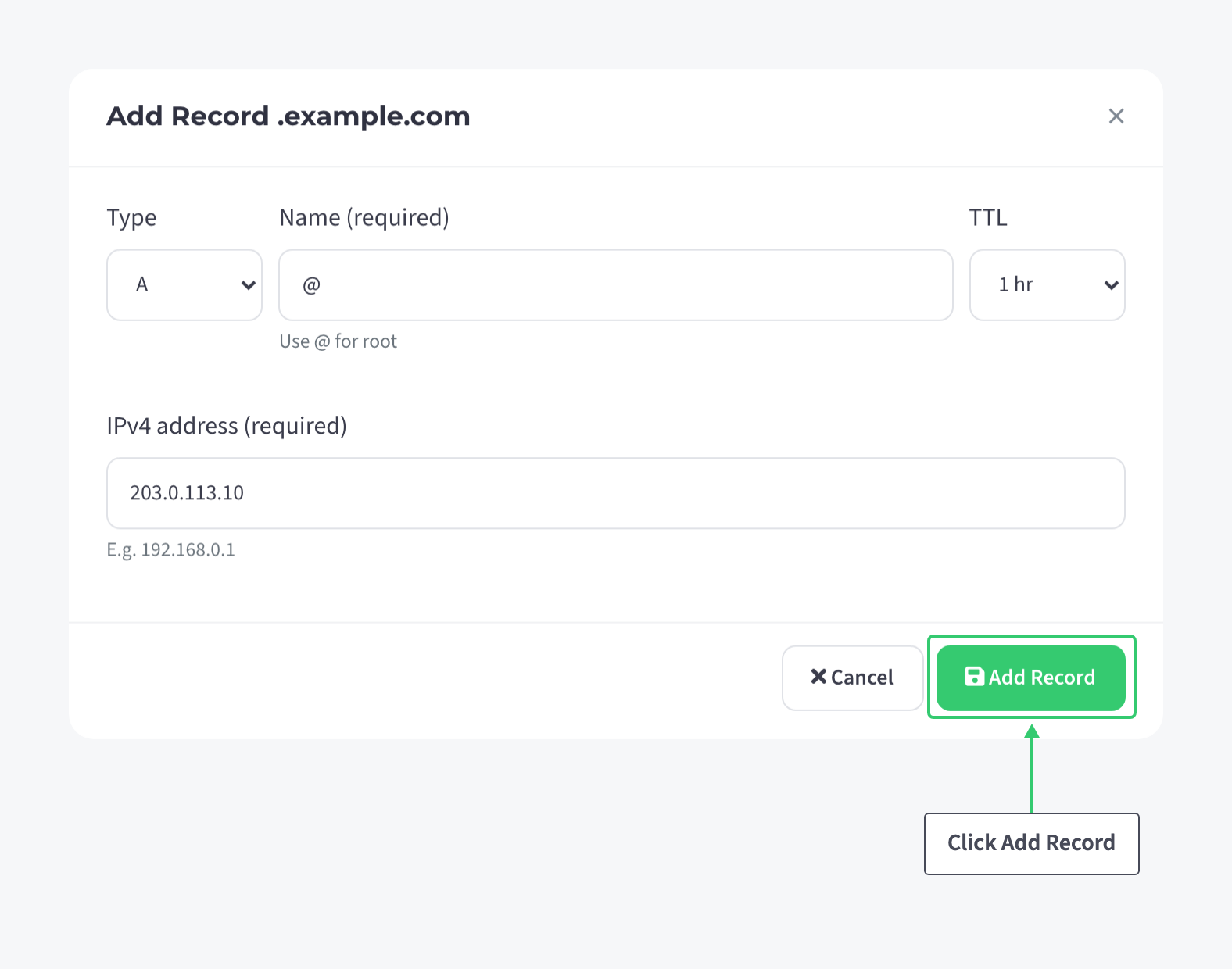
Fill in the dialog and click Add Record:
| Setting | Value |
|---|---|
| Type | A |
| Name | @, which stands for the zone itself. |
| TTL | 1 hr |
| IPv4 address | The address of your server, for example 203.0.113.10. |
Step 3: Add IPv6 and the www Name
If your server has an IPv6 address, repeat Step 2 with a second record at the root:
| Setting | Value |
|---|---|
| Type | AAAA |
| Name | @ |
| TTL | 1 hr |
| IPv6 address | For example 2001:db8::10. |
Then make www an alias of the root, so that both names reach the same server and a future address change is made in one place. Click Add Record again, fill in the dialog and click Add Record:
| Setting | Value |
|---|---|
| Type | CNAME |
| Name | www. The zone name is added for you. |
| TTL | 1 hr |
| Target | Your domain, for example example.com. |
The alias goes on www, never on the root: DNS does not allow a CNAME record at the root of a zone, which is why the root takes address records.
Step 4: Check the Records
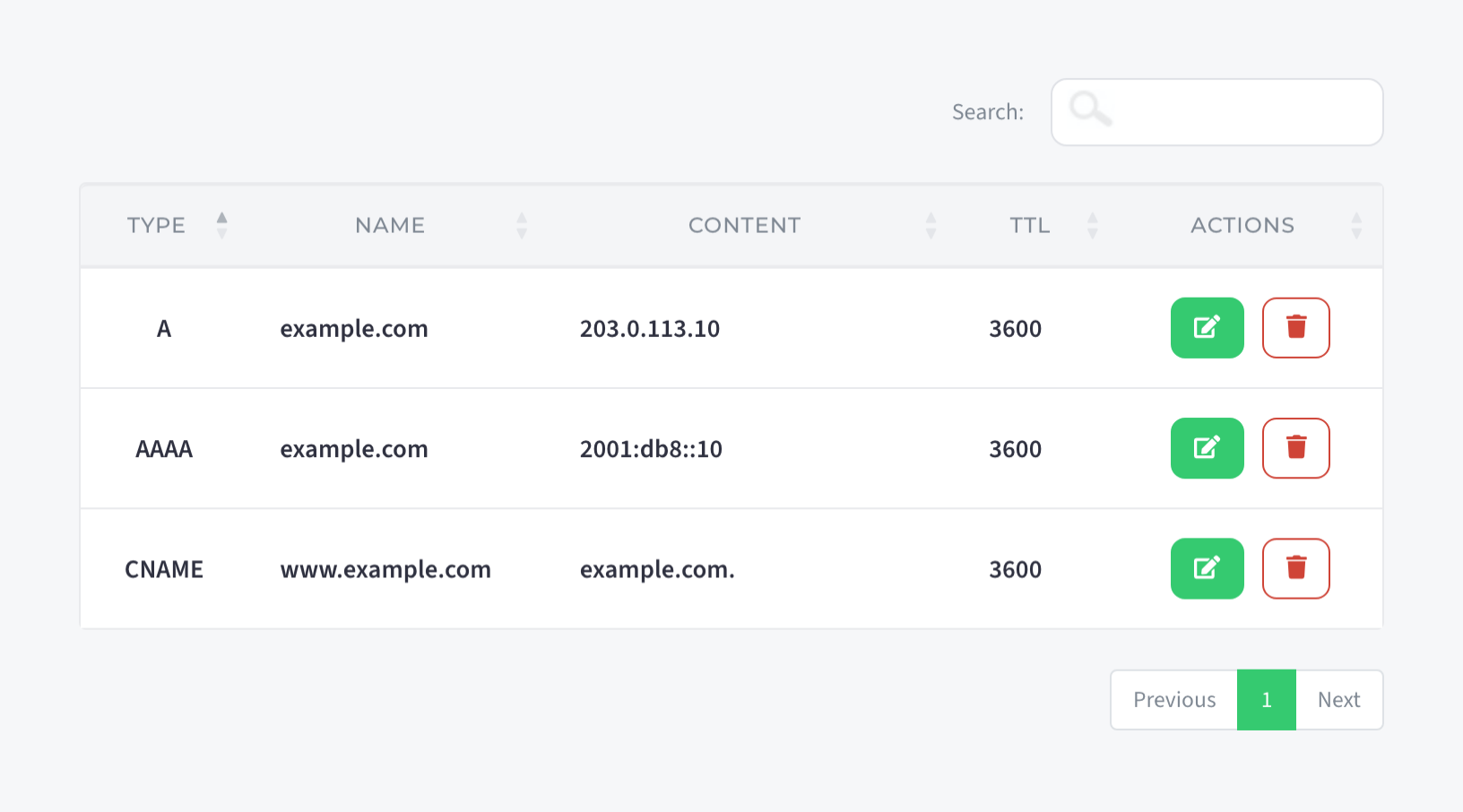
Confirm that the records table lists the records you created, under their full names and with a TTL in seconds:
Then query the FastPath DNS name server directly. This works before your domain uses the service:
dig @dns1.swiftycdn.net example.com A +short
dig @dns1.swiftycdn.net example.com AAAA +short
dig @dns1.swiftycdn.net www.example.com CNAME +short
The answers are the IPv4 address you entered, 203.0.113.10 in this example, the IPv6 address if you added an AAAA record, and example.com. for www. Skip the second query if you added no AAAA record.
What You Have
A zone that sends example.com and www.example.com to your server over IPv4, and over IPv6 if you added the AAAA record. Other names and services are added the same way, as described in Add DNS Records with the FastPath DNS Manager. When the zone holds every record your domain needs, switch the domain with Point Your Domain to the FastPath DNS Name Servers.