Size MariaDB hosting for concurrent query work

Rent a dedicated server for sustained database activity. Match RAM to active data, reserve compute for concurrent queries, and choose storage for retained logs and data growth.
MariaDB servers with access protection

MariaDB server hosting on hardware you control

CPU capacity sizing
Host resources for concurrent work

Allocate the host's CPU and memory to your database, reserving resources for simultaneous query work.

RAM memory module
RAM choices for frequently accessed data

Balance the InnoDB buffer pool with memory for concurrent queries and operating system headroom.

Verified storage I/O
Storage for transaction writes and growth

Choose disks for transaction writes and usable capacity, with space for retained logs and database growth.

CLI administration monitor
Software control for database operators

Install MariaDB and control the release, query tuning, access rules, and your database maintenance schedule.

Available configurations
Need a Custom Build?
Filters
Clear all
Data center
Data center
CPU
CPU
CPU Brand
CPU Brand
RAM
RAM
Storage
Storage
from
up to
GPU
GPU
    Bandwidth
    Bandwidth
    Data Transfer
    Data Transfer
    Available configurations –
    CPU
    Memory
    Storage
    Network
    GPU
    Data center
    Price
    Show more

    Allocate host resources by database role

    Your MariaDB tier handles sustained concurrent transactions while tables, indexes, and retained logs grow. Match host capacity to active query work and commit latency goals, with RAM for frequently used data and storage for records, logs, and maintenance.

    Melbicom gives you a physical host with CPU, RAM, and storage selected for your database workload. Choose from ready configurations or order a custom build. Across 21 data centers worldwide, select a location with your application servers and their database traffic in mind.

    Reserve primary-host resources for transactions, then rent extra hosts for reporting replicas or recovery tests. Your team installs and tunes MariaDB, configures replication, and rehearses restores from backups and retained logs. Give each role its own resource budget to keep reports and recovery tests separate from production query workloads.
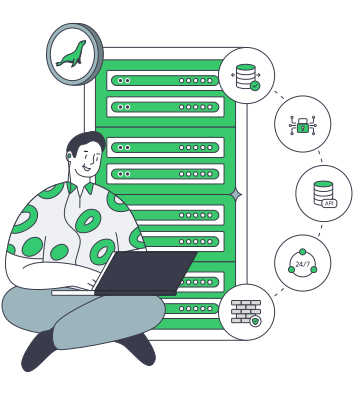
    Database operator beside a server stack

    Capacity for queries, growth, and recovery

    Size query capacity against latency goals while reserving room for database growth.
    Headroom for concurrent queries
    Room for active data in memory
    Space for logs and data growth
    Separate reporting resources
    Capacity for restore rehearsals
    Hardware sized to query demand

    Hardware choices for query demand

    Select compute, memory, and storage for active queries, retained logs, and database growth.
    Reserve a physical host for your database
    Match CPU capacity to concurrent work
    Size RAM around your active working set
    Plan SSD capacity for persistent data
    Control your MariaDB release and tuning
    Choose bandwidth for database transfers
    Get custom builds in 3–5 business days
    Place your host near your applications
    Rent extra hosts for reporting replicas
    Order optional S3 for your backup files
    Specify your hardware
    Choose ready hardware or a custom mix of CPU, RAM, and database storage.
    Discuss your build

    Business activity shapes database demand

    Isolated tenant workloads
    SaaS transaction tiers

    Concurrent tenant queries use reserved CPU and RAM, with room for active data and retained tenant records.

    E-commerce shopping cart
    Commerce databases

    Size compute and disks for checkout queries, inventory updates, and the order data your business retains.

    Corporate business customer
    ERP and CRM systems

    Interactive queries and batch jobs share CPU and RAM, with storage capacity for retained business records.

    Approved invoice payment
    Subscription billing

    Keep invoices and transaction history on server disks, with compute capacity for recurring billing runs.

    Stacked database cylinder
    Catalog data services

    Size CPU and storage for bulk catalog updates alongside live product queries and retained integration records.

    API server configuration
    Business API backends

    Concurrent API queries and jobs use reserved CPU, with RAM for frequently accessed business records.

    Bidirectional database replication
    Reporting replicas

    Configure read replicas on extra rented hosts, giving recurring reports their own compute and storage.

    User database topology
    Database platforms

    Allocate physical resources across a MariaDB estate, matching each database role to its measured demand.


    Database hardware, ownership, hosting, and recovery

    Dedicated server BOM with CPU, RAM, NVMe, and NIC modules sized from workloads
    Spec Dedicated Servers From Workload, Not the Catalog
    Balanced scale comparing owned servers to rented subscription contract
    Database Server Acquisition: Should You Buy or Rent?
    Illustration of servers linked to cloud object storage by green high‑speed cables
    Blueprint for High-Performance Backup Server Solutions
    Illustration of a person managing a MySQL database on a dedicated server
    Finding the Right Fit: MySQL Database Hosting Service
    More articles
    FAQ
    Which database workloads suit a physical host?
    How much RAM should the database have?
    How should we choose CPU capacity?
    What matters when choosing disks for transactions?
    How much disk space should we reserve?
    Who installs and operates MariaDB?
    What should we test when migrating from MySQL?
    Can we run reporting on a replica?
    How should we plan database recovery?
    What is the optional S3 storage for?
    Can we operate a Galera cluster?
    How do ready configurations and custom builds differ?
    Select your next host
    Create an account to find a ready host with CPU, RAM, and disks for your MariaDB tier.
    Create an account
    Shape your custom build
    Define a custom CPU, RAM, and disk mix for your queries, active data, and retained logs.
    Discuss your build