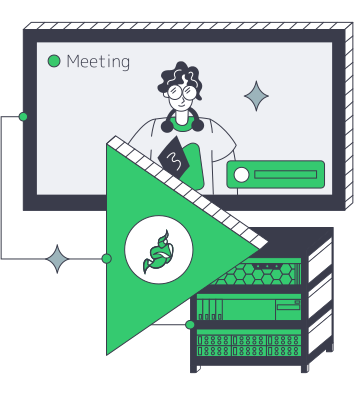
Jitsi hosting puts conference forwarding under your control

Rent dedicated servers with reserved CPU and NIC capacity, selectable bandwidth, and regional placement for sustained Jitsi meetings, concurrent rooms, Videobridge forwarding, and relay traffic.

Jitsi conferences and live participants on dedicated media servers

A Jitsi dedicated server for conference forwarding

Dedicated bare-metal server stack
Reserved resources for media forwarding

Single-tenant CPU and NIC capacity give your team a host budget to allocate across Videobridge and cohosted services.

Multiple LAN bandwidth paths
Bandwidth follows conference fan-out

Selectable ports carry subscriber fan-out, screen shares, and relay traffic within the bandwidth profile your rooms require.

User-controlled routing policy
Fallback paths for restrictive networks

Public addressing, UDP media, and TCP or TLS fallback provide alternate paths across restrictive client network policies.

Cloud VPS server stack
Control services fit bounded workloads

A cloud VPS can host staging, Prosody, Jicofo, or smaller rooms with resources aligned to each workload's demand.

Available configurations
Need a Custom Build?
Filters
Clear all
Data center
Data center
CPU
CPU
CPU Brand
CPU Brand
RAM
RAM
Storage
Storage
from
up to
GPU
GPU
    Bandwidth
    Bandwidth
    Data Transfer
    Data Transfer
    Available configurations –
    CPU
    Memory
    Storage
    Network
    GPU
    Data center
    Price
    Show more

    Turn room behavior into an infrastructure plan

    A business meeting becomes an infrastructure workload when several rooms overlap. Every publisher, subscriber, screen share, selected video layer, and TURN relay adds work to Videobridge and outbound traffic to the port. Start the hardware plan with room overlap and media behavior, so spending follows the workload rather than an abstract attendee ceiling.

    Melbicom gives your deployment single-tenant CPU and NIC resources, selectable bandwidth, local storage, and placement across 21 data centers worldwide. Put the first media node near the largest participant group, then examine routing, relay use, packet loss, jitter, and bridge utilization under representative calls before approving the production envelope.

    Keep web, Prosody, and Jicofo together when that simplifies the first deployment, then add Videobridges as conference forwarding warrants another media node. A cloud VPS can carry staging, signalling, or smaller rooms. The dedicated host carries sustained meetings on reserved CPU and network resources sized for the expected media traffic.


    Jitsi meeting traffic and media forwarding infrastructure

    Operational control for live conferences

    Reserved resources turn bridge telemetry into clearer scaling and spending decisions.
    Defined forwarding envelope
    Participant paths validated
    Relay capacity reserved
    Join-burst margin planned
    Spend follows room demand
    Control roles right-sized

    Build every layer for meeting traffic

    Connect conference forwarding, signalling, fallback paths, and node placement to one deliberate operating model.
    Host CPU allocation for bridge work
    Dedicated NIC capacity for fan-out
    Bandwidth profiles for room traffic
    Regional placement near participants
    Public IP and hostname control
    UDP media with TLS fallback
    Local storage for logs and packages
    Bridge growth guided by load
    Jicofo and Prosody role separation
    Cloud VPS for staging and signalling
    Map room infrastructure
    Bring room patterns, participant regions, and relay expectations into one hardware plan.
    Talk to an expert

    Room patterns that shape the infrastructure

    Three-person user group
    Distributed team meetings

    Keep overlapping rooms, cameras, screen shares, and regional participants within the host's CPU and network allocation.

    Corporate business customer
    Corporate training rooms

    Reserve CPU and outbound traffic for scheduled cohorts, presenter video, shared content, and repeated session starts.

    Business partnership handshake
    Client advisory sessions

    Place media nodes near core client groups, then compare relay use, packet loss, and participant paths before launch.

    Live streaming presenter
    Cohort learning sessions

    Align concurrent classes, instructor video, screen sharing, and session length with host CPU and network resources.

    Voice and chat support
    Embedded support calls

    Allocate bridge and relay resources to overlapping agent calls, screen shares, and restrictive client networks.

    Broadcast media delivery
    Department all-hands

    Account for synchronized joins, subscriber fan-out, active presenters, and outbound traffic created by a larger audience.

    Regional node placement
    Regional bridge clusters

    Participant geography and observed bridge load determine when another media node belongs in the forwarding topology.

    Cloud VPS server stack
    Staging and control nodes

    Use cloud VPS for staging, Prosody, Jicofo, or smaller rooms, with resources matched to each workload's demand.

    Infrastructure guides for conferencing teams

    Europe server map with city nodes, routes, compliance shield, and bandwidth gauge
    Choosing Country, Network, and Compliance in Europe
    Dedicated server BOM with CPU, RAM, NVMe, and NIC modules sized from workloads
    Spec Dedicated Servers From Workload, Not the Catalog
    Server with global data streams and a test dashboard for 10Gbps validation
    Validate 10Gbps Dedicated Server Line-Rate Performance
    Servers under AI magnifier displaying live metrics
    Building a Predictive Monitoring Stack for Servers
    More articles
    FAQ
    What determines Jitsi room capacity?
    Which ports and media paths matter?
    Can one node run the core Jitsi roles?
    How should regional placement be chosen?
    When should another Videobridge be added?
    Where does cloud VPS fit?
    Does ordinary conferencing need a GPU?
    How do recording and SIP affect sizing?
    What belongs in a representative load test?
    Start your first node
    Create an account, choose a location, and compare server configurations for your first meeting node.
    Create an account
    Shape your regional rollout
    Share room patterns and participant regions to align hardware, bandwidth, relay traffic, and node roles.
    Talk to an expert