
Every Melbicom dedicated server reaches the network through bonded interface pairs. Depending on the model, that means two data interfaces forming one LACP bond, or four forming two: ext for the public network, and int for private networking and VLANs. The bonds are created automatically when the operating system is installed, so the redundancy described on this page is the state your server is delivered in, not something you configure.
This page covers the path behind your server, the bonds and the policy behind them, and what a switch failure does to traffic.
How Your Server Is Connected
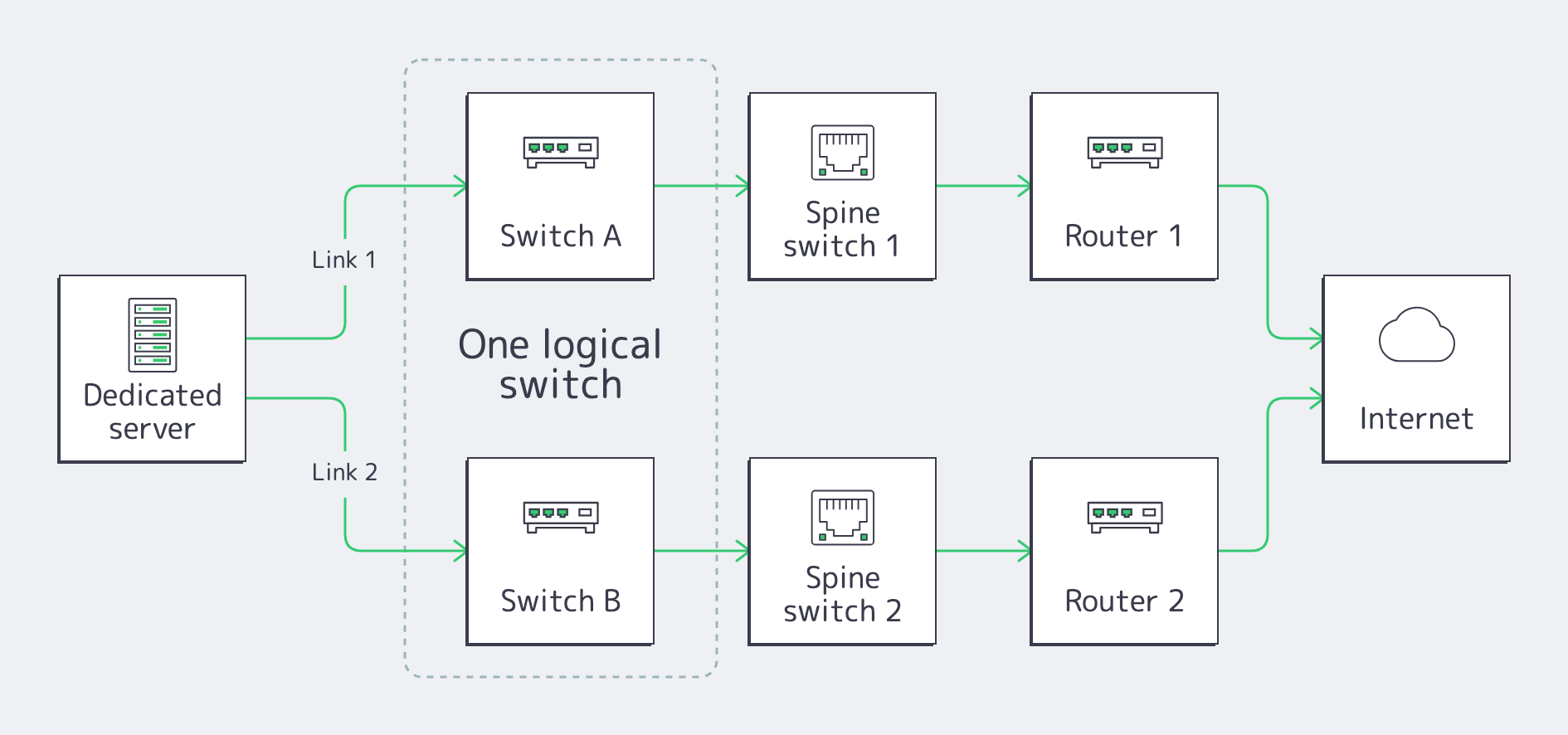
Every bonded pair follows the same pattern: its two links terminate on two separate switches that operate as one logical device, so either switch can fail without breaking the pair. On a two-port server, both interfaces belong to the ext bond: each switch continues through its own spine switch and router, and the two paths meet again only at the Internet:
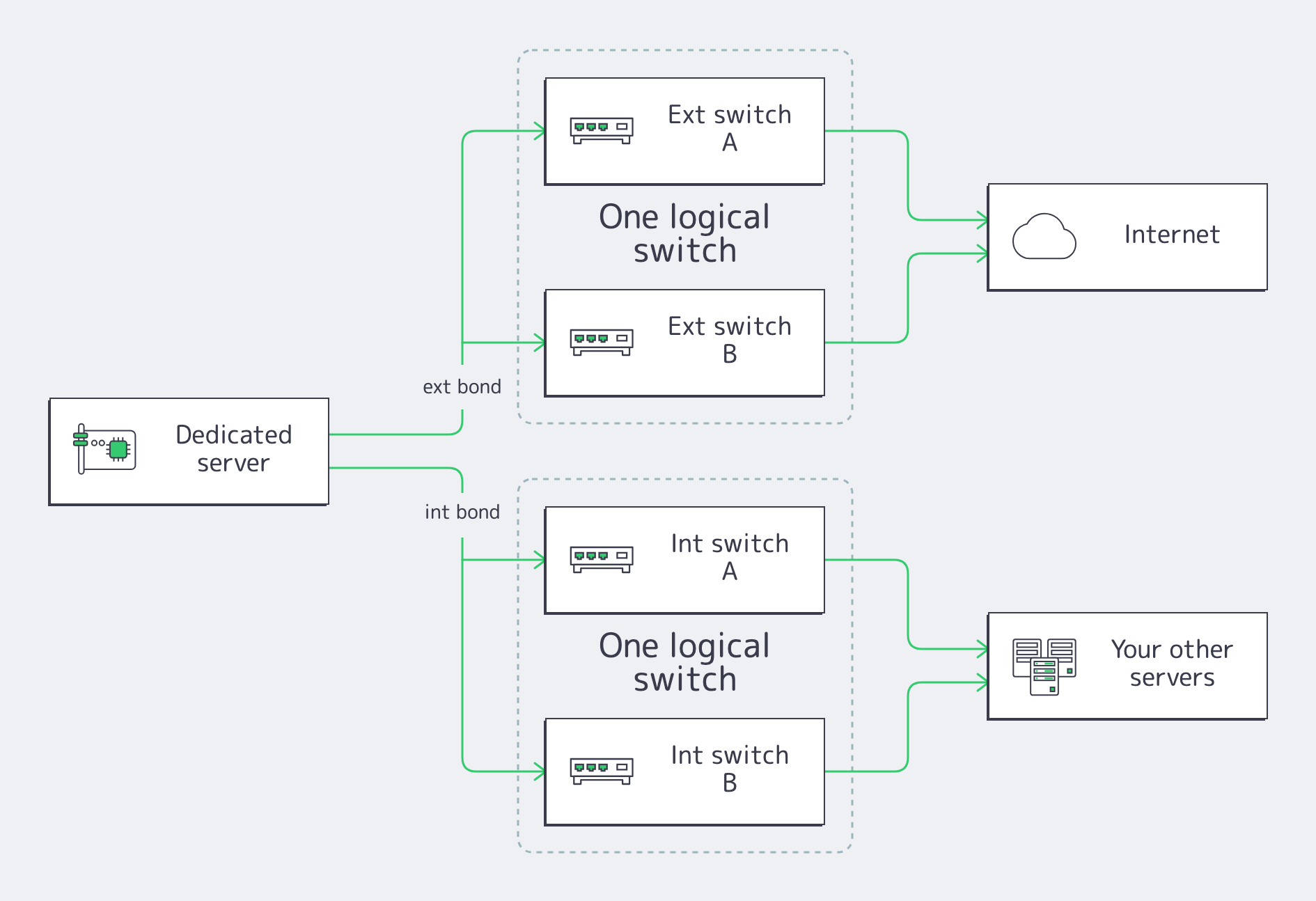
On a four-port server the pattern doubles. The ext bond follows the same public path as above, and a second pair forms the int bond, wired to a separate internal switch pair that carries private networking and VLANs between your servers:
Out-of-band management (IPMI) has its own dedicated port on every model and is not one of the data interfaces.
The Bonds and the LACP Policy
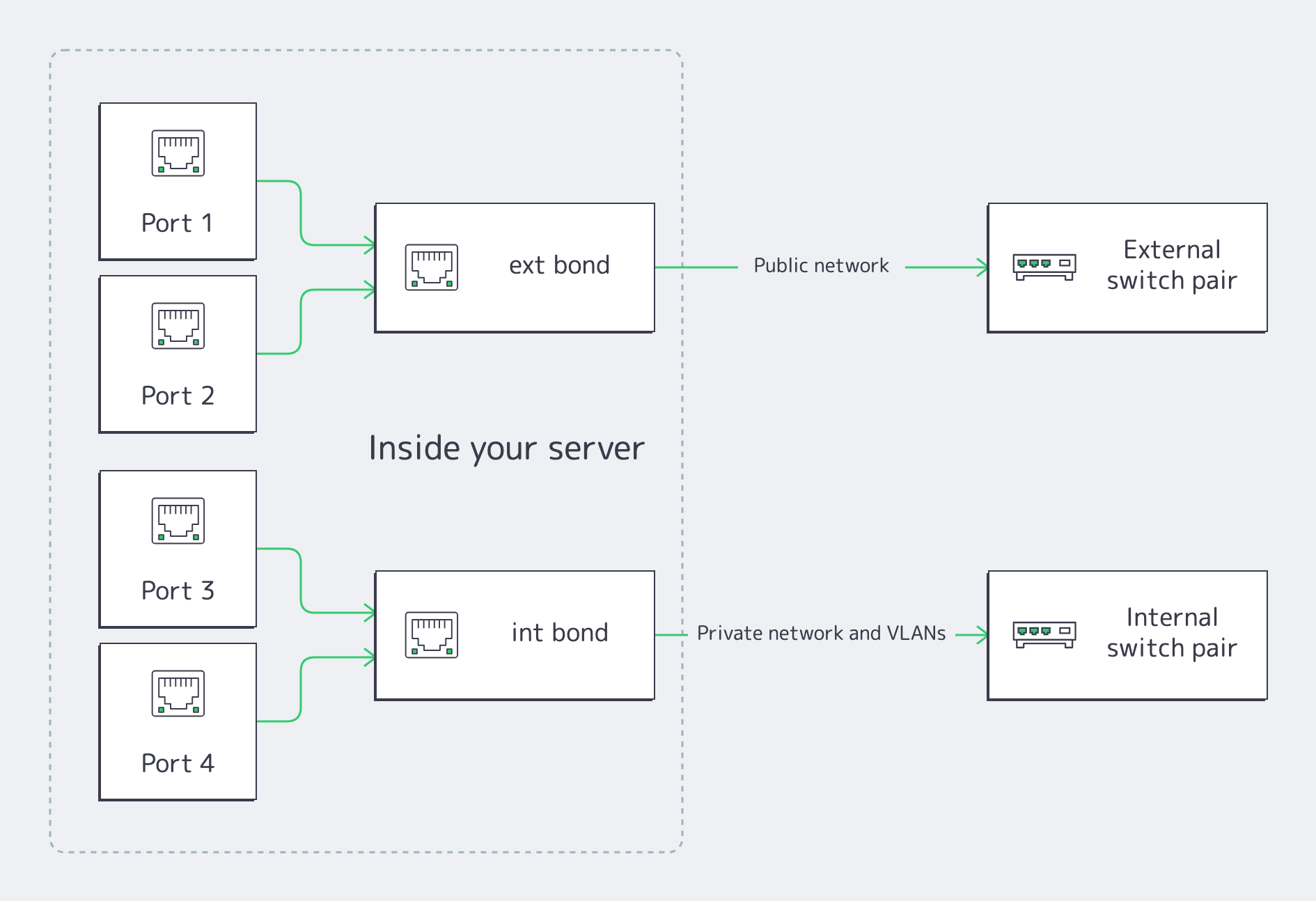
Inside a four-port server, the data interfaces exist to serve the bonds; a two-port server is the top half of this picture alone:
| Property | Value |
|---|---|
| Bonds | ext carries the public network on every server; on four-port models a dedicated second pair, int, carries private networking and VLANs. |
| Default state | The switch ports run LACP (802.3ad) and the installer creates the matching bonds automatically, on installation and on reinstallation. |
| Switch side | The two switches behind each bond act as one logical switch, so a single bond spans both. |
| What you configure | Nothing, on a standard installation. |
| Manual OS installation | Automatic provisioning does not apply; recreate the bonds with the NIC mapping from support (see below). |
Your services see one interface per bond, with the server’s IP configuration on ext. LACP also balances flows across both members, so aggregate throughput can exceed what a single interface carries, but the reason for the policy is redundancy.
What Happens When a Switch Fails
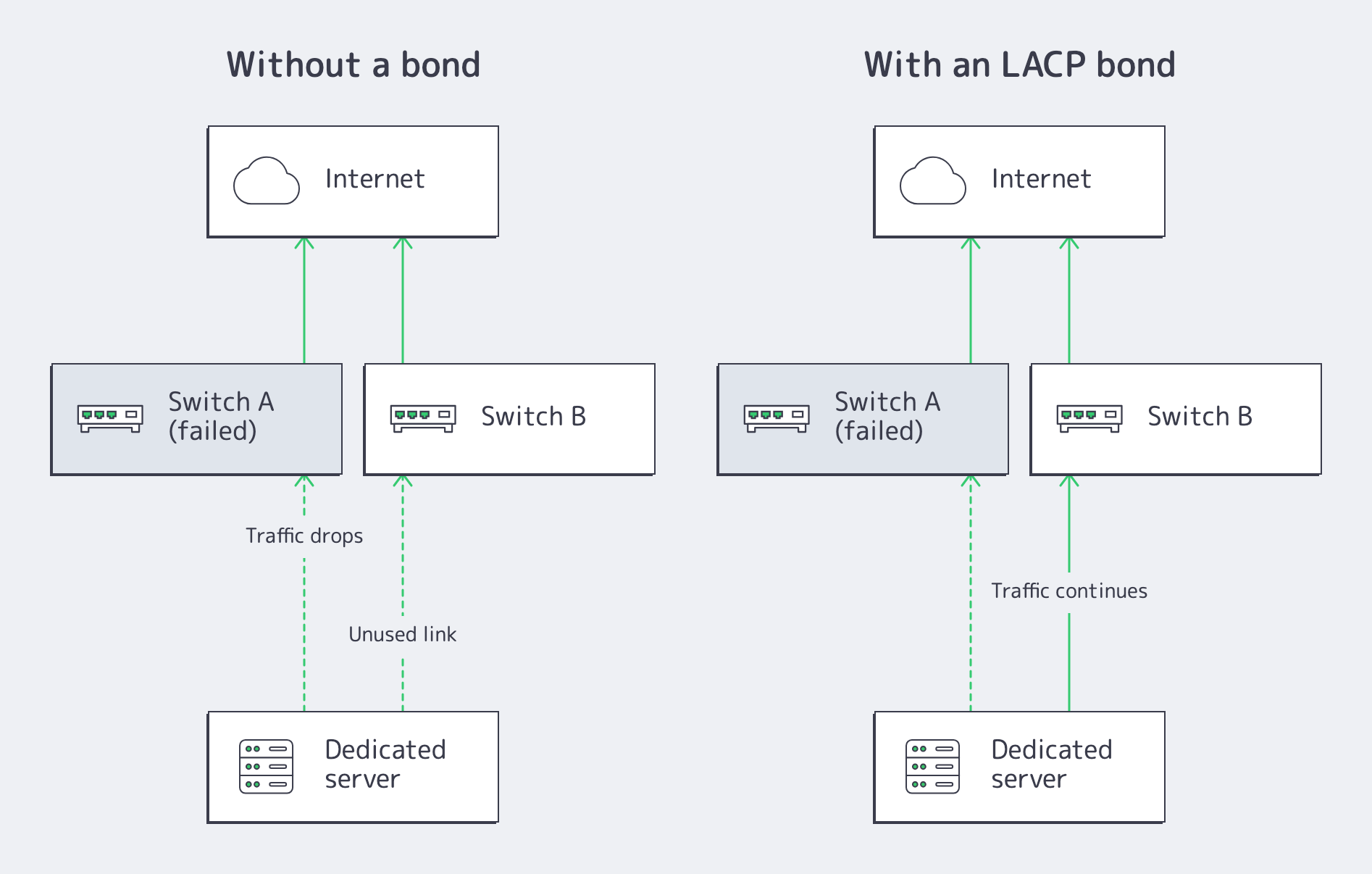
The bond decides whether a switch failure passes unnoticed or becomes an outage:
| Event | With the bond | Without a bond |
|---|---|---|
| A switch fails or is drained for maintenance | LACP detects the dead link within seconds and moves all traffic to the remaining switch. The server keeps its addresses and connections continue. | The active link goes down with the switch. Traffic drops and stays down until the switch returns. |
| A cable or port fails | The bond degrades to one link and traffic continues. | Traffic on that link drops until the failure is repaired. |
| The failed element returns | LACP re-negotiates and the bond returns to two active links, without intervention. | The link returns, with the same exposure to the next failure. |
The unbonded column is not the delivered state: it only arises when a manual installation leaves interfaces standalone. Leaving them standalone reduces redundancy to a single path, because the switch ports expect LACP and at most one path then carries traffic.
Redundancy Is the Default
Nothing on this page needs to be enabled. The cabling, the switch configuration and the OS-side bonds are all in place when your server is delivered, and a reinstallation through the panel recreates them. The practical rule is simply to preserve them: when you change the network configuration, keep the bond as the interface that owns the addresses, and keep both members in it.
Manual OS Installations
Installing an operating system yourself skips the automatic provisioning, and the interfaces are not interchangeable: each bond must aggregate one exact pair of physical ports. Open a support ticket to get the NIC mapping for your server, which MAC addresses pair into ext, and on four-port models into int.
With the mapping, recreate the bonds: mode 802.3ad, the mapped ports as members, and the server’s IP configuration on ext. If you would rather not rebuild them yourself, reinstalling through the panel restores the whole setup automatically.