
Blog

Palermo Edge: Routing For EU–MENA Low Latency
Latency engineering in Italy is no longer about “how close is my server to Rome or Milan?” It’s about whether your Palermo edge lands on the right submarine systems, hits the right exchange fabric, and avoids avoidable detours through Northern Europe. The fastest path to EU–MENA users is often the path with the fewest policy mistakes.
Palermo makes a clean case study—it sits next to cable landings and peering ecosystems built for Africa and the Eastern Mediterranean. For network engineers, that turns Italy server placement into a routing problem you can instrument, debug, and improve.
Choose Melbicom— Tier III-certified Palermo DC — Dozens of ready-to-go servers — 55+ PoP CDN across 36 countries |
 |
Latency from Palermo to Key Markets
Speed-of-light sets the floor: roughly 1 ms RTT per ~100–120 km of real fiber route once you include slack, regen, and switching. After that, routing policy dominates. Cloudflare Radar’s Internet Quality data exposes estimated round-trip time and jitter for Italy under average utilization—useful as a coarse baseline before you dive into per-AS routing behavior.
Below is a practical benchmark model for a well‑peered Palermo footprint serving EU–MENA priority markets. Treat these as target envelopes for p50 RTT and typical jitter on clean paths (not guarantees) to sanity-check your real probes.
| Destination Market | Palermo p50 RTT (ms) | Typical Jitter (ms) |
|---|---|---|
| Milan / North Italy | 20–30 | 0.8–2.5 |
| Frankfurt / Central EU | 35–50 | 1.0–3.5 |
| London / UK | 45–65 | 1.5–5.0 |
| Paris / France | 40–60 | 1.5–4.5 |
| Athens / Greece | 35–55 | 1.0–4.0 |
| Istanbul / Türkiye | 45–70 | 2.0–6.0 |
| Tunis / North Africa | 25–45 | 1.5–5.0 |
| Cairo / Egypt | 45–75 | 2.0–7.0 |
| Dubai / UAE | 55–90 | 2.5–8.0 |
| Mumbai / India | 110–160 | 5.0–15.0 |
Why these ranges matter: if your Palermo→Tunis RTT comes back at 70–90 ms, you almost certainly got hauled north to a Frankfurt/Marseille hub before coming back south. That’s not “distance”—it’s policy and peering.
Which Sicily Cable Landings Optimize EU–MENA Routing
Sicily improves EU–MENA paths when traffic enters Mediterranean subsea corridors near the island and stays on peering-rich fabrics, instead of detouring through Northern Europe. Palermo is strongest when routes hit the Sicily Hub/DE‑CIX Palermo ecosystem early—where DE‑CIX cites 5–15 ms proximity to North Africa and designs claim 15–35 ms savings.
Palermo’s leverage is not “one magic cable.” It’s the portfolio: multiple landings and backbones that create route diversity, plus local interconnection that lets networks swap traffic without detouring north. Melbicom positions Palermo as connected into Sicily’s cable landings and Mediterranean subsea routes—good conditions for south/east-biased path selection.
What to Look for in Cable-Driven Route Quality
- Direct south/east exits (North Africa, Greece/Türkiye/Levant) that don’t transit a Northern European hub.
- Multiple independent paths (different landing stations/backbones) so a single cut doesn’t yank your p95 latency.
- Interconnect density at the edge: cable landings matter most when they terminate near IXPs and carrier hotels.
Palermo’s Sicily Hub Effect
As mentioned above, Palermo is a Mediterranean exchange close to North Africa and connected into the Sicily Hub interconnection environment, with many carriers participating in the regional ecosystem.
For engineers, the actionable part is what happens when traffic stays in the Sicily interconnect fabric instead of being exported north first. Melbicom’s Palermo positioning cites 15–35 ms latency savings and a 50–80% quality improvement for Africa/Mediterranean/Middle East routes compared to other European peering points—exactly the kind of delta you should validate with probes and traceroutes.
Why “Mediterranean Diversity” Became a Core Design Goal
Recent Red Sea cable cut events showed how fragile a single corridor can be: reporting indicated that a meaningful share of Europe–Asia/Africa traffic had to be rerouted, driving latency spikes and unstable routes. That’s why modern Italy server placement increasingly favors diverse Mediterranean exits and fast failover over “one best path.”
What BGP Policies Reduce Latency from Palermo Servers
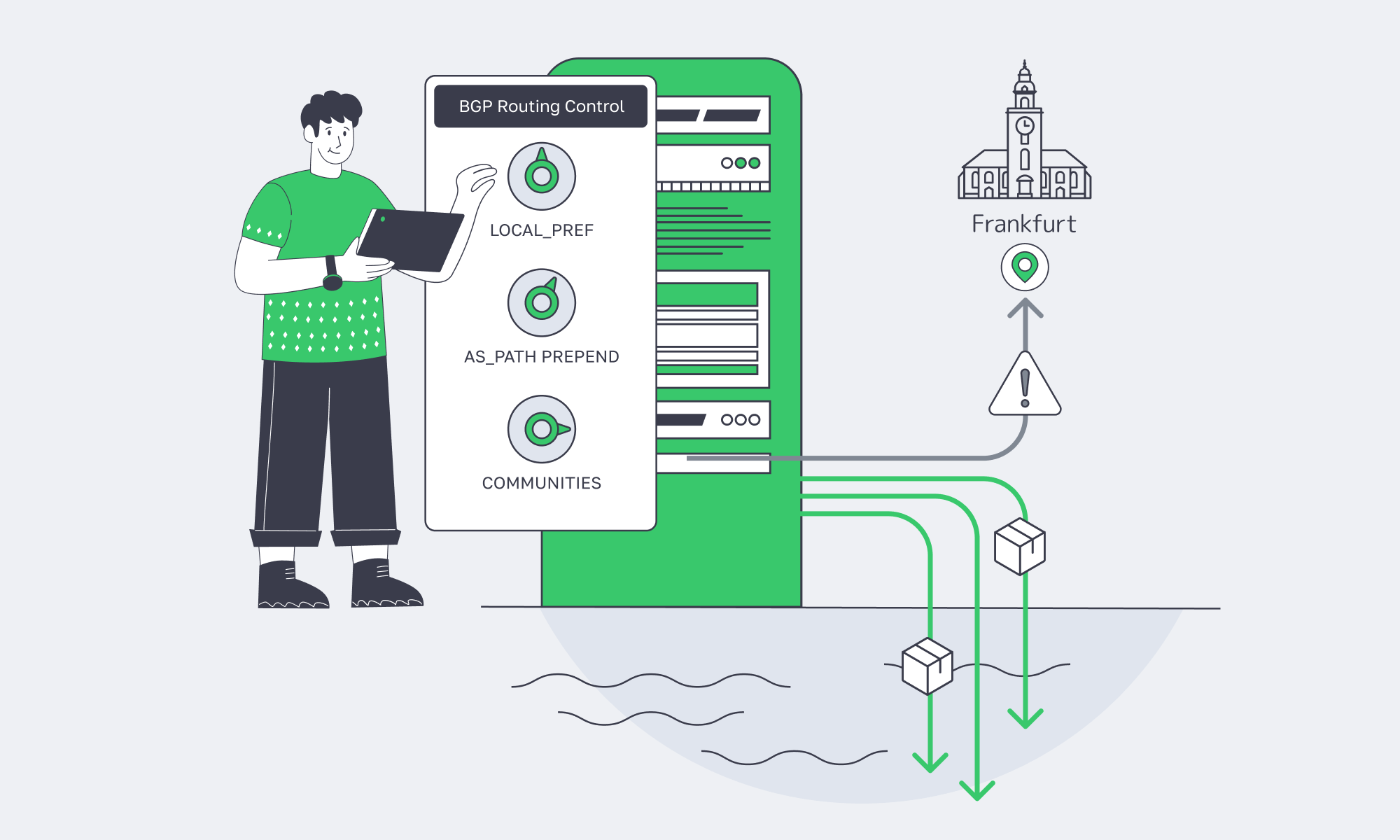
Latency from Palermo is usually a BGP outcome: which upstream learns your prefix, where it is preferred, and whether traffic stays on Mediterranean exchanges instead of pulling north. The goal is to control route learning and preference (communities, prepends, sessions), then verify with traceroute and regional probes so the “best” path is best for your target ISPs.
Traceroute Interpretation: Spotting “Northbound Hairpins” in 60 Seconds
A traceroute from a MENA eyeball ISP to a Palermo server usually tells you three things:
- Where the traffic first hits Europe (Sicily vs Marseille vs Frankfurt vs London).
- Whether it crosses an IXP fabric (often visible by IXP-facing hostnames or known exchange subnets).
- Where the policy decision happens (the hop where latency jumps and stays high).
Rule of thumb: if RTT jumps early (e.g., 15 ms → 55 ms by hop 4) and never comes back down, you didn’t take a local Med route—you took a northern hub detour.
BGP Basics That Actually Matter for Latency
You don’t need a BGP textbook. You need three concepts:
- Preference beats geography. BGP picks routes based on attributes (LOCAL_PREF, AS_PATH, MED), not distance.
- Symmetry is not guaranteed. Your inbound and outbound paths can differ; measure both directions.
- “Best” is per-AS. A path that’s optimal for one upstream may be worse for reaching your target ISP.
RIPE Atlas-based analysis is a reminder that what you see from the edge depends heavily on vantage point, transit policy, and peering—not just geography.
When BYOIP and BGP Sessions Help Performance or Resiliency
BGP sessions become a latency tool when you want to:
- Pin traffic to the right region. Announce the same prefix via different sessions and use communities or prepends to bias where it’s preferred.
- Engineer failover deliberately. Keep a “warm” alternative path alive so a cable or transit event doesn’t trigger a convergence storm.
- Keep IP continuity across moves. BYOIP plus BGP lets you relocate workloads (or add a second site) without renumbering.
Melbicom’s BGP Session service supports BYOIP, BGP communities, and full/default/partial route options, alongside RPKI validation and strict IRR filtering.
How to Monitor Mediterranean Edge Network Performance
You can’t “set and forget” a Mediterranean edge: most latency regressions are route drift, not hardware. Monitor two layers together—synthetic probes (RTT/jitter/loss/TTFB) from Southern Europe and MENA, plus routing intelligence (BGP updates, AS‑path changes, RPKI/IRR events). Alert on deltas, and keep daily traceroutes for diffs.
A minimal modern stack has two layers:
- Synthetic performance probes (RTT, jitter, packet loss, HTTP TTFB) from EU and MENA vantage points.
- Routing intelligence (BGP updates, AS‑path changes, RPKI/IRR events) tied to alerts and incident workflows.
Recommended Monitoring Pattern
- Probe from where users are. Use a mix of cloud probes and RIPE Atlas-style agents in Southern Europe, North Africa, and the Gulf.
- Alert on deltas, not absolutes. “+20 ms to Cairo for 10 minutes” matters more than a static threshold.
- Capture hop-by-hop changes. Store daily traceroutes so you can diff route shifts quickly during incidents.
- Watch BGP like an SRE watches deploys. Route leaks and upstream preference changes show up as churn in updates well before users complain.
A Concise Checklist for Italy-Centric Latency Engineering
- Measure p50/p95 RTT and jitter from EU + MENA probes to Palermo.
- Tag routes by “Med direct” vs “North hub” based on traceroute hop geography.
- Use BGP communities/prepends to keep priority markets off distant transits.
- Monitor BGP updates alongside RTT/jitter—and page on sustained deltas, not spikes.
- Pretest failover paths (including convergence behavior), then rehearse the playbook during maintenance windows.
- Re-run the benchmark suite after every routing change: new peer, new transit, policy tweak, or prefix move.
Turning Palermo into Your EU–MENA Latency Advantage
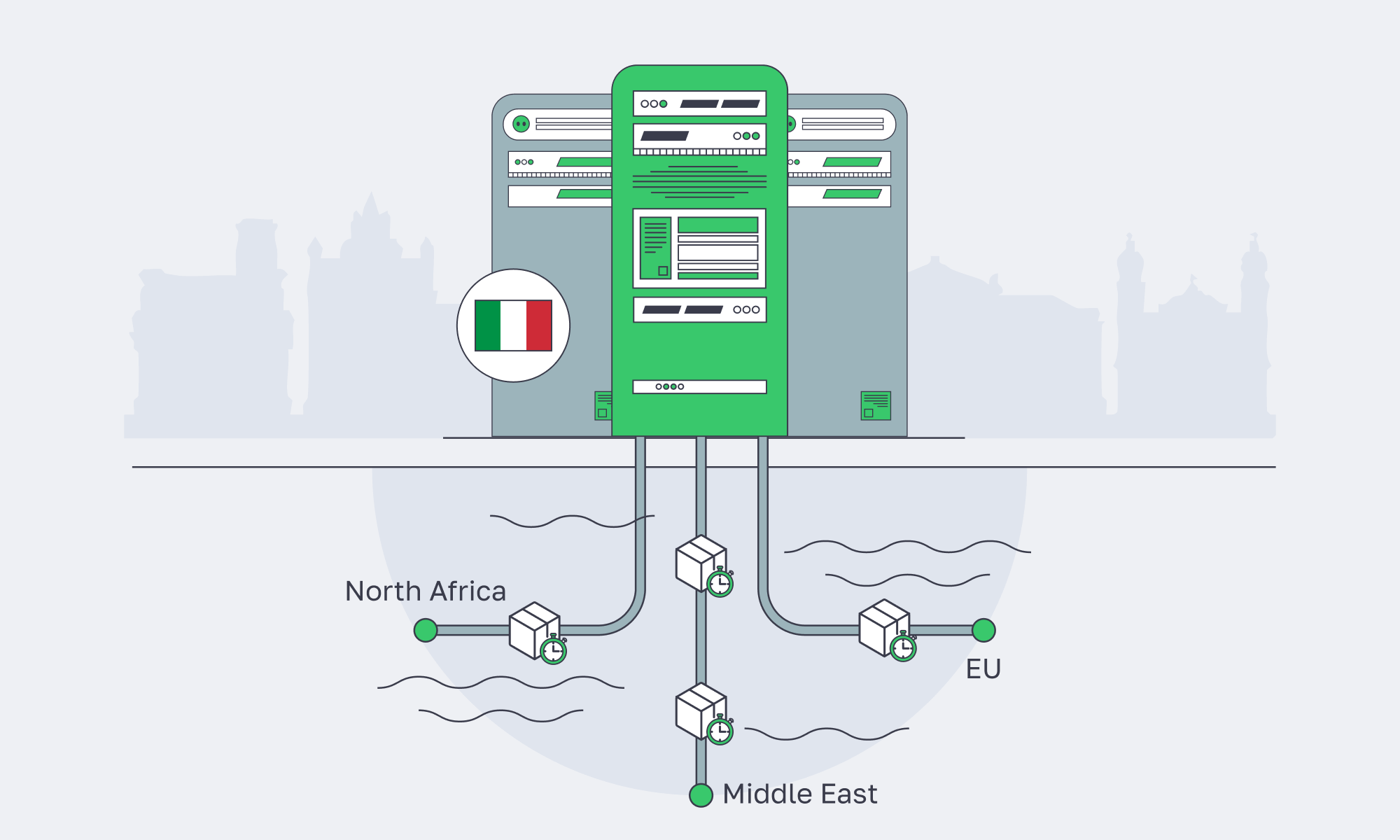
An Italy server strategy centered on Palermo is a bet that modern latency isn’t just distance—it’s interconnection. Sicily’s cable landings, exchange fabrics, and transit diversity can produce tighter RTT envelopes to North Africa and parts of the Middle East, while still staying competitive into core EU hubs.
The engineering playbook is straightforward: benchmark, interpret traceroutes, shape policy with BGP, and monitor routing drift like a first-class SRE signal. Do that, and Palermo stops being “a remote island” and becomes a controllable edge.
Low-latency servers in Palermo
Tap Sicily’s cable landings and regional peering for faster EU–MENA delivery. Configure hardware, enable BGP sessions with BYOIP, and go live in hours with 24/7 support.
Get expert support with your services
Blog
Dedicated Servers in Bulgaria: High Performance Without the High Price
Enterprise IT teams are pushing more compute to the edge of the EU core—not because it’s trendy, but because the workloads got heavier. AI-assisted apps, real-time analytics, large CI/CD pipelines, and storage-hungry platforms all punish shared infrastructure. IDC projects the Global Datasphere reaching 175 zettabytes by 2025, which is a nice way of saying: every system is now a data system.
Bulgaria sits in a useful sweet spot: close enough to Western and Central Europe for predictable latency, but priced more like an “efficient build” region. Pair that with modern Tier III facilities, dense multi-core CPUs, and NVMe-first storage options, and a dedicated server in Sofia becomes a practical answer to a current problem: how to scale performance without letting infrastructure spend become the product.
Choose Melbicom— Tier III-certified Sofia DC — 50+ ready-to-go servers — 55+ PoP CDN across 36 countries |
|
What Makes Bulgarian Dedicated Servers Ideal for Performance
Bulgarian dedicated servers are performance-friendly because they combine low-latency access to Europe with modern Tier III data center infrastructure and high-throughput networking. In Sofia, you can provision current multi-core CPUs, SSD/NVMe storage, and high-bandwidth ports—so compute, storage, and network bottlenecks are solvable with configuration choices instead of architectural compromises.
Geography that helps the packet, not the pitch
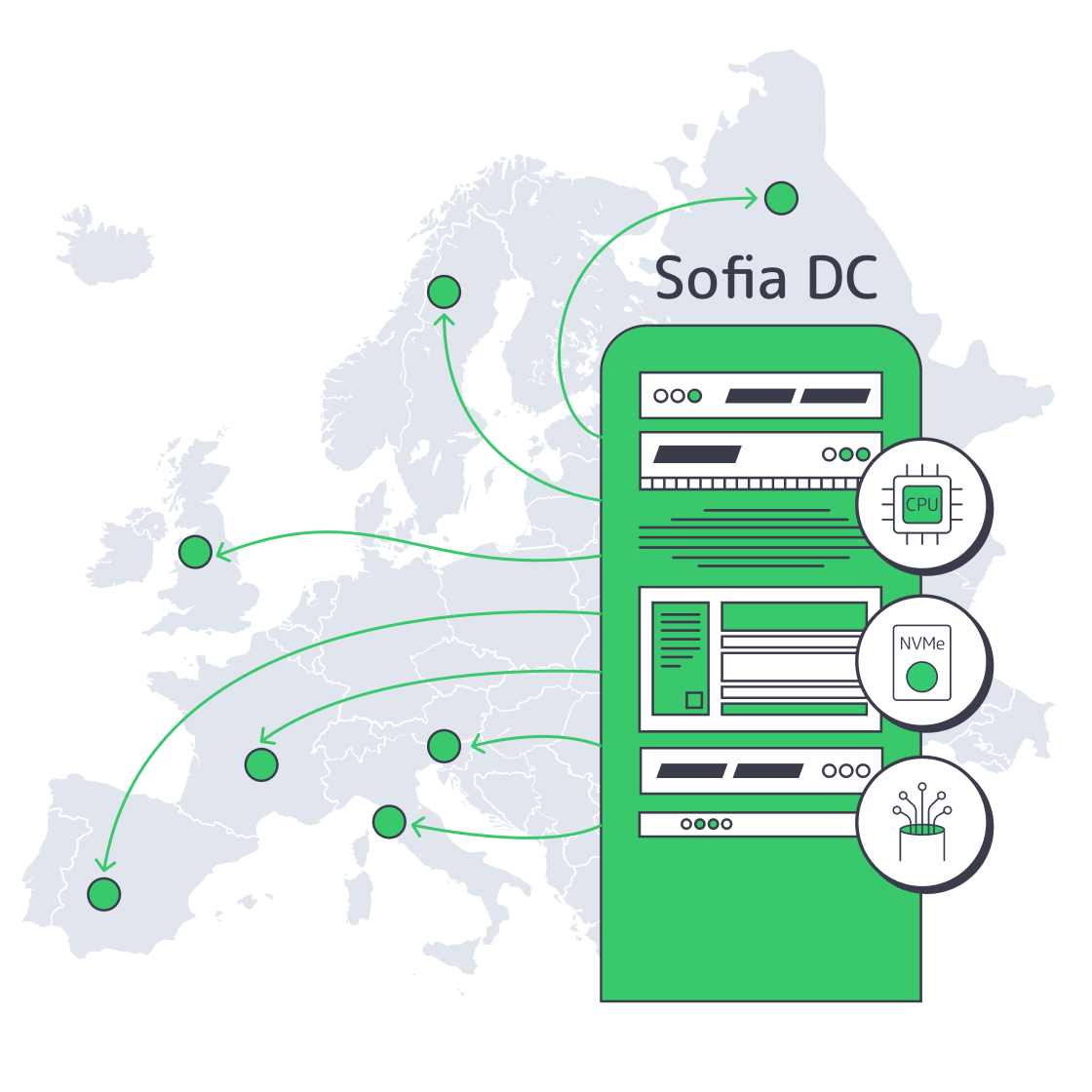
Sofia is positioned for strong regional reach: the Balkans, Turkey, Greece, Central Europe, and the rest of the EU. In practical terms, it’s a good place to run latency-sensitive services that don’t need to live in Frankfurt or Amsterdam to feel “European.” Melbicom’s Sofia facility is Tier III-certified and designed for high-throughput connectivity, with 1–40 Gbps per-server bandwidth options and on-site operations.
Modern dedicated servers are built around two bottlenecks: I/O and parallelism
A decade ago, you could treat storage as “fast enough” and CPU as “one box runs the app.” That model dies under today’s operational reality:
- I/O is the floor: NVMe is the difference between a database that scales and one that gets slower as you add users.
- Parallelism is the ceiling: high core counts are now common, and real apps will use them—if your scheduling, caching, and storage can keep up.
In Bulgaria, this matters because you can build performance headroom without paying a premium for being inside the most expensive Western metros.
Performance Levers—What Changes When You Stop Sharing Hardware
| Domain | What modern dedicated servers deliver | Why it matters for performance |
|---|---|---|
| CPU | High sustained clocks + many cores | Predictable throughput for API, batch, and analytics workloads |
| Storage | SSD/NVMe-first tiers | Faster DB commits, lower tail latency, higher cache efficiency |
| Network I/O | Multi-gig to 40 Gbps ports | Keeps distributed systems from stalling on replication/egress |
| Isolation | No “noisy neighbor” contention | Stable p95/p99 under load, fewer mystery incidents |
| Ops control | OS/kernel/runtime tuning freedom | Better fit for containers, DB tuning, and specialized stacks |
Which Bulgarian Servers Support Resource-Intensive Workloads
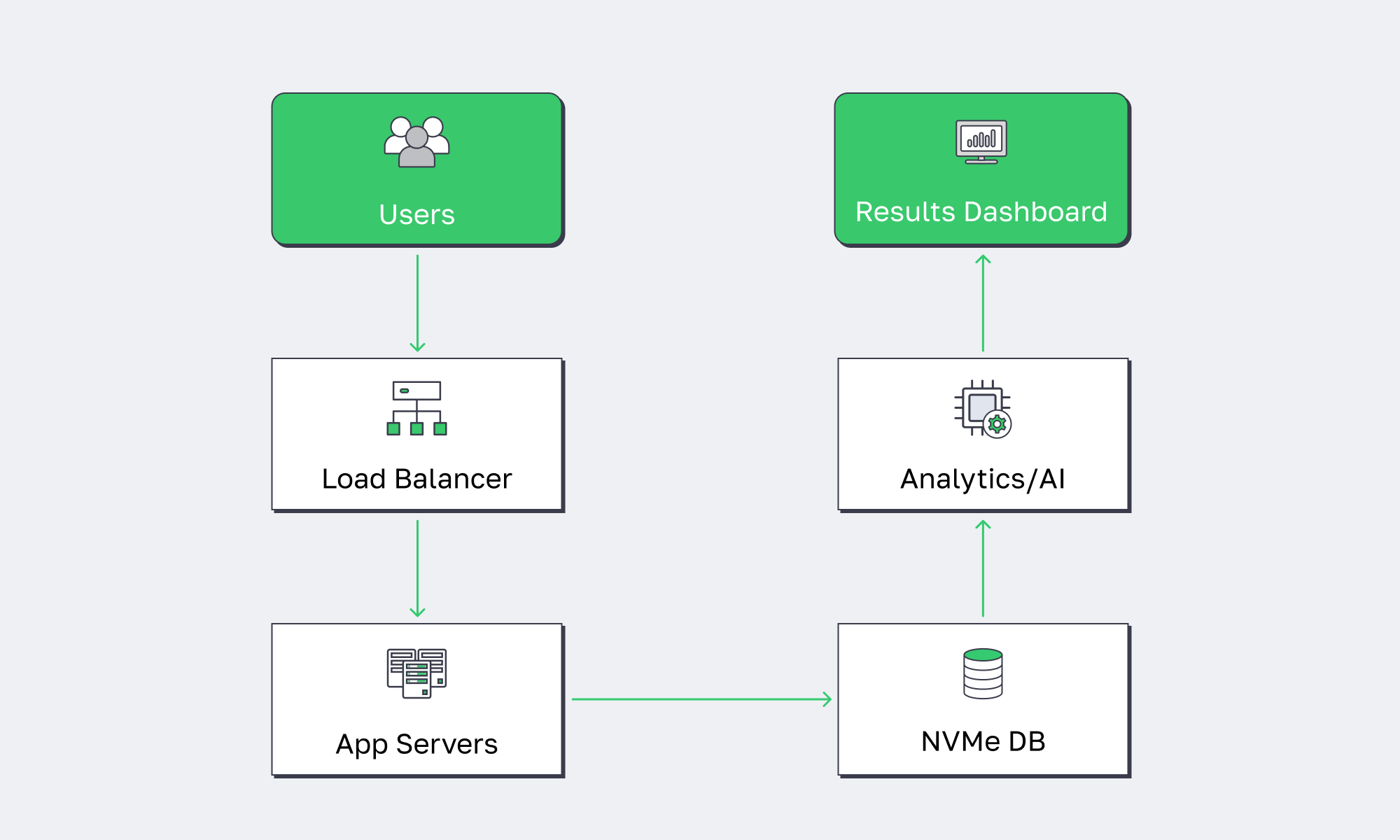
The best Bulgarian servers for heavy workloads prioritize core density, memory bandwidth, and NVMe storage, paired with high-throughput network ports. For resource-intensive stacks—large application hosting, AI inference, big data processing, and real-time pipelines—the goal is to keep your critical path on fast local storage and avoid variable performance from shared layers.
Workloads that actually benefit from “more metal”
Not every system needs a dedicated box. But the ones that do are the ones where variability costs money:
- Large application hosting: microservices clusters, API gateways, and session-heavy backends benefit from stable CPU scheduling and predictable I/O.
- AI inference + vector search: CPU-heavy embedding and retrieval pipelines prefer high clocks and fast NVMe for index storage.
- Big data + streaming analytics: ingestion, ETL, and columnar stores are storage- and network-bound when traffic spikes.
- CI/CD at scale: parallel builds/artifact storage punish slow disks and burstable CPUs.
Dedicated servers are also “future-proof” in a specific way: they are easier to scale horizontally without second-guessing whether the platform will throttle you.
Why NVMe storage becomes mandatory for modern data stacks
The storage story has shifted from capacity to throughput. It’s not just databases—object storage gateways, observability stacks, and ML feature stores all behave like write-heavy systems. The difference between SATA III (6 Gbit/s, 600 MB/s theoretical) and modern PCIe 4.0 NVMe drives (up to 7,000 MB/s sequential reads on mainstream models) is the difference between “scale works” and “scale breaks.”
AI and big data readiness is really “memory + storage + network”
Modern AI pipelines are not just GPUs. The unglamorous work—data preparation, feature engineering, embedding generation, and vector DB operations—often runs on CPU + RAM + fast disks. Bulgaria works here because high-memory, NVMe-backed machines can sit close to EU users and data, while still delivering the IOPS and bandwidth these pipelines need.
Where to Get Cost-Effective Enterprise Servers in Bulgaria
You should source enterprise-grade servers in Bulgaria from a provider that can deploy dozens of ready-to-go configurations in Sofia or deliver custom configurations in days (not weeks), keep per-server bandwidth high, and support non-standard builds quickly. Look for Tier III/IV facilities, fast provisioning, and an EU/US/Asia footprint for expansion—without rebuilding your network model from scratch.
Melbicom in Sofia
At Melbicom, we keep capacity ready: 50+ servers available for rapid provisioning, custom configurations delivered in 3–5 business days, and a 14+ Tbps network backbone behind the platform—backed by free 24/7 support.
Melbicom can then scale the same operating model beyond Sofia: 20 additional Tier III/IV global data centers and an enterprise CDN with 55+ PoPs, allowing core compute to remain in Bulgaria while content and static assets are delivered closer to end users.
Cost-effective connectivity without the speed trade-off
A common fear is that moving outside the Western core means trading performance for savings. In practice, Sofia is competitive for regional connectivity—especially when the provider has serious peering and transit diversity. Melbicom runs a 14+ Tbps backbone with 20+ transit providers and 25+ IXPs, and offers BGP sessions (including BYOIP) so network teams can control routing and keep IP space consistent across regions.
Why a Dedicated Server in Bulgaria Belongs in Your Infrastructure Strategy

The economics are shifting. Dedicated server hosting is projected to grow from ~$20.1B in 2024 to ~$81.5B by 2032, driven by performance workloads, compliance needs, and cost pressure. At the same time, the enterprise server market keeps climbing (IDC reported $112.4B in server revenue in Q3 2025), largely because compute demand isn’t slowing down—it’s just moving into more specialized shapes.
Bulgaria becomes strategically interesting in that environment: you can deploy modern dedicated infrastructure in the EU with strong regional latency characteristics, without paying the “premium geography tax.” It’s not a hedge against cloud—it’s a high-performance baseline for the parts of your stack that shouldn’t be burstable.
Key Takeaways: Bulgaria Is a Smart Performance Move
If your stack is CPU-, storage-, or bandwidth-bound—and you’re tired of paying premium-region prices—Bulgaria is increasingly a rational place to run production compute.
- Benchmark like an SRE, not a buyer. Compare p95 latency, IOPS, and replication throughput between Sofia and your current region before you migrate a tier.
- Treat bandwidth as a design constraint. Decide early whether you need unmetered throughput (and how much), because it shapes replication, ingest, and backup architecture.
- Separate hot data from cold artifacts. Keep the hot set on local NVMe; push snapshots, logs, and large objects to storage; front static reads with a CDN to protect origin CPUs.
- Standardize builds and automate ops. Predictable performance only matters if you can re-create it: immutable images, config management, and monitoring that catches storage and network saturation before users do.
Conclusion: Performance Is About Location, Hardware, and Ops Maturity

Bulgaria isn’t “cheap hosting.” It’s where performance infrastructure looks like modern Europe: Tier III facilities, multi-gig connectivity, and current-gen CPUs and storage—without the top-tier metro markup.
If you want dedicated performance without paying for prestige geography, the most effective move is to put predictable server infra in Sofia and keep your delivery layer global.
Deploy Dedicated Servers in Bulgaria
Get high-bandwidth dedicated servers in Sofia with fast provisioning and 24/7 support. Build a cost-effective EU footprint without sacrificing performance.
Get expert support with your services
Blog
Sofia Servers Anchor Europe’s Emerging Data Hub
For years, Europe’s internet gravity has sat firmly in Frankfurt, London, Amsterdam, and Paris. Now the map is tilting. As AI, streaming, and distributed apps turn into bandwidth hogs, operators are shifting east and south in search of more power, cheaper land, and better routes to emerging users.
According to a JLL-backed analysis, Europe’s secondary data center markets are on track to expand capacity by 49%, while traditional FLAPD hubs grow at roughly 16% over the same period – a sign that hyperscale and edge demand are spilling into new regions.
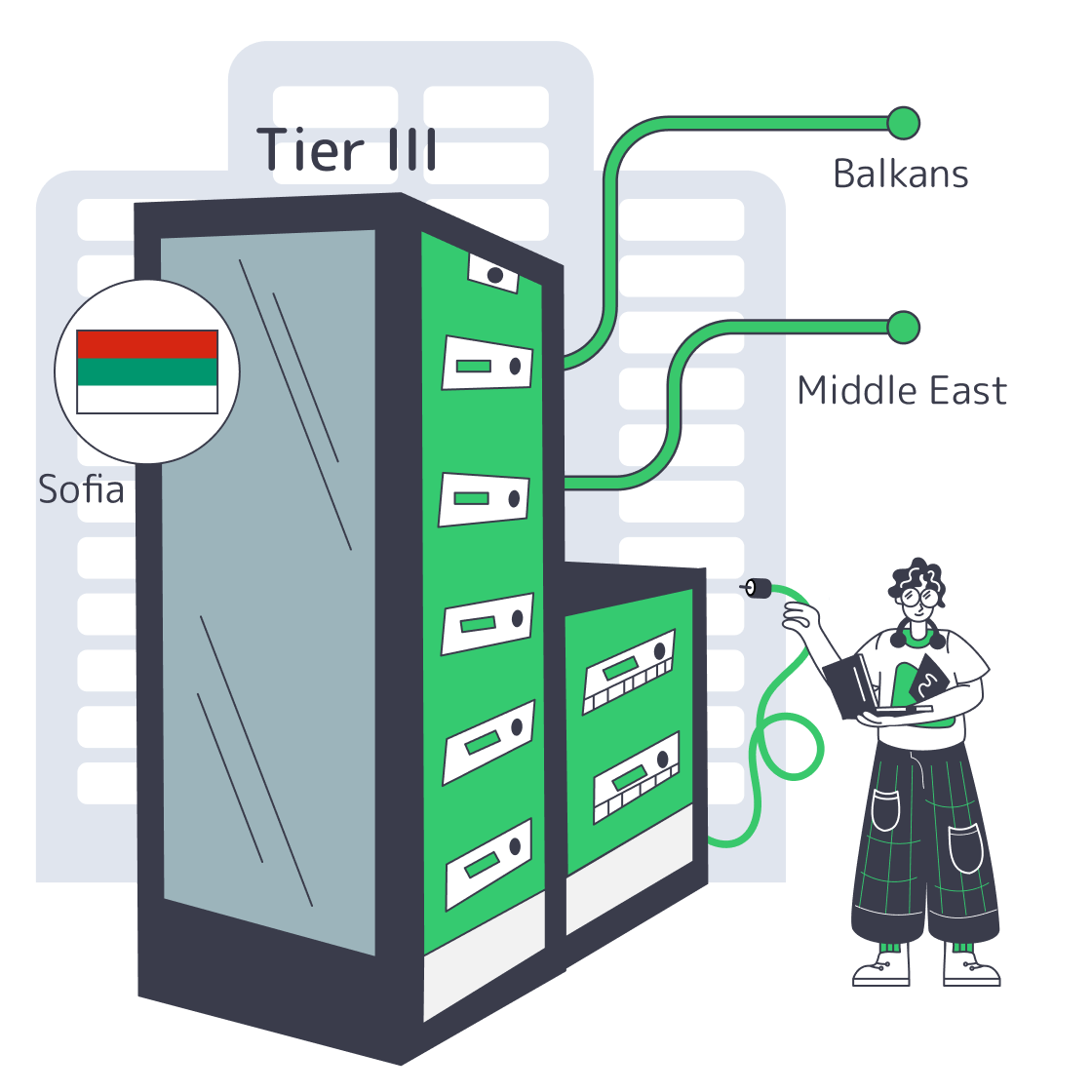
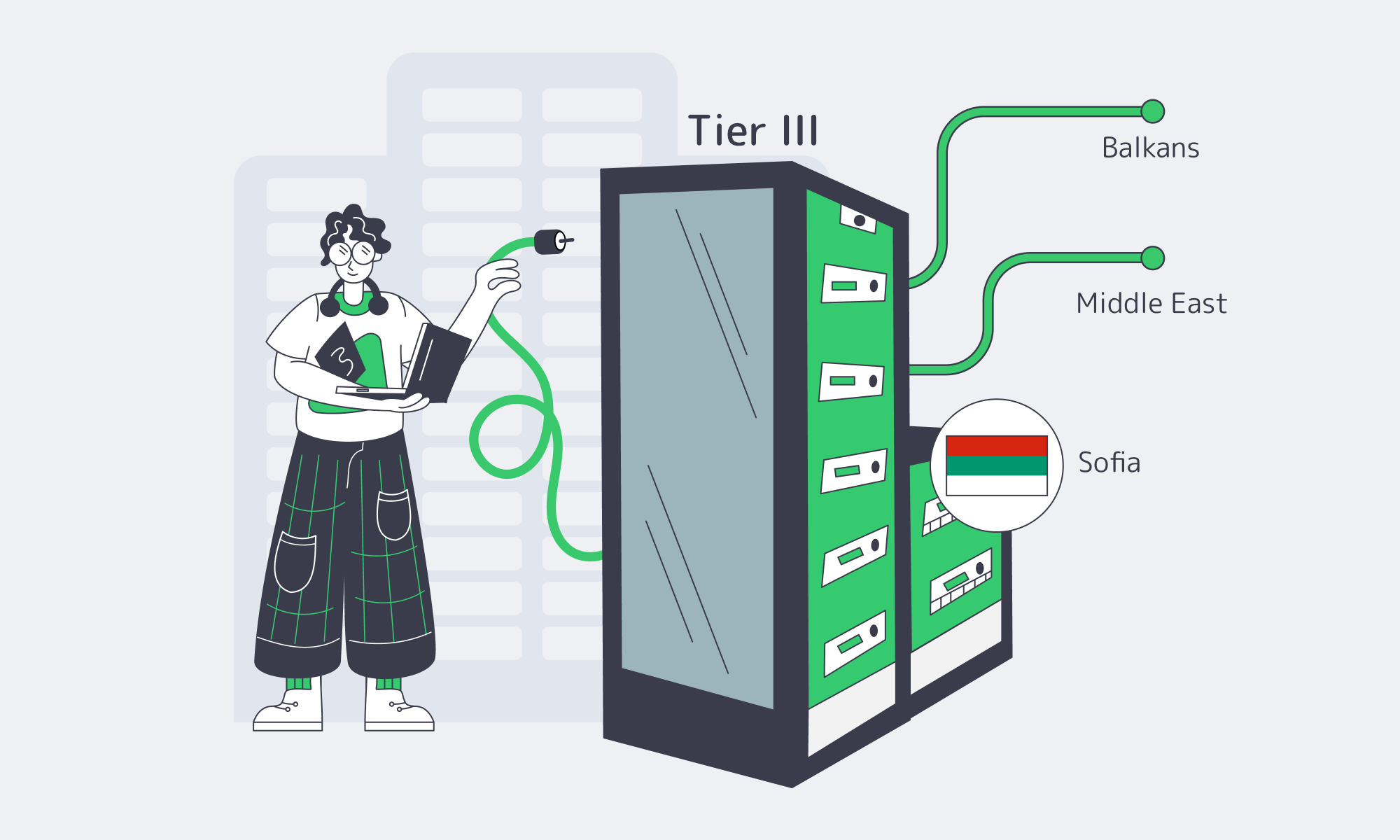
Bulgaria, is one of the clearest winners in that shift. Sitting at the crossroads between Central Europe, the Balkans, and the Middle East, Sofia combines Tier III infra, aggressively improving connectivity and low operating costs. For teams looking at a Sofia server deployment as a regional foothold, it’s no longer a niche play – it’s a strategic one.
Choose Melbicom— Tier III-certified Sofia DC — 50+ ready-to-go servers — 55+ PoP CDN across 36 countries |
|
What Makes Sofia Ideal for Balkan DCs
Sofia is ideal for Balkan data centers because it sits on major East–West fiber routes, offers low-latency paths into the Balkans and Turkey, and now hosts modern Tier III facilities at lower cost than Western hubs. This combination turns Sofia into a high-performance, cost-efficient anchor point for serving Southeastern Europe and nearby regions.
Sofia’s geography does a lot of heavy lifting. The city is a natural intersection of multiple Bulgarian and international networks, with fiber paths north into Romania and west into Central Europe, plus routes toward Greece and Turkey. That positioning shows up in real latency numbers: measurements between Sofia and Istanbul come in with minimums around 10 ms, making it effectively “local” to Turkey from a performance perspective.
The infrastructure on top of those routes has caught up fast. A major global colocation provider recently invested $12 million to double capacity at one of its Sofia sites to 700 racks, a strong signal that international workloads are moving in. At the same time, Melbicom’s facility in Sofia – a Tier III data center with 9,000 m² of space and 3 MW of power – offers 1–40 Gbps per server connectivity. Pair that with Melbicom’s 14+ Tbps global network and you get a local data center that behaves like a major European hub from a throughput and routing standpoint.
Cost and power are the other half of the story. Land, energy, and labor in Bulgaria are significantly cheaper than in core Western markets, which is exactly why analysts highlight secondary regions as the growth engine for Europe’s data center build-out. Lower input costs mean providers like Melbicom can offer high-bandwidth Sofia servers at pricing that’s often below FLAP while still running on Tier III infrastructure and redundant power systems.
Finally, Sofia isn’t just a bandwidth pipe; it’s evolving into an AI and research hub. Bulgaria has secured €90 million in EU funding to build BRAIN++, an AI “factory” supercomputer at Sofia Tech Park – a modern GPU data center intended to support large-scale AI projects.
The government is also exploring an AI gigafactory with IBM and the European Commission, discussing a facility with 100,000+ GPUs and up to 500 MW of power demand – the kind of project that pulls in even more fiber routes and energy investment around it.
In short: the combination of location, maturing infrastructure, and AI-focused investments is turning Sofia from a regional outpost into a serious data gravity well.
Where to Host Servers for Southeastern Europe and Beyond
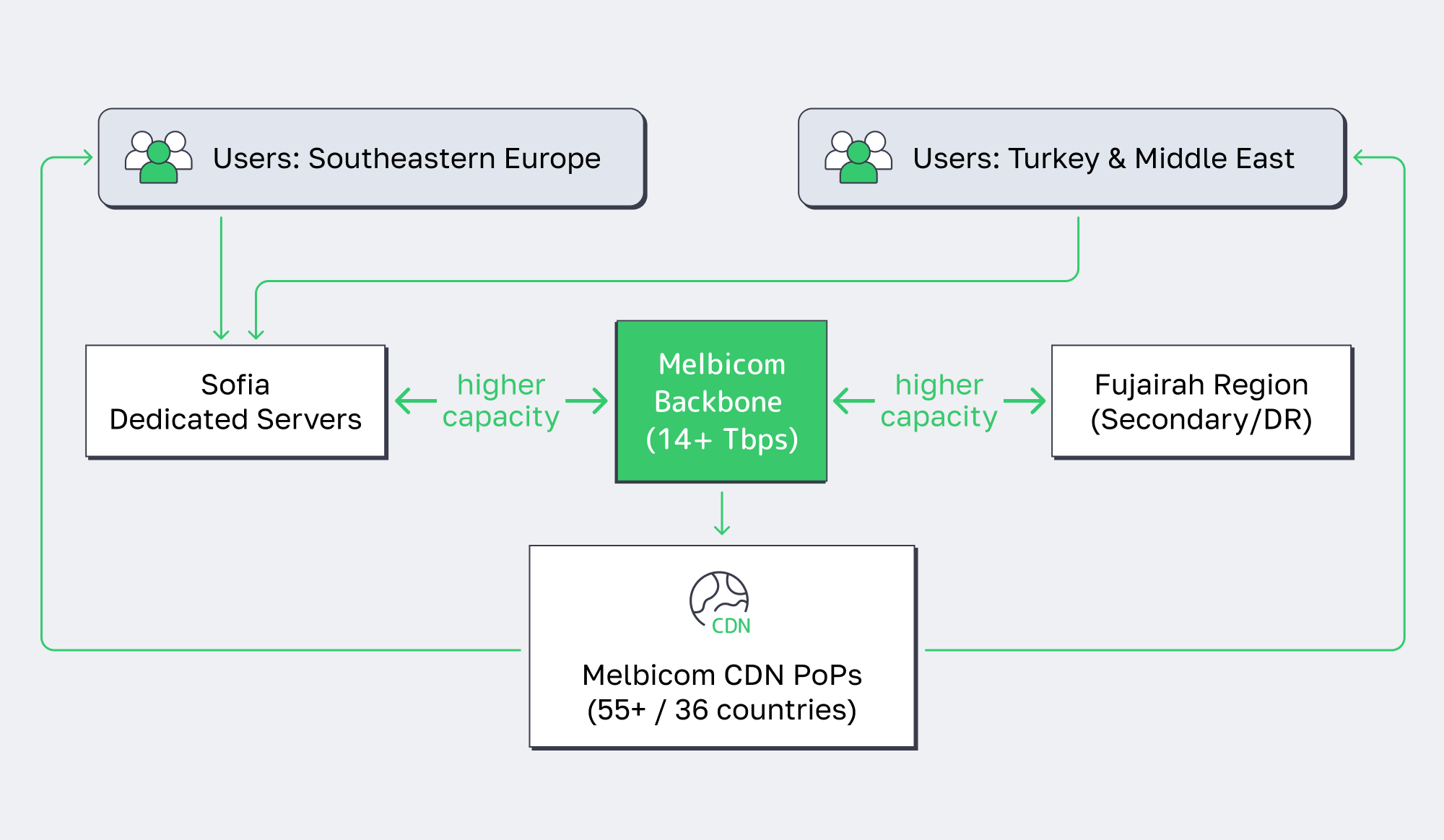
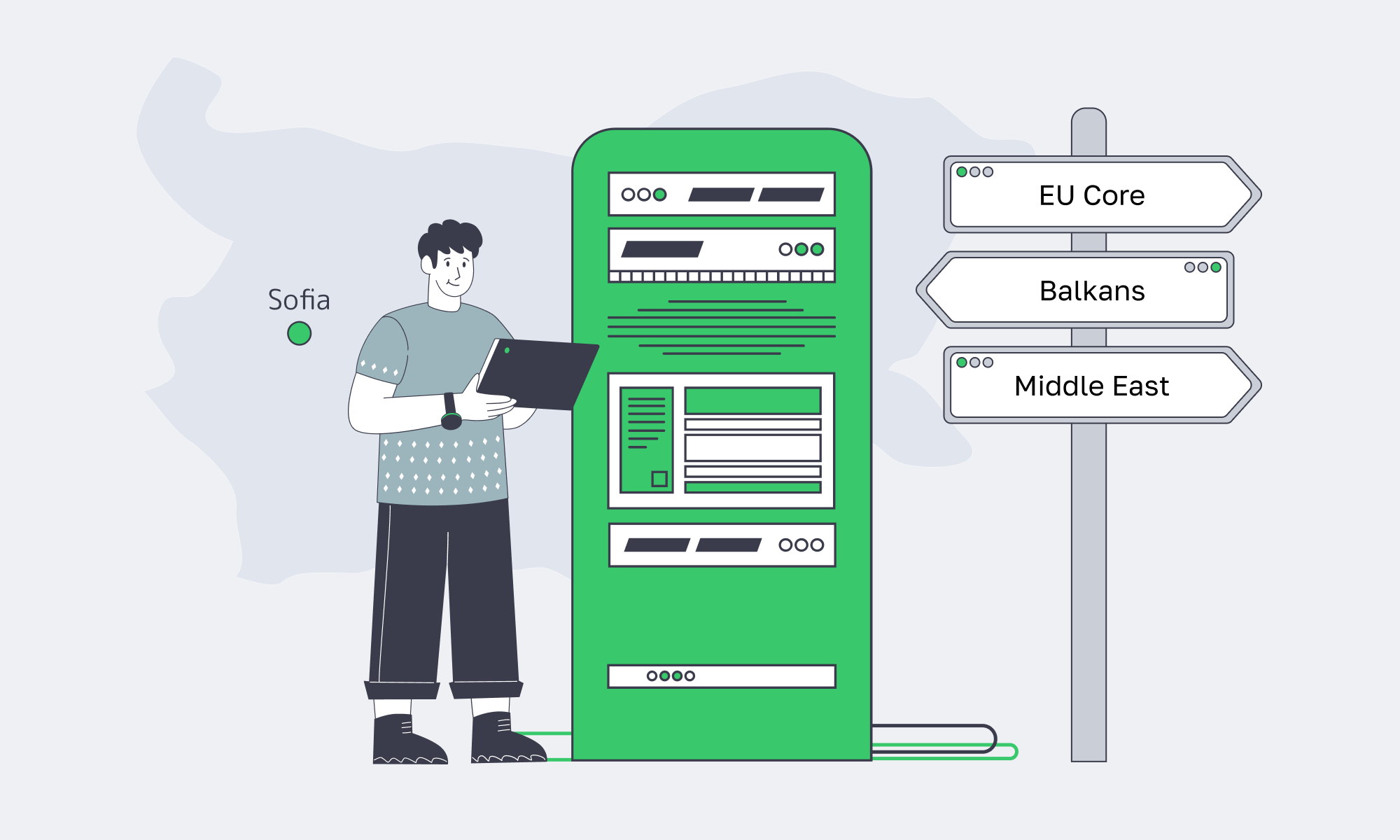
If you need to serve users across Southeastern Europe (and spill over into the Middle East), Sofia is one of the most efficient places to host. A Sofia server gives you sub-20 ms latency to major Balkan capitals, near-local performance into Istanbul, and solid paths into the Eastern Mediterranean – without the cost profile of Western hubs.
From a routing perspective, putting your workload in Sofia lets you sit near the center of a dense mesh of short-haul links. WonderNetwork’s ping data shows Sofia–Bucharest latencies clustering around 21 ms and Sofia–Athens with minimums in the low teens, even though average RTTs are higher depending on direction and path.
Layer that with ~10 ms to Istanbul and you’re effectively within a single “latency zone” that covers Romania, Greece, Serbia, Bulgaria, and Turkey – ideal for gaming, streaming, and low-latency Web3 infra.
Sofia also stays on the right side of compliance. Bulgaria is an EU, GDPR-governed jurisdiction, which simplifies life if you’re handling user data from across Europe and the Middle East. Hosting in some non-EU locations can raise uncomfortable questions about data sovereignty and cross-border access; keeping sensitive workloads inside the EU, while still being physically close to MENA routes, gives you performance without legal gray zones.
Reliability is handled at both the facility and network layers. Sofia sits on diverse fiber routes – north via Romania, west via Serbia/Central Europe, and south toward Greece and subsea cable landings. If one corridor has an issue, traffic can be rerouted through others.
Finally, Sofia’s role in AI and high-performance workloads is only going to grow. As large GPU campuses like BRAIN++ come online and the proposed AI gigafactory moves forward, local ecosystems of power, cooling, and specialized networking will keep improving. Hosting core services or data pipelines in Sofia today means you’re colocated with where AI capacity in the region is heading tomorrow.
Example: Latency From a Sofia Server to Key Regional Cities
| Destination city | Typical RTT (ms)* |
|---|---|
| Istanbul, Turkey | ~10–16 ms |
| Bucharest, Romania | ~21 ms |
| Athens, Greece | ~13–20 ms (min side) |
*Approximate ranges from WonderNetwork’s point‑in‑time measurements; real-world values vary with ISP and path.
Key Advantages of Hosting in Sofia, Bulgaria
Zooming out, the value proposition of putting a Sofia server at the center of your Eastern European footprint looks like this:
- Performance where it matters: Single‑digit to low‑tens of milliseconds to core Balkan markets and Istanbul + reasonable hops into the Eastern Mediterranean and Middle East.
- Modern, scalable infrastructure: Tier III facilities with multi‑megawatt power, redundant cooling, and fast ports enable high‑throughput, AI‑ready deployments.
- Cost efficiency vs. FLAP hubs: Lower land and power costs in Bulgaria let providers price aggressively without cutting corners on hardware or connectivity.
- Network resilience by design: Multiple fiber corridors in and out of Sofia, combined with redundant peering, reduce the blast radius of any single route failure.
- Future alignment with AI growth: EU‑funded GPU factories and proposed 100,000‑GPU hyperscale sites in Bulgaria suggest long‑term investment in the region’s digital core.
Sofia Dedicated Server: A Strategic Bet on an Emerging Hub
Choosing Sofia is not about chasing a cheap corner of the map; it’s about exploiting a structural tilt in how Europe’s infrastructure is being built. As core hubs hit power and land limits, operators are pushing new capacity into regions that still have room to grow. Sofia happens to combine that greenfield advantage with a rare density of international routes and fast paths into the Balkans and Western Asia.
For teams that care about both latency and long‑term flexibility, a Sofia server can play multiple roles at once: regional edge for Southeastern Europe, stepping stone toward the Middle East, and a resilient backup or spillover region for workloads running in Western hubs. As AI and bandwidth‑hungry applications continue to reshape traffic patterns, being present in an emerging node like Sofia looks less like an experiment and more like prudent risk management.
Launch Sofia servers today
Spin up Tier III servers in Sofia with 1–40 Gbps ports on a 14+ Tbps backbone. Go live fast with ready configs and custom builds.
Get expert support with your services
Blog

How Real Unmetered Ports Power Modern Workloads
“Unlimited bandwidth” is one of those phrases that sounds magical and usually isn’t. On shared hosting it often meant “until you use too much, then we slow you down.” On a dedicated server, though, it can be very real and extremely useful—if you understand what you’re actually buying.
By 2026, analysts expect around 82% of all internet traffic to be video, turning bandwidth from a line item into a core business dependency for streaming, gaming, collaboration, and more. When your workloads are UHD streaming, multi‑tenant SaaS, or global file distribution, the difference between a truly unmetered port and a marketing “unlimited” plan is the difference between scaling and stalling.
Choose Melbicom— Unmetered bandwidth plans — 1,300+ ready-to-go servers — 21 DC & 55+ CDN PoPs |
|
This piece digs into what “dedicated server unlimited bandwidth” really means, how modern providers avoid the old “unlimited” traps, and which modern workloads absolutely need the real thing.
What Does Unlimited Bandwidth Really Mean for Servers
On a dedicated server, “unlimited bandwidth” means unmetered data transfer up to the capacity of your network port, not infinite speed. The provider stops counting terabytes and instead sells you a fixed pipe (i.e, 1–200 Gbps) that you can saturate around the clock. In this context, “unlimited” equals predictable capacity, not a loophole in physics.
In a dedicated server unmetered bandwidth plan, the hard limit isn’t a monthly data cap, it’s your port size. A 1 Gbps port can only push so many bits per second; a 10 Gbps or 100 Gbps port can push far more. The provider simply doesn’t meter how many terabytes you move through that pipe each month. Instead of worrying about “will this launch blow past 100 TB?”, you think in terms of “can this port sustain my traffic profile?”
For example, if you ran a 1 Gbps port flat out for an entire month, you’d move on the order of ~330 TB of data. With a 10 Gbps port, that scales to multi‑petabyte territory. Metered billing models often attach overage fees above a certain TB threshold; unmetered models remove that dimension entirely and simply charge you for the port.
Historically, a lot of “unlimited” offers were more illusion than reality. Bandwidth was expensive, so some providers oversold shared links and leaned on “fair use” clauses or 95th‑percentile billing to rein in heavy users. The result: plans that claimed “unlimited” but quietly throttled or penalized you once you behaved like a successful service.
Today, transit costs are lower and global backbones are much larger, so serious providers can afford to be literal: no transfer caps, no thresholds, just the physical port as the limit.
That’s the model we follow at Melbicom: we treat “unlimited” as unmetered, port‑bound capacity. Our unmetered options ride on dedicated ports with guaranteed throughput and no oversubscription ratios, backed by a backbone above 14 Tbps and engineered specifically for high‑throughput workloads. You can push line‑rate traffic without hunting through the fine print for the catch.
How to Identify Truly Unmetered Dedicated Server Plans

A truly unmetered plan spells out its constraints in plain language: fixed port speed, no 95th‑percentile games, no hidden sharing ratios, and clear acceptable‑use rules. You should be able to run near line‑rate traffic for days without seeing throttling, surprise overages, or vague emails about “abuse.”
Here’s how to vet an unlimited bandwidth dedicated server offer.
- Confirm that “unlimited” refers to transfer, not burst.If the small print mentions 95th‑percentile billing, “burstable” tiers, or soft caps after some TB figure, you’re looking at a metered plan with nicer marketing. Unmetered means you are not charged per TB and aren’t cut off after some hidden limit.
- Make sure the port is truly dedicated (1:1).On a real unmetered port, if you pay for 10 Gbps, you alone control that 10 Gbps. Wording like “guaranteed bandwidth, without ratios” is what you want; it signals no silent sharing or oversubscription of your uplink.
- Check that the backbone can actually carry it.Providers with multi‑terabit backbones and diverse transit/IX peers have the headroom to keep unmetered ports honest. Melbicom, for instance, runs a 14+ Tbps backbone across 21 Tier III/IV data centers with 55+ CDN PoPs, so fully loaded ports are normal operating conditions, not edge cases.
- Prefer Tier III / IV, carrier‑rich facilities.Carrier‑neutral Tier III / IV data centers give your server multiple upstreams and paths, so “unlimited” isn’t undermined by congestion on a single carrier. Melbicom’s footprint follows this pattern: Tier III/IV sites in Europe, the Americas, Asia, Africa, and the Middle East, with per‑server bandwidth ranging from 1 Gbps up to 200 Gbps depending on location.
- Expect clear AUPs and testable performance.A good provider’s acceptable‑use policy bans actual abuse (open proxies, public torrent mirrors, etc.) rather than imposing fuzzy “fair use.” Ideally, you should be able to test from each location using downloadable files or your own scripts, and see that a “1 Gbps unmetered” port behaves exactly like one under sustained load.
Once those basics are covered, the remaining question is “How big a port do we need?” The rough math below assumes 100% utilization 24/7; your actual usage will almost always be lower, but it shows what’s theoretically on the table:
| Port Speed | Approx. Monthly Data at 100% Utilization | Typical Fit (Examples) |
|---|---|---|
| 1 Gbps | ~330 TB | Regional SaaS node, busy API backend, moderate VOD origin |
| 10 Gbps | ~3.3 PB | Multi‑region streaming origin, large SaaS region, big download mirror |
| 100 Gbps | ~33 PB | Major media node, CDN origin cluster, hyperscale data distribution |
The point is not that you’ll always drive ports this hard, but that a genuine dedicated server unmetered bandwidth plan allows you to. If a provider’s small print would prevent you from ever approaching these numbers in practice, their “unlimited” isn’t really unmetered.
At Melbicom, the pattern is explicit: you choose the port size (from 1 Gbps up to 200 Gbps per server), and when you opt for unmetered, that port becomes a flat, predictable cost—no surprise bills just because your product finally found its audience.
Which Workloads Require True Unmetered Server Bandwidth

Unmetered ports aren’t just for vanity. They’re for workloads where bandwidth is central to the business model: UHD/8K streaming, global SaaS, massive downloads, AdTech, and real‑time AI or APIs. In those cases, a capped plan becomes either a cost time bomb or a hard performance ceiling.
Some concrete examples:
- UHD and 8K Streaming Platforms: Streaming 4K typically needs around 25 Mbps per stream, and early 8K implementations can demand roughly 50–100 Mbps of sustained bandwidth. A few thousand concurrent viewers can overwhelm a capped plan quickly. Recent analysis of Sandvine’s Global Internet Phenomena data shows video applications already generate 39% of global fixed download traffic, with YouTube alone responsible for 16% of overall internet traffic. For live sports, IPTV, or large VOD catalogs, a 10 Gbps+ dedicated server unlimited bandwidth port is no longer overkill; it’s what keeps viewership spikes from becoming incidents.
- SaaS and Cloud Applications: In 2026, it’s estimated that 85% of business applications are SaaS‑based, so more critical workflows depend on continuous data movement between users and cloud services. High‑churn traffic—APIs, sync jobs, video calls, collaborative editing—doesn’t spike once; it spikes all day in different time zones. On a metered plan, every growth phase forces another bandwidth renegotiation. On unmetered ports, you treat bandwidth as a fixed cost and focus on latency, redundancy, and scaling patterns instead.
- Large File Distribution and Updates: Game patches, OS images, firmware, media assets, data sets—these are not small files, and a single popular release can push petabytes in days. Here, a dedicated server unmetered bandwidth configuration plus a CDN is the default pattern: let the origin run flat‑out on a large port while the CDN caches content close to users. Melbicom’s CDN, for example, runs in 55+ PoPs across 36 countries, tightly integrated with origin servers in 21 data centers, so you can combine unmetered origin bandwidth with globally distributed edge delivery.
- High‑Traffic Sites, Ad‑Tech, and Real‑Time APIs: Sometimes it’s not the size of each response but the sheer number of them. AdTech platforms, analytics beacons, social feeds, and high‑traffic content sites can generate billions of small responses per day. A metered plan turns that into a cost‑optimization exercise. An unmetered port turns it into an engineering challenge—keep p95 latency low at peak—so your team can tune code and architecture instead of designing around bandwidth caps.
In all of these scenarios, an unlimited bandwidth dedicated server isn’t a vanity asset; it’s a way to align infrastructure with how your product actually uses the network. It lets you focus on shaping traffic and optimizing architectures instead of performing invoice forensics at the end of every month.
Why Dedicated Server with Unlimited Bandwidth Matters

In 2026, we’re not just gently trending toward “more data”—we’re already there. Video dominates consumer traffic, SaaS dominates business software, and more workloads than ever are interactive, real‑time, and global. In that environment, bandwidth stops being a peripheral detail and becomes a first‑order design constraint.
That’s where the definition of “unlimited” really matters. A plan that promises the world but hides caps behind 95th‑percentile graphs or vague “fair use” clauses will, sooner or later, collide with your success. A dedicated server unlimited bandwidth plan, correctly implemented, does the opposite: it makes the limits explicit (your port speed) and makes everything else—especially your bill—predictable.
From a tech decision‑maker’s point of view, the practical recommendations look like this:
- Treat “unlimited” as unmetered, not unbounded.Insist that “unlimited” means “all the traffic your port can carry” with no per‑TB billing or soft caps. If the provider can’t say that plainly, assume you will hit hidden limits at the worst possible time.
- Tie bandwidth back to network reality.Choose providers that can prove they have dedicated ports, multi‑terabit backbones, and Tier III/IV, carrier‑rich facilities. If you can’t trace how your traffic leaves the data center (transit, IXPs, paths), you can’t trust “no throttling” to hold under load.
- Map workloads to ports, not caps.Size ports based on your actual workloads—UHD streams, SaaS tenants, download volumes—then use unmetered billing to remove guesswork around monthly transfer. Revisit port size as you grow, not because you’re afraid of unexpectedly expensive invoices.
Get those pieces right, and “unlimited bandwidth” stops being a red flag and becomes one of the cleanest, most understandable parts of your stack.
Get Unmetered Bandwidth on Dedicated Servers
Choose port speeds from 1 Gbps to 200 Gbps with predictable unmetered transfer. Our global network and Tier III/IV facilities keep throughput steady for streaming, SaaS, and large file delivery.
Get expert support with your services
Blog

How to Choose an Unmetered Bandwidth Dedicated Server
High-traffic services don’t “run out of CPU” first anymore — they run out of network. Internet traffic volume has climbed fast enough that “normal” outbound totals are now measured in exabytes: IBISWorld estimates global IP traffic rose from 207.4 exabytes/mo in 2020 to 521.9 exabytes/mo in 2025. That growth changes what good hosting is: you need predictable throughput, not surprise overages or mystery slowdowns.
Choose Melbicom— Unmetered bandwidth plans — 1,400+ ready-to-go server configs — 21 DC & 55+ CDN PoPs |
|
How Do You Choose Unlimited Bandwidth Hosting Without Hidden Limits?
Picking unlimited bandwidth hosting in 2026 is about guaranteed port speed, network quality, uptime discipline, and transparency. Treat “unlimited” as meaningless unless it’s tied to an explicit unmetered commit (for example, 20 Gbps+) with no hidden caps or throttling. Validate with policy language, test endpoints, and real throughput checks before you migrate production.
Dedicated Server Unmetered Bandwidth vs. “Unlimited” Marketing
The useful term is dedicated server unmetered bandwidth: you’re paying for a fixed-size pipe (1 Gbps, 10 Gbps, 40 Gbps…), and transfer volume isn’t metered. “Unlimited bandwidth” only matters when it’s paired with that explicit pipe size and a provider that can actually deliver it during peak hours.
Two practical reasons this matters:
- Cost predictability: public cloud egress is still usage-priced. Once you’re pushing tens of terabytes per month, outbound transfer alone can land in the “thousands of dollars” range at published list rates. (See the pricing tiers in this public-cloud example.)
- Performance predictability: unmetered bandwidth is a billing term. Performance is still constrained by physics: port speed, congestion, packet loss, and latency.
Which Port Speeds Ensure Reliable High-Traffic Server Performance
Port speed is your ceiling — but only if the provider’s network isn’t oversubscribed and your server can push packets fast enough. In 2026, 10 Gbps unmetered is widely available and often the starting point for serious outbound workloads, while 25/40+ Gbps ports are increasingly common for media, large downloads, and edge-heavy architectures.
Port Speed, Translated Into Monthly Headroom
If you use the connection at full capacity around the clock (uncommon, but helpful for planning), port speed defines your maximum monthly data transfer:
| Port Speed | Theoretical Max Transfer | When It’s the Right Choice |
|---|---|---|
| 1 Gbps | ~324 TB/month | High-traffic web/apps with caching; moderate downloads |
| 10 Gbps | ~3.24 PB/month | Video, software distribution, large API fan-out, “traffic spikes are normal” |
| 40 Gbps | ~12.96 PB/month | Massive content delivery, multi-tenant platforms, sustained burst workloads |
Those numbers are simple math (1 Gbps ≈ 0.125 GB/s). What matters operationally is how close you can get to them during real peak windows.
“Guaranteed” Needs a Definition, Not a Vibe
A modern plan should state, plainly, whether the switch port is dedicated at the advertised speed, how upstream capacity is provisioned for peak periods, and whether any rate-shaping can be applied when you become a “top talker.”
On our dedicated servers page, the language is explicit about “Guaranteed bandwidth, without ratios,” which is exactly the phrasing you want when you’re buying for predictable performance rather than “best effort”.
How to Verify No Hidden Throttling or Caps

A credible “unlimited” plan shows its limits up front: port speed, what direction is unmetered, and what policies trigger intervention. Verify by reading the acceptable-use language, confirming the port is unmetered on egress, and running repeatable throughput and packet-loss tests. If the provider won’t answer clearly, assume throttling exists.
- Force the provider to define “unlimited.” Ask: Is egress unmetered? Is there any soft cap (TB/month), fair-use threshold, or peak-hour shaping? You want a direct answer tied to a stated port speed.
- Look for “ratios,” “fair use,” and “may be limited” clauses. One sentence can turn “unlimited” into “best effort.” If the policy reserves the right to reduce speed after a threshold, treat the plan as capped.
- Test from your side, not theirs. Run sustained transfers at multiple times (especially prime time) and watch for step-function drops that look like shaping. If possible, test with multiple parallel streams; single-stream TCP can under-report capacity.
- Check for measurable packet loss under load. A port can show high Mbps on a short burst while dropping packets on sustained runs. That’s usually upstream congestion, not your server.
- Validate routing transparency. Providers with mature networks publish test endpoints and make it easy to measure path quality. Melbicom’s data center pages include network test downloads per location — useful for sanity-checking throughput before you order.
- Confirm the escape hatch: routing control. If you operate multi-site or carry your own IP space, BGP support is a strong signal of network maturity. Melbicom offers free BGP sessions on dedicated servers, including IPv4/IPv6 and communities, so you can engineer failover and steer traffic instead of hoping for the best.
Network Quality: Redundancy, Peering, and Latency Discipline
Unlimited transfer is worthless if the network collapses under pressure. The hard requirements are boring — and that’s the point.
Redundant switching and routing: Melbicom’s network design describes top-of-rack switches connected to two aggregation switches using vPC and 802.3ad, with L3 redundancy via VRRP — the kind of architecture that turns “a failure” into “a logged event”.
Upstream diversity and exchange presence: Melbicom’s backbone provides 14+ Tbps of capacity with 20+ transit providers and 25+ Internet exchange points (IXPs), which materially improves route options when a carrier has a bad day.
Edge offload for spiky traffic: Even with an unmetered origin port, you don’t want every user request to hit the origin. Melbicom’s CDN spans 55+ locations across 39 countries, helping move cacheable traffic closer to users and reducing origin fan-out.
We at Melbicom also support private networking between data centers for east–west traffic, and Melbicom provides S3 object storage to keep bulky objects off your origin servers.
Uptime Is an Engineering Practice, Not a Checkbox
“Uptime” in high-traffic services is rarely about one magic promise; it’s about eliminating single points of failure and shortening recovery loops. A sensible baseline is geography and facility quality: Melbicom hosts servers across 21 Tier III/IV data centers globally with per-server ports up to 200 Gbps — useful when you need to scale throughput without fragmenting your fleet across multiple providers.
Then you look at operational reality: can the provider provision quickly, replace hardware quickly, and answer tickets at 3 a.m. without escalation loops? Melbicom offers 1,400+ ready-to-go server configurations and free 24/7 technical support, so you can scale without waiting on a long procurement cycle. If you need something atypical, we at Melbicom can usually deliver custom configurations in 3–5 business days.
Fast Answers That Prevent Expensive Mistakes
Is “unlimited bandwidth” the same as unmetered? Not automatically. “Unlimited” is only meaningful when it is explicitly tied to an unmetered port speed and a policy that does not introduce fair-use throttling.
Does unmetered always include outbound traffic? No. Some plans only treat inbound as unmetered. If your workload is outbound-heavy, confirm egress is unmetered — in writing.
Will a 10 Gbps port guarantee 10 Gbps of real throughput? Only if the provider can sustain it and your server stack can push it. NIC, CPU packet processing, storage I/O, and TCP tuning can all be bottlenecks.
Dedicated Server Hosting with Unlimited Bandwidth in 2026
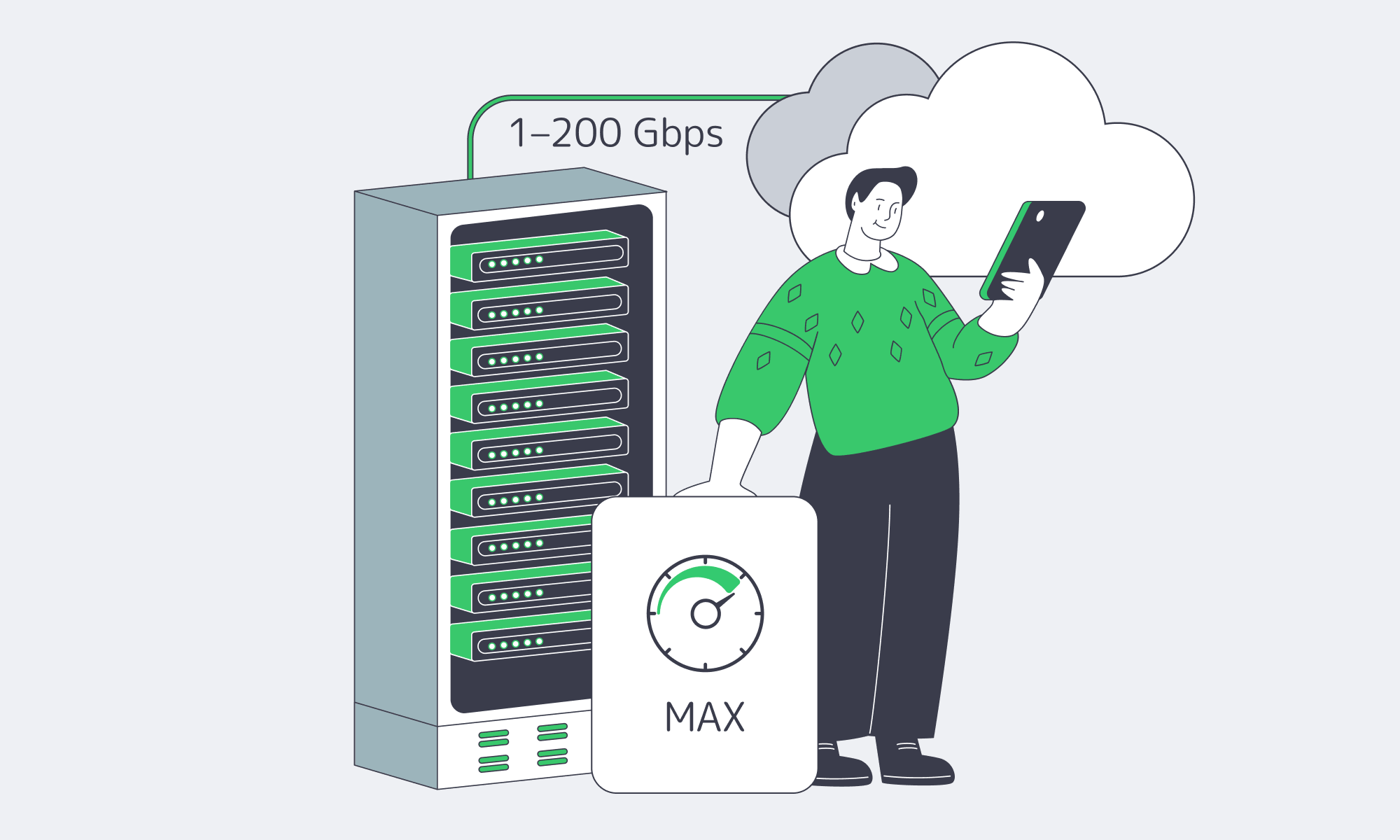
A good unlimited-bandwidth plan in 2026 is defined by what it can prove: a stated port speed, a network built for redundancy and low latency, operational uptime discipline, and transparent terms that don’t smuggle in caps. If you’re building for sustained outbound traffic, assume 20 Gbps+ unmetered options are the baseline — and treat every “unlimited” claim as guilty until measured.
- Choose plans with explicit port speeds and written confirmation of egress terms.
- Audit the provider’s network for redundancy, upstream diversity, and peering — then validate with real tests.
- Verify no hidden shaping by running sustained throughput checks during peak hours and watching for packet loss.
- Prioritize providers that offer routing control ( BGP/BYOIP) and edge options (CDN) so you can design around failure, not react to it.
If you do those four things, “unlimited bandwidth” stops being marketing and starts being a dependable part of your capacity plan — the same way you treat CPU cores and storage IOPS. And if you want those characteristics without turning procurement into a guessing game, it helps to start with a provider that publishes network details and makes pre-purchase verification straightforward.
Get unmetered bandwidth you can prove
Spin up 1–200 Gbps unmetered ports on dedicated servers with global routing, CDN options, and 24/7 support. Validate throughput with test endpoints, then scale confidently.
Get expert support with your services
Blog
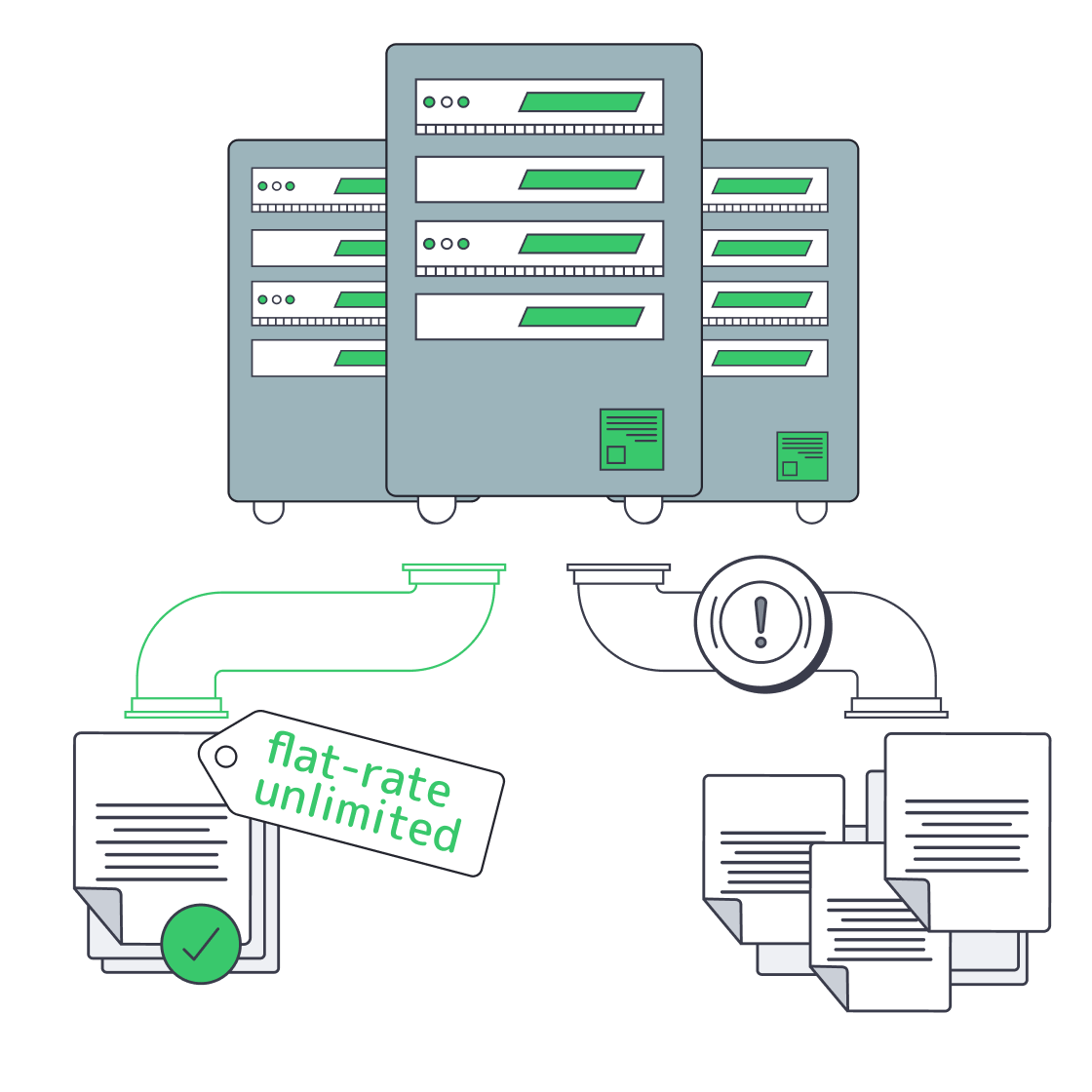
Cheap Unlimited-Bandwidth Dedicated Servers: Avoid Hidden Costs
Infrastructure teams running streaming, gaming, AdTech, or analytics workloads know bandwidth—not CPU—is often the real bill driver. Against that backdrop, offers for a cheap dedicated server with unlimited bandwidth are everywhere. The promise is simple: a flat monthly fee, “unlimited” traffic, and instant savings over metered cloud egress. The reality is often less pretty: fair‑use throttling once you actually saturate the port, surprise “abusive usage” emails, or renewal hikes that quietly erase any early discount.
At the same time, the cost of high‑capacity connectivity has collapsed. TeleGeography’s 2025 IP transit data shows that in the most competitive markets, the lowest 100 GigE transit offers sit at about $0.05 per Mbps per month, with 100 GigE port prices falling roughly 12% annually from 2022 to 2025. On the transport side, weighted median 100 Gbps wavelength prices across key routes have dropped 11% per year over the last three years. Those economics are exactly what make genuinely unmetered dedicated servers viable—if the provider actually passes the savings through instead of hiding limits in the fine print.
In other words: the market now supports truly TCO‑optimized unlimited plans, but there are still plenty of traps. The rest of this piece is about telling those apart.
Choose Melbicom— Unmetered bandwidth plans — 1,300+ ready-to-go servers — 21 DC & 55+ CDN PoPs |
|
What Makes an Unlimited-Bandwidth Dedicated Server Truly TCO-Optimized
A truly TCO‑optimized dedicated server with unlimited bandwidth keeps lifetime cost predictable: “unmetered” with no fair‑use throttling, guaranteed port capacity rather than shared ratios, clear renewal pricing, and enough backbone, peering, and support that you can run hot 24/7 without surprise bills or performance degradation.
- Start with the word “unlimited.” Many offers advertise it but tuck the real terms into a fair‑use policy: you can use as much as you like until the provider decides it’s too much. That usually means throttling or forced plan changes when you actually drive the link near line rate. A cost‑optimized plan instead spells out port speed—1, 10, 40, or even 200 Gbps—and lets you use that capacity continuously. At Melbicom we design our unlimited bandwidth dedicated server plans around that principle: if you pay for a 10 Gbps port, you can run 10 Gbps without being treated as an outlier.
- The second filter is whether the network can support that promise. Melbicom operates a global backbone with 14+ Tbps of capacity, connected to 20+ transit providers and 25+ internet exchange points (IXPs), plus 55+ CDN PoPs that push content closer to users. Ports scale from 1 Gbps up to 200 Gbps per server, so “unlimited” has real headroom rather than marketing‑only numbers.
- Finally, TCO isn’t just bandwidth. Hardware quality, provisioning agility, and support translate directly into operational cost. Melbicom runs 21 global Tier IV & Tier III data centers so you can deploy close to users without redesigning your stack each time. All of that sits behind a flat monthly price per server, with free 24/7 support, so you’re not quietly paying in engineering hours for every incident or hardware tweak.
Which Unlimited Bandwidth Plans Avoid Hidden Renewal Hikes

Unlimited bandwidth plans that genuinely avoid renewal hikes are almost boring: a single, clearly documented monthly price; no “introductory” or “promo” qualifiers; no vague fair‑use clauses; and no essential features split into billable add‑ons after month twelve.
The classic “too good to be true” pattern is a rock‑bottom first‑term price that quietly doubles at renewal. That’s tolerable on a small SaaS plan; it’s disastrous when the asset is a high‑traffic dedicated server with terabytes of data gravity. You migrate workloads, tune performance, maybe colocate other services near it—and then the second‑year invoice jumps 2–3× because the initial rate was promotional. The same trick often shows up as add‑on metering: “unlimited” on paper, but with specific traffic types, locations, or features billed separately.
The way to spot this is to read pricing tables and terms as if you were finance. If the offer page shows only a discounted introductory rate and is silent on renewals, assume the hike exists. If “unlimited” appears alongside mention of 95th‑percentile billing, burst caps, or loosely defined fair‑use policies, the risk is high that your total cost of ownership will drift up as soon as you actually use the bandwidth you’re paying for.
By contrast, a TCO‑oriented unlimited plan aims for rate stability. At Melbicom we price dedicated servers on a flat monthly basis: you pick hardware and port speed, we provide the capacity, and the price tag on our dedicated server page is what you build into your model. If you need more bandwidth, you upgrade the port or add servers—rather than discovering a multiplier in the fine print. The absence of teaser pricing matters because it prevents the infra you depended on at 1× scale from becoming untenable at 10× scale.
How Do Flat-Rate Plans Simplify Bandwidth Budgeting
Flat‑rate unmetered plans simplify bandwidth budgeting by turning a volatile, usage‑driven cost into a fixed monthly line item. Instead of watching per‑GB meters or 95th‑percentile graphs, you decide what a given server and port are worth and know your bill won’t spike every time traffic does.
Usage‑based egress pricing is the opposite. Consider a typical major cloud provider. Public documentation for Amazon EC2, for example, starts data transfer out at $0.09 per GB for the first 10 TB per month, then drops to $0.085 per GB for the next 40 TB and $0.07 per GB for the next 100 TB. Those numbers sound small until you multiply them by real‑world traffic:
| Monthly Data Transfer | Estimated Cloud Egress Cost* | Flat-Rate Server Cost |
|---|---|---|
| 10 TB | ≈ $900 (usage-based) | $500 (fixed) |
| 50 TB | ≈ $4,400 | $500 (fixed) |
| 100 TB | ≈ $7,800 | $500 (fixed) |
*Illustrative calculation based on EC2 data transfer out pricing tiers across the first 150 TB/month. Actual charges vary by region and service.
At small scales, usage‑based billing is manageable. As soon as you cross into tens of terabytes per month, bandwidth becomes your primary cost risk. Analysis from practitioners and vendors alike repeatedly flags data transfer as one of the most common sources of unexpected overruns on cloud bills. That’s before you add AI inference traffic, larger media assets, or new regions.
Flat‑rate unlimited servers invert that risk profile. Instead of bandwidth being a variable cost that explodes with success, it becomes a predictable input: you choose an unlimited bandwidth server with, for example, a 10 Gbps port at a known monthly rate, then treat bandwidth as fixed when you model margins and runway. If you need more capacity, you add nodes or step up port speeds, but individual traffic spikes don’t translate into four‑ or five‑figure surprises. Pair that with a globally distributed CDN—and you can keep content close to users while keeping origin bandwidth and cost curves stable.
From a planning perspective, that means fewer worst‑case scenarios in your spreadsheets and more confidence in long‑term commitments. Bandwidth becomes the boring part of your infrastructure P&L—which is exactly what most CFOs and CTOs want.
From Chasing a Cheap Unlimited Bandwidth Plan to Choosing a TCO-Optimized One
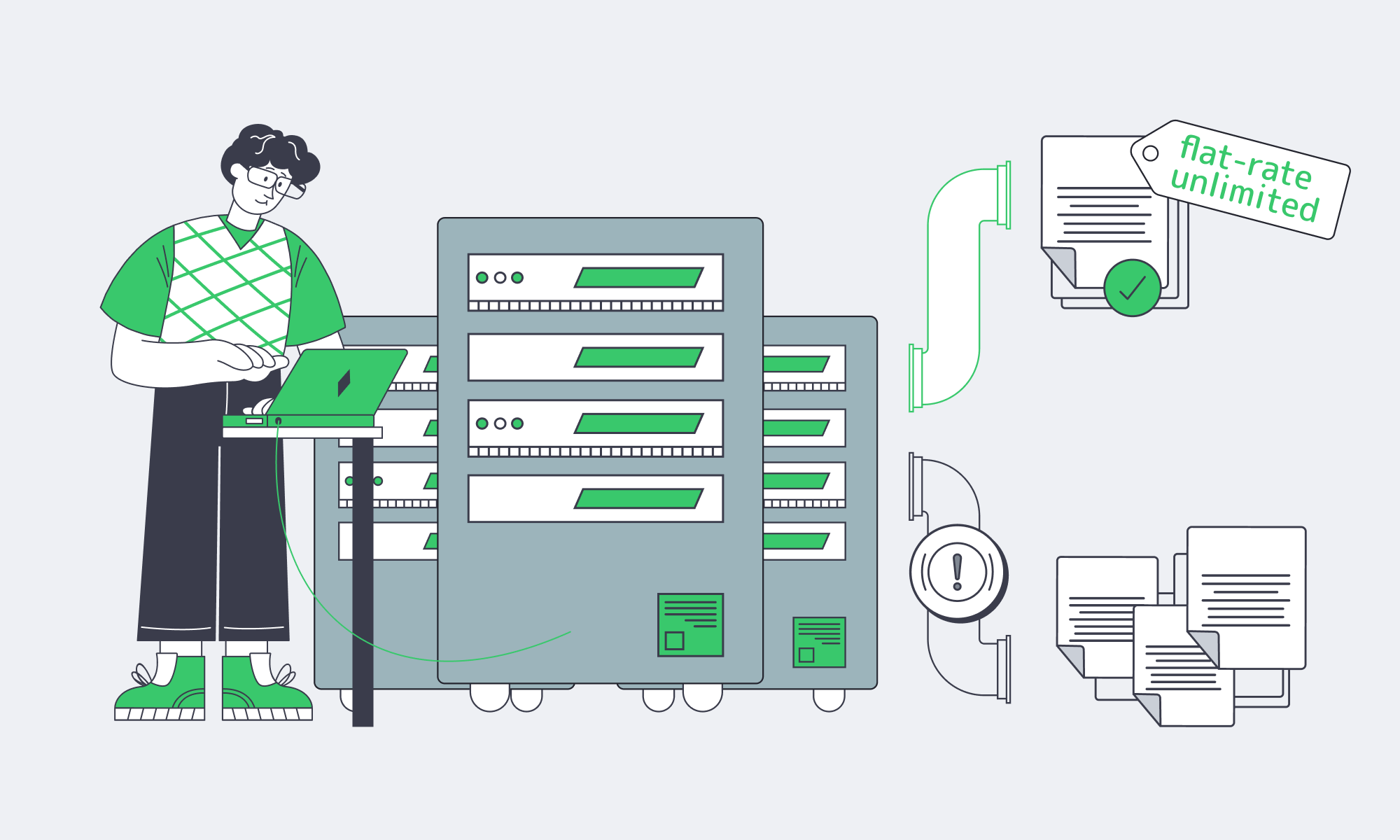
The current market makes it easy to chase the absolute lowest sticker price on anything labeled “unlimited.” The problem is that infrastructure rarely stays at its day‑one footprint. If your workloads grow as intended, 10× traffic is a matter of when, not if—and contracts that looked cheap at small scale can quietly accumulate risk.
What you want instead is a TCO‑optimized unlimited bandwidth strategy: understand how much bandwidth your workloads will consume, pick flat‑rate plans that genuinely let you use the ports you’re paying for, and ensure the underlying network and support model can keep up without hidden surcharges. Unlimited bandwidth dedicated servers that meet those requirements let you absorb new features, bitrates, codecs, and even extra regions without having to renegotiate your relationship with finance every quarter.
When you zoom out from individual offers, a few practical recommendations emerge:
- Treat “unlimited” as a technical claim, not a slogan. Ask explicitly what happens if you run the port hot 24/7. If the answer involves undefined “fair use,” thresholds, or 95th‑percentile clauses, assume there are financial or performance cliffs.
- Model renewals/edge cases before you sign. TCO‑optimized plans make renewal pricing explicit and avoid jumps after an introductory term. Include high‑traffic months, peak events, and feature launches in your cost scenarios—not just your current baseline.
- Move bandwidth from variable to fixed where it makes sense. For workloads pushing tens of terabytes per month, flat‑rate unmetered plans plus CDN offload are often cheaper and vastly more predictable than per‑GB egress, even if the per‑server sticker price looks higher at first glance.
- Favor providers that invest in backbone capacity and peering. Multi‑terabit backbones, 20+ TP, and broad IXP reach reduce both performance risk and the chance that your “unlimited” plan is really just oversold capacity with contention during peaks.
In practice, you’ll mix models—some usage‑based services where traffic is low or bursty, some flat‑rate unmetered infrastructure where throughput dominates. The key is that you choose where to take risk, instead of letting unclear fair‑use rules decide for you.
Choose flat-rate unlimited bandwidth servers
Predictable pricing and performance without fair-use throttling. Deploy in 21+ global locations with ports up to 200 Gbps and 24/7 support. Pick hardware and port speed, and keep bandwidth a fixed monthly cost.
Get expert support with your services
Blog

Compliance Playbook For Italian Dedicated Servers
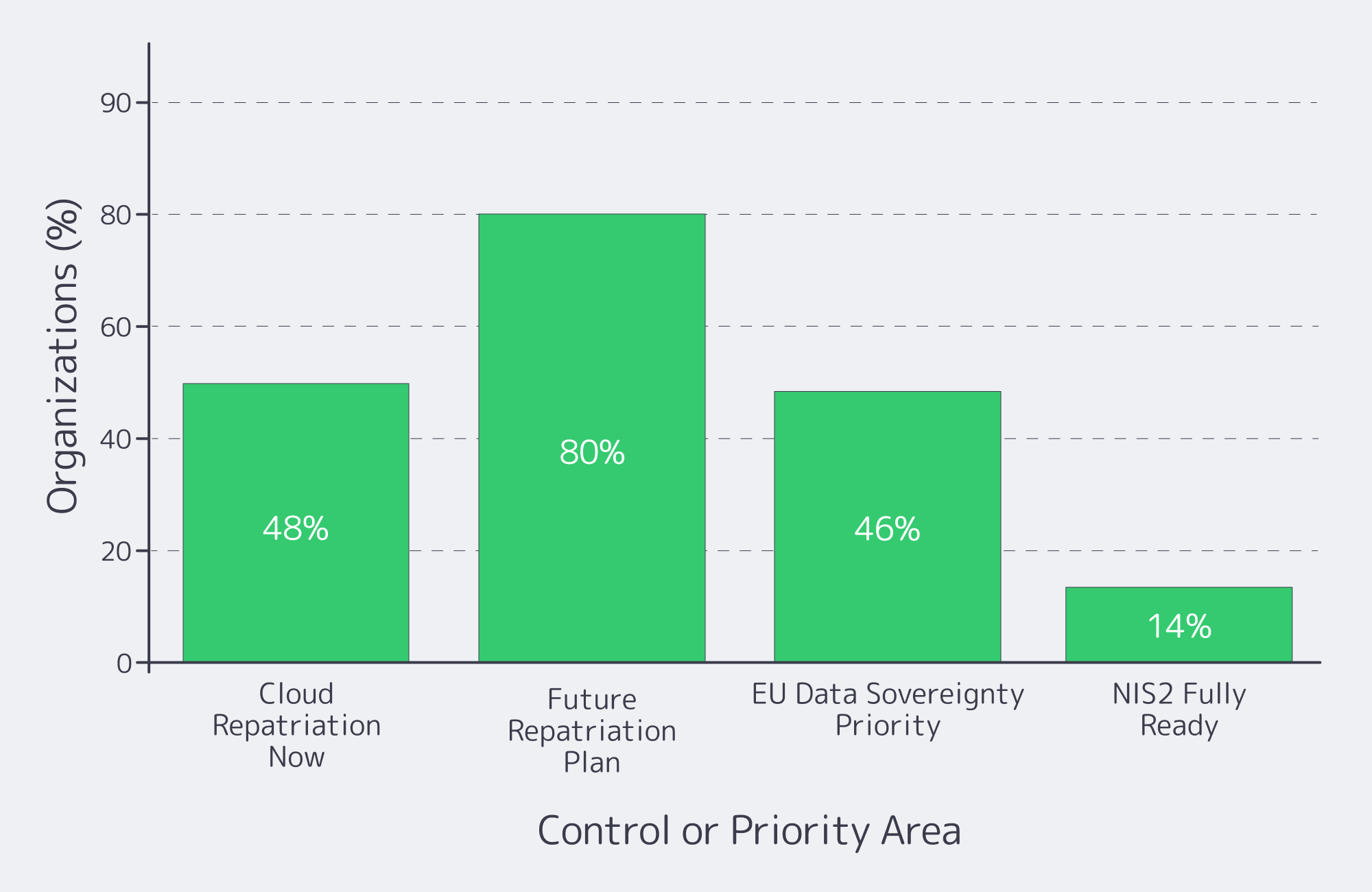
European regulation has quietly killed “move fast and break things” for infrastructure teams. GDPR set the baseline for data protection; NIS2 and DORA now turn cyber‑risk and resilience into board‑level issues. Recent research shows that over 48% of companies are considering or actively moving workloads from public clouds back on‑premises or to private clouds, and around 80% expect to repatriate some workloads within the next two years, largely due to cost and sovereignty pressures.
At the same time, 46% of European security leaders now rate EU data sovereignty as their single most important buying criterion, ahead of cost. For regulated services, that translates into a blunt infrastructure mandate: keep critical data on infrastructure where you can prove where it lives, who can access it, and which controls wrap around it.
Italy is a strong candidate for that anchor point. Palermo sits on top of multiple Mediterranean cable landing stations, and Melbicom’s Tier III data center there connects directly into those systems. That location can shave 15–35 ms of latency to North Africa and the Middle East and improve overall route quality by 50–80% for those regions. For EU‑facing workloads, hosting on a dedicated server in Italy combines clear EU jurisdiction with low‑latency connectivity into European backbones.
Choose Melbicom— Tier III-certified Palermo DC — Dozens of ready-to-go servers — 55+ PoP CDN across 36 countries |
|
This article offers a practical compliance playbook for running regulated workloads on a dedicated server in Italy deployment – how to map data flows, what GDPR artifacts to demand, which controls line up with NIS2 and DORA, and how to stay audit‑ready instead of scrambling when someone says, “We have an assessment next month.”
What GDPR Artifacts to Request from Italian Dedicated Server Hosting Providers
For Italian hosting, you want GDPR paperwork that proves where data lives, who touches it, and how it’s protected. In practice, that means a DPA with teeth, full sub‑processor and location transparency, mapped data flows, security certifications or audits, and clear incident‑handling clauses you can point to in an assessment.
The non‑negotiables:
- Data Processing Agreement (DPA). Your DPA with a hosting provider should clearly scope which services are in play, what security measures apply, how data‑subject rights are supported, and how audits or inspections can be performed.
- Sub‑processor and location transparency. Demand a current list of sub‑processors with their roles and countries.
- Data‑flow and data‑category mapping. Before migrating, map which components on the server handle personal data, which handle telemetry or logs, and which external services receive copies (backups, monitoring, email gateways). That map becomes your single reference when customers or regulators ask, “Exactly where does this field go?”
- Security certifications and audits. Independent audits are now standard proof that “appropriate technical and organisational measures” exist.
- Incident handling and cooperation clauses. Your DPA and main contract should commit the provider to prompt incident notification and meaningful cooperation (log access, forensic details, timelines) so you can meet GDPR’s breach‑reporting deadlines and NIS2/DORA thresholds without conflict.
With this pack in place, you can show regulators and enterprise customers that server hosting in Italia isn’t just a rack in Palermo – it’s a controlled processing environment with clear legal responsibilities and traceable data flows.
Which Security Controls Meet NIS2 and DORA Requirements
NIS2 and DORA effectively codify what used to be optional security hygiene. On a dedicated server in Italy, regulators expect encrypted data, strong identity and access control, rich logging and monitoring, disciplined patching, and tested incident‑response – plus contracts that make your provider an accountable part of that control system.
Encryption, Access, & IAM for Server Hosting Italia
Encrypt data at rest and in transit by default: full‑disk or volume encryption for storage, TLS for services, and VPN or private links for management and inter‑DC traffic. NIS2 guidance calls for “state of the art” cryptography and documented key‑management, including rotation and logging. Combine that with strong identity: SSH keys or certificates for server logins, MFA on Melbicom’s control panel and IP‑KVM, and role‑based access control so only those who truly need it can touch production.
Logging, Monitoring, & Vulnerability Management
NIS2 and DORA both assume that you can detect, investigate, and reconstruct incidents. Centralize system, application, database, and network logs from your Italian server into a SIEM or log pipeline, define retention windows, and monitor for anomalies. Only 14% of organizations say they’re fully NIS2‑ready, according to IDC research sponsored by Microsoft – most are still filling gaps in monitoring and response. A disciplined patch and vulnerability‑management process – defined patch windows, regular updates, and documented remediation timelines for critical CVEs – is one of the fastest ways to close that readiness gap.
Incident Response and Resilience on Your Server Italia Stack
NIS2 and DORA introduce strict timelines and expectations for incident reporting, alongside resilience requirements. Essential entities under NIS2 face fines of up to €10 million or 2% of worldwide annual turnover, whichever is higher, if they fall short on key security obligations. To keep your Italian server environment on the right side of that line, you need a written incident‑response plan, mapped roles between your team and Melbicom, and a tested disaster‑recovery design: encrypted backups (for example, to Melbicom’s EU‑based S3 object storage in Amsterdam), restore drills, and, where needed, second‑site capacity in another EU DC.
How GDPR, NIS2, and DORA Line Up for Hosting
| Framework | Primary Focus | Hosting‑Relevant Must‑Haves |
|---|---|---|
| GDPR | Personal‑data protection and privacy | DPA with your Italian provider; transparent data flows and sub‑processors; appropriate security (encryption, access control); breach detection and 72‑hour reporting processes. |
| NIS2 | Cybersecurity for essential/important entities | “State of the art” controls: encryption, MFA, logging/monitoring, vulnerability management, documented risk management, and fast incident reporting backed by clear governance. |
| DORA | Digital operational resilience for finance | ICT‑risk framework, segregated and tested backups, documented RTO/RPO, rigorous incident handling and reporting, and strong third‑party oversight for infrastructure providers. |
How to Ensure Audit Readiness for Italian Dedicated Hosting

Audit readiness for Italian hosting means treating your environment as an evidence machine, not just a stack of servers. You need up‑to‑date documentation, log trails you can reconstruct incidents from, clear ownership with your provider, and a lightweight review cadence that keeps controls aligned with GDPR, NIS2, and DORA expectations.
Start with an evidence repository. Collect the DPA, main contract, network diagrams, data‑flow maps, and risk assessments that describe your Italian environment. Add vulnerability‑scan reports, backup/restore test logs, penetration‑test summaries, and configs proving MFA, encryption, and hardening. When an audit lands, you’re curating from a library, not hunting through inboxes.
Then audit from the outside‑in. Periodically run an internal checklist against GDPR, NIS2, and DORA requirements: Can you show where personal data sits on your dedicated server Italy deployment? Produce a sub‑processor list? Prove that backups are tested? The point isn’t to build a bureaucracy – it’s to ensure that if a bank client, regulator, or board asks, you have concrete answers backed by evidence.
Finally, stay ahead of regulatory drift. GDPR enforcement has already produced roughly €5.88 billion in cumulative fines as of early 2025, and regulators are widening their target list beyond “big tech.” NIS2 and DORA are only increasing the stakes. Build a lightweight governance loop: periodic reviews of guidance from EU and Italian authorities, internal gap analyses, and scheduled updates to your controls and documentation. When rules shift, you adjust the Italian environment deliberately instead of reacting under audit pressure.
Turning a Dedicated Server in Italy Into a Compliance Advantage

Put all of this together and a dedicated server in Italy stops being “just hosting” and becomes part of your governance architecture. You concentrate your regulated workloads in a single‑tenant, clearly located environment under EU law; you can prove where every packet lives, who has access, and which controls wrap around it.
Key Takeaways for Hosting in Italy
- Anchor sensitive workloads in a single‑tenant Italian environment. Keep personal‑data‑heavy systems on a dedicated server Italy deployment so you can explain data residency and access in one slide – and avoid cross‑border transfer issues unless they’re explicitly required and documented.
- Treat security controls as regulatory requirements, not best‑effort. Map encryption, MFA, logging, vulnerability management, backups, and incident response directly to GDPR, NIS2, and DORA articles. Make sure each control has an owner, a test schedule, and an associated piece of evidence.
- Build audit readiness into day‑to‑day operations. Maintain an evidence repository, standardize log retention, and schedule periodic “mini‑audits” so there are no surprises when an external assessor or major customer wants proof that your Italian hosting stack is under control.
Get compliant hosting in Italy
Deploy dedicated servers in Palermo with EU data residency, NIS2-ready controls, encrypted backups, and 24/7 support. Choose a configuration that fits your workloads and compliance goals.
Get expert support with your services
Blog

Italy Dedicated Servers: A Due Diligence Playbook
Italy is no longer a “secondary” EU hosting decision. Market researchers estimate the country’s data‑center market at about $5.73B and project it to reach $7.54B in the near term, with forecasts climbing to $13.49B by the end of the decade.
If you’re here to rent a dedicated server in Italy, treat this guide like a production dependency: translate workload into CPU/RAM/NVMe and bandwidth tiers, pick a city that hits latency targets, and validate the boring‑but‑fatal details—routing, out‑of‑band access, remote hands, provisioning, and exit clauses. This is the checklist you can reuse.
Choose Melbicom— Tier III-certified Palermo DC — Dozens of ready-to-go servers — 55+ PoP CDN across 36 countries |
|
Italy: Rent a Dedicated Server by Sizing the Workload First
Sizing isn’t about buying “big.” It’s about making performance predictable under ugly realities: cache misses, replication spikes, batch jobs colliding with user traffic, and the day your database vacuum decides it’s the main character.
- Profile (peak QPS, background jobs, read/write mix, hot‑set size).
- Translate into CPU/RAM/NVMe and a baseline bandwidth tier.
- Add headroom you can justify (incident mode + growth).
- Decide scaling path (vertical now, horizontal later—or vice versa).
Dedicated server Italy CPU: map concurrency to cores and clocks
For latency‑sensitive services, clock speed and sustained all‑core behavior often matter more than “how many cores can we afford.” Ask for the exact CPU model and generation, then sanity‑check it against your p95 CPU time per request and expected concurrency. If the provider can’t name the SKU, you can’t reproduce performance later.
RAM: budget for churn, not average
Memory pressure is an incident generator. Size for the worst five minutes: GC churn, cache turnover, and page cache behavior during heavy reads. Confirm ECC RAM and ask how upgrades are handled (in‑place vs reprovision). For data stores, treat RAM as a performance tier (indexes + hot sets), not a cost center.
Storage: NVMe as the default, not the upsell
NVMe isn’t just “faster disk.” It’s a different latency profile. NVM Express’ analysis notes that PCIe 4.0 x4 NVMe can be over 10× faster than SATA 3.0 at the interface level, and cites lab results showing ~5.45× more read bandwidth and ~5.88× more random‑read IOPS for data‑center NVMe versus enterprise SATA. If storage touches your request path, NVMe is how you buy predictability.
Bandwidth: tier it like a resource, not a line item
Define two requirements: steady‑state commit (normal egress, replication) and burst (backfills, re‑shards, release windows). Also decide if you need metered transfer or an unmetered port. The “right” tier is the one that doesn’t punish growth—or turn incident response into a cost spike.
Which Italian Data Centers Meet Low-Latency EU Requirements
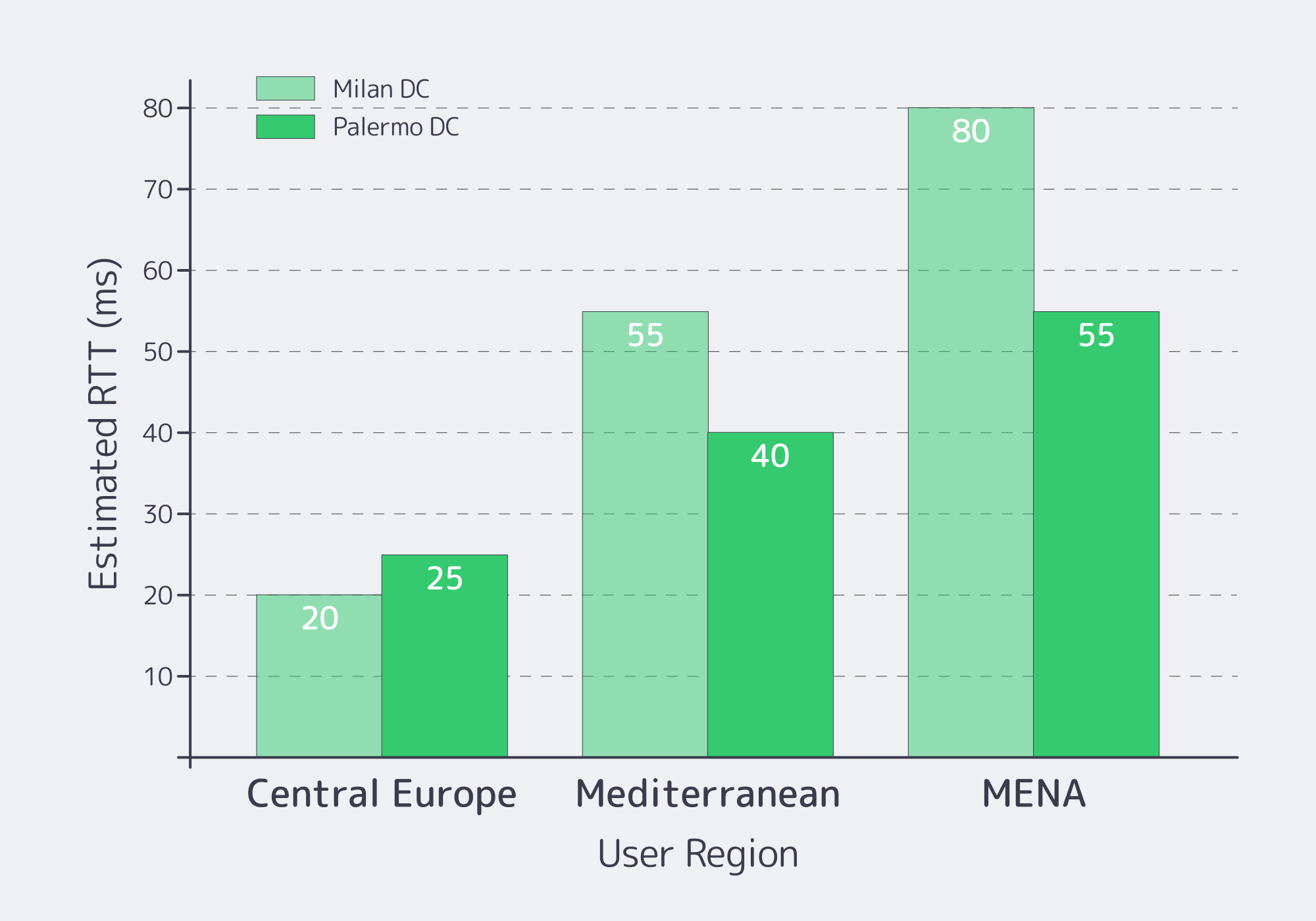
Italy meets low‑latency EU requirements when you choose the city for your user geography and upstream routes—not because “Italy is central.” Milan is typically best for Central/Northern Europe paths; Southern Italy can be better for Mediterranean and MENA adjacency. Validate with real RTT and loss measurements from your top regions, then pick what hits your p95 SLOs.
Start with targets, then back into geography. A public ping dataset shows Milan ↔ Frankfurt round‑trip latency around ~10.3 ms under typical conditions. That’s why Milan is the default “close to everything” choice for many EU workloads.
But “Italy” is not just Milan.
Palermo as a latency and routing lever
Melbicom’s Italy location is Palermo, a Tier III facility with 1–40 Gbps per server options. The Palermo site is much closer to Mediterranean cable landings and can save 15–35 ms of latency and deliver a 50%–80% overall quality improvement for traffic tied to Africa, the Mediterranean, and the Middle East.
Due‑diligence move: don’t accept “quality” as a vibe. Run multi‑probe RTT + packet‑loss checks from the networks you care about.
What to Validate in Italian Hosting MSAs
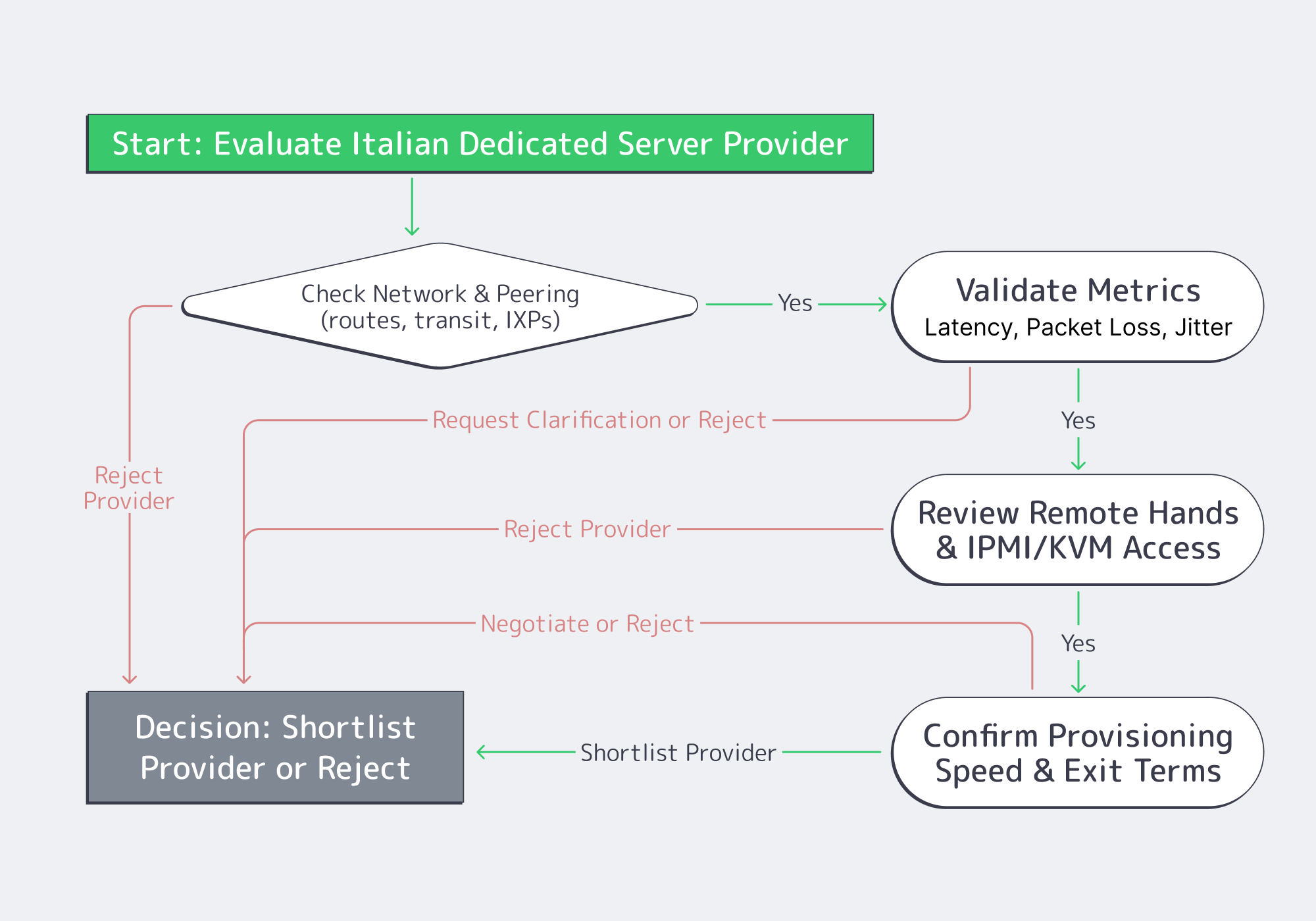
Treat the SLA (or MSA + service terms) like part of your architecture: it defines how performance is measured, how fast issues are handled, and what “support” actually includes. Validate peering quality, packet‑loss targets and measurement windows, remote‑hands scope, IPMI/KVM access, provisioning timelines, and exit/migration clauses. Anything ambiguous becomes a problem during an outage.
Here’s the due‑diligence checklist that actually changes outcomes.
- Peering and routing evidence. Ask for traceroutes to your top destinations (or a looking‑glass), and verify paths stay sane during peak hours. “Many peers” is not a guarantee; consistent paths are.
- Packet‑loss targets + measurement method. A common backbone benchmark is ≤0.1% average monthly packet loss—but only if the agreement defines where and how it’s measured. Lock down scope (inside provider backbone vs public internet), sampling, and how you can reproduce the metric.
- Remote hands scope. Define what’s included (reboots, reseats, KVM hookup) vs billable (disk swaps, rack work), plus response times and escalation. This is how you turn “we’ll help” into an operational control.
- IPMI/KVM access (out‑of‑band recovery). Out‑of‑band access is your last line of defense when the OS is dead or the network is misconfigured. Validate isolation, credential rotation, and auditability.
- Provisioning lead time (stock vs custom). Put timelines in writing and separate “stocked config activation” from “custom build delivery.” When you need capacity under pressure, hand‑wavy provisioning is not a plan.
- Exit and migration clauses. Confirm notice periods, data wipe proof, and IP handling. If IP identity matters, routing options can make migrations cleaner; Melbicom supports BYOIP and BGP sessions on dedicated servers.
How to Build a Server Scoring Matrix
A scoring matrix turns subjective impressions into a repeatable decision. Weight the criteria that map to production risk, score each provider only with evidence, and force trade‑offs into the open. Include workload fit, measured latency, network quality, operational access (IPMI/KVM, remote hands), provisioning, and exit terms.
Weighted Score = Σ (weight_i × score_i) / Σ weight_i # score_i is 1–5, backed by a test result or a contract clause |
| Category | Weight (%) | What “5/5” looks like |
|---|---|---|
| Workload fit (CPU/RAM/NVMe) | 25 | Exact CPU SKU, ECC RAM, NVMe options; clear upgrade path |
| Latency to users/partners | 20 | Measured RTT meets p95 SLO from target regions |
| Network & peering quality | 20 | Clean traceroutes; defined loss target + measurement method |
| Operations (IPMI/KVM + support) | 20 | OOB access works; remote‑hands scope + escalation is explicit |
| Provisioning + exit terms | 15 | Timelines in writing; migration window; IP portability options |
To score honestly: run the same tests from the same probes, mark unknowns as unknowns, and penalize ambiguity in service terms. Evidence beats vibes.
Frequently Asked Questions (Ops Edition)
Is “Italy” automatically the lowest‑latency EU option? No. Latency is route‑dependent. Italy can be excellent for specific corridors, but you need measurements from your user regions and partner networks.
What’s the minimum due diligence before signing? A test IP for RTT/loss, exact hardware SKUs, written provisioning commitments, remote‑hands scope, and an exit clause you can execute without downtime gambling.
Do I need a CDN if I rent a dedicated server in Italy? If you serve global users or heavy static content, a CDN is how you stabilize TTFB and reduce origin egress. Melbicom delivers CDN capacity through 55+ PoPs in 36 countries.
What’s the safest way to migrate in? Parallel run: replicate continuously, cut over in stages, and keep rollback. If stable IP identity matters, consider BYOIP via BGP sessions.
Key Takeaways for Renting a Dedicated Server in Italy
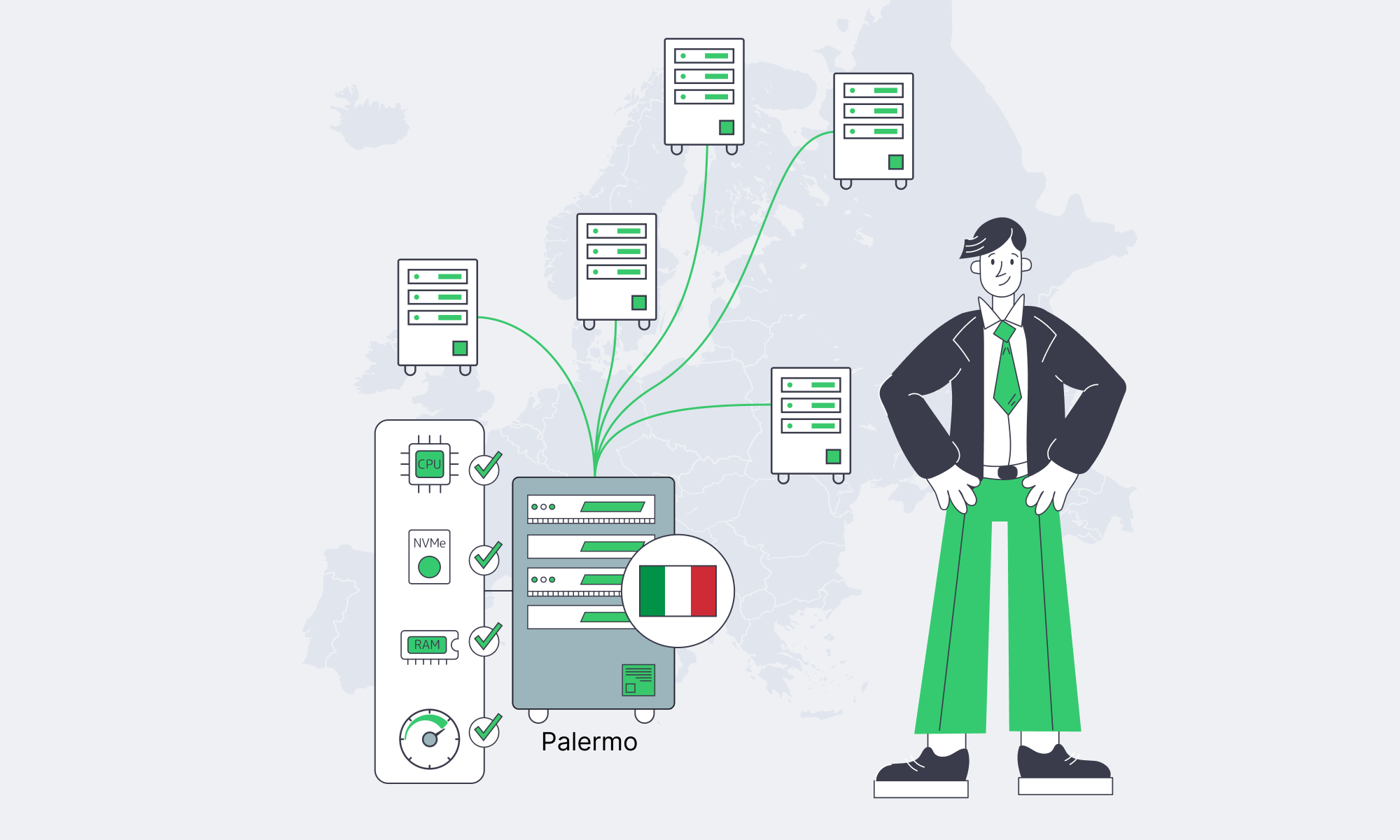
- Size from workload behavior: CPU/RAM/NVMe and bandwidth tiers should map to measurements, not guesses.
- Pick Italian locations by latency targets and real routes—then verify with RTT and packet‑loss tests.
- Treat peering quality and out‑of‑band access as production requirements.
- Put remote hands, provisioning, and escalation rules in writing.
- Build an exit plan: migration windows and IP strategy are operational safety nets.
Conclusion: a Dedicated Server Is an Architecture Decision
An Italy dedicated server is only “fast” if the whole stack is predictable: hardware that matches the workload, geography that matches users, routing that stays sane, and service terms that make recovery and exit possible. Do the diligence once—profile, measure, and score—and procurement becomes repeatable instead of emotional.
Deploy in Palermo today
Stocked servers activate within 2 hours; custom builds ship in 3–5 days. Compare Palermo vs Milan for your latency targets and run real tests before ordering.
Get expert support with your services
Blog
Active/Active Across São Paulo, Santiago, Buenos Aires
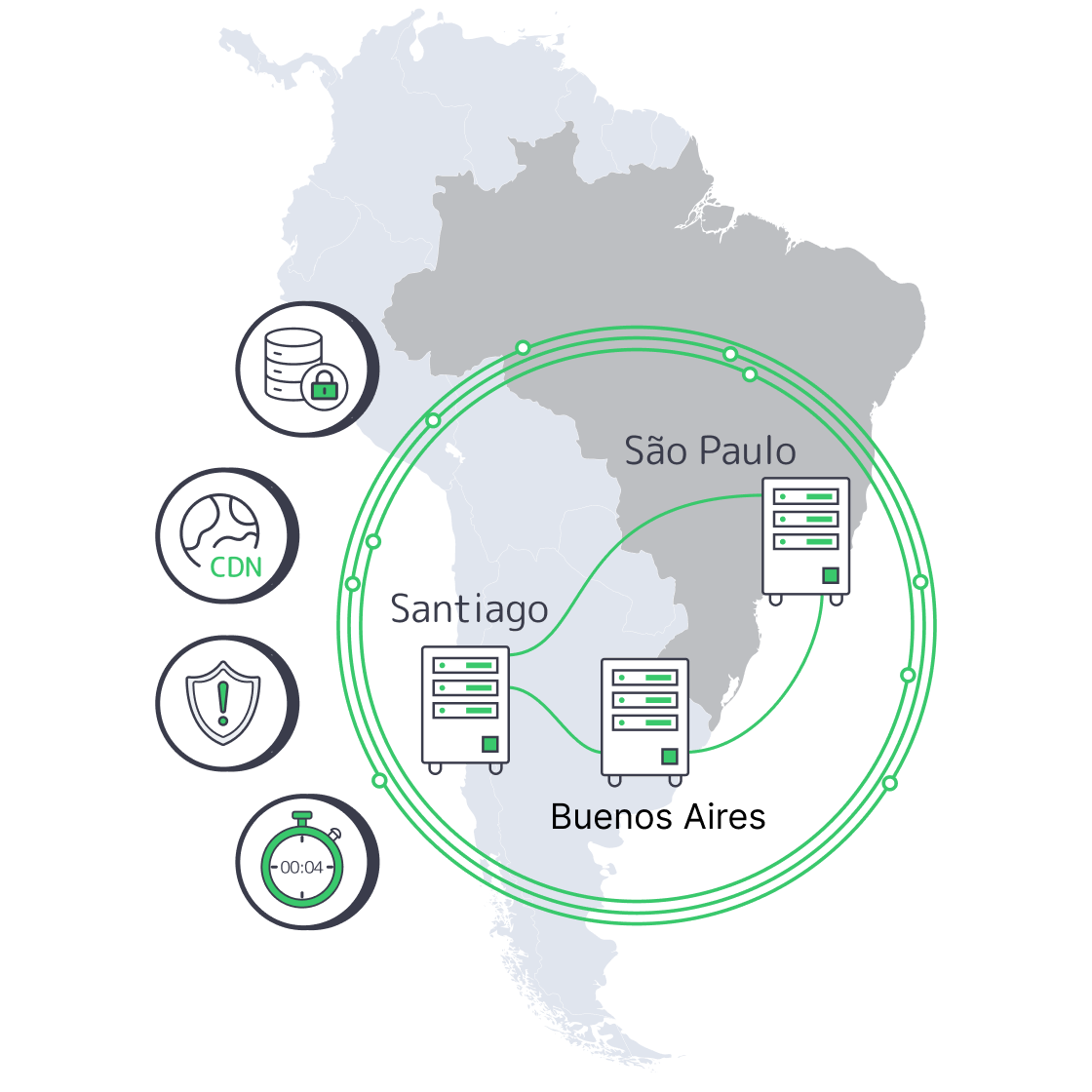
South America forces availability engineering to get honest—fast. When your workload is regulated (payments), adversarial (crypto), or real-time (iGaming cores), you don’t get to treat a region as “just another edge.” You have to prove uptime under partial failure: broken fiber segments, bad upstream routes, and the kind of cascading latency spikes that turn “highly available” into “highly unpredictable.”
This playbook shows how to run active/active clusters across São Paulo, Santiago, and Buenos Aires using dedicated hosting patterns that survive real incidents: transaction-safe replication, health-based traffic steering, and a CDN that can absorb volatility without masking it.
Choose Melbicom— Reserve dedicated servers in Brazil — CDN PoPs across 6 LATAM countries — 20 DCs beyond South America |
 |
South America Dedicated Server Requirements for “No-Excuses” Uptime
If you’re shopping for a South America dedicated server setup for 24/7 apps, don’t start with hardware checklists. Start with failure math:
- Every region is a set of metro failure domains. São Paulo, Santiago, and Buenos Aires are not just points on a map; they’re independent blast radii.
- Your data layer decides your uptime story. If the ledger can’t fail over safely, your active/active front end is theater.
- Routing must be health-based and reversible. Steer based on measured health (app + data), not on geography.
Diagram. The Three-Site Active/Active Shape
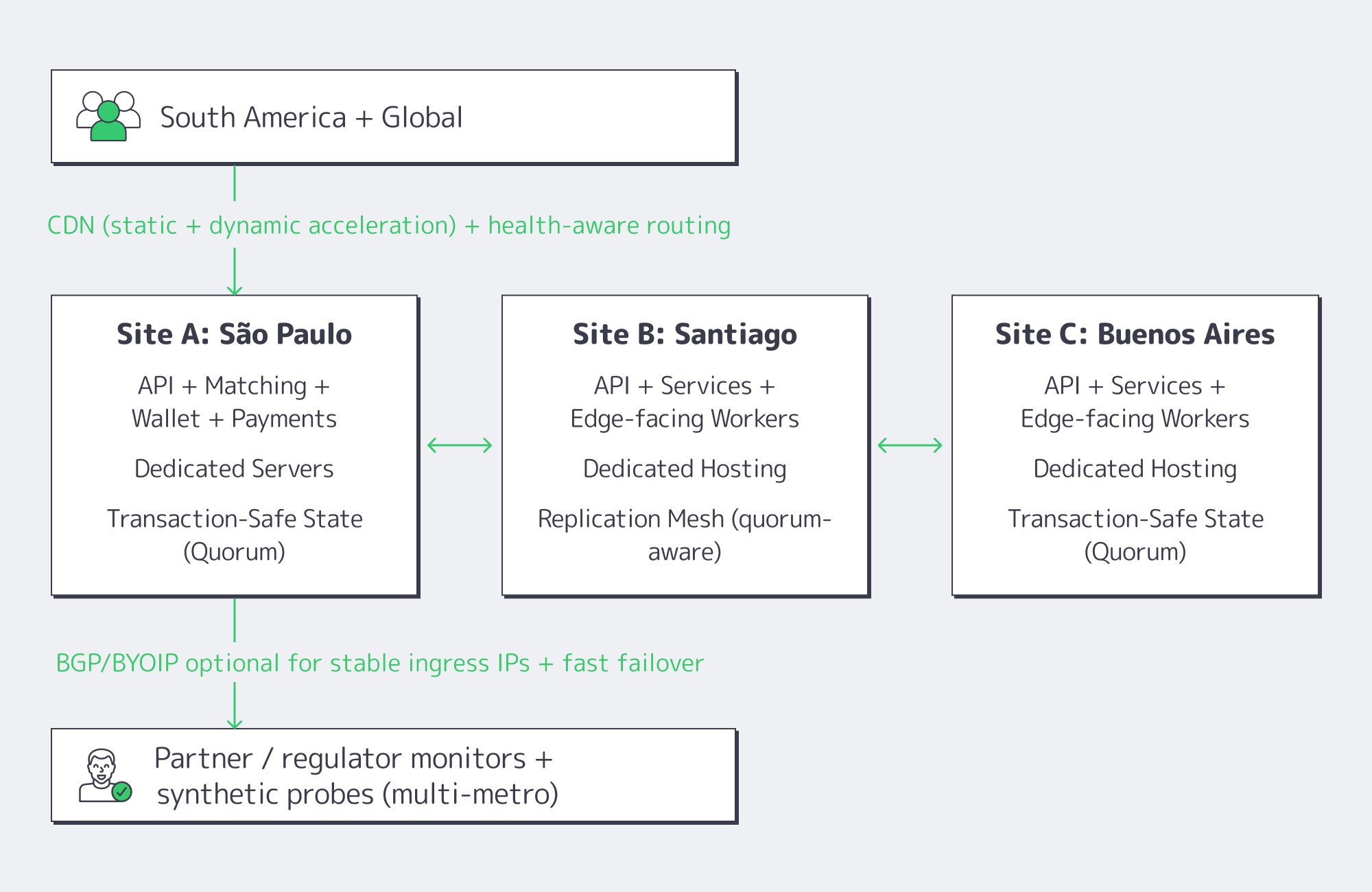
Melbicom supports the primitives you need for this design—BGP sessions (including BYOIP), private networking/inter-DC links, and S3-compatible object storage for snapshots/rollback artifacts—so your HA plan isn’t glued together from one-off scripts.
What Active/Active Dedicated Hosting Architecture Keeps 24/7 Apps Online Across South America?
Active/active that actually works in South America is a three-site design: each metro runs full production services, while a transaction-safe data core enforces correctness across sites. Put São Paulo on dedicated servers as the throughput anchor, use Santiago and Buenos Aires as equal peers, and front everything with health-based routing plus CDN shielding so failures degrade locally—not region-wide.
Dedicated Hosting in South America: The Stack That Holds Under Stress
For crypto exchanges, Web3 wallets, payment gateways, and iGaming cores, break the platform into three layers:
- Edge layer (CDN): static assets, API caching where safe, WAF rules if you use them, and the ability to steer around failures quickly.
- Stateless service layer: auth, pricing, game logic, matchmaking, session services—everything horizontally scalable.
- State layer: balances, orders, settlements, wallet state, player economy—anything that can’t be “eventually fixed” after an incident.
Melbicom’s CDN is explicitly built for multi-origin routing and automatic failover, delivered through 55+ PoPs in 36 countries (including Brazil, Argentina, Chile, Peru, and Columbia), which matters because the edge is where you buy time during a regional brownout (latency spikes, packet loss, upstream route churn).
São Paulo as the Regional Anchor (And Why It’s Not Optional)
São Paulo is where South America’s “always-on” backends usually converge because it’s the region’s interconnection gravity well: from there, you can reach IX.br’s 2,400+ networks, and latency can drop dramatically once you stop tromboning traffic via other continents.
Which Replication Strategy Between São Paulo, Santiago, and Buenos Aires Can Meet Strict RPO/RTO Targets?
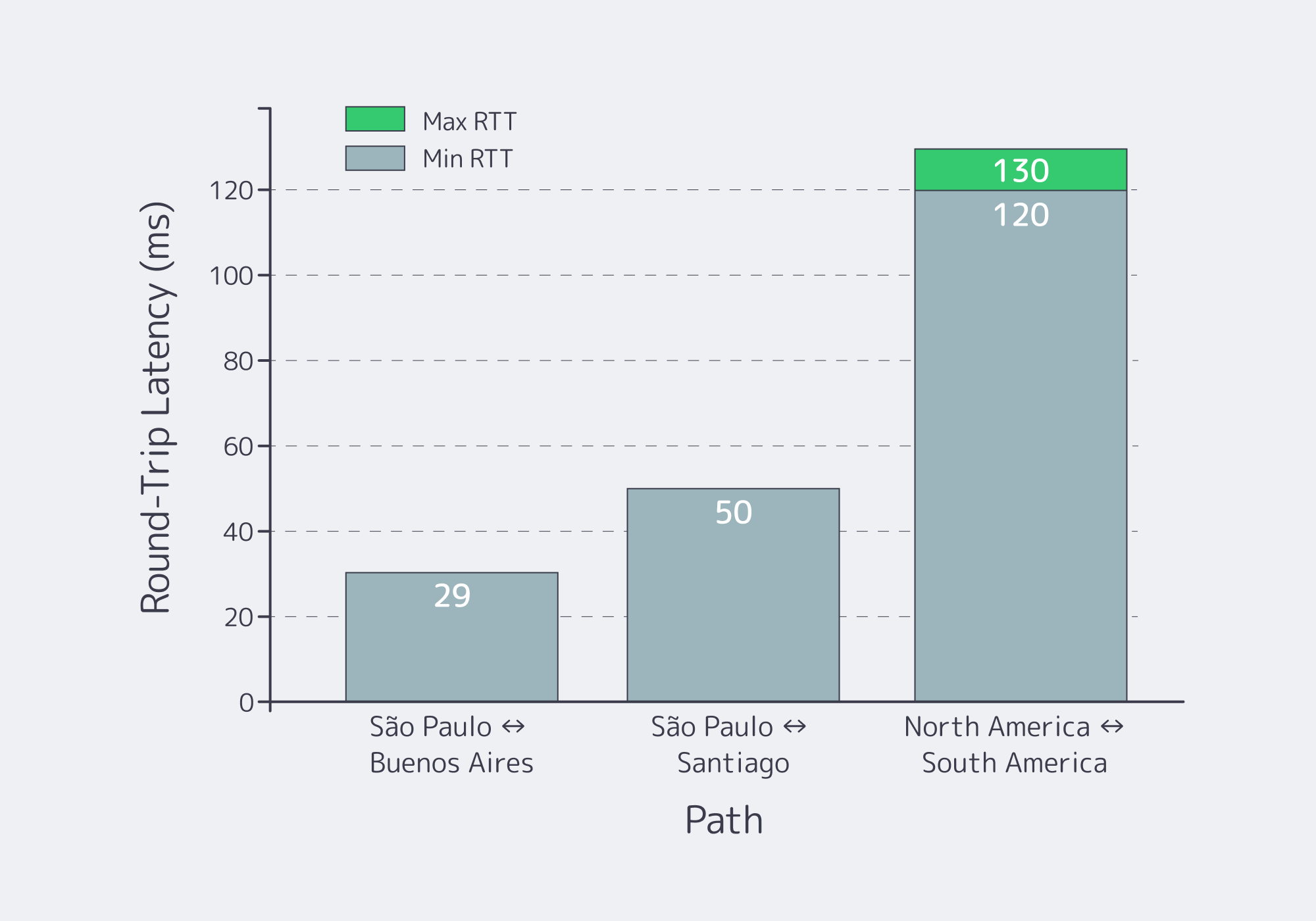
The replication strategy that hits strict targets is quorum-based, transaction-safe replication for the critical ledger, paired with asynchronous replication for everything else. Use synchronous commits only where “no lost transaction” is a hard requirement; otherwise replicate asynchronously with monitored lag. This yields near-zero RPO for the ledger and minute-scale RTO with automated promotion.
The Practical Replication Split: “Ledger vs. Everything Else”
A workable pattern in regulated systems:
- Tier 0 (Ledger / balances / settlement): quorum-based replication (Raft/Paxos-style consensus or another transaction-safe system) across three metros.
- Tier 1 (Orders, sessions, gameplay state): async replication + idempotency + replay.
- Tier 2 (analytics, logs, non-critical caches): async batch replication or rebuild.
Table: Replication Choices and Realistic RPO/RTO Outcomes
| Replication Mode (Three-Site) | Realistic RPO | Realistic RTO |
|---|---|---|
| Quorum-based, synchronous commit for ledger | 0 for committed txns | ~30–180s (automated failover + routing convergence) |
| Async replication with monitored lag (services + read models) | seconds (bounded by lag alarms) | ~1–5 min (promote + warm caches) |
| Snapshot/backup-driven recovery (last resort) | minutes to hours | hours (restore + rehydrate + verify) |
These are engineering targets, not marketing numbers. You only get the top row if you keep the quorum small (3 sites), keep the critical dataset scoped (ledger-only), and make routing conditional on data health—not just HTTP health.
Brazil Deploy Guide— Avoid costly mistakes — Real RTT & backbone insights — Architecture playbook for LATAM |
 |
Which Traffic Routing and CDN Pattern Across South America Maximizes Uptime for Regulated Workloads?
Use a two-tier routing design: CDN first (multi-origin + health checks) for everything cacheable and latency-sensitive, and BGP/BYOIP-based stable ingress for APIs that must keep fixed endpoints. Route only to sites that are healthy at both the app layer and the data layer; otherwise you’ll fail “correctly” but still break users.
Health-Based Routing That Isn’t Geo-DNS
Skip old geo-DNS tricks. Use:
Real health signals (not just “port open”):
- API p95 latency
- dependency health (DB quorum status, replication lag thresholds)
- queue depth / saturation
A routing controller that can make the call:
- CDN origin selection for web + assets
- L7 load balancer decisions for APIs
- BGP failover/anycast when fixed IPs are required
Melbicom’s BGP service is designed for this category of control—BGP at every data center, with routing policy support and IRR integration—so you can keep endpoints stable while still failing over quickly.
The CDN Pattern: Shield + Multi-Origin + Fast Purge
For regulated workloads, CDN is not “just static assets.” It’s a resilience layer:
- Origin pooling: keep three origins hot (SP/SCL/BUE) and route to the best healthy one.
- Shielding: reduce cross-border chatter by collapsing cache misses to a regional shield (often São Paulo), then distribute.
- Fast purge + versioned assets: when you push a critical client fix (wallet UI, payment flow), purge globally without waiting on TTL drift.
Melbicom’s CDN delivers instant cache purge across PoPs and supports multi-origin routing patterns explicitly.
Code example: a concrete “Only Route If Data Is Safe” gate
Below is a simple pattern, not a vendor-specific magic trick: the router only sends traffic to a site if (1) the API is healthy and (2) the site reports “ledger quorum OK” or “replication lag < threshold.”
| | routing_policy:sites:sao_paulo:http_health: https://sp.example.com/healthzdata_health: https://sp.example.com/ledger-quorumsantiago:http_health: https://scl.example.com/healthzdata_health: https://scl.example.com/ledger-quorumbuenos_aires:http_health: https://bue.example.com/healthzdata_health: https://bue.example.com/ledger-quorumdecision:- if: “data_health != OK”action: “drain_site” # do NOT route writes here- if: “http_health != OK”action: “remove_from_pool”- else:action: “weighted_route” # bias nearest healthy site | |
This is how you avoid the most common active/active failure mode: routing users to a site that’s “up” but not safe.
FAQ
Does active/active mean “no downtime ever”?
No. It means you can survive site failure without a full outage. You still need maintenance windows, rollback plans, and a strict definition of “correctness” under partial failure.
Can we hit zero RPO and sub-minute RTO at the same time?
For the ledger: often yes, if you scope the synchronous/quorum system to the critical dataset and keep automated routing tied to data health. For all state: usually no, because latency becomes the outage.
Where does object storage fit?
Use S3-compatible object storage for snapshots, rollback artifacts, and forensic retention. It’s not your hot-path database; it’s your “recover and prove” layer.
Closing the Loop: Proving Uptime, Not Promising It

The South America active/active story that passes scrutiny is simple: three metros, a ledger that replicates safely, and routing that refuses to lie. If São Paulo is degraded, Santiago and Buenos Aires should keep serving—but only when the data layer says it’s safe. If the data layer isn’t safe, you fail closed, preserve correctness, and recover fast.
Before going live, document the failure model you’re willing to survive (loss of one metro, loss of one interconnect path, partial packet loss), then build the telemetry and routing gates to enforce it. That’s what regulators, partners, and enterprise customers ultimately care about: not the diagram, but the evidence trail.
- Treat the ledger as a separate system with its own RPO/RTO targets; don’t let it inherit the “stateless scaling” assumptions of the API tier.
- Gate routing on data health, not just HTTP health (quorum status, replication lag, write availability).
- Keep a playbook for draining a site (read-only mode, write redirection, cache shielding) that can be executed automatically and verified externally.
- Use CDN as a resilience amplifier (multi-origin + shielding + purge discipline), not as a UX-only tool.
- Store rollback artifacts and snapshots where they can be audited and restored—then test restores as a scheduled production exercise.
Plan your São Paulo active/active rollout
Talk to our engineers about BGP/BYOIP, CDN, and S3-backed rollback so your South America active/active design is measurable, testable, and resilient.
Get expert support with your services
Blog

From São Paulo to a Five‑City Production Mesh
For businesses that already work in Europe or North America, South America is no longer an optional region. Latin America’s cloud infrastructure market is expected to grow at 21.7% CAGR from 2024 to 2031, reaching about USD 131 billion by 2031, with Brazil alone over USD 12.9 billion in 2024.
Mobile gaming is on a similar trajectory: South America’s mobile gaming market is about USD 3.23 billion in 2025 and forecast to reach USD 5.21 billion by 2030. iGaming and Web3 traffic are following the same arc, with SOFTSWISS reporting portfolio and jackpot programs that boost player turnover by up to 50% in the region.
At the same time, Brazil’s IX.br system has become a gravity center for the entire continent. Aggregated traffic across IX.br exchanges has exceeded 31 Tbit/s, with São Paulo alone crossing 22 Tbit/s and connecting more than 2,400 ASNs. If you care about deposits, bets, or on-chain events clearing in real time, your South America story starts in São Paulo.
Choose Melbicom— Reserve dedicated servers in Brazil — CDN PoPs across 6 LATAM countries — 20 DCs beyond South America |
|
This article lays out a practical expansion path: starting with a single dedicated server in São Paulo, then layering CDN South America coverage and additional cities—Buenos Aires, Santiago, Bogotá, Lima—while balancing dedicated hosting in South America against caching, routing, and data‑residency constraints.
Why São Paulo Should Be Your First South American Dedicated Server Location
IX.br São Paulo is the region’s switchboard: top‑three IXP globally by traffic, with local paths between São Paulo and Rio typically in the low‑single‑digit millisecond range when you sit inside the ecosystem. That makes a dedicated server in South America, located in São Paulo, the logical first origin for anything latency‑sensitive.
We at Melbicom are building Brazil as a full‑fledged hub: São Paulo capacity is anchored in a robust data center, with integration into IX.br for dense local peering. From there, your flows can either stay entirely within Brazil or exit toward Atlanta (US‑Southeast) and Madrid on tuned, Tier 1‑backed paths via our 20+ transit providers and 25+ IXPs worldwide.
Once you have that first node, the question shifts from “Should we be in Brazil?” to a more detailed series of questions: Where do we rely on CDN? How do we keep data compliant and routes sane as we expand beyond São Paulo?
Which Cities Need Dedicated Server vs CDN?
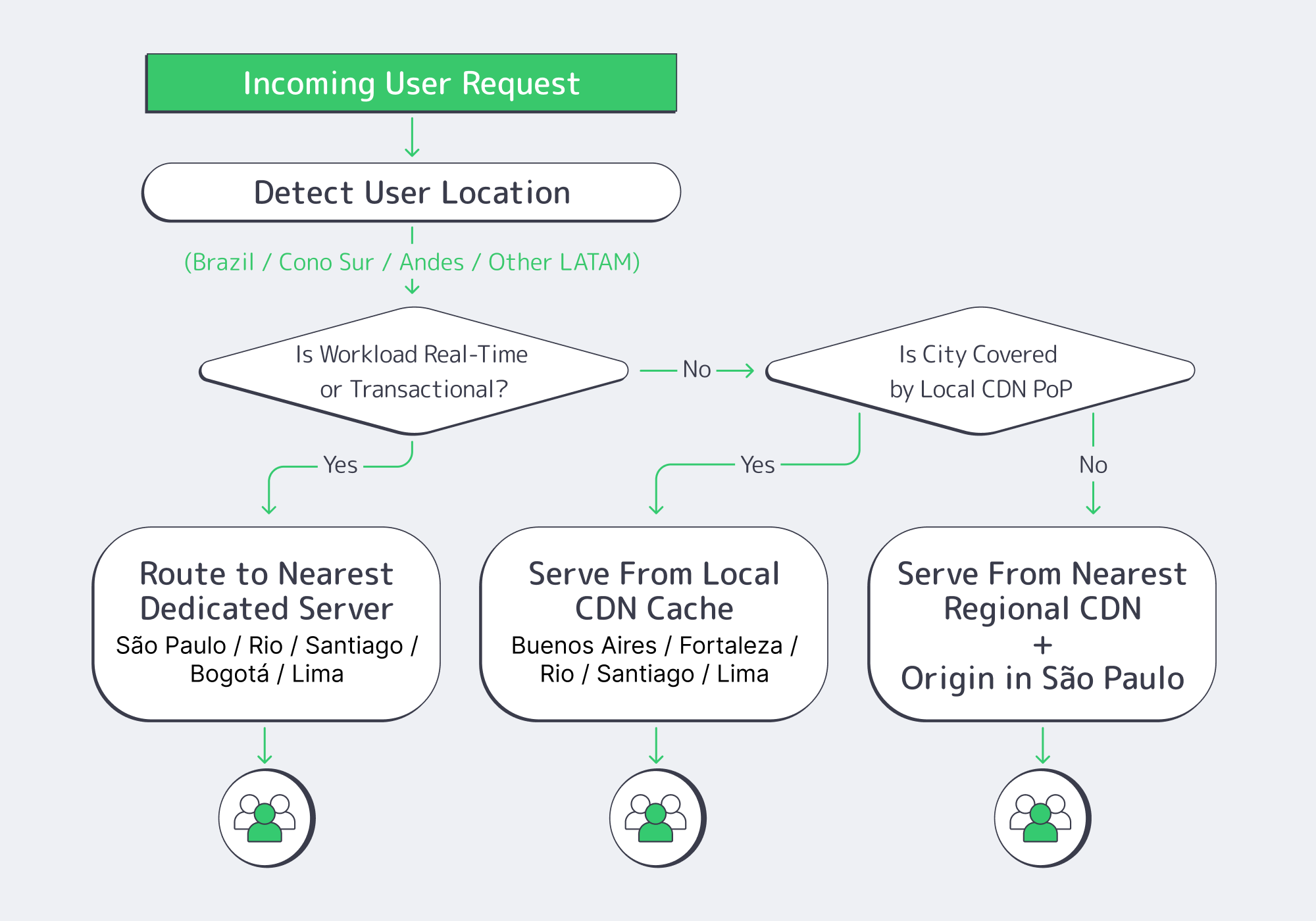 Use São Paulo for dedicated servers that handle stateful, money‑moving, or real‑time gameplay, and lean on CDN in Buenos Aires, Santiago, Bogotá, and Lima for static and semi‑static content. As volumes grow, graduate CDN‑only cities into mixed models by watching latency, rebuffering, and conversion curves.
The practical rule: dedicated hosting South America is for write‑heavy, high‑value flows that cannot tolerate extra round trips (bets, on‑chain events, stateful matchmaking, KYC flows). CDN South America is for media, assets, and any API call that tolerates a tiny bit of cache staleness or regional aggregation.
Today Melbicom’s CDN runs PoPs in Buenos Aires, Bogotá, Santiago, and Lima, among others, giving you a regional mesh even before you deploy new origin nodes.
A common pattern looks like this:
- Dedicated servers in São Paulo handle core transactional workloads for Brazil and, initially, much of the continent.
- CDN PoPs in Buenos Aires, Santiago, Bogotá, Lima terminate static and semi‑static traffic locally: game assets, static API responses, images, on‑chain state snapshots.
The outcome: Brazil‑origin traffic stays inside Brazil; Southern Cone traffic uses Santiago/Buenos Aires edges that shield the origin; Andean flows get localized reads while writes traverse optimized paths to São Paulo or your upstream hubs in Atlanta and Madrid.
Brazil Deploy Guide— Avoid costly mistakes — Real RTT & backbone insights — Architecture playbook for LATAM |
|
Which South American Location to Choose After São Paulo?
After a single São Paulo origin, typical sequencing is Baires for Southeast, Santiago for Cono Sur, then Bogotá and Lima for Andean mobile usage. Each step should follow measured demand and regulatory checks, not a single launch date, so you avoid stranded capacity or surprise compliance gaps.
A practical South America dedicated server build‑out usually goes through five stages:
| Stage | Trigger Signal (Business / Ops) | Recommended Move (Dedicated vs CDN) |
|---|---|---|
| 1 – São Paulo MVP | Brazil is ≥15–20% of revenue; high complaint rate about Brazil latency. | Deploy 1–2 dedicated servers in São Paulo as the regional origin; use CDN for rest of LATAM. |
| 2 – Cono Sur Expansion | Material user base in Chile/Argentina; streaming or live‑ops uptake. | Deepen CDN use in Santiago/Buenos Aires; keep origin in São Paulo unless origin RTT visibly hurts conversion or retention. |
| 3 – Andean Focus | Colombia/Peru traffic growing faster than Brazil; mobile‑only cohorts dominate. | Use Lima and Bogotá PoPs heavily; plan dedicated servers in at least one Andean capital when active user concurrency and regulatory needs converge. |
| 4 – Five‑City Mesh | Region behaves like 3–5 distinct markets; local compliance pressures increase. | Run dedicated servers in Brazil plus at least one origin per sub‑region, with CDN layering everywhere. |
This staged approach mirrors the broader cloud infrastructure story: Latin America’s cloud infrastructure market already exceeds USD 30 billion and is growing at 21.7% CAGR, but investments are far from evenly distributed. You buy time and optionality, not just capacity.
Early on, CDN buy you coverage and cost-effective offload. As TCP handshakes and stateful latency start to drag KPIs—bet confirmation lag, in-app purchase completion, or Web3 transaction finality—you promote a city from “edge-only” to “edge + dedicated origin.”
Local Data Residency, LGPD, and Cross‑Border Patterns

Infrastructure decisions in South America are now inseparable from data‑residency questions. Brazil’s LGPD has been in force since 2020; recent regulations (ANPD Resolution 19/2024) clarify cross‑border transfers via standard contractual clauses and adequacy‑style mechanisms, rather than imposing blanket data localization.
For many platforms, that translates into a simple playbook:
- Keep primary Brazilian PII in Brazil. Store customer profiles, KYC data, and transactional logs on dedicated servers in São Paulo, potentially with encrypted replicas in another jurisdiction.
- Move telemetry and aggregates freely. Anonymized analytics and gameplay metrics can safely live in Atlanta or Madrid, provided your legal basis and contracts are aligned.
- Treat other LATAM countries as “regulated but pragmatic.” Argentina and Mexico, for example, emphasize purpose limitation and cross‑border safeguards rather than hard localization rules; regulators still expect you to know where your primary stores sit and how you handle international transfers.
Routing ties this together. Without tuning, flows from Chile or Peru to Brazil can hairpin via the United States. With BGP sessions on your dedicated servers (free on Melbicom’s dedicated platform), you can:
- Prefer routes that keep Brazilian data inside Brazil when possible.
- Use regional peers so Santiago/Baires traffic reaches São Paulo directly, not via Miami.
- Steer non‑sensitive analytics toward Atlanta or Madrid where your global data lakes live.
The goal is to make South America dedicated hosting feel local to users and regulators while still benefiting from global hubs.
Who Can Design a Brazil‑First Mesh?
You want a provider that combines both dedicated hosting and CDN coverage in South America, and BGP expertise, plus the ability to ship custom servers in days, not months. Melbicom fits that profile, aligning São Paulo capacity, CDN PoPs, and procurement planning with your release roadmap.
Melbicom operates 21 Tier III/IV data centers worldwide and a CDN with 55+ PoPs across 36 countries, including South American locations such as Baires, Bogotá, Santiago, or Lima. That combo lets us treat origin + edge as one fabric rather than two disconnected systems.
Custom server configurations are typically delivered in 3–5 business days (including Ryzen/Xeon/EPYC CPUs, DDR4/DDR5 RAM, NVMe storage, with optional GPU) and free BGP sessions on dedicated servers give your network team full routing control.
Because Melbicom runs both the CDN and the dedicated hosting stack, cache misses stay on‑net: a Lima or Santiago PoP pulling from a São Paulo origin uses regional paths, not surprise trans‑oceanic backhaul. That simplifies latency tuning and cost control for Web3, iGaming, and mobile gaming workloads.
Key Steps to Expanding in South America (without the Big Bang)

Rather than lighting up five cities at once, treat South America as a rolling program with explicit decision gates. In practice, a low‑risk plan for dedicated hosting in South America and regional caching looks like this:
- Start with a single, well‑provisioned São Paulo origin. Give yourself headroom on CPU, NVMe, and bandwidth so you are not rebuilding hardware during your initial Brazil launch window.
- Lean hard on the existing CDN mesh. Use PoPs in Buenos Aires, Bogotá, Santiago, and Lima as your first line of defense for assets and semi‑static APIs. Watch hit ratios, TTFB, and rebuffering before ordering new servers.
- Promote cities based on lived metrics. When a metro’s concurrency, transaction value, or regulatory exposure crosses your internal threshold, move it from CDN‑only to a combination of CDN plus dedicated origin.
- Tie procurement to milestones, not dates. Map hardware orders to growth signals (DAU, GGR, or TVL bands) and regulatory inflection points, so you avoid shipping racks into cities that never quite materialize in your revenue mix.
- Make BGP and data‑residency part of the design, not a retrofit. Decide early which flows must remain in‑country, which can land in Atlanta or Madrid, and how you prefer routes between Brazil and its neighbors.
These are infrastructure decisions, but they are really business risk decisions: you are trading capital outlay, regulatory exposure, and performance headroom against each other at every step.
Planning Your South America Dedicated Server Mesh
By the time you reach a five‑city mesh—São Paulo, Baires, Santiago, Bogotá, Lima—your region behaves more like a mini‑continent than a single “LatAm” market. Users expect local responsiveness; regulators expect clarity on where data lives; and finance expects that your capacity curve tracks revenue, not hope.
A good South America dedicated server strategy keeps three constraints in balance:
- Latency: Keep real‑time traffic on origins as close as possible to users, with São Paulo as the anchor and regional hubs for Cono Sur and the Andes.
- Compliance: Align data stores and cross‑border routes with LGPD and local rules; don’t let operational convenience accidentally dictate your residency story.
- Capital discipline: Use CDN and BGP tuning to delay expensive moves, but not so long that latency and uptime begin to erode user trust and lifetime value.
Done well, your footprint evolves from a single Brazilian node into a resilient mesh where São Paulo, Buenos Aires, Santiago, Bogotá, and Lima each play defined roles, some as heavy origins, some as cache-first edge cities, all connected via predictable routes to the USA and Europe where your main customer base is located.
Plan your Brazil‑first server rollout
Get a tailored plan for São Paulo origins, CDN coverage, and BGP routing across South America. Our team maps latency, compliance, and capacity milestones to a phased buildout.