
Blog
Integrating Windows Dedicated Servers Into Your Hybrid Fabrics
Hybrid IT is not an experiment anymore. Flexera’s 2026 State of the Cloud report found that 73 percent of organizations operate hybrid environments, and it notes that multi-cloud adoption continues to rise.[1] However, a significant portion of line-of-business data remains on-premises, and the integration gaps manifest themselves in Microsoft-centric stacks, where Active Directory, .NET applications, and Windows file services are expected to function seamlessly. The quickest way to fill in those gaps is with a dedicated Windows server that will act as an extension of your on-premises and cloud infrastructure without extra glue.
Choose Melbicom— 1,400+ ready-to-go servers — 21 global Tier IV & III data centers — 39 PoP CDN across 6 continents |
 |
This guide outlines the process of selecting and configuring such a server. We compare Windows Server 2019, 2022, and 2025 for different workloads, map key integration features (Secured-core, AD join, Azure Arc, containers), outline licensing traps, and flag infrastructure attributes such as 200 Gbps uplinks that help keep latency out of the headlines. A brief shout-out to the past: Windows Server 2008, 2012, and 2016 introduced PowerShell and simple virtualization, but they lack modern hybrid tooling and are no longer in mainstream support, so we only mention them in the context of legacy.
Why Edition Choice Still Matters
| Decision Point | Server 2019 | Server 2022 | Server 2025 |
|---|---|---|---|
| Support horizon | Extended support ends Jan. 9, 2029 | Mainstream support ends Oct. 13, 2026; extended support ends Oct. 14, 2031 | Mainstream support ends Nov. 13, 2029; extended support ends Nov. 14, 2034 |
| Built-in hybrid | Azure Arc agent can be installed manually; basic Azure File Sync | Simplified Azure Arc setup after current updates; Azure Edition options for SMB over QUIC, Hotpatch, and Azure Extended Networking | Azure Arc Setup installed by default, Arc-enabled Hotpatch, Windows Server Management through Arc, and pay-as-you-go licensing option |
| Security baseline | Defender, TLS 1.2 default | Secured-core capabilities: TPM 2.0, UEFI Secure Boot, VBS + HVCI, TLS 1.3 default | Secured-core plus Credential Guard by default on capable devices, stronger SMB defaults, LDAP TLS 1.3, and updated AD security controls |
| Containers | Windows Containers; host must join domain for gMSA | Smaller images, HostProcess pods, gMSA without host domain join | Windows container portability improvements and the current host baseline for 2025 container images |
| Networking | Good TCP; limited UDP offload | UDP Segmentation Offload, UDP RSC, SMB encryption with no RDMA penalty—important for real-time traffic | SMB over QUIC in Standard and Datacenter, SMB alternative ports and auditing, Network ATC for clusters, and improved SDN options |
| Ideal fit | Fixed legacy workloads, branch DCs, apps not certified beyond 2019 | Stable production workloads that need a widely deployed baseline or have not yet certified 2025 | New hybrid builds, AD modernization, Arc-managed patching, edge file access, and high-density virtualization |
Takeaway: For new Windows dedicated server deployments, Windows Server 2025 is the practical default when application certification allows it because it offers the longest support horizon and the most complete hybrid feature set. Windows Server 2022 remains a safe baseline for apps that need the older release, while 2019 should be reserved for fixed-function legacy workloads.[2]
Which Windows Server Features Make Hybrid Integration Frictionless?
Windows Server hybrid integration is easiest when the dedicated server combines a hardware-rooted boot chain, Active Directory identity, Azure Arc governance, and container support. For new builds, Windows Server 2025 adds the strongest default path because it pairs longer lifecycle support with Arc-enabled hotpatching and broader SMB over QUIC availability for remote file access.
Harden the Foundation with Secured-core
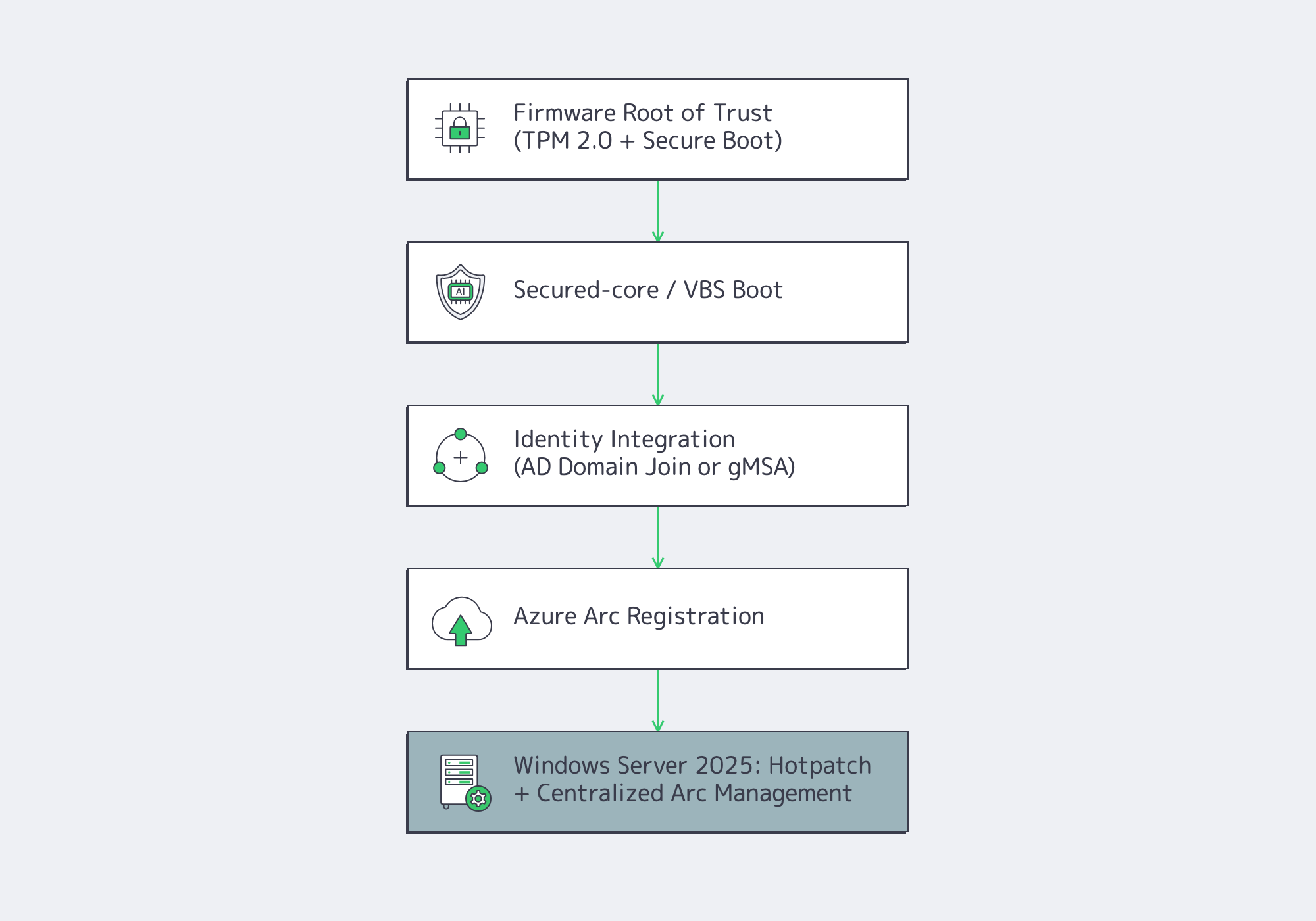
Firmware risk remains a practical integration concern because firmware runs below the operating system and is difficult for endpoint tools to inspect. Secured-core in Windows Server 2022 and 2025 addresses that risk with a hardware-backed root of trust, firmware-level defenses, and operating system protection against unverified code.[3] On compatible AMD and Intel systems, TPM 2.0, Secure Boot, DRTM, VBS, and HVCI work together at boot and runtime to protect the server.
Windows Admin Center and policy-based configuration help toggle Secure Boot, DMA protection, and memory integrity, then audit compliance. For a Melbicom deployment, specify TPM 2.0, UEFI Secure Boot, and VBS-capable hardware during server selection when Secured-core is a requirement. The good news, as an integration architect, is that you can trust the node that you intend to domain-join or add to a container cluster.
Join (and Extend) Active Directory
Domain join remains a two-command affair (Add-Computer -DomainName), but 2025 changes planning for domain controllers because it introduces a new functional level for features such as 32k database pages and adds delegated Managed Service Accounts. Existing 2019 and 2022 domain controllers remain valid for mixed estates, but new forests or major AD refreshes should test the 2025 functional-level implications first.[4] For containers, Windows Server 2022 and 2025 support Group Managed Service Accounts without requiring the host to be domain-joined, eliminating security holes in perimeter zones. That by itself can cut hours out of Kubernetes day-two ops.
If you operate hybrid identity, place Microsoft Entra Connect Sync in the same AD forest—your dedicated server can participate in synchronized identity flows without adding identity agents to every workload.
Treat On-prem as Cloud with Azure Arc
Azure Arc converts a physical server into a first-class Azure resource in terms of policy, monitoring, and patch orchestration. Windows Server 2025 includes Azure Arc Setup by default, and Arc-enabled Hotpatch can apply supported Windows Server 2025 updates without requiring a restart when prerequisites are met.[5] After the server is projected into Azure, you can apply Defender for Cloud, Azure Update Manager, Windows Admin Center in Azure Arc, or Azure Site Recovery configuration.
Windows Server 2022 can also use simplified Arc Setup when fully updated. Windows Server 2019 is still able to join Arc through the Connected Machine agent, but it does not have the same built-in setup experience. If centralized cloud governance is on the roadmap, 2025 will reduce the integration glue code.
Run Cloud-Native Windows Workloads
Cloud-native tooling is mainstream: CNCF’s 2025 Annual Cloud Native Survey reported that 98 percent of surveyed organizations had adopted cloud-native techniques and that 82 percent of container users ran Kubernetes in production.[6] Windows Server 2022 and 2025 close practical gaps with Linux nodes:
- Server 2022 reduced Windows container image sizes and supports HostProcess containers for node-level tasks.
- gMSA can be used without joining the container host to the domain, which simplifies perimeter and Kubernetes worker-node designs.
- Server 2025 adds container portability improvements while also improving Hyper-V, storage, SMB, and GPU partitioning options for supporting platform nodes.
If you have microservices or GitOps in your integration strategy, the newer OS baseline keeps Windows nodes from becoming second-class citizens.
Licensing in One Paragraph
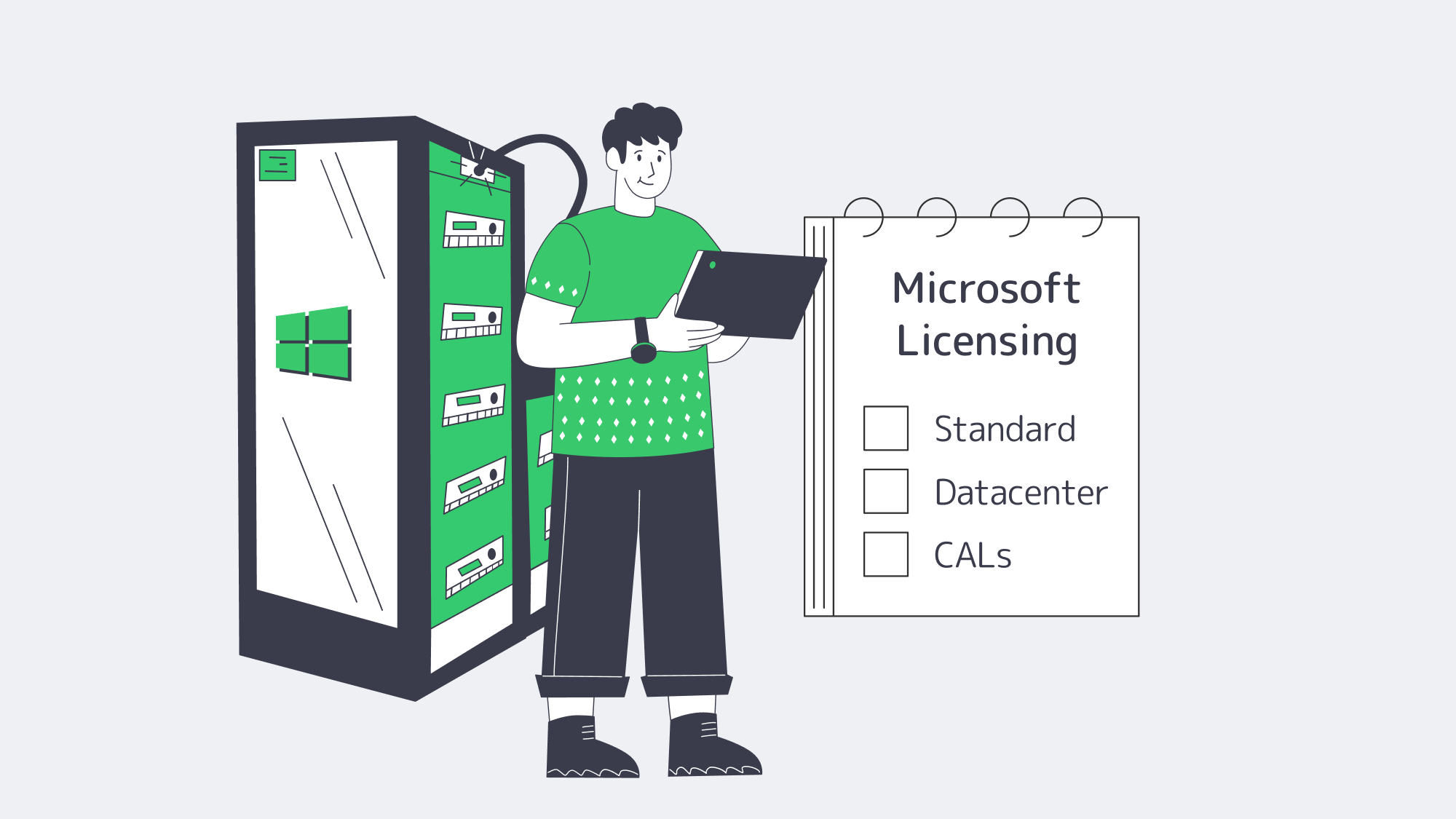
Microsoft’s per-core model remains the baseline for Windows Server 2025 Standard and Datacenter when licensing physical servers: license every physical core, with a minimum of eight core licenses per processor and 16 per server. Customers with subscription licenses or active Software Assurance can also license by virtual machine, subject to Microsoft’s virtual-core minimums. Standard Edition provides two OSEs or Hyper-V-isolated containers per fully licensed physical server; Datacenter provides unlimited OSEs and containers. Stack Standard licenses only when the VM count is low and predictable; otherwise, Datacenter is usually cleaner for dense virtualization. Client Access Licenses (CALs) still apply to AD, file, or RDS access. Bring-your-own licenses (BYOL) can be used, but are limited by Microsoft mobility regulations; portability is not guaranteed.[7]
Infrastructure: Where Integration Bottlenecks Appear
A Windows server will not fit cleanly into a hybrid fabric unless the surrounding network, storage, and governance layers are kept current.
- Bandwidth & Latency: At Melbicom, selected Tier III and Tier IV locations support per-server bandwidth up to 200 Gbps. Cross-site DFS replication, SMB over QUIC, and backup windows benefit when the network path is not the bottleneck.
- Global Reach: A 14+ Tbps backbone and CDN in 39 PoPs is supported by 21 data center locations, letting you place Windows nodes and cacheable content closer to users instead of routing every call through one region.
- Hardware Baseline: Melbicom offers Intel and AMD dedicated-server configurations. For Secured-core workloads, choose hardware with TPM 2.0, UEFI Secure Boot, VBS support, and compatible NIC offloads before ordering. More than 1,400 ready-to-go server configurations can be activated in two hours, and KVM/IPMI is available for low-level management.
- 24/7 Support: When the integration stalls at 3 a.m., Melbicom support is available around the clock to help keep workloads online.
How to Integrate a Windows Dedicated Server into a Hybrid System
To integrate a Windows dedicated server into a hybrid system, choose the supported Windows Server release first, then validate hardware security, licensing, identity, Arc onboarding, container runtime, and network throughput. The order matters: identity and governance should be proven before application migration, while bandwidth tests should run before replication or file-service cutover.

The blueprint of integration now appears as follows:
- Choose the edition: Use Server 2025 for new builds unless a legacy workload, vendor certification, or operational standard still requires 2022 or 2019.
- Select the license: Standard when you require two VMs or fewer; Datacenter when the server has a virtualization farm or Windows Kubernetes nodes.
- Order compatible hardware that has TPM 2.0, Secure Boot, VBS support, and a NIC that supports the offloads your workload needs.
- Turn on Secured-core or the required VBS/HVCI controls in Windows Admin Center; check the result in msinfo32 or PowerShell.
- Domain-join where the workload requires it; for container hosts, use gMSA without host join when the design permits it.
- Register with Azure Arc to federate policy and telemetry, then enable Windows Server 2025 Hotpatch when prerequisites are met.
- Install container runtime (containerd or Docker where still supported), and apply HostProcess DaemonSets if using Kubernetes.
- Confirm network bandwidth with ntttcp; the result should approach provisioned line rate on 10/40/100/200 GbE ports when NIC offloads, firewall rules, and the remote path allow full throughput.
Then follow that checklist, and the new Windows dedicated server falls into the background as a secure, policy-driven node that speaks AD, Azure, and Kubernetes natively.
What’s Next for Windows Dedicated Servers in Hybrid IT?

Practically, a Windows Server 2025 implementation bought now gets support into 2034 and aligns with the current Azure management path. Windows Server 2022 remains viable through 2031 for applications that need the older baseline. Hybrid demand continues to rise, and IBM’s 2025 breach report still estimates the global average cost of a data breach at 4.4 million dollars even after a year-over-year decrease.[8] Integration-layer breaches are costly, so the stronger bet is to standardize on a supported, Arc-managed, hardware-rooted baseline now instead of waiting for the next emergency upgrade.
Integration as an Engineering Discipline
Windows dedicated servers are no longer static file boxes; they are nodes in a cross-cloud control plane that can be programmed. When you select Windows Server 2025 on compatible hardware, you get a longer lifecycle, current Secured-core and VBS controls, Azure Arc enrollment, and a stronger container and file-services platform. Pair that OS with selected Tier III/Tier IV data centers capable of up to 200 Gbps throughput per server, and your hybrid estate will no longer care where the workload resides. Integration is not a weekly fire drill but a property of the platform.
Deploy Windows Servers Fast
Spin up Windows dedicated servers with up to 200 Gbps uplinks and integrate supported configurations into your hybrid fabric quickly.