
Blog
SQL Server 2022 Upgrade: Performance and Cost
Update
SQL Server 2025 is now generally available.[1] This article remains useful for teams standardizing on SQL Server 2022, which still has Microsoft mainstream support until January 2028 and extended support until January 2033.[2]
A production database is one of the fastest-aging technologies. Current SQL ConstantCare telemetry shows SQL Server 2014 and older releases still make up 6 % of monitored servers, while SQL Server 2016 and 2017 account for another 18 % and are near or approaching support deadlines.[3] In the meantime, data-hungry applications are demanding millisecond latency and predictable scalability—something older engines were never designed to handle.
The most conservative route to both resilience and raw speed is an upgrade to a currently supported branch. For teams standardizing on SQL Server 2022, the 2022 release builds on all the progress in 2019 and adds another wave of Intelligent Query Processing, Parameter Sensitive Plan optimization, Query Store-based feedback, and TempDB scalability improvements. With the right compatibility-level testing, many workloads can improve before a T-SQL rewrite, especially when parameter skew, TempDB metadata contention, or eligible scalar UDFs are the underlying bottleneck.
Equally essential, SQL Server 2022 keeps the support clock running until January 2033, so there is no yearly scramble to buy Extended Security Updates while a migration is still in flight. Under a modern license, you have complete certainty about the database’s cost, regardless of how high transaction volumes increase; a type of predictability that is becoming increasingly valuable.
Why Upgrade Now for Support and Cost?
SQL Server 2012 and 2014 are out of extended support, and SQL Server 2016 reaches the end of extended support on July 14, 2026. ESUs are a last-resort security bridge rather than a long-term operating model: Microsoft’s current FAQ says on-premises and hosted ESUs are priced at 100 % of the full license price annually for Years 1-3, with the exception that SQL Server 2012 Year 1 was 75 %.[4] Paying for ESUs keeps security coverage in place, but it adds no performance headroom.
The same pattern is visible in market data: the Spring 2026 SQL ConstantCare population report shows SQL Server 2019 at 42 %, SQL Server 2022 at 31 %, and SQL Server 2025 at 1 %.[3] That still makes 2022 a meaningful modernization target for teams leaving 2016 or 2017, even though 2025 is now the newest release.
Support Clock at a Glance
| Release | Mainstream End | Extended End |
|---|---|---|
| 2012 | Jul 2017 | Jul 2022 |
| 2014 | Jul 2019 | Jul 2024 |
| 2016 | Jul 2021 | Jul 2026 |
| 2017 | Oct 2022 | Oct 2027 |
| 2019 | Feb 2025 | Jan 2030 |
| 2022 | Jan 2028 | Jan 2033 |
| 2025 | Jan 2031 | Jan 2036 |
Table 1. Microsoft lifecycle dates and ESU context as of June 2026.[5]
The pattern is evident: roughly every three to five years, the floor falls out under an older release. You are already beyond the safety net for 2012 or 2014. SQL Server 2016 has weeks of extended support left, not a full QA cycle. SQL Server 2019 has already left mainstream support and remains in extended support until January 2030. Moving to SQL Server 2022 extends mainstream support into January 2028 and extended support into January 2033, while SQL Server 2025 extends the runway further for organizations ready to adopt the newest branch.
How Does SQL Server 2022 Improve Performance on Day One?
SQL Server 2022 can improve day-one performance when a workload is limited by parameter-sensitive plans, memory grants, eligible scalar UDFs, or TempDB metadata contention. The upgrade is not a universal speed multiplier: test with compatibility level 160, Query Store, and representative production replay before forecasting production results with confidence.
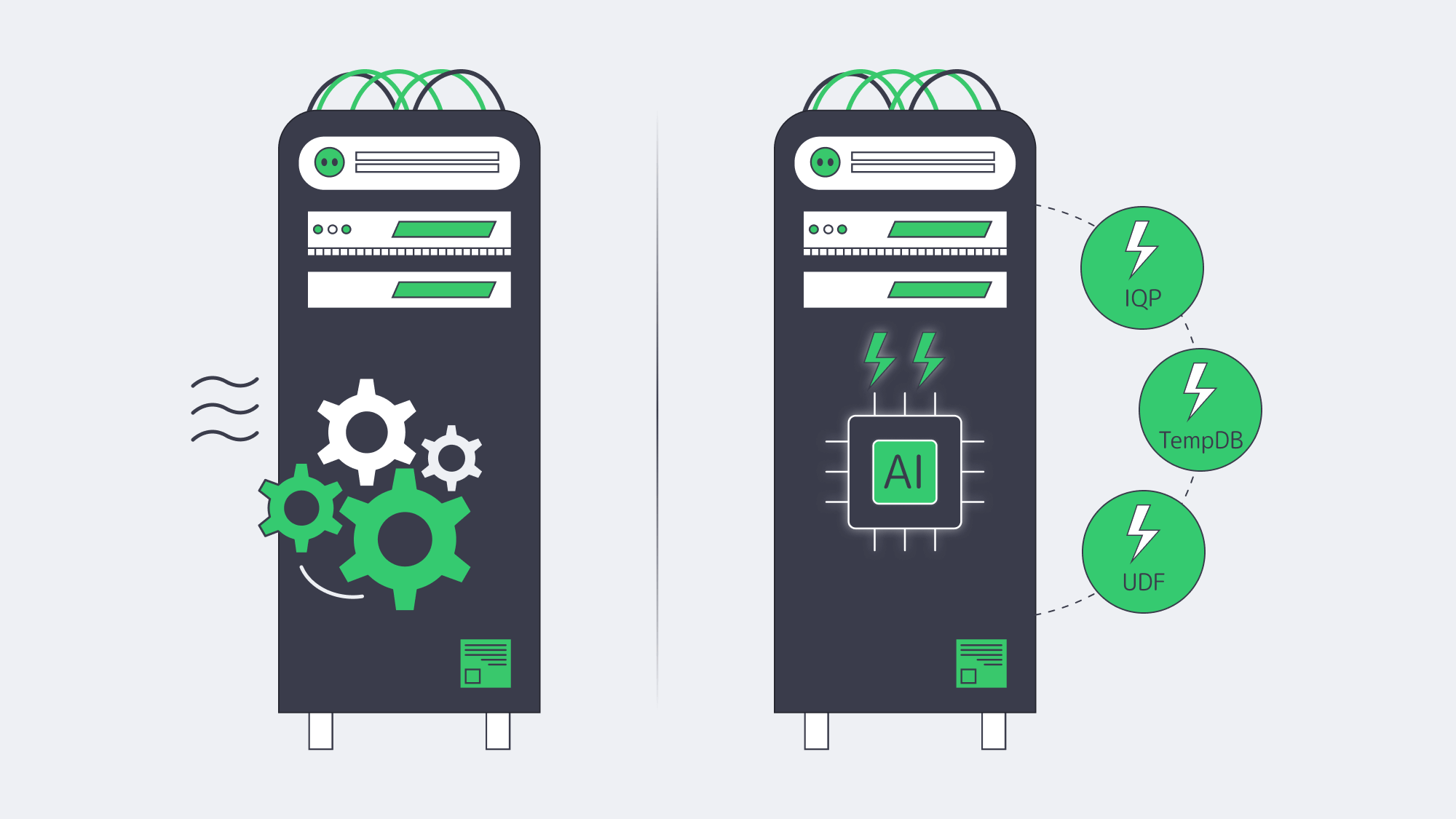
Intelligent Query Processing 2.0
The 2022 release adds Parameter Sensitive Plan optimization and improves feedback features such as memory grant feedback. The optimizer can cache multiple plans for one parameterized statement and improve memory reservations over repeated runs. These features are most useful for skewed distributions and spill-prone queries, and they require compatibility level 160 or the relevant database settings.[6]
Memory-Optimized TempDB Metadata
TempDB metadata contention can throttle highly concurrent workloads. SQL Server 2019 introduced memory-optimized TempDB metadata, and SQL Server 2022 continues to support it on eligible editions for workloads where diagnostics show PAGELATCH contention on TempDB system tables. Enable it only after testing, because Microsoft notes restart requirements and memory-related limitations.[7]
Accelerated Scalar UDFs
SQL Server 2022 can inline eligible scalar UDFs as relational expressions within the primary plan, reducing CPU overhead where UDF calls previously dominated execution time. Add table-variable deferred compilation and rowstore batch mode, and many workloads can get measurable gains without code changes.
Putting the Numbers in Context
SQL Server 2022 performance gains are workload-dependent. The most reliable way to forecast them is to benchmark the current workload with Query Store, representative parameter values, and compatibility level 160 enabled in QA. Expect the largest wins when waits point to parameter-sensitive plans, memory grant spills, scalar UDF overhead, or TempDB metadata contention—not from the version number alone.
SQL Server Licensing Models
Licensing is what moves TCO, rather than hardware; hence choose wisely.
| Model | When It Makes Sense | 2022 List Price |
|---|---|---|
| Per Core (Std/Ent) | Internet-facing or > 60 named users; predictable cost per vCPU | Std USD$3,945 / 2 cores Ent USD$15,123 / 2 cores |
| Server + CAL (Std) | ≤ 30 users or devices; controlled internal workloads | USD$989 per server + USD$230 per user/device |
| Subscription (Azure Arc) |
Short-term projects, OpEx accounting, auto-upgrades | Std USD$73 / core-mo Ent USD$274 / core-mo |
Table 2. Open No-Level US pricing — check regional programs.[8]
Example: 100 User Internal ERP
- Server + CAL: $989 + (100 × $230 ) ≈ $24 k
- Per-Core Standard: 4 × 2-core packs × $3,945 ≈ $15.8 k
- Per-Core Enterprise: 4 × 2-core packs × $15,123 ≈ $60.5 k
CAL licensing is 50 % more expensive than per core Standard at 100 users.
Standard or Enterprise?
Standard limits the buffer pool to 128 GB and compute capacity to the lesser of four sockets or 24 cores. It still includes key IQP features such as Parameter Sensitive Plan optimization and scalar UDF inlining, so it is often enough for departmental OLTP when the database fits within those limits.[9]
With all physical cores licensed under the core model, Enterprise removes Standard’s engine limits and enables advanced availability, scalability, and management features. Enterprise pays off when you require more than a 128 GB buffer pool, more than 24 cores per instance, online operations, or multi-replica Availability Groups.
Dedicated Hardware for SQL Server
No matter how smart the optimizer is, it cannot outrun a slow disk or a clogged network. SQL Server 2022 on dedicated hardware prevents these noisy neighbor effects that are typical of multi-tenant cloud options and takes advantage of the engine memory bandwidth appetite.
Melbicom delivers dedicated servers with up to 200 Gbps per-server bandwidth and SSD/NVMe options for I/O-sensitive databases. With 21 Tier IV and Tier III data centers across Europe, the Americas, Asia, and Africa, workloads can be placed closer to the user base. More than 1,400 ready-to-go server configurations can be deployed within two hours, while custom configurations are delivered in 3-5 business days.
For compliance-sensitive workloads, bare metal can also simplify audits: SQL Server runs on single-tenant hardware, application and database teams control the host configuration, and encryption-key handling does not need to share a multi-tenant hypervisor layer.
Choose Melbicom— 1,400+ ready-to-go configurations — 21 global Tier IV & III data centers — 39 CDN PoPs across 35 countries |
 |
SQL Server 2022 Upgrade Checklist
- Take care of licensing ahead of time. Audit cores and user counts; then decide whether to reuse licenses with SA or purchase new packs.
- Benchmark before and after. Capture wait statistics, top query durations, CPU utilization, and storage latency before the upgrade, then compare them after compatibility-level testing.
- Roll out new features over time. Flip compatibility to 160 in QA, monitor Query Store, and repeat in production.
- Enable memory-optimized TempDB metadata only when it fits. Validate that the edition supports it and that latch waits justify the change.
- Review hardware headroom. If database-level changes still leave CPU, memory, or storage pressure, scaling clocks, cores, RAM, or NVMe capacity is simpler with dedicated gear.
Automated tooling is beneficial. Query Store retains the plans before the upgrade when it is enabled, and you can override to an old plan in case a regression is observed. Because Microsoft has deprecated Distributed Replay in SQL Server 2022, use a current workload replay tool, application-level test harness, or captured production traces replayed in a supported lab workflow. Finally, maintain a rollback strategy: after a database is upgraded to 2022, it cannot be attached back to an older engine version, so take a compressed copy-only backup before migrating. Storage is cheap, but downtime is not.
Ready to Modernize Your Data Platform?
SQL Server 2022 can reduce latency and CPU pressure when its IQP, TempDB, and UDF improvements match the workload’s real bottlenecks, while keeping Microsoft support in place until January 2033. The technical work is often completed in weeks when teams benchmark first, validate compatibility level 160, and keep a tested rollback path.
Get Your Dedicated Server Today
Deploy SQL Server 2022 on high-spec dedicated hardware with up to 200 Gbps per-server bandwidth.