
Blog
Spec Dedicated Servers From Workload, Not the Catalog
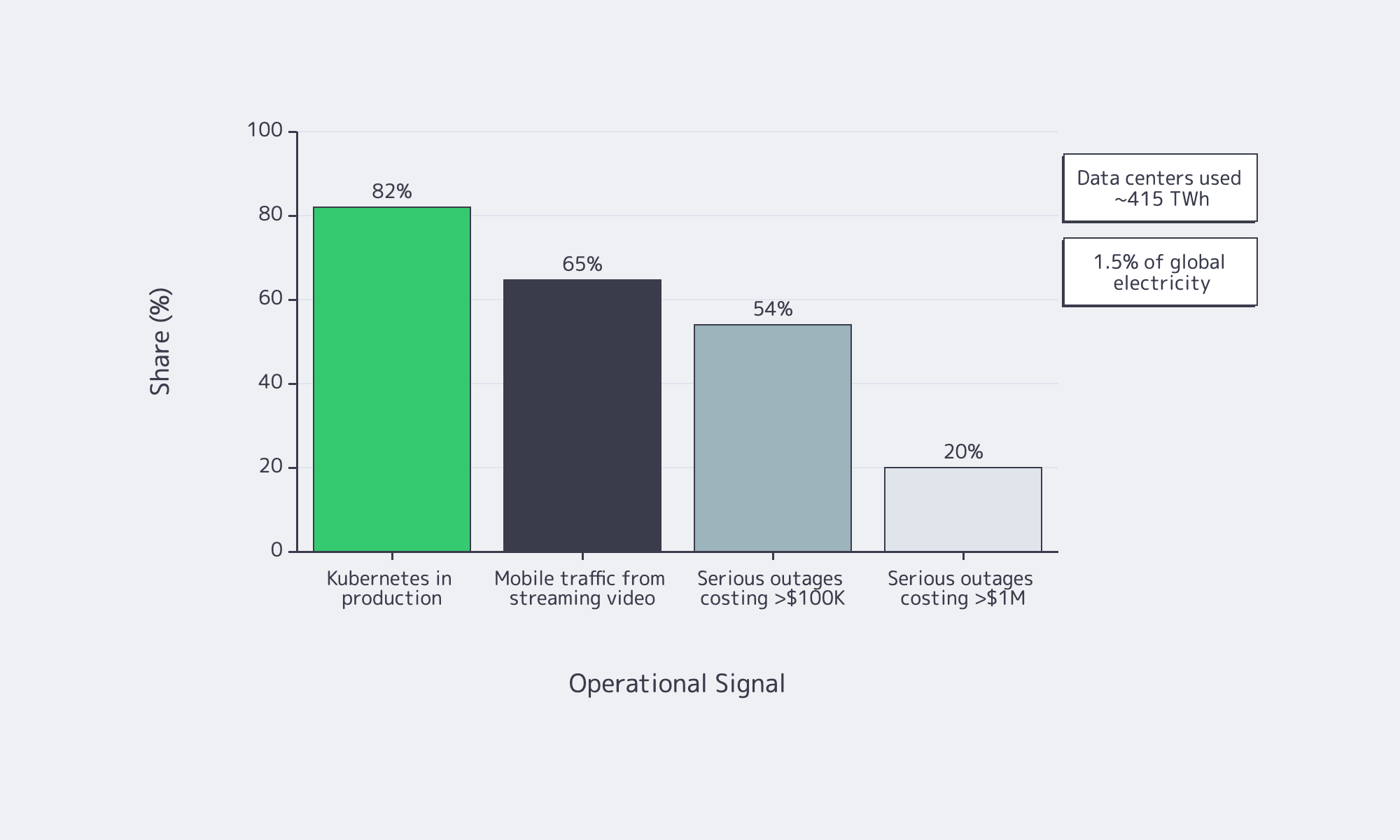
Dedicated server buying is no longer a catalog exercise—the IEA says data centers used about 415 TWh, 1.5 percent of global electricity consumption, while Uptime Institute reports that 54 percent of recent serious outages cost more than $100,000 and one in five topped $1 million. Overbuild and you waste power; underbuild and you buy downtime.
Server models work best as a bill of materials tied to workload behavior: what stays in RAM, what commits to storage, what bursts on the network, and how the machine fails and recovers. That is where Melbicom becomes useful: dedicated servers, BGP, IP-KVM, high-bandwidth ports, CDN, and S3-compatible storage.
Choose Melbicom— 1,300+ ready-to-go servers — Custom builds in 3–5 days — 21 Tier III/IV data centers |
 |
Why Server Models Are Changing
A server model used to mean a prebuilt configuration. Now it is an engineering pattern: workload, constraints, BOM, and acceptance test. Current platforms offer more PCIe, DDR5 bandwidth, and NVMe headroom, but they also punish bad topology; a weak WAL device or undersized NIC can erase the benefit of a headline CPU.
Software is more distributed by default. CNCF says 82 percent of container users run Kubernetes in production, which makes east-west traffic and control-plane storage first-order concerns. Global Internet Phenomena reports streaming video is more than 65% of mobile traffic by volume, so port speed and routing are now application-design decisions.
How to Spec a Dedicated Server from Workload Requirements
Start with the workload, not the catalog. Define latency, throughput, growth, and failure targets; map them to CPU time, memory residency, storage latency, and network headroom; then write the server as roles—compute, RAM tier, NVMe layout, NICs, remote management, and redundancy—with acceptance tests attached from day one.
Server Hardware Signals That Map Cleanly to Sizing
Start with p50/p95/p99 latency, burst shape, concurrency, working-set size, growth, and RPO/RTO. CPU hot spots tell you whether you need clocks or cores. Working-set fit sets the RAM tier. Commit behavior tells you whether storage latency matters more than throughput. Replication and client fan-out set the NIC floor.
Two paths deserve special attention. PostgreSQL reminds us that commits depend on WAL reaching durable storage, which is why a separate low-latency log device still matters on write-heavy databases. etcd is equally blunt: disk write latency dominates cluster behavior, so SSD-class storage is mandatory for heavier control planes.
How to Choose CPU, RAM, NVMe, and Network Config for a Custom Server Build
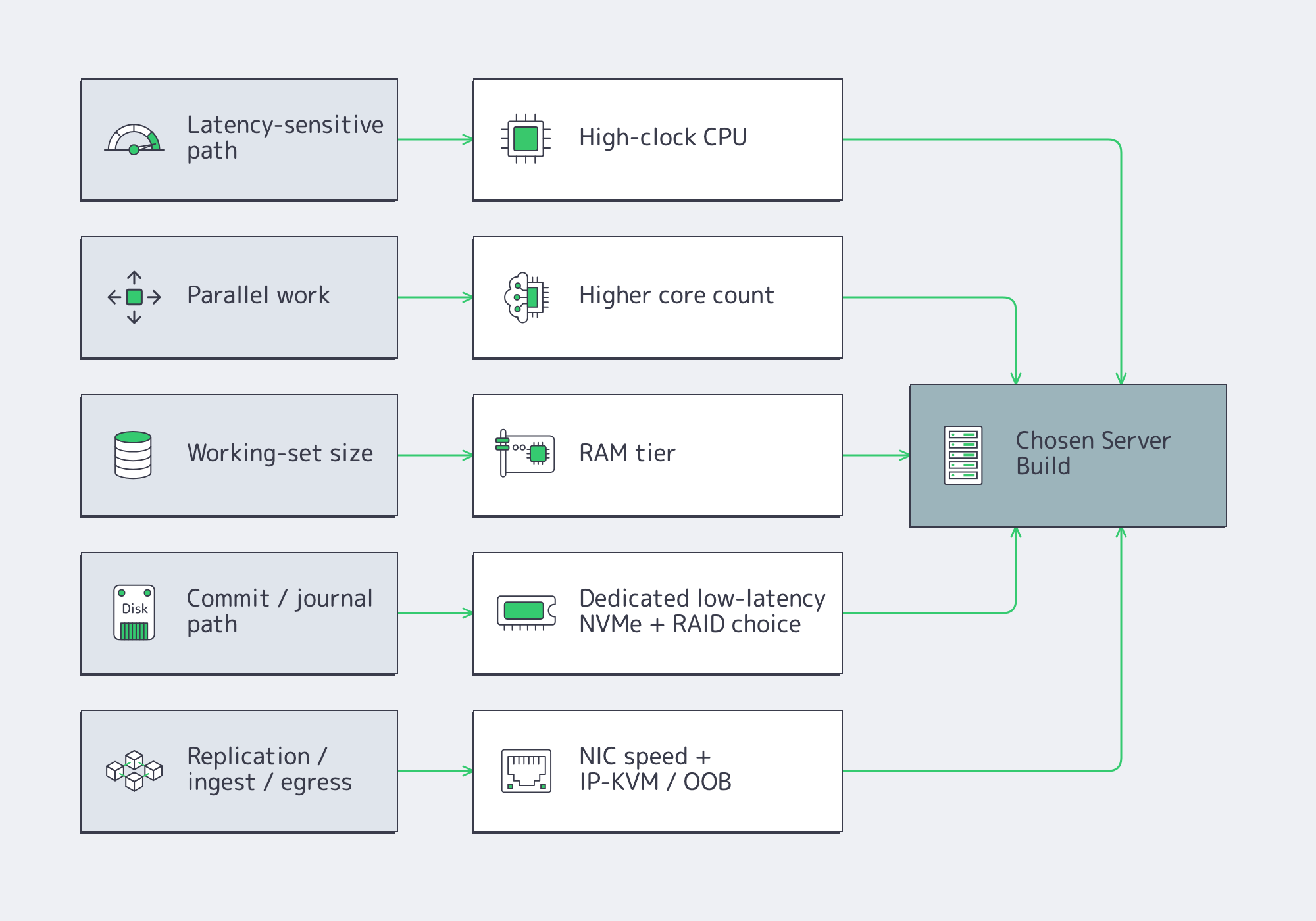
Choose parts by removing the bottleneck that actually limits the application. Fast clocks help latency-sensitive paths, more cores help parallel work, RAM keeps the hot set off disk, NVMe layout controls tail latency, and the right NIC plus out-of-band access makes both peak traffic and failure recovery survivable.
CPU Server Hardware: Cores Versus Clocks
Fewer, faster cores usually win when the critical path is request latency, locking, compression, crypto, or commit coordination. More cores pay off when the workload scales cleanly across workers: analytics scans, encoding, indexing, or heavy parallel query execution. The wrong CPU often shows up first as tail latency or stalled background work, not as obvious saturation.
Memory Tiers and Server Hardware Headroom
Think in three bands: fits in RAM, almost fits, and does not fit. The first delivers stable latency. The second can sometimes be rescued with better caching or hot-set pinning. The third usually means redesign or sharding. Faster memory helps bandwidth, but it does not fix a hot path that is larger than the practical DRAM budget.
Storage Server: NVMe Layout and RAID Strategy
NVMe is the default for serious latency-sensitive roles, but layout matters more than brand. Mirror the boot volume. Isolate WAL, journals, or metadata onto their own low-variance devices when commit frequency is high. Use RAID10 where mixed read/write latency matters; use capacity-oriented protection where rebuild behavior matters more. NVMe ZNS is worth watching for sequential-write-heavy systems as it can reduce write amplification.
Network, Remote Management, and Redundancy
The NIC is both a performance part and a recovery tool. Size port speed from real replication, rebalance, ingest, and egress numbers; small-packet systems may be packet-rate bound before bandwidth-bound. If routing control matters, Melbicom’s BGP service supports BYOIP, IPv4/IPv6, communities, and full, default, or partial routes. Melbicom’s network design allows isolated IP-KVM access plus vPC/802.3ad and VRRP. Melbicom’s wider platform spans 20+ transit providers, 25+ IXPs, and port ceilings up to 200 Gbps by location, so the facility choice can change the BOM almost as much as the NIC.
Ready-to-Copy Server Models for Modern Dedicated-Server Workloads
These are starting points, not SKU dumps. Treat them as copy-ready roles that map to current catalog shapes rather than frozen part numbers.
| Workload | What Matters Most | Copy-Ready Starting Spec |
|---|---|---|
| OLTP database | Commit latency, cache hit rate | High-clock single-socket CPU; hot-set RAM; RAID1 boot; dedicated NVMe WAL; NVMe RAID10 data; dual 25/100 GbE if replication is heavy; OOB console. |
| Cache node | RAM residency, packet rate | Fast-clock CPU with enough cores for network and background tasks; high ECC RAM; RAID1 boot; optional dedicated NVMe if persistence is enabled; 25/100 GbE when refill or large-object traffic is high. |
| Storage node | Rebuild behavior, metadata latency | Moderate-core CPU; RAM for metadata and recovery; RAID1 boot; NVMe for DB/WAL or metadata; capacity SSD/HDD tier for bulk data; 25/100 GbE sized to backfill windows; explicit recovery plan. |
| Kubernetes node | Pod density, image/log I/O | Balanced core count; moderate-to-high RAM; RAID1 boot; NVMe for images, logs, and local volumes; keep control plane and etcd on low-latency storage; 25 GbE floor when east-west traffic is substantial. |
| Blockchain node | Sync I/O, state growth | Strong single-thread plus enough cores for validation and indexing; high RAM for state caches; RAID1 boot; large NVMe data tier; redundant layout if resync time is unacceptable; higher-bandwidth ports for sync and clients; BGP if IP stability matters. |
| Streaming origin / packager | Ingest bursts, segment egress | High-clock CPU or GPU-assisted transcode where needed; 128-256 GB RAM; RAID1 boot; NVMe cache or origin tier; 25/100/200 GbE sized from concurrent streams and bitrate ladder; pair with CDN so repeat reads leave origin. |
Two caveats keep these profiles honest. Cache persistence is optional. Storage clusters still rise or fall on metadata and DB/WAL placement; Ceph continues to recommend SSD/NVMe tiers even when bulk data sits on larger drives. For streaming, push repeat reads out to Melbicom’s CDN, which spans 55+ PoPs in 36 countries.
What a Provider-Ready RFP for a Dedicated Server Build Should Include
A provider-ready RFP should let two engineers arrive at the same build without a sales call. That means a measured workload summary, explicit CPU/RAM/storage/network roles, routing and management requirements, acceptance tests, and location constraints written clearly enough to quote, rack, and verify on delivery day.
- Workload summary: role, software stack, refresh cycle.
- Performance targets: throughput, p95/p99 latency, burst model, data growth.
- CPU and RAM: clocks-versus-cores priority, memory target, ECC, headroom policy.
- Storage: boot, log/WAL/journal, data, scratch roles, RAID, endurance.
- Network: port speed, number of ports, bonding, IPv4/IPv6, peak transfer.
- Routing and management: BGP/BYOIP, route type, communities, out-of-band console.
- Acceptance tests: fio profile, network throughput, burn-in window, topology validation.
- Location: required metro or region, residency constraints, term, migration dates.
Before you approve the quote, make sure it explicitly names:
- core count and clock bias
- RAM target and headroom policy
- NVMe role separation
- NIC speed and routing requirements
- out-of-band recovery path and redundancy assumptions
A Good Server Spec Is a Deployable Document
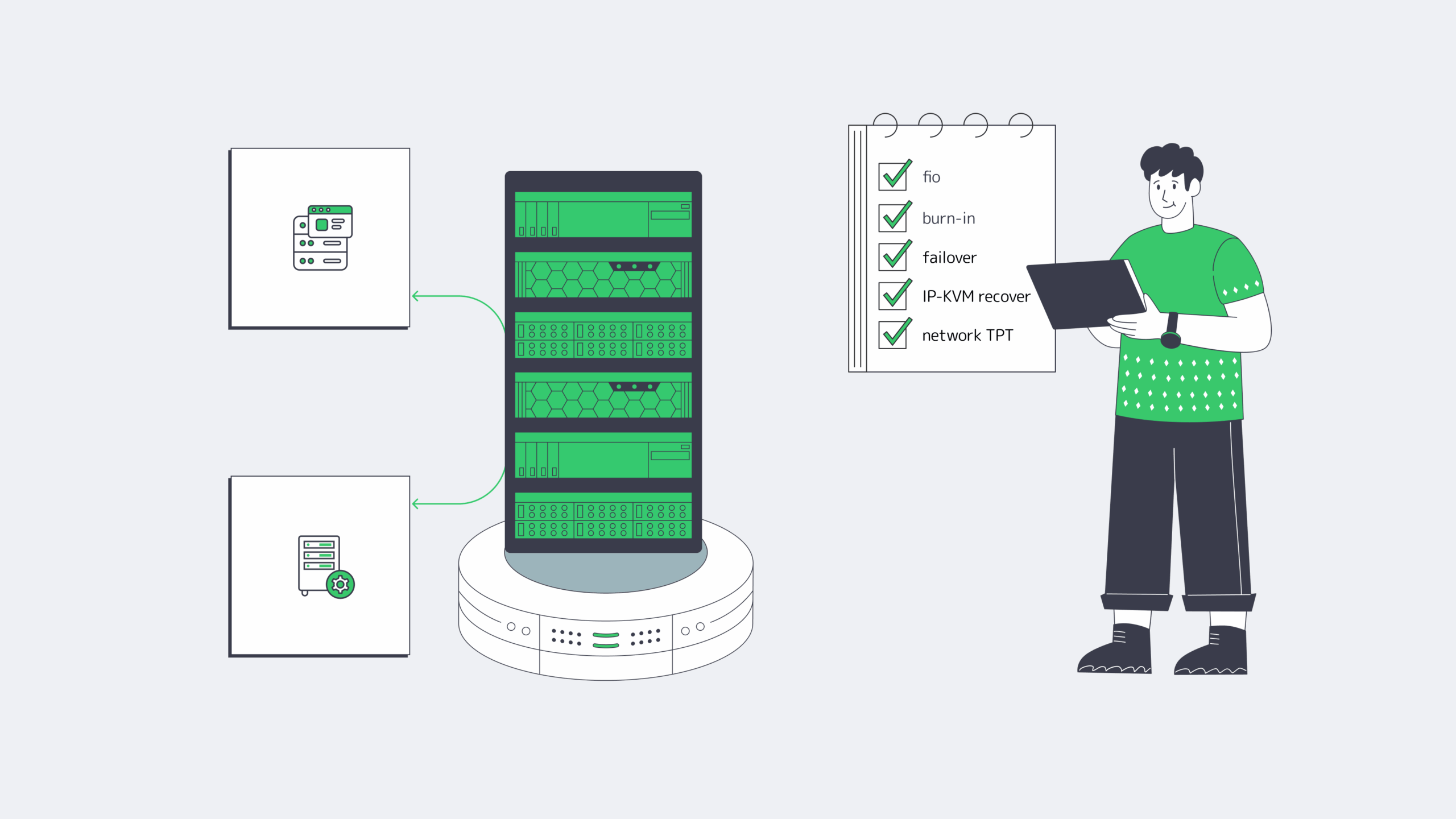
The point of a server model is not elegance. It is to turn workload behavior into a machine you can buy, test, recover, and scale when traffic, data size, or replication patterns change. If the BOM cannot explain the CPU, RAM tier, NVMe layout, NIC, and management path, it is still too vague.
Provider fit is the same test. The quote should mirror the workload: drive roles, port ceilings by location, routing options, and a deployment window you can plan around.
- Buy NIC speed for failure and backfill windows, not quiet-hour averages.
- Separate commit and metadata paths from bulk data before you add more CPU.
- Make IP-KVM, RAID layout, and burn-in tests part of the quote, not an afterthought.
- Treat location as a hardware variable: port ceilings and interconnection depth change the best build.
Build a Custom Server with Melbicom
Get a custom build aligned to your workload—CPU, RAM, NVMe, NICs, and BGP options—with delivery in 3–5 days across 21 Tier III/IV locations and ports up to 200 Gbps.