
Blog

When and How to Scale Storage on Dedicated Servers
Data growth turns storage scaling into an operational planning problem: Dedicated servers need enough local storage capacity, I/O headroom, and off-server tiers before utilization, iowait, or tail latency become production incidents. This article analyzes measurable indicators for when to scale, the trade-offs between vertical drive upgrades and horizontal clustering with solutions like Ceph, and automation techniques that keep services available during growth.
Choose Melbicom— 1100+ ready-to-go servers — 21 global Tier IV & III data centers — 39 CDN PoPs across 35 countries |
 |
When to Scale Storage on Dedicated Servers
Scale storage on dedicated servers when capacity reaches the 70–80% planning band, when iowait and disk queues remain high under normal load, or when 95th–99th percentile storage latency starts rising. Capacity saturation is the earliest signal; I/O and tail-latency symptoms show that performance headroom is already being consumed.
Three metric groups offer visible and measurable indicators.
1) Capacity saturation (leading indicator)
Consider ~80% utilization as a planning watermark. Past this point, filesystems have less headroom for temporary files, snapshots, logs, and maintenance tasks, while growth rates can begin to outrun procurement cycles. Operating at 90-95% utilization creates critical risk: logging spikes or backup processes can trigger write failures. Plan to begin expanding capacity or offloading data at the 70-80% band and add or evacuate before you ever go over 90%.
2) Read/write bottlenecks (throughput and IOPS)
Storage I/O must keep latency predictable as request volume rises. Key indicators include disk utilization approaching 100%, long I/O queues, and elevated CPU iowait that persists even when queue depth is reduced. In practical terms, if iowait is ~12% on an 8-core system (≈1/8 of total) and CPU load is high, the storage subsystem, not the CPU, is throttling forward progress. At this point, you can increase parallelism (add more drives, widen RAID sets, increase I/O queues) or upgrade media (HDD → SSD → NVMe). As an approximate reference point, HDDs deliver hundreds of IOPS with millisecond latency; current enterprise NVMe SSDs can deliver hundreds of thousands to millions of IOPS and multi-GB/s sequential throughput, shifting other bottlenecks toward compute and network.
3) Latency spikes (especially tail latency)
Averages can look healthy, but users experience storage through 95th–99th percentile performance. A system can still feel slow when the 1% of operations that should complete in 10 ms stretch to 100 ms or more, even if mean latency looks acceptable. Saturated queues, GC/trim on flash, and background rebuilds all cause tail amplification. Track and alert on high-percentile disk or block-device latency; repeated spikes under load are a clear signal to scale.
Finally, near-capacity errors, i.e., failed writes, throttled jobs, and backups running out of space, are lagging indicators that planning fell behind. Use them to tighten alerting thresholds and to justify keeping spare capacity.
Vertical vs. Horizontal: Choosing How to Add Capacity and IOPS
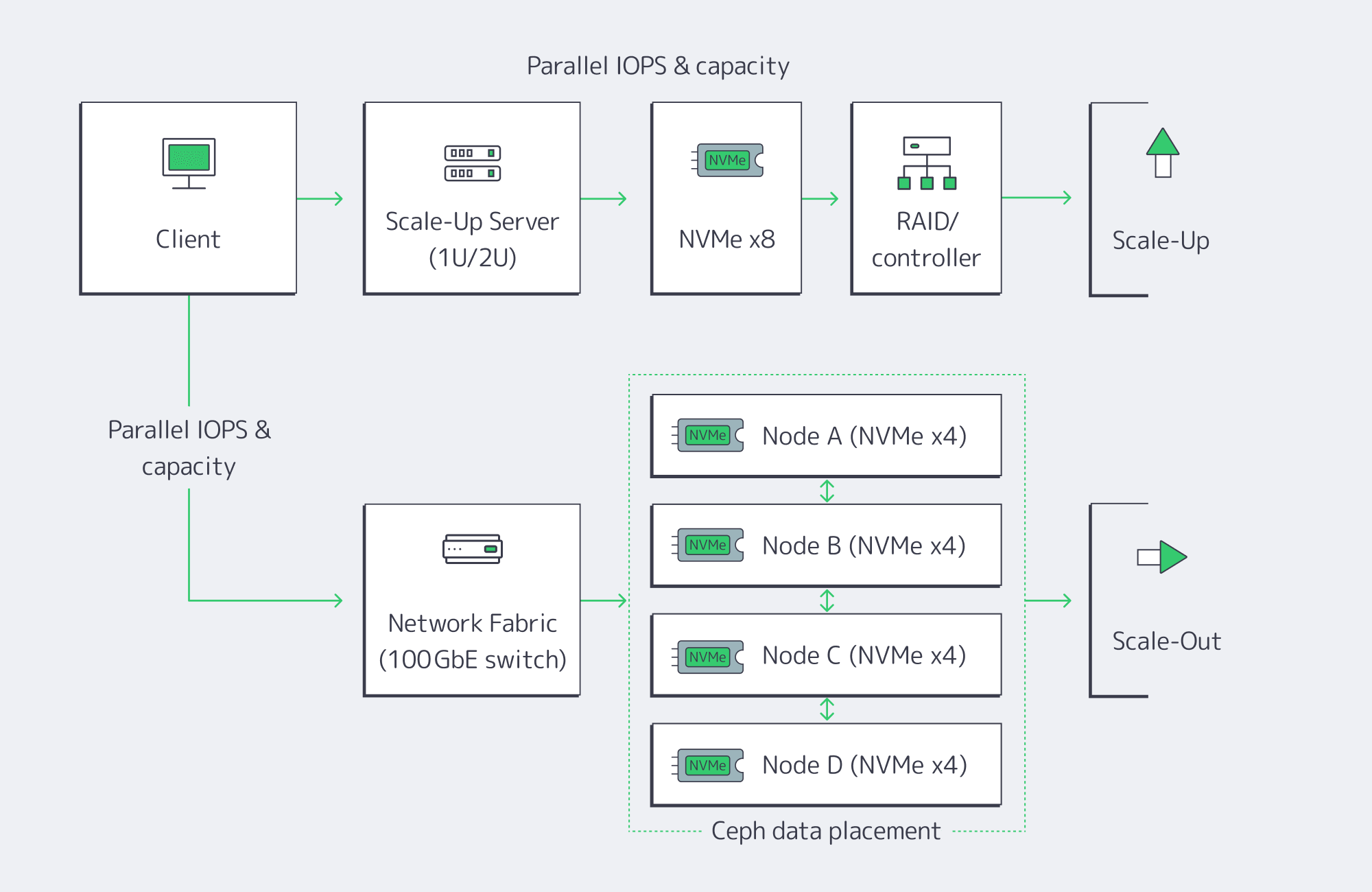
There are two basic paths to expansion. Most teams begin with vertical scaling (scale-up) on the existing server, and adopt horizontal scaling (scale-out) when a single box hits physical hard limits or availability targets require node-level redundancy.
Vertical (scale-up): upgrade inside the server
Add new drives to free bays, or replace existing drives with denser/faster media. The advantages are simplicity and low latency: everything’s local, no distributed software layer to manage. Swapping from HDD or SATA SSD to NVMe can be transformative, dropping latency to the tens or hundreds of microseconds and pushing aggregate throughput to multi-GB/s per device. NVMe remains the standard interface for high-performance SSDs across modern server form factors. Current PCIe 4.0 and PCIe 5.0 enterprise drives range from multi-GB/s throughput into double-digit GB/s throughput, with hundreds of thousands to millions of IOPS depending on model and workload. The physical and architectural constraints are also server-bound: finite drive bays and controller bandwidth, and a single server as a single failure domain. Expansions can eventually become forklift upgrades: migrate to a larger chassis, or offload to another system.
Horizontal (scale-out): add nodes and distribute
Add servers and distribute data using a distributed storage layer such as Ceph. Each node contributes CPU, RAM, and storage, so both capacity and throughput scale. The key: there’s no single controller or filesystem to saturate, and Ceph replicates or erasure-codes data across nodes (a RAIN pattern); the cluster rebalances when new OSDs (drives) are added or replaced, so the system is resilient to node failures as well. The trade-off: operational complexity, and a slight network latency overhead vs. local disk access. High-speed fabrics and NVMe-over-Fabrics (NVMe-oF) can reduce the penalty; 10 GbE or faster links are a practical minimum for production Ceph clusters, and RDMA-based protocols like RoCE are common in high-performance designs. Scale-out is the long game: if you’re in the hundreds of terabytes to petabyte scale and need parallel throughput for analytics or AI workloads, this is the model that keeps growing.
A quick comparison
| Approach | Advantages | Drawbacks |
| Vertical (scale-up) | Simple to operate, lowest possible latency (local NVMe), can fully leverage existing server | Hard limits on bays and controller bandwidth, a single failure domain; may require brief downtime if not hot-swap ready |
| Horizontal (scale-out) | Near-linear growth in storage capacity, throughput & IOPS; node failure tolerance, automatic online rebalancing | Increased operational complexity; network adds small latency overhead vs. local disk, higher initial footprint |
A practical pattern
Scale up within each node to the point that bays and controllers are well-utilized, then scale out across nodes with Ceph or a similar distributed layer. That hybrid gives you best-latency per node and the elasticity and resiliency of a cluster.
Automation for Minimal Downtime
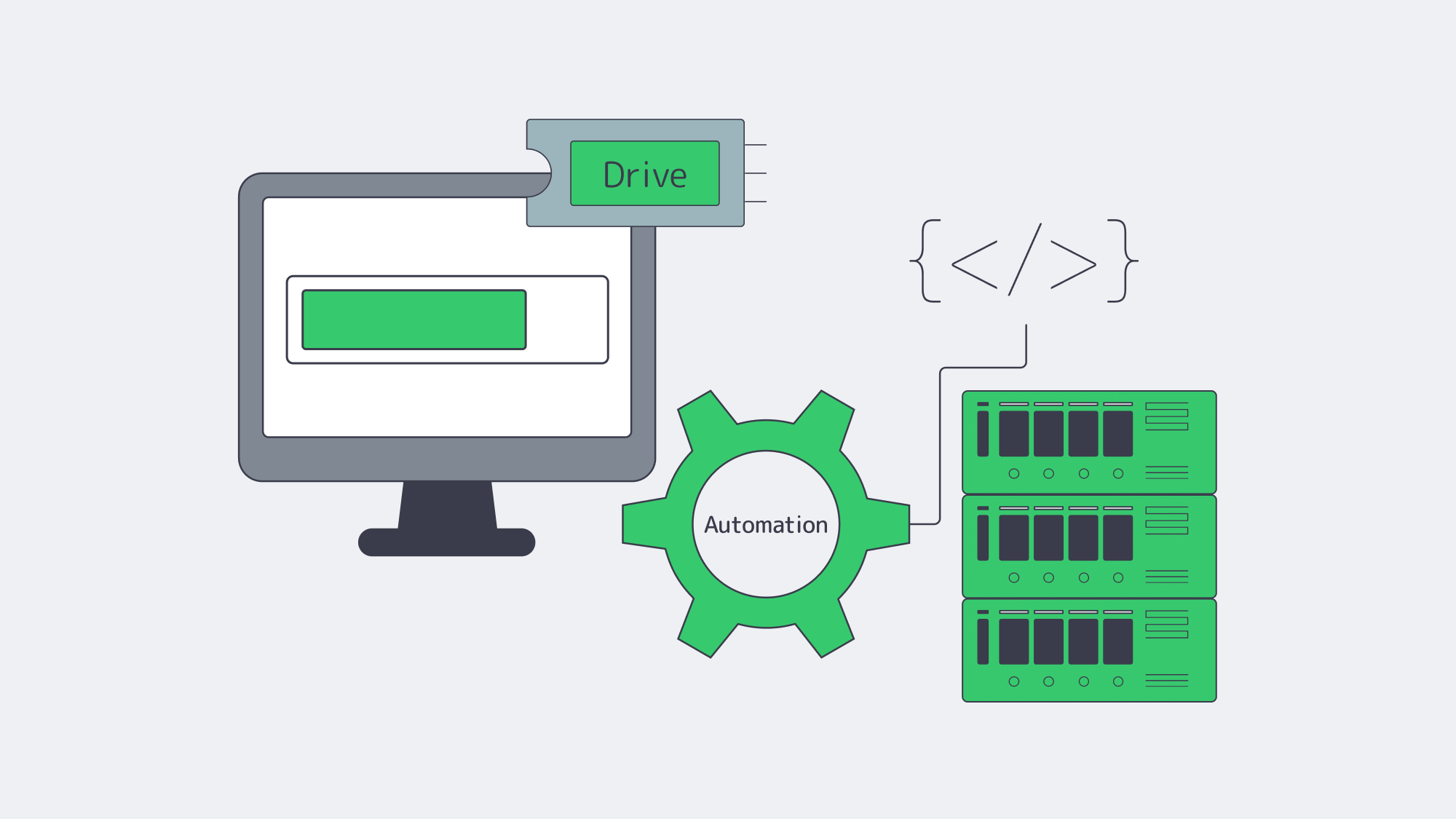
What used to require weeks or a weekend maintenance window can now be routine.
Hot-adding media
Many enterprise servers support hot-plug for SATA/SAS drives and, increasingly, NVMe. On supported chassis and backplanes, you can insert a new NVMe drive without powering down; the OS detects it, and you add it to your LVM volume group, ZFS pool, or RAID set. The practical impact: add capacity with no reboot required. For non-boot data devices on supported hardware, replace malfunctioning drives while the system remains active and let the controller or software layer rebuild in the background.
Online growth and rebalancing
Modern filesystems (XFS, ext4) and volume managers support online addition of capacity and regrowing of existing volumes. On clusters, Ceph is designed to add new OSDs (storage drives) and rebalance placement groups while the cluster evens out free space and load. Rebalancing should still be rate-limited and monitored because it consumes I/O.
Automating the triggers
Tie monitoring to action. When utilization approaches ~75-80%, trigger an internal ticket or runbook that (1) places an order for additional NVMe capacity or a new node with your server provider, (2) provisions the new node and joins it to your volume group or Ceph cluster, and (3) verifies that rebalancing has completed and restored healthy tail latencies. Melbicom makes the procurement side more predictable by maintaining 1100+ ready-to-go servers; teams can standardize on a few storage-optimized profiles and script the provisioning workflow for the rest.
Data layer elasticity
Database and streaming application stacks increasingly support online replication and sharding. Add a replica or shard server, allow the system to backfill or redistribute the keys, and then redirect the traffic; no global outage needed. Manual tape migrations and full OS/data moves are now exception paths, not the default scaling plan.
Data Tiering and Offloading: Scale Smart, Not Just Big
Right-sizing your fastest storage is half the battle; the other half is putting colder data elsewhere consistently.
Object storage for cold/warm data
Melbicom’s S3-compatible storage provides elastic capacity (plans from 1 TB to 500 TB) and durability with erasure coding in a Tier IV certified Amsterdam data center. Keep hot working sets on server NVMe; push logs, media, and less-frequently-accessed files to S3 with lifecycle policies.
Backup targets outside the primary server
Cold backup storage over SFTP with RAID-protected capacity and upload/download speed up to 10 Gbps lets you pull nightly snapshots and database dumps off the production box. This not only improves recovery options but also frees space.
Relieve origin reads
A worldwide CDN (39 CDN PoPs across 35 countries) positioned before static assets moves bandwidth and I/O away from main servers, which results in scaled read operations without requiring extra storage disks.
These layers support your existing server expansion methods and integrate seamlessly when your provider maintains uniformity in footprint and networking across locations. Consider Melbicom’s data center locations and tiers when architecting for locality, latency, and compliance.
Summary: a Decision Checklist
Are you ≥80% full? Plan capacity; if at 90–95%, act immediately.
Is iowait ~12%+ (8-core basis), queues long, or disks pegged? Add drives, expand RAID, or move to NVMe; if already tight on NVMe, then you know it’s time to scale out.
Are 95th–99th percentile latencies increasing? Treat this as a production issue and combine faster media with horizontal scaling to ease the system load.
Do you need node-level durability or petabyte-class growth? Choose a scale-out design (e.g., Ceph) that provides replication/erasure coding and automatic rebalancing.
Can it scale automatically? Seek support for hot-adding of drives, online volume growth, and pre-scripted joining of nodes/rebalancing steps.
What should go off the box? Push cold data to S3 cloud storage, backups to SFTP, and static delivery to CDN.
Conclusion: Scale on Signal, then Automate
Storage growth on dedicated servers is controllable; you just need to make decisions based on signals, not stories. Capacity at ~80% is your early-warning, iowait and disk queues reveal your read/write ceilings, and tail latency will protect your user experience when averages lie. Vertical upgrades to NVMe are often the first step when the server still has bays, lanes, and controller headroom; horizontal clusters should come into play when constraints or availability targets require. Automation should cover both paths: hot-plug media, online filesystem growth, and cluster rebalancing, so expansion is repeatable and minimally disruptive.
Combine this with tiering and offloading strategies to keep hot datasets on local NVMe, to store colder assets in S3-compatible storage, to run backups to a dedicated SFTP tier, and to place a CDN in front of static content. The result: a storage posture that grows with your product, not in fire drills. You watch the signals, you act when they flash, and the platform is engineered to absorb new capacity with minimal interruption.
Scale Your Storage Now
Get ready-to-go dedicated servers for storage-heavy workloads across 21 global Tier III and Tier IV data centers.