
Blog
File Server Backup Solutions: Step‐by‐Step Protection
Modern data protection has evolved far beyond manual copy scripts; the stop-gap era is well and truly gone. Over the years, data estates have sprawled across petabytes, the backups have become the prime target of attacks, and modern compliance demands are stricter than ever before, driving real changes in the way that file server admins protect data for provable recovery.
Where once techs were occupied after-hours, swapping disks with little more than a prayer that cron jobs ran smoothly, they now need provable safeguards driven by evidence and immutable data restoration.
So to prevent budgets spiraling and redundant copies, we have put together this guide to walk you through five interlocking steps to ensure that file server failure or ransomware blasts don’t leave you in crisis. They are: classification, granular retention, automated incremental snapshots, restore testing, and anomaly-driven monitoring. When those steps are paired with technologies such as Volume Shadow Copy snapshots, off-site object storage with immutability controls where the chosen target supports them, and API-first alerting, you have a more reliable restore process for ransomware, hardware failure, and accidental deletion.
Choose Melbicom— 1100+ ready-to-go servers — 21 global Tier IV & III data centers — 39 CDN PoPs across 35 countries |
 |
Share Classification: How to Prioritize
Backup windows become bloated when every share is treated equally, and that is a sure path to unmet Recovery Point Objectives (RPOs). Therefore, your first step should be a data-classification sweep to categorize data into the following tiers:
- Tier 1 – Critical finance ledgers, deal folders, and release artifacts.
- Tier 2 – Important workspaces and active project roots.
- Tier 3 – Non-critical archives, reference libraries, and retired project dumps.
Classifying data in this manner drives everything downstream. Be sure to interview data owners, scan for regulated content (PII, PHI), and log the operational impact of losing each share. This helps with creating policies; the data protection needs of a finance ledger that changes every hour are different from those of an archive with quarterly updates.
The approach also supports compliance work: for regulated personal data, classification and restore evidence make it easier to show that safeguards, recovery procedures, and periodic tests match the risk.
Granular, Immutable Retention Policies
With the tiers clarified, you can begin to craft retention that reflects data value and change rate. The typical “backup daily, retain 30 days” blanket rule hogs space unnecessarily, and critical RPO targets may still fall through the cracks with this method. Using a tiered matrix ensures efficient protection, keeping things sharp without wasting storage. Take a look at the following example:
| Tier | Backup cadence | Version retention |
|---|---|---|
| 1 | Hourly incremental snapshot and nightly full | 90 days |
| 2 | Nightly incremental snapshot and weekly full | 30 days |
| 3 | Weekly full | 14 days |
Non-negotiable Immutability
Recent Veeam research found that 89% of organizations hit by ransomware had their backup repositories targeted, with an average 34% of repositories modified or deleted, making immutability vital.[1] Use WORM-locked storage targets—S3 Object Lock, SFTP-WORM appliances, or cold snapshot tiers—so delete or overwrite attempts fail. Off-site object storage remains useful for remote copies, but the retention policy should explicitly enforce immutability on the chosen target. One simple change that takes away much of a ransomware gang’s leverage is to have one recent full backup for every Tier 1 dataset stored in an immutable bucket for 90 days before aging out automatically. That way, a “pay or lose everything” threat loses much of its force.
Following the 3-2-1 pattern (three copies, in two media, one kept off-site) helps reinforce disaster resilience. So, be sure to ship nightly copies of Tier 1 critical data and weekly copies of Tier 2 important data to remotely located storage in a different region. Remember, latency is less important than clean data should a physical disaster, such as a site-level fire or flood, happen to occur.
Snapshot Automation: VSS, LVM, ZFS
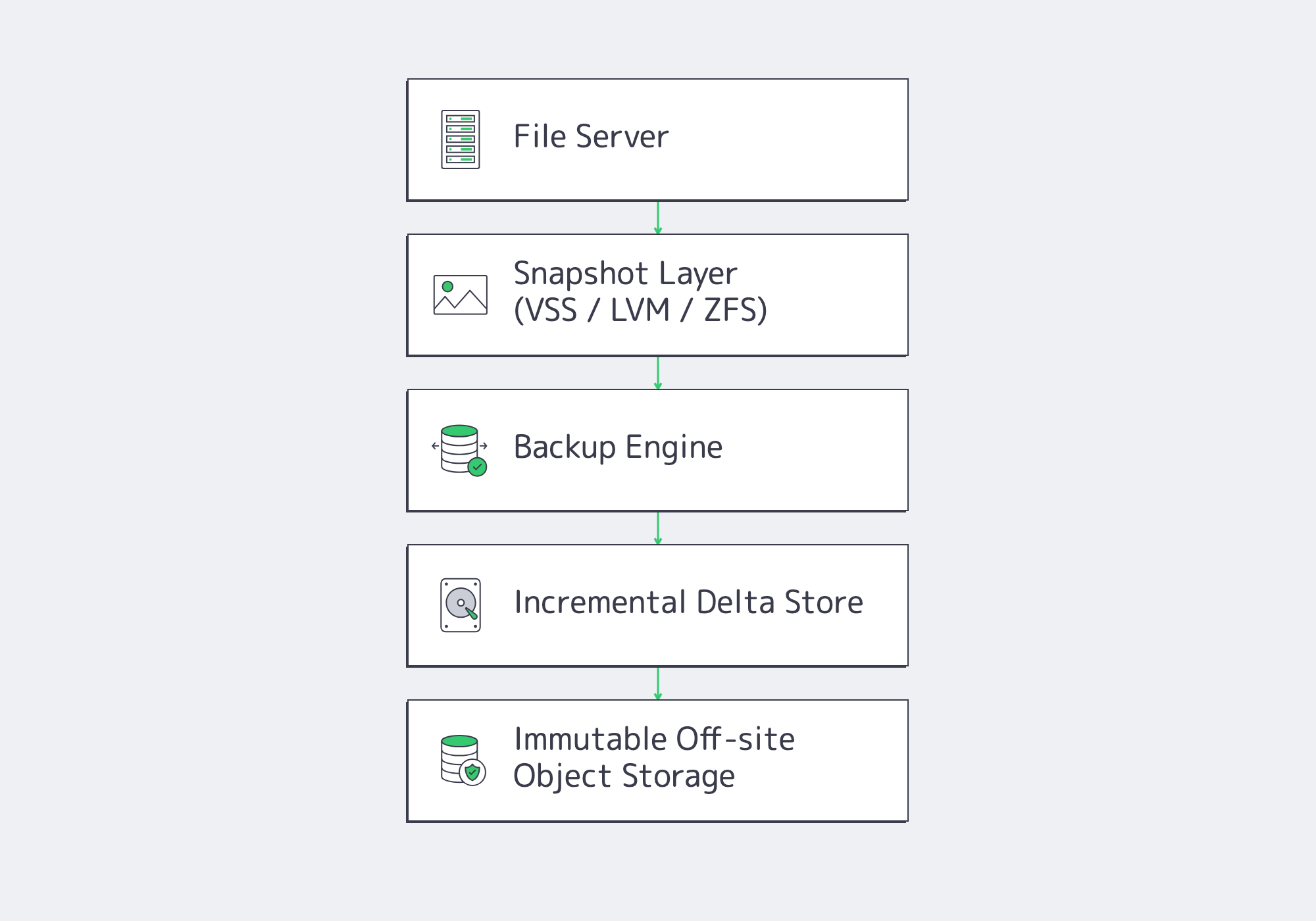
Modern backup solutions have moved away from running full multi-terabyte volumes all weekend, favoring synthetic incremental snapshots. After the initial full seed, only changed data moves; synthetic incremental designs merge those changes into current restore points, reducing routine transfer volume and shortening backup windows without running full jobs every cycle.[2]
Automating the process requires no human intervention:
- Job schedulers can run by tier cadence: hourly, nightly, and weekly.
- Post-process hooks immediately replicate backups to off-site targets.
- Report APIs automatically push status to Slack or PagerDuty.
Automated filesystem snapshots capture an application-consistent point in time and help eliminate “file locked” errors without taking the file server offline. When Volume Shadow Copy Service (VSS) is used on Windows, applications are briefly quiesced while the snapshot is created; backup software then reads the point-in-time blocks, including open files such as PSTs or SQLite databases. On Linux, LVM snapshots and ZFS send/receive fill a similar role when paired with application quiescing or pre/post hooks where needed.
Testing Restores Before Recovery Is Needed
Recent recovery research shows why testing belongs in regular operations: Veeam’s 2026 Data Trust and Resilience Report found that fewer than one in three ransomware victims fully recovered all affected data, while 44% recovered less than 75%.[3] Restore failures still often trace back to corrupt media, missing credentials, or mis-scoped jobs, so bake restores into the run-book rather than treating them as emergency-only tasks:
- Weekly random spot checks: pick three files from a variety of tiers; restore them to an isolated sandbox and validate hashes.
- Quarterly full volume recovery drills: Using a new VM or dedicated server host, perform a full Tier 1 recovery. Be sure to time the process and log any gaps identified.
- Verification after any changes: Ad-hoc restore tests should be performed following any changes, such as new shares being added, tweaks to ACLs, or backup agent upgrades.
Remember, while the auto-mount VM features included in many modern suites are useful to verify boot or run block-level checksums following a backup, human-eyed drills are still needed to validate run-books and credentials. Double-checking manually also builds muscle memory for when teams are under stress.
Anomaly Monitoring and Operational Alerts
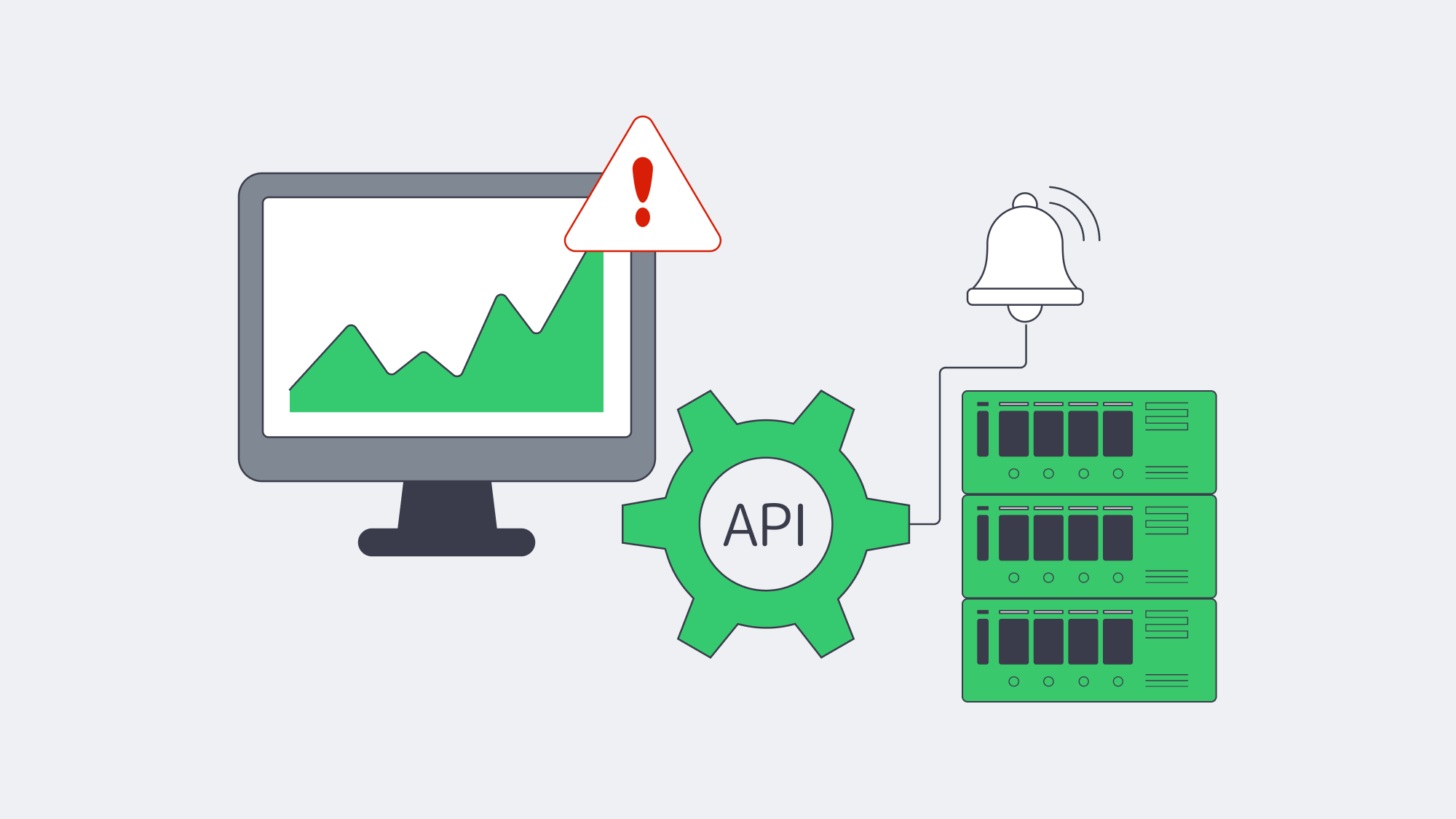
Automation has its perks, but monitoring is essential. Ransomware encrypts at machine speeds, and so a quiet backup that finishes without alert could be masking a future disaster, and you won’t know until the next scheduled backup. Anomaly engines can help observe backup activity and watch for spikes or changes in compression ratios and file counts to spot deletion and make sure delta ballooning is identified efficiently. If your nightly capture is usually around 800MB, and last night’s job hit 25 GB, time is of the essence. Next week’s review will be too late.
Back-end metrics also need monitoring for red flags such as low repository disk capacity, climbs in replication lag, and immutable lock misconfigurations. API endpoints or webhooks, fed to SIEM, Prometheus, or similar, can help with vigilance, and any failures can be reported to teams with a one-line cURL script; for example, JSON payloads triggering auto-ticket creation. Restrict the triggers to actionable events (failed jobs, anomalies, capacity thresholds) to prevent alert fatigue and be sure to train on them.
By integrating anomaly-driven monitoring into daily ops, you turn your backups into a built-in early-warning radar, and given that Veeam’s 2025 ransomware research found 89% of affected organizations had backup repositories targeted by threat actors,[1] you are better positioned to catch attack indicators early, isolate infected shares, and limit downtime during recovery.
Data Protection as an Ongoing Process
A disciplined process is needed for file-server protection in the modern world. It starts with classifying shares to make sure resources flow efficiently, then granular immutable retention can be put in place, assisted by technology such as VSS or similar for snapshot automation. Rehearsing restores turns the process into muscle memory, as does making anomaly alerts an integral part of everyday operations, reducing the level of panic faced during a real crisis.
Though the steps alone are each modest, they work in conjunction to form a last-line defense that hardens backups enough to withstand ransomware, hardware failure, site fires, and accidental deletion. The results of following the outline shared are quantifiable, too. Varonis currently cites 24 days as the average interruption after ransomware attacks in U.S. businesses and organizations,[4] but a tested recovery plan can shrink your own window toward hours when clean infrastructure, current credentials, and immutable backup copies are ready.
Deploy Your Backup Node Now
Get a dedicated backup node within 2 hours, with off-site object or SFTP storage, high-bandwidth links, and 24/7 support.